This manual documents SICStus Prolog 3.10.0, December 2002.
Prolog is a simple but powerful programming language developed at the University of Marseille, as a practical tool for programming in logic. From a user's point of view the major attraction of the language is ease of programming. Clear, readable, concise programs can be written quickly with few errors.
Prolog is a simple but powerful programming language developed at the University of Marseille [Roussel 75], as a practical tool for programming in logic [Kowalski 74]. From a user's point of view the major attraction of the language is ease of programming. Clear, readable, concise programs can be written quickly with few errors.
For an introduction to programming in Prolog, readers are recommended to consult [Sterling & Shapiro 86]. However, for the benefit of those who do not have access to a copy of this book, and for those who have some prior knowledge of logic programming, a summary of the language is included. For a more general introduction to the field of Logic Programming see [Kowalski 79]. See Prolog Intro.
This manual describes a Prolog system developed at the Swedish Institute of Computer Science. Parts of the system were developed by the project "Industrialization of SICStus Prolog" in collaboration with Ericsson Telecom AB, NobelTech Systems AB, Infologics AB and Televerket. The system consists of a WAM emulator written in C, a library and runtime system written in C and Prolog and an interpreter and a compiler written in Prolog. The Prolog engine is a Warren Abstract Machine (WAM) emulator [Warren 83]. Two modes of compilation are available: in-core i.e. incremental, and file-to-file. When compiled, a predicate will run about 8 times faster and use memory more economically. Implementation details can be found in [Carlsson 90] and in several technical reports available from SICS.
SICStus Prolog follows the mainstream Prolog tradition in terms of
syntax and built-in predicates. As of release 3.8, SICStus Prolog
provides two execution modes: the iso mode, which is fully
compliant with the International Standard ISO/IEC 13211-1 (PROLOG: Part
1--General Core); and the sicstus mode, which is largely
compatible with e.g. C-Prolog and Quintus Prolog, supports code
written in earlier versions of SICStus Prolog.
The following people have contributed to the development of SICStus Prolog:
Jonas Almgren, Johan Andersson, Stefan Andersson, Nicolas Beldiceanu,
Tamás Benko'', Kent Boortz, Dave Bowen, Per Brand, Göran Båge,
Mats Carlsson, Per Danielsson, Jesper Eskilson, Lena Flood, György
Gyaraki, Dávid Hanák, Seif Haridi, Ralph Haygood, Christian
Holzbaur, Tom Howland, Key Hyckenberg, Per Mildner, Richard O'Keefe,
Greger Ottosson, László Péter, Dan Sahlin, Peter Schachte, Rob
Scott, Thomas Sjöland, Péter Szeredi, Tamás Szeredi, Peter Van
Roy, Johan Widén, David Warren, and Emil Åström.
The Industrialization of SICStus Prolog (1988-1991) was funded by
Ericsson Telecom AB, NobelTech Systems AB, Infologics AB and
Televerket under the National Swedish Information Technology
Program IT4.
The development of release 3 (1991-1995) was funded in part by
Ellemtel Utvecklings AB
This manual is based on DECsystem-10 Prolog User's Manual by
D.L. Bowen, L. Byrd, F.C.N. Pereira,
L.M. Pereira, D.H.D. Warren
See CLPQR, for acknowledgments relevant to the clp(Q,R) constraint solver.
See CLPFD, for acknowledgments relevant to the clp(FD) constraint solver.
UNIX is a trademark of Bell Laboratories. MSDOS and Windows is a trademark of Microsoft Corp. OS/2 is a trademark of IBM Corp.
When referring to keyboard characters, printing characters are written thus: a, while control characters are written like this: ^A. Thus ^C is the character you get by holding down the <CTL> key while you type c. Finally, the special control characters carriage-return, line-feed and space are often abbreviated to <RET>, <LFD> and <SPC> respectively.
Throughout, we will assume that ^D is the EOF character (it's
usually ^Z under Windows) and that ^C is the interrupt character.
In most contexts, the term end_of_file terminated by a full stop
(.) can be typed instead of the EOF character.
When introducing a built-in predicate, we shall present its usage with a mode spec which has the form name(arg, ..., arg) where each arg denotes how that argument should be instantiated in goals, and has one of the following forms:
Mode specs are not only used in the manual, but are part of the syntax of the language as well. When used in the source code, however, the ArgName part must be omitted. That is, arg must be either :, +, -, or ?.
The full Prolog system with top-level, compiler, debugger etc. is known as the development system.
It is possible to link user-written C code with a subset of SICStus Prolog to create runtime systems. When introducing a built-in predicate, any limitations on its use in runtime systems will be mentioned.
Whenever this manual documents a C function as part of SICStus Prolog's foreign language interface, the function prototype will be displayed in ANSI C syntax.
SICStus Prolog provides two execution modes: the iso mode, which
is fully compliant with the International Standard ISO/IEC 13211-1
(PROLOG: Part 1--General Core), and the sicstus mode, which
supports code written in earlier versions of SICStus Prolog. The
execution mode can be changed using the Prolog flag language;
see State Info. Note, however, that SICStus Prolog does not offer a
strictly conforming mode which rejects uses of implementation specific
features.
To aid programmers who wish to write standard compliant programs,
built-in predicates that are part of the ISO Prolog Standard are
annotated with [ISO] in this manual. If such a predicate behaves
differently in sicstus mode, an appropriate clarification is
given. For the few predicates that have a completely different meaning
in the two modes, two separate descriptions are given. The one for the
iso mode is annotated with [ISO only], while the
sicstus mode version is annotated with [SICStus only].
customer(jones,85) has an arity of 2.
hello * := '#$%' 'New York' 'don\'t'
See Atoms.
Atoms are recognized by the built-in predicate atom/1.
Each Prolog atom is represented internally by a unique integer,
represented in C as an SP_atom.
:- symbol.
callable/1.
char_conversion(In, Out), following which In
will be converted to Out. Character coversion can be switched off
by the char_conversion Prolog flag.
true.
,).
compiling Prolog flag.
father(X),
father is the name, and X is the first and only argument.
The argument to a compound term can be another compound term, as in
father(father(X)). Compound terms are recognized by the built-in
predicate compound/1.
atomic/1.
!. A built-in predicate that succeeds when
encountered; if backtracking should later return to the cut, the goal
that matched the head of the clause containing the cut fails
immediately.
compiling Prolog flag.
sicstus
executable is a development system; new development systems containing
pre-linked foreign resources can also be created.
:-, whose intuitive meaning is "execute this as a query,
but do not print out any variable bindings."
;).
king(louis, france).   % Louis was king of France.
have_beaks(birds).     % Birds have beaks.
employee(nancy, data_processing, 55000).
                     % Nancy is an employee in the
                     % data processing department.
compiling Prolog flag.
foo(a,b) is said to have "the functor
foo of arity two", which is generally written foo/2.
The functor of a constant is the term itself paired with zero.
For example, the constant nl is said to have "the functor
nl of arity zero", which is generally written nl/0.
A compound goal is a formula consisting of simple goals connected by
connectives such as "and" (,) or "or" (;).
A goal typed at the top-level is called a query.
ground/1.
:- symbol. The head of a
list is the first element of the list.
There are two kinds of importation: procedure-importation, in
which only specified procedures are imported from a module; and
module-importation, in which all the predicates made exported by
a module are imported.
:- initialization
Goal
.
[aa, bb,cc] [X, Y] [Name] [[x, y], z]
In the second set of examples, only the first several members of each list are explicitly stated, while the rest of the list is represented by a variable on the right-hand side of the "rest of" operator, |:
[X | Y] [a, b, c | Y] [[x, y] | Rest]
| is also known as the "list constructor." The first element of
the list to the left of | is called the head of the list.
The rest of the list, including the variable following | (which
represents a list of any length), is called the tail of the list.
call/1.
user.
:- module(ModuleName, ExportedPredList).
which must appear as the first term in the file.
is_mutable/1.
likes in
| ?- likes(sue, cider).
is declared an infix operator, the query above could be written:
| ?- sue likes cider.
An operator does not have to be associated with a predicate. However, certain built-in predicates are declared as operators. For example,
| ?- =..(X, Y).
can be written as
| ?- X =.. Y.
because =.. has been declared an infix operator.
Those predicates which correspond to built-in operators are written using infix notation in the list of built-in predicates at the beginning of the part that contains the reference pages.
Some built-in operators do not correspond to built-in predicates; for
example, arithmetic operators. See Standard Operators for a list
of built-in operators.
K-V.
Pairs are used by the built-in predicate keysort/2 and by many
library modules.
< /2 is a built-in predicate
specifying the relationship of one number being less than another. In
contrast, the functor + /2 is not (normally used as) a predicate.
A predicate is either built-in or is implemented by a
procedure.
name/arity or
module:name/arity denoting a predicate.
connects(san_francisco, oakland, bart_train).
connects(san_francisco, fremont, bart_train).
connects(concord, daly_city, bart_train).
is identified as belonging to the procedure connects/3.
compiling Prolog flag.
save_files/2, save_modules/2, and
save_predicates/2.
fcompile/1.
| ?- father(edward, ralph).
refers to the predicate father/2. If a query has no variables
in it, the system will respond either yes or no. If a query contains
variables, the system will try to find values of those variables for which
the query is true. For example,
| ?- father(edward, X).
X = ralph
After the system has found one answer, the user can direct the system to look
for additional answers to the query by typing ;.
has_stiff_neck(ralph) :-
   hacker(ralph).
This rule states that if the individual ralph is a hacker, then he must
also have a stiff neck. The constant ralph is replaced in
has_stiff_neck(X) :-
   hacker(X).
by the variable X. X unifies
with anything, so this rule can be used to prove that any hacker has a
stiff neck.
save_program/[1,2].
simple/1.
[-2^25,2^25-1] on 32-bit platforms, or
[-2^56,2^56-1] on 64-bit platforms.
sicstus
executable), or a runtime system. Both kinds are created by the
application builder. A stand-alone executable does not itself contain
any Prolog code; all Prolog code must be loaded upon startup.
user_input,
user_output and user_error.
SP1 and SP2 refer to positions in the same
stream, SP1@<SP2 if and only if SP1 is before SP2
in the stream. You should not otherwise rely on their internal
representation.
"SICStus"
By setting the Prolog flag double_quotes, the meaning of strings
can be changed. With an appropriate setting, a string can be made
equivalent to a list of one-char atoms, or to an atom. Strings
are not a separate data type.
q, (r, s;
t)
the subterm s is selected by the selector [2, 1, 2].
The rules governing the unification of terms are:
Variables may be written as any sequence of alphanumeric characters starting with either a capital letter or _; e.g.
X Y Z Name Position _c _305 One_stop
See Variables.
SICStus Prolog offers the user an interactive programming environment with tools for incrementally building programs, debugging programs by following their executions, and modifying parts of programs without having to start again from scratch.
The text of a Prolog program is normally created in a file or a number of files using one of the standard text editors. The Prolog interpreter can then be instructed to read in programs from these files; this is called consulting the file. Alternatively, the Prolog compiler can be used for compiling the file.
Under UNIX, SICStus Prolog is normally started from one of the shells. On other platforms, it is normally started by clicking on an icon. However, it is often convenient to run SICStus Prolog under GNU Emacs instead. A GNU Emacs interface for SICStus Prolog is described later (see Emacs Interface). From a shell, SICStus Prolog is started by typing:
% sicstus [options] [-a argument...]
where flags have the following meaning:
-f
~/.sicstusrc or
~/.sicstus.ini) on startup. If the flag is omitted and this file
exists, SICStus Prolog will consult it on startup after running any
initializations and printing the version banners.
-i
--iso
--sicstus
-m
-l prolog-file
-l argument is allowed.
-r saved-state
-r argument is allowed.
--goal Goal
call/1 after all files have been loaded. As usual Goal
should be terminated by a full stop (.).
Only one --goal argument is allowed.
-a argument...
prolog_flag(argv, Args), which will unify Args with
argument... represented as a list of atoms.
-B[abspath]
-R[abspath]
-B option, except that it builds a saved state
for a runtime system instead.
Under UNIX, a saved state file can be executed directly by typing:
% file argument...
This is equivalent to:
% sicstus -r file [-a argument...]
NOTE: As of release 3.7, saved-states do not
store the complete path of the binary sp.exe. Instead, they call
the main executable sicstus, which is assumed to be found in the
shell's path. If there are several versions of SICStus installed, it is
up to the user to make sure that the correct start-script is found.
Notice that the flags are not available when executing saved states--all the command-line arguments are treated as Prolog arguments.
The development system checks that a valid SICStus license exists and
responds with a message of identification and the prompt | ?-
as soon as it is ready to accept input, thus:
SICStus 3.9.1 ...
Licensed to SICS
| ?-
At this point the top-level is expecting input of a query. You
cannot type in clauses or directives immediately (see Inserting Clauses). While typing in a query, the prompt (on following lines)
becomes . That is, the | ?- appears only for
the first line of the query, and subsequent lines are indented.
The following environment variables can be set before starting SICStus Prolog. Some of these override the default sizes of certain areas. The sizes are given in bytes, but may be followed by K or M meaning kilobytes or megabytes respectively.
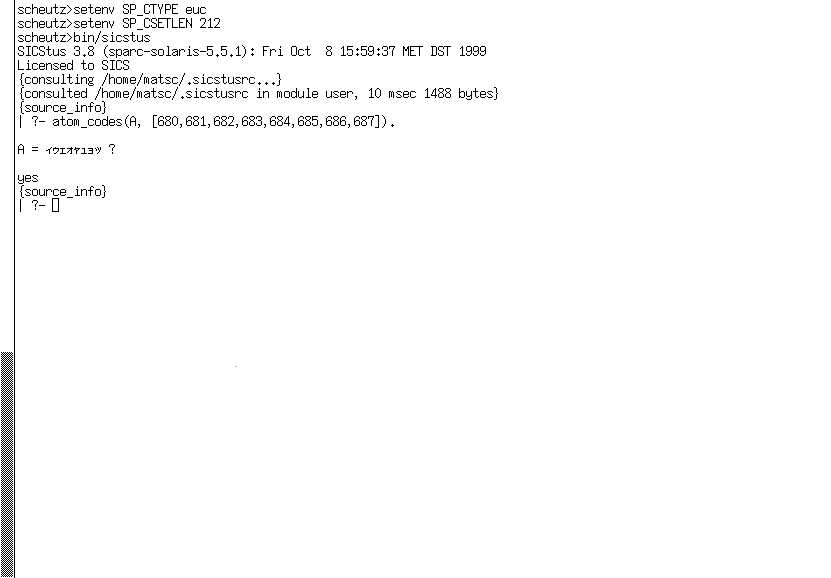
SP_CSETLEN
SP_CTYPE
euc (for EUC), utf8 (for Unicode) and iso_8859_1
(for ISO 8859/1). The latter is the default. For the details, see WCX Environment Variables.
SP_PATH
SP_initialize()). In most cases there is no need to use it.
See Setting SP_PATH under UNIX,
for more information.
TMPDIR
/usr/tmp.
GLOBALSTKSIZE
LOCALSTKSIZE
CHOICESTKSIZE
TRAILSTKSIZE
PROLOGINITSIZE
PROLOGMAXSIZE
PROLOGINCSIZE
PROLOGKEEPSIZE
PROLOGKEEPSIZE is returned to the OS; the rest will be
kept.
In addition the following environment variables are set automatically on startup.
SP_APP_DIR
application file search alias.
SP_RT_DIR
SP_RT_DIR
is the same as SP_APP_DIR.
Also available as the runtime file search alias.
SP_LIBRARY_DIR
library file search alias.
Send bug reports to sicstus-support@sics.se or use the form at http://www.sics.se/sicstus/bugreport/bugreport.html. Bugs tend actually to be fixed if they can be isolated, so it is in your interest to report them in such a way that they can be easily reproduced.
The mailing list sicstus-users@sics.se is a mailing list for communication among users and implementors. To subscribe, write a message to majordomo@sics.se with the following line in the message body:
subscribe sicstus-users
A program is made up of a sequence of clauses and directives. The clauses of a predicate do not have to be immediately consecutive, but remember that their relative order may be important (see Procedural).
To input a program from a file file, just type the filename inside list brackets (followed by . and <RET>), thus:
| ?- [file].
This instructs the interpreter to read in (consult) the program. Note that it may be necessary to enclose the filename file in single quotes to make it a legal Prolog atom; e.g.
| ?- ['myfile.pl'].

| ?- ['/usr/prolog/somefile'].
The specified file is then read in. Clauses in the file are stored so that they can later be interpreted, while any directives are obeyed as they are encountered. When the end of the file is found, the system displays on the standard error stream the time spent. This indicates the completion of the query.
Predicates that expect the name of a Prolog source file as an argument use
absolute_file_name/3 (see Stream Pred) to look up the file.
If no explicit extension is given,
this predicate will look for a file with the default extension .pl added
as well as for a file without extension. There is also support for libraries.
In general, this query can be any list of filenames, such as:
| ?- [myprog,extras,tests].
In this case all three files would be consulted.
The clauses for all the predicates in the consulted files will replace any existing clauses for those predicates, i.e. any such previously existing clauses in the database will be deleted.
Note that consult/1 in SICStus Prolog behaves like reconsult/1
in DEC-10 Prolog.
Clauses may also be typed in directly at the terminal, although this is only recommended if the clauses will not be needed permanently, and are few in number. To enter clauses at the terminal, you must give the special query:
| ?- [user].
|
and the new prompt | shows that the system is now in a state
where it expects input of clauses or directives. To return to top
level, type ^D. The system responds thus:
% consulted user in module user, 20 msec 200 bytes
Queries and directives are ways of directing the system to execute some goal or goals.
In the following, suppose that list membership has been defined by loading the following clauses from a file:
member(X, [X|_]).
member(X, [_|L]) :- member(X, L).
(Notice the use of anonymous variables written _.)
The full syntax of a query is ?- followed by a sequence of goals.
The top-level expects queries. This is signaled
by the initial prompt | ?- . Thus a query at top-level looks like:
| ?- member(b, [a,b,c]).
Remember that Prolog terms must terminate with a full stop (., possibly followed by layout text), and that therefore Prolog will not execute anything until you have typed the full stop (and then <RET>) at the end of the query.
If the goal(s) specified in a query can be satisfied, and if there are no variables as in this example, then the system answers
yes
and execution of the query terminates.
If variables are included in the query, then the final value of each variable is displayed (except for variables whose names begin with _). Thus the query
| ?- member(X, [a,b,c]).
would be answered by
X = a
At this point the system is waiting for input of either just a
<RET> or else a ; followed by <RET>. Simply typing
<RET> terminates the query; the system responds with
yes. However, typing ; causes the system to
backtrack (see Procedural) looking for alternative solutions.
If no further solutions can be found it outputs no.
While the variable bindings are displayed, all variables occurring in
the values are replaced by terms of the form '$VAR'(N) to
yield friendlier variable names. Such names come out as a sequence of
letters and digits preceded by _. The outcome of some queries is
shown below.
| ?- member(X, [tom,dick,harry]).

X = tom ;
X = dick ;
X = harry ;

no
| ?- member(X, [a,b,f(Y,c)]), member(X, [f(b,Z),d]).

X = f(b,c),
Y = b,
Z = c

yes
| ?- member(X, [f(_),g]).

X = f(_A)

yes
| ?-
Directives are like queries except that:
Directives start with the symbol :-. Any required output
must be programmed explicitly; e.g. the directive:
:- member(3, [1,2,3]), write(ok).
asks the system to check whether 3 belongs to the list
[1,2,3]. Execution of a directive terminates when all the goals in
the directive have been successfully executed. Other alternative solutions
are not sought. If no solution can be found, the system prints:
* Goal - goal failed
as a warning.
The principal use for directives (as opposed to queries) is to allow files to contain directives which call various predicates, but for which you do not want to have the answers printed out. In such cases you only want to call the predicates for their effect, i.e. you don't want terminal interaction in the middle of consulting the file. A useful example would be the use of a directive in a file which consults a whole list of other files, e.g.
:- [ bits, bobs, main, tests, data, junk ].
If a directive like this were contained in the file myprog then typing
the following at top-level would be a quick way of reading in your entire
program:
| ?- [myprog].
When simply interacting with the top-level,
this distinction between queries and directives is not normally very
important.
At top-level you should just type queries normally. In a
file, queries are in fact treated as directives, i.e. if you wish to
execute some goals then the directive in the file must be preceded by
:- or ?-; otherwise, it would be treated as a clause.
Syntax errors are detected during reading. Each clause, directive or in
general any term read in by the built-in predicate read/1 that
fails to comply with syntax requirements is displayed on the standard
error stream as soon as it is read, along with its position in the input
stream and a mark indicating the point in the string of symbols where
the parser has failed to continue analysis, e.g.:
| member(X, X$L).
! Syntax error
! , or ) expected in arguments
! in line 5
! member ( X , X
! <<here>>
! $ L ) .
if $ has not been declared as an infix operator.
Note that any comments in the faulty line are not displayed with the error
message. If you are in doubt about which clause was wrong you can use the
listing/1 predicate to list all the clauses which were successfully
read in, e.g.
| ?- listing(member/2).
NOTE: The built in predicates read/[1,2] normaly raise an exception
on syntax errors (see Exception). The behavior is controlled by the
flag syntax_errors (see prolog_flag/3).
There is a difference between predicates that have no definition and predicates that have no clauses. The latter case is meaningful e.g. for dynamic predicates (see Declarations) that clauses are being added to or removed from. There are good reasons for treating calls to undefined predicates as errors, as such calls easily arise from typing errors.
The system can optionally catch calls to predicates that have no
definition. First the user defined predicate
user:unknown_predicate_handler/3 (see Exception) is called. If
undefined or if the call fails the action is governed by the state of
the unknown/2 flag which can be:
trace
error
warning
fail
Calls to predicates that have no clauses are not caught.
The built-in predicate unknown(?OldState, ?NewState)
unifies OldState with the current state and sets the state to
NewState. The built-in predicate debugging/0 prints the
value of this state along with its other information. This state is
also controlled by the flag unknown (see prolog_flag/3).
Execution of a program is started by giving the system a query which contains a call to one of the program's predicates.
Only when execution of one query is complete does the system become ready for another query. However, one may interrupt the normal execution of a query by typing ^C. This ^C interruption has the effect of suspending the execution, and the following message is displayed:
Prolog interruption (h or ? for help) ?
At this point, the development system accepts one-letter commands corresponding to certain actions. To execute an action simply type the corresponding character (lower or upper case) followed by <RET>. The available commands in development systems are:
If the standard input stream is not connected to the terminal, e.g. by redirecting standard input to a file or a pipe, the above ^C interrupt options are not available. Instead, typing ^C causes SICStus Prolog to exit, and no terminal prompts are printed.
To exit from the top-level and return to the shell, either type
^D at the top-level, or call the built-in predicate halt/0,
or use the e (exit) command following a ^C interruption.
The Prolog system provides a way to suspend the execution of your program and to enter a new incarnation of the top-level where you can issue queries to solve goals etc. This is achieved by issuing the query (see Execution):
| ?- break.
This invokes a recursive top-level, indicated by the message:
% Break level 1
You can now type queries just as if you were at top-level.
If another call of break/0 is encountered, it moves up to level 2,
and so on. To close the break and resume the execution which was
suspended, type ^D. The debugger state and current input and output
streams will be restored, and execution will be resumed at the predicate
call where it had been suspended after printing the message:
% End break
Once a program has been read, the system will have available all the information necessary for its execution. This information is called a program state.
The state of a program may be saved on disk for future execution. The
state consists of all predicates and modules
except built-in predicates and clauses of volatile predicates,
the current operator declarations, the current character-conversion mapping,
the values of all writable Prolog
flags except debugging, source_info, and the user_*
stream aliases (see State Info), any blackboard data
(see Blackboard Primitives), internal database data
(see Database), and profiling data (see Profiling), but no
information for source-linked debugging.
To save a program into a file File, type the following query. On UNIX platforms, the file becomes executable:
| ?- save_program(File).
You can also specify a goal to be run when a saved program is restored. This is done by:
| ?- save_program(File, start).
where start/0 is the predicate to be called.
Once a program has been saved into a file File, the following query will restore the system to the saved state:
| ?- restore(File).
If a saved state has been moved or copied to another machine, the path names of foreign resources and other files needed upon restore are typically different at restore time from their save time values. To solve this problem, certain atoms will be relocated during restore as follows:
$SP_PATH/library (the name of the directory
containing the Prolog Library) as prefix at save time will have that
prefix replaced by the corresponding restore time value.
The purpose of this procedure is to be able to build and deploy an application consisting of a saved state and other files as a directory tree with the saved state at the root: as long as the other files maintain their relative position in the deployed copy, they can still be found upon restore.
NOTE: Foreign resources, see Calling C, are unloaded by
save_program/[1,2]. The names and paths of the
resources, typically $SP_PATH/library relative,
are however included in the saved state. After the save, and
after restoring a saved state, this information is used to reload
the foreign resources again. The state of the foreign resource in terms
of global C variables and allocated memory is thus not
preserved. Foreign resources may define init and deinit
functions to take special action upon loading and unloading; see Init and Deinit Functions.
As of SICStus Prolog 3.8, partial saved states corresponding to a set of
source files, modules, and predicates can be created by the built-in
predicates save_files/2, save_modules/2, and
save_predicates/2 respectively. These predicates create files in
a binary format, by default with the prefix .po (for Prolog
object file), which can be loaded by load_files/[1,2].
For example, to compile a program split into several source files into a
single object file, type:
| ?- compile(Files), save_files(Files, Object).
For each filename given, the first goal will try to locate a source file
with the default suffix .pl and compile it into memory. The
second goal will save the program just compiled into an object file
whose default suffix is .po. Thus the object file will contain a
partial memory image.
NOTE: Prolog object files can be created with any suffix, but cannot be
loaded unless the suffix is .po!
This section explains how to use the GNU Emacs interface for SICStus Prolog, and how to customize your GNU Emacs environment for it.
Emacs is a powerful programmable editor especially suitable for program development. It is available for free for many platforms, including various UNIX dialects, Windows and MacOS. For information on obtaining Emacs, see http://www.emacs.org. For information specific to GNU Emacs or XEmacs, see http://www.gnu.org and http://www.xemacs.org respectively.
The advantages of using SICStus in the Emacs environment are source-linked debugging, auto indentation, syntax highlighting, help on predefined predicates (requires the SICStus info files to be installed), loading code from inside Emacs, auto-fill mode, and more.
The Emacs interface is not part of SICStus Prolog proper, but is included in the distribution for convenience. It was written by Emil Åström and Milan Zamazal, based on an earlier version of the mode written by Masanobu Umeda. Contributions has also been made by Johan Andersson, Peter Olin, Mats Carlsson, Johan Bevemyr, Stefan Andersson, and Per Danielsson, Henrik Båkman, and Tamás Rozmán. Some ideas and also a few lines of code have been borrowed (with permission) from Oz.el by Ralf Scheidhauer and Michael Mehl, the Emacs major mode for the Oz programming language. More ideas and code have been taken from the SICStus debugger mode by Per Mildner.
See The Emacs Interface, for more information about installing the Emacs interface.
There are some differences between GNU Emacs and XEmacs. This will be indicated with Emacs-Lisp comments in the examples.
Version 20 of GNU Emacs and XEmacs introduced a new method for
editing and storing user settings. This feature is available from the
menu bar as Customize and particular Emacs variables can be
customized with M-x customize-variable. Using Customize is
the preferred way to modify the settings for emacs and
the appropriate customize commands will be indicated below, sometimes
together with the old method of directly setting Emacs variables.
Assuming the Emacs interface for SICStus Prolog has been installed in
the default location, inserting the following lines in your
~/.emacs will make Emacs use this mode automatically when editing
files with a .pl extension:
(setq load-path
   (cons (expand-file-name "/usr/local/lib/sicstus-3.9.1/emacs")
         load-path))
(autoload 'run-prolog "prolog" "Start a Prolog sub-process." t)
(autoload 'prolog-mode "prolog" "Major mode for editing Prolog programs." t)
(setq prolog-use-sicstus-sd t)
(setq auto-mode-alist (cons '("\\.pl$" . prolog-mode) auto-mode-alist))
where the path in the first line is the file system path to
prolog.el (the generic Prolog mode) and sicstus-support.el
(SICStus specific code). For example, ~/emacs means that the
file is in the user's home directory, in directory emacs. Windows paths
can be written like C:/Program Files/SICStus Prolog 3.9.1/emacs.
The last line above makes sure that files ending with .pl are
assumed to be Prolog files and not Perl, which is the default Emacs
setting. If this is undesirable, remove that line. It is then necessary
for the user to manually switch to prolog mode by typing M-x
prolog-mode after opening a prolog file, for an alternative approach,
see Mode Line.
If the shell command sicstus is not available in the default
path, then it is necessary to set the value of the environment variable
EPROLOG to a shell command to invoke SICStus Prolog. This is an
example for C Shell:
setenv EPROLOG /usr/local/bin/sicstus
It is possible to look up the documentation for any built in or library
predicate from within Emacs (using C-c ? or the menu). For this to
work Emacs must be told about the location of the info-files that
make up the documentation.
The default location for the info-files are
<prefix>/lib/sicstus-3.9.1/doc/info/ on UNIX platforms and
C:/Program Files/SICStus Prolog 3.9.1/doc/info/ on Windows.
Add the following to your ~/.emacs file, assuming INFO is the
path to the info files, e.g. C:/Program Files/SICStus Prolog 3.9.1/doc/info/
(setq Info-default-directory-list
   (append Info-default-directory-list '("INFO")))
for GNU Emacs, or
(setq Info-directory-list
   (append Info-directory-list '("INFO")))
for XEmacs. You can also use M-x customize-group <RET> info <RET> if your Emacs is new enough. You may have to quit and restart Emacs for these changes to take effect.
If the following lines are not present in ~/.emacs, we suggest
they are added, so that the font-lock mode (syntax coloring support) is
enabled for all major modes in Emacs that support it.
(global-font-lock-mode t)       ; GNU Emacs
(setq font-lock-auto-fontify t) ; XEmacs
(setq font-lock-maximum-decoration t)
These settings and more are also available through M-x customize-group <RET> font-lock.
If one wants to add font-locking only to the prolog mode, the two lines above could be replaced by:
(add-hook 'prolog-mode-hook 'turn-on-font-lock)
Similarly, to turn it off only for prolog mode use:
(add-hook 'prolog-mode-hook 'turn-off-font-lock)
A prolog process can be started by choosing Run Prolog from the
Prolog menu, by typing C-c <RET>, or by typing M-x
run-prolog. It is however not strictly necessary to start a prolog
process manually since it is automatically done when consulting or
compiling, if needed. The process can be restarted (i.e. the old one is
killed and a new one is created) by typing C-u C-c <RET>.
Programs are run and debugged in the normal way, with terminal I/O
via the *prolog* buffer. The most common debugging predicates
are available from the menu or via key-bindings.
A particularly useful feature under the Emacs interface is source-linked
debugging. This is enabled or disabled using the Prolog/Source
level debugging menu entry. It can also be enabled by setting the Emacs
variable prolog-use-sicstus-sd to t in
~/.emacs. Both these methods set the Prolog flag
source_info to emacs. Its value should be emacs while
loading the code to be debugged and while debugging. If so, the debugger
will display the source code location of the current goal when it
prompts for a debugger command, by overlaying the beginning of the
current line of code with an arrow. If source_info was
off when the code was loaded, or if it was asserted or loaded
from user, the current goal will still be shown but out of
context.
Note that if the code has been modified since it was last loaded, Prolog's line number information may be invalid. If this happens, just reload the relevant buffer.
Consultation and compilation is either done via the menu or with the following key-bindings:
The boundaries used when consulting and compiling predicates are the first and last clauses of the predicate the cursor is currently in.
Other useful key-bindings are:
comment-column. This comment will always
stay at this position when the line is indented, regardless of changes
in the text earlier on the line, provided that
prolog-align-comments-flag is set to t.
prolog-electric-dot-flag variable
below.
Prolog/Transform/All variables to '_'
menu entry. See also the prolog-electric-underscore-flag
Emacs variable.
prolog-info-predicate-index.
If working with an application split into several modules, it is often useful to let files begin with a "mode line":
%%% -*- Mode: Prolog; Module: ModuleName; -*-
The Emacs interface will look for the mode line and notify the SICStus
Prolog module system that code fragments being incrementally
reconsulted or recompiled should be imported into the module
ModuleName. If the mode line is missing, the code fragment will
be imported into the type-in module. An additional benefit of the
mode line is that it tells Emacs that the file contains Prolog code,
regardless of the setting of the Emacs variable
auto-mode-alist. A mode line can be inserted by choosing
Insert/Module modeline in the Prolog menu.
The behavior of the Emacs interface can be controlled by a set of user-configurable settings. Some of these can be changed on the fly, while some require Emacs to be restarted. To set a variable on the fly, type M-x set-variable <RET> VariableName <RET> Value <RET>. Note that variable names can be completed by typing a few characters and then pressing <TAB>.
To set a variable so that the setting is used every time Emacs is
started, add lines of the following format to ~/.emacs:
(setq VariableName Value)
Note that the Emacs interface is presently not using the
Customize functionality to edit the settings.
The available settings are:
prolog-system
'sicstus, which will be assumed for the rest of this
chapter. See the on-line documentation for the meaning of other
settings. For other settings of prolog-system the variables below
named sicstus-something will not be used, in some cases
corresponding functionality is available through variables named
prolog-something.
sicstus-version
'(3 . 8).
Note that the spaces are significant!
prolog-use-sicstus-sd
t (the default) to enable the source-linked debugging
extensions by default. The debugging can be enabled via the
Prolog menu even if this variable is nil. Note that the
source-linked debugging only works if sicstus-version is
set correctly.
pltrace-port-arrow-assoc [Obsolescent]
'(("call" . ">>>") ("exit" . "+++") ("ndexit" . "?++")
  ("redo" . "<<<") ("fail" . "---") ("exception" . "==>"))
where ndexit is the nondeterminate variant of the Exit port. Do
not rely on this variable. It will change in future releases.
prolog-indent-width
tab-width, normally 8.
prolog-paren-indent
p :-
        (   q1
        ;   q2,
            q3
        ).
Note that the spaces between the parentheses and the code are
automatically inserted when <TAB> is pressed at those positions.
prolog-align-comments-flag
nil to prevent single %-comments to be automatically
aligned. Defaults to t.
Note that comments with one % are indented to comment-column, comments
with two % to the code level, and that comments with three % are
never changed when indenting.
prolog-indent-mline-comments-flag
nil to prevent indentation of text inside /*
... */ comments. Defaults t.
prolog-object-end-to-0-flag
} of an object definition to
prolog-indent-width. Defaults to t.
sicstus-keywords
:- keyword). Defaults to
'((sicstus
     ("block" "discontiguous" "dynamic" "initialization"
      "meta_predicate" "mode" "module" "multifile" "public" "volatile")))
prolog-electric-newline-flag
nil to prevent Emacs from automatically indenting the next
line when pressing <RET>. Defaults to t.
prolog-hungry-delete-key-flag
t to enable deletion of all white space before the cursor
when pressing the delete key (unless inside a comment, string, or quoted
atom). Defaults to nil.
prolog-electric-dot-flag
t to enable the electric dot function. If enabled,
pressing . at the end of a non-empty line inserts a dot and a
newline. When pressed at the beginning of a line, a new head of the
last predicate is inserted. When pressed at the end of a line with only
whitespace, a recursive call to the current predicate is inserted. The
function respects the arity of the predicate and inserts parentheses and
the correct number of commas for separation of the arguments. Defaults
to nil.
prolog-electric-underscore-flag
t to enable the electric underscore function. When
enabled, pressing underscore (_) when the cursor is on a variable,
replaces the variable with the anynomous variable. Defaults to
nil.
prolog-old-sicstus-keys-flag
t to enable the key-bindings of the old Emacs interface. These
bindings are not used by default since they violate GNU Emacs
recommendations. Defaults to nil.
prolog-use-prolog-tokenizer-flag
nil to use built-in functions of Emacs for parsing the
source code when indenting. This is faster than the default but does not
handle some of the syntax peculiarities of Prolog. Defaults to t.
prolog-parse-mode
'beg-of-line and 'beg-of-clause. The first is
faster but may result in erroneous indentation in /* ... */
comments. The default is 'beg-of-line.
prolog-imenu-flag
t to enable a new Predicate menu which contains all
predicates of the current file. Choosing an entry in the menu moves the
cursor to the start of that predicate. Defaults to nil.
prolog-info-predicate-index
C-c ?, or
choosing the Prolog/Help on predicate menu entry). The default
setting is "(sicstus)Predicate Index".
prolog-underscore-wordchar-flag
nil to not make underscore (_) a word-constituent
character. Defaults to t.
Some general tips and tricks for using the SICStus mode and Emacs in general are given here. Some of the methods may not work in all versions of Emacs.
When editing large files, it might happen that font-locking is not done because the file is too large. Typing M-x lazy-lock-mode results in only the visible parts of the buffer being highlighted, which is much faster, see its Emacs on-line documentation for details.
If the font-locking seems to be incorrect, choose Fontify
Buffer from the Prolog menu.
Auto-fill mode is enabled by typing M-x auto-fill-mode. This enables automatic line breaking with some features. For example, the following multiline comment was created by typing M-; followed by the text. The second line was indented and a % was added automatically.
dynamics([]).       % A list of pit furnace
                    % dynamic instances
There are several things to do if the speed of the Emacs environment is a problem:
prolog.el and sicstus-support.el
are compiled, i.e. that there is a prolog.elc and a
sicstus-support.elc file at the same location as the original
files. To do the compilation, start Emacs and type M-x
byte-compile-file <RET> path <RET>, where path is the path to the
*.el file. Do not be alarmed if there are a few warning messages
as this is normal. If all went well, there should now be a compiled
file which is used the next time Emacs is started.
prolog-use-prolog-tokenizer-flag to nil. This means that
Emacs uses built-in functions for some of the source code parsing, thus
speeding up indentation. The problem is that it does not handle all
peculiarities of the Prolog syntax, so this is a trade-off between
correctness and speed.
prolog-parse-mode variable also affects
the speed, 'beg-of-line being faster than 'beg-of-clause.
The prolog mode uses the default Emacs colors for font-locking as far as possible. The only custom settings are in the prolog process buffer. The default settings of the colors may not agree with your preferences, so here is how to change them.
If your emacs support it, use Customize, M-x
customize-group <RET> font-lock <RET> will show the
Customize settings for font locking and also contains pointers to
the Customize group for the font lock (type)faces. The rest of
this section outlines the more involved methods needed in older versions
of Emacs.
First of all, list all available faces (a face is a combined setting of foreground and background colors, font, boldness, etc.) by typing M-x list-faces-display.
There are several functions that change the appearance of a face, the ones you will most likely need are:
set-face-foreground
set-face-background
set-face-underline-p
make-face-bold
make-face-bold-italic
make-face-italic
make-face-unbold
make-face-unitalic
These can be tested interactively by typing M-x
function-name. You will then be asked for the name of the face to
change and a value. If the buffers are not updated according to the new
settings, then refontify the buffer using the Fontify Buffer menu entry
in the Prolog menu.
Colors are specified by a name or by RGB values. Available color names can be listed with M-x list-colors-display.
To store the settings of the faces, a few lines must be added to
~/.emacs. For example:
;; Customize font-lock faces
(add-hook 'font-lock-mode-hook
          '(lambda ()
             (set-face-foreground font-lock-variable-name-face "#00a000")
             (make-face-bold font-lock-keyword-face)
             (set-face-foreground font-lock-reference-face "Blue")
             ))
This chapter provides a brief introduction to the syntax and semantics of a certain subset of logic (definite clauses, also known as Horn clauses), and indicates how this subset forms the basis of Prolog.
The data objects of the language are called terms. A term is either a constant, a variable or a compound term.
The constants include integers such as
0 1 999 -512
Besides the usual decimal, or base 10, notation, integers may also be
written in other base notations. In sicstus mode, any base from
2 to 36 can be specified, while in iso mode bases 2 (binary), 8 (octal),
and 16 (hex) can be used. Letters A through
Z (upper or lower case) are used for bases greater than 10. E.g.
15   2'1111   8'17  16'f  % sicstus mode
15   0b1111   0o17  0xf   % iso mode
all represent the integer fifteen. Except for the first, decimal,
notation, the forms in the first line are only acceptable in
sicstus mode, while those in the second line are only valid in
iso mode.
There is also a special notation for character constants. E.g.
0'A 0'\x41 0'\101
are all equivalent to 65 (the character code for A).
0' followed by any character except \ (backslash) is thus
read as an integer. Unless character escapes have been switched off, if
0' is followed by \, the \ denotes the start of an
escape sequence with special meaning (see Escape Sequences).
Constants also include floats such as
1.0 -3.141 4.5E7 -0.12e+8 12.0e-9
Note that there must be a decimal point in floats written with an exponent, and that there must be at least one digit before and after the decimal point.
Constants also include atoms such as
a void = := 'Algol-68' []
Atoms are definite elementary objects, and correspond to proper nouns in natural language. For reference purposes, here is a list of the possible forms which an atom may take:
'can\'t'.
{X}
is allowed as an alternative to {}(X). The form
[X] is the normal notation for lists, as an alternative to
.(X,[]).
Variables may be written as any sequence of alphanumeric characters (including _) starting with either a capital letter or _; e.g.
X Value A A1 _3 _RESULT
If a variable is only referred to once in a clause, it does not need to be named and may be written as an anonymous variable, indicated by the underline character _. A clause may contain several anonymous variables; they are all read and treated as distinct variables.
A variable should be thought of as standing for some definite but unidentified object. This is analogous to the use of a pronoun in natural language. Note that a variable is not simply a writable storage location as in most programming languages; rather it is a local name for some data object, cf. the variable of pure LISP and identity declarations in Algol68.
The structured data objects of the language are the compound terms. A
compound term comprises a functor (called the principal functor of
the term) and a sequence of one or more terms called arguments. A
functor is characterized by its name, which is an atom, and its arity
or number of arguments. For example the compound term whose functor is
named point of arity 3, with arguments X, Y and
Z, is written
point(X, Y, Z)
Note that an atom is considered to be a functor of arity 0.
Functors are generally analogous to common nouns in natural language. One may think of a functor as a record type and the arguments of a compound term as the fields of a record. Compound terms are usefully pictured as trees. For example, the term
s(np(john),vp(v(likes),np(mary)))
would be pictured as the compound term
       s
     /   \
  np       vp
  |       /  \
john     v     np
         |     |
       likes  mary
Sometimes it is convenient to write certain functors as operators--2-ary functors may be declared as infix operators and 1-ary functors as prefix or postfix operators. Thus it is possible to write, e.g.
X+Y (P;Q) X<Y +X P;
as optional alternatives to
+(X,Y) ;(P,Q) <(X,Y) +(X) ;(P)
The use of operators is described fully below (see Operators).
Lists form an important class of data structures in Prolog. They are
essentially the same as the lists of LISP: a list either is the atom
[] representing the empty list, or is a compound term with
functor . and two arguments which are respectively the head and
tail of the list. Thus a list of the first three natural numbers is the
compound term
  .
 / \
1    .
    / \
   2    .
       / \
      3   []
which could be written, using the standard syntax, as
.(1,.(2,.(3,[])))
but which is normally written, in a special list notation, as
[1,2,3]
The special list notation in the case when the tail of a list is a variable is exemplified by
[X|L] [a,b|L]
representing
   .               .
  / \             / \
X     L         a     .
                     / \
                   b     L
respectively.
Note that this notation does not add any new power to the language; it simply makes it more readable. e.g. the above examples could equally be written
.(X,L) .(a,.(b,L))
For convenience, a further notational variant is allowed for lists of integers which correspond to character codes or one-char atoms. Lists written in this notation are called strings. E.g.
"SICStus"
which, by default, represents exactly the same list as
[83,73,67,83,116,117,115]
The Prolog flag double_quotes can be used to change the way
strings are interpreted. The default value of the flag is codes,
which implies the above interpretation. If the flag is set to
chars, a string is transformed to a list of one-char atoms.
E.g. with this setting the above string represents the list:
['S','I','C','S',t,u,s]
Finally if double_quotes has the value atom, then the string is
made equivalent to the atom formed from its characters: the above sample
string is then the same as the atom 'SICStus'.
Unless character escapes have been switched off, backslashes in the
sequence denote escape sequences (see Escape Sequences). As for
quoted atoms, if a double quote character is included in the sequence it
must be escaped, e.g. "can\"t".
A fundamental unit of a logic program is the goal or procedure call. E.g.
gives(tom, apple, teacher) reverse([1,2,3], L) X<Y
A goal is merely a special kind of term, distinguished only by the context in which it appears in the program. The (principal) functor of a goal identifies what predicate the goal is for. It corresponds roughly to a verb in natural language, or to a procedure name in a conventional programming language.
A logic program consists simply of a sequence of statements called sentences, which are analogous to sentences of natural language. A sentence comprises a head and a body. The head either consists of a single goal or is empty. The body consists of a sequence of zero or more goals (i.e. it too may be empty). If the head is not empty, the sentence is called a clause.
If the body of a clause is empty, the clause is called a unit clause, and is written in the form
P.
where P is the head goal. We interpret this declaratively as
Goals matching P are true.
and procedurally as
Goals matching P are satisfied.
If the body of a clause is non-empty, the clause is called a rule, and is written in the form
P :- Q, R, S.
where P is the head goal and Q, R and S are the goals which make up the body. We can read such a clause either declaratively as
P is true if Q and R and S are true.
or procedurally as
To satisfy goal P, satisfy goals Q, R and S.
A sentence with an empty head is called a directive (see Directives), and is written in the form
:- P, Q.
where P and Q are the goals of the body. Such a query is read declaratively as
Are P and Q true?
and procedurally as
Satisfy goals P and Q.
Sentences generally contain variables. Note that variables in different sentences are completely independent, even if they have the same name--i.e. the lexical scope of a variable is limited to a single sentence. Each distinct variable in a sentence should be interpreted as standing for an arbitrary entity, or value. To illustrate this, here are some examples of sentences containing variables, with possible declarative and procedural readings:
employed(X) :- employs(Y,X).
"Any X is employed if any Y employs X."
"To find whether a person X is employed, find whether any Y employs X."
derivative(X,X,1).
"For any X, the derivative of X with respect to X is 1."
"The goal of finding a derivative for the expression X with respect to X itself is satisfied by the result 1."
?- ungulate(X), aquatic(X).
"Is it true, for any X, that X is an ungulate and X is aquatic?"
"Find an X which is both an ungulate and aquatic."
In any program, the predicate for a particular (principal) functor
is the sequence of clauses in the program whose head goals have that
principal functor. For example, the predicate for a 3-ary functor
concatenate/3 might well consist of the two clauses
concatenate([], L, L).
concatenate([X|L1], L2, [X|L3]) :- concatenate(L1, L2, L3).
where concatenate(L1,L2,L3) means "the list
L1 concatenated with the list L2 is the list L3".
Note that for predicates with clauses corresponding to a base case and a
recursive case, the preferred style is to write the base case clause
first.
In Prolog, several predicates may have the same name but different
arities. Therefore, when it is important to specify a predicate
unambiguously, the form name/arity is used; e.g.
concatenate/3.
Certain predicates are predefined by built-in predicates supplied by the Prolog system. Such predicates are called built-in predicates.
As we have seen, the goals in the body of a sentence are linked by the
operator , which can be interpreted as conjunction ("and"). It
is sometimes convenient to use an additional operator ;, standing
for disjunction ("or"). (The precedence of ; is such that it
dominates , but is dominated by :-.) An example is the
clause
grandfather(X, Z) :-
        (mother(X, Y); father(X, Y)),
        father(Y, Z).
which can be read as
For any X, Y and Z, X has Z as a grandfather if either the mother of X is Y or the father of X is Y, and the father of Y is Z.
Such uses of disjunction can always be eliminated by defining an extra predicate--for instance the previous example is equivalent to
grandfather(X,Z) :- parent(X,Y), father(Y,Z).

parent(X,Y) :- mother(X,Y).
parent(X,Y) :- father(X,Y).
--and so disjunction will not be mentioned further in the following, more formal, description of the semantics of clauses.
The token |, when used outside a list, is an alias for ;.
The aliasing is performed when terms are read in, so that
a :- b | c.
is read as if it were
a :- b ; c.
Note the double use of the . character. On the one hand it is
used as a sentence terminator, while on the other it may be used in a
string of symbols which make up an atom (e.g. the list functor
./2). The rule used to disambiguate terms is that a .
followed by layout-text is regarded as a sentence terminator
(see Token String).
The semantics of definite clauses should be fairly clear from the informal interpretations already given. However it is useful to have a precise definition. The declarative semantics of definite clauses tells us which goals can be considered true according to a given program, and is defined recursively as follows.
A goal is true if it is the head of some clause instance and each of the goals (if any) in the body of that clause instance is true, where an instance of a clause (or term) is obtained by substituting, for each of zero or more of its variables, a new term for all occurrences of the variable.
For example, if a program contains the preceding procedure for
concatenate/3, then the declarative semantics tells us that
?- concatenate([a], [b], [a,b]).
is true, because this goal is the head of a certain instance of the
first clause for concatenate/3, namely,
concatenate([a], [b], [a,b]) :- concatenate([], [b], [b]).
and we know that the only goal in the body of this clause instance is
true, since it is an instance of the unit clause which is the second
clause for concatenate/3.
Note that the declarative semantics makes no reference to the sequencing of goals within the body of a clause, nor to the sequencing of clauses within a program. This sequencing information is, however, very relevant for the procedural semantics which Prolog gives to definite clauses. The procedural semantics defines exactly how the Prolog system will execute a goal, and the sequencing information is the means by which the Prolog programmer directs the system to execute the program in a sensible way. The effect of executing a goal is to enumerate, one by one, its true instances. Here then is an informal definition of the procedural semantics. We first illustrate the semantics by the simple query
?- concatenate(X, Y, [a,b]).
We find that it matches the head of the first clause for
concatenate/3, with X instantiated to [a|X1].
The new variable X1 is constrained by the new query produced,
which contains a single recursive procedure call:
?- concatenate(X1, Y, [b]).
Again this goal matches the first clause, instantiating X1 to
[b|X2], and yielding the new query:
?- concatenate(X2, Y, [])
Now the single goal will only match the second clause, instantiating
both X2 and Y to []. Since there are no further
goals to be executed, we have a solution
X = [a,b]
Y = []
i.e. a true instance of the original goal is
concatenate([a,b], [], [a,b])
If this solution is rejected, backtracking will generate the further solutions
X = [a]
Y = [b]

X = []
Y = [a,b]
in that order, by re-matching, against the second clause for concatenate, goals already solved once using the first clause.
Thus, in the procedural semantics, the set of clauses
H :- B1, ..., Bm.
H' :- B1', ..., Bm'.
...
are regarded as a procedure definition for some predicate H, and in a query
?- G1, ..., Gn.
each Gi is regarded as a procedure call. To execute a query, the system selects by its computation rule a goal, Gj say, and searches by its search rule a clause whose head matches Gj. Matching is done by the unification algorithm (see [Robinson 65] which computes the most general unifier, mgu, of Gj and H). The mgu is unique if it exists. If a match is found, the current query is reduced to a new query
?- (G1, ..., Gj-1, B1, ..., Bm, Gj+1, ..., Gn)mgu.
and a new cycle is started. The execution terminates when the empty query has been produced.
If there is no matching head for a goal, the execution backtracks to the most recent successful match in an attempt to find an alternative match. If such a match is found, an alternative new query is produced, and a new cycle is started.
In SICStus Prolog, as in other Prolog systems, the search rule is simple: "search forward from the beginning of the program".
The computation rule in traditional Prolog systems is also simple: "pick the leftmost goal of the current query". However, SICStus Prolog and other modern implementations have a somewhat more complex computation rule "pick the leftmost unblocked goal of the current query".
A goal can be blocked on one ore more uninstantiated variables, and a variable may block several goals. Thus binding a variable can cause blocked goals to become unblocked, and backtracking can cause currently unblocked goals to become blocked again. Moreover, if the current query is
?- G1, ..., Gj-1, Gj, Gj+1, ..., Gn.
where Gj is the first unblocked goal, and matching Gj against a clause head causes several blocked goals in G1, ..., Gj-1 to become unblocked, then these goals may become reordered. The internal order of any two goals that were blocked on the same variable is retained, however.
Another consequence is that a query may be derived consisting entirely of blocked goals. Such a query is said to have floundered. The top-level checks for this condition. If detected, the outstanding blocked subgoals are printed on the standard error stream along with the answer substitution, to notify the user that the answer (s)he has got is really a speculative one, since it is only valid if the blocked goals can be satisfied.
A goal is blocked if certain arguments are uninstantiated and its predicate definition is annotated with a matching block declaration (see Block Declarations). Goals of certain built-in may also be blocked if their arguments are not sufficiently instantiated.
When this mechanism is used, the control structure resembles that of coroutines, suspending and resuming different threads of control. When a computation has left blocked goals behind, the situation is analogous to spawning a new suspended thread. When a blocked goal becomes unblocked, the situation is analogous to temporarily suspending the current thread and resuming the thread to which the blocked goal belongs.
It is possible, and sometimes useful, to write programs which unify a variable to a term in which that variable occurs, thus creating a cyclic term. The usual mathematical theory behind Logic Programming forbids the creation of cyclic terms, dictating that an occurs-check should be done each time a variable is unified with a term. Unfortunately, an occurs-check would be so expensive as to render Prolog impractical as a programming language. Thus cyclic terms may be created and may cause loops trying to print them.
SICStus Prolog mitigates the problem by its ability to unify, compare
(see Term Compare), assert, and copy cyclic terms without looping.
The write_term/[2,3] built-in predicate can optionally handle cyclic
terms; see Term I/O. Unification with occurs-check is available as
a built-in predicate; see Misc Pred. Predicates
testing (a)cyclicity are available in a library package;
see Term Utilities. Other predicates usually do not handle
cyclic terms well.
Besides the sequencing of goals and clauses, Prolog provides one other
very important facility for specifying control information. This is the
cut symbol, written !. It is inserted in the program just
like a goal, but is not to be regarded as part of the logic of the
program and should be ignored as far as the declarative semantics is
concerned.
The effect of the cut symbol is as follows. When first encountered as a goal, cut succeeds immediately. If backtracking should later return to the cut, the effect is to fail the parent goal, i.e. that goal which matched the head of the clause containing the cut, and caused the clause to be activated. In other words, the cut operation commits the system to all choices made since the parent goal was invoked, and causes other alternatives to be discarded. The goals thus rendered determinate are the parent goal itself, any goals occurring before the cut in the clause containing the cut, and any subgoals which were executed during the execution of those preceding goals.
For example:
member(X, [X|_]).
member(X, [_|L]) :- member(X, L).
This predicate can be used to test whether a given term is in a list. E.g.
| ?- member(b, [a,b,c]).
returns the answer yes. The predicate can also be used to extract
elements from a list, as in
| ?- member(X, [d,e,f]).
With backtracking this will successively return each element of the list. Now suppose that the first clause had been written instead:
member(X, [X|_]) :- !.
In this case, the above call would extract only the first element of the
list (d). On backtracking, the cut would immediately fail the whole
predicate.
x :- p, !, q.
x :- r.
This is equivalent to
x := if p then q else r;
in an Algol-like language.
It should be noticed that a cut discards all the alternatives since the parent goal, even when the cut appears within a disjunction. This means that the normal method for eliminating a disjunction by defining an extra predicate cannot be applied to a disjunction containing a cut.
A proper use of the cut is usually a major difficulty for new Prolog programmers. The usual mistakes are to over-use cut, and to let cuts destroy the logic. A cut that doesn't destroy the logic is called a green cut; a cut that does is called a red cut. We would like to advise all users to follow these general rules. Also see Writing Efficient Programs.
Operators in Prolog are simply a notational convenience. For
example, the expression 2+1 could also be written +(2,1).
This expression represents the compound term
   +
 /   \
2     1
and not the number 3. The addition would only be performed if
the term were passed as an argument to an appropriate predicate such as
is/2 (see Arithmetic).
The Prolog syntax caters for operators of three main kinds--infix, prefix and postfix. An infix operator appears between its two arguments, while a prefix operator precedes its single argument and a postfix operator is written after its single argument.
Each operator has a precedence, which is a number from 1 to 1200. The
precedence is used to disambiguate expressions where the structure of
the term denoted is not made explicit through the use of parentheses.
The general rule is that it is the operator with the highest
precedence that is the principal functor. Thus if + has a higher
precedence than /, then
a+b/c a+(b/c)
are equivalent and denote the term +(a,/(b,c)). Note that the
infix form of the term /(+(a,b),c) must be written with explicit
parentheses, i.e.
(a+b)/c
If there are two operators in the subexpression having the same highest precedence, the ambiguity must be resolved from the types of the operators. The possible types for an infix operator are
xfx xfy yfx
Operators of type xfx are not associative: it is a requirement
that both of the two subexpressions which are the arguments of the
operator must be of lower precedence than the operator itself,
i.e. their principal functors must be of lower precedence, unless the
subexpression is explicitly parenthesized (which gives it zero
precedence).
Operators of type xfy are right-associative: only the first
(left-hand) subexpression must be of lower precedence; the right-hand
subexpression can be of the same precedence as the main operator.
Left-associative operators (type yfx) are the other way around.
A functor named name is declared as an operator of type type and precedence precedence by the directive:
:- op(precedence, type, name).
The argument name can also be a list of names of operators of the same type and precedence.
It is possible to have more than one operator of the same name, so long as they are of different kinds, i.e. infix, prefix or postfix. Note that the ISO Prolog standard contains a limitation that there should be no infix and postfix operators with the same name, however, SICStus Prolog lifts this restriction.
An
operator of any kind may be redefined by a new declaration of the same
kind. This applies equally to operators which are provided as standard,
except for the ',' operator.
Declarations of all the standard operators can be found elsewhere
(see Standard Operators).
For example, the standard operators + and - are declared by
:- op(500, yfx, [ +, - ]).
so that
a-b+c
is valid syntax, and means
(a-b)+c
i.e.
     +
   /   \
  -     c
 / \
a   b
The list functor ./2 is not a standard operator, but if we
declare it thus:
:- op(900, xfy, .).
then a.b.c would represent the compound term
  .
 / \
a   .
   / \
  b   c
Contrasting this with the diagram above for a-b+c shows the
difference between yfx operators where the tree grows to the
left, and xfy operators where it grows to the right. The tree
cannot grow at all for xfx operators; it is simply illegal to
combine xfx operators having equal precedences in this way.
The possible types for a prefix operator are
fx fy
and for a postfix operator they are
xf yf
The meaning of the types should be clear by analogy with those for infix
operators. As an example, if not were declared as a prefix
operator of type fy, then
not not P
would be a permissible way to write not(not(P)). If the type
were fx, the preceding expression would not be legal, although
not P
would still be a permissible form for not(P).
If these precedence and associativity rules seem rather complex, remember that you can always use parentheses when in any doubt.
Note that the arguments of a compound term written in standard syntax
must be expressions of precedence below 1000. Thus it is
necessary to parenthesize the expression P :- Q in
| ?- assert((P :- Q)).
Note carefully the following syntax restrictions, which serve to remove potential ambiguity associated with prefix operators.
point (X,Y,Z)
is invalid syntax.
:-(p;q),r.
(where :- is the prefix operator) is invalid syntax. The system
would try to interpret it as the compound term:
    ,
   / \
 :-    r
  |
  ;
 / \
p   q
That is, it would take :- to be a functor of arity 1. However,
since the arguments of a compound term are required to be expressions of
precedence below 1000, this interpretation would fail as soon as the
; (precedence 1100) was encountered.
In contrast, the term:
:- (p;q),r.
is valid syntax and represents the following compound term:
   :-
    |
    ,
   / \
  ;   r
 / \
p   q
Comments have no effect on the execution of a program, but they are very useful for making programs more readily comprehensible. Two forms of comment are allowed in Prolog:
By making use of the module systems facilities, programs can be divided into different modules. Each module has its own independent predicate name space. This is an important feature for the development of larger programs. The module system of SICStus Prolog is procedure based. This means that only the predicates are local to a module, whereas terms are global. The module system is flat, not hierarchical, so all modules are visible to one another. It is non-strict, i.e. the normal visibility rules can be overridden by special syntax. No overhead is incurred on compiled calls to predicates in other modules. It is modeled after and compatible with the Quintus Prolog module system. Finally, using the module system is optional, and SICStus Prolog may be used without the user being aware of the module system at all.
Modules in SICStus Prolog can also be used for object-oriented programming. See Obj Intro, for details.
Each predicate in the Prolog system, whether built-in or user defined, belongs to a module. A predicate is generally only visible in the module where it is defined. However a predicate may be imported by another module. It is thereby made visible in that module too. Built-in predicates are visible in every module. Predicates declared as public in a module declaration (see below) are exported. Normally only public predicates may be imported by another module.
For any given goal, the source module is the module in which the corresponding predicate must be visible. Similarly, for any given clause, the source module of its head is the module into which the clause is loaded.
For goals occurring in a source file with a module declaration, the
source module is the declared module. For goals occurring in a source
file without a module declaration, the source module is the module that
the file is being loaded into. For goals typed at the top-level, the
source module is the type-in module. The type-in module is by
default the user module but may be changed by the built-in
predicate module/1.
The other predefined module is the prolog module where all the
built-in predicates reside. The exported built-in predicates are
automatically imported into each new module as it is created.
Notwithstanding the visibility rules, any predicate can be called from any other module by prefixing the goal with the module name and the colon operator, thus overriding the source module of the goal:
| ?- foo:bar(X).
This feature is intended mainly for debugging purposes, since it defies the purposes of the module system. If the prefixed goal is a meta-predicate, however, the prefixed module name may affect the module name expansion of the goal (see Meta Exp). If multiple module prefixes are used, the innermost one has priority.
It is also possible to override the source module of clauses and directives by module prefixing. For example,
:- dynamic mod:p/1.
p(X) :- mod:(q(X), r(X)).
mod:(q(X) :- r(X)).
mod:s(X) :- t(X).
declares mod:p/1 as dynamic, whatever the source module is;
defines p/1 in the source module as calling mod:q/1 and
mod:r/1; defines mod:q/1 as calling mod:r/1; and
defines mod:s/1 as calling t/1 in the source module.
The latter technique is particularly useful when the prefix is
user and the predicate is a hook predicate such as
user:portray/1 which must be defined in the user module,
but the rest of the file consists of predicates belonging to some other
module.
A module is normally defined by putting a module declaration in a source file. A module declaration has the form:
:- module(ModuleName, ExportList[, Options]).
where ModuleName is an atom, and should precede all other clauses and directives of that file.
When the file is loaded, all predicates in the file go into ModuleName and the predicates of the ExportList are exported. When a module declaration is processed, all existing predicates in the module are erased before the new ones are loaded. A file which contains a module declaration is henceforth called a module-file.
Options is an optional argument, and should be a list.
The only available option is hidden(Boolean), where
Boolean is false (the default) or true.
In the latter case, tracing of the predicates of the module
is disabled (although spypoints can be set), and no source information
is generated at compile time.
A module can also be defined dynamically by asserting or loading predicates to it:
| ?- assert(m:p(x)).
creates the module m, if it does not already exists, and asserts
p(x) to it.
| ?- compile(m:f).
creates the module m and loads f into m.
Dynamically created modules have no public predicates.
When a module-file is loaded by load_files/[1,2] or one of its
shorthands (see Read In), by default all the public predicates of the
module-file are imported by the receiving module. An explicit list of
predicates to import may also be specified.
Clashes with already existing predicates, local or imported from other
modules, are handled in two different ways: If the receiving module is
the user module, the user is asked for redefinition of the
predicate. For other receiving modules, a warning is issued and the
importation is canceled. In the first case redefinition silently takes
place if the flag redefine_warnings has the value off (see
prolog_flag/3). The binding of an imported predicate remains,
even if the origin is reloaded or deleted. However, abolish/[1,2]
break up the importation binding. When a module-file is reloaded, a
check is made that the predicates imported by other modules are still in
the public list. If that is not the case, a warning is issued. Note
that an imported predicate may be re-exported.
Some predicates take goals as arguments (i.e. meta-predicates).
These arguments must include a module specification stating which
module the goal refers. Some other predicates also need module
information i.e. compile/1. The property of needing module
information is declared with a meta-predicate declaration
(see Meta Decl). Goals for these predicates are module name
expanded to ensure the module information.
Goals appearing in queries and meta-calls are expanded prior to execution
while goals in the bodies of clauses and directives are expanded at compile time.
The expansion is made by preceding the relevant argument with
Module:. If the goal is prefixed by
Module:, Module is used for the expansion;
otherwise, the source/type-in module is used. An argument is not
expanded if:
Some examples:
| ?- [user].
| :- meta_predicate p(:), q(:).
| r(X) :- p(X).
| q(X) :- p(X).
| ^D
% consulted user in module user, 40 msec 1088 bytes

yes
| ?- listing.

r(A) :-
        p(user:A).

q(A) :-
        p(A).

yes
Here, p/1 and q/1 are declared as meta-predicates while
r/1 is not. Thus the clause r(X) :- p(X) will be
transformed to r(X) :- p(M:X), by item 2 above, where
M is the type-in module, whereas q(X) :- p(X) will not.
| ?- m:assert(f(1)).
Here, assert/1 is called in the module m. However, this
does not ensure that f(1) is asserted into m. The fact
that assert/1 is a meta-predicate makes the system module name
expand the goal, transforming it to m:assert(m:f(1)) before
execution. This way, assert/1 is supplied the correct module
information.
The fact that a predicate needs module name expansion is declared in a meta-predicate declaration:
:- meta_predicate MetaPredSpec, ..., MetaPredSpec.
where each MetaPredSpec is a mode spec. E.g.
:- meta_predicate p(:, +).
which means that the first argument of p/2 shall be module name
expanded. The arguments in the mode spec are interpreted as:
:
An integer
Anything else e.g. +, - or ?
A number of built-in predicates have predefined meta-predicate
declarations, as indicated by the mode specs in this manual,
e.g. call(:Term).
Programs can be loaded in three different ways: consulted or compiled from source file, or loaded from object files. The latter is the fastest way of loading programs, but of course requires that the programs have been compiled to object files first. Object files may be handy when developing large applications consisting of many source files, but are not strictly necessary since it is possible to save and restore entire execution states (see Misc Pred).
Consulted, or interpreted, predicates are equivalent to, but slower than, compiled ones. Although they use different representations, the two types of predicates can call each other freely.
The SICStus Prolog compiler produces compact and efficient code, running about 8 times faster than consulted code, and requiring much less runtime storage. Compiled Prolog programs are comparable in efficiency with LISP programs for the same task. However, against this, compilation itself takes about twice as long as consulting, and tracing of goals that compile in-line are not available in compiled code.
The compiler operates in four different modes, controlled by the
"Compilation mode" flag (see prolog_flag/3). The possible
states of the flag are:
compactcode
fastcode
profiledcode
debugcode
The compilation mode can be changed by issuing the query:
| ?- prolog_flag(compiling, OldValue, NewValue).
A Prolog program consists of a sequence of sentences (see Sentence). Directives encountered among the sentences are executed immediately as they are encountered, unless they can be interpreted as declarations (see Declarations), which affect the treatment of forthcoming clauses, or as initializations, which build up a set of goals to be executed after the program has been loaded. Clauses are loaded as they are encountered.
A Prolog program may also contain a list of sentences (including the
empty list). This is treated as equivalent to those sentences occurring
in place of the list. This feature makes it possible to have
user:term_expansion/[2,4] (see Definite) "return" a list of
sentences, instead of a single sentence.
This section contains a summary of the relevant predicates. For a more precise description, see Read In.
To consult a program, issue the query:
| ?- consult(Files).
where Files is either a filename or a list of filenames, instructs the processor to read in the program which is in the files. For example:
| ?- consult([dbase,'extras.pl',user]).
When a directive is read it is immediately executed. Any predicate
defined in the files erases any clauses for that predicate already
present. If the old clauses were loaded from a different file than the
present one, the user will be queried first whether (s)he really wants
the new definition. However, if a multifile declaration
(see Declarations) is read and the corresponding predicate exists
and has previously been declared as multifile, new clauses will
be added to the predicate, rather than replacing the old clauses. If
clauses for some predicate appear in more than one file, the later set
will effectively overwrite the earlier set. The division of the program
into separate files does not imply any module structure--any predicate
can call any other (see Module Intro).
consult/1, used in conjunction with save_program/[1,2] and
restore/1, makes it possible to amend a program without having to
restart from scratch and consult all the files which make up the
program. The consulted file is normally a temporary "patch" file
containing only the amended predicate(s). Note that it is possible to
call consult(user) and then enter a patch directly on the
terminal (ending with ^D). This is only recommended for small,
tentative patches.
| ?- [File|Files].
This is a shorthand way of consulting a list of files. (The case where there is just one filename in the list was described earlier (see Reading In).
To compile a program in-core, use the built-in predicate:
| ?- compile(Files).
where Files is specified just as for consult/1.
The effect of compile/1 is very much like that of
consult/1, except all new procedures will be stored in compiled
rather than consulted form. However, predicates declared as dynamic
(see below) will be stored in consulted form, even though
compile/1 is used.
Programs can be compiled into an intermediate representation known as
.ql (for Quick Load file). As of SICStus Prolog 3.8, this
feature is obsolescent with the introduction of partial saved states
(.po files; see Saving), which can be handled much more efficiently.
To compile a program into a .ql file, use the built-in predicate:
| ?- fcompile(Files).
where Files is specified just as for consult/1. For each
filename in the list, the compiler will append the suffix .pl to it
and try to locate a source file with that name and compile it to a .ql
file. The filename is formed by appending the suffix .ql to
the specified name. The internal state of SICStus Prolog is not changed as
result of the compilation. See Considerations.
To load a program from a set of source or object files, use the built-in
predicates load_files/[1,2] (the latter is controlled by an options list):
| ?- load_files(Files).
where Files is either a single filename or a list of filenames,
optionally with .pl or .po or .ql extensions.
This
predicate takes the following action for each File in the list of
filenames:
user, compile(user) or [user] is
performed;
.po file is found, the file is loaded;
.ql file is found, the file is loaded;
load_files/1 was called
from a directive of a file being consulted.
Finally, to ensure that some files have been loaded, use the built-in predicate:
| ?- ensure_loaded(Files).
Same as load_files(Files), except if the file to be loaded
has already been loaded and has not been modified since that time,
in which case the file is not loaded again. If a source file has been
modified, ensure_loaded/1 does not cause any object file to
become recompiled.
When a program is to be loaded, it is sometimes necessary to tell the
system to treat some of the predicates specially. This information is
supplied by including declarations about such predicates in the
source file, preceding any clauses for the predicates which they
concern. A declaration is written just as a directive, beginning with
:-. A declaration is effective from its occurrence through the
end of file.
Although declarations that affect more than one predicate may be collapsed into a single declaration, the recommended style is to write the declarations for a predicate immediately before its first clause.
Operator declarations are not declarations proper, but rather directives that modify the global table of syntax operators. Operator declarations are executed as they are encountered while loading programs.
The rest of this section details the available forms of predicate declarations.
A declaration
:- multifile PredSpec, ..., PredSpec. [ISO]
where each PredSpec is a predicate spec, causes the specified predicates to become multifile. This means that if more clauses are subsequently loaded from other files for the same predicate, then the new clauses will not replace the old ones, but will be added at the end instead. As of release 3, multifile declarations are required in all files from where clauses to a multifile predicate are loaded.
An example when multifile declarations are particularly useful is in
defining hook predicates. A hook predicate is a user-defined
predicate that somehow alters or customizes the behavior of SICStus
Prolog. A number of such hook predicates are described in this manual.
Often, an application needs to combine the functionality of several
software modules, some of which define clauses for such hook predicates.
By simply declaring every hook predicates as multifile, the
functionality of the clauses for the hook predicates is automatically
combined. If this is not done, the last software module to define
clauses for a particular hook predicate will effectively supersede any
clauses defined for the same hook predicate in a previous module.
By default, hook predicates must be defined in the user module,
and only their first solution is relevant.
If a file containing clauses for a multifile predicate is reloaded, the old clauses from the same file are removed. The new clauses are added at the end.
If a multifile predicate is loaded from a file with no multifile declaration for it, the predicate is redefined as if it were an ordinary predicate (i.e. the user is asked for confirmation).
Clauses of multifile predicates are (currently) always loaded in interpreted form, even if they were processed by the compiler. If performance is an issue, define the multifile predicates as unit clauses or as clauses with a single goal that just calls an auxiliary compiled predicate to perform any time-critical computation.
If a multifile predicate is declared dynamic in one file, it must also be done so in the other files from where it is loaded. Hook predicates should always be declared as multifile and dynamic, as this is the convention followed in the library modules.
Multifile declarations must precede any other declarations for the same predicate(s)!
A declaration
:- dynamic PredSpec, ..., PredSpec. [ISO]
where each PredSpec is a predicate spec, causes the specified predicates to become dynamic, which means that other predicates may inspect and modify them, adding or deleting individual clauses. Dynamic predicates are always stored in consulted form even if a compilation is in progress. This declaration is meaningful even if the file contains no clauses for a specified predicate--the effect is then to define a dynamic predicate with no clauses.
A declaration
:- volatile PredSpec, ..., PredSpec.
where each PredSpec is a predicate spec, causes the specified predicates to become volatile.
A predicate should be declared as volatile if it refers to data that cannot or should not be saved in a saved state. In most cases a volatile predicate will be dynamic, and it will be used to keep facts about streams or memory references. When a program state is saved at run-time, the clauses of all volatile predicates will be left unsaved. The predicate definitions will be saved though, which means that the predicates will keep all properties, that is volatile and maybe dynamic or multifile, when the saved state is restored.
A declaration
:- discontiguous PredSpec, ..., PredSpec. [ISO]
where each PredSpec is a predicate spec, disables warnings about
clauses not being together for the specified predicates. By default,
such warnings are issued in development systems unless disabled
selectively for specific predicates, or globally by setting the
discontiguous_warnings flag to off.
The declaration
:- block BlockSpec, ..., BlockSpec.
where each BlockSpec is a mode spec, specifies conditions for
blocking goals of the predicate referred to by the mode spec (f/3
say). When a goal for f/3 is to be executed, the mode specs are
interpreted as conditions for blocking the goal, and if at least one
condition evaluates to true, the goal is blocked.
A block condition evaluates to true iff all arguments specified as
- are uninstantiated, in which case the goal is blocked until
at least one of those variables is instantiated. If several conditions
evaluate to true, the implementation picks one of them and
blocks the goal accordingly.
The recommended style is to write the block declarations in front of the source code of the predicate they refer to. Indeed, they are part of the source code of the predicate, and must precede the first clause. For example, with the definition:
:- block merge(-,?,-), merge(?,-,-).

merge([], Y, Y).
merge(X, [], X).
merge([H|X], [E|Y], [H|Z]) :- H @< E,  merge(X, [E|Y], Z).
merge([H|X], [E|Y], [E|Z]) :- H @>= E, merge([H|X], Y, Z).
calls to merge/3 having uninstantiated arguments in the first
and third position or in the second and third
position will suspend.
The behavior of blocking goals for a given predicate on uninstantiated arguments cannot be switched off, except by abolishing or redefining the predicate.
Block declarations generalize the "wait declarations" of earlier
versions of SICStus Prolog. A declaration :- wait f/3
in the old syntax corresponds to :- block f(-,?,?) in the
current syntax. See Use Of Term Exp, for a simple way to extend
the system to accept the old syntax.
A declaration
:- meta_predicate MetaPredSpec, ..., MetaPredSpec.
where each MetaPredSpec is a mode spec, informs the compiler that certain arguments of the declared predicates are used for passing goals. To ensure the correct semantics in the context of multiple modules, clauses or directives containing goals for the declared predicates may need to have those arguments module name expanded. See Meta Exp, for details.
A declaration
:- module(ModuleName, ExportList[, Options]).
where ExportList is a list of predicate specs, declares that the forthcoming predicates should go into the module named ModuleName and that the predicates listed should be exported. See Def Modules, for details.
The only effect of a declaration
:- public PredSpec, ..., PredSpec.
where each PredSpec is a predicate spec, is to give the SICStus cross-referencer (see The Cross-Referencer) a starting point for tracing reachable code. In some Prologs, this declaration is necessary for making compiled predicates visible. In SICStus Prolog, predicate visibility is handled by the module system. See Module Intro.
A declaration
:- mode ModeSpec, ..., ModeSpec.
where each ModeSpec is a mode spec, has no effect whatsoever, but is accepted for compatibility reasons. In some Prologs, this declaration helps reduce the size of the compiled code for a predicate, and may speed up its execution. Unfortunately, writing mode declarations can be error-prone, and since errors in mode declaration do not show up while running the predicates interpretively, new bugs may show up when predicates are compiled. However, mode declarations may be used as a commenting device, as they express the programmer's intention of data flow in predicates.
A declaration
:- include(Files). [ISO]
where Files is a file name or a list of file names, instructs the processor to literally embed the Prolog clauses and directives in Files into the file being loaded. This means that the effect of the include directive is such as if the include directive itself was replaced by the text in the Files. Including some files is thus different from loading them in several respects:
source_file/2;
see Read In.
SICStus Prolog uses the included file name (as opposed to the embedding
file name) only in source level debugging and error reporting. Note that
source level debugging information is not kept for included files which
are compiled to .ql format; in such cases the debugger will show
the include directive itself as the source information.
A directive
:- initialization :Goal. [ISO]
in a file includes Goal to the set of goals which shall be executed after that file has been loaded.
initialization/1 is actually callable at any point during loading of a
file. Initializations are saved by save_modules/2 and
save_program/[1,2], and so are executed after loading or
restoring such files too.
Goal is associated with the file loaded, and with a module, if applicable. When a file, or module, is going to be reloaded, all goals earlier installed by that file, or in that module, are removed first.
When compiling a source file to a .ql file, remember that clauses
are loaded and directives are executed at run time, not at
compile time. Only predicate declarations are processed at compile
time. For instance, it does not work to include operator declarations
or clauses of user:term_expansion/[2,4] or
user:goal_expansion/3 or any auxiliary predicates that they might
need, and rely on the new transformations to be effective for subsequent
clauses of the same file or subsequent files of the same compilation.
Any directives or clauses that affect the compile-time environment
must be loaded prior to compiling source files to .ql files. This
also holds for meta-predicates called by the source files but defined
elsewhere, for module name expansion to work correctly. If this
separation into files is unnatural or inconvenient, one can easily
ensure that the compile-time environment is up to date by doing:
| ?- ensure_loaded(Files), fcompile(Files).
Since module name expansion takes place at compile time, the module
into which the file is to be loaded must be known when compiling to
.ql files. This is no problem for module-files because the module
name is picked from the module declaration. When non-module-files are
compiled, the file name may be prefixed with the module name that is
to be used for expansion:
| ?- fcompile(Module:Files).
If an .ql file is loaded into a different module from which it was
compiled for, a warning is issued.
This chapter describes the debugging facilities that are available in development systems. The purpose of these facilities is to provide information concerning the control flow of your program.
The main features of the debugging package are as follows:
The Procedure Box model of execution is also called the Byrd Box model after its inventor, Lawrence Byrd.
Much of the information in this chapter is also in Chapter eight of [Clocksin & Mellish 81] which is recommended as an introduction.
Unless otherwise stated, the debugger prints goals using
write_term/3 with the value of the Prolog flag
debugger_print_options (see State Info).
The debugger is not available in runtime systems and the predicates defined in this chapter are undefined; see Runtime Systems.
During debugging, the debugger prints out a sequence of goals in various states of instantiation in order to show the state the program has reached in its execution. However, in order to understand what is occurring it is necessary to understand when and why the debugger prints out goals. As in other programming languages, key points of interest are predicate entry and return, but in Prolog there is the additional complexity of backtracking. One of the major confusions that novice Prolog programmers have to face is the question of what actually happens when a goal fails and the system suddenly starts backtracking. The Procedure Box model of Prolog execution views program control flow in terms of movement about the program text. This model provides a basis for the debugging mechanism in development systems, and enables the user to view the behavior of the program in a consistent way.
Let us look at an example Prolog predicate :
           *--------------------------------------*
   Call    |                                      |    Exit
---------> +  descendant(X,Y) :- offspring(X,Y).  + --------->
           |                                      |
           |  descendant(X,Z) :-                  |
<--------- +     offspring(X,Y), descendant(Y,Z). + <---------
   Fail    |                                      |    Redo
           *-------------------+------------------*
                               |
<------------------------------+
   Exception
The first clause states that Y is a descendant of X if Y is an offspring of X, and the second clause states that Z is a descendant of X if Y is an offspring of X and if Z is a descendant of Y. In the diagram a box has been drawn around the whole predicate and labeled arrows indicate the control flow in and out of this box. There are five such arrows which we shall look at in turn.
descendant(X,Y) is required to be satisfied, control
passes through the Call port of the descendant box with the
intention of matching a component clause and then satisfying the
subgoals in the body of that clause. Note that this is independent of
whether such a match is possible; i.e. first the box is called, and then
the attempt to match takes place. Textually we can imagine moving to
the code for descendant when meeting a call to descendant in some other
part of the code.
throw/1 or raise_exception/1 or by an
error in a built-in predicate. See Exception. Control now passes
out of the Exception port of the descendant box and the system
continues to pass the exception to outer levels. Textually we move back
to the code which called this predicate and keep moving backwards up the
code looking for a call to catch/3 or on_exception/3.
In terms of this model, the information we get about the procedure box is only the control flow through these five ports. This means that at this level we are not concerned with which clause matches, and how any subgoals are satisfied, but rather we only wish to know the initial goal and the final outcome. However, it can be seen that whenever we are trying to satisfy subgoals, what we are actually doing is passing through the ports of their respective boxes. If we were to follow this, then we would have complete information about the control flow inside the procedure box.
Note that the box we have drawn round the predicate should really be seen as an invocation box. That is, there will be a different box for each different invocation of the predicate. Obviously, with something like a recursive predicate, there will be many different Calls and Exits in the control flow, but these will be for different invocations. Since this might get confusing each invocation box is given a unique integer identifier.
In addition to the five basic ports discussed above, there are two more ports for invocations involving a blocked goal:
Development systems provide a range of built-in predicates for control of the debugging facilities. The most basic predicates are as follows:
debug
Switches the debugger on, and ensures that the next time control reaches
a spypoint, it will be activated. In basic usage this means that a
message will be produced and you will be prompted for a
command. In order for the full range of control flow information to be
available it is necessary to have the debugger on from the start. When it is
off the system does not remember invocations that are being executed.
(This is because it is expensive and not required for normal running of
programs.) You can switch Debug Mode on in the middle of
execution, either from within your program or after a ^C (see
trace/0 below), but information prior to this will be
unavailable.
zip
Same as debug/0, except no debugging information is being
collected, and so is almost as fast as running with the debugger
switched off.
trace
Switches the debugger on, and ensures that the next time control enters an invocation box, a message will be produced and you will be prompted for a command. The effect of trace can also be achieved by typing t after a ^C interruption of a program.
At this point you have a number of options. See Debug Commands. In
particular, you can just type <RET> to creep (or single-step)
into your program. If you continue to creep through your program you
will see every entry and exit to/from every invocation box, including
compiled code, except for code belonging to hidden modules
(see Def Modules). You will
notice that the debugger stops at all ports. However, if this is not
what you want, the following built-in predicate gives full control over
the ports at which you are prompted:
leash(+Mode)
Leashing Mode is set to Mode. Leashing Mode determines the ports
of invocation boxes at which you are to be prompted when you Creep
through your program. At unleashed ports a tracing message is still
output, but program execution does not stop to allow user interaction.
Note that leash/1 does not apply to spypoints, the leashing mode
of these can be set using the advanced debugger features; see Advanced Debugging.
Block and Unblocked ports cannot be leashed.
Mode can be a subset of the following, specified as a
list of the following:
call
exit
redo
fail
exception
The following shorthands are also allowed:
?- leash(full).
?- leash([call,exit,redo,fail,exception])..
?- leash(half).
?- leash([call,redo])..
?- leash(none).
?- leash([])..
The initial value of Leashing Mode is
[call,exit,redo,fail,exception] (full leashing).
nodebug
notrace
nozip
Switches the debugger off. If there are any spypoints set then they
will be kept but will never be activated.
debugging
Prints information about the current debugging state. This will show:
For programs of any size, it is clearly impractical to creep through the entire program. Spypoints make it possible to stop the program whenever it gets to a particular predicate which is of interest. Once there, one can set further spypoints in order to catch the control flow a bit further on, or one can start creeping.
In this section we discuss the simplest form of spypoints, the plain spypoints. The more advanced forms, the conditional and generic spypoints will be discussed later; see Advanced Debugging.
Setting a plain spypoint on a predicate indicates that you wish to see all control flow through the various ports of its invocation boxes, except during skips. When control passes through any port of an invocation box with a spypoint set on it, a message is output and the user is asked to interact. Note that the current mode of leashing does not affect plain spypoints: user interaction is requested on every port.
Spypoints are set and removed by the following built-in predicates. The first two are also standard operators:
spy :Spec
Sets plain spypoints on all the predicates given by the generalized predicate spec Spec.
Examples:
| ?- spy [user:p, m:q/[2,3]].
| ?- spy m:[p/1, q/1].
If you set some
spypoints when the debugger is switched off then it will be
automatically switched on, entering zip mode.
nospy :Spec
Similar to spy Spec except that all the predicates given
by Spec will have all previously set spypoints removed from them
(including conditional spypoints; see Creating Breakpoints).
nospyall
Removes all the spypoints that have been set, including the conditional and generic ones.
The commands available when you arrive at a spypoint are described later. See Debug Commands.
We shall now look at the exact format of the message output by the
system at a port. All trace messages are output to the standard error
stream, using the print_message/2 predicate; see Messages and Queries. This allows you to trace programs while they are
performing file I/O. The basic format is as follows:
N S 23 6 Call: T foo(hello,there,_123) ?
N is only used at Exit ports and indicates whether the invocation
could backtrack and find alternative solutions. Unintended
nondeterminacy is a source of inefficiency, and this annotation can
help spot such efficiency bugs. It is printed as ?, indicating
that foo/3 could backtrack and find alternative solutions, or
otherwise.
S is a spypoint indicator. If there is a plain spypoint on
foo/3, it is printed as +. In case of conditional
and generic spypoints it takes the form * and #,
respectively. Finally, it is printed as , if there is no
spypoint on the predicate being traced.
The first number is the unique invocation identifier. It is increasing regardless of whether or not debugging messages are output for the invocations (provided that the debugger is switched on). This number can be used to cross correlate the trace messages for the various ports, since it is unique for every invocation. It will also give an indication of the number of procedure calls made since the start of the execution. The invocation counter starts again for every fresh execution of a command, and it is also reset when retries (see later) are performed.
The number following this is the current depth; i.e. the number of direct ancestors this goal has, for which a procedure box has been built by the debugger.
The next word specifies the particular port (Call, Exit, Redo, Fail, or Exception).
T is a subterm trace. This is used in conjunction with the
^ command (set subterm), described below. If a subterm has been
selected, T is printed as the sequence of commands used to select
the subterm. Normally, however, T is printed as ,
indicating that no subterm has been selected.
The goal is then printed so that you can inspect its current instantiation state.
The final ? is the prompt indicating that you should type in one of the
commands allowed (see Debug Commands). If this particular port is
unleashed then you will not get this prompt since you have
specified that you do not wish to interact at this point.
At Exception ports, the trace message is preceded by a message about the pending exception, formatted as if it would arrive uncaught at the top level.
Note that calls that are compiled in-line and built-in predicates at depth 1 (e.g. those called directly from the top-level) are not traced.
Block and unblock ports are exceptions to the above debugger message format. A message
S - - Block: p(_133)
indicates that the debugger has encountered a blocked goal, i.e. one which is temporarily suspended due to insufficiently instantiated arguments (see Procedural). By default, no interaction takes place at this point, and the debugger simply proceeds to the next goal in the execution stream. The suspended goal will be eligible for execution once the blocking condition ceases to exist, at which time a message
S - - Unblock: p(_133)
is printed. Although Block and Unblock ports are unleashed by default in trace mode, you can make the debugger interact at these ports by using conditional spypoints.
This section describes the particular commands that are available when the system prompts you after printing out a debugging message. All the commands are one or two letter mnemonics, some of which can be optionally followed by an argument. They are read from the standard input stream with any blanks being completely ignored up to the end of the line (<RET>).
The only command which you really have to remember is h (followed
by <RET>). This provides help in the form of the following list of
available commands.
   <cr>   creep            c      creep
    l     leap             z      zip
    s     skip             s <i>  skip i
    o     out              o <n>  out n
    q     q-skip           q <i>  q-skip i
    r     retry            r <i>  retry i
    f     fail             f <i>  fail i
    j<p>  jump to port     j<p><i>jump to port i
    d     display          w      write
    p     print            p <i>  print partial
    g     ancestors        g <n>  ancestors n
    t     backtrace        t <n>  backtrace n
    &     blocked goals    & <n>  nth blocked goal
    n     nodebug          =      debugging
    +     spy this         *      spy conditionally
    -     nospy this       \ <i>  remove brkpoint
    D <i> disable brkpoint E <i>  enable brkpoint
    a     abort            b      break
    @     command          u      unify
    e     raise exception  .      find this
    <     reset printdepth < <n>  set printdepth
    ^     reset subterm    ^ <n>  set subterm
    ?     help             h      help
If you supply an integer argument, then this should denote an
invocation number of an ancestral goal. The system tries to get you
to the Exit or Fail port of the invocation box you have specified.
An integer argument can be supplied as for skip.
If you supply an integer argument, then this should denote an
invocation number of an ancestral goal.
The system tries to get you to the Call port of the box you have
specified. It does this by continuously failing until it reaches the
right place. Unfortunately this process cannot be guaranteed: it may be
the case that the invocation you are looking for has been cut out of the
search space by cuts (!) in your program. In this case the
system fails to the latest surviving Call port before the correct one.
If you supply an integer after the command, then this is taken as
specifying an invocation number and the system tries to get you to the
Fail port of the invocation box you have specified. It does this by
continuously failing until it reaches the right place. Unfortunately
this process cannot be guaranteed: it may be the case that the
invocation you are looking for has been cut out of the search space by
cuts (!) in your program. In this case the system fails to the
latest surviving Fail port before the correct one.
c, e, r,
f, standing for Call, Exit, Redo and Fail ports. Takes an
optional integer argument, an invocation number.
Jumping to a Call port is the same as retrying it, i.e. jc
is the same as the r debugger command; and similarly jf is
the same as f.
The je jump to Exit port command transfers control back to
the Exit port of the box. It can be used at a Redo or an Exit port
(although at the latter it has no effect). This allows you to restart a
computation following an Exit port, which you first leapt over, but
because of its unexpected failure you arrived at the Redo port. When you
supply an integer argument, then this should denote an exact
invocation number of an exited invocation present in the backtrace, and
then the system will get you to the specified Exit port. The debugger
requires here an exact invocation number so that it does not jump too
far back in the execution (if an Exit port is not present in the
backtrace, it may be be a better choice to jump to the preceding Call port,
rather than to continue looking for another Exit port).
The jr jump to Redo port command transfers control back to
the Redo port of the box. It can be used at an Exit or a Redo port
(although at the latter it has no effect). This allows you to force the
goal in question to try to deliver another solution. When you supply an
integer argument, then this should denote an exact invocation
number of an exited invocation present in the backtrace, and then the
system will get you to the specified Redo port.
display/1.
See Write (below).
print/1.
An argument will override the default printdepth, treating 0 as infinity.
writeq/1.
Ancestors to the current goal are annotated with the Call: port,
as they have not yet exited, whereas goals that have exited are
annotated with the Exit: port. You can always be sure of jumping to the
Exit or Redo port of any goal shown to be exited in the backtrace listing.
The backtrace is a tree rather than a stack: to find the parent of a
given goal with depth indicator d, look for the closest goal above
it with depth indicator d-1.
debugging/0.
spy(Func, Conditions)goal, where Func is the predicate spec of the current invocation. For
spy/2, see Breakpoint Predicates.
nospy Func, where Func is the
predicate spec of the current invocation.
remove_breakpoints(BID), where BID is the
current breakpoint identifier, or the supplied argument
(see Breakpoint Predicates).
disable_breakpoints(BID), where BID is the
current breakpoint identifier, or the supplied argument
(see Breakpoint Predicates).
enable_breakpoints(BID), where BID is the
breakpoint identifiers for the current predicate, or the supplied argument
(see Breakpoint Predicates).
abort/0.)
break/0, thus putting you
at a recursive top-level with the execution so far sitting underneath you.
When you end the break (^D) you will be reprompted at the port at
which you broke. The new execution is completely separate from the
suspended one; the invocation numbers will start again from 1 during the
break. The debugger is temporarily switched off as you call the break and
will be re-switched on when you finish the break and go back to the old
execution. However, any changes to the leashing or to spypoints will
remain in effect.
| :- will be output on the standard error stream, and a command is then read
from the standard input stream and executed as if you were at top-level.
If the term read is of form Pattern ^ Body, then
Pattern is unified with the current goal and Body is
executed.
Head :- Body, then Head will
be unified with the current goal, and Body will be executed in its
place.
The user can define new debugger commands or modify the behavior of the
above ones using the debugger_command_hook hook predicate,
see Breakpoint Predicates.
This section gives an overview of the advanced debugger features. These center around the notion of breakpoint. Breakpoints can be classified as either spypoints (a generalization of the plain spypoint introduced earlier) or advice-points (e.g. for checking program invariants independently from tracing). The first five subsections will deal with spypoints only. Nevertheless we will use the term breakpoint, whenever a statement is made which applies to both spypoints and advice-points. Breakpoint Processing describes the breakpoint processing mechanism in full detail. Reference style details of built-in predicates dealing with breakpoints are given in Breakpoint Predicates and in Breakpoint Conditions.
Breakpoints can be created using the add_breakpoint/2 built-in
predicate. Its first argument should contain the description of the
breakpoint, the so called breakpoint spec. It will return
the breakpoint identifier (BID) of the created breakpoint in its second
argument. For example:
| ?- add_breakpoint(pred(foo/2), BID).
% Plain spypoint for user:foo/2 added, BID=1
BID = 1 ?
Here, we have a simple breakpoint spec, prescribing that the
debugger should stop at all ports of all invocations of the predicate
foo/2. Thus the above goal actually creates a plain
spypoint, exactly as ?- spy foo/2. does.
A slightly more complicated example follows:
| ?- add_breakpoint([pred(foo/2),line(123)], _).
% Conditional spypoint for user:foo/2 added, BID=1
yes
This breakpoint will be activated only for those calls of foo/2,
which occur in line 123 in one of the Prolog program files. Because of
the additional condition, this is called conditional spypoint.
The breakpoint identifier (BID) returned by
add_breakpoint/2 is an integer, assigned in increasing order,
i.e. more recent breakpoints receive higher identifier values. When
looking for applicable breakpoints, the debugger tries the breakpoints
in descending order of BIDs, i.e. the most recent applicable breakpoint
is used. Breakpoint identifiers can be used for referring to breakpoints
to be deleted, disabled or enabled (see later).
Generally, the breakpoint spec is a pair
Tests-Actions. Here, the Tests part describes
the conditions under which the breakpoint should be activated, while the
Actions part contains instructions on what should be done at
activation. The test part is built from tests, while the action
part from actions and tests. Test, actions and composite constructs
built from these are generally referred to as breakpoint conditions, or
simply conditions.
The default action part for spypoints is
[show(print),command(ask)]. This instructs the debugger to print
the goal in question and then ask the user what to do next, exactly as
described in Debug Format. To illustrate other possibilities let
us explain the effect of the [show(display),command(proceed)]
action part: this will use display/1 for presenting the goal
(just as the d debugger command, see Debug Commands), and will
then proceed with execution without stopping (i.e. the spypoint
is unleashed).
We first give a somewhat simplified sketch of how the debugger treats the breakpoints. This description will be refined in the sequel.
The debugger allows us to prescribe some activities to be performed at certain points of execution, namely at the ports of procedure boxes. In principle, the debugger is entered at each port of each procedure invocation. It then considers the current breakpoints one by one, most recent first. The first breakpoint for which the evaluation of the test part succeeds is then activated, and the execution continues according to its action part. The activated breakpoint "hides" the remaining (older) ones, i.e. those are not tried here. If none of the current breakpoints is activated, the debugger behaves according to the actual debugging mode (trace, debug or zip).
Both the test and the action part can be simple or composite. Evaluating
a simple test amounts to checking whether it holds in the current
state of execution, e.g. pred(foo/2) holds if the debugger is
at a port of predicate foo/2.
Composite conditions can be built from simple ones by forming lists, or
using the ,, ;, ->, and \+ operators, with
the usual meaning of conjunction, disjunction, if-then-else and
negation. A list of conditions is equivalent to a conjunction of the
same conditions. For example, the condition [pred(foo/2),
\+port(fail)] will hold for all ports of foo/2, except for the
Fail port.
This section gives a tour of the most important simple breakpoint
tests. In all examples here, the action part will be empty. Note
that the examples are independent, so if you want to try out these, you
should get rid of the old breakpoints (e.g. using ?- nospyall.)
before you enter a new one.
The goal(...) test is a generalization of the
pred(...) test, as it allows us to check the arguments of
the invocation. For example:
| ?- add_breakpoint(goal(foo(1,_)), _).
% Conditional spypoint for user:foo/2 added, BID=1
The goal(G) breakpoint test specifies that the breakpoint
should be applied only if it unifies with G. Thus in the above
example the debugger will stop if foo/2 is called with
1 as its first argument, but not if the first argument is, say,
2.
Note that the above breakpoint can only be used safely if the first
argument of foo/2 is input, i.e. it is never
uninstantiated at the Call port. This is because the debugger actually
unifies the term given within the goal test with the current
goal. If foo/2 is called with a variable first argument, then the
above breakpoint instantiates the variable to 1, which is
probably not what you intended to do!
If you have a predicate foo/2 which sometimes is called with a
variable first argument, and you want the debugger to stop when the first
argument is a specific constant (say 1), here is what you should
do:
| ?- add_breakpoint([goal(foo(X,_)),true(X==1)], _).
% Conditional spypoint for user:foo/2 added, BID=1
Here the first test, goal, specifies that we are only interested
in invocations of foo/2, and names the first argument of the goal
as X. The second, the true/1 test specifies a further
condition stated as a Prolog goal: X is identical to
1. Thus this breakpoint will be applicable if and only if the
first argument of foo/2 is identical to
1. Generally, an arbitrary Prolog goal can be placed inside the
true test: the test will succeed iff the goal completes
successfully.
Both the pred and the goal tests may include a module
name. In fact, the first argument of add_breakpoint is module
name expanded, and the (explicit or implicit) module name of this
argument is then inherited by default by the pred, goal,
and true tests. Notice the module names inserted in the
breakpoint spec of the last example, as shown in the output of the
debugging built-in predicate:
| ?- debugging.
(...)
Breakpoints:
      1 *  user:foo/2 if [goal(user:foo(A,B)),true(user:(A==1))]
For exported predicates, a pred or goal test will be
found applicable for all invocations of the predicate, irrespective of
the module they occur in. When you add the breakpoint you can use the
defining or an importing module name, but this information is not
remembered: the module name is "normalized", i.e. it is changed to
the defining module. For example:
| ?- use_module(library(lists)).
(...)
% module lists imported into user
(...)
| ?- spy user:append.
% Plain spypoint for lists:append/3 added, BID=1
yes
| ?- debugging.
(...)
Breakpoints:
      1 +  lists:append/3
If you would like to restrict a breakpoint to calls from within a
particular module, then you should use the module test, e.g.
| ?- add_breakpoint([pred(append/3),module(user)], _).
% Conditional spypoint for lists:append/3 added, BID=1
yes
% zip
| ?- append([1,2], [3,4], L).
 *      1      1 Call: append([1,2],[3,4],_458) ? z
 *      1      1 Exit: append([1,2],[3,4],[1,2,3,4]) ?
L = [1,2,3,4] ?
yes
With this spypoint, the debugger will only stop at the invocations of
append/3 from the user module. In the above example the
debugger does not stop at the recursive calls to append/3 (from
within the lists module), as would be the case with a plain
spypoint.
Note that calling module information is not kept by the compiler for the
built-in predicates, therefore the module test will always unify
its argument with prolog in case of compiled calls to built-ins.
There are two further interesting breakpoint tests related to
invocations: inv(Inv) and depth(Depth). These unify they
arguments with the invocation number and the depth, respectively (the
two numbers shown at the beginning of each trace message). Such tests
are most often used in more complex breakpoints, but there may be some
simple cases when they are useful.
Assume you put a plain spypoint on foo/2, and start leaping
through your program. After some time, you notice some inconsistency at
an Exit port, but you cannot go back to the Call port for retrying this
invocation, because of side effects. So you would like to restart the
whole top-level goal and get back to the Call port of the suspicious
goal as fast as possible. Here is what you can do:
| ?- spy foo/2.
% Plain spypoint for user:foo/2 added, BID=1
yes
| ?- debug, foo(23, X).
% The debugger will first leap -- showing spypoints (debug)
 +      1      1 Call: foo(23,_414) ? l
(...)
 +     81     17 Call: foo(7,_9151) ? l
 +     86     18 Call: foo(6,_9651) ? l
 +     86     18 Exit: foo(6,8) ? -
% Plain spypoint for user:foo/2, BID=1, removed (last)
       86     18 Exit: foo(6,8) ? *
Placing spypoint on user:foo/2 with conditions: inv(86).
% Conditional spypoint for user:foo/2 added, BID=1
 *     86     18 Exit: foo(6,8) ? a
% Execution aborted
% source_info
| ?- debug, foo(23, X).
% The debugger will first leap -- showing spypoints (debug)
 *     86     18 Call: foo(6,_2480) ?
When you reach the Exit port of the suspicious invocation (number 86),
you remove the plain spypoint, and add a conditional one using the
* debugger command. This automatically includes
pred(foo/2) among the conditions and displays the prompt
Placing spypoint ... with conditions:, requesting further ones.
You enter here the inv test with the invocation number in
question, resulting in a breakpoint with the
[pred(foo/2),inv(86)] conditions. If you restart the original
top-level goal in debug mode, the debugger immediately positions you at
the invocation with the specified number.
Note that when the debugger executes a skip or a zip command, no
procedure boxes are built. Consequently, the invocation and depth
counters are not incremented. If skip and/or zip commands were used
during the first execution, then the suspicious invocation gets an
invocation number higher than 86 in the second run. Therefore it is
better to supply the inv(I),true(I>=86) condition to the *
debugger command, which will bring you to the first call of foo/2
at, or after invocation number 86 (which still might not be the
suspicious invocation).
In the examples, the inv test was used both with a numeric
and a variable argument (inv(86) and inv(I)). This is
possible because the debugger unifies the given feature with the
argument of the test. This holds for most tests, we will
mention the exceptions.
Another similar example: if you suspect that a given predicate goes into an infinite recursion, and would like the execution to stop when entering this predicate somewhere inside the recursion, then you can do the following:
| ?- add_breakpoint([pred(foo/2),depth(_D),true(_D>=100)], _).
% Conditional spypoint for user:foo/2 added, BID=1
yes
% zip,source_info
 | ?- debug, foo(200, X).
% The debugger will first leap -- showing spypoints (debug)
 *    496    100 Call: foo(101,_12156) ?
The above breakpoint spec will cause the debugger to stop at
the first invocation of foo/2 at depth 100 or greater. Note again
that debug mode has to be entered for this to work (in zip mode no
debugging information is kept, so the depth does not change).
We now continue with tests which restrict the breakpoint to an invocation at a specific place in the code.
Assume file /home/bob/myprog.pl contains the following Prolog
program:
p(X, U) :-                               % line 1
        q(X, Y),                         % line 2
        q(Y, Z),                         % line 3
        (   \+ q(Z, _)                   % line 4
        ->  q(Z+1, U)                    % line 5
        ;   q(Z+2, U)                    % line 6
        ).                               % ...

q(X, Y) :-
        X < 10, !, Y is X+1.             % line 10
q(X, Y) :-
        Y is X+2.                        % line 12
If you are interested only in the last invocation of q/2
within p/2, you can use the following breakpoint:
| ?- add_breakpoint([pred(q/2),line('/home/bob/myprog.pl',6)], _).
% Conditional spypoint for user:q/2 added, BID=1
Generally, the test line(File,Line) holds, if the current
invocation was in line number Line of a file whose absolute name
is File. This test (as well as the line/1 and
file/1 tests) require the presence of source information:
the file in question had to be consulted or compiled with the
source_info prolog flag switched on (i.e. set to on or
emacs).
If e.g. q/2 is called only from a single file, then the file
name need not be mentioned and a line/1 test suffices:
line(6). On the other hand, if we are interested in all invocations
of a predicate within a file, then we can omit the line number and use
the file(File) test.
For Prolog programs which are interpreted (consulted or asserted),
further positioning information can be obtained, even in the absence of
source information. The test parent_pred(Pred) unifies
Pred with a predicate spec (of form
Module:PredName/Arity) identifying the
predicate in which the current invocation resides, while the test
parent_pred(Pred,N) will additionally unify N with the
serial number of the clause containing the current goal.
For example, assuming the above myprog.pl file is consulted, the
breakpoint below will stop when execution reaches the call of
is/2 in the second clause of q/2:
| ?- add_breakpoint([pred(is/2),parent_pred(user:q/2,2)], _).
% Conditional spypoint for prolog:is/2 added, BID=1
* Predicate prolog:is/2 compiled inline, breakable only in interpreted code
yes
% zip,source_info
| ?- p(20, X).
in scope of a goal at line 12 in /home/bob/myprog.pl
 *      1      1 Call: _579 is 20+2 ?
Note that one has to include an explicit module name prefix in the first
argument of parent_pred, for the unification of the predicate
spec to succeed. Also notice the warning issued by
add_breakpoint/2: there are some built-ins (e.g. arithmetic,
functor/3, arg/3, etc.), for which the compiler generates
specific inline translation, rather than the generic predicate
invocation code. Therefore compiled calls to such predicates are not
visible to the debugger.
More exact positioning information can be obtained for interpreted
programs by using the parent_clause(Cl,Sel,I) test. This
unifies Cl with the clause containing the current invocation,
while Sel and I both identify the current invocation
within the body of this clause. Sel is unified with a
subterm selector, while I with the serial number of the
call. This test has variants parent_clause/[1,2], in which only
the Cl argument, or the Cl,Sel arguments are present.
As an example, two further alternatives of putting a breakpoint on the
last call of q/2 within myprog.pl (line 6) are shown
below, together with a listing showing the selectors and call serial
numbers for the body of p/2:
| ?- add_breakpoint([pred(q/2),parent_clause((p(_,_):-_),[2,2,2])],_).

| ?- add_breakpoint([pred(q/2),parent_clause((p(_,_):-_),_,5)],_).

p(X, U) :-                 % line  % call no.  % subterm selector
        q(X, Y),           %  2        1       [1]
        q(Y, Z),           %  3        2       [2,1]
        (   \+ q(Z, _)     %  4        3       [2,2,1,1,1]
        ->  q(Z+1, U)      %  5        4       [2,2,1,2]
        ;   q(Z+2, U)      %  6        5       [2,2,2]
        ).                 %  7
Here, the first argument of the parent_clause test
ensures that the current invocation is in (the only clause of)
p/2. If p/2 had more clauses, we would have to use an
additional test, say parent_pred(user:p/2,1), and then the
first argument of parent_clause could be an anonymous variable.
In the examples so far the breakpoint tests referred only to the
goal in question. Therefore, the breakpoint was found applicable at all
ports of the procedure box of the predicate. We can distinguish between
ports using the port breakpoint test:
| ?- add_breakpoint([pred(foo/2),port(call)], _).
With this breakpoint, the debugger will stop at the Call port of
foo/2, but not at other ports. Note that the port(call)
test can be simplified to call -- add_breakpoint/2
will recognize this as a port name, and treat it as if it were enclosed
in a port/1 functor.
Here are two equivalent formulations for a breakpoint which will cause
the debugger to stop only at the Call and Exit ports of foo/2:
| ?- add_breakpoint([pred(foo/2),(call;exit)], _).

| ?- add_breakpoint([pred(foo/2),port(P),true((P=call;P=exit(_)))], _).
In both cases we have to use disjunction. In the first example we have a
disjunctive breakpoint condition of the two simple tests
port(call) and port(exit) (with the port functor
omitted). In the second case the disjunction is inside the Prolog test
within the true test.
Notice that the two examples refer to the Exit port differently. When
you use port(P), where P is a variable, then, at an exit
port, P will be unified with either exit(nondet) or
exit(det), depending on the determinacy of the exited
procedure. However, for convenience, the test port(exit)
will also succeed at Exit ports.
So in the first example above, exit can be replaced by
exit(_), but the exit(_) in the second can not be replaced
by exit.
Finally, there is a subtle point to note with respect to activating the debugger at non Call ports. Let us look at the following breakpoint:
| ?- add_breakpoint([pred(foo/2),fail], _).
The intention here is to have the debugger stop at only the Fail port of
foo/2. This is very useful if foo/2 is not supposed to
fail, but we suspect that it does. The above breakpoint will behave as
expected when the debugger is leaping, but not while zipping. This is
because for the debugger to be able to stop at a non Call port, a
procedure box has to be built at the Call port of the given
invocation. However, no debugging information is collected in zip mode
by default, i.e. procedure boxes are not built. Later we will show how
to achieve the required effect, even in zip mode.
In all the examples so far a breakpoint was put on a specific predicate,
described by a goal or pred test. Such breakpoints
are called specific, as opposed to generic ones.
Generic breakpoints are the ones which do not specify a concrete
predicate. This can happen when the breakpoint spec does not
contain goal or pred tests at all, or their argument
is not sufficiently instantiated. Here are some examples of generic
breakpoints:
| ?- add_breakpoint(line('/home/bob/myprog.pl',6), _).
% Generic spypoint added, BID=1
yes
| ?- add_breakpoint(pred(foo/_), _).
% Generic spypoint added, BID=2
yes
| ?- add_breakpoint([goal(G),true((arg(1,G,X),X==bar))], _).
% Generic spypoint added, BID=3
true ?
The first breakpoint will stop at all calls in line 6 of the given
file, the second at all calls of a predicate foo, irrespective of
the number of arguments, while the third one will stop at any predicate
with bar as its first argument. However, there is an additional
implicit condition: the module name expansion inserts the type-in module
as the default module name in all three cases:
Breakpoints:
      3 #  generic if [goal(user:A),true(user:(arg(1,A,B),B==bar))]
      2 #  generic if [pred(user:foo/A)]
      1 #  generic if [goal(user:A),line('/home/bob/myprog.pl',6)]
Notice that even the breakpoint with BID 1, which originally contained a
single line condition, has been expanded to include a goal
test, with the type-in module name. To get rid of it, you have to
provide an explicit anonymous variable module name in front of the
breakpoint spec. In the other two examples you can include an anonymous
module prefix in the argument of the goal or pred test:
| ?- add_breakpoint(_:line('/home/bob/myprog.pl',6), _).
% Generic spypoint added, BID=1
yes
| ?- add_breakpoint(pred(_:foo/_), _).
% Generic spypoint added, BID=2
yes
% zip,source_info
| ?- add_breakpoint([goal(_:G),true((arg(1,G,X),X==bar))], _).
% Generic spypoint added, BID=3
true ?
yes
| ?- debugging.
(...)
Breakpoints:
      3 #  generic if [goal(A:B),true(user:(arg(1,B,C),C==bar))]
      2 #  generic if [pred(A:foo/B)]
      1 #  generic if [line('/home/bob/myprog.pl',6)]
Generic breakpoints are very powerful, but there is a price to pay: the zip debugging mode is slowed down considerably.
As said earlier, in principle the debugger is entered at each port of each procedure invocation. As an optimization, the debugger can request the underlying Prolog engine to run at full speed and invoke the debugger only when one of the specified predicates is called. This optimization is used in zip mode, provided there are no generic breakpoints. In the presence of generic breakpoints, however, the debugger has to be entered at each call, to check their applicability. Consequently, with generic breakpoints, zip mode execution will not give much speed-up over debug mode, although its space requirements will still be much lower.
It is therefore advisable to give preference to specific breakpoints
over generic ones, whenever possible. For example, if your program
includes predicates foo/2 and foo/3, then it is much
better to create two specific breakpoints, rather than a single generic
one with conditions [pred(foo/_),...].
spy/2 is a built-in predicate which will create specific
breakpoints only. Its first argument is a generalized predicate spec,
much like in spy/1, and the second argument is a breakpoint
spec. spy/2 will expand the first argument to one or more
predicate specs, and for each of these will create a breakpoint, with a
pred condition added to the test part of the supplied
breakpoint spec. For example, in the presence of predicates foo/2
and foo/3
| ?- spy(foo/_, file(...))
is equivalent to:
| ?- add_breakpoint([pred(foo/2),file(...)], _),
     add_breakpoint([pred(foo/3),file(...)], _).
Note that with spy/[1,2] it is not possible to put a breakpoint
on a (yet) undefined predicate. On the other hand,
add_breakpoint/2 is perfectly capable of creating such
breakpoints.
The action part of a breakpoint spec supplies information to the debugger as to what should be done when the breakpoint is activated. This is achieved by setting the three so called debugger action variables, listed below, together with their most important values.
show variable prescribes how the debugged goal should be
displayed:
print
-- write the goal according to the debugger_print_options Prolog flag.
silent
-- do not display the goal.
command variable prescribes what should the debugger do:
ask
-- ask the user.
proceed
-- continue the execution without stopping, creating a procedure
box for the current goal at the Call port,
flit
-- continue the execution without stopping, without creating a procedure
box for the current goal at the Call port.
mode variable prescribes in what mode the debugger should
continue the execution:
trace
-- creeping.
debug
-- leaping.
zip
-- zipping.
off
-- without debugging.
For example, the breakpoint below specifies that whenever the Exit port
of foo/2 is reached, no trace message should be output, no
interaction should take place and the debugger should be switched off.
| ?- add_breakpoint([pred(foo/2),port(exit)]-
                    [show(silent),command(proceed),mode(off)], _).
Here, the action part consists of three actions, setting the three
action variables. This breakpoint spec can be simplified by omitting
the wrappers around the variable values, as the sets of possible values
of the variables are all disjoint. If we use spy/2 then the
pred wrapper goes away, too, resulting in a much more concise,
equivalent formulation of the above breakpoint:
| ?- spy(foo/2,exit-[silent,proceed,off])
Let us now revisit the process of breakpoint selection. When the debugger arrives at a port it first initializes the action variables according to the current debugging and leashing modes, as shown below:
debugging    leashing           |        Action variables
mode         mode               |  show        command     mode
--------------------------------|-------------------------------
trace        at leashed port    |  print       ask         trace
                                |
trace        at unleashed port  |  print       proceed     trace
                                |
debug        -                  |  silent      proceed     debug
                                |
zip          -                  |  silent      flit        zip
It then considers each breakpoint, most recent first, until it finds a
breakpoint whose test part succeeds. If such a breakpoint is found, its
action part is evaluated, normally changing the action variable
settings. A failure of the action part is ignored, in the sense that the
breakpoint is still treated as the selected one. However, as a side
effect, a procedure box will always be built in such cases. More
precisely, the failure of the action part causes the flit command
value to be changed to proceed, all other command values being
left unchanged. This is to facilitate the creation of breakpoints which
stop at non-Call ports (see below for an example).
If no applicable breakpoint is found, then the action variables remain unchanged.
The debugger then executes the actions specified by the action variables. This process, referred to as the action execution, means the following:
mode action variable.
show variable.
command variable.
Specifically, if command is ask, then the user is prompted
for a debugger command, which in turn is converted to new assignments to
the action variables. The debugger will then repeat the action execution
process, described above. For example, the c (creep) interactive
command is converted to [silent,proceed,trace], the d
(display) command to [display,ask] (when command is ask,
the mode is irrelevant), etc.
The default values of the action variables correspond to the standard debugger behavior described in Basic Debug. For example, when an unleashed port is reached in trace mode, then a trace message is printed and the execution proceeds in trace mode, without stopping. In zip mode, no trace message is shown, and execution continues in zip mode, without building procedure boxes at Call ports.
If a spypoint is found applicable, but it does not change the action variables, then the debugger will behave as if no breakpoint was found. For example:
| ?- spy(foo/2, parent_pred(P)-true(format('Called from:~w~n',[P]))).
This spypoint will produce some output at ports of foo/2 called
from within an interpreted clause, but otherwise will not influence the
debugger. We see here a parent_pred condition with a variable
argument, placed in the test part and a true condition appearing
in the action part. Goals with side effects should only be called from
the action part, because the test part may be evaluated multiple times
for a single port -- that is why this true condition appears in
the action part. On the other hand parent_pred can fail (if the
current goal is invoked from compiled code), so it should normally be
put in the test part.
Note that an action part which is [] or omitted is actually
treated as [print,ask]. Again, this is the standard behavior of
spypoints, as described in Basic Debug.
Let us look at some simple examples of what other effects can be achieved by appropriate action variable settings:
| ?- spy(foo/2, -[print,proceed]).
% Conditional spypoint for user:foo/2 added, BID=1
yes
| ?- debugging.
(...)
Breakpoints:
      1 *  user:foo/2 if []-[print,proceed]
This is an example of an unleashed spypoint: it will print a trace
message passing each port of foo/2, but will not stop there. Note
that because of the proceed command a procedure box will be
built, even in zip mode, and so the debugger will be activated at
non-Call ports of foo/2. Also notice that a breakpoint spec with
an empty test part can be written -Actions.
The next example is a variant of the above:
| ?- spy(foo/2, -[print,flit]).
This will print a trace message at the Call port of foo/2 and
will then continue the execution in the current debugging mode, without
building a procedure box for this call. This means that the debugger
will not be able to notice any other ports of foo/2.
Now let us address the task of stopping at a specific non-Call port of a
predicate. For this to work in zip mode, one has to ensure that a
procedure box is built at the Call port. In the following example, the
first spypoint causes a box to be built for each call of foo/2,
while the second one makes the debugger stop when the Fail port of
foo/2 is reached.
| ?- spy(foo/2, call-proceed), spy(foo/2, fail).
% Conditional spypoint for user:foo/2 added, BID=1
% Conditional spypoint for user:foo/2 added, BID=2
You can achieve the same effect with a single spypoint, by putting the
port condition in the action part, rather than in the
test part.
| ?- spy(foo/2, -[fail,print,ask]).
Here, when the execution reaches the Call port of foo/2, the test
part (which contains the pred(foo/2) condition only) succeeds, so
the breakpoint is found applicable. However, the action part fails at
the Call port. This has a side effect in zip mode, as the default
flit command value is changed to proceed. In other modes
the action variables are unaffected. The net result is that a procedure
box is always built for foo/2, which means that the debugger will
actually reach the Fail port of this predicate. When this happens, the
action part succeeds, and executing the actions print,ask will
cause the debugger to stop.
Note that we have to explicitly mention the print,ask actions
here, because the action part is otherwise nonempty (contains the
fail condition). It is only the empty or missing action part,
which is replaced by the default [print,ask]. If you want to
include a condition in the action part, you have to explicitly mention
all action variable settings you need.
To make this simpler, the debugger handles breakpoint condition macros,
which expand to other conditions. For example leash is a macro
which expands to [print,ask]. Consequently, the last example can
be simplified to:
| ?- spy(foo/2, -[fail,leash]).
Similarly, the macro unleash expands to [print,proceed],
while hide to [silent,proceed].
We now briefly describe further possible settings to the action variables.
The mode variable can be assigned the values
skip(Inv) and qskip(Inv), meaning skipping and
quasi-skipping until a port is reached whose invocation number is less
or equal to Inv. When the debugger arrives at this port it sets
the mode variable to trace.
It may be surprising that skip(...) is a mode, rather than a
command. This is because commands are executed and immediately
forgotten, but skipping has a lasting effect: the program is to be run
with no debugging until a specific point, without creating new procedure
boxes, and ignoring the existing ones in the meantime.
Here is an example using the skip mode:
| ?- spy(foo/2,call-[print,proceed,inv(Inv),skip(Inv)]).
This breakpoint will be found applicable at Call ports of
foo/2. It will print a trace message there and will skip over
to the Exit or Fail port without stopping. Notice that the number of the
current invocation is obtained in the action part, using the inv
condition with a variable argument. A variant of this example follows:
| ?- spy(foo/2,-[silent,proceed,
                       (   call -> inv(Inv), skip(Inv)
                       ;   true
                       )]).
This spypoint makes foo/2 completely invisible in the output of
the debugger: at all ports we silently proceed (i.e. display nothing
and do not stop). Furthermore, at the Call port we perform a skip, so
neither foo/2 itself, nor any predicate called within it will
ever be shown by the debugger.
Notice the use of the true/0 test in the above conditional!
This is a breakpoint test which always succeeds. The debugger also
recognizes false as a test which always fails. Note that in
breakpoint conditions fail and false are completely
different, as the first one is an abbreviation of port(fail)!
The show variable has four additional value patterns. Setting it
to display, write, or write_term(Options)
will result in the debugged goal G being shown using
display(G), writeq(G), or
write_term(G, Options), respectively. The fourth
pattern, Method-Sel, can be used for replacing the
goal in the trace message by one of its subterms, the one pointed to by
the selector Sel.
For example, the following spypoint instructs the debugger to stop at
each port of foo/2, and to only display the first argument of
foo/2 in the trace message, instead of the complete goal.
| ?- spy(foo/2, -[print-[1],ask]).
% Conditional spypoint for user:foo/2 added, BID=1
yes
| ?- foo(5,X).
 *      1      1 Call: ^1 5 ?
The command variable has several further value patterns. At a
Call port this variable can be set to
proceed(OldGoal,NewGoal). This instructs the debugger
to first build a procedure box for the current goal, then to unify it
with OldGoal and finally execute NewGoal in its place (cf.
the u (unify) interactive debugger command). A variant of this
setting, flit(OldGoal,NewGoal), has the same effect,
but does not build a procedure box for OldGoal.
We now just briefly list further command values (for the details, see
Action Variables). Setting command to
exception(E) will raise an exception E, abort
will abort the execution. The values retry(Inv),
reexit(Inv), redo(Inv), fail(Inv)
will cause the debugger to go back to an earlier Call, Exit, Redo, or
Fail port with invocation number Inv (cf. the j (jump)
interactive debugger command).
Finally, let us mention that the conditions show, command,
and mode can also occur in the test part. In such cases they will
read, rather than set, the action variables. For example:
| ?- spy(foo/2, mode(trace)-show(print-[1])).
This spypoint will be found applicable only in trace mode (and will
cause the first argument of foo/2 to appear in the trace
message). (The mode and show wrappers can be omitted in
the above example, they are used only to help interpreting the
breakpoint spec.)
As mentioned earlier, there are two kinds of breakpoints: spypoints and
advice-points. The main purpose of spypoints is to support interactive
debugging. In contrast with this, advice-points can help you to
perform non-interactive debugging activities. For example, the following
advice-point will check a program invariant: whether the condition
Y-X<3 always holds at exit from foo(X,Y).
| ?- add_breakpoint([goal(foo(X,Y)),advice]
                    -[exit,\+true(Y-X<3),trace], _).
% Conditional advice point for user:foo/2 added, BID=1
true ?
yes
% advice
| ?- foo(4, X).
X = 3 ?
yes
% advice
| ?- foo(9, X).
        3      3 Exit: foo(7,13) ? n
        2      2 Exit: foo(8,21) ?
The test part of the above breakpoint contains a goal test, and
the advice condition, making it an advice-point. (You can also
include the debugger condition in spypoint specs, although this
is the default interpretation.)
The action part starts with the exit port condition. Because of
this the rest of the action part is evaluated only at Exit ports. By
placing the port condition in the action part, we ensure the creation of
a procedure box at the Call port, as explained earlier.
The second condition in the action part, \+true(Y-X<3), checks if
the invariant is violated. If this happens, the third condition sets the
mode action variable to trace, switching on the interactive
debugger.
Following the add_breakpoint/2 call the above example shows two
top-level calls to foo/2. The invariant holds within the first
goal, but is violated within the second. Notice that the advice
mechanism works with the interactive debugger switched off.
You can ask the question, why do we need advice-points? The same task could be implemented using a spypoint. For example:
| ?- add_breakpoint(goal(foo(X,Y))-[exit,\+true(Y-X<3),leash], _).
% The debugger will first zip -- showing spypoints (zip)
% Conditional spypoint for user:foo/2 added, BID=1
true ?
yes
% zip
| ?- foo(4, X).
X = 3 ?
yes
% zip
| ?- foo(9, X).
 *      3      3 Exit: foo(7,13) ? z
 *      2      2 Exit: foo(8,21) ?
The main reason to have a separate advice mechanism is to be able to perform checks independently of the interactive debugging. With the second solution, if you happen to start some interactive debugging, you cannot be sure that the invariant is always checked. For example, no spypoints will be activated during a skip. In contrast with this, the advice mechanism is watching the program execution all the time, independently of the debugging mode.
Advice-points are handled in very much the same way as spypoints are. When arriving at a port, advice-point selection takes place first, followed by spypoint selection. This can be viewed as the debugger making two passes over the current breakpoints, considering advice-points only in the first pass, and spypoints only in the second.
In both passes the debugger tries to find a breakpoint which can be activated, checking the test and action parts, as described earlier. However, there are some differences between the two passes:
mode is set to current debugging mode, command = proceed,
show = silent. Note that this is done independently of the
debugging mode (in contrast with the spypoint search initialization).
[]. This means that
if no action part is given, then the only effect of the advice-point
will be to build a procedure box (because of the command = proceed
initialization).
command is set to
flit.
Having performed advice processing, the debugger inspects the
command variable. The command values different from
proceed and flit are called divertive, as they alter the
normal flow of control (e.g. proceed(...,...)), or involve user
interaction (ask). If the command value is divertive, then
the prescribed action is performed immediately, without executing the
spypoint selection process. Otherwise, if command = proceed, it
is noted that the advice part requests the building of a procedure box.
Next, the second, spypoint processing pass is carried out, and possible
user interaction takes place, as described earlier. A procedure box is
built if either the advice-point or the spypoint search requests this.
Finally, let us show another example, a generic advice point for collecting branch coverage information:
| ?- add_breakpoint([advice,goal(_:_),call,line(F,L)]
                    -[true(assert(line_reached(F,L))),flit], _).
% Generic advice point added, BID=1
true ?
yes
% advice,source_info
| ?- foo(4,X).
X = 3 ? ;
no
% advice,source_info
| ?- setof(X, line_reached(F,X), S).
F = '/home/bob/myprog.pl',
S = [31,33,34,35,36] ?
The advice-point will only be applicable at Call ports for which source
information is available. It will then assert a fact with the file name
and the line number. Finally, it will set the command variable to
flit. This reflects the fact that the advice-point does not
request the building of a procedure box.
It is important to note that the recording of the line numbers reached is performed independently of the interactive debugging.
Further examples of advice-points are available in
library(debugger_examples).
For the last advice-point example to be practical, it should be improved
to assert only line numbers not recorded so far. For this you will
write a Prolog predicate for the conditional assertion of file/line
information, assert_line_reached(File,Line). The breakpoint spec will
then look as follows:
| ?- add_breakpoint([advice,goal(_:_),call,line(F,L)]
                      -[true(assert_line_reached(F,L)),flit], _).
The above breakpoint spec can be simplified by moving the
line(F,L) query into the Prolog goal called within the
true/1 condition. To achieve this, the built-in predicate
execution_state/1 can be used. This predicate takes a simple or a
composite breakpoint condition as its argument and evaluates it, as if
in the test part of a breakpoint spec. The predicate will succeed iff
the breakpoint condition evaluates successfully. Thus
execution_state/1 allows you to access debugging information from
within Prolog code. For example, you can write a Prolog predicate,
assert_line_reached/0, which queries the debugger for the current
line information and then processes the line number:
assert_line_reached :-
        (   execution_state(line(F,L)) -> assert_line_reached(F,L).
        ;   true
        ).

| ?- add_breakpoint([advice,goal(_:_),call]
                      -[true(assert_line_reached),flit], _).
Note that assert_line_reached/0 succeeds even if no source
information is available. This is to avoid the creation of procedure
boxes (if the action part fails, a procedure box is created).
Arbitrary tests can be used in execution_state/1, if it is called
from within a true condition. It can also be called from outside
the debugger, but then only a subset of conditions is available.
Furthermore, the built-in predicate execution_state/2 allows
accessing information from past debugger states (see Accessing Past Debugger States.
The built-in predicates remove_breakpoints(BIDs),
disable_breakpoints(BIDs) and enable_breakpoints(BIDs)
serve for removing, disabling and enabling the given breakpoints. Here
BIDs can be a single breakpoint identifier, a list of these, or
one of the atoms all, advice, debugger.
We now show an application of remove_breakpoints/1 for
implementing one-off breakpoints, i.e. breakpoints which are removed
when first activated.
For this we need to get hold of the currently selected breakpoint
identifier. The bid(BID) condition serves for this purpose: it
unifies its argument with the identifier of the breakpoint being
processed. The following is an example of a one-off breakpoint.
| ?- spy(foo/2, -[bid(BID),true(remove_breakpoints(BID)),leash]).
% Conditional spypoint for user:foo/2 added, BID=1
true ?
yes
% zip
| ?- foo(2, X).
% Conditional spypoint for user:foo/2, BID=1, removed (last)
        1      1 Call: foo(2,_402) ? z
X = 1 ?
The action part of the above breakpoint calls the bid test to
obtain the breakpoint identifier. It then uses this number as the
argument to the built-in predicate remove_breakpoints, which
removes the activated breakpoint.
The built-in predicate current_breakpoint(Spec, BID,
Status, Kind) enumerates all breakpoints present in the
debugger. Here Spec is the breakpoint spec of the breakpoint with
identifier BID, Status is on for enabled breakpoints
and off for disabled ones, while Kind is one of
plain, conditional or generic. The Spec
returned by current_breakpoint/4 is not necessarily the same as
the one given in add_breakpoint/2, as the breakpoint spec
is subject to some normalization, see Breakpoint Predicates.
The debugger collects control flow information about the goals being executed, more precisely about those goals, for which a procedure box is built. This collection of information, the backtrace, includes the invocations that were called but not exited yet, as well as those that exited nondeterministically. For each invocation, the main data items present in the backtrace are the following: the goal, the module, the invocation number, the depth and the source information, if any.
Furthermore, you can enter a new break level from within the debugger, so there can be multiple backtraces, one for each active break level.
You can access all the information collected by the debugger using the
built-in predicate execution_state(Focus, Tests).
Here Focus is a ground term specifying which break level and which
invocation to access. It can be one of the following:
break_level(BL) selects the current invocation
within the break level BL.
inv(Inv) selects the invocation number Inv within the
current break level.
Note that the top-level counts as break level 0, while the invocations are numbered from 1 upwards.
The second argument of execution_state/2, Tests, is a
simple or composite breakpoint condition. Most simple tests can appear
inside Tests, with the exception of the port, bid,
advice, debugger tests and the action variable queries.
The tests appearing in the second argument will be interpreted in the
context of the specified past debugger state. Specifically, if a
true/1 condition is used, then any execution_state/1
queries appearing in it will be evaluated in the past context.
To illustrate the use of execution_state/2, we now define a
predicate last_call_arg(ArgNo, Arg), which is to be called from
within a break, and which will look at the last debugged goal of the
previous break level, and return in Arg the ArgNoth
argument of this goal.
last_call_arg(ArgNo, Arg) :-
        execution_state(break_level(BL1)),
        BL is BL1-1,
        execution_state(break_level(BL), goal(Goal)),
        arg(ArgNo, Goal, Arg).
We see two occurrences of the term break_level(...) in the above
example. Although these look very similar, they have different
roles. The first one, in execution_state/1, is a breakpoint test,
which unifies the current break level with its argument. Here it is
used to obtain the current break level and store it in BL1. The
second use of break_level(...), in the first argument of
execution_state/2, is a focus condition, whose argument has to be
instantiated, and which prescribes the break level to focus on. Here we
use it to obtain the goal of the current invocation of the previous
break level.
Note that the goal retrieved from the backtrace is always in its latest instantiation state. For example, it not possible to get hold of the goal instantiation at the Call port, if the invocation in question is at the Exit port.
Here is an example run, showing how last_call_arg/2 can be used:
        5      2 Call: _937 is 8-2 ? b
% Break level 1
% 1
| ?- last_call_arg(2, A).
A = 8-2 ?
There are some further breakpoint tests which are primarily used in looking at past execution states.
The test max_inv(MaxInv) returns the maximal invocation
number within the current (or selected) break level. The test
last_port(LastPort) can be used for obtaining approximate
port information for invocations in the backtrace: it unifies
LastPort port with exit(nondet) if the invocation has
exited, and with call otherwise. The latter piece of information
is inaccurate: all we know is that the control is still within the
invocation in question, but the last port passed through may have been
e.g. the Redo port.
The following sample predicate lists those goals in the backtrace,
together with their invocation numbers, which have exited
nondeterministically. (Predicate between(N, M, I) enumerates all
integers such that N =< I =< M.)
nondet_goals :-
     execution_state(max_inv(Max)),
     between(1, Max, Inv),
     execution_state(inv(Inv), [last_port(exit(nondet)),goal(G)]),
     format('~t~d~6| ~p\n', [Inv,G]),
     fail.
nondet_goals.

?*     27      2 Exit: foo(2,1) ? @
| :- nondet_goals.
     6 foo(3,2)
    11 foo(2,1)
    16 foo(1,1)
    19 foo(0,0)
    23 foo(1,1)
    32 foo(1,1)
    35 foo(0,0)
?*     27      2 Exit: foo(2,1) ?
Note that similar output can be obtained by entering a new break level
and calling nondet_goals from within an execution_state/2:
% 1
| ?- execution_state(break_level(0), true(nondet_goals)).
The remaining two breakpoint tests allow you to find parent and ancestor
invocations in the backtrace. The test parent_inv(Inv)
unifies Inv with the invocation number of the youngest ancestor
present in the backtrace, called debugger parent for
short. Similarly, the test ancestor(AncGoal,Inv)
looks for the youngest ancestor in the backtrace which is unifiable with
AncGoal, and returns its invocation number in Inv.
Assume you would like to stop at all invocations of foo/2 which
are within bar/1. The following two breakpoints achieve this
effect:
| ?- spy(bar/1, advice), spy(foo/2, ancestor(bar(_),_)).
% Plain advice point for user:bar/1 added, BID=3
% Conditional spypoint for user:foo/2 added, BID=4
We added an advice-point for bar/1 to ensure that all calls to it
will have procedure boxes built, and so become part of the backtrace.
Advice-points are a better choice than spypoints for this purpose, as
?- spy(bar/1, -proceed) will unleash bar/1 when run in
trace mode. Note that it is perfectly all right to create an
advice-point using spy/2, although this is a bit of
terminological inconsistency.
Further examples of accessing past debugger states can be found in
library(debugger_examples).
The debugger allows the user to store some private information in the
backtrace, namely it allocates a Prolog variable in each break level and
in each invocation. The breakpoint test private(Priv)
unifies Priv with the private information associated with the
break level, while the test goal_private(GPriv) unifies
GPriv with the Prolog variable stored in the invocation.
Both variables are initially unbound, and behave as if they were passed around the program being debugged in additional arguments. This implies that any variable assignments done within these variables are undone on backtracking.
The private condition practically gives you access to a Prolog
variable shared by all invocations of a break level. This makes it
possible to remember a term and look at it later, in a possibly more
instantiated form, as shown by the following example.
memory(Term) :-
        execution_state(private(P)),
        memberchk(myterm(Term), P).

| ?- trace, append([1,2,3,4], [5,6], L).
        1      1 Call: append([1,2,3,4],[5,6],_514) ? @
| :- append(_,_,L)^memory(L).
        1      1 Call: append([1,2,3,4],[5,6],_514) ? c
        2      2 Call: append([2,3,4],[5,6],_2064) ? c
        3      3 Call: append([3,4],[5,6],_2422) ? c
        4      4 Call: append([4],[5,6],_2780) ? @
| :- memory(L), write(L), nl.
[1,2,3|_2780]
        4      4 Call: append([4],[5,6],_2780) ?
The predicate memory/1 receives the term to be remembered in its
argument. It gets hold of the private field associated with the break
level in variable P, and calls memberchk/2
(see Lists), with the term to be remembered, wrapped in
myterm, as the list element, and the private field, as the list.
Thus the latter, initially unbound variable, is used as an open-ended list.
For example, when memory/1 is called for the first time, the private
field gets instantiated to [myterm(Term)|_]. If later you call
memory/1 with an uninstantiated argument, it will retrieve the
term remembered earlier and unify it with the argument.
The above trace excerpt shows how this utility predicate can be used to
remember an interesting Prolog term. Within invocation number 1 we call
memory/1 with the third, output argument of append/3,
using the @ command (see Debug Commands). A few tracing
steps later, we retrieve the term remembered and print it, showing its
current instantiation. Being able to access the instantiation status of
some terms of interest can be very useful in debugging. In
library(debugger_examples) we describe new debugger commands for
naming Prolog variables and providing name-based access to these
variables, based on the above technique.
In the above example we could have avoided the use of memberchk/2
by simply storing the term to be remembered in the private field itself
(memory(Term) :- execution_state(private(Term)).). But this would
make the private field unusable for other purposes. For example,
the finite domain constraint debugger (see FDBG) would stop working,
as it relies on the private fields.
There is only a single private variable of both kinds within the given
scope. Therefore the convention of using an open list for storing
information in private fields, as shown in the above example, is very
much recommended. The different users of the private field are
distinguished by the wrapper they use (e.g. myterm/1 above,
fdbg/1 for the constraint debugger, etc.). Future SICStus Prolog
releases may enforce this convention by providing appropriate breakpoint
tests.
We now present an example of using the goal private field. Earlier we have shown a spypoint definition which made a predicate invisible in the sense that its ports are silently passed through and it is automatically skipped over. However, with that earlier solution, execution always continues in trace mode after skipping. We now improve the spypoint definition: the mode in which the Call port was reached is remembered in the goal private field, and the mode action variable is set to this value at Exit ports.
mode_memory(Mode) :-
        execution_state(goal_private(GP)),
        memberchk(mymode(Mode), GP).

| ?- spy(foo/2, mode(M),
                -[silent,proceed,
                  true(mode_memory(MM)),
                       (   call -> true(MM=M), inv(Inv), skip(Inv)
                       ;   exit -> mode(MM)
                       ;   true
                       )]).
Above we first define an auxiliary predicate mode_memory/1, which
uses the open list convention for storing information in the goal
private field, applying the mymode/1 wrapper. This predicate is
used in the action part of the spypoint, unifying the mode memory with the
MM variable. We then branch in the action part: at Call ports the
uninstantiated MM is unified with the current mode. At Exit ports
MM holds the mode saved at the Call port, so by issuing the
mode(MM) action, this mode is re-activated. At all other ports we
just silently proceed without changing the debugger mode.
There are two hooks related to breakpoints.
The hook breakpoint_expansion(Macro,Body) makes it
possible for the user to extend the set of allowed conditions. If this
hook is defined, it is called with each simple test or action in the
Macro argument. If the hook succeeds, then the term returned in
the Body argument is substituted for the original test or action.
Note that Body can not span both the test and the action part,
i.e. it cannot contain the - /2 operator. The whole Body
will be interpreted either as a test or as an action, depending on the
context of the original condition.
We now give a few examples for breakpoint macros. These culminate in the last example which actually implements the condition making a predicate invisible, a reformulation of the spypoint example of the previous subsection.
:- multifile user:breakpoint_expansion/2.
user:breakpoint_expansion(
            skip, [inv(I),skip(I)]).

user:breakpoint_expansion(
            gpriv(Value),
            [goal_private(GP),true(memberchk(Value,GP))]).

user:breakpoint_expansion(
            get_mode(M), true(execution_state(mode(M)))).

user:breakpoint_expansion(
            invisible,
            [silent,proceed,
                (   call -> get_mode(M), gpriv(mymode(M)), skip
                ;   exit -> gpriv(mymode(MM)), mode(MM)
                ;   true
                )]).

| ?- spy(foo/2, -invisible).
We first define the skip macro, instructing the debugger to skip
the current invocation. This macro is only meaningful in the action
part.
The second clause defines the gpriv/2 macro, a generalization of
the earlier mode_memory/1 predicate. For example,
gpriv(mymode(M)) expands to
goal_private(GP),true(memberchk(mymode(M),GP)). This
embodies the convention of using open-ended lists for the goal private
field.
The third clause defines the get_mode/1 macro for accessing the
current mode from within the action part. It uses the trick of calling
execution_state/1, which always interprets its argument in the
test part context. This is needed because of the restriction that a
macro cannot span both the test and the action part.
Finally, the last clause implements the action macro invisible/0,
which makes the predicate in question completely hidden. The last line
shows how this macro can be used to make foo/2 invisible.
Although macros are very convenient, they are executed less efficiently
than plain Prolog code. Therefore, if efficiency is of concern, the
following variant of invisible should be used.
user:breakpoint_expansion(invisible,
        [true(invisible(NewMode)),mode(NewMode),proceed,silent]).

invisible(NewMode) :-
        execution_state([mode(M),port(P),inv(Inv),goal_private(GP)]),
        memberchk(mymode(MM), GP),
        (   P == call -> MM = M, NewMode = skip(Inv)
        ;   P = exit(_) -> NewMode = MM
        ;   NewMode = M
        ).
The second hook related to breakpoints is
debugger_command_hook(DCommand, Actions). This hook
serves for customizing the behavior of the interactive debugger,
i.e. for introducing new interactive debugger commands. The hook is
called for each debugger command read in by the debugger. DCommand
contains the abstract format of the debugger command read in, as
returned by the query facility (see Query Processing). If the hook
succeeds, it should return in Actions an action part to be
evaluated as the result of the command.
If you want to redefine an existing debugger command, you should study
library('SU_messages') to learn the abstract format of this
command, as returned by the query facility. If you want to add a new
command, it suffices to know that unrecognized debugger commands are
returned as unknown(Line,Warning). Here, Line is the list
of character codes typed in, with any leading layout removed, and
Warning is a warning message.
The following example defines the S
interactive debugger command to behave as skip at Call and Redo ports,
and as creep otherwise:
:- multifile user:debugger_command_hook/2.
user:debugger_command_hook(unknown([0'S|_],_), Actions) :-
        execution_state([port(P),inv(I)]),
        Actions = [Mode,proceed,silent],
        (   P = call -> Mode = skip(I)
        ;   P = redo -> Mode = skip(I)
        ;   Mode = trace
        ).
Note that the silent action is needed above; otherwise, the
trace message will be printed a second time, before continuing the
execution.
library(debugger_examples) contains some of the above hooks, as
well as several others.
We will show two examples using the advanced features of the debugger.
The first example defines a hide_exit(Pred) predicate, which will
hide the Exit port for Pred (i.e. it will silently proceed),
provided the current goal was already ground at the Call port, and
nothing was traced inside the given invocation. The
hide_exit(Pred) creates two spypoints for predicate Pred:
:- meta_predicate hide_exit(:).
hide_exit(Pred) :-
        add_breakpoint([pred(Pred),call]-
                         true(save_groundness), _),
        add_breakpoint([pred(Pred),exit,true(hide_exit)]-hide, _).
The first spypoint is applicable at the Call port, and it calls
save_groundness to check if the given invocation was ground, and
if so, it stores a term hide_exit(ground) in the
goal_private attribute of the invocation.
save_groundness :-
        execution_state([goal(_:G),goal_private(Priv)]),
        ground(G), !, memberchk(hide_exit(ground), Priv).
save_groundness.
The second spypoint created by hide_exit/1 is applicable at the
Exit port and it checks whether the hide_exit/0
condition is true. If so, it issues a hide action, which is a
breakpoint macro expanding to [silent,proceed].
hide_exit :-
        execution_state([inv(I),max_inv(I),goal_private(Priv)]),
        memberchk(hide_exit(Ground), Priv), Ground == ground.
Here, hide_exit encapsulates the tests that the invocation number
is the same as the last invocation number used (max_inv), and
that the goal_private attribute of the invocation is identical to
ground. The first test ensures that nothing was traced inside the
current invocation.
If we load the above code, as well as the small example below, then the
following interaction can take place. Note that the hide_exit is
called with the _:_ argument, resulting in generic spypoints
being created.
| ?- [user].
| cnt(0) :- !.
| cnt(N) :-
|       N > 0, N1 is N-1, cnt(N1).
|
% consulted user in module user, 0 msec 424 bytes

yes
| ?- hide_exit(_:_), trace, cnt(1).
% The debugger will first zip -- showing spypoints (zip)
% Generic spypoint added, BID=1
% Generic spypoint added, BID=2
% The debugger will first creep -- showing everything (trace)
 #      1      1 Call: cnt(1) ? c
 #      2      2 Call: 1>0 ? c
 #      3      2 Call: _2019 is 1-1 ? c
        3      2 Exit: 0 is 1-1 ? c
 #      4      2 Call: cnt(0) ? c
        1      1 Exit: cnt(1) ? c

yes
% trace
| ?-
Invocation 1 is ground, its Exit port is not hidden, because further goals were traced inside it. On the other hand, Exit ports of ground invocations 2 and 4 are hidden.
Our second example defines a predicate call_backtrace(Goal,
BTrace), which will execute Goal and build a backtrace showing
the successful invocations executed during the solution of Goal.
The advantages of such a special backtrace over the one incorporated in the debugger are the following:
The call_backtrace/2 predicate is based on the advice facility. It
uses the variable accessible via the private(_) condition to
store a mutable holding the backtrace (see Meta Logic). Outside the
call_backtrace predicate the mutable will have the value
off.
The example is a module-file, so that internal invocations can be
identified by the module-name. We load the lists library, because
memberchk/2 will be used in the handling of the private field.
:- module(backtrace, [call_backtrace/2]).
:- use_module(library(lists)).
:- meta_predicate call_backtrace(:, ?).
call_backtrace(Goal, BTrace) :-
Spec = [goal(M:G),advice,port(call)]
-[true(backtrace:store_goal(M,G)),command(flit)],
( current_breakpoint(Spec, _, on, _) -> B = []
; add_breakpoint(Spec, B)
),
call_cleanup(call_backtrace1(Goal, BTrace),
remove_breakpoints(B)).
call_backtrace(Goal, BTrace) is a meta-predicate, which first
sets up an appropriate advice-point for building the backtrace. The
advice-point will be activated at each Call port, will call the
store_goal/2 predicate with arguments containing the module and the
goal in question. Note that the advice-point will not build a procedure
box (cf. the flit command in the action part).
The advice-point will be added just once: any further (recursive) calls to
call_backtrace/2 will notice the existence of the breakpoint and
will skip the add_breakpoint/2 call. Note that
the breakpoint spec Spec is in
normalized form (e.g. the first two conditions are goal and
advice), so that Spec is good both for checking the presence
of a breakpoint with the given spec in
current_breakpoint/4, and for creating a new breakpoint in
add_breakpoint/2.
Having ensured the appropriate advice-point exists,
call_backtrace/2 calls call_backtrace1/2 with a cleanup
operation which removes the breakpoint added.
:- meta_predicate call_backtrace1(:, ?).
call_backtrace1(Goal, BTrace) :-
        execution_state(private(Priv)),
        memberchk(backtrace_mutable(Mut), Priv),
        (   is_mutable(Mut) -> get_mutable(Old, Mut),
            update_mutable([], Mut)
        ;   create_mutable([], Mut), Old = off
        ),
        call(Goal),
        get_mutable(BTrace, Mut), update_mutable(Old, Mut).
The predicate call_backtrace1/2 retrieves the private field of
the execution state and uses it to store a mutable, wrapped in
backtrace_mutable. When first called within a top-level the
mutable is created with the value []. In later calls the mutable
is re-initialized to []. Having set up the mutable, Goal
is called. In the course of the execution of the Goal the
debugger will accumulate the backtrace in the mutable. Finally, the
mutable is read, its value is returned in BTrace, and it is
restored to its old value (or off).
store_goal(M, G) :-
        M \== backtrace,
        G \= call(_),
        execution_state(private(Priv)),
        memberchk(backtrace_mutable(Mut), Priv),
        is_mutable(Mut),
        get_mutable(BTrace, Mut),
        BTrace \== off, !,
        update_mutable([M:G|BTrace], Mut).
store_goal(_, _).
store_goal/2 is the predicate called by the advice-point, with
the module and the goal as arguments. We first ensure that calls from
within the backtrace module and those of call/1 get
ignored. Next, the module qualified goal term is prepended to the
mutable value retrieved from the private field, provided the mutable
exists and its value is not off.
Below is an example run, using a small program:
| ?- [user].
| cnt(N):- N =< 0, !.
| cnt(N) :-
     N > 0, N1 is N-1, cnt(N1).
| {consulted user in module user, 0 msec 224 bytes}

yes
| ?- call_backtrace(cnt(1), B).
% Generic advice point added, BID=1
% Generic advice point, BID=1, removed (last)

B = [user:(0=<0),user:cnt(0),user:(0 is 1-1),user:(1>0),user:cnt(1)] ?

yes
| ?-
Note that the backtrace produced by call_backtrace/2 can not
contain any information regarding failed branches. For example, the
very first invocation within the above execution, 1 =< 0, is
first put on the backtrace at its Call port, but this is immediately
undone because the goal fails. If you would like to build a backtrace
that preserves failed branches, you have to use side-effects,
e.g. dynamic predicates.
Further examples of complex breakpoint handling are contained in
library(debugger_examples).
This section describes the advanced built-in predicates for creating and removing breakpoints.
add_breakpoint(:Spec, ?BID)
Adds a breakpoint with a spec Spec, the breakpoint identifier assigned is unified with BID. Spec is one of the following:
-Actions
-[]
-Actions
[]-Actions
Here, both Tests and Actions are either a simple
Condition, see Breakpoint Conditions, or a composite
Condition. Conditions can be composed by forming lists, or by
using the ,, ;, ->, and \+ operators, with
the usual meaning of conjunction, disjunction, if-then-else and
negation. A list of conditions is equivalent to a conjunction of the
same conditions ([A|B] is treated as
(A,B)).
The add_breakpoint/2 predicate first normalizes the
Conditions, before adding the breakpoint. In both the test and
action parts the outermost conjunctions are transformed into lists. The
goal and pred conditions are then extracted from the
outermost list of the test part and their consistency is
checked. Subsequently, a goal condition is inserted as the first
element of the tests list, encapsulating the possibly implicit module
qualification, all extracted goal
conditions, and those extracted pred conditions which can be
transformed to a goal condition. Furthermore the debugger
condition is removed, and the advice condition is moved to the
second element of the tests list. Finally, a pred condition is
inserted in front of the remaining tests, in the rare cases when it can
not be made part of the preceding goal test. The rest of the
test part and the action part is the same as supplied, with the
extracted conditions removed.
There can only be a single plain spypoint for each predicate. If a plain spypoint is added, and there is already a plain spypoint for the given predicate, then:
spy(:PredSpec, :Spec)
Adds a conditional spypoint with a breakpoint spec formed by adding
pred(Pred) to the test part of Spec, for each predicate
Pred designated by the generalized predicate spec
PredSpec.
current_breakpoint(:Spec, ?BID, ?Status, ?Kind)
There is a breakpoint with breakpoint spec Spec, identifier
BID, status Status and kind Kind. Status is one
of on or off, referring to enabled and disabled
breakpoints. Kind is one of plain, conditional or
generic. current_breakpoint/4 enumerates all breakpoints
on backtracking.
The Spec as returned by current_breakpoint/4 may not
be exactly the same as supplied at the creation of the breakpoint,
because of the transformations done at creation, see the description of
add_breakpoint/2 above.
remove_breakpoints(+BIDs)
disable_breakpoints(+BIDs)
enable_breakpoints(+BIDs)
Removes, disables or enables the breakpoints with identifiers specified by
BIDs. BIDs can be a number, a list of numbers or one of the
atoms: all, debugger, advice. The atoms specify all
breakpoints, debugger type breakpoints and advice type breakpoints,
respectively.
execution_state(:Tests)
Tests are satisfied in the current state of the execution.
Arbitrary tests can be used in this predicate, if it is called from
inside the debugger, i.e. from within a true
condition. Otherwise only those tests can be used, which query the data
stored in the backtrace. An exception is raised if the latter condition
is violated, i.e. a non-backtraced test (see Breakpoint Conditions)
occurs in a call of
execution_state/1 from outside the debugger.
execution_state(+FocusConditions, :Tests)
Tests are satisfied in the state of the execution pointed to by FocusConditions (see Past States). An exception is raised if there is a non-backtraced test among Tests.
Note that the built-in predicate arguments holding a breakpoint spec
(Spec or Tests above) are subject to module name
expansion. The first argument within simple tests
goal(_), pred(_), ancestor(_,_), and true(_)
will inherit the module name from the (module name expanded) breakpoint spec
argument, in the absence of explicit module qualification within the
simple condition.
The following hook predicate can be used to customize the behavior of the interactive debugger.
debugger_command_hook(+DCommand,?Actions) [Hook]
user:debugger_command_hook(+DCommand,?Actions)
This predicate is called for each debugger command SICStus Prolog reads in. The first argument is the abstract format of the debugger command DCommand, as returned by the query facility (see Query Processing). If it succeeds, Actions is taken as the list of actions (see Action Conditions) to be done for the given debugger command. If it fails, the debugger command is interpreted in the standard way.
Note that if a line typed in in response to the debugger prompt can not
be parsed as a debugger command, debugger_command_hook/2 is
called with the term unknown(Line,Warning). Here, Line is
the list of character codes typed in, with any leading layout removed,
and Warning is a warning message. This allows the user to define
new debugger commands, see Hooks Related to Breakpoints for an example.
This section describes in detail how the debugger handles the breakpoints. For the purpose of this section disabled breakpoints are not taken into account: whenever we refer to the existence of some breakpoint(s), we always mean the existence of enabled breakpoint(s).
The Prolog engine can be in one of the following three states with respect to the debugger:
In the selective debugging state only those predicate invocations are examined, for which there exists a specific breakpoint. In the full debugging state all invocations are examined, except those calling a non-exported predicate of a hidden module (but even these will be examined, if there is a specific breakpoint for them). In the no debugging state the debugger is not entered at predicate invocations.
Now we describe what the debugger does when examining an invocation of a predicate, i.e. executing its Call port. The debugger activities can be divided into three stages: advice-point processing, spypoint processing and interaction with the user. The last stage may be repeated several times before program execution continues.
The first two stages are similar, as they both search for an applicable
breakpoint (spypoint or advice-point). This breakpoint search is carried
out as follows. The debugger considers all breakpoints of the given
type, most recent first. The first breakpoint, for which the evaluation
of the test part succeeds is selected. Next, the action part of the
selected breakpoint is evaluated, normally setting some debugger action
variables. If the action part succeeds, then the breakpoint search is
said to complete successfully. If the action part fails, then the
breakpoint search is still considered successful. As a side effect,
however, it is ensured that a procedure box is built (if the
command action variable is flit, it is changed to
proceed). If none of the test parts evaluated successfully then
the search is said to have failed.
Now let us look at the details of the first stage, advice-point
processing. This stage is executed only if there are any advice-points
set. First, the debugger action variables are initialized: mode
is set to the current debugger mode, command to proceed
and show to silent. Next, advice-point search takes place.
If this fails, command is set to flit, otherwise its value
is unchanged.
Having completed the advice-point search, the command variable is
examined. If its value is divertive, i.e. different from
proceed and flit, then the spypoint search stage is
omitted, and the debugger continues with the third stage. Otherwise, it
is noted if advice-point processing has requested the building of a
procedure box (i.e. command = proceed), and the debugger
continues with the second stage.
The second stage is spypoint processing. This stage is skipped if the
debugger is switched off or doing a skip (mode is off or
skip(_)). First the the show and command variables
are re-assigned, based on the hiddenness of the predicate being invoked,
the debugger mode and the leashing status of the port. If the predicate
is both defined in, and called from a hidden module, then their values
will be silent and flit. An example of this is when a
built-in predicate is called from a hidden module, e.g. from a
library. Otherwise, in trace mode, their values are print and
ask for leashed ports, and print and proceed for
unleashed ports. In debug mode, the variables are set to silent
and proceed, while in zip mode to silent and flit
(Breakpoint Actions contains a tabulated listing of these
initialization values).
Having initialized the debugger action variables, spypoint search is
performed. If an empty action part has been selected in a successful
search, then show and command are set to print and
ask. The failure of the search is ignored.
The third stage is the interactive part. First, the goal in question is
displayed according to the value of show. Next, the value of
command is checked: if it is other than ask, then the
interactive stage ends. Otherwise, (it is ask), the variable
show is re-initialized to print, or to
print-Sel, if its value was of form
Method-Sel. Next, the debugger prompts the user for a
command which is interpreted either in the standard way, or through
user:debugger_command_hook/2. In both cases the debugger action
variables are modified as requested, and the interactive part is
repeated.
After the debugger went through all the three stages, it decides whether
to build a procedure box. This will happen if either the advice-point
stage or the other two stages require it. The latter is decided by
checking the command variable: if that is flit or
flit(Old,New), then no procedure box is required by
the spypoint part. If the advice-point does require the building of a
procedure box, then the above command values are replaced by
proceed and proceed(Old,New), respectively.
At the end of the process the value of mode will be the new
debugging mode, and command will determine what the debugger will
do; see Action Variables.
A similar three-stage process is carried out when the debugger arrives
at a non-Call port of a predicate. The only difference is that the
building of a procedure box is not considered (flit is equivalent
to proceed), and the hiddenness of the predicate is not taken
into account.
While the Prolog system is executing the above three-stage process for any of the ports, it is said to be inside the debugger. This is relevant, because some of the conditions can only be evaluated in this context.
This section describes the format of simple breakpoint conditions. We first list the tests that can be used to enquire the state of execution. We then proceed to describe the conditions usable in the actions part and the options for focusing on past execution states. Finally, we describe condition macros and the valid values for the debugger action variables.
We distinguish between two kinds of tests, based on whether they refer
to information stored in the backtrace or not. The latter category, the
non-backtraced tests, contains the conditions related to the
current port (port, bid, mode, show,
command) and the breakpoint type selection conditions
(advice and debug). All remaining tests refer to
information stored in the backtrace.
Non-backtraced tests will raise an exception, if they appear in calls to
execution_state/1 from outside the debugger, or in queries about
past execution state, in execution_state/2.
Backtraced tests are allowed both inside and outside the
debugger. However such tests can fail if the given query is not
meaningful in the given context, e.g. if
execution_state(goal(G)) is queried before any breakpoints were
encountered.
Note that if a test is used in the second argument of
execution_state/2, then the term current, in the following
descriptions, should be interpreted as referring to the execution state
focused on.
The following tests give access to basic information about the current invocation.
inv(Inv)
depth(Depth)
goal(MGoal)
pred(MFunc)
:F/N) of the current goal. The
unification required for matching is carried out.
module(Module)
prolog.
goal_private(GoalPriv)
last_port(LastPort)
exit(nondet) if the
invocation has been exited, and call otherwise.
parent_inv(Inv)
ancestor(AncGoal,Inv)
Notes:
The debugger-parent of a goal is the youngest ancestor of the goal present on the backtrace. This will differ from the ordinary parent if not all goals are traced, e.g. if the goal in question is reached in zip mode. A debugger-ancestor of a goal is any of its ancestors on the backtrace.
In the goal and ancestor tests above, there is a given
module qualified goal template, say ModT:GoalT, and it is
matched against a concrete goal term Mod:Goal in the
execution state. This matching is carried out as follows:
:Goal and ModT:Goal is an exported
variant of the other, or both are imported from the same module.
The above matching rules also apply for predicate functors, in the
pred condition.
These tests provide access to source related information.
The file and line tests will fail if no source information
is present. The parent_clause and parent_pred
tests are available for interpreted code only.
file(File)
line(File,Line)
line(Line)
parent_clause(Cl)
parent_clause(Cl,Sel)
parent_clause(Cl,Sel,I)
parent_pred(Pred)
parent_pred(Pred,N)
These tests can only be used inside the debugger and only when focused
on the current invocation. If they appear in execution_state/2
or in execution_state/1 called outside the debugger, an exception
will be raised.
The notion of port in breakpoint handling is more general than outlined earlier in Procedure Box. Here, the following terms are used to describe a port:
call, exit(nondet), exit(det), redo, fail,
exception(Exception), block, unblock
Furthermore, the atoms exit and exception can be used in
the port condition (see below), to denote any of the two exit
ports and an arbitrary exception port, respectively.
port(Port)
port(exit) holds for both
exit(det) and exit(nondet) ports).
As explained earlier, the port condition for a non Call port is best placed in the action part. This is because the failure of the action part will cause the debugger to pass through the Call port silently, and to build a procedure box, even in zip mode. The following idiom is suggested for creating breakpoints at non Call ports:
add_breakpoint(Tests-[port(Port),Actions], BID).
bid(BID)
none if no breakpoint was selected.)
mode(Mode)
mode variable, which
reflects the current debugger mode.
command(Command)
command variable, which is the
command to be executed by default, if the breakpoint is selected.
show(Show)
show variable, i.e. the default
show method (the method for displaying the goal in the trace message).
The last three of the above tests access the debugger action
variables. For example, the condition mode(trace), if it occurs
in the tests, checks if the current debugger mode is
trace. On the other hand, if the same term occurs within the
action part, it sets the debugger mode to trace.
For the port, mode, command and show
conditions, the condition can be replaced by its argument, if that is
not a variable. For example the condition call can be used
instead of port(call). Conditions matching the terms listed
above as valid port values will be converted to a port
condition. Similarly, any valid value for the three debugger action
variables is converted to an appropriate condition. These valid values
are described in Action Variables.
These tests can be used both inside and outside the condition evaluation process, and also can be used in queries about past break levels.
break_level(N)
max_inv(MaxInv)
private(Priv)
goal_private/1, this condition refers initially to
an unbound variable and can be used to store an arbitrary Prolog
term. However, it is strongly recommended that Priv is used as an
open ended list, see Storing User Information in the Backtrace.
The following conditions are for prescribing or checking the breakpoint
type. They cause an exception if used outside the debugger or in
execution_state/2.
advice
debugger
The following construct converts an arbitrary Prolog goal into a condition.
true(Cond)
once(Cond) is
executed and the condition is satisfied iff this completes
successfully. If an exception is raised during execution, then an error
message is printed and the condition fails.
The substitutions done on executing Cond are carried out. Cond is subject to module name expansion. If used in the test part of spypoint conditions, the goal should not have any side effects, as the test part may be evaluated several times.
The following conditions represent the Boolean constants.
true
[]
false
mode(Mode)
command(Command)
show(Show)
The values admissible for Mode, Command and Show are described below; see Action Variables.
Furthermore, any other condition can be used in the action part, except
for the ones specifying the breakpoint type (advice or
debugger).
The following ground terms can be used in the first argument of
execution_state/2 (see Breakpoint Predicates). Alternatively,
a list containing such terms can be used. In the latter case the
focusing operations, described below, are performed in the specified
order. Therefore, when both conditions are used, the list normally will
have to be of form [break_level(...),inv(...)].
break_level(BL)
break_level(0).
For past break levels, the current invocation is the one from
which the next break level was entered.
inv(Inv)
There are a few condition macros expanding to a list of other conditions:
unleash
[show(print),command(proceed)]
hide
[show(silent),command(proceed)]
leash
[show(print),command(ask)]
The user can also define condition macros using the hook below.
breakpoint_expansion(+Macro, -Body) [Hook]
user:breakpoint_expansion(+Macro, -Body)
This predicate is called with each (non-composite) breakpoint test or action,
as its first argument. If it succeeds, then the term returned in the
second argument (Body) is substituted for the original
condition. The expansion is done both at the time the breakpoint is
added (for syntax checking) and each time the Macro is evaluated.
Note that Body can be composite, but it cannot be of form
Tests-Actions. This means that the whole Body
will be interpreted as being in either the test or the action part,
depending on the context.
In this section we list the possible values of the debugger action variables, and their meaning.
Note that the Prolog terms, supplied as values, are copied when a
variable is set. This is relevant primarily in case of the
proceed/2 and flit/2 values.
Values allowed in the show condition:
print
debugger_print_options Prolog flag.
silent
display
display.
write
writeq.
write_term(Options)
Method-Sel
Values allowed in the command condition:
ask
proceed
flit
proceed.
proceed(Goal,New)
u (unify)
interactive debugger command.
The term proceed(Goal,New) will be copied
when the command action variable is set. Therefore breakpoint
specs of form
goal(foo(X))-proceed(_,bar(X))should be avoided, and
goal(foo(_))-proceed(foo(X),bar(X))should be used instead. The first variant will not work as expected if
X is non-ground, as the
variables in the bar/1 call will be detached from the original
ones in foo/1. Even if X is ground, the first variant may
be much less efficient, as it will copy the possibly huge term X.
flit(Goal,New)
proceed/2, on module
name expansion and copying, also apply for flit/2.
exception(E)
abort
retry(Inv)
r, retry;
see Debug Commands.
reexit(Inv)
je, jump to Exit port; see Debug Commands.
redo(Inv)
jr, jump to Redo port; see Debug Commands.
fail(Inv)
f,
fail; see Debug Commands.
Values allowed in the mode condition:
qskip(Inv)
mode is set to
trace. Valid only if Inv >= 1 and furthermore Inv =<
CurrInv for entry ports (Call, Redo), and Inv <
CurrInv for all other ports, where CurrInv is the invocation
number of the current port.
skip(Inv)
mode to trace there.
Inv should obey the same rules as for qskip.
trace
debug
zip
off
It is possible, and sometimes useful, to consult a file whilst in the middle of program execution. Predicates, which have been successfully executed and are subsequently redefined by a consult and are later reactivated by backtracking, will not notice the change of their definitions. In other words, it is as if every predicate, when called, creates a copy of its definition for backtracking purposes.
Usually, exceptions that occur during debugging sessions are displayed
only in trace mode and for invocation boxes for predicates with
spypoints on them, and not during skips. However, it is sometimes
useful to make exceptions trap to the debugger at the earliest
opportunity instead. The hook predicate user:error_exception/1
provides such a possibility:
error_exception(+Exception) [Hook]
user:error_exception(+Exception)
This predicate is called at all Exception ports. If it succeeds, the debugger enters trace mode and prints an exception port message. Otherwise, the debugger mode is unchanged and a message is printed only in trace mode or if a spypoint is reached, and not during skips.
Note that this hook takes effect when the debugger arrives at an Exception port. For this to happen, procedure boxes have to be built, e.g. by running (the relevant parts of) the program in debug mode.
It is not possible to redefine built-in predicates. An attempt to do so will give an error message. See Pred Summary.
SICStus Prolog provides a wide range of built-in predicates to perform the following tasks:
Input / Output
     Reading-in Programs
     Term and Goal Expansion
     Input and Output of Terms
     Character I/O
     Stream I/O
     Dec-10 Prolog File I/O
Arithmetic
Comparison of Terms
Control
Error and Exception Handling
Information about the State of the Program
Meta-Logic
Modification of Terms
Modification of the Program
Internal Database
Blackboard Primitives
All Solutions
Messages and Queries
Coroutining
Debugging
Execution Profiling
Miscellaneous
When introducing a built-in predicate, we shall present its usage with a mode spec, and optionally with an annotation containing one or more of:
iso execution mode only.
sicstus execution
mode only.
The following descriptions of the built-in predicates are grouped according to the above categorization of their tasks.
There are two sets of file manipulation predicates in SICStus Prolog. One set is inherited from DEC-10 Prolog. These predicates always refer to a file by specification. The other set of predicates is modeled after Quintus Prolog and refer to files as streams. Streams correspond to the file pointers used at the operating system level.
This second set of file manipulation predicates, the one involving streams, is supported by the ISO Prolog standard. Note that the notion of file is used here in a generalized sense; it may refer to a named file, the user's terminal, or some other device. The ISO Prolog standard refers to this generalized notion of file using the term source/sink.
A stream can be opened and connected to a file specification or file descriptor
for input or output by calling the predicates open/[3,4]. These
predicates will return a reference to a stream which may then be passed
as an argument to various I/O predicates. Alternatively, a stream can
be assigned an alias at the time of opening, and referred to by this
alias afterwards. The predicate close/1 is used for closing a
stream.
There are two types of streams, binary or text. Binary streams are seen as a sequence of bytes, i.e. integers in the range 0-255. Text streams, on the other hand, are considered a sequence of characters, represented by their character codes. SICStus Prolog handles wide characters, i.e. characters with codes larger than 255. The WCX (Wide Character eXtension) component of SICStus Prolog allows selecting various encoding schemes via environment variables or hook procedures; see Handling Wide Characters.
The predicates current_stream/3 and stream_property/2 are
used for retrieving information about a stream, and for finding the
currently existing streams.
Prolog streams can be accessed from C functions as well. See SICStus Streams, for details.
The possible formats of a stream are:
'$stream'(X)
alias(Atom) option of open/4. There are also three
predefined aliases:
user_input
stdin stream.
The alias can be changed with prolog_flag/3 and accessed
by the C variable SP_stdin.
user_output
stdout stream.
The alias can be changed with prolog_flag/3 and accessed
by the C variable SP_stdout.
user_error
stderr stream.
The alias can be changed with prolog_flag/3 and accessed
by the C variable SP_stderr.
This stream is used by the Prolog top-level and debugger, and for system messages.
Certain I/O predicates manipulate streams implicitly, by
maintaining the notion of a current input stream and a
current output stream. The current input and output streams are
set to the user_input and user_output initially and for
every new break (see Nested). The predicate see/1
(tell/1) can be used for setting the current input (output)
stream to newly opened streams for particular files. The predicate
seen/0 (told/0) closes the current input (output) stream,
and resets it to the standard input (output) stream. The predicate
seeing/1 (telling/1) is used for retrieving the file name
associated with the current input (output) streams.
The file specification user stands for the standard input or
output stream, depending on context. Terminal output is only guaranteed
to be displayed if the output stream is explicitly flushed.
A file specification FileSpec other than user must be an
atom or a compound term. It is subject to syntactic rewriting.
Depending on the operation, the resulting absolute filename is subject
to further processing. Syntactic rewriting is performed wrt. a
context directory Context, in the follows steps:
PathAlias(File), it is
rewritten by first looking up a clause of the hook predicate
user:file_search_path(PathAlias,Expansion).
If such a clause is found, and
Expansion can be rewritten to the atomic file name FirstPart,
and File can be rewritten to the atomic file name SecondPart, then
FileSpec is rewritten to FirstPart/SecondPart.
To give the absolute file name, the following rules are applied to each component of FileSpec.
HOMEDRIVE and HOMEPATH.
For example, asssuming the user's home directory is /users/clyde
and given the clauses
file_search_path(home, '$HOME').
file_search_path(demo, home(prolog(demo))).
file_search_path(prolog, prolog).
the file specification demo(mydemo) would be rewritten to
'/users/clyde/prolog/demo/mydemo', since $HOME is interpreted as
an environment variable (On UNIX, this is the user's home directory).
Failure to open a file normally causes an exception to be raised. This
behavior can be turned off and on by of the built-in predicates
nofileerrors/0 and fileerrors/0 described below.
When the predicates discussed in this section are invoked, file specifications are treated as relative to the current working directory. While loading code, however, file specifications are treated as relative to the directory containing the file being read in. This has the effect that if one of these predicates is invoked recursively, the file specification of the recursive load is relative to the directory of the enclosing load. See Load Intro, for an introduction to these predicates.
Directives will be executed in order of occurrence. Be aware of the
rules governing relative file specifications, as they could have an
effect on the semantics of directives. Only the first solution of
directives is produced, and variable bindings are not displayed.
Directives that fail or raise exceptions give rise to warning or error
messages, but do not terminate the load. However, these warning or
error messages can be intercepted by the hook
user:portray_message/2 which can call abort/0 to terminate
the load, if that is the desired behavior.
Predicates loading source code are affected by the character-conversion
mapping, cf. char_conversion/2; see Term I/O.
Most of the predicates listed below take an argument Files which
is a single file specification or a list of file specifications.
Source, object and QL files usually end with a .pl, .po
and .ql suffix respectively. These suffixes are optional. Each
file specification may optionally be prefixed by a module name. The
module name specifies where to import the exported predicates of a
module-file, or where to store the predicates of a non-module-file. The
module is created if it doesn't exist already.
absolute_file_name/3 (see Stream Pred) is used for resolving
the file specifications. The file specification user is reserved
and denotes the standard input stream.
These predicates are available in runtime systems with the following limitations:
discontiguous_warnings, redefine_warnings
and single_var_warnings have no effect.
load_files(:Files)
load_files(:Files, +Options)
A generic predicate for loading the files specified by Files with
a list of options to provide extra control. This predicate in fact
subsumes the other predicates except use_module/3 which also
returns the name of the loaded module, or imports a set of predicates
from an existing module. Options is a list of zero or more of the
following:
if(X)
true (the default) to always load, or changed
to load only if the file has not yet been loaded or if it has been
modified since it was last loaded. A non-module-file is not considered
to have been previously loaded if it was loaded into a different module.
The file user is never considered to have been previously loaded.
when(When)
always (the default) to always load, or compile_time to
load only if the goal is not in the scope of another
load_files/[1,2] directive occurring in a .po or .ql file.
The latter is intended for use when the file only defines predicates
that are needed for proper term or goal expansion during compilation of
other files.
load_type(LoadType)
source to load source files only,
object to load object (.po) files only,
ql (obsolescent) to load .ql files only,
or latest (the default) to load any type of file,
whichever is newest. If the file is user, source is forced.
imports(Imports)
all (the default) to import all exported predicates if the file
is a module-file, or a list of predicates to import.
compilation_mode(Mode)
compile to translate into compiled code, consult to
translate into static, interpreted code, or assert_all to
translate into dynamic, interpreted code.
The default is the compilation mode of any ancestor
load_files/[1,2] goal, or compile otherwise. Note that
Mode has no effect when an .po or .ql file is
loaded, and that it is recommended to use assert_all in
conjunction with load_type(source), to ensure that the source
file will be loaded even in the presence of a .po or .ql
file.
wcx(Wcx)
consult(:Files)
reconsult(:Files) [Obsolescent]
[]
[:File|+Files]
Consults the source file or list of files specified by File and
Files. Same as load_files(Files, [load_type(source),compilation_mode(consult)]).
compile(:Files)
Compiles the source file or list of files specified by Files. The
compiled code is placed in-core, i.e. is added incrementally to the
Prolog database.
Same as load_files(Files, [load_type(source),compilation_mode(compile)]).
load(:Files) [Obsolescent]
Loads the .ql file or list of files specified by Files.
Same as load_files(Files, [load_type(ql)]).
ensure_loaded(:Files) [ISO]
Compiles or loads the file or files specified by Files that
have been modified after the file was last loaded, or that have not
yet been loaded. The recommended style is to use this predicate for
non-module-files only, but if any module-files are encountered, their
public predicates are imported.
Same as load_files(Files, [if(changed)]).
use_module(:File)
Compiles or loads the module-file specified by File if it has been
modified after it was last loaded, or not yet been loaded. Its public
predicates are imported. The recommended style is to use this predicate
for module-files only, but any non-module-files encountered are simply
compiled or loaded. Same as load_files(File,
[if(changed)]).
use_module(:File, +Imports)
Loads the module-file File like ensure_loaded/1 and imports
the predicates in Imports. If any of these are not public,
a warning is issued. Imports may also be set to the atom
all in which case all public predicates are imported.
Same as load_files(File, [if(changed),imports(Imports)]).
use_module(-Module, :File, +Imports)
use_module(+Module, :File, +Imports)
If used with +Module, and that module has already been loaded,
this merely imports Imports from that module. Otherwise, this is
equivalent to use_module(File, Imports) with the
addition that Module is unified with the loaded module.
fcompile(:Files) [Obsolescent]
Compiles the source file or list of files specified by Files. If
Files are prefixed by a module name, that module name will be used
for module name expansion during the compilation (see Considerations).
The suffix .pl is added to the given file names to yield the real
source file names. The compiled code is placed on the .ql file or
list of files formed by adding the suffix .ql to the given
file names.
(This predicate is not available in runtime systems.)
source_file(?File)
File is the absolute name of a source file currently in the system.
source_file(:Head,?File)
source_file(-Head,?File)
Head is the most general goal for a predicate loaded
from File.
require(:PredSpecOrSpecs)
PredSpecOrSpecs is a predicate spec or a list or a
conjunction of such. The predicate will check if the specified
predicates are loaded and if not, will try to load or import them using
use_module/2. The file containing the predicate definitions will
be located in the following way:
user:library_directory/1 are
searched for a file INDEX.pl. This file is taken to contain
relations between all exported predicates of the module-files in the
library directory and its subdirectories. If an INDEX.pl is not
found, require/1 will try to create one by loading the library
package mkindex and calling
make_index:make_library_index(Directory)
(see The Prolog Library).
INDEX.pl is read, it is cached internally for use in
subsequent calls to require/1.
When a program is being read in, SICStus Prolog provides hooks that enable the terms being read in to be source-to-source transformed before the usual processing of clauses or directives. The hooks consist in user-defined predicates that define the transformations. One transformation is always available, however: definite clause grammars, a convenient notation for expressing grammar rules. See [Colmerauer 75] and [Pereira & Warren 80].
Definite clause grammars are an extension of the well-known context-free grammars. A grammar rule in Prolog takes the general form
head --> body.
meaning "a possible form for head is body". Both
body and head are sequences of one or more items linked by the
standard Prolog conjunction operator ,.
Definite clause grammars extend context-free grammars in the following ways:
[]. If the terminal symbols are character codes,
such lists can be written (as elsewhere) as strings. An empty sequence
is written as the empty list, [] or "".
{} brackets.
; (|), ->, and \+ as in a Prolog clause.
{} brackets.
As an example, here is a simple grammar which parses an arithmetic expression (made up of digits and operators) and computes its value.
expr(Z) --> term(X), "+", expr(Y), {Z is X + Y}.
expr(Z) --> term(X), "-", expr(Y), {Z is X - Y}.
expr(X) --> term(X).

term(Z) --> number(X), "*", term(Y), {Z is X * Y}.
term(Z) --> number(X), "/", term(Y), {Z is X / Y}.
term(Z) --> number(Z).

number(C) --> "+", number(C).
number(C) --> "-", number(X), {C is -X}.
number(X) --> [C], {"0"=<C, C=<"9", X is C - "0"}.
In the last rule, C is the character code of some digit.
The query
| ?- expr(Z, "-2+3*5+1", []).
will compute Z=14. The two extra arguments are explained below.
Now, in fact, grammar rules are merely a convenient "syntactic sugar" for ordinary Prolog clauses. Each grammar rule takes an input string, analyses some initial portion, and produces the remaining portion (possibly enlarged) as output for further analysis. The arguments required for the input and output strings are not written explicitly in a grammar rule, but the syntax implicitly defines them. We now show how to translate grammar rules into ordinary clauses by making explicit the extra arguments.
A rule such as
p(X) --> q(X).
translates into
p(X, S0, S) :- q(X, S0, S).
If there is more than one non-terminal on the right-hand side, as in
p(X, Y) -->
        q(X),
        r(X, Y),
        s(Y).
then corresponding input and output arguments are identified, as in
p(X, Y, S0, S) :-
        q(X, S0, S1),
        r(X, Y, S1, S2),
        r(Y, S2, S).
Terminals are translated using the built-in predicate
'C'(S1, X, S2), read as "point S1 is
connected by terminal X to point S2", and defined by the single
clause
'C'([X|S], X, S).
(This predicate is not normally useful in itself; it has been given the name upper-case c simply to avoid using up a more useful name.) Then, for instance
p(X) --> [go,to], q(X), [stop].
is translated by
p(X, S0, S) :-
        'C'(S0, go, S1),
        'C'(S1, to, S2),
        q(X, S2, S3),
        'C'(S3, stop, S).
Extra conditions expressed as explicit procedure calls naturally translate as themselves, e.g.
p(X) --> [X], {integer(X), X>0}, q(X).
translates to
p(X, S0, S) :-
        'C'(S0, X, S1),
        integer(X),
        X>0,
        q(X, S1, S).
Similarly, a cut is translated literally.
Terminals are translated using the built-in predicate
'C'(S1, X, S2), read as "point S1 is
connected by terminal X to point S2", and defined by the single
clause
Terminals on the left-hand side of a rule are also translated using
'C'/3, connecting them to the output argument of the head
non-terminal, e.g.
is(N), [not] --> [aint].
becomes
is(N, S0, S) :-
        'C'(S0, aint, S1),
        'C'(S, not, S1).
Disjunction has a fairly obvious translation, e.g.
args(X, Y) -->
        (   dir(X), [to], indir(Y)
        ;   indir(Y), dir(X)
        ).
translates to
args(X, Y, S0, S) :-
        (   dir(X, S0, S1),
            'C'(S1, to, S2),
            indir(Y, S2, S)
        ;   indir(Y, S0, S1),
            dir(X, S1, S)
        ).
Similarly for if-then, if-then-else, and not-provable.
The built-in predicates which are concerned with grammar rules and other compile/consult time transformations are as follows:
expand_term(+Term1,?Term2)
If Term1 is a term that can be
transformed, Term2 is the result. Otherwise Term2 is just
Term1 unchanged. This transformation takes place automatically
when grammar rules are read in, but sometimes it is useful to be able to
perform it explicitly. Grammar rule expansion is not the only
transformation available; the user may define clauses for the predicate
user:term_expansion/[2,4] to perform other transformations.
user:term_expansion(Term1[,Layout1],Term2[,Layout2])
is called first, and
only if it fails is the standard expansion used.
term_expansion(+Term1,?TermOrTerms) [Hook]
term_expansion(+Term1,+Layout1,?TermOrTerms,?Layout2) [Hook]
user:term_expansion(+Term1,?TermOrTerms)
user:term_expansion(+Term1,+Layout1,?TermOrTerms,?Layout2)
Defines transformations on terms read
while a program is consulted or compiled. It is called for every
Term1 read, including at end of file, represented as the term
end_of_file. If it succeeds, TermOrTerms is used for further
processing; otherwise, the default grammar rule expansion is attempted.
It is often useful to let a term expand to a list of directives and
clauses, which will then be processed sequentially.
The 4 arguments version also defines transformations on the layout of the term read, so that the source-linked debugger can display accurate source code lines if the transformed code needs debugging. Layout1 is the layout corresponding to Term1, and Layout2 should be a valid layout of TermOrTerms (see Term I/O).
For accessing aspects of the load context, e.g. the name of the file
being compiled, the predicate prolog_load_context/2 (see State Info) can be used.
user:term_expansion/[2,4] may also be used to transform queries
entered at the terminal in response to the | ?- prompt. In
this case, it will be called with Term1 = ?-(Query)
and should succeed with TermOrTerms = ?-(ExpandedQuery).
goal_expansion(+Goal,+Module,?NewGoal) [Hook]
user:goal_expansion(+Goal,+Module,?NewGoal)
Defines transformations on goals while clauses are being consulted,
compiled or asserted, after any processing by
user:term_expansion/[2,4] of the terms being read in.
It is called for every simple Goal in the calling
context Module found while traversing the clause bodies.
If it succeeds, Goal is replaced by
NewGoal; otherwise, Goal is left unchanged. NewGoal
may be an arbitrarily complex goal, and user:goal_expansion/3 is
recursively applied to its subgoals.
NOTE: the arguments of built-in meta-predicates such as call/1,
setof/3 and on_exception/3 are not subject to such
compile-time processing.
This predicate is also used to resolve any meta-calls to Goal
at runtime via the same mechanism. If the transformation
succeeds, NewGoal is simply called instead of Goal.
Otherwise, if Goal is a goal of an existing predicate,
that predicate is invoked.
Otherwise, error recovery is attempted by
user:unknown_predicate_handler/3 as described below.
user:goal_expansion/3 can be regarded as a macro expansion facility.
It is used for this purpose to support the interface to attributed
variables in library(atts), which defines the predicates
M:get_atts/2 and M:put_atts/2 to access
module-specific variable attributes. These "predicates" are actually
implemented via the user:goal_expansion/3 mechanism. This has the
effect that calls to the interface predicates are expanded at compile
time to efficient code.
For accessing aspects of the load context, e.g. the name of the file
being compiled, the predicate prolog_load_context/2 (see State Info) can be used.
phrase(:Phrase,?List)
phrase(:Phrase,?List,+Remainder)
The list List is a phrase of type Phrase (according to the
current grammar rules), where Phrase is either a non-terminal or
more generally a grammar rule body. Remainder is what remains of
the list after a phrase has been found. If called with 2 arguments, the
remainder has to be the empty list.
'C'(?S1,?Terminal,?S2)
Not normally of direct use to the user, this built-in predicate is used
in the expansion of grammar rules (see above). It is defined as if by
the clause 'C'([X|S], X, S).
Most of the following predicates come in two versions, with or without a stream argument. Predicates without a stream argument operate on the current input or output stream, depending on context. Predicates with a stream argument can take stream reference or an alias in this argument position, the alias being replaced by the stream it was associated with.
Some of these predicates support a notation for terms containing
multiple occurrences of the same subterm (cycles and DAGs). The
notation is @(Template,Substitution) where
Substitution is a list of Var=Term pairs where the
Var occurs in Template or in one of the Terms.
This notation stands for the instance of Template obtained by
binding each Var to its corresponding Term. The purpose of
this notation is to provide a finite printed representation of cyclic
terms. This notation is not used by default, and @/2 has no
special meaning except in this context.
read(?Term) [ISO]
read(+Stream,?Term) [ISO]
The next term, delimited by a full-stop (i.e. a ., possibly
followed by layout text), is read from Stream and is unified with
Term. The syntax of the term must agree with current operator
declarations. If a call read(Stream, Term) causes the end
of Stream to be reached, Term is unified with the term
end_of_file. Further calls to read/2 for the same stream
will then raise an exception, unless the stream is connected to the
terminal. The characters read are subject to character-conversion, see
below.
read_term(?Term,+Options) [ISO]
read_term(+Stream,?Term,+Options) [ISO]
Same as read/[1,2] with a list of options to provide extra
control or information about the term. Options is a list of zero
or more of:
syntax_errors(+Val)
syntax_errors Prolog flag. The
default is set by that flag.
variables(?Vars)
variable_names(?Names)
singletons(?Names)
cycles(+Boolean)
true or false. If selected, any
occurrences of @/2 in the term read in are replaced by the
potentially cyclic terms they denote as described above. Otherwise (the
default), Term is just unified with the term read in.
layout(?Layout)
[], if no line number information is available for X.
consume_layout(+Boolean)
true or false. If this option is
true, read_term/[2,3] will consume the
layout-text-item which follows the terminating . (this
layout-text-item can either be a layout-char or a
comment starting with a %). If the option is false, the
layout-text-item will remain in the input stream, so that subsequent
character input predicates will see it. The default of the
consume_layout option is true in sicstus execution
mode, and it is false is iso execution mode.
| ?- read_term(T, [layout(L), variable_names(Va), singletons(S)]).
|: [
     foo(X),
     X = Y
     ].

L = [35,[36,36],[36,[37,37,37],38]],
S = ['Y'=_A],
T = [foo(_B),_B=_A],
Va = ['X'=_B,'Y'=_A] ?
yes
| ?- read_term(T, [consume_layout(false)]), get_code(C).
|: 1.

C = 10,
T = 1 ?
yes
| ?- read_term(T, [consume_layout(true)]), get_code(C).
|: 1.
|: a

C = 97,
T = 1 ? yes
char_conversion(+InChar, +OutChar) [ISO]
InChar and OutChar should be one-char atoms. If they are not
the same, then the mapping of InChar to OutChar is added to
the character-conversion mapping. This means that in all
subsequent term and program input operations any unquoted
occurrence of InChar will be replaced by OutChar. The
rationale for providing this facility is that in some extended character
sets (such as Japanese JIS character sets) the same character can appear
several times and thus have several codes, which the users normally
expect to be equivalent. It is advisable to always quote the arguments
of char_conversion/2.
If InChar and OutChar are the same, the effect of
char_conversion/2 is to remove any mapping of InChar from
the character-conversion mapping.
current_char_conversion(?InChar, ?OutChar) [ISO]
The character of one-char atom InChar is mapped to
that of the one-char atom OutChar in the current
character-conversion mapping. Enumerates all such pairs on backtracking.
write(?Term) [ISO]
write(+Stream,?Term) [ISO]
The term Term is written onto Stream according to current
operator declarations.
Same as write_term([Stream,] Term, [numbervars(true)]).
display(?Term)
The term Term is displayed onto the standard output stream
(which is not necessarily the current output stream) in standard
parenthesized prefix notation.
Same as write_term(user, Term, [ignore_ops(true)]).
write_canonical(?Term) [ISO]
write_canonical(+Stream,?Term) [ISO]
Similar to write(Stream,Term). The term will be
written according to the standard syntax. The output from
write_canonical/2 can be parsed by read/2 even if the term
contains special characters or if operator declarations have changed.
Same as write_term([Stream,] Term, [quoted(true),ignore_ops(true)]).
writeq(?Term) [ISO]
writeq(+Stream,?Term) [ISO]
Similar to write(Stream,Term), but the names of atoms
and functors are quoted where necessary to make the result acceptable as
input to read/2, provided the same operator declarations are in effect.
Same as write_term([Stream,] Term, [quoted(true),numbervars(true)]).
print(?Term) [Hookable]
print(+Stream,?Term) [Hookable]
Prints Term onto Stream. This predicate provides a handle for user defined pretty printing:
write(Stream,Term).
user:portray/1. If this succeeds then it is assumed that
Term has been output.
print/2 is called recursively on the components of
Term, unless Term is atomic in which case it is written via
write/2.
In particular, the debugging package prints the goals in the tracing messages, and the top-level prints the final values of variables. Thus you can vary the forms of these messages if you wish.
Note that on lists ([_|_]), print/2 will first give the
whole list to user:portray/1, but if this fails it will only give each
of the (top-level) elements to user:portray/1. That is,
user:portray/1 will not be called on all the tails of the list.
Same as write_term([Stream,] Term, [portrayed(true),numbervars(true)]).
portray(+Term) [Hook]
user:portray(+Term)
This should either print the Term and
succeed, or do nothing and fail. In the latter case, the default
printer (write/1) will print the Term.
portray_clause(?Clause)
portray_clause(+Stream,?Clause)
Writes the clause Clause onto Stream
exactly as listing/[0,1] would have written it. Same as
write_term([Stream,] Term, [quoted(true),numbervars(true),indented(true)])
followed by a period and a newline
% removing redundant module prefixes
and binding variables to terms of the form '$VAR'(N)
yielding friendlier variable names.
write_term(+Term,+Options) [ISO]
write_term(+Stream,+Term,+Options) [ISO]
Same as write/[1,2] etc. with a list of options to provide
extra control. This predicate in fact subsumes the above output
predicates except portray_clause/[1,2] which additionally prints a
period and a newline, and removes module prefixes that are redundant
wrt. the current type-in module. Options is a list of zero or
more of the following, where Boolean must be true or
false (false is the default).
quoted(+Boolean)
read/1. write_canonical/1,
writeq/1, and portray_clause/1 select this.
ignore_ops(+Boolean)
write_canonical/1 and
display/1 select this.
portrayed(+Boolean)
user:portray/1 is called for each subterm.
print/1 selects this.
numbervars(+Boolean)
'$VAR'(N) where N is
an integer >= 0, an atom, or a list of character codes,
are treated specially (see numbervars/3).
print/1, write/1, writeq/1, and portray_clause/1
select this.
cycles(+Boolean)
@/2
notation, as discussed above.
indented(+Boolean)
portray_clause/1 and listing/[0,1].
max_depth(N)
format(+Format,:Arguments)
format(+Stream,+Format,:Arguments)
Prints Arguments onto Stream according to format Format. Format is a list of formatting characters or character codes. If Format is an atom then is will be used to translate it into a list of character codes. Thus:
| ?- format("Hello world!", []).
has the same effect as
| ?- format('Hello world!', []).
no matter which value the double_quotes Prolog flag has.
format/2 and format/3 is a Prolog interface to the C
stdio function printf(). It is modeled after and
compatible with Quintus Prolog.
Arguments is a list of items to be printed. If there are no items then an empty list should be supplied.
The default action on a format character is to print it. The character ~ introduces a control sequence. To print a ~ repeat it:
| ?- format('Hello ~~world!', []).
will result in
Hello ~world!
Unless character escapes have been switched off, the escape sequence (see Escape Sequences) \c (c for continue) is useful when formatting a string for readability. It causes all characters up to, but not including, the next non-layout character to be ignored.
| ?- format('Hello \c
             world!', []).
will result in
Hello world!
The general format of a control sequence is ~NC. The
character C determines the type of the control sequence. N
is an optional numeric argument. An alternative form of N is
*. * implies that the next argument in Arguments
should be used as a numeric argument in the control sequence. Example:
| ?- format('Hello~4cworld!', [0'x]).
and
| ?- format('Hello~*cworld!', [4,0'x]).
both produce
Helloxxxxworld!
The following control sequences are available.
~a
~Nc
~Ne
~NE
~Nf
~Ng
~NG
printf() function as
printf("%.Ne", Arg)
printf("%.NE", Arg)
printf("%.Nf", Arg)
printf("%.Ng", Arg)
printf("%.NG", Arg)
respectively.
If N is not supplied the action defaults to
printf("%e", Arg)
printf("%E", Arg)
printf("%f", Arg)
printf("%g", Arg)
printf("%G", Arg)
respectively.
~Nd
| ?- format('Hello ~1d world!', [42]).
Hello 4.2 world!

| ?- format('Hello ~d world!', [42]).
Hello 42 world!
~ND
~Nd except that , will separate groups of three
digits to the left of the decimal point. Example:
| ?- format('Hello ~1D world!', [12345]).
Hello 1,234.5 world!
~Nr
a-z will denote digits larger
than 9. Example:
| ?- format('Hello ~2r world!', [15]).
Hello 1111 world!

| ?- format('Hello ~16r world!', [15]).
Hello f world!
~NR
~Nr except that the letters A-Z will denote digits
larger than 9. Example:
| ?- format('Hello ~16R world!', [15]).
Hello F world!
~Ns
| ?- format('Hello ~4s ~4s!', ["new","world"]).
Hello new  worl!

| ?- format('Hello ~s world!', ["new"]).
Hello new world!
~i
| ?- format('Hello ~i~s world!', ["old","new"]).
Hello new world!
~k
write_canonical/1 (see Term I/O). Example:
| ?- format('Hello ~k world!', [[a,b,c]]).
Hello .(a,.(b,.(c,[]))) world!
~p
print/1 (see Term I/O). Example:
| ?- assert((portray([X|Y]) :- print(cons(X,Y)))).
| ?- format('Hello ~p world!', [[a,b,c]]).
Hello cons(a,cons(b,cons(c,[]))) world!
~q
writeq/1 (see Term I/O). Example:
| ?- format('Hello ~q world!', [['A','B']]).
Hello ['A','B'] world!
~w
write/1 (see Term I/O). Example:
| ?- format('Hello ~w world!', [['A','B']]).
Hello [A,B] world!
~@
| ?- format('Hello ~@ world!', [write(new)]).
Hello new world!
~~
~. Example:
| ?- format('Hello ~~ world!', []).
Hello ~ world!
~Nn
| ?- format('Hello ~n world!', []).
Hello
 world!
~N
The following control sequences set column boundaries and specify padding. A column is defined as the available space between two consecutive column boundaries on the same line. A boundary is initially assumed at line position 0. The specifications only apply to the line currently being written.
When a column boundary is set (~| or ~+) and there are
fewer characters written in the column than its specified width, the
remaining space is divided equally amongst the pad sequences
(~t) in the column. If there are no pad sequences, the column
is space padded at the end.
If ~| or ~+ specifies a position preceding the
current position, the boundary is set at the current position.
~N|
~N+
~Nt
`C where C is the fill
character. The default fill character is <SPC>. Any (~t)
after the last column boundary on a line is ignored.
| ?-
        format('~`*t NICE TABLE ~`*t~61|~n', []),
        format('*~t*~61|~n', []),
        format('*~t~a~20|~t~a~t~20+~a~t~20+~t*~61|~n',
               ['Right aligned','Centered','Left aligned']),
        format('*~t~d~20|~t~d~t~20+~d~t~20+~t*~61|~n',
               [123,45,678]),
        format('*~t~d~20|~t~d~t~20+~d~t~20+~t*~61|~n',
               [1,2345,6789]),
        format('~`*t~61|~n', []).

************************ NICE TABLE *************************
*                                                           *
*      Right aligned      Centered      Left aligned        *
*                123         45         678                 *
*                  1        2345        6789                *
*************************************************************
Most of character I/O predicates have several variants:
_byte, e.g. put_byte.
_code, e.g. put_code), and those using
one-char atoms (suffix _char, e.g. put_char).
put), with the exception
of peek_char.
put_byte(Stream, Byte)), or without the stream
argument, in which case the current input or output stream is used,
depending on the context (e.g. put_byte(Byte)).
tty, e.g. ttyput(Code).
nl [ISO]
nl(+Stream) [ISO]
A new line is started on the text stream Stream by printing an
<LFD>. If Stream is connected to the terminal, its buffer is
flushed.
get_code(?Code) [ISO]
get_code(+Stream,?Code) [ISO]
Code is the character code of the next character read from text
stream Stream. If all characters of Stream have been read,
Code is -1, and further calls to get_code/2 for the same
stream will normally raise an exception, unless the stream is connected to
the terminal (but see the eof_action option of open/4;
see Stream Pred).
get_char(?Char) [ISO]
get_char(+Stream,?Char) [ISO]
Char is the one-char atom naming the next character read from text
stream Stream. If all characters of Stream have been read,
Char is end_of_file, and further calls to get_char/2
for the same stream will normally raise an exception, unless the stream is
connected to the terminal (but see the eof_action option of
open/4; see Stream Pred).
get_byte(?Byte) [ISO]
get_byte(+Stream,?Byte) [ISO]
Byte is the next byte read from the binary stream Stream. It has
the same behavior at the end of stream as get_code.
get0(?Code) [Obsolescent]
get0(+Stream,?Code) [Obsolescent]
A combination of get_code and get_byte: Code is the
next character code or byte read from the arbitrary stream Stream.
get(?N) [Obsolescent]
get(+Stream,?N) [Obsolescent]
Same as get0/2, except N is the character code of the next
character that is not a layout-char (see Token String) read
from Stream.
peek_code(?Code) [ISO]
peek_code(+Stream,?Code) [ISO]
Code is the character code of the next character from text stream
Stream, or -1, if all characters of Stream have been read.
The character is not actually read, it is only looked at and is still
available for subsequent input.
peek_char(?Char) [ISO only]
peek_char(+Stream,?Char) [ISO only]
Char is the one-char atom naming the next character from text
stream Stream, or end_of_file, if all characters of
Stream have been read. The character is not actually
read.
peek_char(?Code) [SICStus only]
peek_char(+Stream,?Code) [SICStus only]
Identical to peek_code.
peek_byte(?Byte) [ISO]
peek_byte(+Stream,?Byte) [ISO]
Byte is the next byte from binary stream Stream, or -1, if
all bytes of Stream have been read. The byte is not actually
read.
skip(+Code) [Obsolescent]
skip(+Stream,+Code) [Obsolescent]
Skips just past the next character code Code from Stream.
Code may be an arithmetic expression.
skip_line
skip_line(+Stream)
Skips just past the next <LFD> from the text stream Stream.
read_line(-Line)
read_line(+Stream, -Line)
Reads one line of input from Stream, and returns the list of
character codes Line. When the end of file is reached, Line is
the atom end_of_file, and on subsequent calls an exception is
raised.
put_code(+Code) [ISO]
put_code(+Stream,+Code) [ISO]
Character code Code is output onto text stream Stream.
put_char(+Char) [ISO]
put_char(+Stream,+Char) [ISO]
The character named by the one-char atom Char is output onto text
stream Stream.
put_byte(+Byte) [ISO]
put_byte(+Stream,+Byte) [ISO]
Byte Byte is output onto binary stream Stream.
put(+Code) [Obsolescent]
put(+Stream,+Code) [Obsolescent]
A combination of put_code and put_byte: Code is
output onto (an arbitrary stream) Stream. Code may be an
arithmetic expression.
tab(+N) [Obsolescent]
tab(+Stream,+N) [Obsolescent]
N spaces are output onto text stream Stream. N may be an arithmetic expression.
The above predicates are the ones which are the most commonly used, as they can refer to any streams. The predicates listed below always refer to the standard input and output streams. They are provided for compatibility with DEC-10 character I/O, and are actually redundant and easily recoded in terms of the above predicates.
ttynl [Obsolescent]
Same as nl(user_output).
ttyflush [Obsolescent]
Same as flush_output(user_output).
ttyget0(?N) [Obsolescent]
Same as get0(user_input, N).
ttyget(?N) [Obsolescent]
Same as get(user_input, N).
ttyput(+N) [Obsolescent]
Same as put(user_output, N).
ttyskip(+N) [Obsolescent]
Same as skip(user_input, N).
ttytab(+N) [Obsolescent]
Same as tab(user_output, N).
The following predicates are relevant to stream I/O. Character, byte
and line counts are maintained per stream. All streams connected to the
terminal, however, share the same set of counts. For example, writing
to user_output will advance the counts for user_input, if
both are connected to the terminal. Bidirectional streams use the same
counters for input and output.
Wherever a stream argument appears as input (+Stream), a stream alias can be used instead.
absolute_file_name(+FileSpec,-AbsFileName)
absolute_file_name(+FileSpec,-AbsFileName,+Options)
If FileSpec is user, then AbsFileName is
unified with user; this "file name" stands for the standard
input or output stream, depending on context. Otherwise,
unifies AbsFileName with the first absolute file name
that corresponds to the relative file specification FileSpec
and that satisfies the access modes given by Options.
Options is a list of zero or more of the following,
the default being the empty list:
ignore_underscores(+Boolean)
true or false.
If true, when constructing an absolute
file name that matches the given access modes, two names are tried:
First the absolute file name derived directly from FileSpec, and
then the file name obtained by first deleting all underscores from
FileSpec.
If false (default), suppresses any deletion of underscores.
extensions(+Ext)
'.pl') that should be tried when constructing the
absolute file name. The extensions are tried in the order they appear
in the list. Default value is Ext = ["], i.e. only the given
FileSpec is tried, no extension is added. To specify
extensions('') or extensions([]) is equal to not giving any
extensions option at all.
file_type(+Type)
extensions(Ext) will be more portable
between operating systems.
This extension mechanism
has no effect if FileSpec contains a file extension.
Type must be one of the following atoms:
text
source
.pl extension.
object
ql
saved_state
.sav extension.
foreign_file
foreign_resource
directory
absolute_file_name/3 access directories
without raising an exception.
access(+Mode)
read
write
append
exist
none
file_errors(+Val)
fileerrors(+Val)
fileerrors Prolog flag:
error
access option.
fail
solutions(+Val)
first
all
file_errors(fail).
relative_to(+FileOrDirectory)
'',
file names will be treated as relative to the current working directory.
If a regular, existing file is given,
file names will be treated as relative to the directory containing
FileOrDirectory. Otherwise,
file names will be treated as relative to FileOrDirectory.
If absolute_file_name/3 is called from a goal in a file being
loaded, the default is the directory containing that file.
Otherwise, the default is the current working directory.
The functionality of absolute_file_name/3
is most easily described as a four phase process, in which each phase
gets an infile from the preceding phase, and constructs one or more
outfiles to be consumed by the succeeding phases. The phases are:
Each of the three first phases modifies the infile and produces variants
that will be fed into the succeeding phases. The functionality of all
phases but the first are decided with the option list. The last phase
checks if the generated file exists, and if not asks for a new variant
from the preceding phases. If the file exists, but doesn't obey the
access mode option, a permission exception is raised. If the file obeys
the access mode option, absolute_file_name/3 commits to that
solution, subject to the solutions option, and unifies
AbsFileName with the file name. For a thorough description, see
below.
Note that the relative file specification FileSpec may also be of the form PathAlias(FileSpec), in which case the absolute file name of the file FileSpec in one of the directories designated by PathAlias is returned (see the description of each phase below).
relative_to option.
There can be more than one solution, in which case the outfile becomes
the solutions in the order they are generated. If the succeeding phase
fails, and there is no more solutions, an existence exception is raised.
Comments:
absolute_file_name/3 succeeds, and the file access option was one
of {read, write, append}, it is guaranteed that the file can be
opened with open/[3,4]. If the access option was exist, the file
does exist, but might be both read and write protected.
file_type(directory) is not given,
the file access option is other than none, and
a specified file refers to a directory, then
absolute_file_name/3 signals a permission error.
absolute_file_name/[2,3] is sensitive to the fileerrors
Prolog flag, which determines whether the predicate should fail or raise
permission errors when encountering files with the wrong permission.
Failing has the effect that the search space always is exhausted.
.. component, the constructed
absolute file name might be wrong. This occurs if the parent directory
is not the same as the directory preceding .. in the relative file
specification, which only can happen if a soft link is involved.
open/[3,4], see/1, tell/1, consult/1, reconsult/1, compile/1,
fcompile/1, load/1, ensure_loaded/1, use_module/[1,2,3],
load_files/[1,2], load_foreign_files/2,
load_foreign_resource/1, unload_foreign_resource/1,
save_modules/2, save_predicates/2, save_files/2,
restore/1, save_program/[1,2]
To check whether the file my_text exists in the
home directory, with one of the extensions .text or .txt, and is
both writable and readable:
| ?- absolute_file_name('~/my_text', File,
                        [extensions(['.text','.txt']),
                        access([read,write])]).
To check if the Prolog file same_functor exists in some library,
and also check if it exists under the name samefunctor:
| ?- absolute_file_name(library(same_functor), File,
                        [file_type(source), access(exist),
                         ignore_underscores(true)]).
file_search_path(+Alias,-Expansion) [Hook]
user:file_search_path(+Alias,-Expansion)
Specifies how to rewrite compound file specifications to atomic file names, as described in Input Output. Alias should be an atom and Expansions a file name. The predicate may succeed nondeterministically in this search for an atomic file name.
The predicate is undefined at startup, but behaves as if were a dynamic,
multifile predicate with the following clauses. See State Info
for more info on the Prolog flag host_type. The environment
variables SP_APP_DIR and SP_RT_DIR expand respectively to
the absolute path of the directory that contains the executable and the
directory that contains the SICStus run-time.
file_search_path(library, Path) :-
        library_directory(Path).
file_search_path(system, Platform) :-
        prolog_flag(host_type, Platform).
file_search_path(application, '$SP_APP_DIR').
file_search_path(runtime, '$SP_RT_DIR').
library_directory(-Directory) [Hook]
user:library_directory(-Directory)
Specifies a directory to be searched when a file specification of the
form library(Name) is used. The predicate is undefined at
startup, but behaves as if were a dynamic, multifile predicate with a
single clause defining the location of the Prolog library. The initial
value is the same as the value of the environment variable
SP_LIBRARY_DIR. The predicate may succeed nondeterministically
in this search for a library directory.
open(+FileName,+Mode,-Stream) [ISO]
open(+FileName,+Mode,-Stream,+Options) [ISO]
If FileName is a valid file specification, the file that it
denotes is opened in mode Mode (invoking the UNIX function
fopen) and the resulting stream is unified with Stream.
Mode is one of:
read
write
append
If FileName is an integer, it is assumed to be a file descriptor
passed to Prolog from C. The file descriptor is connected to a Prolog
stream (invoking the POSIX function fdopen) which is unified with
Stream.
Options is a list of zero or more of:
type(+T)
text or binary
stream. Default is text.
reposition(+Boolean)
true), or not (false). The latter is the default.
alias(+A)
eof_action(+Action)
end_of_file), and a further
attempt to input is made. Action can have the following values:
error
eof_code
end_of_file) is returned again.
reset
wcx(Wcx)
close(+X) [ISO]
close(+X, +Options) [ISO]
If X is a stream or alias, the stream is closed. If X is
the name of a file opened by see/1 or tell/1, the
corresponding stream is closed. Options is a list possibly
containing the following element:
force(Boolean)
true), or not (false). The
latter is the default. Currently this option has no effect.
current_input(?Stream) [ISO]
Stream is the current input stream.
The current input stream is also accessed by the C variable SP_curin.
current_output(?Stream) [ISO]
Stream is the current output stream.
The current output stream is also accessed by the C variable SP_curout.
current_stream(?FileName,?Mode,?Stream)
Stream is a stream which was opened in mode Mode and which
is connected to the absolute file name Filename (an atom) or to
the file descriptor Filename (an integer). This predicate can be
used for enumerating all currently open streams through backtracking.
set_input(+Stream) [ISO]
Sets the current input stream to Stream.
set_output(+Stream) [ISO]
Sets the current output stream to Stream.
flush_output [ISO]
flush_output(+Stream) [ISO]
Flushes all internally buffered characters or bytes for Stream to the
operating system.
open_null_stream(-Stream)
Opens a text output stream. Everything written to this
stream will be thrown away.
character_count(+Stream,?N)
N is the number of characters read/written on text stream
Stream. The count is reset by set_stream_position/2.
byte_count(+Stream,?N)
N is the number of bytes read/written on stream
Stream. Meaningful for both binary and text streams. In the latter
case it will differ from the number returned by character_count/2
in the presence of wide characters. The count is reset by
set_stream_position/2.
line_count(+Stream,?N)
N is the number of lines read/written on text stream Stream.
The count is reset by set_stream_position/2.
line_position(+Stream,?N)
N is the number of characters read/written on the current line of
text stream Stream. The count is reset by set_stream_position/2.
stream_position(+Stream,?Position)
Position is a term representing the current stream position
of Stream. This operation is available for any Prolog stream.
You can retrieve certain data from a stream position term using
stream_position_data/3.
stream_position_data(?Field, +Pos, ?Data)
The Field field of the Pos term is Data. Pos is
a stream position; Field is one of: line_count,
character_count, line_position, byte_count.
stream_property(?Stream, ?Property)) [ISO]
Stream Stream has property Property. Enumerates through backtracking all currently open streams, including the standard input/output/error streams, and all their properties.
Property can be one of the following:
file_name(?F)
mode(?M)
input
output
alias(?A)
position(?P)
stream_position(Stream, P).
end_of_stream(?E)
not; otherwise, (all characters read) but
no end of stream indicator (-1 or end_of_file) was reported
yet, then E is unified with at; otherwise, E is
unified with past.
eof_action(?A)
eof_action option of open/4.
type(?T)
wcx(?Wcx)
set_stream_position(+Stream,+Position) [ISO]
Position is a term representing a new stream position of
Stream, which is then set to the new position. This operation is
only available for Prolog streams connected to "seekable devices"
(disk files, usually). If the option reposition(true) was
supplied at the successful opening of the stream, then
set_stream_position/2 is guaranteed to be successful.
seek(+Stream,+Offset,+Method,-NewLocation)
True if the stream Stream can be set to the byte offset Offset relative to Method, and NewLocation is the new byte offset from the beginning of the file after the operation. Method must be one of:
bof
current
eof
This operation is only available for Prolog streams connected to
"seekable devices" (disk files, usually) and is an interface to the
stdio functions fseek and ftell. After applying
this operation, the character count, line count and line position
aspects of the stream position of Stream will be undefined.
at_end_of_stream [ISO]
at_end_of_stream(+Stream) [ISO]
The end of stream has been reached for the input stream Stream.
An input stream reaches end of stream when all characters (except
EOF, i.e. -1) of the stream have been read. These
predicates peek ahead for next input character if there is no character
available on the buffer of Stream. Unless the stream is to be
treated as connected to the terminal (see SP_force_interactive,
Initializing the Prolog Engine), a stream remains at end of stream
after EOF has been read, and any further attempt to read from
the stream will raise an existence error (see Exception).
at_end_of_line
at_end_of_line(+Stream)
The end of stream or end of line has been reached for the input stream
Stream. An input stream reaches end of line when all the
characters except <LFD> of the current line have been read. These
predicates peek ahead for next input character if there is no character
available on the buffer of Stream.
fileerrors
Undoes the effect of nofileerrors/0.
nofileerrors
After a call to this predicate, failure to locate or open a file will cause the operation to fail instead of the default action, which is to raise an exception with an error message.
The following predicates manipulate files.
see(+File)
The file File becomes the current input stream. File may be
a stream previously opened by see/1 or a file specification. In
the latter case, the following action is taken: If there is a stream
opened by see/1 associated with the same file already, then it
becomes the current input stream. Otherwise, the file denoted by
File is opened for input and made the current input stream.
seeing(?FileName)
FileName is unified with the name of the current input file, if it
was opened by see/1, with the current input stream, if it is not
user_input; otherwise, with user.
seen
Closes the current input stream, and resets it to user_input.
tell(+File)
The file File becomes the current output stream. File may
be a stream previously opened by tell/1 or a file specification.
In the latter case, the following action is taken: If there is a stream
opened by tell/1 associated with the same file already, then it
becomes the current output stream. Otherwise, the file denoted by
File is opened for output and made the current output stream.
telling(?FileName)
FileName is unified with the name of the current output file, if
it was opened by tell/1, with the current output stream, if
it is not user_output; otherwise, with user.
told
Closes the current output stream, and resets it to user_output.
Here is an example of a common form of file processing:
process_file(F) :-
        seeing(OldInput),
        see(F),                 % Open file F
        repeat,
          read(T),              % Read a term
          process_term(T),      % Process it
          T == end_of_file,     % Loop back if not at end of file
        !,
        seen,                   % Close the file
        see(OldInput).
The above is an example of a repeat loop. Nearly all sensible uses
of repeat/0 follow the above pattern. Note the use of a cut to
terminate the loop.
Arithmetic is performed by built-in predicates which take as arguments arithmetic expressions and evaluate them. An arithmetic expression is a term built from numbers, variables, and functors that represent arithmetic functions. At the time of evaluation, each variable in an arithmetic expression must be bound to a non-variable expression. An expression evaluates to a number, which may be an integer or a float.
The range of integers is [-2^2147483616, 2^2147483616). Thus for
all practical purposes, the range of integers can be considered
infinite.
The range of floats is the one provided by the C double type,
typically [4.9e-324, 1.8e+308] (plus or minus). In case of
overflow or division by zero, iso execution mode will raise an
evaluation error exception. In sicstus execution mode no
exceptions will be raised, instead appropriate infinity values, as
defined by the IEEE standard, will be used.
Only certain functors are permitted in an arithmetic expression.
These are listed below, together with an indication of the functions
they represent. X and Y are assumed to be arithmetic
expressions. Unless stated otherwise, the arguments of an expression
may be any numbers and its value is a float if any of its arguments is
a float; otherwise, the value is an integer. Any implicit coercions
are performed with the integer/1 and float/1 functions.
The arithmetic functors are annotated with [ISO], [ISO only], or [SICStus only], with the same meaning as for the built-in predicates; see ISO Compliance.
+(X)
-X [ISO]
X+Y [ISO]
X-Y [ISO]
X*Y [ISO]
X/Y [ISO]
X//Y [ISO]
iso execution mode X and Y have to be integers.
X rem Y [ISO]
integer(X)-integer(Y)*(X//Y). The sign of
a nonzero remainder will thus be the same as that of the dividend.
In iso execution mode X and Y have to be integers.
X mod Y [ISO only]
integer(X)-integer(Y)*floor(X/Y).
The sign of
a nonzero remainder will thus be the same as that of the divisor.
X and Y have to be integers.
X mod Y [SICStus only]
integer(X)
float_integer_part(X) [ISO]
float(integer(X)). In iso execution mode,
X has to be a float.
float_fractional_part(X) [ISO]
X -
float_integer_part(X)
. In iso execution mode, X has
to be a float.
float(X) [ISO]
X/\Y [ISO]
iso execution mode X and Y have to be integers.
X\/Y [ISO]
iso execution mode X and Y have to be integers.
X#Y
\(X) [ISO]
iso execution mode X has to be an integer.
X<<Y [ISO]
iso execution mode X and Y have to be integers.
X>>Y [ISO]
iso execution mode X and Y have to be integers.
[X]
"A" behaves within
arithmetic expressions as the integer 65.
SICStus Prolog also includes an extra set of functions listed below. These may not be supported by other Prologs. All trigonometric and transcendental functions take float arguments and deliver float values. The trigonometric functions take arguments or deliver values in radians.
abs(X) [ISO]
sign(X) [ISO]
gcd(X,Y)
iso execution mode X and Y have to be integers.
min(X,Y)
max(X,Y)
msb(X)
integer(log(2,X)).
X must be greater than zero, and
in iso execution mode, X has to be an integer.
round(X) [ISO only]
round(X) [SICStus only]
truncate(X) [ISO only]
truncate(X) [SICStus only]
floor(X) [ISO only]
floor(X) [SICStus only]
ceiling(X) [ISO only]
ceiling(X) [SICStus only]
sin(X) [ISO]
cos(X) [ISO]
tan(X)
cot(X)
sinh(X)
cosh(X)
tanh(X)
coth(X)
asin(X)
acos(X)
atan(X) [ISO]
atan2(X,Y)
acot(X)
acot2(X,Y)
asinh(X)
acosh(X)
atanh(X)
acoth(X)
sqrt(X) [ISO]
log(X) [ISO]
log(Base,X)
exp(X) [ISO]
X ** Y [ISO]
exp(X,Y)
inf [SICStus only]
nan [SICStus only]
Variables in an arithmetic expression which is to be evaluated may be bound to other arithmetic expressions rather than just numbers, e.g.
evaluate(Expression, Answer) :- Answer is Expression.

| ?- evaluate(24*9, Ans).
Ans = 216 ?

yes
Arithmetic expressions, as described above, are just data structures.
If you want one evaluated you must pass it as an argument to one of the
built-in predicates listed below. Note that is/2 only evaluates
one of its arguments, whereas all the comparison predicates evaluate
both of theirs. In the following, X and Y stand for
arithmetic expressions, and Z for some term.
Z is X [ISO]
X, which must be an arithmetic expression, is evaluated and the
result is unified with Z.
X =:= Y [ISO]
The numeric values of X and Y are equal.
X =\= Y [ISO]
The numeric values of X and Y are not equal.
X < Y [ISO]
The numeric value of X is less than the numeric value of Y.
X > Y [ISO]
The numeric value of X is greater than the numeric value of
Y.
X =< Y [ISO]
The numeric value of X is less than or equal to the numeric value
of Y.
X >= Y [ISO]
The numeric value of X is greater than or equal to the numeric value of Y.
These built-in predicates are meta-logical. They treat uninstantiated variables as objects with values which may be compared, and they never instantiate those variables. They should not be used when what you really want is arithmetic comparison (see Arithmetic) or unification.
The predicates make reference to a standard total ordering of terms, which is as follows:
./2.
For example, here is a list of terms in standard order:
[ X, -1.0, -9, 1, fie, foe, X = Y, foe(0,2), fie(1,1,1) ]
NOTE: the standard order is only well-defined for finite (acyclic) terms. There are infinite (cyclic) terms for which no order relation holds. Furthermore, blocking goals (see Procedural) on variables or modifying their attributes (see Attributes) does not preserve their order.
These are the basic predicates for comparison of arbitrary terms:
Term1 == Term2 [ISO]
The terms currently instantiating Term1 and Term2 are literally identical (in particular, variables in equivalent positions in the two terms must be identical). For example, the query
| ?- X == Y.
fails (answers no) because X and Y are distinct
uninstantiated variables. However, the query
| ?- X = Y, X == Y.
succeeds because the first goal unifies the two variables
(see Misc Pred).
Term1 \== Term2 [ISO]
The terms currently instantiating Term1 and Term2
are not literally identical.
Term1 @< Term2 [ISO]
The term Term1 is before the term Term2 in the standard order.
Term1 @> Term2 [ISO]
The term Term1 is after the term Term2 in the standard order.
Term1 @=< Term2 [ISO]
The term Term1 is not after the term Term2 in the standard order.
Term1 @>= Term2 [ISO]
The term Term1 is not before the term Term2 in the standard order.
Some further predicates involving comparison of terms are:
?=(?X,?Y)
X and Y are either syntactically identical or
syntactically non-unifiable.
compare(?Op,?Term1,?Term2)
The result of comparing terms Term1 and Term2 is Op, where the possible values for Op are:
=
<
>
Thus compare(=,Term1,Term2) is equivalent to
Term1 == Term2.
sort(+List1,?List2)
The elements of the list List1 are sorted into the standard order
(see Term Compare) and any identical elements are merged, yielding
the list List2. (The time and space complexity of this operation
is at worst O(N lg N) where N is the length of List1.)
keysort(+List1,?List2)
The list List1 must consist of pairs of the form Key-Value.
These items are sorted into order according to the value of Key,
yielding the list List2. No merging takes place. This predicate
is stable, i.e. if K-A occurs before K-B in the
input, then K-A will occur before K-B in the output. (The
time and space complexity of this operation is at worst O(N lg N)
where N is the length of List1.)
+P , +Q [ISO]
P and Q.
+P ; +Q [ISO]
P or Q.
! [ISO]
See Cut.
\+ +P [ISO]
Fails if the goal P has a solution, and succeeds otherwise. This is not real negation ("P is false"), but a kind of pseudo-negation meaning "P is not provable". It is defined as if by
\+(P) :- P, !, fail.
\+(_).
In sicstus execution mode no cuts are allowed in
P. In iso execution mode cuts are allowed in P and
their scope is the goal P.
Remember that with prefix operators such as this one it is necessary to be careful about spaces if the argument starts with a (. For example:
| ?- \+ (P,Q).
is this operator applied to the conjunction of P and Q, but
| ?- \+(P,Q).
would require a predicate \+ /2 for its solution. The prefix
operator can however be written as a functor of one argument; thus
| ?- \+((P,Q)).
is also correct.
+P -> +Q ; +R [ISO]
Analogous to
if P then Q else R
and defined as if by
(P -> Q; R) :- P, !, Q.
(P -> Q; R) :- R.
except the scope of any cut in Q or R extends beyond the
if-then-else construct.
In sicstus execution mode no cuts are allowed in
P. In iso execution mode cuts are allowed in P and
their scope is the goal P.
Note that this form of if-then-else only explores the first solution to the goal P.
Note also that the ; is not read as a disjunction operator in this case; instead, it is part of the if-then-else construction.
The precedence of -> is less than that of ; (see Operators), so the expression is read as
;(->(P,Q),R)
+P -> +Q [ISO]
When occurring as a goal, this construction is read as equivalent to
(P -> Q; fail)
if(+P,+Q,+R)
Analogous to
if P then Q else R
but differs from P -> Q ; R in that if(P, Q, R) explores
all solutions to the goal P. There is a small time penalty
for this--if P is known to have only one solution of interest, the
form P -> Q ; R should be preferred.
In sicstus execution mode no cuts are allowed in
P. In iso execution mode cuts are allowed in P and
their scope is the goal P.
once(+P) [ISO]
Finds the first solution, if any, of goal P. Fails if no solutions are found. Will not explore further solutions on backtracking. Equivalent to
(P -> true; fail)
otherwise
true [ISO]
These always succeed. Use of otherwise/0 is discouraged, because
it is not as portable as true/0, and because the former may
suggest a completely different semantics than the latter.
false
fail [ISO]
These always fail. Use of false/0 is discouraged, because it is
not as portable as fail/0, and because the latter has a more
procedural flavor to it.
repeat [ISO]
Generates an infinite sequence of backtracking choices. In sensible code,
repeat/0 is hardly ever used except in repeat loops. A
repeat loop has the structure
Head :-
        ...
        save_state(OldState),
        repeat,
          generate(Datum),
          action(Datum),
          test(Datum),
        !,
        restore_state(OldState),
        ...
The purpose is to repeatedly perform some action on elements which are somehow generated, e.g. by reading them from a stream, until some test becomes true. Usually, generate, action, and test are all determinate. Repeat loops cannot contribute to the logic of the program. They are only meaningful if the action involves side-effects.
The only reason for using repeat loops instead of a more natural
tail-recursive formulation is efficiency: when the test fails
back, the Prolog engine immediately reclaims any working storage
consumed since the call to repeat/0.
call(:Term) [ISO]
incore(:Term) [Obsolescent]
:Term
If Term is instantiated to a term which would be acceptable as the
body of a clause, then the goal call(Term) is executed
exactly as if that term appeared textually in its place, except that any
cut (!) occurring in Term only cuts alternatives in the
execution of Term. Use of incore/1 is not recommended.
If Term is not instantiated as described above, an error message
is printed and the call fails.
call_cleanup(:Goal,:Cleanup)
This construction can be used to ensure that Cleanup is executed as soon as Goal has completed execution, no matter how it finishes. In more detail:
When call_cleanup/2 with a continuation C is called or
backtracked into, first Goal is called or backtracked into. Then
there are four possibilities:
call_cleanup/2 Goal is raised,
Cleanup is executed with continuation
raise_exception(E).
fail.
raise_exception(E).
In a typical use of call_cleanup/2, Cleanup succeeds
deterministically after performing some side-effect; otherwise,
unexpected behavior may result.
Note that the Prolog top-level operates as a read-execute-fail loop,
which backtracks into or cuts the query when the user types ; or
<RET> respectively. Also, the predicates
halt/0 and abort/0
are implemented in terms of
exceptions. All of these circumstances can trigger the execution of
Cleanup.
The built-in predicates described in this section are used to alter the
control flow to meet exception and error conditions. The equivalent of
a raise_exception/1 is also executed by the built-in predicates
when errors occur.
catch(:ProtectedGoal,?Pattern,:Handler) [ISO]
on_exception(?Pattern,:ProtectedGoal,:Handler)
throw(+Exception) [ISO]
raise_exception(+Exception)
catch/3 is the same as on_exception/3 (but note different
argument order), and throw/1 is the same as
raise_exception/1.
on_exception/3 calls ProtectedGoal. If this succeeds or
fails, so does the call to on_exception/3. If however, during
the execution of ProtectedGoal, there is a call to
raise_exception(Exception), then Exception is copied
and the stack is unwound back to the call to on_exception/3,
whereupon the copy of Exception is unified with Pattern. If
this unification succeeds, then on_exception/3 calls the goal
Handler in order to determine the success or failure of
on_exception/3. Otherwise, the stack keeps unwinding, looking
for an earlier invocation of on_exception/3. Exception may
be any term.
In a development system, any previously uncaught exception is caught and
an appropriate error message is printed before returning to the top
level. In recursive calls to Prolog from C, uncaught exceptions are
returned back to C instead. The printing of these and other messages in
a development system is handled by the predicate print_message/2
(see Messages and Queries).
The format of the exception raised by the built-in predicates depends on
the execution mode. In iso execution mode the format is
error(ISO_Error, SICStus_Error)
where ISO_Error is the error term prescribed by the ISO Prolog standard, while SICStus_Error is the part defined by the standard to be implementation dependent. In case of SICStus Prolog this is the SICStus error term, which normally contains additional information, such as the goal and the argument number causing the error.
In sicstus execution mode, the SICStus error term is
used when raising an exception in a built-in predicate.
The list below itemizes the error terms, showing the ISO_Error and SICStus_Error form of each one, in that order. Note that the SICStus and ISO error terms do not always belong to the same error class, and that the context and consistency error classes are extensions to the ISO Prolog standard.
The goal part of the error term may optionally have the form
$@(Callable,PC) where PC is an internal
encoding of the line of code containing the culprit goal or one of its
ancestors.
instantiation_error
instantiation_error(Goal,ArgNo)
type_error(TypeName,Culprit)
type_error(Goal,ArgNo,TypeName,Culprit)
domain_error(Domain,Culprit)
domain_error(Goal,ArgNo,Domain,Culprit)
existence_error(ObjectType,Culprit)
existence_error(Goal,ArgNo,ObjectType,Culprit,Reserved)
prolog_flag/3) is set to error, this
error is raised with ArgNo set to 0 when an undefined predicate is
called.
permission_error(Operation,ObjectType,Culprit)
permission_error(Goal,Operation,ObjectType,Culprit,Reserved)
context_error(ContextType,CommandType)
context_error(Goal,ContextType,CommandType)
syntax_error(Message)
syntax_error(Goal,Position,Message,Tokens,AfterError)
read/[1,2] or
assembling a number from its characters with number_chars/2. In
the former case this error is raised only if the syntax_errors
flag (see prolog_flag/3) is set to error.
evaluation_error(ErrorType,Culprit)
evaluation_error(Goal,ArgNo,ErrorType,Culprit)
iso execution mode.
representation_error(ErrorType)
representation_error(Goal,ArgNo,ErrorType)
consistency_error(Culprit1,Culprit2,Message)
consistency_error(Goal,Culprit1,Culprit2,Message)
resource_error(ResourceType)
resource_error(Goal,ResourceType)
memory.
system_error
system_error(Message)
It is possible to handle a particular kind of existence errors locally: calls to undefined predicates. This can be done by defining clauses for:
unknown_predicate_handler(+Goal,+Module,-NewGoal) [Hook]
user:unknown_predicate_handler(+Goal,+Module,-NewGoal)
Called as a result of a call
to an undefined predicate. Goal is bound to the goal of the
undefined predicate and Module to the module where the call was
made. If this predicate succeeds, Module:NewGoal is called;
otherwise, the action taken is governed by the unknown
Prolog flag.
The following example shows an auto-loader for library packages:
user:unknown_predicate_handler(Goal, Module, Goal) :-
        functor(Goal, Name, Arity),
        require(Module:(Name/Arity)).
listing
Lists onto the current output stream all the clauses in the current
interpreted program (in the type-in module; see Module Spec).
Clauses listed onto a file can be consulted back.
listing(:Spec)
Lists all interpreted predicates covered by the generalized predicate spec Spec. For example:
| ?- listing([concatenate/3, reverse, m:go/[2-3], bar:_]).
current_atom(?Atom)
Atom is an atom known to SICStus Prolog.
Can be used to enumerate (through backtracking) all currently
known atoms, and return each one as Atom.
current_predicate(?Name,:Head)
current_predicate(?Name,-Head)
Name is the name of a user defined or library predicate, and
Head is the most general goal for that predicate, possibly
prefixed by a module name. This predicate can be used to enumerate all
user defined or library predicates through backtracking.
current_predicate(?Name/?Arity) [ISO]
Name is the name of a user defined or library predicate, possibly
prefixed by a module name and Arity is its arity. This predicate
can be used to enumerate all user defined or library predicates through
backtracking.
predicate_property(:Head,?Property)
predicate_property(-Head,?Property)
Head is the most general goal for an existing predicate, possibly prefixed by a module name, and Property is a property of that predicate, where the possible properties are
built_in (for built-in predicates) or
compiled or interpreted (for user defined predicates) or
fd_constraint for FD predicates see Defining Primitive Constraints.
dynamic for
predicates that have been declared dynamic
(see Dynamic Declarations),
multifile for
predicates that have been declared multifile
(see Multifile Declarations),
volatile for
predicates that have been declared volatile
(see Volatile Declarations),
(block Term) for predicates that have
block declarations (see Block Declarations),
exported or terms imported_from(ModuleFrom)
for predicates exported or imported from modules (see Module Intro),
(meta_predicate Term) for predicates that have
meta-predicate declarations (see Meta Decl).
This predicate can be used to enumerate all existing predicates and
their properties through backtracking.
current_module(?Module)
Module is a module in the system. It can be used to backtrack
through all modules present in the system.
current_module(?Module, ?File)
Module is the module defined in File.
module(+Module)
The type-in module is set to Module.
set_prolog_flag(+FlagName,+NewValue) [ISO]
prolog_flag(+FlagName,?OldValue,?NewValue)
OldValue is the value of the Prolog flag FlagName, and the new value of FlagName is set to NewValue. The possible Prolog flag names and values are:
agc_margin
argv
% sicstus -a hello world 2001
then the value will be [hello,world,'2001'].
bounded [ISO]
false, indicating that the domain of
integers is practically unbounded.
char_conversion [ISO]
on, unquoted characters in terms and programs
read in will be converted, as specified by previous invocations of
char_conversion/2. If the flag is off no conversion will
take place. The default value is on.
compiling
compile/1 and fcompile/1
operate (see Load Intro).
compactcode
fastcode
profiledcode
debugcode
debugging
debug/0, nodebug/0,
trace/0, notrace/0, zip/0, nozip/0
(see Debug Pred). The flag describes
the mode the debugger is in, or is required to be switched to:
trace
debug
zip
off
debug [ISO]
debug, prescribed by the ISO Prolog standard, is a
simplified form of the debugging flag:
off
on
(The flags debugging and debug have no effect in
runtime systems.)
double_quotes [ISO]
codes
chars
atom
character_escapes
on or off. If this flag is on,
a backslash occurring inside integers in 0' notation or inside
quoted atoms or strings has special meaning, and indicates the start of
an escape sequence (see Escape Sequences). This flag is relevant
when reading as well as when writing terms, and is initially on.
debugger_print_options
write_term/3 (see Term I/O),
to be used in the debugger's messages.
The initial value is
[quoted(true),numbervars(true),portrayed(true),max_depth(10)].
discontiguous_warnings
on or off. Enable or disable warning messages when
clauses are not together in source files. Initially on. (This
warning is always disabled in runtime systems.)
fileerrors
on or off. Enables or disables raising of file error
exceptions. Equivalent to fileerrors/0 and
nofileerrors/0, respectively (see Stream Pred). Initially
on (enabled).
gc
on or off. Enables or disables garbage collection of the
global stack. Initially on (enabled).
gc_margin
gc_trace
verbose
terse
off
host_type
'x86-linux-glibc2.1' or
'sparc-solaris-5.7'.
integer_rounding_function [ISO]
toward_zero, indicating that the
integer division ((//)/2) and integer remainder (rem/2)
arithmetic functions use rounding toward zero; see Arithmetic.
language
iso or sicstus. Selects the execution mode specified.
max_arity [ISO]
max_integer [ISO]
prolog_flag/3 and current_prolog_flag/2 will fail, when
accessing this flag.
min_integer [ISO]
prolog_flag/3 and current_prolog_flag/2 will fail, when
accessing this flag.
redefine_warnings
on or off. Enable or disable warning messages when :
.po file is being loaded.
Initially on. (This warning is always disabled in runtime
systems.)
single_var_warnings
on or off. Enable or disable warning messages when a
clause containing variables not beginning with _ occurring once
only is compiled or consulted. Initially on.
source_info
emacs or on or off.
If not off while source code is being loaded, information about line
numbers and file names are stored with the loaded code.
If the value is on
while debugging, this information is used to print the source code location
while prompting for a debugger command.
If the value is on
while printing an uncaught error exception message,
the information is used to print the source code location
of the culprit goal or one of its ancestors, as far as it can be determined.
If the value is emacs in any of these cases, the appropriate
line of code is instead highlighted, and no extra text is printed.
The value is off initially, and that is its only available value
in runtime systems.
syntax_errors
read/[1,2].
dec10
error
fail
quiet
system_type
development in development
systems and runtime in runtime systems.
toplevel_print_options
write_term/3 (see Term I/O),
to be used when the top-level displays variable bindings, answer
constraints. It is also used when messages are displayed.
The initial value is
[quoted(true),numbervars(true),portrayed(true),max_depth(10)].
typein_module
module/1.
unknown [ISO]
unknown/2 (see Debug Pred).
trace
fail
warning
error
user_input
user_input and SP_stdin. It is initially set to a stream
connected to UNIX stdin.
user_output
user_output and SP_stdout. It is initially set to a stream
connected to UNIX stdout.
user_error
user_error and SP_stderr. It is initially set to a stream
connected to UNIX stderr.
version
'SICStus 3 #0: Wed Mar 15 12:29:29 MET 1995'.
wcx
prolog_flag(?FlagName,?Value)
current_prolog_flag(?FlagName,?Value) [ISO]
Value is the current value of the Prolog flag
FlagName. Can be used to enumerate all Prolog flags and their
values by backtracking.
prolog_load_context(?Key,?Value)
This predicate gives access to context variables during compilation and loading of Prolog files. It unifies Value with the value of the variable identified by Key. Possible keys are:
source
.po or .ql file, the corresponding source file name is returned.
file
source key. In included files this is the absolute path
name of the file being included.
directory
module
user:term_expansion/[2,4] and need to access the
source module at compile time.
stream
term_position
statistics
Displays on the standard error stream statistics relating to memory
usage, run time, garbage collection of the global stack and stack
shifts. The printing is handled by print_message/2;
see Messages and Queries.
statistics(?Key,?Value)
This allows a program to gather various execution statistics. For each of the possible keys Key, Value is unified with a list of values, as follows:
global_stack
[size used,free]local_stack
[size used,free]trail
[size used,free]choice
[size used,free]core
memory
[size used,0]heap
program
[size used,size free]runtime
[since start of Prolog,since previous statistics]
These refer to CPU time used while executing, excluding time spent
garbage collecting, stack shifting, or in system calls.
walltime
[since start of Prolog,since previous statistics]
These refer to absolute time elapsed.
garbage_collection
[no. of GCs,bytes freed,time spent]
stack_shifts
[no. of global shifts,no. of local/trailtrail shifts,time spent]
atoms
[no. of atoms,bytes used,bytes free]
atom_garbage_collection
[no. of AGCs,bytes freed,time spent]
Times are in milliseconds, sizes of areas in bytes.
trimcore
Trims the stacks, reclaims any dead clauses and predicates, defragmentizes Prolog's memory, and attempts to return any unused memory to the operating system. It is called automatically at every top-level query, except the stacks are not trimmed then.
The predicates in this section are meta-logical and perform operations that require reasoning about the current instantiation of terms or decomposing terms into their constituents. Such operations cannot be expressed using predicate definitions with a finite number of clauses.
var(?X) [ISO]
Tests whether X is currently uninstantiated (var is short
for variable). An uninstantiated variable is one which has not been
bound to anything, except possibly another uninstantiated variable.
Note that a compound term with some components which are uninstantiated
is not itself considered to be uninstantiated. Thus the query
| ?- var(foo(X, Y)).
always fails, despite the fact that X and Y are
uninstantiated.
nonvar(?X) [ISO]
Tests whether X is currently instantiated. This is the opposite of
var/1.
ground(?X)
Tests whether X is completely instantiated, i.e. free of
unbound variables. In this context, mutable terms are treated as
nonground, so as to make ground/1 a monotone predicate.
atom(?X) [ISO]
Checks that X is currently instantiated to an atom (i.e. a
non-variable term of arity 0, other than a number).
float(?X) [ISO]
Checks that X is currently instantiated to a float.
integer(?X) [ISO]
Checks that X is currently instantiated to an integer.
number(?X) [ISO]
Checks that X is currently instantiated to a number.
atomic(?X) [ISO]
Checks that X is currently instantiated to an atom or number.
simple(?X)
Checks that X is currently uninstantiated or instantiated to an
atom or number.
compound(?X) [ISO]
Checks that X is currently instantiated to a compound term.
callable(?X)
Checks that X is currently instantiated to a term valid as a goal
i.e. a compound term or an atom.
is_mutable(?X)
Checks that X is currently instantiated to a mutable term
(see Modify Term).
functor(+Term,?Name,?Arity) [ISO]
functor(?Term,+Name,+Arity) [ISO]
The principal functor of term Term has name Name and arity
Arity, where Name is either an atom or, provided Arity
is 0, a number. Initially, either Term must be instantiated, or
Name and Arity must be instantiated to, respectively, either
an atom and an integer in [0,255] or an atomic term and 0. In the case
where Term is initially uninstantiated, the result of the call is
to instantiate Term to the most general term having the principal
functor indicated.
arg(+ArgNo,+Term,?Arg) [ISO]
Arg is the argument ArgNo of the compound term Term. The
arguments are numbered from 1 upwards,
ArgNo must be instantiated to a positive integer and
Term to a compound term.
+Term =.. ?List [ISO]
?Term =.. +List [ISO]
List is a list whose head is the atom corresponding to the principal functor of Term, and whose tail is a list of the arguments of Term. e.g.
| ?- product(0, n, n-1) =.. L.

L = [product,0,n,n-1]

| ?- n-1 =.. L.

L = [-,n,1]

| ?- product =.. L.

L = [product]
If Term is uninstantiated, then List must be instantiated
either to a list of determinate length whose head is an atom, or to a
list of length 1 whose head is a number. Note that this predicate is
not strictly necessary, since its functionality can be provided by
arg/3 and functor/3, and using the latter two is usually
more efficient.
name(+Const,?CharList) [Obsolescent]
name(?Const,+CharList) [Obsolescent]
If Const is an atom or number, CharList is a list of the character codes of the characters comprising the name of Const. e.g.
| ?- name(product, L).

L = [112,114,111,100,117,99,116]

| ?- name(product, "product").

| ?- name(1976, L).

L = [49,57,55,54]

| ?- name('1976', L).

L = [49,57,55,54]

| ?- name((:-), L).

L = [58,45]
If Const is uninstantiated, CharList must be instantiated to a list of character codes. If CharList can be interpreted as a number, Const is unified with that number; otherwise, with the atom whose name is CharList. E.g.
| ?- name(X, [58,45]).

X = :-

| ?- name(X, ":-").

X = :-

| ?- name(X, [49,50,51]).

X = 123
Note that there atoms are for which
name(Const,CharList) is true, but which will not be
constructed if name/2 is called with Const uninstantiated.
One such atom is the atom '1976'. It is recommended that new
programs use atom_codes/2 or number_codes/2, as these
predicates do not have this inconsistency.
atom_codes(+Const,?CodeList) [ISO]
atom_codes(?Const,+CodeList) [ISO]
The same as name(Const,CodeList), but Const
is constrained to be an atom.
number_codes(+Const,?CodeList) [ISO]
number_codes(?Const,+CodeList) [ISO]
The same as name(Const,CodeList), but Const is
constrained to be a number.
atom_chars(+Const,?CharList) [ISO only]
atom_chars(?Const,+CharList) [ISO only]
Analogous to atom_codes/2, but CharList is a list of
one-char atoms, rather than of character codes.
atom_chars(+Const,?CodeList) [SICStus only]
atom_chars(?Const,+CodeList) [SICStus only]
The same as atom_codes(Const,CharList).
number_chars(+Const,?CharList) [ISO only]
number_chars(?Const,+CharList) [ISO only]
Analogous to number_codes/2, but CharList is a list of
one-char atoms, rather than of character codes.
number_chars(+Const,?CodeList) [SICStus only]
number_chars(?Const,+CodeList) [SICStus only]
The same as number_codes(Const,CharList).
char_code(+Char,?Code) [ISO]
char_code(?Char,+Code) [ISO]
Code is the character code of the one-char atom Char.
atom_length(+Atom,?Length) [ISO]
Length is the number of characters of the atom Atom.
atom_concat(+Atom1,+Atom2,?Atom12) [ISO]
atom_concat(?Atom1,?Atom2,+Atom12) [ISO]
The characters of the atom Atom1 concatenated with those of Atom2 are the same as the characters of atom Atom12. If the last argument is instantiated, nondeterministically enumerates all possible atom-pairs that concatenate to the given atom, e.g.
| ?- atom_concat(A, B, 'ab').

A = '',
B = ab ? ;

A = a,
B = b ? ;

A = ab,
B = '' ? ;

no
sub_atom(+Atom,?Before,?Length,?After,?SubAtom) [ISO]
The characters of SubAtom form a sublist of the characters of Atom, such that the number of characters preceding SubAtom is Before, the number of characters after SubAtom is After, and the length of SubAtom is Length. Capable of nondeterministically enumerating all sub-atoms and their all possible placements, e.g.
| ?- sub_atom(abrakadabra, Before, _, After, ab).

After = 9,
Before = 0 ? ;

After = 2,
Before = 7 ? ;

no
copy_term(?Term,?CopyOfTerm) [ISO]
CopyOfTerm is a renaming of Term, such that brand new variables have been substituted for all variables in Term. If any of the variables of Term have goals blocked on them, the copied variables will have copies of the goals blocked on them as well. Similarly, independent copies are substituted for any mutable terms in term. It behaves as if defined by:
copy_term(X, Y) :-
        assert('copy of'(X)),
        retract('copy of'(Y)).
The implementation of copy_term/2 conserves space by not copying
ground subterms.
One of the tenets of logic programming is that terms are immutable objects of the Herbrand universe, and the only sense in which they can be modified is by means of instantiating non-ground parts. There are, however, algorithms where destructive assignment is essential for performance. Although alien to the ideals of logic programming, this feature can be defended on practical grounds.
SICStus Prolog provides an abstract datatype and three operations for efficient backtrackable destructive assignment. In other words, any destructive assignments are transparently undone on backtracking. Modifications that are intended to survive backtracking must be done by asserting or retracting dynamic program clauses instead. Unlike previous releases of SICStus Prolog, destructive assignment of arbitrary terms is not allowed.
A mutable term is represented as a compound terms with a reserved
functor: '$mutable'(Value,Timestamp) where Value
is the current value and Timestamp is reserved for bookkeeping
purposes [Aggoun & Beldiceanu 90].
Any copy of a mutable term created by copy_term/2, assert,
retract, an internal database predicate, or an all solutions
predicate, is an independent copy of the original mutable term. Any
destructive assignment done to one of the copies will not affect the
other copy.
The following operations are provided:
create_mutable(+Datum,-Mutable)
Mutable is a new mutable term with initial value Datum.
Datum must not be an unbound variable.
get_mutable(?Datum,+Mutable)
Datum is the current value of the mutable term Mutable.
update_mutable(+Datum,+Mutable)
Updates the current value of the mutable term Mutable to become
Datum. Datum must not be an unbound variable.
is_mutable(?Mutable)
Checks that Mutable is currently instantiated to a mutable term.
NOTE: the effect of unifying two mutables is undefined.
The predicates defined in this section allow modification of dynamic predicates. Dynamic clauses can be added (asserted) or removed from the program (retracted).
For these predicates, the argument Head must be instantiated to an
atom or a compound term, with an optional module prefix. The argument
Clause must be instantiated either to a term Head :-
Body or, if the body part is empty, to Head, with an
optional module prefix. An empty body part is represented as
true.
Note that a term Head :- Body must be enclosed in
parentheses when it occurs as an argument of a compound term, as
:- is a standard infix operator with precedence greater than 1000
(see Operators), e.g.:
| ?- assert((Head :- Body)).
Like recorded terms (see Database), the clauses of dynamic predicates have a unique implementation-defined identifier. Some of the predicates below have an additional argument which is this identifier. This identifier makes it possible to access clauses directly instead of requiring a normal database (hash-table) lookup.
assert(:Clause)
assert(:Clause,-Ref)
The current instance of Clause is interpreted as a clause and is
added to the current interpreted program. The predicate concerned must
currently be dynamic or undefined and the position of the new clause
within it is implementation-defined. Ref is a database reference
to the asserted clause. Any uninstantiated variables in the
Clause will be replaced by new private variables, along with
copies of any subgoals blocked on these variables (see Procedural).
asserta(:Clause) [ISO]
asserta(:Clause,-Ref)
Like assert/2, except that the new clause becomes the
first clause for the predicate concerned.
assertz(:Clause) [ISO]
assertz(:Clause,-Ref)
Like assert/2, except that the new clause becomes the last
clause for the predicate concerned.
clause(:Head,?Body) [ISO]
clause(:Head,?Body,?Ref)
clause(?Head,?Body,+Ref)
The clause (Head :- Body) exists in the current
interpreted program, and its database reference is Ref. The
predicate concerned must currently be dynamic. At the time of call,
either Ref must be instantiated, or Head must be
instantiated to an atom or a compound term. Thus clause/3 can
have two different modes of use.
retract(:Clause) [ISO]
The first clause in the current interpreted program that matches
Clause is erased. The predicate concerned must currently be
dynamic. retract/1 may be used in a nondeterminate fashion,
i.e. it will successively retract clauses matching the argument through
backtracking. If reactivated by backtracking, invocations of the
predicate whose clauses are being retracted will proceed unaffected by
the retracts. This is also true for invocations of clause/[2,3] for
the same predicate. The space occupied by a retracted clause will be
recovered when instances of the clause are no longer in use.
retractall(:Head)
Erases all clauses whose head matches Head, where Head must be instantiated to an atom or a compound term. The predicate concerned must currently be dynamic. The predicate definition is retained.
NOTE: all predicates mentioned above first look for a predicate that is visible in the module in which the call textually appears. If no predicate is found, a new dynamic predicate (with no clauses) is created automatically. It is recommended to declare as dynamic predicates for which clauses will be asserted.
abolish(:Spec) [ISO]
abolish(:Name,+Arity)
Abolishes the procedures specified by the generalized predicate
spec Spec or Name/Arity. Name may be
prefixed by a module name (see Module Spec). In iso
execution mode only dynamic predicates can be abolished. In
sicstus execution mode only built-in predicates cannot be
abolished, the user-defined ones always can be, even when static.
erase(+Ref)
The dynamic clause or recorded term (see Database) whose
database reference is Ref is effectively erased
from the internal database or interpreted program.
instance(+Ref,?Term)
A (most general) instance of the dynamic clause or recorded term whose database reference is Ref is unified with Term.
The predicates described in this section were introduced in early implementations of Prolog to provide efficient means of performing operations on large quantities of data. The introduction of indexed dynamic predicates have rendered these predicates obsolete, and the sole purpose of providing them is to support existing code. There is no reason whatsoever to use them in new code.
These predicates store arbitrary terms in the database without interfering with the clauses which make up the program. The terms which are stored in this way can subsequently be retrieved via the key on which they were stored. Many terms may be stored on the same key, and they can be individually accessed by pattern matching. Alternatively, access can be achieved via a special identifier which uniquely identifies each recorded term and which is returned when the term is stored.
recorded(?Key,?Term,?Ref) [Obsolescent]
The internal database is searched for terms recorded under the key
Key. These terms are successively unified with Term in the
order they occur in the database. At the same time, Ref is
unified with the database reference to the recorded item. If the
key is instantiated to a compound term, only its principal functor is
significant. If the key is uninstantiated, all terms in the database
are successively unified with Term in the order they occur.
recorda(+Key,?Term,-Ref) [Obsolescent]
The term Term is recorded in the internal database as the first
item for the key Key, where Ref is its
database reference. The key must be given, and only its
principal functor is significant. Any uninstantiated variables in the
Term will be replaced by new private variables, along with copies
of any subgoals blocked on these variables (see Procedural).
recordz(+Key,?Term,-Ref) [Obsolescent]
Like recorda/3, except that the new term becomes the last
item for the key Key.
current_key(?KeyName,?KeyTerm) [Obsolescent]
KeyTerm is the most general form of the key for a currently recorded term, and KeyName is the name of that key. This predicate can be used to enumerate in undefined order all keys for currently recorded terms through backtracking.
The predicates described in this section store arbitrary terms in a per-module repository known as the "blackboard". The main purpose of the blackboard was initially to provide a means for communication between branches executing in parallel, but the blackboard works equally well during sequential execution. The blackboard implements a mapping from keys to values. Keys are restricted to being atoms or small integers, whereas values are arbitrary terms. In contrast to the predicates described in the previous sections, a given key can map to at most a single term.
Each Prolog module maintains its own blackboard, so as to avoid name clashes if different modules happen to use the same keys. The "key" arguments of these predicates are subject to module name expansion, so the module name does not have to be explicitly given unless multiple Prolog modules are supposed to share a single blackboard.
The predicates below implement atomic blackboard actions.
bb_put(:Key, +Term)
A copy of Term is stored under Key. Any previous term stored under
the same Key is simply deleted.
bb_get(:Key, ?Term)
If a term is currently stored under Key,
a copy of it is unified with Term. Otherwise, bb_get/2
silently fails.
bb_delete(:Key, ?Term)
If a term is currently stored under Key, the term is deleted, and
a copy of it is unified with Term. Otherwise,
bb_delete/2 silently fails.
bb_update(:Key, ?OldTerm, ?NewTerm)
If a term is currently stored under Key and unifies with
OldTerm, the term is replaced by a copy of NewTerm. Otherwise,
bb_update/3 silently fails. This predicate provides an atomic
swap operation.
The following example illustrates how these primitives may be used to
implement a "maxof" predicate that finds the maximum value computed
by some nondeterminate goal, which may execute in parallel.
We use a single key max. Note the technique of using
bb_update/3 in a repeat-fail loop, since other execution
branches may be competing for updating the value, and we only want
to store a new value if it is greater than the old value.
We assume that Goal does not produce any "false" solutions that would be eliminated by cuts in a sequential execution. Thus, Goal may need to include redundant checks to ensure that its solutions are valid, as discussed above.
maxof(Value, Goal, _) :-
        bb_put(max, -1),                % initialize max-so-far
        call(Goal),
        update_max(Value),
        fail.
maxof(_, _, Max) :-
        bb_delete(max, Max),
        Max > 1.

update_max(New):-
        repeat,
          bb_get(max, Old),
          compare(C, Old, New),
          update_max(C, Old, New), !.

update_max(<, Old, New) :- bb_update(max, Old, New).
update_max(=, _, _).
update_max(>, _, _).
When there are many solutions to a problem, and when all those solutions are required to be collected together, this can be achieved by repeatedly backtracking and gradually building up a list of the solutions. The following built-in predicates are provided to automate this process.
Note that the Goal argument to the predicates listed below is
called as if by call/1 at runtime. Thus if Goal is complex
and if performance is an issue, define an auxiliary predicate which
can then be compiled, and let Goal call it.
setof(?Template,:Goal,?Set) [ISO]
Read this as "Set is the set of all instances of Template
such that Goal is satisfied, where that set is non-empty". The
term Goal specifies a goal or goals as in call(Goal)
(see Control). Set is a set of terms represented as a list of
those terms, without duplicates, in the standard order for terms
(see Term Compare). If there are no instances of Template
such that Goal is satisfied then the predicate fails.
The variables appearing in the term Template should not appear anywhere else in the clause except within the term Goal. Obviously, the set to be enumerated should be finite, and should be enumerable by Prolog in finite time. It is possible for the provable instances to contain variables, but in this case the list Set will only provide an imperfect representation of what is in reality an infinite set.
If there are uninstantiated variables in Goal which do not also appear in Template, then a call to this built-in predicate may backtrack, generating alternative values for Set corresponding to different instantiations of the free variables of Goal. (It is to cater for such usage that the set Set is constrained to be non-empty.) Two instantiations are different iff no renaming of variables can make them literally identical. For example, given the clauses:
likes(bill, cider).
likes(dick, beer).
likes(harry, beer).
likes(jan, cider).
likes(tom, beer).
likes(tom, cider).
the query
| ?- setof(X, likes(X,Y), S).
might produce two alternative solutions via backtracking:
S = [dick,harry,tom],
Y = beer ? ;

S = [bill,jan,tom],
Y = cider ? ;
The query:
| ?- setof((Y,S), setof(X, likes(X,Y), S), SS).
would then produce:
SS = [(beer,[dick,harry,tom]),(cider,[bill,jan,tom])]
Variables occurring in Goal will not be treated as free if they are explicitly bound within Goal by an existential quantifier. An existential quantification is written:
Y^Q
meaning "there exists a Y such that Q is true", where Y is some Prolog variable.
For example:
| ?- setof(X, Y^(likes(X,Y)), S).
would produce the single result:
S = [bill,dick,harry,jan,tom]
in contrast to the earlier example.
Note that in iso execution mode, only outermost existential
quantification is accepted, i.e. if the Goal argument is of form
V1 ^ ... ^ N ^ SubGoal. In sicstus
execution mode existential quantification is handled also deeper inside
Goal.
bagof(?Template,:Goal,?Bag) [ISO]
This is exactly the same as setof/3 except that the list (or
alternative lists) returned will not be ordered, and may contain
duplicates. The effect of this relaxation is to save a call to
sort/2, which is invoked by setof/3 to return an ordered
list.
?X^:P
The all solution predicates recognize this as meaning "there exists an
X such that P is true", and treats it as equivalent to
P (see Control). The use of this explicit existential
quantifier outside the setof/3 and bagof/3 constructs is
superfluous and discouraged.
findall(?Template,:Goal,?Bag) [ISO]
Bag is a list of instances of Template in all proofs of
Goal found by Prolog. The order of the list corresponds to the
order in which the proofs are found. The list may be empty and all
variables are taken as being existentially quantified. This means that
each invocation of findall/3 succeeds exactly once, and
that no variables in Goal get bound. Avoiding the management of
universally quantified variables can save considerable time and space.
findall(?Template,:Goal,?Bag,?Remainder)
Same as findall/3, except Bag is the list of solution
instances appended with Remainder, which is typically unbound.
This section describes the two main aspects of user interaction, displaying messages and querying the user. We will deal with these two issues in turn.
Every message issued by the Prolog system is displayed using a single predicate:
print_message(+Severity, +Message)
Message is a term that encodes the message to be printed. The
format of message terms is subject to change, but can be inspected in
the file library('SU_messages') of the SICStus Prolog distribution.
The atom Severity specifies the type (or importance) of the message. The following table lists the severities known to the SICStus Prolog system, together with the line prefixes used in displaying messages of the given severity:
error | '! ' | for error messages
|
warning | '* ' | for warning messages
|
informational | '% ' | for informational messages
|
help | '' | for help messages
|
query | '' | for query texts (see Query Processing)
|
silent | '' | a special kind of message
which normally does not produce any outpu, but can be intercepted by
hooks
|
print_message/2 is a built-in predicate, so that users can
invoke it to have their own messages processed in the same way as the
system messages.
The processing and printing of the messages is highly customizable. For example, this allows the user to change the language of the messages, or to make them appear in dialog windows rather than on the terminal.
Messages are processed in two major phases. The user can influence the behavior of each phase using appropriate hooks, described later.
The first phase is called the message generation phase: it determines the text of the message from the input (the abstract message term). No printing is done here. In this phase the user can change the phrasing or the language of the messages.
The result of the first phase is created in the form of a
format-command list. This is a list whose elements are
format-commands, or the atom nl denoting the end of a line. A
format-command describes a piece of text not extending over a line
boundary and it can be one of the following:
FormatString-Args
format(FormatString, Args)
format(FormatString, Args).
write_term(Term, Options)
write_term(Term, Options).
write_term(Term)
write_term(Term, Options) where
Options is the actual value of the prolog flag
toplevel_print_options.
As an example, let us see what happens in case of the toplevel call
_ =:= 3. An instantiation error is raised by the Prolog system,
which is caught, and the abstract message term
instantiation_error(_=:=3,1) is generated (assuming
sicstus execution mode)--the first argument is
the goal, and the second argument is the position of the uninstantiated
variable within the goal. In the first phase of message processing this
is converted to the following format-command list:
['Instantiation error'-[],' in argument ~d of ~q'-[1,=:= /2],nl,
 'goal:  '-[],write_term(_=:=3),nl]
A minor transformation, so-called line splitting is performed on the
message text before it is handed over to the second phase. The
format-command list is broken up along the nl atoms into a list
of lines, where each line is a list of format-commands. We will use the
term format-command lines to refer to the result of this
transformation.
In the example above, the result of this conversion is the following:
[['Instantiation error'-[],' in argument ~d of ~q'-[1,=:= /2]],
 ['goal:  '-[],write_term(_=:=3)]]
The above format-command lines term is the input of the second phase of message processing.
The second phase is called the message printing phase, this is where the message is actually displayed. The severity of the message is used here to prefix each line of the message with some characters indicating the type of the message, as listed above.
The user can change the exact method of printing (e.g. redirection of messages to a stream, a window, or using different prefixes, etc.) through appropriate hooks.
In our example the following lines are printed by the second phase of processing:
! Instantiation error in argument 1 of =:= /2
! goal:  _=:=3
The user can override the default message processing mechanism in the following two ways:
portray_message/2, which is the first thing called by message
processing. If this hook exists and succeeds, then it overrides all
other processing--nothing further is done by print_message/2.
The default message generation predicates are located in the
library('SU_messages') file, in the 'SU_messages' module,
together with other message and query related predicates. This is
advantageous when these predicates have to be changed as a whole (for
example when translating all messages to another language), because this
can be done simply by replacing the file library('SU_messages')
by a new one.
In the message generation phase three alternative methods are tried:
generate_message_hook/3 is executed, if
it succeeds, it is assumed to deliver the output of this phase.
'SU_messages':generate_message/3 predicate.
The hook predicate generate_message_hook/3 can be used to
override the default behavior, or to handle new messages defined by the
programmer, which do not fit the default message generation schemes.
The latter can also be achieved by adding new clauses to the extendible
'SU_messages':generate_message/3 predicate.
If both the hook and the default method refuses to handle the message, then the following simple format-command list is generated from the abstract message term Message:
['~q'-[Message],nl]This will result in displaying the abstract message term itself, as if printed by
writeq/1.
For messages of the severity silent the message generation phase
is skipped, and the [] format-command list is returned as the
output.
By default this phase is handled by the built-in predicate
print_message_lines/3. Each line of the message is prefixed with a
string depending on the severity, and is printed to user_error.
The query severity is special--no newline is printed after the
last line of the message.
This behavior can be overridden by defining the hook predicate
message_hook/3, which is called with the severity of the message,
the abstract message term and its translation to format-command lines.
It can be used to make smaller changes, for example by calling
print_message_lines/3 with a stream argument other than
user_error, or to implement a totally different display
method such as using dialog windows for messages.
For messages of the severity silent the message printing phase
consists of calling the hook predicate message_hook/3 only. Even
if the hook fails, no printing is done.
print_message(+Severity, +Message) [Hookable]
Prints a Message of a given Severity. The behavior can be
customized using the hooks user:portray_message/2,
user:generate_message_hook/3 and user:message_hook/3.
All messages from the system are printed by calling this predicate.
First print_message/2 calls user:portray_message/2 with the
same arguments. If this does not succeed, the message is processed in the
following phases:
user:generate_message_hook/3 is tried, then if it does
not succeed, 'SU_messages':generate_message/3 is called. If that
also fails or gives an exception, then the built-in default conversion
is used, which gives the following result:
['~q'-[Message],nl]
user:message_hook/3 is tried, then, if it does not
succeed, the built-in predicate print_message_lines/3 is called
for the user_error stream.
portray_message(+Severity, +Message) [Hook]
user:portray_message(+Severity, +Message)
Called by print_message/2 before processing the message. If this
succeeds, it is assumed that the message has been processed and nothing
further is done.
generate_message_hook(+Message, -L0, -L) [Hook]
user:generate_message_hook(+Message, -L0, -L)
A way for the user to override the call to
'SU_messages':generate_message/3 in the message generation phase
in print_message/2.
'SU_messages':generate_message(+Message, -L0, -L) [multifile,extendible]
Defines how to transform a message term Message to a
format-command list. For a given Message, generates a
format-command list in the form of the difference list L0-L; this
means, that L0 is the generated list with L appended to
it. This list will be translated into format-command lines which will
be passed to the message printing phase.
message_hook(+Severity, +Message, +Lines) [Hook]
user:message_hook(+Severity, +Message, +Lines)
Overrides the call to print_message_lines/3 in the message printing phase
of print_message/2. A way for the user to intercept the abstract
message term Message of type Severity, whose translation
into format-command lines is Lines, before it is actually
printed.
print_message_lines(+Stream, +Severity, +Lines)
Print the Lines to Stream, preceding each line with a prefix
defined by Severity. Lines must be a valid format-command
lines, Severity can be an arbitrary atom. If it is one of the
predefined severities, the corresponding prefix is used in printing the
message lines. Otherwise the Severity itself is interpreted as
the prefix (this is for Quintus Prolog compatibility, where
print_message_lines/3 takes the prefix as its second argument).
In case of the query severity no newline is written after the
last line.
goal_source_info(+AGoal, ?Goal, ?SourceInfo)
Decompose the AGoal annotated goal into a Goal proper and the SourceInfo descriptor term, indicating the source position of the goal.
Annotated goals occur in most of error message terms, and carry
information on the Goal causing the error and its source position. The
SourceInfo term, retrieved by goal_source_info/3 will be
one of the following:
[]
fileref(File,Line)
clauseref(File,MFunc,ClauseNo,CallNo,Line)
Module:Name/Arity, calls are numbered
textually and the virtual line number shows the position of the goal
within the listing of the predicate MFunc, as produced by
listing/1. Such a term is returned for goals occurring in interpreted
predicates which do not have "real" line number information, e.g. because
they were entered from the terminal, or created dynamically.
All user input in the Prolog system is handled by a single predicate:
ask_query(+QueryClass, +Query, +Help, -Answer)
QueryClass, described below, specifies the form of the query interaction. Query is an abstract message term specifying the query text, Help is an abstract message term used as a help message in certain cases, and Answer is the (abstract) result of the query.
ask_query/4 is a built-in predicate, so that users can invoke it
to have their own queries processed in the same way as the system
queries.
The processing of queries is highly customizable. For example, this allows changing the language of the input expected from the user, or to make queries appear in dialog windows rather than on the terminal.
Queries posed by the system can be classified according to the kind of input they expect, the way the input is processed, etc. Queries of the same kind form a query class.
For example, queries requiring a yes/no answer form a query class with the following characteristics:
(y or n) is used as the prompt;
yes or no, respectively, as the abstract answer;
There are built-in query classes for reading in yes/no answers, toplevel queries, debugger commands, etc.
A query class is characterized by a ground Prolog term, which is
supplied as the first argument to the query processing predicate
ask_query/4. The characteristics of a query class are normally
described by the extendible predicate
'SU_messages':query_class(+QueryClass, -Prompt, -InputMethod,
                          -MapMethod, -FailureMode).
The arguments of the query_class predicate have the following
meaning:
For example, a built-in input method is described by the atom
line. This requests that a line is input from the user, and the
list of character codes is returned. Another built-in input method is
term(Options); here, a Prolog term is read and returned.
The input obtained using InputMethod is called raw input, as it may undergo further processing.
In addition to the built-in input methods, the user can define his/her own extensions.
For example, the built-in map method char([yes-"yY", no-"nN"])
expects a list of character codes as raw input, and gives the answer
term yes or no depending on the first non-whitespace
character of the input. As another example, the built-in map method
= requests that the raw input itself is returned as the answer
term--this is often used in conjunction with the input method
term(Options).
In addition to the built-in map methods the user can define his/her own extensions.
This is used only when the mapping of raw input fails, and
the query must be repeated. This happens for example if the user typed
a character other than y or n in case of the
yes_or_no query class. FailureMode determines what to
print before re-querying the user. Possible values are:
help_query: print a help message, then print the text of
the query again
help: only print the help message
query: only print the text of the query
none: do not print anything
Query processing is done in several phases, described below. We will
illustrate what is done in each phase through a simple example: the
question put to the user when the solution to the toplevel query X
is 1+1 is displayed, requesting a decision whether to find alternative
answers or not:
| ?- X is 1+1.

X = 2 ?  no
Please enter ";" for more choices; otherwise, <return>
 ? ;
We focus on the query X = 2 ? in the above script.
The example query belongs to the class next_solution, its text is
described by the message term solutions([binding("X",2)]), and
its help text by the message term bindings_help. Accordingly,
such a query is executed by calling:
ask_query(next_solution,               /* QueryClass */
          solutions([binding("X",2)]), /* Query */
          bindings_help,               /* Help */
          Answer)
In general, execution of ask_query(+QueryClass, +Query,
+Help, -Answer) consists of the following phases:
query
severity). HelpLines may be printed later, and QueryLines
printed again, in case of invalid user input.
The characteristics of QueryClass (described in the previous subsubsection) are retrieved to control the exact behavior of the further phases.
In our example, the following parameters are set in the preparation phase:
| QueryLines | = | [[],['~s = '-["X"],write_term(2)]]
|
| HelpLines | = |
|
[['Please enter ";" for more choices; otherwise, <return>'-[]]]
| Prompt | = | ' ? '
|
| InputMethod | = | line
|
| MapMethod | = | char([yes-";", no-[0'\n]])
|
| FailureMode | = | help
|
QueryLines is displayed immediately, printing:
X = 2
(Note that the first element of QueryLines is [], therefore
the output is preceded by a newline. Also note that no newline is
printed at the end of the last line, because the query severity
is used.)
The subsequent phases will be called repeatedly until the mapping phase succeeds in generating an answer.
'SU_messages':query_input(+InputMethod, +Prompt, -RawInput).
This phase uses the Prompt and InputMethod characteristics of the query class. InputMethod specifies the method of obtaining input from the user. This method is executed, and the result (RawInput) is passed on to the next phase.
The use of Prompt may depend on InputMethod. For example,
the built-in input method line prints the prompt unconditionally,
while the input method term(_) passes Prompt to
prompt/2.
In the example, first the ? prompt is displayed. Next, because
InputMethod is line, a line of input is read, and the
list of character codes is returned in RawInput. Supposing that
the user typed no<RET>, RawInput becomes " no" =
[32,110,111].
'SU_messages':query_map(+MapMethod, +RawInput,
-Result, -Answer).
This phase uses the MapMethod parameter to control the method of converting the raw input to the abstract answer.
In some cases RawInput is returned as it is, but otherwise it has to be processed (parsed) to generate the answer.
The conversion process may have two outcomes indicated in the Result returned:
In the latter case a message describing the cause of failure may be returned, to be printed before the query is repeated.
In our example, the map method is char([yes-";", no-[0'\n]]).
The mapping phase fails for the RawInput passed on by the previous
phase of the example, as the first non-whitespace character is n,
which does not match any of the given characters.
First, if a message was returned by the mapping, then it is printed. Subsequently, if requested by the FailureMode parameter, the help message HelpLines and/or the text of the query QueryLines is printed.
The query is then repeated--the input and mapping phase will be called again to try to get a valid answer.
In the above example, the user typed an invalid character, so the
mapping failed. The char(_) mapping does not return any
message in case of failure. The FailureMode of the query class
is help, so the help message HelpLines is
printed, but the query is not repeated:
Please enter ";" for more choices; otherwise, <return>
Having completed the query restart phase, the example script continues
by re-entering the input phase: the prompt ? is printed,
another line is read, and is processed by the mapping phase. If the
user types the character ; this time, then the mapping phase
returns successfully and gives the abstract answer term yes.
As explained above, the major parts of query processing are implemented
in the 'SU_messages' module in the file
library('SU_messages') through the following extendible
predicates:
'SU_messages':query_class(+QueryClass, -Prompt,
-InputMethod, -MapMethod, -FailureMode)
'SU_messages':query_input(+InputMethod, +Prompt,
-RawInput)
'SU_messages':query_map(+MapMethod, +RawInput,
-Result, -Answer)
This is to enable the user to change the language used, the processing
done, etc., simply by changing or replacing the
library('SU_messages') file.
To give more control to the user and to make the system more robust (for
example if the 'SU_messages' module is corrupt) the so-called
four step procedure is used in the above three cases--obtaining
the query class parameters, performing the query input and performing
the mapping. The four steps of this procedure, described below, are
tried in the given order until the first one that succeeds. Note that
if an exception is raised within the first three steps, then a warning
is printed and the step is considered to have failed.
_hook to
it, e.g. user:query_class_hook/5 in case of the query class.
If this hook predicate exists and succeeds, then it is assumed to have
done all necessary processing, and the following steps are skipped.
'SU_messages' module is called
(this is the default case, these are the predicates listed above).
Normally this should succeed, unless the module is corrupt, or an
unknown query-class/input-method/map-method is encountered.
These predicates are extendible, so new classes and methods can be added
easily by the user.
'SU_messages' is called. This is necessary because the
library('SU_messages') file is modifiable by the user, therefore
vital parts of the Prolog system (e.g. the toplevel query) could be
damaged.
The following InputMethod types are implemented by the default
'SU_messages':query_input(+InputMethod, +Prompt,
-RawInput) (and these are the input methods known to the third,
fall-back step):
line
read_line/2 and the list of character codes is returned as
RawInput.
term(Options)
prompt/2), and a Prolog
term is read by read_term/2 using the given Options, and is
returned as RawInput.
FinalTerm^term(Term,Options)
T-Vs^term(T,[variable_names(Vs)]) input
method will return the term read, paired with the list of variable
names.
The following MapMethod types are known to
'SU_messages':query_map(+MapMethod, +RawInput,
-Result, -Answer) and to the built-in fall-back mapping:
char(Pairs)
Pairs is a list of Name-Abbreviations pairs,
where Name is a ground term, and Abbreviations is a list of
character codes. The first non-layout character of RawInput is
used for finding the corresponding name as the answer, by looking it up
in the abbreviation lists. If the character is found, then Result
is success, and Answer is set to the Name found;
otherwise, Result is failure.
=
success.
debugger
unknown(Line,Warning) is returned. This is to allow the user to
extend the debugger command language via debugger_command_hook/2,
see Debug Commands.
The details of this mapping can be obtained from the
library('SU_messages') file.
Note that the fall-back version of this mapping is simplified, it only accepts parameterless debugger commands.
Most of the default query classes are designed to support some specific
interaction with the user within the Prolog development environment. The
full list of query classes can be inspected in the file
library('SU_messages'). Here, we only describe the two classes
defined by 'SU_messages':query_class/5 that may be of general
use:
| QueryClass | yes_or_no | yes_no_proceed
|
| Prompt | ' (y or n) ' | ' (y, n, p, s, a, or ?) '
|
| InputMethod | line | line
|
| MapMethod | char([yes-"yY", no-"nN"])
| char([yes-"yY", no-"nN", proceed-"pP", suppress-"sS", abort-"aA"])
|
| FailureMode | help_query | help_query
|
ask_query(+QueryClass, +Query, +Help, -Answer) [Hookable]
Prints the question Query, then reads and processes user input according to QueryClass, and returns the result of the processing, the abstract answer term Answer. The Help message may be printed in case of invalid input.
All queries made by the system are handled by calling this predicate.
First ask_query/4 calls query_hook/6 with the same
arguments plus the Query and Help arguments converted to
format-command lines. If this call succeeds, then it overrides
all further processing done by ask_query/4. Otherwise, the query
is processed in the following way:
user:query_class_hook/5;
'SU_messages':query_class/5;
query_class/5.
The four step procedure is used for performing this phase, the predicates tried are the following:
user:query_input_hook/3;
'SU_messages':query_input/3;
query_input/3.
success--the mapping was successful, Answer is valid;
failure--the mapping was unsuccessful, the query has to be
repeated;
failure(Warning)--same as failure, but first
the given warning message has to be printed.
The four step procedure is used for performing this phase, the predicates tried are the following:
user:query_map_hook/4;
'SU_messages':query_map/4;
query_map/4.
If the mapping phase succeeds, then ask_query/4 returns with the
Answer delivered by this phase.
print_message/2.
FailureMode specifies whether to print the help message and
whether to re-print the query text. Subsequently, the input and mapping
phases are called again, and this is repeated until the mapping is
successful.
query_hook(+QueryClass, +Query, +QueryLines, +Help, +HelpLines, -Answer) [Hook]
user:query_hook(+QueryClass, +Query, +QueryLines, +Help, +HelpLines, -Answer)
Called by ask_query/4 before processing the query. If this
predicate succeeds, it is assumed that the query has been processed and
nothing further is done.
query_class_hook(+QueryClass, -Prompt, -InputMethod, -MapMethod, -FailureMode) [Hook]
user:query_class_hook(+QueryClass, -Prompt, -InputMethod, -MapMethod, -FailureMode)
Provides the user with a method of overriding the call to
'SU_messages':query_class/5 in the preparation phase of query
processing. This way the default query class characteristics can be
changed.
'SU_messages':query_class(+QueryClass, -Prompt, -InputMethod, -MapMethod, -FailureMode) [multifile,extendible]
Returns the parameters of the given QueryClass:
help_query - print the help message and print the query text
again;
help - only print the help message;
query - only print the query text;
none - do not print anything.
For the list of default input- and map methods, see the "Default
Input Methods" and "Default Map Methods" subsections in
Query Processing.
'SU_messages':query_abbreviation(+QueryClass, -Prompt, -Pairs) [multifile,extendible]
This extendible predicate provides a shortcut for defining query classes with some fixed characteristics, where
This defines a query class with the given prompt, the line input
method, the char(Pairs) map method and help_query
failure mode. The predicate is actually implemented by the first clause
of 'SU_messages':query_class/5:
query_class(QueryClass, Prompt, line,
char(Pairs), help_query) :-
query_abbreviation(QueryClass, Prompt, Pairs), !.
query_input_hook(+InputMethod, +Prompt, -RawInput) [Hook]
user:query_input_hook(+InputMethod, +Prompt, -RawInput)
Provides the user with a method of overriding the call to
'SU_messages':query_input/3 in the input phase of query
processing. This way the implementation of the default input methods
can be changed.
'SU_messages':query_input(+InputMethod, +Prompt, -RawInput) [multifile,extendible]
Implements the input phase of query processing. The user is prompted with Prompt, input is read according to InputMethod, and the result is returned in RawInput.
See Query Processing, for details.
query_map_hook(+MapMethod, +RawInput, -Result, -Answer) [Hook]
user:query_map_hook(+MapMethod, +RawInput, -Result, -Answer)
Provides the user with a method of overriding the call to
'SU_messages':query_map/4 in the mapping phase of query
processing. This way the implementation of the default map methods
can be changed.
'SU_messages':query_map(+MapMethod, +RawInput, -Result, -Answer) [multifile,extendible]
Implements the mapping phase of query processing. The RawInput,
received from query_input/3, is mapped to the abstract answer
term Answer. The mapping is defined by the MapMethod
parameter, and one of the terms success, failure and
failure(Warning), describing the result of the conversion
is returned in Result.
See Query Processing, for details.
The coroutining facility can be accessed by a number of built-in predicates. This makes it possible to use coroutines in a dynamic way, without having to rely on block declarations:
when(+Condition,:Goal)
Blocks Goal until the Condition is true, where Condition is a Prolog goal with the restricted syntax:
nonvar(X)
ground(X)
?=(X,Y)
Condition,Condition
Condition;Condition
For example:
| ?- when(((nonvar(X);?=(X,Y)),ground(T)), process(X,Y,T)).
freeze(?X,:Goal)
Blocks Goal until nonvar(X) (see Meta Logic)
holds. This is defined as if by:
freeze(X, Goal) :- when(nonvar(X), Goal).
or
:- block freeze(-, ?).
freeze(_, Goal) :- Goal.
frozen(-Var,?Goal)
If some goal is blocked on the variable Var, or Var has
attributes that can be interpreted as a goal (see Attributes),
then that goal is unified with Goal. If no goals are blocked,
Goal is unified with the atom true. If more than one
goal is blocked, a conjunction is unified with Goal.
dif(?X,?Y)
Constrains X and Y to represent different terms i.e. to be
non-unifiable. Calls to dif/2 either succeed, fail, or are
blocked depending on whether X and Y are sufficiently
instantiated. It is defined as if by:
dif(X, Y) :- when(?=(X,Y), X\==Y).
call_residue(:Goal,?Residue)
The Goal is executed as if by call/1. If during the
execution some attributes or blocked goals were attached to some
variables, then Residue is unified with a list of
VariableSet-Goal pairs, and those variables no longer have
attributes or blocked goals attached to them. Otherwise,
Residue is unified with the empty list [].
VariableSet is a set of variables such that when any of the variables is bound, Goal gets unblocked. Usually, a goal is blocked on a single variable, in which case VariableSet is a singleton.
Goal is an ordinary goal, sometimes module prefixed. For example:
| ?- call_residue((dif(X,f(Y)), X=f(Z)), Res).

X = f(Z),
Res = [[Y,Z]-(prolog:dif(f(Z),f(Y)))]
Debugging predicates are not available in runtime systems.
unknown(?OldState,?NewState)
OldState is the current state of the "Action on unknown
predicates" flag, and sets the flag to NewState. This flag
determines whether or not the system is to catch calls to undefined
predicates (see Undefined Predicates), when
user:unknown_predicate_handler/3 cannot handle the goal.
The possible states of the
flag are:
trace
fail
warning
error
debug
The debugger is switched on in leap mode. See Basic Debug.
trace
The debugger is switched on in creep mode. See Basic Debug.
zip
The debugger is switched on in zip mode. See Basic Debug.
nodebug
notrace
nozip
The debugger is switched off. See Basic Debug.
leash(+Mode)
Leashing Mode is set to Mode. See Basic Debug.
spy :Spec
Plain spypoints are placed on all the predicates given by Spec.
See Plain Spypoint.
spy(:Spec, :Conditions)
Spypoints with condition Conditions are placed on all the
predicates given by Spec.
See Breakpoint Predicates.
nospy :Spec
All spypoints (plain and conditional) are removed from all the
predicates given by Spec.
See Plain Spypoint.
nospyall
Removes all the spypoints (including the generic ones) that have been
set.
debugging
Displays information about the debugger. See Basic Debug.
add_breakpoint(:Conditions, ?BID)
Creates a breakpoint with Conditions and with identifier BID.
See Breakpoint Predicates.
current_breakpoint(:Conditions, ?BID, ?Status, ?Kind)
There is a breakpoint with conditions Conditions, identifier
BID, enabledness Status, and kind Kind.
See Breakpoint Predicates.
remove_breakpoints(+BIDs)
disable_breakpoints(+BIDs)
enable_breakpoints(+BIDs)
Removes, disables or enables the breakpoints specified by BIDs.
See Breakpoint Predicates.
execution_state(:Tests)
Tests are satisfied in the current state of the execution.
execution_state(+FocusConditions, :Tests)
Tests are satisfied in the state of the execution pointed to by
FocusConditions.
debugger_command_hook(+DCommand,?Actions) [Hook]
user:debugger_command_hook(+DCommand,?Actions)
Allows the interactive debugger to be extended with user-defined
commands. See Debug Commands.
error_exception(+Exception) [Hook]
user:error_exception(+Exception)
Tells the debugger to enter trace mode on certain exceptions. See Advanced Debugging.
Execution profiling is a common aid for improving software performance. The SICStus Prolog compiler has the capability of instrumenting compiled code with counters which are initially zero and incremented whenever the flow of control passes a given point in the compiled code. This way the number of calls, backtracks, choicepoints created, etc., can be counted for the instrumented predicates, and an estimate of the time spent in individual clauses and disjuncts can be calculated.
Gauge is a graphical user interface for inspecting execution profiles. It is available as a library module (see Gauge).
The original version of the profiling package was written by M.M. Gorlick and C.F. Kesselman at the Aerospace Corporation [Gorlick & Kesselman 87].
Only compiled code can be instrumented. To get an execution profile of a program, the compiler must first be told to produce instrumented code. This is done by issuing the query:
| ?- prolog_flag(compiling,_,profiledcode).
after which the program to be analyzed can be compiled as usual. Any
new compiled code will be instrumented while the compilation mode flag
has the value profiledcode.
The profiling data is generated by simply running the program. The
predicate profile_data/4 (see below) makes available a selection
of the data as a Prolog term. The predicate profile_reset/1
zeroes the profiling counters for a selection of the currently
instrumented predicates.
profile_data(:Spec,?Selection,?Resolution,-Data)
Data is profiling data collected from the predicates covered by the generalized predicate spec Spec.
The Selection argument determines the kind of profiling data to be collected. If uninstantiated, the predicate will backtrack over its possible values, which are:
calls
backtracks
choice_points
shallow_fails
deep_fails
execution_time
The Resolution argument determines the level of resolution of the profiling data to be collected. If uninstantiated, the predicate will backtrack over its possible values, which are:
predicate
Module:PredName-Count, where
Count is a sum of the corresponding counts per clause.
clause
Module:ClauseName-Count, where
Count includes counts for any disjunctions occurring inside that
clause. Note, however, that the selections calls and
backtracks do not include counts for disjunctions.
all
Module:InternalName-Count.
This is the finest resolution level, counting individual clauses and
disjuncts.
Above, PredName is a predicate spec, ClauseName is a compound
term PredName/ClauseNumber, and InternalName is
either
ClauseName--corresponding to a clause, or
(ClauseName-DisjNo)/Arity/AltNo--corresponding
to a disjunct.
profile_reset(:Spec)
Zeroes all counters for predicates covered by the generalized predicate spec Spec.
?X = ?Y [ISO]
Defined as if by the clause Z=Z.; i.e. X and Y are
unified.
?X \= ?Y [ISO]
The same as \+ X = Y; i.e. X and Y are
not unifiable.
unify_with_occurs_check(?X, ?Y) [ISO]
True if X and Y unify to a finite (acyclic) term.
Runs in almost linear time.
length(?List,?Length)
If List is instantiated to a list of determinate length, then Length will be unified with this length.
If List is of indeterminate length and Length is instantiated to an integer, then List will be unified with a list of length Length. The list elements are unique variables.
If Length is unbound then Length will be unified with all
possible lengths of List.
numbervars(?Term,+N,?M)
Unifies each of the variables in term Term with a special term, so
that write(Term) (or writeq(Term))
(see Term I/O) prints those variables as (A + (i mod
26))(i/26) where i ranges from N to M-1.
N must be instantiated to an integer. If it is 0 you get the
variable names A, B, ..., Z, A1, B1, etc. This predicate is used by
listing/[0,1] (see State Info).
undo(:Goal)
The goal Goal is executed on backtracking. This predicate is useful if Goal performs some side-effect which must be done on backtracking to undo another side-effect.
Note that this operation is immune to cuts. That is, undo/1 does
not behave as if it were defined by:
weak_undo(_).
weak_undo(Goal) :- Goal, fail.
since defining it that way would not guarantee that Goal be executed on backtracking.
Note also that the Prolog top-level operates as a read-call-fail loop,
and backtracks implicitly for each new query. Raised exceptions and the
predicates
halt/0 and abort/0
cause
implicit backtracking as well.
halt [ISO]
Causes Prolog to exit back to the shell. (In recursive calls to Prolog
from C, this predicate will return back to C instead.)
halt(+Code) [ISO]
Causes the Prolog process to immediately exit back to the shell with the
integer return code Code, even if it occurs in a recursive call from C.
op(+Precedence,+Type,+Name) [ISO]
Declares the atom Name to be an operator of the stated Type
and Precedence (see Operators). Name may also be a list
of atoms in which case all of them are declared to be operators. If
Precedence is 0 then the operator properties of Name (if
any) are cancelled.
current_op(?Precedence,?Type,?Op) [ISO]
The atom Op is currently an operator of type Type and
precedence Precedence. Neither Op nor the other arguments
need be instantiated at the time of the call; i.e. this predicate can
be used to generate as well as to test.
break
Invokes a recursive top-level. See Nested.
(This predicate is not available in runtime systems.)
abort
Aborts the current execution. See Nested. (In recursive calls to Prolog
from C, this predicate will return back to C instead.)
save_files(+SourceFiles, +FileSpec)
Any module declarations, predicates, multifile clauses, or directives
encountered in SourceFiles are saved in object format into the
file denoted by FileSpec. Source file information as provided by
source_file/[1,2] for the relevant predicates and modules is also
saved.
If FileSpec does not have an explicit suffix,
the suffix .po will be appended to it.
SourceFiles should denote a single file or a list of files.
FileSpec can later be loaded by load_files/[1,2], at which time
any saved directives will be re-executed.
If any of the SourceFiles declares a module, FileSpec too will
behave as a module-file and export the predicates listed in the first module
declaration encountered in SourceFiles.
See Saving.
save_modules(+Modules, +FileSpec)
The module declarations, predicates, multifile clauses and initializations belonging to Modules are saved in object format into the file denoted by FileSpec. Source file information and embedded directives (except initializations) are not saved.
If FileSpec does not have an explicit suffix, the suffix .po
will be appended to it. Modules should denote a single module or
a list of modules. FileSpec can later be loaded by
load_files/[1,2] and will behave as a module-file and export any
predicates exported by the first module in Modules.
See Saving.
save_predicates(:Spec, +FileSpec)
The predicates specified by the generalized predicate spec Spec are saved in object format into the file denoted by FileSpec. Source file information and embedded directives are not saved. Thus, this predicate is intended for saving data represented as tables of dynamic facts, not for saving static code.
If FileSpec does not have an explicit suffix, the suffix .po
will be appended to it. FileSpec can later be loaded by
load_files/[1,2]. See Saving.
save_program(+FileSpec)
save_program(+FileSpec, :Goal)
The system saves the program state into the file denoted by FileSpec.
If FileSpec does not have an explicit suffix, the suffix .sav
will be appended to it.
When the program state is restored, Goal is executed.
Goal defaults to true.
See Saving.
restore(+FileSpec)
The system is returned to the program state previously saved to the file
denoted by FileSpec with start-up goal Goal. restore/1
may succeed, fail or raise an exception depending on Goal.
See Saving.
garbage_collect
Performs a garbage collection of the global stack immediately.
garbage_collect_atoms
Performs a garbage collection of the atoms immediately.
gc
Enables garbage collection of the global stack (the default).
nogc
Disables garbage collection of the global stack.
prompt(?Old,?New)
The sequence of characters (prompt) which indicates that the system is
waiting for user input is represented as an atom, and unified with
Old; the atom bound to New specifies the new prompt. In
particular, the goal prompt(X, X) unifies the current prompt with
X, without changing it. Note that this predicate only affects the
prompt given when a user's program is trying to read from the standard input stream
(e.g. by calling read/1). Note also that the prompt is reset to
the default |: on return to top-level.
version
Displays the introductory messages for all the component parts of the current system.
Prolog will display its own introductory message when initially run and
on reinitialization by calling version/0. If this message is
required at some other time it can be obtained using this predicate
which displays a list of introductory messages; initially this list
comprises only one message (Prolog's), but you can add more messages
using version/1. (This predicate is not available in runtime
systems.)
version(+Message)
Appends Message to the end of the message list which is output by
version/0. Message must be an atom.
(This predicate is not available in runtime systems.)
The idea of this message list is that, as systems are constructed on top
of other systems, each can add its own identification to the message
list. Thus version/0 should always indicate which modules make
up a particular package. It is not possible to remove messages from the
list.
help [Hookable]
Displays basic information, or a user defined help
message. It first calls user:user_help/0, and only if that call
fails is a default help message printed on the current output stream.
(This predicate is not available in runtime systems.)
user_help [Hook]
user:user_help
This may be defined by the user to print a help message on the current output stream.
SICStus Prolog provides a bi-directional, procedural interface for
program parts written in C and Prolog. The C side of the interface
defines a number of functions and macros for various operations. On the
Prolog side, you have to supply declarations specifying the names and
argument/value types of C functions being called as Prolog predicates.
These declarations are used by the predicate
load_foreign_resource/1, which performs the actual binding of C
functions to Prolog predicates.
In most cases, the argument/value type declaration suffice for making the necessary conversions of data automatically as they are passed between C and Prolog. However, it is possible to declare the type of an argument to be a Prolog term, in which case the receiving function will see it as a "handle" object, called an SP_term_ref, for which access functions are provided.
The C support routines are available in a development system as well as in runtime systems. The support routines include:
foreign/[2,3] declarations.
SP_PATH is used as a shorthand
for the SICStus Prolog installation directory,
whose default location for SICStus 3.9.1 is
/usr/local/lib/sicstus-3.9.1) for UNIX and
C:\Program Files\SICStus Prolog 3.9.1 for Windows.
See Environment Variables.
<sicstus/sicstus.h>.
The value of many support functions is a return code which is one of
SP_SUCCESS for success, SP_FAILURE for failure,
SP_ERROR if an error condition occurred, or if an uncaught
exception was raised during a call from C to Prolog.
If the value is SP_ERROR, the macro SP_errno will return a
value describing the error condition:
int SP_errno
The function SP_error_message returns a pointer to the diagnostic
message corresponding to a specified error number:
char *SP_error_message(int errno)
If a foreign function is specified to return an encoded string, an
exception will be raised if, on return to Prolog, the actual string is
malformed (is not a valid sequence of UTF-8 encoded characters). The
exception raised is
representation_error(...,...,mis_encoded_string).
Functions written in the C language may be called from Prolog using an interface in which automatic type conversions between Prolog terms and common C types are declared as Prolog facts. Calling without type conversion can also be specified, in which case the arguments and values are passed as SP_term_refs. This interface is partly modeled after Quintus Prolog.
The functions installed using this foreign language interface may invoke Prolog code and use the support functions described in the other sections of this chapter.
Functions, or their equivalent, in any other language having C compatible calling conventions may also be interfaced using this interface. When referring to C functions in the following, we also include such other language functions. Note however that a C compiler is needed since a small amount of glue code (in C) must be generated for interfacing purposes.
A foreign resource is a set of C functions, defined in one or more files, installed as an atomic operation. The name of a foreign resource, the resource name, is an atom, which should uniquely identify the resource. Thus, two foreign resources with the same name cannot be installed at the same time, even if they correspond to different files.
The resource name of a foreign resource is derived from its file name by
deleting any leading path and the suffix. Therefore the resource name is
not the same as the absolute file name. For example, the resource name of both
~john/foo/bar.so and ~ringo/blip/bar.so is bar. If
load_foreign_resource('~john/foo/bar') has been done
~john/foo/bar.so will be unloaded if either
load_foreign_resource('~john/foo/bar') or
load_foreign_resource('~ringo/blip/bar') is subsequently called.
It is recommended that a resource name be all lowercase, starting with
a to z followed by a sequence consisting of a to
z, underscore (_), and digits.
The resource name is used to construct the file name containing the
foreign resource.
For each foreign resource, a foreign_resource/2 fact is used to
declare the interfaced functions. For each of these functions, a
foreign/[2,3] fact is used to specify conversions between predicate
arguments and C-types. These conversion declarations are used for
creating the necessary interface between Prolog and C.
The functions making up the foreign resource, the automatically
generated glue code, and any libraries, are compiled and linked, using
the program splfr (see The Foreign Resource Linker),
to form a
linked foreign resource. A linked foreign resource exists in two
different flavors, static and dynamic. A static resource is
simply a relocatable object file containing the foreign code. A dynamic
resource is a shared library (.so under most UNIX dialects,
.dll under Windows) which is loaded into the Prolog executable at
runtime.
Foreign resources can be linked into the Prolog executable either when the executable is built (pre-linked), or at runtime. Pre-linking can be done using static or dynamic resources. Runtime-linking can only be done using dynamic resources. Dynamic resources can also be unlinked.
In all cases, the declared predicates are installed by the built-in
predicate load_foreign_resource/1.
If the resource was pre-linked, only the predicate
names are bound; otherwise, runtime-linking is attempted (using
dlopen(), LoadLibrary(), or similar).
See Top, for more information.
Conversion declaration predicates:
foreign_resource(+ResourceName,+Functions) [Hook]
Specifies that a set of foreign functions,
to be called from Prolog, are to be found in the resource named by
ResourceName. Functions is a list of functions exported by
the resource. Only functions that are to be called from Prolog and
optionally one init function and one deinit function should
be listed. The init and deinit functions are specified as
init(Function) and deinit(Function)
respectively (see Init and Deinit Functions). This predicate should
be defined entirely in terms of facts (unit clauses) and will be called
in the relevant module, i.e. not necessarily in the user module.
For example:
foreign_resource('terminal', [scroll,pos_cursor,ask]).
specifies that functions scroll(), pos_cursor() and
ask() are to be found in the resource terminal.
foreign(+CFunctionName, +Predicate) [Hook]
foreign(+CFunctionName, +Language, +Predicate) [Hook]
Specify the Prolog interface to a C function. Language is at
present constrained to the atom c, so there is no advantage in
using foreign/3 over foreign/2.
CFunctionName is the name of a C function. Predicate
specifies the name of the Prolog predicate that will be used to call
CFunction(). Predicate also specifies how the predicate
arguments are to be translated to and from the corresponding C arguments. These
predicates should be defined entirely in terms of facts (unit clauses)
and will be called in the relevant module, i.e. not necessarily in the
user module. For example:
foreign(pos_cursor, c, move_cursor(+integer, +integer)).
The above example says that the C function pos_cursor() has two
integer value arguments and that we will use the predicate
move_cursor/2 to call this function. A goal move_cursor(5,
23) would translate into the C call pos_cursor(5,23);.
The third argument of the predicate foreign/3 specifies how to
translate between Prolog arguments and C arguments. A call to a foreign
predicate will raise an exception if an input arguments is
uninstantiated (instantiation_error/2) or has the wrong type
(type_error/4) or domain (domain_error/4). The call will
fail upon return from the function if the output arguments do not unify
with the actual arguments.
The available conversions are listed in the next subsection.
The following table lists the possible values for the arguments in the
predicate specification of foreign/[2,3]. The value declares which
conversion between corresponding Prolog argument and C type will take
place. Note that the term chars below
refers to a list of character codes, rather than to one-char atoms.
Prolog: +integer
C: long
long and
passed to the C function.
Prolog: +float
C: double
double and
passed to the C function.
Prolog: +atom
C: SP_atom
Prolog: +chars
C: char *
Prolog: +string
C: char *
Prolog: +string(N)
C: char *
Prolog: +address
C: void *
void * pointer.
Prolog: +address(TypeName)
C: TypeName *
TypeName * pointer.
Prolog: +term
C: SP_term_ref
Prolog: -integer
C: long *
long.
The value returned will be converted to a Prolog integer.
Prolog: -float
C: double *
double.
The value returned will be converted to a Prolog float.
Prolog: -atom
C: SP_atom *
SP_atom.
The value returned should be the canonical representation of a
Prolog atom.
Prolog: -chars
C: char **
char *.
The returned encoded string will be converted to a Prolog list of
character codes.
Prolog: -string
C: char **
char *.
The returned encoded string will be converted to a Prolog atom. Prolog
will copy the string to a safe place, so the memory occupied by the
returned string may be reused during subsequent calls to foreign
code.
Prolog: -string(N)
C: char *
Prolog: -address
C: void **
void *.
Prolog: -address(TypeName)
C: TypeName **
TypeName *.
Prolog: -term
C: SP_term_ref
Prolog: [-integer]
C: long F()
long. The value returned will be
converted to a Prolog integer.
Prolog: [-float]
C: double F()
double. The value returned will
be converted to a Prolog float.
Prolog: [-atom]
C: SP_atom F()
SP_atom. The value
returned must be the canonical representation of a Prolog atom.
Prolog: [-chars]
C: char *F()
char *. The returned encoded
string will be converted to a Prolog list of character codes.
Prolog: [-string]
C: char *F()
char *. The returned encoded
string will be converted to a Prolog atom. Prolog will copy the string
to a safe place, so the memory occupied by the returned string may be
reused during subsequent calls to foreign code.
Prolog: [-string(N)]
C: char *F()
char *. The first N bytes
of the encoded string (not necessarily NULL-terminated) will be copied
and the copied string will be stripped of trailing blanks. The stripped
string will be converted to a Prolog atom. C may reuse or destroy the
string buffer during later calls.
Prolog: [-address]
C: void *F()
void *.
(see Creating Prolog Terms), will be converted to a Prolog integer.
Prolog: [-address(TypeName)]
C: TypeName *F()
TypeName *.
Prolog: [-term]
C: SP_term_ref F()
load_foreign_resource(:Resource)
Unless a foreign resource with the same name as Resource has been
statically linked, the linked foreign resource specified by
Resource is linked into the Prolog load image. In both cases, the
predicates defined by Resource are installed, and any init
function is called. Dynamic linking is not possible if the foreign
resource was linked using the static option.
If a resource with the same name has been previously loaded, it will be
unloaded, as if unload_foreign_resource(Resource) were
called, before Resource is loaded.
unload_foreign_resource(:ResourceName)
Any deinit function associated with ResourceName, a resource name, is called, and the predicates defined by ResourceName are uninstalled. If ResourceName has been dynamically linked, it is unlinked from the Prolog load image.
If no resource named ResourceName is currently loaded, an
existence error is raised.
For backward compatibility, ResourceName
can also be of the same type as the argument to
load_foreign_resource/1. In that case the resource name will be
derived from the absolute file name in the same manner as for
load_foreign_resource/1. Also for backward compatibility,
unload_foreign_resource/1 is a meta-predicate, but the module is
ignored.
NOTE: all foreign resources are unloaded before Prolog exits. This
implies that the C library function atexit(func) cannot be used
if func is defined in a dynamically linked foreign resource.
The following predicates are provided for backwards compatibility and should be avoided in new code:
foreign_file(+File,+Functions) [Hook,Obsolescent]
Specifies that a set of foreign functions,
to be called from Prolog, are to be found in File. This predicate
is only called from load_foreign_files/2.
load_foreign_files(:ObjectFiles,+Libraries) [Hookable,Obsolescent]
A resource name is derived from the first file name in ObjectFiles by stripping off the suffix. If this resource has been statically linked, the predicates defined by it are installed; otherwise, a linked foreign resource containing the declared functions is created and loaded. Not available in runtime systems.
The foreign resource linker, splfr, is used for creating foreign
resources (see Foreign Resources). splfr reads terms from a
Prolog file, applying op declarations and extracting any
foreign_resource/2 fact with first argument matching the resource
name and all foreign/[2,3] facts. Based on this information, it
generates the necessary glue code, and combines it with any additional C
or object files provided by the user into a linked foreign resource.
The output file name will be the resource name with a suitable extension.
splfr is invoked as
% splfr [ Option | InputFile ] ...
The input to splfr can be divided into Options and
InputFiles and they can be arbitrarily mixed on the command
line. Anything not interpreted as an option will be interpreted as an
input file. Exactly one of the input files should be a Prolog file.
The following options are available:
--help
-v
--verbose
--version
--config=ConfigFile
--cflag=CFlag
-LD
--sicstus=Executable
--with_jdk=DIR
--with_tcltk=DIR
--with_tcl=DIR
--with_tk=DIR
--with_bdb=DIR
--keep
spld tool. See The Application Builder, for details.
--resource=ResourceName
-o, --output=OutputFileName
.so on
most UNIX dialects, .dll under Windows). The use of this option
is discouraged, except to change the output directory.
--manual
-S
--static
spld tool, The Application Builder.
--no-rpath
-Rpath for each
-Lpath. The --no-rpath option inihibits this.
--nocompile
--keep.
--namebase=namebase
--resource). If --static is specified, the default
namebase is the resource name followed by _s.
--header=headername
namebase_glue.h.
All C files that define foreign functions or that call SICStus API
functions should include this file. Among other things the generated
header file includes prototypes corresponding to the foreign/3
declarations in the prolog code.
--multi-sp-aware
--exclusive-access
--context-hook=name
--no-context-hook
--moveable
On platforms that support it, i.e. some versions of UNIX, the default
behavior of splfr is to add each directory dir specified
with -Ldir to the search path used by the run-time loader
(using the SysV ld -R option or similar). The option
--moveable turns off this behavior. For additional details, see
the corresponding option to spld (see The Application Builder).
The key input to splfr is the SourceFile. The contents of
this file determines how the foreign resource's interface will look
like. When the source-file is read in, foreign_resource/2 facts
with first argument matching the name of this resource
(i.e. ResourceName) is extracted together with all
foreign/[2,3] facts.
An init function and/or a deinit function can be declared by
foreign_resource/2. If this is the case, these functions should
have the prototype:
void FunctionName (int when)
The init function is called by load_foreign_resource/1 after the
resource has been loaded and the interfaced predicates have been
installed.
If the init function fails (using SP_fail) or raises an exception
(using SP_raise_exception), the failure or exception is propagated
by load_foreign_resource/1 and the foreign resource is
unloaded (without calling any deinit function). However, using
SP_fail is not recommended, and operations that may require
SP_raise_exception are probably better done in an initialization
function that is called explicitly after the foreign resource has been
loaded.
The deinit function is called by unload_foreign_resource/1 before
the interfaced predicates have been uninstalled and the resource has
been unloaded.
If the deinit function fails or raises an exception, the failure or
exception is propagated by unload_foreign_resource/1, but
the foreign resource is still unloaded. However, neither SP_fail
nor SP_raise_exception should be called in a deinit
function. Complex deinitialization should be done in an explicitly
called deinitialization function instead.
The init and deinit functions may use the C-interface to call Prolog etc.
Foreign resources are unloaded before saving states, and reloaded
afterwards or when the saved state is restored;
see Saving. Foreign resources are also unloaded when
exiting Prolog execution. The parameter when reflects the context
of the (un)load_foreign_resource/1 and is set as follows for
init functions:
SP_WHEN_EXPLICIT
load_foreign_resource/1.
SP_WHEN_RESTORE
For deinit functions:
SP_WHEN_EXPLICIT
unload_foreign_resource/1.
SP_WHEN_SAVE
SP_WHEN_EXIT
Suppose we have a Prolog source file ex.pl containing:
foreign(f1, p1(+integer,[-integer])).
foreign(f2, p2(+integer,[-integer])).
foreign_resource(ex, [f1,f2]).
:- load_foreign_resource(ex).
and a C source file ex.c with definitions of the functions
f1 and f2, both returning long and having a
long as only parameter. The conversion declarations in
ex.pl state that these functions form the foreign resource
ex.
To create the linked foreign resource, simply type (to the Shell):
% splfr ex.pl ex.c
The linked foreign resource ex.so (file suffix .so is
system dependent) has been created. It will be dynamically linked by the
directive :- load_foreign_resource(ex). when the file ex.pl
is loaded. Linked foreign resources can also be created manually
(see Runtime Utilities).
Dynamic linking of foreign resources can also be used by Runtime Systems. On some platforms, however, the executable must not be stripped for dynamic linking to work, i.e. its symbol table must remain.
SP_define_c_predicate defines a Prolog predicate such that when
the Prolog predicate is called it will call a C function
with a term corresponding to the Prolog goal. The arguments to the
predicate can then be examined using the usual term access functions,
e.g. SP_get_arg (see Accessing Prolog Terms).
typedef int SP_CPredFun(SP_term_ref goal, void *stash);
int SP_define_c_predicate(char *name, int arity, char *module,
                          SP_CPredFun *proc, void *stash)
The Prolog predicate module:name/arity will be defined
(the module module must already exist). The stash argument
can be anything and is simply passed as the second argument to the C
function proc.
The C function should return SP_SUCCESS for success and
SP_FAILURE for failure. The C function may also use
SP_fail or SP_raise_exception in which case the return
value will be ignored.
static int square_it(SP_term_ref goal, void *stash)
{
        long arg1;
        SP_term_ref tmp = SP_new_term_ref();
        SP_term_ref square_term = SP_new_term_ref();
        long the_square;

        /* goal will be a term like square(42,X) */
        if (!SP_get_arg(1,goal,tmp)) /* extract first arg */
           return SP_FAILURE;   /* should not happen */
        if (!SP_get_integer(tmp,&arg1))
           return SP_FAILURE;   /* arg 1 not an integer */

        SP_put_integer(square_term, arg1*arg1);
        SP_get_arg(2,goal,tmp); /* extract second arg */

        /* Unify output argument.
           SP_put_integer(tmp,...) would *not* work!
         */
        if (SP_unify(tmp, square_term))
           return SP_SUCCESS;
        else
           return SP_FAILURE;
}


...
/* Install square_it as user:square/2 */
SP_define_c_predicate("square", 2, "user", square_it, NULL /* unused */);
...
The support functions include functions to manipulate SP_term_refs, functions to convert data between the basic C types and Prolog terms, functions to test whether a term can be converted to a specific C type, and functions to unify or compare two terms.
Normally, C functions only have indirect access to Prolog terms via
SP_term_refs. C functions may receive arguments as
unconverted Prolog terms, in which case the actual arguments received will
have the type SP_term_ref. Also, a C function may return an
unconverted Prolog term, in which case it must create an SP_term_ref.
Finally, any temporary Prolog terms created by C code must be handled
as SP_term_refs.
SP_term_refs are motivated by the fact that SICStus Prolog's memory manager must have a means of reaching all live Prolog terms for memory management purposes, including such terms that are being manipulated by the user's C code. Previous releases of SICStus Prolog provided direct access to Prolog terms and the ability to tell the memory manager that a given memory address points to a Prolog term, but this approach was too low level and highly error-prone. The current design is modeled after and largely compatible with Quintus Prolog release 3.
SP_term_refs are created dynamically. At any given time, an
SP_term_ref has a value (a Prolog term, initially []). This
value can be examined, accessed, and updated by the support functions
described in this section.
It is important to understand the rules governing the scope of SP_term_refs in conjunction with calls from Prolog to C and vice versa:
A new SP_term_ref is created by calling:
SP_term_ref SP_new_term_ref(void)
The value of the SP_term_ref to is set to the value of the
SP_term_ref from by calling SP_put_term(to,from). The
previous value of to is lost:
void SP_put_term(SP_term_ref to, SP_term_ref from)Each Prolog atom is represented internally by a unique integer, represented in C as an
SP_atom. This mapping between atoms
and integers depends on the execution history. Certain functions
require this representation as opposed to an SP_term_ref. It can be
obtained by a special argument type declaration when calling C from
Prolog, by calling SP_get_atom(), or by looking up an encoded
string s in the Prolog symbol table by calling
SP_atom_from_string(s).
SP_atom SP_atom_from_string(char *s)
which returns the atom, or zero if the given string is malformed (is not a valid sequence of UTF-8 encoded characters).
The encoded string containing the characters of a Prolog atom a
can be obtained by calling:
char *SP_string_from_atom(SP_atom a)
The length of the encoded string representing a Prolog atom a
can be obtained by calling:
int SP_atom_length(SP_atom a)
Same as strlen(SP_string_from_atom(a), but runs in O(1) time.
Prolog atoms, and the space occupied by their print names, are subject
to garbage collection when the number of atoms has reached a certain
threshold, under the control of the agc_margin Prolog flag
(see State Info), or when the atom garbage collector is called
explicitly. The atom garbage collector will find all references to
atoms from the Prolog specific memory areas, including SP_term_refs and
arguments passed from Prolog to foreign language functions. However, atoms
created by SP_atom_from_string and merely stored in a local variable
are endangered by garbage collection. The following functions make it
possible to protect an atom while it is in use. The operations are
implemented using reference counters to cater for multiple, independent
use of the same atom in different foreign resources:
int SP_register_atom(SP_atom a)
Registers the atom a with the Prolog memory manager by incrementing
its reference counter. Returns a nonzero value if the operation succeeds.
int SP_unregister_atom(SP_atom a)
Unregisters the atom a with the Prolog memory manager by decrementing
its reference counter. Returns a nonzero value if the operation succeeds.
These functions create a term and store it as the value of an
SP_term_ref, which must exist prior to the call. They return zero if
the conversion fails (as far as failure can be detected), and a nonzero
value otherwise, assigning to t the converted value.
Note that here, the term chars
refers to a list of character codes, rather than to one-char atoms:
int SP_read_from_string(SP_term_ref t, const char*string, SP_term_ref vals[])
t the result of reading a term from the its textual
representation string. Variables that occur in the term are bound
to the corresponding term in val.
The SP_term_ref vector val is terminated by 0 (zero).
val may be NULL, this is treated as an empty vector.
The variables in the term are ordered according to their first occurence during a
depth first traversal in increasing argument order. That is, the same
order as used by terms:term_variables_bag/2 (see Term Utilities). Variables that do not have a corresponding entry in
vals are ignored. Entries in vals that do not correspond
to a variable in the term are ignored.
The string should be encoded using the internal encoding of SICStus Prolog, the UTF-8 encoding (see WCX Concepts).
This example creates the term foo(X,42,42,X) (without error checking):
SP_term_ref x = SP_new_term_ref();
SP_term_ref y = SP_new_term_ref();
SP_term_ref term = SP_new_term_ref();
SP_term_ref vals[] = {x,y,x, 0/* zero termination */};

SP_put_variable(x);
SP_put_integer(y,42);

SP_read_from_string(term, "foo(A,B,B,C).", vals);
/* A corresponds to vals[0] (x), B to vals[1] (y), C to vals[2] (x).
   A and C therefore both are bound to the variable referred to by x.
   B is bound to the term referred to by y (42). So term refer to a
   term foo(X,42,42,X).
*/
See Calling Prolog, for an example of using SP_read_from_string
to call an arbitrary Prolog goal.
int SP_put_variable(SP_term_ref t)
t a new Prolog variable.
int SP_put_integer(SP_term_ref t, long l)
t a Prolog integer from a C long integer.
int SP_put_float(SP_term_ref t, double d)
t a Prolog float from a C double.
int SP_put_atom(SP_term_ref t, SP_atom a)
t a Prolog atom from a,
which must be the canonical representation of a Prolog atom.
(see Calling C).
int SP_put_string(SP_term_ref t, char *name)
t a Prolog atom from a encoded C string.
int SP_put_address(SP_term_ref t, void *pointer)
t a Prolog integer representing a pointer.
int SP_put_list_chars(SP_term_ref t, SP_term_ref tail, char *s)
t a Prolog list of the character codes represented by
the encoded string s, prepended to the value of tail.
int SP_put_list_n_chars(SP_term_ref t, SP_term_ref tail, long n, char *s)
t a Prolog list of the character codes represented by
the first n bytes in encoded string s, prepended
in front of the value of tail.
int SP_put_integer_bytes(SP_term_ref tr, void *buf, size_t buf_size, int native)
buf
consists of the buf_size bytes of the twos complement
representation of the integer. Less significant bytes are at lower
indices. If native is non-zero, buf is instead assumed to
be a pointer to the native buf_size byte integral type. Supported
native sizes typically include two, four and eight (64bit) bytes. If the
native size is not supported or if some other error occurs, zero is
returned.
int SP_put_number_chars(SP_term_ref t, char *s)
t a Prolog number by parsing the string in s.
int SP_put_functor(SP_term_ref t, SP_atom name, int arity)
t a Prolog compound term with all the arguments
unbound variables. If arity is 0, assigns the Prolog atom whose
canonical representation is name to t. This is similar to
calling functor/3 with the first argument unbound and the second
and third arguments bound to an atom and an integer, respectively.
int SP_put_list(SP_term_ref t)
t a Prolog list whose head and tail are both unbound
variables.
int SP_cons_functor(SP_term_ref t, SP_atom name, int arity, SP_term_ref arg, ...)
t a Prolog compound term whose arguments are the
values of arg... If arity is 0, assigns the Prolog atom
whose canonical representation is name to t. This is
similar to calling =../2 with the first argument unbound and the
second argument bound.
int SP_cons_list(SP_term_ref t, SP_term_ref head, SP_term_ref tail)
t a Prolog list whose head and tail are the values of
head and tail.
These functions will take an SP_term_ref and convert it to C data.
They return zero if the conversion fails, and a nonzero value otherwise,
and (except the last two) store the C data in output arguments.
Note that here, the term chars
refers to a list of character codes, rather than to one-char atoms:
int SP_get_integer(SP_term_ref t, long *l)
*l the C long corresponding to a Prolog
number. The value must fit in *l for the operation to
succeed.
For numbers too large to fit in a long you can use
SP_get_integer_bytes, below.
int SP_get_float(SP_term_ref t, double *d)
*d the C double corresponding to a Prolog
number.
int SP_get_atom(SP_term_ref t, SP_atom *a)
*a the canonical representation of a Prolog atom.
int SP_get_string(SP_term_ref t, char **name)
*name a pointer to the encoded string representing the
name of a Prolog atom. This string must not be modified.
int SP_get_address(SP_term_ref t, void **pointer)
*pointer a C pointer from a Prolog term.
int SP_get_list_chars(SP_term_ref t, char **s)
*s a zero-terminated array containing an encoded
string which corresponds to the given Prolog list of character codes.
The array is subject to reuse by other support functions, so if the
value is going to be used on a more than temporary basis, it must be
moved elsewhere.
int SP_get_list_n_chars(SP_term_ref t, SP_term_ref tail, long n, long *w, char *s)
s the encoded string representing the character codes
in the initial elements of list t, so that at most n bytes
are used. The number of bytes actually written is assigned to
*w. tail is set to the remainder of the list. The array
s must have room for at least n bytes.
int SP_get_integer_bytes(SP_term_ref tr, void *buf, size_t *pbuf_size, int native)
When called, tr should refer to a Prolog integer; floating point
values are not accepted. *pbuf_size should point at the size of
the buffer buf which will receive the result.
In the following, assume that the integer referred to by tr requires
a minimum of size bytes to store (in twos-complement
representation).
tr does not refer to a Prolog integer, zero is returned and the
other arguments are ignored.
*pbuf_size is less than size, then *pbuf_size is
updated to size and zero is returned. The fact that
*pbuf_size has changed can be used to distinguish insufficient
buffer size from other possible errors. By calling
SP_get_integer_bytes with *pbuf_size set to zero, you can
determine the buffer size needed; in this case, buf is ignored.
*pbuf_size is set to size.
native is zero, buf is filled with the twos complement
representation of the integer, with the least significant bytes stored
at lower indices in buf. Note that all of buf is filled, even
though only size bytes was needed.
native is non-zero, buf is assumed to point at a native
*pbuf_size byte integral type. On most platforms, native integer
sizes of two (16-bit), four (32 bit) and eight (64 bytes) bytes are
supported. Note that *pbuf_size == 1, which would correspond to
signed char, is not supported with native.
native, zero is returned.
The following example gets a Prolog integer into a (presumably 64 bit)
long long C integer.
{
  long long x; // C99, GCC supports this
  size_t sz = sizeof x;
  if (!SP_get_integer_bytes(tr, &x, &sz, 1 /* native */))
    .. error handling ..
  .. use x .. // sz may have decreased
}
The following example does the same using a dynamically allocated byte buffer
{
  unsigned int *buf;
  size_t buf_size = 0;
  long long x; // C99, GCC supports this

  (void) SP_get_integer_bytes(tr, NULL, &buf_size, 0 /* !native */);
  if (buf_size == 0) ... error handling ...

  buf = SP_malloc(buf_size);
  if (!SP_get_integer_bytes(tr, buf, &buf_size, 0 /* !native */))
    .. error handling ..

  if (buf[buf_size-1] & 0x80)  // negative
    x = -1; // all one bits
  else
    x = 1;  // all zero bits

  // note that buf_size may be less than sizeof x
  for (i = 0; i < buf_size; i++) {
    x = x<<8;
    x = x + buf[i];
  }
  SP_free(buf);
  .. use x ..
}
int SP_get_number_chars(SP_term_ref t, char **s)
*s a zero-terminated array of characters
corresponding to the printed representation of a Prolog number. The
array is subject to reuse by other support functions, so if the value is
going to be used on a more than temporary basis, it must be moved
elsewhere.
int SP_get_functor(SP_term_ref t, SP_atom *name, int *arity)
*name and *arity the canonical representation
and arity of the principal functor of a Prolog compound term. If the
value of t is an atom, then that atom is assigned to
*name and 0 is assigned to *arity. This is similar to
calling functor/3 with the first argument bound to a compound
term or an atom and the second and third arguments unbound.
int SP_get_list(SP_term_ref t, SP_term_ref head, SP_term_ref tail)
head and tail the head and tail of a Prolog list.
int SP_get_arg(int i, SP_term_ref t, SP_term_ref arg)
arg the i:th argument of a Prolog compound
term. This is similar to calling arg/3 with the third argument
unbound.
There is one general function for type testing of Prolog terms and a set of specialized, more efficient, functions, one for each term type:
int SP_term_type(SP_term_ref t)
SP_TYPE_VARIABLE, SP_TYPE_INTEGER, SP_TYPE_FLOAT,
SP_TYPE_ATOM, or SP_TYPE_COMPOUND is returned.
int SP_is_variable(SP_term_ref t)
int SP_is_integer(SP_term_ref t)
int SP_is_float(SP_term_ref t)
int SP_is_atom(SP_term_ref t)
int SP_is_compound(SP_term_ref t)
int SP_is_list(SP_term_ref t)
int SP_is_atomic(SP_term_ref t)
int SP_is_number(SP_term_ref t)
int SP_unify(SP_term_ref x, SP_term_ref y)
int SP_compare(SP_term_ref x, SP_term_ref y)
-1 if x @< y, 0 if x ==
y and 1 if x @> y
The standard C library memory allocation functions (malloc,
calloc, realloc, and free) are available in
foreign code, but cannot reuse any free memory that SICStus Prolog's
memory manager may have available, and so may contribute to memory
fragmentation.
The following functions provide the same services via SICStus Prolog's memory manager.
void * SP_malloc(size_t size)
size
bytes.
void * SP_calloc(size_t nmemb, size_t size)
Returns a pointer to a block of at least size *
nemb. The first size * nmemb bytes are set to zero.
void * SP_realloc(void *ptr, size_t size)
ptr to size
bytes and returns a pointer to the (possibly moved) block. The contents
will be unchanged up to the lesser of the new and old sizes. The block
referenced by ptr must have been obtained by a call to
SP_malloc or SP_realloc, and must not have been released
by a call to SP_free or SP_realloc.
void SP_free(void *ptr)
ptr, which must have been
obtained by a call to SP_malloc or SP_realloc, and must
not have been released by a call to SP_free or SP_realloc.
char * SP_strdup(const char *str)
Returns a pointer to a new string which is a duplicate of the string
pointer to by str. The memory for the new string is allocated
using SP_malloc().
SICStus Prolog caches the name of the current working directory. To
take advantage of the cache and to keep it consistent, foreign code
should call the following interface functions instead of calling
chdir() and getcwd() directly:
int SP_chdir(const char *path)
path to become the current
working directory. Returns 0 upon successful completion. Otherwise, a
value of -1 is returned and errno is set to indicate the error.
char *SP_getcwd(char *buf, unsigned int size);
Returns a pointer to the current directory pathname. If buf is
not NULL, the pathname will be stored in the space pointed to by
buf. If buf is a NULL pointer, size bytes
of space will be obtained using SP_malloc(). In this case, the
pointer returned may be used as the argument in a subsequent call to
SP_free(). Returns NULL with errno set if
size is not large enough to store the pathname.
When running more that one SICStus run-time in the same process it is often necessary to protect data with mutual exclusion locks. The following functions implement recursive mutual exclusion locks which only need static initialization.
Note that the SICStus run-time is not thread safe in general.
typedef ... SP_mutex;
#define SP_MUTEX_INITIALIZER ...

int SP_mutex_lock(SP_mutex *pmx);
int SP_mutex_unlock(SP_mutex *pmx);
A (recursive) mutual exclusion lock is declared as type
SP_mutex. It should be initialized to (the static initializer)
SP_MUTEX_INITIALIZER before use.
SP_mutex_lock locks the mutex. SP_mutex_lock returns zero
on error, non-zero on success.
SP_mutex_unlock unlocks the mutex. It returns zero on error,
non-zero on success. The number of unlocks must match the number of
locks and only the thread that performed the lock can unlock the
mutex. SP_mutex_unlock returns zero on error, non-zero on
success.
...
static SP_mutex volatile my_mutex = SP_MUTEX_INITIALIZER;
/* only access this counter with my_mutex locked */
int volatile protected_counter = 0;

/* returns the new value of protected_counter */
int increment_the_counter(void)
{
  int new_value;

  if(SP_mutex_lock(&my_mutex) == 0) goto error_handling;
  /* No other thread can update protected_counter here */
  new_value = protected_counter+1;
  protected_counter = new_value;
  if (SP_mutex_unlock(&my_mutex) == 0) goto error_handling;
  return new_value;

error_handling:
  ...
}
A dynamic foreign resource that is used by multiple SICStus run-times in
the same process may need to maintain a global state that is kept
separate for each SICStus run-time. Each SICStus run-time maintains a
location (containing a void*) for each foreign resource. A
foreign resource can then access this location to store any data that is
specific to the calling SICStus run-time.
void **SP_foreign_stash(void)
You can use SP_foreign_stash() to get access to a location,
initially set to NULL, where the foreign resource can store a
void*. Typically this would be a pointer to a C struct that holds
all information that need to be stored in global variables. This struct
can be allocated and initialized by the foreign resource initialization
function, it should be deallocated by the foreign resource deinitialization
function.
SP_foreign_stash is only available for use in dynamic foreign
resources.
The value returned by SP_foreign_stash is only valid
until the next SICStus API call. The correct way to initialize the
location pointed at by SP_foreign_stash is therefore:
struct my_state {...};

init_my_foreign_resource(...)
{
   struct my_state *p = SP_malloc(sizeof(struct my_state));
   (*SP_foreign_stash()) = (void*)p;
}
The following example is incorrect; SP_malloc may be called
between the time SP_foreign_stash is called and the time its
return value is used:
/* WRONG */
(*SP_foreign_stash()) = SP_malloc(sizeof(struct my_state));
SP_foreign_stash is currently a C macro, not a function. You
should not rely on this.
In development and runtime systems alike, Prolog and C code may call each other to arbitrary depths.
Before calling a predicate from C you must look up the predicate
definition by module, name, and arity. The function
SP_predicate() will return a pointer to this definition or return
NULL if the predicate is not visible in the module. This
definition could be used in more than one call to the same predicate.
The module specification is optional. If NULL or "" (the
empty string) is given, then the default type-in module
(see Module Spec) is assumed:
SP_pred_ref SP_predicate(char *name_string,
                         long arity,
                         char *module_string)
Note that the first and third arguments point to encoded strings, representing the characters of the predicate and module name.
The function SP_pred() may be used as an alternative to the
above. The only difference is that the name and module arguments are
passed as Prolog atoms rather than strings, and the module argument is
mandatory. This saves the cost of looking up the two arguments in the
Prolog symbol table. This cost dominates the cost of
SP_predicate():
SP_pred_ref SP_pred(SP_atom name_atom,
                    long arity,
                    SP_atom module_atom)
The easiest way to call a predicate if you are only interested in the
first solution is to call the function SP_query(). It will
create a goal from the predicate definition and the arguments,
call it, and commit to the first solution found, if any.
Returns SP_SUCCESS if the goal succeeded, SP_FAILURE if it
failed, and SP_ERROR if an error condition occurred. Only when
the return value is SP_SUCCESS are the values in the query
arguments valid, and will remain so until backtracking into any
enclosing query:
int SP_query(SP_pred_ref predicate, SP_term_ref arg1, ...)
If you are only interested in the side effects of a predicate you can
call SP_query_cut_fail(). It will try to prove the predicate,
cut away the rest of the solutions, and finally fail. This will
reclaim the storage used after the call, and throw away any solution found.
The return values are the same as for SP_query.
int SP_query_cut_fail(SP_pred_ref predicate, SP_term_ref arg1, ...)
If you are interested in more than one solution a more complicated scheme is used. You find the predicate definition as abov, but you don't call the predicate directly.
SP_open_query()
SP_next_solution() to find a solution. Call this predicate
again to find more solutions if there are any.
SP_close_query() or SP_cut_query()
The function SP_open_query() will return an identifier of type
SP_qid that you use in successive calls, or 0, if given
an invalid predicate reference. Note that if a new query is opened
while another is already open, the new query must be terminated before
exploring the solutions of the old one. That is, queries must be
strictly nested:
SP_qid SP_open_query(SP_pred_ref predicate, SP_term_ref arg1, ...)
The function SP_next_solution() will cause the Prolog engine to
backtrack over any current solution of an open query and look for a new
one. The given argument must be the innermost query that is still open,
i.e. it must not have been terminated explicitly by
SP_close_query() or SP_cut_query() or implicitly by an
unsuccessful call to SP_next_solution(). Returns
SP_SUCCESS for success, SP_FAILURE for failure,
SP_ERROR if an error condition occurred. Only when the return
value is SP_SUCCESS are the values in the query arguments valid,
and will remain so until backtracking into this query or an enclosing
one:
int SP_next_solution(SP_qid query)
A query must be terminated in either of two ways.
The function
SP_cut_query() will discard the choices created since the
corresponding SP_open_query(), like the goal !.
The current solution is retained in the arguments
until backtracking into any enclosing query.
The given argument does not have to be the innermost open query; any
open queries in its scope will also be cut. Returns SP_SUCCESS
for success and SP_ERROR for invalid usage:
int SP_cut_query(SP_qid query)
Alternatively, the function SP_close_query() will discard the
choices created since the corresponding SP_open_query(), and then
backtrack into the query, throwing away any current solution, like the
goal !, fail.
The given argument does not have to be the innermost open query; any
open queries in its scope will also be closed. Returns
SP_SUCCESS for success and SP_ERROR for invalid usage:
int SP_close_query(SP_qid query)
A simple way to call arbitrary prolog code is to use
SP_read_from_string (see Creating Prolog Terms) to create an
argument to call/1. It is a good idea to always explicitly
specify the module context when using call/1 or other meta
predicates from C.
This example calls a compound goal (without error checking).
SP_pred_ref call_pred = SP_predicate("call", 1, "prolog");
SP_term_ref x = SP_new_term_ref();
SP_term_ref goal = SP_new_term_ref();
SP_term_ref vals[] = {x, 0 /* zero termination */};
long len;

SP_put_variable(x);
/* The X=_ is a trick to ensure that X is the first variable
   in the depth-first order and thus corresponds to vals[0] (x).
   There are no entries in vals for _,L1,L2.
*/
SP_read_from_string(goal,
   "user:(X=_, length([0,1,2],L1), length([3,4],L2), X is L1+L2).", vals);

SP_query(call_pred, goal);
SP_get_integer(x, &len);
/* here len is 5 */
If you wish to call Prolog back from a signal handler or a thread other
than the thread that called SP_initialize, that is, the main thread,
you cannot use SP_query() etc. directly.
The call to Prolog has to be delayed until such time that the Prolog
execution can accept an interrupt and the call has to be performed from
the main thread (the Prolog execution thread). The function
SP_event() serves this purpose, and installs the function
func to be called from Prolog (in the main thread) when the
execution can accept a callback. It returns non-zero if and only if
installation succeeded. func is called with arg as first
argument.
A queue of functions, with corresponding arguments, is maintained; that
is, if several calls to SP_event() occur before Prolog can accept
an interrupt, the functions are queued and executed in turn at the next
possible opportunity. A func installed with SP_event()
will not be called until SICStus is actually running. One way of
ensuring that all pending functions installed with SP_event() are
run is to call, from the main thread, some dummy goal, such as,
SP_query_cut_fail(SP_predicate("true",0,"user")).
While SP_event() is safe to call from any thread, it is not safe
to call from arbitrary signal handlers. If you want to call
SP_event() when a signal is delivered, you need to install your
signal handler with SP_signal() (see below).
Note that SP_event() is one of the very few functions in
the SICStus API that can safely be called from another thread than the
main thread.
Depending on the value returned from func, the interrupted Prolog
execution will just continue (SP_SUCCESS) or backtrack
(SP_FAILURE or SP_ERROR).
An exception raised by
func, using SP_raise_exception,
will be processed in the interrupted Prolog execution. If func
calls SP_fail or SP_raise_exception the return value from
func is ignored and handled as if func returned
SP_FAILURE or SP_ERROR, respectively.
In case of failure or exception, the event queue is flushed.
It is generally not robust to let func raise an exception or
fail. The reason is that not all Prolog code is written such that it
gracefully handles being interrupted. If you want to interrupt some
long-running Prolog code, it is better to let your code test a flag in
some part of your code that is executed repeatedly.
int SP_event(int (*func)(void*), void *arg)
As noted above it is not possible to call, e.g., SP_query() or
even SP_event() from an arbitrary signal handler. That is, from
signal handlers installed with signal or
sigaction. Instead you need to install the signal handler using
SP_signal().
When the OS delivers a signal sig for which
SP_signal(sig,func) has been called SICStus will not call
func immediately. Instead the call to func will be delayed
until it is safe for Prolog to do so, in much the same way that functions
installed by SP_event are handled (this is an incompatible change
from SICStus 3.8 and earlier).
Since the signal handling function func will not be called
immediately upon delivery of the signal to the process it only makes
sense to use SP_signal to handle certain asynchronous signals
such as SIGINT, SIGUSR1, SIGUSR2. Other
asynchronous signals handled specially by the OS, such as SIGCHLD
are not suitable for handling via SP_signal.
Note that the development system installs a handler for SIGINT,
and, on Windows, SIGBREAK, to catch keyboard interrupts. On UNIX,
library(timeout) currently uses SIGVTALRM.
When func is called it may only call other (non SICStus) C code
and SP_event(). Note that func will be called in the main
thread.
To install a function, func, as a handler for the signal
sig, call:
typedef void SP_SigFun (int);
SP_SigFun SP_signal (int sig, SP_SigFun fun);
SP_signal returns SP_SIG_ERR on error. On success,
SP_signal returns some unspecified value different from SP_SIG_ERR.
If fun is one of the special constants SP_SIG_IGN or
SP_SIG_DFL, then one of two things happens. If a signal handler
for sig has already been installed with SP_signal, then the
SICStus OS-level signal handler is removed and replaced with,
respectively, SIG_IGN or SIG_DFL. If a signal handler has
not been installed with SP_signal, then SP_signal does
nothing and returns SP_SIG_ERR.
A signal handler installed by a foreign resource should be uninstalled
in the deinit function for the foreign resource. This is to prevent
the handler in the foreign resource from being called after the code of the
foreign resource has been unloaded (e.g. by
unload_foreign_resource/1).
The following two functions were used prior to SICStus 3., but are obsolete now:
SP_SigFun SP_reinstall_signal (int sig, SP_SigFun)  [Obsolescent]
void SP_continue(void)  [Obsolescent]
they are no-ops.
The following piece of C code illustrates these facilities. The
function signal_init() installs the function
signal_handler() as the primary signal handler for the
signals SIGUSR1 and SIGUSR2. That function invokes the
predicate user:prolog_handler/1 as the actual signal handler, passing
the signal number as an argument to the predicate.
SP_pred_ref event_pred;

static int signal_event(void *handle)
{
  int signal_no = (int) handle;
  SP_term_ref x=SP_new_term_ref();
  int rc;

  SP_put_integer(x, signal_no); /* Should not give an error */
  rc = SP_query(event_pred, x);
  if (rc == SP_ERROR && SP_exception_term(x))
    SP_raise_exception(x);        /* Propagate any raised exception */
  return rc;
}

static void signal_handler(int signal_no)
{
  SP_event(signal_event, (void *)signal_no);
  /* The two calls below are for SICStus 3.8 compatibility */
  SP_reinstall_signal(signal_no, signal_handler);
  SP_continue();
}

void signal_init(void)
{
  event_pred = SP_predicate("prolog_handler",1,"user");

  SP_signal(SIGUSR1, signal_handler);
  SP_signal(SIGUSR2, signal_handler);
}
When an exception has been raised, the functions SP_query(),
SP_query_cut_fail() and SP_next_solution() return
SP_ERROR. To access the exception term (the argument of
the call to raise_exception/1), which is asserted when the
exception is raised, the function SP_exception_term() is used.
As a side effect, the exception term is retracted, so if your code wants
to pass the exception term back to Prolog, it must use the
SP_raise_exception() function below. If an exception term exists,
SP_exception_term() retracts it and stores it as the value of an
SP_term_ref which must exist prior to the call and returns nonzero.
Otherwise, it returns zero:
int SP_exception_term(SP_term_ref t)
To raise an exception from a C function called from Prolog,
just call SP_raise_exception(t) where t
is the SP_term_ref whose value is the exception term. The glue code
will detect that an exception has been raised, any value returned from
the function will be ignored, and the exception will be passed back to
Prolog:
void SP_raise_exception(SP_term_ref t)
With the SICStus Prolog C interface, the user can define his/her own streams as well as from C read or write on the predefined streams. The stream interface is modeled after Quintus Prolog release 2. It provides:
From the Prolog level there is a unique number that identifies a stream. This identifier can be converted from/to a Prolog stream:
stream_code(+Stream,?StreamCode)
stream_code(?Stream,+StreamCode)
StreamCode is the C stream identifier (an integer) corresponding to
the Prolog stream Stream. This predicate is only useful when
streams are passed between Prolog and C.
Note that StreamCode no longer has any relation to the
file descriptor.
The StreamCode is a Prolog integer representing an
SP_stream * pointer.
To read or write on a Prolog stream from C, special versions of the most common standard C I/O functions are used:
int SP_getc(void)
int SP_fgetc(SP_stream *s)
void SP_putc(int c)
void SP_fputc(int c, SP_stream *s)
The above functions deliver or accept wide character codes.
void SP_puts(char *string)
void SP_fputs(char *string, SP_stream *s)
int SP_printf(char *format, ...)
int SP_fprintf(SP_stream *s, char *format, ...)
int SP_fflush(SP_stream *s)
int SP_fclose(SP_stream *s)
The above functions expect and deliver encoded strings in their
char * and char ** arguments. Specifically, in the
SP_printf() and SP_fprintf() functions, first the
formatting operation will be performed. The resulting string will be
assumed to be in internal encoding, and will then be output using the
SP_puts() or SP_fputs() function (see below). This means,
e.g. that the %c printf conversion specification can only be
used for ASCII characters, and the strings included using a %s
specification should also be ASCII strings, or already transformed to
the encoded form.
The SP_puts() and SP_fputs() functions first convert their
encoded string argument into a sequence of wide character codes, and
then output these on the required stream according to the external
encoding; see WCX Foreign Interface.
There following predefined streams are accessible from C:
SP_stdin
user_input in
Prolog. Which stream is referenced by user_input is controlled by the
flag user_input (see prolog_flag/3) .
SP_stdout
user_output in
Prolog. Which stream is referenced by user_output is controlled by
the flag user_output (see prolog_flag/3).
SP_stderr
user_error in
Prolog. Which stream is referenced by user_error is controlled by
the flag user_error (see prolog_flag/3).
SP_curin
SP_stdin.
It can be changed with the predicates see/1 and set_input/1.
SP_curout
SP_stdout.
It can be changed with the predicates tell/1 and set_output/1.
Note that these variables are read only. They are set but never read by the stream handling.
The following steps are required to define a new stream in C:
SP_make_stream()
or SP_make_stream_context().
SP_stream structure than the default values set by
SP_make_stream().
For each new stream the appropriate low level I/O functions have to be
defined. Error handling, prompt handling and character counting is
handled in a layer above these functions. They all operate on a user
defined private data structure pointed out by user_handle in
SP_stream.
User defined low level I/O functions may invoke Prolog code and use the support functions described in the other sections of this chapter.
int my_fgetc(void *handle)
int my_fputc(char c, void *handle)
c and return the character written.
int my_flush(void *handle)
int my_eof(void *handle)
void my_clrerr(void *handle)
EOF indicators.
int my_close(void *handle)
A new stream is made accessible to Prolog using one of the functions:
int SP_make_stream(
        void *handle,
        int (*sgetc)(),
        int (*sputc)(),
        int (*sflush)(),
        int (*seof)(),
        void (*sclrerr)(),
        int (*sclose)(),
        SP_stream **stream)

int SP_make_stream_context(
        void *handle,
        int (*sgetc)(),
        int (*sputc)(),
        int (*sflush)(),
        int (*seof)(),
        void (*sclrerr)(),
        int (*sclose)(),
        SP_stream **stream,
        SP_atom option,
        int context)
The functions return SP_SUCCESS on success and SP_ERROR
for invalid usage, and will:
SP_stream structure
SP_stream structure with default values
The handle pointer will be supplied as the handle
argument in the calls to the low level functions.
A stream without a close function will be treated as not closable i.e.
close/1 will not have any effect on it.
The SP_make_stream_context function has two additional arguments
supplying information related to the handling of wide characters;
see WCX Foreign Interface.
For most streams you don't have to know anything about the internal
representatio, but there may be occasions when you have to set some fields
manually or do some processing on all streams of a particular type.
SICStus Prolog maintains a circular list of stream objects of type SP_stream.
SP_stream *backward;
SP_stream *forward;
SP_make_stream() and the deletion is done from the Prolog
predicate close/1.
char *filename;
"", by SP_make_stream().
May be set to a suitable encoded string, provided the string will not be
overwritten until the stream is closed.
unsigned long mode;
void SP_set_tty(SP_stream *s)
int fd;
void *user_handle;
user_handle could be a pointer to the standard I/O FILE.
There is no standard way to tell if a stream is user defined. You have to save pointers to the streams created or check if one of the stream functions installed is user defined, i.e:
int is_my_stream(SP_stream *s)
{
  return (s->sclose == my_close);
}
As of release 3.7, the standard I/O streams (input, output, and error) are hookable, i.e. the streams can be redefined by the user.
SP_UserStreamHook *SP_set_user_stream_hook(SP_UserStreamHook *hook)
hook.
SP_UserStreamPostHook *SP_set_user_stream_post_hook(SP_UserStreamPostHook *hook)
hook.
These hook functions must be called before SP_initialize()
(see Initializing the Prolog Engine). In custom built development
systems, they may be called in the hook function SU_initialize().
See The Application Builder.
The user-stream hook is, if defined, called during
SP_initialize(). It has the following prototype:
SP_stream *user_stream_hook(int which)
If the hook is not defined, SICStus will attempt to open the standard TTY/console versions of these streams. If they are unavailable (such as for windowed executables under Windows), the result is undefined.
It is called three times, one for each stream. The which argument
indicates which stream it is called for. The value of which
is one of:
SP_STREAMHOOK_STDIN
SP_STREAMHOOK_STDOUT
SP_STREAMHOOK_STDERR
The hook should return a standard SICStus I/O stream, as described in Defining a New Stream.
The user-stream post-hook is, if defined, called after all the streams have been defined, once for each of the three standard streams. It has a slightly different prototype:
void user_stream_post_hook(int which, SP_stream *str)
where str is a pointer to the corresponding SP_stream
structure. There are no requirements as to what this hook must do; the
default behavior is to do nothing at all.
The post-hook is intended to be used to do things which may require that all streams have been created.
This section contains an example of how to create and install a set of user-streams.
The hook is set by calling SP_set_user_stream_hook() in the main
program like this:
SP_set_user_stream_hook(user_strhook);
Remember: SP_set_user_stream_hook() and
SP_set_user_stream_post_hook() must be called before
SP_initialize().
The hook user_strhook() is defined like this:
SP_stream *user_strhook(int which)
{
  SP_stream *s;

  SP_make_stream(NULL, my_getc, my_putc, my_flush, my_eof, my_clrerr, NULL, &s);

  return s;
}
See Installing a New Stream for a description on the parameters to
SP_make_stream().
The user may define functions to be called at certain occasions by the
Prolog system. This is accomplished by passing the functions as
arguments to the following set-hook-functions. The functions can be
removed by passing a NULL.
typedef int (SP_ReadHookProc) (int fd)
SP_ReadHookProc SP_set_read_hook (SP_ReadHookProc *) [Obsolescent]
fd provided it is associated with a terminal device. This
function shall return nonzero when there is input available at
fd. It is called repeatedly until it returns nonzero.
You should avoid the use of a read hook if possible.
It is not possible to write a reliable read hook. The reason is that
SICStus streams are typically based on C stdio streams
(FILE*). Such streams can contain buffered data that is not
accessible from the file descriptor. Using, e.g., select() can
therefore block even though fgetc on the underlying FILE*
would not block.
typedef void (SP_VoidFun) (void)
SP_VoidFun * SP_set_reinit_hook (SP_VoidFun *)
typedef void (SP_VoidFun) (void);
SP_VoidFun * SP_set_interrupt_hook (SP_VoidFun *)
So far we have only discussed foreign code as pieces of code loaded into a Prolog executable. This is often not the desired situation. Instead, people often want to create stand-alone executables, i.e. an application where Prolog is used as a component, accessed through the API described in the previous sections.
Stand-alone applications containing debugged Prolog code and destined for end-users are typically packaged as runtime systems. No SICStus license is needed by a runtime system. A runtime system has the following limitations:
user:runtime_entry(start).
Alternatively, you may supply a main program and explicitly
initialize the Prolog engine with SP_initialize().
debug and
debugger_print_options have no effect. The predicates
debug/0, nodebug/0, trace/0, notrace/0,
zip/0, nozip/0, unknown/2, leash/1,
spy/[1,2], nospy/1, nospyall/0, break/0,
add_breakpoints/2, remove_breakpoints/1,
current_breakpoint/4, disable_breakpoints/1,
enable_breakpoints/1, and execution_state/[1,2] are unavailable.
discontiguous_warnings, redefine_warnings,
single_var_warnings have no effect. The user is not prompted in
the event of name clashes.
version/[0,1] and help/0 are unavailable.
load_foreign_files/2,
is unavailable.
profile_data/4 and profile_reset/1
are unavailable.
SP_signal().
When a runtime system is delivered to the end user, chances are that the user does not have an existing SICStus installation. To deliver such an executable, you need:
spld
(see The Application Builder).
$SP_PATH/../libsprt39.so under UNIX, or
%SP_PATH%\..\sprt39.dll under Windows.
$SP_PATH/bin/sprt.sav contains the built-in
predicates written in Prolog. It is restored into the program at
runtime by the function SP_initialize().
Extended runtime systems restore $SP_PATH/bin/spre.sav instead,
available from SICS as an add-on product.
.po files, .ql, or source code
(.pl files). They must be explicitly loaded by the program at
runtime (see Loading Prolog Code).
$SP_PATH/library.
See Launching Runtime Systems on Target Machines, for more information about runtime systems on Target Machines.
It is also possible to package all the above components into a single executable file, an all-in-one executable. See All-in-one Executables.
The application builder, spld, is used for creating stand-alone
executables. This tool replaces the scripts spmkrs and
spmkds in previous versions of SICStus. It is invoked as:
% spld [ Option | InputFile ] ...
spld takes the files specified on the command line and combines
them into an executable file, much like the UNIX ld or the
Windows link commands.
The input to spld can be divided into Options and
Files which can be arbitrarily mixed on the command line. Anything
not interpreted as an option will be interpreted as an input file. Do
not use spaces in any file or option passed to spld.
On Windows you can use the short file name for files with space in their
name. The following options are available:
--help
-v
--verbose
-vv
--verbose, and
switches on verbose flags (if possible) to the compiler and linker.
--version
spld and exits successfully.
-o
--output=filename
a.out on UNIX systems).
-E
--extended-rt
-D
--development
--main=prolog.
--main=type
runtime_entry(+Message) [Hook]
user:runtime_entry(+Message)
prolog, user, restore and load.
prolog
-D. The executable will start the Prolog top-level.
This is the default if -D is specified and no
.sav, .pl, .po, or .ql files are specified.
user
user_main(). This
option is not compatible with -D. See User-defined Main Programs.
restore
save_program/[1,2]. This is the default if a .sav file is
found among Files. It is only meaningful to specify one
.sav file. If it was created by save_program/2, the given
startup goal is run.
Then the executable will any Prolog code specified on the command line.
Finally, the goal user:runtime_entry(start)
is run. The executable exits with 0 upon normal temination and with 1
on failure or exception.
Not compatible with -D.
load
.pl, .po or .ql. This is
the default if there are .pl, .po or .ql but no
.sav files among Files. Finally, the goal
user:runtime_entry(start) is run. The executable exits with 0
upon normal temination and with 1 on failure or exception. Not
compatible with -D. Note that this is almost like
--main==restore except that no saved state will be restored
before loading the other files.
none
-D.
--window
--main=user is specified, user_main() should not set the
user-stream hooks. C/C++ source code files specified on the
command-line will be compiled with -DSP_WIN=1 if this option is
given.
--moveable
Under UNIX, paths are normally hardcoded into executables in order for
them to find the SICStus libraries and bootfiles. Two paths are normally
hardcoded; the value of SP_PATH and, where possible, the runtime
library search path using the -R linker option (or
equivalent). If the linker does not support the -R flag (or an
equivalent), a wrapper script is generated instead which sets
LD_LIBRARY_PATH (or equivalent).
The --moveable option turns off this behavior, so the executable
is not dependent on SICStus being installed in a specific place.
On some platforms the executable can figure out where it is located and
so can locate any files it need, e.g. using SP_APP_DIR and
SP_RT_DIR. On some UNIX platforms, however, this is not possible.
In these cases, if this
flag is given, the executable will rely on environment variables
(SP_PATH (see Environment Variables) and
LD_LIBRARY_PATH, etc.) to find all relevant files.
Under Windows, this option is always on, since Windows applications do
no need to hardcode paths in order for them to find out where they're
installed.
See Launching Runtime Systems on Target Machines,
for more information on how SICStus locates its libraries and bootfiles.
-S
--static
--static is specified, a static version of the SICStus run-time
will be used and any SICStus foreign resources specified with
--resources will be statically linked with the executable. In
addition, --static implies --embed-rt-sav.
Even with --static, spld
will go with the linker's default, which is usually dynamic. If you are
in a situation where you would want spld to use a static library
instead of a dynamic one, you will have to hack into spld's
configuration file spconfig-version (normally located in
<installdir>/bin). We recommend that you make a copy of the
configuration file and specify the new configuration file using
--config=<file>. A typical modification of the configuration file for
this purpose may look like:
[...]
TCLLIB=-Bstatic -L/usr/local/lib -ltk8.0 -ltcl8.0 -Bdynamic
[...]
Use the new configuration file by typing
% spld [...] -S --config=/home/joe/hacked_spldconfig [...]
The SICStus run-time depends on certain OS support that is only available
in dynamically linked executables. For this reason it will probably not
work to try to tell the linker to build a completely static executable,
i.e. an executable that links statically also with the C library and
that cannot load shared objects.
--shared
--static. Implies
--main=none.
Not supported on all platforms.
--resources=ResourceList
tcltk, or they can be complete paths to a foreign resource (with
or without extensions). Example
% spld [...] --resources=tcltk,clpfd,/home/joe/foobar.soThis will cause
library(tcltk), library(clpfd), and
/home/joe/foobar.so to be pre-linked with the executable. See
also the option --respath below.
It is also possible to embed a data resource, that is, the contents of an arbitrary data file that can be accessed at run-time.
It is possible to embed any kind of dat, but, currently, only
restore/1 knows about data resources. For this reason it only
makes sense to embed .sav files.
The primary reason to embed files within the executable is to create an
all-in-one executable, that is, an executable file that does not depend
on any other files and that therefore is easy to run on machines without
SICStus installed. See All-in-one Executables, for more
information.
--resources-from-sav
--no-resources-from-sav
--resources), this option extracts information from the embedded
saved state about the names of the foreign resources that were loaded
when the saved state was created. This is the default for static
executables when no other resource is specified except the embedded
saved state. This option is only supported when a saved state is
embedded as a data resource. See All-in-one Executables, for more
information.
Use --no-resources-from-sav to ensure that this feature is
not enabled.
--respath=Path
spld will always search the default library directory as
a last resort, so if this option is not specified, only the default
resources will be found. See also the --resources option above.
--config=ConfigFile
--cflag=CFlag
-LD
--cflag.
--sicstus=Executable
spld relies on using SICStus during some stages of its
execution. The default is the SICStus-executable installed with the
distribution. Executable can be used to override this, in case
the user wants to use another SICStus executable.
--interactive
-i
--main=load or --main=restore. Calls
SP_force_interactive() (see Initializing the Prolog Engine)
before initializing SICStus.
--memhook=hook [Obsolescent]
--more-memory
--shared. Somewhat experimental
since the required linker flags are not well documented.
--lang=Dialect
prolog_flag(language,_,Dialect).
Dialect can be one of
iso or sicstus. The language mode is set before restoring
or loading any argument files.
This option can only be used with --main=load and
--main=restore.
--userhook
SU_initialize() function. SU_initialize() is called by the
main program before SP_initialize(). Its purpose is to call
interface functions which must be called before SP_initialize(),
such as SP_set_memalloc_hooks(). It is not meaningful to
specify this option if --main=user or --main=none is given.
SU_initialize() should be defined as:
int SU_initialize(int argc, char *argv[])The contents of
argv should not be modified.
SU_initialize() should return 0 for success and non-zero for
failure. If a non-zero value is returned, the development system exits
with the return value as error code.
--with_jdk=DIR
--with_tcltk=DIR
--with_tcl=DIR
--with_tk=DIR
--with_bdb=DIR
--keep
--nocompile
--keep.
--namebase=namebase
spldgen_ or, if --static is specified, spldgen_s_.
--embed-rt-sav
--no-embed-rt-sav
--embed-rt-sav will embed the SICStus run-time .sav file
into the executable. This is off by default unless --static is
specified. It can be forced on (off) by specifying --embed-rt-sav
(--no-embed-rt-sav).
--multi-sp-aware
--static or
pre-liked foreign resources.
See Multiple SICStus Run-Times in C, for details.
Arguments to spld which are not recognized as options are assumed
to be input-files and are handled as follows:
*.pl
*.po
*.ql
SP_load() at run-time (if --main is
load or restore.
If the intention is to make an executable that works
independently of the run-time working directory, avoid relative
file names. Use absolute file names instead, SP_APP_DIR,
SP_LIBRARY_DIR, or embed a .sav file as a data resource, using
--resource.
*.sav
SP_restore() at run-time if --main=restore is
specified, subject to the above caveat about
relative file names.
It is not meaningful to give more than one .sav argument.
*.so
*.sl
*.s.o
*.o
*.obj
*.dll
*.lib
*.dylib
*.c
*.cc
*.C
*.cpp
*.c++
If an argument is still not recognized, it will be passed unmodified to the linker.
It is possible to embed saved states into an executable. Together with static linking, this gives an all-in-one executable, an executable which does not depend on external SICStus files.
The keys to this feature are:
sprt39.dll (Windows) or libsprt39.so (Unix). Note that, as
of SICStus 3.9, static linking is supported on Windows.
If the application needs foreign resources (predicates written in C
code), as used for example by library(system) and
library(clpfd), then these foreign resources can be linked
statically with the application as well.
The remaining component is the Prolog code itself; see the next item.
An application needs two saved states:
sprt.sav).
This is added automatically when spld is invoked with the
--static (or -S) flag unless the spld-flag
--no-embed-rt-sav is specified. It can also be added explicitly
with the flag --embed-rt-sav.
This saved state is typically created by loading all
application code using compile/1 and then creating the saved
state with save_program/2.
Data resources are added by specifying their internal name and their
location as part of the comma separated list of resources passed with
the spld option --resources. Each data resource is
specified as file=name where file is the name of the
file containing the data (it must exist during the call to spld)
and name is the name used to access the content of file
during run-time. name should begin with a slash (/) and
look like an ordinary lowercase file path made up of /-separated
names consisting of a to z, underscore (_, period
(.), and digits.
Typically, you would use spld --main=restore which will automatically
restore the first .sav argument.
To manually restore an embedded saved state you should use the syntax
URL:x-sicstus-resource:name, e.g.,
SP_restore("URL:x-sicstus-resource:name").
An example will make this clearer. Suppose we create a run-time system
that consists of a single file main.pl that looks like:
:- use_module(library(system)).
:- use_module(library(clpfd)).

% This will be called when the application starts:
runtime_entry(start) :-
   %% You may consider putting some other code here...
   write('hello world'),nl,
   write('Getting host name:'),nl,
   host_name(HostName),             % from system
   write(HostName),nl,
   ( all_different([3,9]) ->        % from clpfd
       write('3 != 9'),nl
   ; otherwise ->
       write('3 = 9!?'),nl
   ).
Then create the saved state main.sav which will contain the
compiled code of main.pl as well as the Prolog code of
library(system) and library(clpfd) and other Prolog
libraries needed by library(clpfd).
sicstus -i -f

SICStus 3.9 ...
Licensed to SICS
| ?- compile(main).
% compiling .../main.pl...
% ... loading several library modules
| ?- save_program('main.sav').
% .../main.sav created in 201 msec
yes
| ?- halt.
Finally, tell spld to build an executable statically linked with
the SICStus run-time and the foreign resources needed by
library(system) and library(clpfd). Also, embed the Prolog
run-time saved state and the application specific saved state just
created.
(The example is using Cygwin bash (<http://www.cygwin.com>)
on Windows but would look much the same on other platforms. The command
should be given on a single line; it is broken up here for better
layout.)
spld --static
  --main=restore
  --resources=main.sav=/mystuff/main.sav,clpfd,system
  --output=main.exe
The arguments are as follows:
--static
system and clpfd in this case). This option also adds
--embed-rt-sav ensuring that the SICStus run-time .sav file is
embedded.
--main=restore
runtime_entry(start). This is not strictly needed in the above
example since it is the default if any file with extension .sav
or a data resource with a name with extension .sav is
specified.
--resources=...
main.sav=/mystuff/main.sav
spld to make the content (at the time spld is
invoked) of the file main.sav available at run-time in a data
resource named /mystuff/main.sav. That is, the data resource
name corresponding to "URL:x-sicstus-resource:/mystuff/main.sav".
clpfd
system
spld to link with the foreign resources (that is, C-code)
associated with library(system) and
library(clpfd). Since --static was specified the static
versions of these foreign resources will be used.
Alternatively, spld can extract the information about the
required foreign resources from the saved state (main.sav). This
feature is enabled by adding the option --resources-from-sav. By
adding this option the example above would be
spld --static
  --main=restore
  --resources-from-sav
  --resources=main.sav=/mystuff/main.sav
  --output=main.exe
this option was introduced in SICStus 3.10.0 and may become the default in a future release.
--output=main.exe
spld where to put the resulting executable.
Finally, we may run this executable on any machine, even if SICStus is not installed:
bash-2.04$ ./main.exe
hello world
Getting host name:
EOWYN
3 != 9
bash-2.04$
Note that no pathnames passed to spld should contain spaces. On
MS Windows, this can be avoided by using the short version of pathnames
as necessary.
sicstus) can be created using
% spld --main=prolog -o sicstus
This will create a development system which is dynamically linked and has no pre-linked foreign resources.
% spld --static -D --resources=random -o main -ltk8.0 -ltcl8.0
This will create a statically linked executable called main which
has the resource random pre-linked (statically). The linker will
receive -ltk8.0 -ltcl8.0 which will work under UNIX (if Tcl/Tk is
installed correctly) but will probably fail under Windows.
--userhook option to perform
initializations in development systems before SP_initialize() is
called. It also demonstrates how to use this mechanism to redefine the
memory manager bottom layer.
/* --------------------------------------------------------------
 * userhook.c - an example of how to use SU_initialize() to
 *              define your own memory manager bottom layer.
 *
 * The following commands create a sicstus-executable 'msicstus' which
 * uses malloc() as its own memory manager bottom layer. In addition
 * these memory hooks print out messages when they are called.
 *
 * --------------------------------------------------------------
 */

#include <stdarg.h>
#include <stdio.h>
#include <stdlib.h>
#include <sicstus/sicstus.h>

#ifdef __GLIBC__
#include <malloc.h>             /* for mallopt() */
#endif

static char* memman_earliest_start;
static char* memman_latest_end;
static size_t memman_alignment;

static int SPCDECL
SU_init_mem_hook(size_t alignment,
                  void* earliest_start,
                  void* latest_end,
                  void *cookie)
{
  fprintf(stderr, "Inside SU_init_mem_hook(%ld, 0x%lx, 0x%lx, 0x%lx)\n",
         (long)alignment,
         (unsigned long)earliest_start, (unsigned long)latest_end,
         (unsigned long)cookie);

#if __GLIBC__
  /* By default glibc malloc will use mmap for large requests. mmap
     returns addresses outside the constrained range so we try to
     prevent malloc from using mmap. There is no guarantee that mmap
     is not used anyway, especially with threads.
  */
  mallopt(M_MMAP_MAX, 0);
#endif /* __GLIBC__ */

  memman_earliest_start = (char*)earliest_start;
  memman_latest_end = (char*)latest_end;
  memman_alignment = alignment;
  (void)cookie;                 /* ignored */
  return 1;                     /* success */
}

static void SPCDECL
SU_deinit_mem_hook(void *cookie)
{
  /* Note: Currently (3.10) the sicstus DS will not call
     SP_deinitialize on halt/0, thus SU_deinit_mem_hook will never be
     called. */

  fprintf(stderr, "Inside SU_deinit_mem_hook(0x%lx)\n",
         (unsigned long)cookie);
  (void)cookie;                 /* ignored */
}

static void * SPCDECL
SU_alloc_mem_hook(size_t size,  /* in bytes */
             size_t *pactualsize,
             int constrained,
             void *cookie)
{
  size_t actual_size;
  char *p;
  (void)cookie;                 /* ignored */
  /* Ensure there is room for an aligned block regardless of alignment
     from malloc(). */
  actual_size = size+memman_alignment;
  p = (char*)malloc(actual_size);
  fprintf(stderr, "Inside SU_alloc_mem_hook(%ld,%s) "
          "allocated %ldbyte block at 0x%lx\n",
         (long)size,
         (constrained ? "constrained" : "unconstrained"),
         (long)actual_size,
         (unsigned long)p);

  if (p!=NULL && constrained)
    {
      if (! (memman_earliest_start <= p && p < memman_latest_end
             &&  actual_size < (size_t)(memman_latest_end-p)))
        {                       /* did not get a suitable block */
          fprintf(stderr,
                  "Inside SU_alloc_mem_hook(%ld,constrained)"
                  "ERROR [0x%lx,0x%lx) is not within [0x%lx,0x%lx)\n",
                 (long)size,
                 (unsigned long)p,
                 (unsigned long)(p+actual_size),
                 (unsigned long)memman_earliest_start,
                 (unsigned long)memman_latest_end);
          free(p);
          p = NULL;
        }
    }

  if (p)
    {
      *pactualsize = actual_size;
      return p;
    }
  else
    {
      fprintf(stderr, "Inside SU_alloc_mem_hook(%ld,%s) "
              "ERROR failed to allocate memory\n",
             (long)size,
             (constrained ? "constrained" : "unconstrained"));
      return NULL;
    }
}

static int SPCDECL
SU_free_mem_hook(void *mem,
            size_t size,
            int constrained,
            int force,
            void *cookie)
{
  fprintf(stderr, "Inside SU_free_mem_hook(0x%lx, %ld, %s, %s, 0x%lx)\n",
         (unsigned long)mem,
         (long)size,
         (constrained ? "constrained" : "unconstrained"),
         (force ? "FORCE" : "!FORCE"),
         (unsigned long)cookie
         );
  /* We ignore all these since free() knows how to free anyway. */
  (void)size;
  (void)constrained;
  (void)force;
  (void)cookie;
  free(mem);
  return 1;                     /* could reclaim the memory */
}

/* Entry point for initializations to be done before SP_initialize() */
int SPCDECL
SU_initialize (int argc, char **argv)
{
  void *cookie = NULL;          /* we do not use this */
  int hints = 0;                /* should be zero */
  (void)argc;
  (void)argv;

  if (!SP_set_memalloc_hooks(hints,
                             SU_init_mem_hook,
                             SU_deinit_mem_hook,
                             SU_alloc_mem_hook,
                             SU_free_mem_hook,
                             cookie))
    {
      fprintf(stderr, "Inside SU_initialize, "
              "ERROR from SP_set_memalloc_hooks");
      return 1;
    }
  return 0;
}
Compile userhook.c like this:
% spld -D --userhook userhook.c -o ./msicstus
Created "./msicstus"
% ./msicstus
spld -D --userhook userhook.c -o msicstus.exe
...
Created "msicstus.exe"
./msicstus -i -f
Inside(SU_init_mem_hook(8, 0x8, 0x10000000, 0x0)
Inside SU_alloc_mem_hook(131088,constrained) allocated 131096byte block at 0x410048
Inside SU_alloc_mem_hook(1572880,unconstrained) allocated 1572888byte block at 0x510020
SICStus 3.10.0beta1 (x86-win32-nt-4): Wed Nov 13 12:35:10  2002
Licensed to SICS
| ?-
Runtime systems may or may not have an automatically generated main
program. This is controlled by the --main option to spld.
If --main=user is given, a function user_main() must be
supplied:
int user_main(int argc, char *argv[])
user_main() is responsible for initializing the Prolog engine,
loading code, and issuing any Prolog queries. And alternative is to use
--main=none and write your own main() function.
The Prolog Engine is initialized by calling SP_initialize(). This
must be done before any interface functions are called, except
SP_force_interactive,
SP_set_memalloc_hooks,
SP_set_wcx_hooks,
SP_set_user_stream_post_hook and
SP_set_user_stream_hook. The function will allocate data areas
used by Prolog, initialize command line arguments so that they can be
accessed by the argv Prolog flag, and load the Runtime
Library. It is called like this:
int SP_initialize(int argc, char **argv, char *boot_path)
boot_path should be the name of a directory, equivalent to
$SP_PATH/bin. If boot_path is NULL,
SP_initialize() will look up the value of the environment
variable SP_PATH and look for the file
$SP_PATH/bin/sprt.sav ($SP_PATH/bin/spre.sav)
which contains the (Extended) Runtime Library.
It returns SP_SUCCESS if initialization was successful, and
SP_ERROR otherwise. If initialization was successful, further
calls to SP_initialize() will be no-ops (and return
SP_SUCCESS).
To unload the SICStus emulator, SP_deinitalize() can be called.
void SP_deinitialize(void)
SP_deinitialize() will make a best effort to restore the system
to the state it was in at the time of calling
SP_initialize(). This involves unloading foreign resources,
shutting down the emulator by
calling halt/0,
and deallocate
memory used by Prolog. SP_deinitialize() is idempotent as well,
i.e. it is a no-op unless SICStus has actually been initialized.
You may also call SP_force_interactive() before calling
SP_initialize(). This will force the I/O built-in predicates to
treat the standard input stream as a terminal, even if it does not
appear to be a terminal. Same as the -i option in development
systems. (see Start).
void SP_force_interactive(void)
You may also call SP_set_memalloc_hooks() before calling
SP_initialize(). This will define one layer of Prolog's
memory manager, in case your application has special requirements.
The SICStus Prolog memory manager has a two-layer structure. The top
layer has roughly the same functionality as the standard UNIX functions
malloc and free, whereas the bottom layer is an interface
to the operating system. It's the bottom layer that can be customized
according to the API described below.
SICStus Prolog can generally use the whole virtual address space, but certain memory blocks are address-constrained--they must fit within a given memory range, the size of which is 256Mb (2^28 bytes) on 32-bit platforms, and 1Eb (2^60 bytes) on 64-bit platforms. Memory blocks are also subject to certain alignment constraints.
The API is as follows:
typedef int SP_InitAllocHook(size_t alignment,
void *earliest_start,
void *latest_end,
void *cookie);
typedef void SP_DeinitAllocHook(void *cookie);
typedef void *SP_AllocHook(size_t size,
size_t *actual_sizep,
int constrained,
void *cookie);
typedef int SP_FreeHook(void *ptr,
size_t size,
int constrained,
int force,
void *cookie);
int SP_set_memalloc_hooks(int hint,
SP_InitAllocHook *init_alloc_hook,
SP_DeinitAllocHook *deinit_alloc_hook,
SP_AllocHook *alloc_hook,
SP_FreeHook *free_hook,
void *cookie);
SP_set_memalloc_hooks
SP_initialize.
hint
cookie
SP_set_memalloc_hooks is passed to each hook
function. One possible use is to keep track of multiple SICStus
run-times within the same process.
init_alloc_hook
alignment is guaranteed to be a power of 2,
and is used by alloc_hook. earliest_start (inclusive) and
latest_end (exclusive) are the bounds within which
address-constrained memory blocks must fit. Both are aligned according
to alignment and non-zero. The function can do whatever
initialization that this layer of memory management wants to do. It
should return non-zero if it succeeds, zero if the memory manager bottom
layer could not be initialized, in which case initialization of the
SICStus run-time will fail.
deinit_alloc_hook
SP_deinitialize when the Prolog engine shuts down.
The function can do any necessary cleaning up.
alloc_hook
size bytes aligned at a multiple of alignment. The
actual size of the piece of memory should be returned in
*actual_sizep. If constrained is non-zero, the piece of
memory must be address-constrained. Should return NULL if it
cannot allocate a suitable piece of memory. Note that the memory
returned need not be aligned as long as there is room for an aligned
block of at least size bytes.
free_hook
alloc_hook. constrained is the same as
when alloc_hook was called to allocate the memory block. If
force is non-zero, free_hook must accept the piece of
memory; otherwise, it only accepts it if it is able to return it to the
operating system. free_hook should return non-zero iff it
accepts the piece of memory. Otherwise, the upper layer will keep using
the memory as if it were not freed.
The default bottom layers look at the environment variables
PROLOGINITSIZE, PROLOGINCSIZE, PROLOGKEEPSIZE and
PROLOGMAXSIZE. They are useful for customizing the default
memory manager. If you redefine the bottom layer, you can choose to
ignore these environment variables. See Environment Variables.
You can load your Prolog code with the call SP_load(). This is
the C equivalent of the Prolog predicate load_files/1:
int SP_load(char *filename)
Alternatively, you can restore a saved state with the call
SP_restore(), which is the C equivalent of the Prolog predicate
restore/1:
int SP_restore(char *filename)
SP_load() and SP_restore() return SP_SUCCESS
for success or SP_ERROR if an error condition occurred. The
filename arguments in both functions are encoded strings.
Prolog error handling is mostly done by raising and catching exceptions. However, some faults are of a nature such that when they occur, the internal program state may be corrupted, and it is not safe to merely raise an exception. In runtime systems, the following C macro provides an environment for handling faults:
int SP_on_fault(Stmt, Message, Cleanup)
which should occur in the scope of a char *Message
declaration. Stmt is run, and if a fault occurs, Stmt is
aborted, Message gets assigned a value explaining the fault, all
queries and SP_term_refs become invalid, SICStus Prolog is
reinitialized, and Cleanup run. If Stmt terminates
normally, Message is left unchanged. For example, a
"fault-proof" runtime system could have the structure:
int main(int argc, char **argv)
{
char *message;
SP_initialize(argc, argv, "/usr/local/lib/sicstus3.9.1/bin");
loop:
SP_on_fault(main_loop(), message,
{printf("ERROR: %s\n",message); goto loop;});
exit(0);
}
main_loop()
{...}
Faults that occur outside the scope of SP_on_fault() cause the
runtime system to halt with an error message.
The following function can be used to raise a fault. For example, it
can be used in a signal handler for SIGSEGV to prevent the
program from dumping core in the event of a segmentation violation
(runtime systems have no predefined signal handling):
void SP_raise_fault(char *message)
As for most SICStus API functions, calling SP_raise_fault from a
thread other than the main thread will lead to
unpredictable results. For this reason, it is probably not a good idea to
use SP_raise_fault in a signal handler unless the process is
single threaded. Also note that SP_signal is not suitable for
installing signal handlers for synchronous signals like SIGSEGV.
This is an example of how to create a runtime system. The Prolog
program train.pl will display a route from one train station to
another. The C program train.c calls the Prolog code and writes
out all the routes found between two stations:
% train.pl
connected(From, From, [From], _):- !.
connected(From, To, [From| Way], Been):-
( no_stop(From, Through)
;
no_stop(Through, From)
),
not_been_before(Been, Through),
connected(Through, To, Way, Been).
no_stop('Stockholm', 'Katrineholm').
no_stop('Stockholm', 'Vasteras').
no_stop('Katrineholm', 'Hallsberg').
no_stop('Katrineholm', 'Linkoping').
no_stop('Hallsberg', 'Kumla').
no_stop('Hallsberg', 'Goteborg').
no_stop('Orebro', 'Vasteras').
no_stop('Orebro', 'Kumla').
not_been_before(Way, _) :- var(Way),!.
not_been_before([Been| Way], Am) :-
Been \== Am,
not_been_before(Way, Am).
/* train.c */
#include <stdio.h>
#include <sicstus/sicstus.h>
void write_path(SP_term_ref path)
{
char *text = NULL;
SP_term_ref
tail = SP_new_term_ref(),
via = SP_new_term_ref();
SP_put_term(tail,path);
while (SP_get_list(tail,via,tail))
{
if (text)
printf(" -> ");
SP_get_string(via, &text);
printf("%s",text);
}
printf("\n");
}
int user_main(int argc, char **argv)
{
int rval;
SP_pred_ref pred;
SP_qid goal;
SP_term_ref from, to, path;
/* Initialize Prolog engine. This call looks up SP_PATH in order to
* find the Runtime Library. */
if (SP_FAILURE == SP_initialize(argc, argv, NULL))
{
fprintf(stderr, "SP_initialize failed: %s\n", SP_error_message(SP_errno));
exit(1);
}
rval = SP_restore("train.sav");
if (rval == SP_ERROR || rval == SP_FAILURE)
{
fprintf(stderr, "Could not restore \"train.sav\".\n");
exit(1);
}
/* Look up connected/4. */
if (!(pred = SP_predicate("connected",4,"user")))
{
fprintf(stderr, "Could not find connected/4.\n");
exit(1);
}
/* Create the three arguments to connected/4. */
SP_put_string(from = SP_new_term_ref(), "Stockholm");
SP_put_string(to = SP_new_term_ref(), "Orebro");
SP_put_variable(path = SP_new_term_ref());
/* Open the query. In a development system, the query would look like:
*
* | ?- connected('Stockholm','Orebro',X).
*/
if (!(goal = SP_open_query(pred,from,to,path,path)))
{
fprintf(stderr, "Failed to open query.\n");
exit(1);
}
/*
* Loop through all the solutions.
*/
while (SP_next_solution(goal)==SP_SUCCESS)
{
printf("Path: ");
write_path(path);
}
SP_close_query(goal);
exit(0);
}
Create the saved-state containing the Prolog code:
% sicstus
SICStus 3.9 (sparc-solaris-5.7): Thu Sep 30 15:20:42 MET DST 1999
Licensed to SICS
| ?- compile(train),save_program('train.sav').
% compiling [...]/train.pl...
% compiled [...]/train.pl in module user, 10 msec 2848 bytes
% [...]/train.sav created in 0 msec
yes
| ?- halt.
Create the executable using the application builder:
% spld --main=user train.c -o train.exe
And finally, run the executable:
% ./train Path: Stockholm -> Katrineholm -> Hallsberg -> Kumla -> Orebro Path: Stockholm -> Vasteras -> Orebro
This example is taken from the SICStus Prolog library (simplified, but operational). A stream for writing is opened where the written characters are placed in a buffer. When the stream is closed a list of character codes is made from the contents of the buffer. The example illustrates the use of user definable streams.
The open_buf_stream() function opens a stream where the
characters are put in a buffer. The stream is closed by
stream_to_chars() which returns the list constructed on the
heap.
The Prolog code (simplified):
foreign(open_buf_stream, '$open_buf_stream'(-address('SP_stream'))).
foreign(stream_to_chars, '$stream_to_chars'(+address('SP_stream'),
-term)).
foreign_resource(example, [open_buf_stream,stream_to_chars]).
:- load_foreign_resource(example).
%% with_output_to_chars(+Goal, -Chars)
%% runs Goal with current_output set to a list of characters
with_output_to_chars(Goal, Chars) :-
'$open_buf_stream'(StreamCode),
stream_code(Stream, StreamCode),
current_output(CurrOut),
set_output(Stream),
call_and_reset(Goal, Stream, CurrOut, StreamCode, Chars).
call_and_reset(Goal, Stream, CurrOut, StreamCode, Chars) :-
call(Goal), !,
put(0),
'$stream_to_chars'(StreamCode, Chars),
reset_stream(Stream, CurrOut).
call_and_reset(_, Stream, CurrOut, _, _) :-
reset_stream(Stream, CurrOut).
reset_stream(Stream, CurrOut) :-
set_output(CurrOut),
close(Stream).
The C code:
#include <sicstus/sicstus.h>
struct open_chars {
char *chars; /* character buffer */
int index; /* current insertion point */
int size;
};
#define INIT_BUFSIZE 512
static int lputc(c, buf)
int c;
struct open_chars *buf;
{
if (buf->index == buf->size) /* grow buffer if necessary */
{
buf->size *= 2;
buf->chars = (char *)realloc(buf->chars, buf->size);
}
return (buf->chars[buf->index++] = c);
}
static int lwclose(buf)
struct open_chars *buf;
{
free(buf->chars);
free(buf);
return 0;
}
void open_buf_stream(streamp)
SP_stream **streamp;
{
struct open_chars *buf;
/* Allocate buffer, create stream & return stream code */
buf = (struct open_chars *)malloc(sizeof(struct open_chars));
SP_make_stream(buf, NULL, lputc, NULL, NULL, NULL, lwclose,
streamp);
buf->chars = (char *)malloc(INIT_BUFSIZE);
buf->size = INIT_BUFSIZE;
buf->index = 0;
}
void stream_to_chars(streamp, head)
SP_stream *streamp;
SP_term_ref head;
{
SP_term_ref tail = SP_new_term_ref();
struct open_chars *buf = (struct open_chars *)streamp->user_handle;
/* Make a list of character codes out of the buffer */
SP_put_string(tail, "[]");
SP_put_list_chars(head, tail, buf->chars);
}
Consider, for example, a function which returns the square root of its argument after checking that the argument is valid. If the argument is invalid, the function should raise an exception instead.
/* math.c */
#include <math.h>
#include <stdio.h>
#include <sicstus/sicstus.h>
extern double sqrt_check(double d);
double sqrt_check(double d)
{
if (d < 0.0)
{ /* build a domain_error/4 exception term */
SP_term_ref culprit=SP_new_term_ref();
SP_term_ref argno=SP_new_term_ref();
SP_term_ref expdomain=SP_new_term_ref();
SP_term_ref t1=SP_new_term_ref();
SP_put_float(culprit, d);
SP_put_integer(argno, 1);
SP_put_string(expdomain, ">=0.0");
SP_cons_functor(t1, SP_atom_from_string("sqrt"), 1, culprit);
SP_cons_functor(t1, SP_atom_from_string("domain_error"), 4,
t1, argno, expdomain, culprit);
SP_raise_exception(t1); /* raise the exception */
return 0.0;
}
return sqrt(d);
}
The Prolog interface to this function is defined in a file
math.pl. The function uses the sqrt() library function,
and so the math library -lm has to be included:
/* math.pl */ foreign_resource(math, [sqrt_check]). foreign(sqrt_check, c, sqrt(+float, [-float])). :- load_foreign_resource(math).
A linked foreign resource is created:
% splfr math.pl math.c -lm
A simple session using this function could be:
% sicstus SICStus 3.9 (sparc-solaris-5.7): Thu Aug 19 16:25:28 MET DST 1999 Licensed to SICS | ?- [math]. % consulting /home/san/pl/math.pl... % /home/san/pl/math.pl consulted, 10 msec 816 bytes yes | ?- sqrt(5.0,X). X = 2.23606797749979 ? yes | ?- sqrt(a,X). ! Type error in argument 1 of user:sqrt/2 ! number expected, but a found ! goal: sqrt(a,_143) | ?- sqrt(-5,X). ! Domain error in argument 1 of user:sqrt/1 ! expected '>=0.0', found -5.0 ! goal: sqrt(-5.0)
The above example used the foreign language interface with dynamic
linking. To statically link math.s.o with the Prolog emulator,
the following steps would have been taken:
% splfr -S math.pl math.c -lm SICStus 3.9 (sparc-solaris-5.7): Thu Aug 19 16:25:28 MET DST 1999 Licensed to SICS % spXxQwsr.c generated, 0 msec yes % spld -D -o mathsp --resources=./math.s.o SICStus 3.9 (sparc-solaris-5.7): Thu Aug 19 16:25:28 MET DST 1999 Licensed to SICS % spYdLTgi1.c generated, 0 msec yes Created "mathsp" % ./mathsp SICStus 3.9 (sparc-solaris-5.7): Thu Aug 19 16:25:28 MET DST 1999 Licensed to SICS | ?- [math]. % consulting /a/filur/export/labs/isl/sicstus/jojo/sicstus38p/math.pl... % consulted /a/filur/export/labs/isl/sicstus/jojo/sicstus38p/math.pl in module user, 0 msec 960 bytes yes | ?- sqrt(5.0,X). X = 2.23606797749979 ? yes
This is a small example how to initialize a bidirectional socket stream (error handling omitted):
typedef struct {
int fd; /* socket number */
FILE *r_stream; /* For reading */
FILE *w_stream; /* For writing */
} SocketData;
int socket_sgetc(SocketData *socket)
{
return fgetc(socket->r_stream);
}
int socket_sputc(char c, SocketData *socket)
{
return fputc(c, socket->w_stream);
}
int socket_sflush(SocketData *socket)
{
return fflush(socket->w_stream);
}
int socket_seof(SocketData *socket)
{
return feof(socket->r_stream);
}
void socket_sclrerr(SocketData *socket)
{
clearerr(socket->r_stream);
clearerr(socket->w_stream);
}
int socket_sclose(SocketData *socket)
{
fclose(socket->r_stream);
fclose(socket->w_stream);
close(socket->fd);
free(socket);
return 0;
}
SP_stream *new_socket_stream(int fd)
{
SP_stream *stream;
SocketData *socket;
/* Allocate and initialize data local to socket */
socket = (SocketData *)malloc(sizeof(SocketData));
socket->fd = fd;
socket->r_stream = fdopen(fd,"r");
socket->w_stream = fdopen(fd,"w");
/* Allocate and initialize Prolog stream */
SP_make_stream(
socket,
socket_sgetc,
socket_sputc,
socket_sflush,
socket_seof,
socket_sclrerr,
socket_sclose,
&stream);
/* Allocate and copy string */
stream->filename = "socket";
stream->fd = fd;
return stream;
}
Jasper is a bi-directional interface between Java and
SICStus. The Java-side of the interface consists of a Java package
(se.sics.jasper) containing classes representing the SICStus
run-time system (SICStus, SPTerm, etc). The Prolog part is
designed as a library module (library(jasper)).
The library module library(jasper) (see Jasper) provides
functionality for controlling the loading and unloading the JVM (Java
Virtual Machine), method call functionality (jasper_call/4), and
predicates for managing object references.
Jasper can be used in two modes, depending on which system acts as
Parent Application. If Java is the parent application, the SICStus
runtime kernel will be loaded into the JVM using the
System.loadLibrary() method (this is done indirectly when
instantiating a SICStus object). In this mode, SICStus is
loaded as a runtime system (see Runtime Systems).
As of SICStus 3.9, it is possible to use Jasper in multi threaded
mode. This means that several Java threads can call SICStus runtime
via a server thread. The communication between the client threads and
the server thread is hidden from the programmer, and the API is based
on Java Interfaces which are implemented both by the multi thread
capable classes and the pre-3.9 classes which are restricted to single
threaded mode. The decision whether to run in single thread mode or in
multi threaded mode can thus be left until runtime.
If SICStus is the parent application, Java will be loaded as a
foreign resource using the query
use_module(library(jasper)). The Java engine is initialized using
jasper_initialize/[1-2].
See Getting Started, for a detailed description of how to get started using the interface. It addresses issues such as finding SICStus from within Java and vice versa, setting the classpath correctly, etc. If you have trouble in getting started with Jasper, read that chapter before contacting SICStus Support.
Calling Prolog from Java is done by using the Java package
se.sics.jasper. This package contains a set of Java classes which can be
used to create and manipulate terms, ask queries and request one or more
solutions. The functionality provided by this set of classes is
basically the same as the functionality provided by the C-Prolog
interface (see Mixing C and Prolog).
The usage is easiest described by some examples.
The following is a Java version of the train example.
See Train, for information about how the train.sav file is
created.
This code demonstrates the use of Jasper in single threaded mode. In
this mode only one thread can access the SICStus runtime via a
SICStus object.
import se.sics.jasper.SICStus;
import se.sics.jasper.Query;
import java.util.HashMap;
public class Simple
{
public static void main(String argv[]) {
SICStus sp;
Query query;
HashMap WayMap = new HashMap();
try {
sp = new SICStus(argv,null);
sp.restore("train.sav");
query = sp.openPrologQuery("connected('Orebro', 'Stockholm', Way, Way).",
WayMap);
try {
while (query.nextSolution()) {
System.out.println(WayMap);
}
} finally {
query.close();
}
}
catch ( Exception e ) {
e.printStackTrace();
}
}
}
It is assumed that the reader has read the section on Getting Started, which describes how to get the basics up and running.
This is how the example works:
SICStus
class. Each SICStus object correspond to one independent copy of the
SICStus run-time system (a rather heavy-weight entity).
In this example, we have specified null as the second argument to
SICStus. This instructs SICStus to search for sprt.sav
using its own internal methods, or using a path specified by passing
-Dsicstus.path=[...] to the JVM.
query. The arguments to this
method are a string specifying a Prolog goal, and a Map which
will contain a mapping of variable names to bindings. This method is
for finding a single solution.
Note that the string is read by the Prolog reader, so it must conform
to the syntax rules for Prolog, including the terminating period.
There are two more methods for making queries: queryCutFail,
for side-effects only, and openQuery to produce several
solutions through backtracking.
restore. Corresponds to SP_restore() in the
C-interface. See Loading Prolog Code. Note that this method must
be called before any other SICStus method is called. See the HTML
Jasper documentation for details.
openQuery method returns a reference to a query, an object
implementing the Query interface. To obtain solutions, the method
nextSolution is called with no arguments. nextSolution
returns true as long as there are more solutions, and the example
above will print the value of the Map WayMap until there are no
more solutions. Note that the query must be closed, even if
nextSolution has indicated that there are no more solutions.
Following is a Java version of the train example.
See Train, for information about how the train.sav file is
created.
This is a multi threaded version of the train example.
In this mode several threads can access the SICStus runtime via a
Prolog interface. The static method Jasper.newProlog()
returns an object which implements a Prolog interface. A thread
can make queries by calling the query-methods of the Prolog object.
The calls will be sent to a separate server thread which does the
actual call to SICStus runtime.
import se.sics.jasper.Jasper;
import se.sics.jasper.Query;
import se.sics.jasper.Prolog;
import java.util.HashMap;
public class MultiSimple
{
class Client extends Thread
{
Prolog jp;
String qs;
Client(Prolog p,String queryString)
{
jp = p;
qs = queryString;
}
public void run()
{
HashMap WayMap = new HashMap();
try {
synchronized(jp) {
Query query = jp.openPrologQuery(qs, WayMap);
try {
while (query.nextSolution()) {
System.out.println(WayMap);
}
} finally {
query.close();
}
}
} catch ( Exception e ) {
e.printStackTrace();
}
}
}
MultiSimple(String argv[])
{
try {
Prolog jp = Jasper.newProlog(argv,null,"train.sav");
Client c1 =
new Client(jp,"connected('Orebro', 'Hallsberg', Way1, Way1).");
c1.start();
// The prolog variable names are different from above so we can tell
// which query gives what solution.
Client c2 =
new Client(jp,"connected('Stockholm', 'Hallsberg', Way2, Way2).");
c2.start();
}
catch ( Exception e ) {
e.printStackTrace();
}
}
public static void main(String argv[])
{
new MultiSimple(argv);
}
}
Prolog object jp is the interface to SICStus. It
implements the methods of interface Prolog, making it possible
to write quite similar code for single threaded and multi threaded
usage of Jasper.
The static method Jasper.newProlog() returns such an object.
Jasper.newProlog is the .sav
file to restore.
Two threads are then started, which will make different queries with
the connected predicate.
openQuery and the closing of the
query in a single synchronized block, synchronizing on the Prolog
object.
This is another multi threaded version of the train example.
See Train, for information about how the train.sav file is
created.
In this example prolog is the toplevel and Java is invoked via
library(jasper).
MultiSimple2.java:
import se.sics.jasper.Jasper;
import se.sics.jasper.Query;
import se.sics.jasper.Prolog;
import se.sics.jasper.SICStus;
import java.util.ArrayList;
import java.util.HashMap;
import java.util.ListIterator;
public class MultiSimple2
{
class Client extends Thread
{
Prolog jp;
SICStus sp;
String qs;
Client(Prolog p, SICStus s, String queryString)
{
jp = p;
sp = s;
qs = queryString;
}
public void run()
{
HashMap WayMap = new HashMap();
try {
synchronized(jp) {
Query query = jp.openPrologQuery(qs, WayMap);
try {
while (query.nextSolution()) {
System.out.println(WayMap);
}
} finally {
query.close();
}
}
} catch ( Exception e ) {
e.printStackTrace();
}
}
}
class Watcher extends Thread
{
SICStus mySp;
ArrayList threadList = new ArrayList(2);
public boolean add(Client cl)
{
return threadList.add((Object)cl);
}
boolean at_least_one_is_alive(ArrayList tl)
{
ListIterator li = tl.listIterator();
boolean f = false;
while (li.hasNext()) {
boolean alive = ((Client)(li.next())).isAlive();
f = f || alive;
}
return f;
}
public void run()
{
while (at_least_one_is_alive(threadList)) {
try {
this.sleep(1000);
} catch (InterruptedException ie) {
System.err.println("Watcher interrupted.");
}
}
mySp.stopServer();
}
Watcher(SICStus sp)
{
mySp = sp;
}
}
public void CallBack()
{
try {
SICStus sp = SICStus.getCaller(); // get the SICStus object
sp.load("train.ql");
Prolog jp = sp.newProlog(); // Create a new Prolog Interface
Client c1 =
new Client(jp, sp,
"connected('Orebro', 'Hallsberg', Way1, Way1).");
c1.start();
// The prolog variable names in the Map are different from above so
// we can tell which query gives what solution.
Client c2 =
new Client(jp, sp,
"connected('Stockholm', 'Hallsberg', Way2, Way2).");
c2.start();
Watcher w = new Watcher(sp);
w.add(c1);
w.add(c2);
w.start();
sp.startServer(); // And finally start the server. This
// method call does not return until
// some other thread calls sp.stopServer().
}
catch ( Exception e ) {
e.printStackTrace();
}
}
}
multisimple2.pl:
:- use_module(library(jasper)).
main:-
jasper_initialize(JVM),
jasper_new_object(JVM,
'MultiSimple2',
init,
init,
Obj),
jasper_call(JVM,
method('', 'CallBack', [instance]),
'CallBack'(+object('')),
'CallBack'(Obj)).
CallBack is called, we cannot use Jasper.newProlog to
obtain a Prolog interface. Instead we can use the SICStus
method getCaller to get a handle on the SICStus object.
restore method to load the
prolog saved state, since it unloads all foreign resources. This
includes library(jasper) from which the call to Java was made.
Instead the method SICStus.load can be used to load a compiled
prolog file. See the HTML Jasper documentation for details on this
method.
startServer
is to return. See the HTML Jasper documentation on the methods
SICStus.startServer and SICStus.stopServer.
Detailed documentation of the classes in the jasper package can
be found in the HTML documentation installed with SICStus and also at
the SICStus documentation page
(http://www.sics.se/sicstus/docs/).
Please note: None of the se.sics.jasper methods are thread safe,
unless explicitly mentioned, they can only be called from the thread
that created the SICStus object. (This is different from how
se.sics.jasper worked in SICStus 3.8)
However, Jasper in SICStus 3.9 supports multi threaded mode. Several Java threads can access SICStus runtime through a server thread which does the actual calls.
The API is defined by three interfaces: Prolog,
Query and Term. The methods of these interfaces are
implemented by inner classes of the Jasper server. Instances of these
inner classes are returned by methods of the class Jasper and
can then be used from multiple threads by the Java programmer.
In multi threaded mode the Java programmer obtains an object
implementing the interface Prolog. That interface has methods
similar to the methods of the SICStus class described below.
Interface Query and interface Term have the same
relations to class SPQuery and class SPTerm, respectively.
In addition the SICStus class, the SPQuery class and the
SPTerm class all implement the above interfaces. The methods of
the interfaces are preferred over the old methods.
See the HTML documentation for details on the methods of the interfaces.
See Jasper Notes, for limitations in multi threaded Jasper.
boolean query (String module, String name, SPTerm args[])
|
Method on SICStus |
Call name with args (a vector of SPTerm
objects). Like once(Module:Name(Args...)).
Returns Introduced in SICStus 3.8.5. |
boolean query (String goal, Map varMap)
|
Method on SICStus |
Call a goal specified as a string.
Returns HashMap varMap = new HashMap();
varMap.put("File", new SPTerm(sp, "datafile.txt"));
if (sp.query("see(File),do_something(Result),seen.", varMap)) {
System.out.println("Result==" + ((SPTerm)varMap.get("Result")).toString());
} else {
System.out.println("Failed);
}
Introduced in SICStus 3.8.5. |
boolean query (SPPredicate pred, SPTerm args[])
|
Method on SICStus |
Obsolescent version of SICStus::query() above.
|
boolean queryCutFail (String module, String name, SPTerm args[])
|
Method on SICStus |
|
Call name with args for side effect only.
As It corresponds roughly to the following Prolog code: ( \+ call(Module:Name(Args...)) -> fail; true )Introduced in SICStus 3.8.5. |
boolean queryCutFail (String goal, Map varMap)
|
Method on SICStus |
Call a goal specified as a string, for side effect only. The map is only
used for passing variable bindings into the goal. See
query for details
Introduced in SICStus 3.8.5. |
boolean queryCutFail (SPPredicate pred, SPTerm args[])
|
Method on SICStus |
Obsolescent version of queryCutFail above.
|
SPQuery openQuery (String module, String name, SPTerm args[])
|
Method on SICStus |
Sets up a query (an object of class SPQuery) which can later be
asked to produce solutions. You must close an opened query when
no more solutions are required; see below.
It corresponds roughly to the following Prolog code: ( true % just calling openQuery does not call the predicate
; % failing (nextSolution) will backtrack for more solutions
call(Module:Name(Args...))
)
Introduced in SICStus 3.8.5. |
boolean openQuery (String goal, Map varMap)
|
Method on SICStus |
Sets up a query specified as a string. See openQuery and
query for details.
Introduced in SICStus 3.8.5. |
SPQuery openQuery (SPPredicate pred, SPTerm args[])
|
Method on SICStus |
Obsolescent version of openQuery above.
|
The following methods are used to obtain solutions from an opened query and to tell the SICStus run-time system that no more answers are required.
| boolean nextSolution () | Method on SPQuery |
Obtain the next solution. Returns true on success and
false if there were no more solutions. When you are no longer
interested in any more solutions, you should call SPQuery.close or
SPQuery.cut to close the query.
Returns |
| close () | Method on SPQuery |
Cut and fail away any previous solution to the query. After closing a
query object, you should not use it anymore. This corresponds roughly to
!, fail. See SPTerm and Memory, for additional details.
|
| cut () | Method on SPQuery |
Cut, but do not fail away, any previous solution. After closing a query
object with cut, you should not use it anymore. This corresponds
roughly to !. See SPTerm and Memory, for additional details.
|
Exceptions are handled seamlessly between Java and Prolog. This means
that exceptions can be thrown in Prolog and caught in Java and the other
way around. For example, if a predicate called from Java throws an
exception with throw/1 and the predicate itself does not catch
the exception, the Java-method which performed the query,
queryCutFail() for example, will throw an exception (of class
SPException) containing the exception term. Symmetrically, a
Java-exception thrown (and not caught) in a method called from Prolog
will cause the corresponding predicate (simple/2 in the example
above) to throw an exception consisting of the exception object (in the
internal Prolog representation of a Java object). See Handling Java Exceptions, for examples of catching Java exceptions in Prolog.
Java and Prolog have quite different memory management policies. In
Java, memory is reclaimed when the garbage collector can determine that
no code will ever use the object occupying the memory. In Prolog, the
garbage collector additionally reclaims memory upon failure (such as the
failure implied in the use of SPQuery.close() and
SPQuery::nextSolution()). This mismatch in the notion of memory
lifetime can occasionally cause problems.
There are three separate memory areas involved when manipulating Prolog
terms from Java using SPTerm objects. These areas have largely
independent life times.
SPTerm object itself.
SPTerm object also tells Prolog to allocate an SP_term_ref.
SP_term_refs have
a life-time that is independent of the lifetime of the corresponding
SPTerm object.
SPTerm refer
to a Prolog term indirectly via a SP_term_ref.
A SP_term_ref ref (created as a side-effect of creating a
SPTerm object) will be reclaimed if either:
q.close() or
q.cut()) or if q.nextSolution() is called.
An SPTerm object will be invalidated (and eventually reclaimed by
the garbage collector) if the corresponding SP_term_ref is reclaimed as
above. If passed an invalidated SP_term_ref, most methods will throw an
IllegalTermException exception.
A Prolog term (allocated on the Prolog heap) will be deallocated when:
q.close() or if
q.nextSolution() is called. The memory is not reclaimed if
the query is closed with q.cut().
Plase note: it is possible to get a SPTerm object and its SP_term_ref to refer to
deallocated Prolog terms, in effect creating "dangling" pointers in
cases where the SPTerm would ordinarily still be valid. This will
be detected and invalidate the SPTerm
{
SPTerm old = new SPTerm(sp);
SPQuery q;
q = sp.openQuery(....);
...
old.consFunctor(...); // allocate a Prolog term newer than q
...
q.nextSolution(); // or q.close()
// error:
// The SP_term_ref in q refers to an invalid part of the Prolog heap
// the SPTerm old will be invalidated by q.nextSolution()
}
Some uses of SPTerm will leak memory on the Prolog side. This
happens if a new SPTerm object is allocate, but Java neither
returns to Prolog nor backtracks (using the method close,
cut or nextSolution) into a query opened before the
allocation of the SPTerm object.
As of SICStus 3.8.5, it is possible to explicitly delete a SPTerm
object using the SPTerm.delete() method. The delete()
method invalidates the SPTerm object and makes the associated SP_term_ref
available for re-use.
Another way to ensure that all SP_term_refs are deallocated is to open a dummy query only for this purpose. The following code demonstrates this:
// Always synchronize over creation and closing of SPQuery objects
synchronized (sp) {
// Create a dummy query that invokes true/0
SPQuery context = sp.openQuery("user","true",new SPTerm[]{});
// All SP_term_refs created after this point will be reclaimed by
// Prolog when doing context.close() (or context.cut())
try { // ensure context is always closed
SPTerm tmp = new SPTerm(sp); // created after context
int i = 0;
while (i++ < 5) {
// re-used instead of doing tmp = new SPTerm(sp,"...");
tmp.putString("Iteration #" + i + "\n");
// e.g. user:write('Iteration #1\n')
sp.queryCutFail("user", "write", new SPTerm[]{tmp});
}
}
finally {
// This will invalidate tmp and make Prolog
// reclaim the corresponding SP_term_ref
context.close(); // or context.cut() to retain variable bindings.
}
}
None of the pre-3.9 methods in se.sics.jasper are thread safe.
They can only be called from the thread that created the SICStus
object. (This is different from how se.sics.jasper used to work
in SICStus 3.8).
In 3.9 there are two ways to set up for calls to SICStus from multiple threads.
One way is to use the static method newProlog in the class
Jasper:
Prolog newProlog (String argv[], String bootPath)
|
Method on Jasper |
Creates a Prolog interface object. Starts a server thread which
will serve that Prolog. The server thread takes care of all
interaction with the Prolog runtime, making sure that all calls to the
Prolog runtime will be done from one and the same thread.
|
See the HTML documentation on the interface Prolog for details
on what methods are available for a client thread.
Another way is to create a SICStus object and use the following methods:
Prolog newProlog ()
|
Method on SICStus |
Returns the Prolog interface for this SICStus object.
Creates a server and a client (Prolog) interface for this
SICStus object. The server may be started by calling
startServer()
|
startServer ()
|
Method on SICStus |
Start serving requests from a Prolog client. This method does not
return until another thread calls stopServer(). Before calling
this method you should call newProlog() and hand the result
over to another Thread.
|
stopServer ()
|
Method on SICStus |
Stops the server. Calling this method causes the Thread running in
the startServer() method to return.
|
As with the first method, the interface Prolog defines the
methods available for the client threads.
It is possible to have more than one SICStus run-time in a single process. These are completely independent (except that they dynamically load the same foreign resources; see Foreign Resources and Multiple SICStus Run-Times).
Even though the SICStus run-time can only be run in a single thread, it is now possible to start several SICStus run-times, optionally each in its own thread.
SICStus run-times are rather heavy weight and you should not expect to be able to run more than a handful.
The most pressing restriction when using more than one SICStus run-time in a process is that (on 32bit machines) all these run-times must compete for the the address-constrained range of virtual memory, typically the lower 256MB of memory.
This is worsened by the fact that, on some platforms, each SICStus run-time will attempt to grow its memory area as needed, leading to fragmentation. A fix that removes the restriction on useable memory is planned for a later release.
One way to avoid the fragmentation issue to some extent is to make each
SICStus run-time preallocate a large enough memory area so it will not
have to grow during run-time. This can be effected by setting the
environment variables GLOBALSTKSIZE, PROLOGINITSIZE and
PROLOGMAXSIZE.
On some platforms, currently Linux and MS Windows, the default
bottom memory manager layer will pre-allocate as large chunk of
address-constrained memory as possible when the SICStus run-time
is initialized. In order to use more than one run-time you therefore
should set the environment variable PROLOGMAXSIZE to limit this
greedy pre-allocation.
bash> GLOBALSTKSIZE=10MB; export GLOBALSTKSIZE; bash> PROLOGINITSIZE=20MB; export PROLOGINITSIZE; bash> PROLOGMAXSIZE=30MB; export PROLOGMAXSIZE;
You can use statistics/2 to try to determine suitable values for
thes, but it is bound to be a trial-and-error process.
In Java, you can now create more than one se.sics.jasper.SICStus
object. Each will correspond to a completely independent copy of the
SICStus run-time. Note that a SICStus run-time is not deallocated when
the corresponding SICStus object is no longer used. Thus,
the best way to use multiple SICStus objects is to create them early and
then re-use them as needed.
It is probably useful to create each in its own separate thread. One reason would be to gain speed on a multi-processor machine.
Unless otherwise noted, this section documents the behavior when using dynamic linking to access a SICStus run-time.
The key implementation feature that makes it possible to use multiple
run-times is that all calls from C to the SICStus API (SP_query,
etc.) go through a dispatch vector. Two run-times can be loaded at the
same time since their APIs are accessed through different dispatch vectors.
By default, there will be a single dispatch vector, referenced from a
global variable (sp_GlobalSICStus). A SICStus API functions, such
as SP_query, is then defined as a macro that expands to something
similar to sp_GlobalSICStus->SP_query_pointer.
The name of the global dispatch vector is subject to change without
notice; it should not be referenced directly. If you need to access the
dispatch vector, use the C macro SICStusDISPATCHVAR instead, see
below.
When building an application with spld, by default
only one SICStus run-time can be loaded in the process. This is
similar to the case in SICStus versions prior to 3.9. For most
applications built with spld, the changes necessary to support
multiple SICStus run-times should be invisible, and old code should only
need to be rebuilt with spld.
In order to maintain backward compatibility, the global dispatch vector
is automatically set up by SP_initialize. Other SICStus API
functions will not set up the dispatch vector, and will therefore lead to
memory access errors if called before SP_initialize. Currently,
hook functions such as SP_set_memalloc_hooks also set up the
dispatch vector to allow them to be called before
SP_initialize. However, only SP_initialize is guaranteed
to set up the dispatch vector. The hook installation functions may
change to use a different mechanism in the future. The SICStus API
functions that perform automatic setup of the dispatch vector are
marked with SPEXPFLAG_PREINIT in sicstus.h.
Using more than one SICStus run-time in a process is only supported when
the dynamic library version of the SICStus run-time is used (e.g,
sprt39.dll, libsprt39.so).
An application that wants to use more than one SICStus run-time needs to
be built using the --multi-sp-aware argument to spld. C-code
compiled by spld --multi-sp-aware will have the C preprocessor macro
MULTI_SP_AWARE defined and non-zero.
Unlike the single run-time case described above, an application built
with --multi-sp-aware will not have a global variable that holds the
dispatch vector. Instead, your code will have to take steps to ensure that
the appropriate dispatch vector is used when switching between SICStus
run-times.
There are several steps needed to access a SICStus run-time from an
application built with --multi-sp-aware.
SP_get_dispatch(). Note that this function is special in that it
is not accessed through the dispatch vector; instead, it is exported in
the ordinary manner from the SICStus run-time dynamic library
(sprt39.dll on Windows and, typically, libsprt39.so on UNIX).
SICStusDISPATCHVAR
expands to something that references the dispatch vector obtained in
step 1.
The C pre-processor macro SICStusDISPATCHVAR should expand to a
SICSTUS_API_STRUCT_TYPE *, that is, a pointer to the dispatch
vector that should be used. When --multi-sp-aware is not used
SICStusDISPATCHVAR expands to sp_GlobalSICStus as
described above. When using --multi-sp-aware it is
probably best to let SICStusDISPATCHVAR expand to a local
variable.
SP_load_sicstus_run_time to
load additional run-times.
SICSTUS_API_STRUCT_TYPE *SP_get_dispatch(void *reserved);
SP_get_dispatch returns the dispatch vector of the SICStus
run-time. The argument reserved should be NULL. This
function can be called from any thread.
typedef SICSTUS_API_STRUCT_TYPE *SP_get_dispatch_type(void *); int SP_load_sicstus_run_time(SP_get_dispatch_type **ppfunc, void **phandle);
SP_load_sicstus_run_time loads a new SICStus
run-time. SP_load_sicstus_run_time returns zero if a new run-time
could not be loaded. If a new run-time could be loaded a non-zero value
is returned and the address of the SP_get_dispatch function of
the newly loaded SICStus run-time is stored at the address
ppfunc. The second argument, phandle, is reserved and
should be NULL.
As a special case, if SP_load_sicstus_run_time is called from a
SICStus run-time that has not been initialized (with
SP_initialize) and that has not previously been loaded as the
result of calling SP_load_sicstus_run_time, then no new run-time
is loaded. Instead, the SP_get_dispatch of the run-time itself is
returned. In particular, the first time SP_load_sicstus_run_time
is called on the initial SICStus run-time, and if this happens before
the initial SICStus run-time is initialized, then no new run-time is
loaded.
Calling SP_load_sicstus_run_time from a particular run-time can
be done from any thread.
An application that links statically with the SICStus run-time should
not call SP_load_sicstus_run_time.
You should not use pre-linked foreign resources when using multiple SICStus run-times in the same process.
For an example of loading and using multiple SICStus run-times, see
library/jasper/spnative.c that implements this functionality for
the Java interface Jasper.
Foreign resources access the SICStus C API in the same way as an embedding application, that is, through a dispatch vector. As for applications, the default and backward compatible mode is to only support a single SICStus run-time. An alternative mode makes it possible for a foreign resource to be shared between several SICStus run-times in the same process.
Unless otherwise noted, this section documents the behavior when using dynamically linked foreign resources. That is, shared objects (.so-files) on UNIX, dynamic libraries (DLLs) on Windows.
A process will only contain one instance of the code and data of a (dynamic) foreign resource even if the foreign resource is loaded and used from more than one SICStus run-time.
This presents a problem in the likely event that the foreign resource maintains some state, e.g. global variables, between invocations of functions in the foreign resource. The global state will probably need to be separate between SICStus run-times. Requiring a foreign resource to maintain its global state on a per SICStus run-time basis would be an incompatible change. Instead, by default, only the first SICStus run-time that loads a foreign resource will be allowed to use it. If a subsequent SICStus run-time (in the same process) tries to load the foreign resource then an error will be reported to the second SICStus run-time.
When splfr builds a foreign resource, it will also generate
glue code. When the foreign resource is loaded, the glue code will
set up a global variable pointing to the dispatch vector used in the
foreign resource to access the SICStus API. This is similar to how an
embedding application accesses the SICStus API.
The glue code will also detect if a subsequent SICStus run-time in the same process tries to initialize the foreign resource. In this case, an error will be reported.
This means that pre 3.9 foreign code should only need to be rebuilt with
splfr to work with the latest version of SICStus. However, a
recommended change is that all C files of a foreign resource include the
header file generated by splfr. Inclusion of this generated
header file may become mandatory in a future release.
See The Foreign Resource Linker.
A foreign resource that wants to be shared between several SICStus run-times must somehow know which SICStus run-time is calling it so that it can make callbacks using the SICStus API into the right SICStus run-time. In addition, the foreign resource may have global variables that should have different values depending on which SICStus run-time is calling the foreign resource.
A header file is generated by splfr when it builds a foreign
resource (before any C code is compiled). This header file provides
prototypes for any foreign-declared function, but it also provides
other things needed for multiple SICStus run-time support. This header
file must be included by any C file that contains code that either calls
any SICStus API function or that contains any of the functions called by
SICStus.
See The Foreign Resource Linker.
To make it simpler to convert old foreign resources, there is an intermediate level of support for multiple SICStus run-times. This level of support makes it possible for several SICStus run-times to call the foreign resource, but a mutual exclusion lock ensures that only one SICStus run-time at a time can execute code in the foreign resource. That is, the mutex is locked upon entry to any function in the foreign resource and unlocked when the function returns. This makes it possible to use a global variable to hold the SICStus dispatch vector, in much the same way as is done when only a single SICStus run-time is supported. In addition, a special hook function in the foreign resource will be called every time the foreign resource is entered. This hook function can then make arrangements to ensure that any global variables are set up as appropriate.
To build a foreign resource in this way, use splfr --exclusive-access.
In addition to including the generated header file, your code needs to define
the context switch function. If the resource is named resname then
the context switch hook should look like:
void sp_context_switch_hook_resname(int entering)
The context switch hook will be called with the SICStus API dispatch
vector already set up, so calling any SICStus API function from the
context switch hook will work as expected. The argument entering
will be non-zero when a SICStus run-time is about to call a function in
the foreign resource. The hook will be called with entering zero
when the foreign function is about to return to SICStus.
It is possible to specify a name for the context switch hook with the
splfr option
--context-hook=name. If you do not require a context switch
hook you can specify the splfr option --no-context-hook.
Due to the use of mutual exclusion lock to protect the foreign resource,
there is a remote possibility of dead-lock. This would happen if the
foreign resource calls back to SICStus and then passes control to a
different SICStus run-time in the same thread which then calls the
foreign resource.
For this reason it is best to avoid --exclusive-access for
foreign resources that makes call-backs into Prolog.
The new SICStus API function SP_foreign_stash() provides access
to a location where the foreign resource can store anything that is
specific to the calling SICStus run-time. The location is specific to
each foreign resource and each SICStus run-time. See Miscellaneous C API Functions.
C code compiled by splfr --exclusive-access will have the C
pre-processor macro SP_SINGLE_THREADED defined to a non-zero
value.
Some of the foreign resources in the SICStus library use this technique;
see for instance library(system).
To fully support multiple SICStus run-times, a foreign resource should be
built with splfr --multi-sp-aware.
C code compiled by splfr --multi-sp-aware will have the C
pre-processor macro MULTI_SP_AWARE defined to a non-zero value.
Full support for multiple SICStus run-times means that more than one SICStus run-time can execute code in the foreign resource at the same time. This rules out the option to use any global variables for information that should be specific to each SICStus run-time. In particular, the SICStus dispatch vector cannot be stored in a global variable. Instead, the SICStus dispatch vector is passed as an extra first argument to each foreign function.
To ensure some degree of link time type checking, the name of each foreign
function will be changed (using #define in the generated
header file).
The extra argument is used in the same way as when using multiple SICStus run-times from an embedding application. It must be passed on to any function that needs access to the SICStus API.
To simplify the handling of this extra argument, several macros are defined so that the same foreign resource code can be compiled both with and without support for multiple SICStus run-times.
SPAPI_ARG0 SPAPI_ARG SPAPI_ARG_PROTO_DECL0 SPAPI_ARG_PROTO_DECL
Their use is easiest to explain with an example. Suppose the original foreign code looked like:
static int f1(void)
{
some SICStus API calls
}
static int f2(SP_term_ref t, int x)
{
some SICStus API calls
}
/* :- foreign(foreign_fun, c, foreign_pred(+integer)). */
void foreign_fun(long x)
{
... some SICStus API calls ...
f1();
...
f2(SP_new_term_ref(), 42);
...
}
Assuming no global variables are used, the following change will ensure that the SICStus API dispatch vector is passed around to all functions:
static int f1(SPAPI_ARG_PROTO_DECL0) // _DECL<ZERO> for no-arg functions
{
some SICStus API calls
}
static int f2(SPAPI_ARG_PROTO_DECL SP_term_ref t, int x) // Note: no comma
{
some SICStus API calls
}
/* :- foreign(foreign_fun, c, foreign_pred([-integer])). */
void foreign_fun(SPAPI_ARG_PROTO_DECL long x) // Note: no comma
{
... some SICStus API calls ...
f1(SPAPI_ARG0); // ARG<ZERO> for no-arg functions
...
f2(SPAPI_ARG SP_new_term_ref(), 42); // Note: no comma
...
}
If MULTI_SP_AWARE is not defined, i.e. --multi-sp-aware is
not specified to splfr, then all these macros expand to nothing,
except SPAPI_ARG_PROTO_DECL0 which will expand to void.
You can use SP_foreign_stash() to get access to a location,
initially set to NULL, where the foreign resource can store a
void*. Typically this would be a pointer to a C struct that holds
all information that need to be stored in global variables. This struct
can be allocated and initialized by the foreign resource initialization
function. It should be deallocated by the foreign resource deinit
function. See Miscellaneous C API Functions, for details.
Simple stand-alone examples will be provided in the final version of
3.9. Until then, for an example of code that fully supports multiple
SICStus run-times. see library/jasper/jasper.c. For an example
which hides the passing of the extra argument by using the C pre-processor,
see the files in library/clpfd/.
Perhaps the primary reason to use more than one SICStus run-time in a process is to have each run-time running in a separate thread. To this end, a few mutual exclusion primitives are available. See Operating System Services, for details on mutual exclusion locks.
Note that the SICStus run-time is not thread safe in general. See Calling Prolog Asynchronously, for ways to safely interact with a running SICStus from arbitrary threads.
The chapter describes the SICStus Prolog features for handling wide characters. We will refer to these capabilities as Wide Character eXtensions, and will use the abbreviation WCX.
SICStus Prolog supports character codes up to 31 bits wide. It has a
set of hooks for specifying how the character codes should be read in
and written out to streams, how they should be classified (as letters,
symbol-chars, etc.), and how strings of wide characters should be
exchanged with the operating system. There are three sets of predefined
hook functions supporting ISO 8859/1, UNICODE/UTF-8 and EUC external
encodings, selectable using an environment variable. Alternatively,
users may plug in their own definition of hook functions and implement
arbitrary encodings.
WCX Concepts, introduces the basic WCX concepts and presents their
implementation in SICStus Prolog. Prolog Level WCX Features, gives
an overview of those Prolog language features which are affected by wide
character handling. WCX Environment Variables, and WCX Hooks,
describe the options for customization of SICStus Prolog WCX through
environment variables and through the hook functions, respectively.
WCX Foreign Interface, and WCX Features in Libraries, summarize
the WCX extensions in the foreign language interface and in the
libraries. WCX Utility Functions, describes the utility functions
provided by SICStus Prolog to help in writing the WCX hook functions,
while Representation of EUC Wide Characters, presents the
custom-made internal code-set for the EUC encoding. Finally A Sample WCX Box, describes an example implementation of the WCX hook
functions, which supports a composite character code set and four
external encodings. The code for this example is included in the
distribution as library(wcx_example).
First let us introduce some notions concerning wide characters.
SICStus Prolog allows character codes in the range 0..2147483647
(= 2^31-1). Consequently, the built-in predicates for building and
decomposing atoms from/into character codes (e.g.
atom_codes/2, name/2, etc.) accept and produce lists
of integers in the above range (excluding the 0 code).
Wide characters can be used in all contexts: in atoms (single quoted,
or unquoted, depending on the character-type mapping), strings,
character code notation (0'char), etc.
SICStus Prolog has three different external stream encoding schemes
built-in, selectable through an environment variable. Furthermore
it provides hooks for users to plug in their own external stream
encoding functions. The built-in predicates put_code/1,
get_code/1, etc., accept and return wide character codes,
converting the bytes written or read using the external encoding in
force.
Note that an encoding need not be able to handle the whole range of
character codes allowed by SICStus Prolog.
usage flag WCX_CHANGES_ASCII;
see WCX Hooks.
open/3, command line options, as returned by
prolog_flag(argv, Flags), etc.). The system encoding
is hookable in SICStus Prolog and has two built-in defaults.
As discussed above there are several points where the users can influence the behavior of SICStus Prolog. The user can decide on
Let us call WCX mode a particular setting of these parameters.
Note that the selection of the character code set is conceptual only and need not be communicated to SICStus Prolog, as the decision materializes in the functions for the mapping and encodings.
SICStus Prolog has a Prolog flag, called wcx, whose value can be
an arbitrary atom, and which is initialized to []. This flag is
used at opening a stream, its value is normally passed to a user-defined
hook function. This can be used to pass some information from Prolog to
the hook function. In the example of A Sample WCX Box, which
supports the selection of external encodings on a stream-by-stream
basis, the value of the wcx flag is used to specify the encoding
to be used for the newly opened stream.
The value of the wcx flag can be overridden by supplying a
wcx(Value) option to open/4 and load_files/2.
If such an option is present, then the Value is passed on
to the hook function.
The wcx flag has a reserved value. The value wci (wide
character internal encoding) signifies that the stream should use the
SICStus Prolog internal encoding (UTF-8), bypassing the hook functions
supplied by the user. This is appropriate, e.g. if a file with wide
characters is to be produced, which has to be readable irrespective of
the (possibly user supplied) encoding scheme.
Wide characters generally require several bytes to be input or output.
Therefore, for each stream, SICStus Prolog keeps track of the number of
bytes input or output, in addition to the number of (wide) characters.
Accordingly there is a built-in predicate
byte_count(+Stream,?N) for accessing the number of
bytes read/written on a stream.
Note that the predicate character_count/2 returns the number of
characters read or written, which may be less than the number of bytes,
if some of the characters are multibyte. (On output streams the
byte_count/2 can also be less than the character_count/2,
if some codes, not belonging to the code-set handled, are not written
out.)
Note that if a stream is opened as a binary stream:
open(..., ..., ..., [type(binary)])
then no wide character handling will take place; every character output will produce a single byte on the stream, and every byte input will be considered a separate character.
When the SICStus Prolog system starts up, its WCX mode is selected
according to the value of the SP_CTYPE environment variable. The
supported values of the SP_CTYPE environment variable are the
following:
iso_8859_1 (default)
utf8
This WCX mode is primarily intended to support the UNICODE
character set, but it also allows the input and output of character
codes above the 16-bit UNICODE character code range.
euc
In all three cases the system encoding is implemented as truncation to 8-bits, i.e. any code output to the operating system is taken modulo 256, any byte coming from the operating system is mapped to the code with the same value.
The figure below shows an example interaction with SICStus Prolog in EUC
mode. For the role of the SP_CSETLEN environment variable,
see Representation of EUC Wide Characters.
SICStus Prolog in EUC mode
Users can have complete control over the way wide characters are handled by SICStus Prolog if they supply their own definitions of appropriate hook functions. A set of such functions, implementing a specific environment for handling wide characters is called a WCX box. A sample WCX box is described below (see A Sample WCX Box).
Plugging-in of the WCX hook functions can be performed by calling
void SP_set_wcx_hooks ( int usage,
SP_WcxOpenHook *wcx_open,
SP_WcxCloseHook *wcx_close,
SP_WcxCharTypeHook *wcx_chartype,
SP_WcxConvHook *wcx_from_os,
SP_WcxConvHook *wcx_to_os);
The effect of SP_set_wcx_hooks() is controlled by the value of
usage. The remaining arguments are pointers to appropriate hook
functions or NULL values, the latter implying that the hook
should take some default value.
There are three independent aspects to be controlled, and usage
should be supplied as a bitwise OR of chosen constant names for each
aspect. The defaults have value 0, so need not be included.
The aspects are the following:
This decides the default behavior of the wcx_open and
wcx_chartype hook functions (if both are supplied by the user,
the choice of the default is irrelevant). The possible values are:
WCX_USE_LATIN1 (default)
WCX_USE_UTF8
WCX_USE_EUC
iso_8859_1, utf8, and euc,
respectively; see WCX Environment Variables.
The flags below determine what function to use for conversion from/to
the operating system encoding, if such functions are not supplied by
the user through the wcx_from_os and wcx_to_os
arguments (if both are supplied by the user, the choice of default is
irrelevant).
WCX_OS_8BIT (default)
WCX_OS_UTF8
This is important if some of the conversion functions
(wcx_from_os, wcx_to_os, and wcx_getc,
wcx_putc, see later) are user-defined. In such cases it may
be beneficial for the user to inform SICStus Prolog whether the
supplied encoding functions preserve ASCII characters. (The default
encodings do preserve ASCII.)
WCX_PRESERVES_ASCII (default)
WCX_CHANGES_ASCII
We now describe the role of the arguments following usage in the
argument list of SP_set_wcx_hooks().
SP_WcxOpenHook *wcx_open
typedef void (SP_WcxOpenHook)
(SP_stream *s, SP_atom option, int context);
This function is called by SICStus Prolog for each s stream
opened, except when the encoding to be used for the stream is
pre-specified (binary files, files opened using the wci
option, and the C streams created with contexts
SP_STREAMHOOK_WCI and SP_STREAMHOOK_BIN).
The main task of the wcx_open hook is to associate the two
WCX-processing functions with the stream, by storing them in the
appropriate fields of the SP_stream data structure:
SP_WcxGetcHook *wcx_getc;
SP_WcxPutcHook *wcx_putc;
These fields are pointers to the functions performing the external decoding and encoding as described below. They are initialized to functions that truncate to 8 bits on output and zero-extend to 31 bits on input.
SP_WcxGetcHook *wcx_getc
typedef int (SP_WcxGetcHook)
(int first_byte, SP_stream *s, long *pbyte_count);
This function is generally invoked whenever a character has to
be read from a stream. Before invoking this function, however, a
byte is read from the stream by SICStus Prolog itself. If the
byte read is an ASCII character (its value is < 128), and
WCX_PRESERVES_ASCII is in force, then the byte read is
deemed to be the next character code, and wcx_getc is not
invoked. Otherwise, wcx_getc is invoked with the byte and
stream in question and is expected to return the next character
code.
The wcx_getc function may need to read additional bytes
from the stream, if first byte signifies the start of a
multi-byte character. A byte may be read from the stream
s in the following way:
byte = s->sgetc((long)s->user_handle);
The wcx_getc function is expected to increment its
*pbyte_count argument by 1 for each such byte read.
The default wcx_open hook will install a wcx_getc
function according to the usage argument. The three
default external decoding functions are also available to users
through the SP_wcx_getc() function (see WCX Utility Functions).
SP_WcxPutcHook *wcx_putc
typedef int (SP_WcxPutcHook)
(int char_code, SP_stream *s, long *pbyte_count);
This function is generally invoked whenever a character has to
be written to a stream. However, if the character code to be
written is an ASCII character (its value is < 128), and
WCX_PRESERVES_ASCII is in force, then the code is written
directly on the stream, and wcx_putc is not
invoked. Otherwise, wcx_putc is invoked with the
character code and stream in question and is expected to do
whatever is needed to output the character code to the stream.
This will require outputting one or more bytes to the stream. A
byte byte can be written to the stream s in the
following way:
return_code = s->sputc(byte,(long)s->user_handle);
The wcx_putc function is expected to return the return
value of the last invocation of s->sputc, or -1 as an
error code, if incapable of outputting the character code. The
latter may be the case, for example, if the code to be output
does not belong to the character code set in force. It is also
expected to increment its *pbyte_count argument by 1 for
each byte written.
The default wcx_open hook function will install a
wcx_putc function according to the usage
argument. The three default external encoding functions are also
available to users through the SP_wcx_putc() function
(see WCX Utility Functions).
In making a decision regarding the selection of these WCX-processing
functions, the context and option arguments of the
wcx_open hook can be used.
The option argument is an atom.
The context argument
encodes the context of invocation. It is one of the following
values
SP_STREAMHOOK_STDIN
SP_STREAMHOOK_STDOUT
SP_STREAMHOOK_STDERR
SP_STREAMHOOK_OPEN
open
SP_STREAMHOOK_NULL
open_null_stream
SP_STREAMHOOK_LIB
SP_STREAMHOOK_C, SP_STREAMHOOK_C+1, ...
SP_make_stream()
The option argument comes from the user and it can carry some
WCX-related information to be associated with the stream opened. For
example, this can be used to implement a scheme supporting multiple
encodings, supplied on a stream-by-stream basis, as shown in the
sample WCX-box (see A Sample WCX Box).
If the stream is opened from Prolog code, the option argument
for this hook function is derived from the wcx(
option of Option)open/4 and load_files/2. If this option is
not present, or the stream is opened using some other built-in, then
the value of the wcx prolog flag will be passed on to the
open hook.
If the stream is opened from C, via SP_make_stream(), then the
option argument will be the value of the prolog flag
wcx.
There is also a variant of SP_make_stream(), called
SP_make_stream_context() which takes two additional arguments,
the option and the context, to be passed on to the wcx_open
hook (see WCX Foreign Interface).
The wcx_open hook can associate the information derived from
option with the stream in question using a new field in the
SP_stream data structure: void *wcx_info, initialized
to NULL. If there is more information than can be stored in
this field, or if the encoding to be implemented requires keeping
track of a state, then the wcx_open hook should allocate
sufficient amount of memory for storing the information and/or the
state, using SP_malloc(), and deposit a pointer to that piece
of memory in wcx_info.
The default wcx_open hook function ignores its option
and context arguments and sets the wcx_getc and
wcx_putc stream fields to functions performing the external
decoding and encoding according to the usage argument of
SP_set_wcx_hooks().
SP_WcxCloseHook *wcx_close
typedef void (SP_WcxCloseHook) (SP_stream *s);
This hook function is called whenever a stream is closed, for which
the wcx_open hook was invoked at its creation. The argument
s points to the stream being closed. It can be used to
implement the closing activities related to external encoding,
e.g. freeing any memory allocated in wcx_open hook.
The default wcx_close hook function does nothing.
SP_WcxCharTypeHook *wcx_chartype
typedef int (SP_WcxCharTypeHook) (int char_code);
This function should be prepared to take any char_code >= 128
and return one of the following constants:
CHT_LAYOUT_CHAR
CHT_SMALL_LETTER
CHT_CAPITAL_LETTER
CHT_SYMBOL_CHAR
CHT_SOLO_CHAR
Regarding the meaning of these syntactic categories, see Token String.
The value returned by this function is not expected to change over
time, therefore, for efficiency reasons, its behavior is cached.
The cache is cleared by SP_set_wcx_hooks().
As a help in implementing this function, SICStus Prolog provides the
function SP_latin1_chartype(), which returns the character type
category for the codes 1..255 according to the ISO 8859/1
standard.
Note that if a character code >= 512 is categorized as a
layout-char, and a character with this code occurs within an
atom being written out in quoted form (e.g. using writeq) in
native sicstus mode (as opposed to iso mode), then
this code will be output as itself, rather than an octal escape
sequence. This is because in sicstus mode escape sequences
consist of at most 3 octal digits.
SP_WcxConvHook *wcx_to_os
typedef char* (SP_WcxConvHook) (char *string, int context);
This function is normally called each time SICStus Prolog wishes to
communicate a string of possibly wide characters to the operating
system. However, if the string in question consists of ASCII
characters only, and WCX_PRESERVES_ASCII is in force, then
wcx_to_os may not be called, and the original string may be
passed to the operating system.
The first argument of wcx_to_os is a zero terminated string,
using the internal encoding of SICStus Prolog, namely UTF-8. The
function is expected to convert the string to a form required by the
operating system, in the context described by the second,
context argument, and to return the converted string. If no
conversion is needed, it should simply return its first argument.
Otherwise, the conversion should be done in a memory area controlled
by this function (preferably a static buffer, reused each time the
function is called).
The second argument specifies the context of conversion. It can be one of the following integer values:
WCX_FILE
WCX_OPTION
WCX_WINDOW_TITLE
WCX_C_CODE
SICStus Prolog provides a utility function SP_wci_code(), see
below, for obtaining a wide character code from a UTF-8 encoded
string, which can be used to implement the wcx_to_os hook
function.
The default of the wcx_to_os function depends on the
usage argument of SP_set_wcx_hooks(). If the value of
usage includes WCX_OS_UTF8, then the function does no
conversion, as the operating system uses the same encoding as
SICStus Prolog. If the value of usage includes
WCX_OS_8BIT, then the function decodes the UTF-8 encoded
string and converts this sequence of codes into a sequence of bytes
by truncating each code to 8 bits.
Note that the default wcx_to_os functions ignore their
context argument.
SP_WcxConvHook *wcx_from_os
typedef char* (SP_WcxConvHook) (char *string, int context);
This function is called each time SICStus Prolog receives from the
operating system a zero terminated sequence of bytes possibly
encoding a wide character string. The function is expected to
convert the byte sequence, if needed, to a string in the internal
encoding of SICStus Prolog (UTF-8), and return the converted
string. The conversion should be done in a memory area controlled by
this function (preferably a static buffer, reused each time the
function is called, but different from the buffer used in
wcx_to_os).
The second argument specifies the context of conversion, as in the
case of wcx_to_os.
SICStus Prolog provides a utility function SP_code_wci(), see
below, for converting a character code (up to 31 bits) into UTF-8
encoding, which can be used to implement the wcx_from_os hook
function.
The default of the wcx_from_os function depends on the
usage argument of SP_set_wcx_hooks(). If the value of
usage includes WCX_OS_UTF8, then the function does no
conversion. If the value of usage includes
WCX_OS_8BIT, then the function transforms the string of 8-bit
codes into an UTF-8 encoded string.
Note that the default wcx_from_os functions ignore their
context argument.
All strings passed to foreign code, or expected from foreign code, which correspond to atoms or lists of character codes on the Prolog side, are in the internal encoding form, UTF-8. Note that this is of concern only if the strings contain non-ASCII characters (e.g. accented letters in the latin1 encoding).
Specifically, the C arguments corresponding to the following foreign specifications are passed and received as strings in the internal encoding:
+chars +string +string(N) -chars -string -string(N) [-chars] [-string] [-string(N)]
Similarly, the following functions defined in the foreign interface
expect and deliver internally encoded strings in their char * and
char ** arguments.
int SP_put_string(SP_term_ref t, char *name)
int SP_put_list_chars(SP_term_ref t, SP_term_ref tail, char *s)
int SP_put_list_n_chars(SP_term_ref t, SP_term_ref tail,
long n, char *s)
int SP_get_string(SP_term_ref t, char **name)
int SP_get_list_chars(SP_term_ref t, char **s)
int SP_get_list_n_chars(SP_term_ref t, SP_term_ref tail,
long n, long *w, char *s)
void SP_puts(char *string)
void SP_fputs(char *string, SP_stream *s)
int SP_printf(char *format, ...)
int SP_fprintf(SP_stream *s, char *format, ...)
SP_atom SP_atom_from_string(char *s)
char *SP_string_from_atom(SP_atom a)
SP_pred_ref SP_predicate(char *name_string,
long arity,
char *module_string)
int SP_load(char *filename)
int SP_restore(char *filename)
int SP_read_from_string()
The following functions deliver or accept wide character codes (up to 31 bits), and read or write them on the appropriate stream in the external encoding form:
int SP_getc(void) int SP_fgetc(SP_stream *s) void SP_putc(int c) void SP_fputc(int c, SP_stream *s)
In the following function, strings are expected in the encoding format relevant for the operating system:
int SP_initialize(int argc, char **argv, char *boot_path)
Here, argv is an array of strings, as received from the operating
system. These strings will be transformed to internal form using the
wcx_from_os(WCX_OPTION,...) hook function. Also boot_path
is expected to be in the format file names are encoded, and
wcx_from_os(WCX_FILE,...) will be used to decode it.
There are other functions in the foreign interface that take or return
strings. For these, the encoding is not relevant, either because the
strings are guaranteed to be ASCII (SP_error_message(),
SP_put_number_chars(), SP_get_number_chars()), or because
the strings in question have no relation to Prolog code, as in
SP_on_fault(), SP_raise_fault().
The SP_make_stream_context() foreign interface function is a
variant of SP_make_stream() with two additional arguments:
option and context. This extended form can be used to
create streams from C with specified WCX features.
The context argument the SP_make_stream_context function
can be one of the following values:
SP_STREAMHOOK_WCI SP_STREAMHOOK_BIN SP_STREAMHOOK_C, SP_STREAMHOOK_C+1, ...
SP_STREAMHOOK_WCI means that input and output on the given stream
should be performed using the SICStus internal encoding scheme, UTF-8,
while SP_STREAMHOOK_BIN indicates that no encoding should be
applied (binary files).
In the last two cases the wcx_open hook will not be called. In
all other cases SP_make_stream_context will call the
wcx_open hook function, with the option and context
supplied to it. The option argument of
SP_make_stream_context can be the standard representation of a
Prolog atom, or the constant SP_WCX_FLAG, which prescribes that
the value of the prolog flag wcx should be supplied to the open
hook function.
The user may add further context constants for his own use, with values
greater than SP_STREAMHOOK_C.
Some libraries are affected by the introduction of wide characters.
When using library(jasper) SICStus Prolog properly receives
non-ASCII strings from Java, and similarly, non-ASCII strings can be
correctly passed to Java. This is in contrast with versions of SICStus
Prolog earlier then 3.8 (i.e. without the WCX extensions), where, for
example, strings containing non-ASCII characters passed from Java to
Prolog resulted in an UTF-8 encoded atom or character code list on the
Prolog side.
Several predicates in libraries sockets, system and
tcltk create streams. These now use the
SP_make_stream_context() function, with SP_WCX_FLAG as the
option and the relevant SP_STREAMHOOK_LIB constant as the context
argument. For example, if the WCX mode is set using environment
variables (see WCX Environment Variables), then this implies that the
selected encoding will be used for streams created in the libraries.
E.g. if the SP_CTYPE environment variable is set to utf8,
then the output of non-ASCII characters to a socket stream will be done
using UTF-8 encoding. If a wcx_open hook is supplied, then the
user is free to select a different encoding for the libraries, as he is
informed about the stream being opened by a library through the context
argument of the wcx_open function.
Some of the arguments of library predicates contain atoms which are file
names, environment variable names, commands, etc. If these contain
non-ASCII characters, then they will be passed to the appropriate
operating system function following a conversion to the system encoding
in force (wcx_to_os hook), and similarly such atoms coming from
the OS functions undergo a conversion from system encoding
(wcx_from_os). Note however that host names (e.g. in
system:host_name(S)) are assumed to be consisting of ASCII
characters only.
The default functions for reading in and writing out character codes using one of the three supported encodings are available through
SP_WcxGetcHook *SP_wcx_getc(int usage); SP_WcxPutcHook *SP_wcx_putc(int usage);
These functions return the decoding/encoding functions appropriate for
usage, where the latter is one of the constants
WCX_USE_LATIN1, WCX_USE_UTF8, WCX_USE_EUC.
The following utility functions may be useful when dealing with wide characters in internal encoding (WCI). These functions are modeled after multibyte character handling functions of Solaris.
int SP_wci_code(int *pcode, char *wci);
SP_wci_code() determines the number of bytes that comprise the
internally encoded character pointed to by wci. Also, if
pcode is not a null pointer, SP_wci_code() converts the
internally encoded character to a wide character code and places the
result in the object pointed to by pcode. (The value of the
wide character corresponding to the null character is zero.) At most
WCI_MAX_BYTES bytes will be examined, starting at the byte
pointed to by wci.
If wci is a null pointer, SP_wci_code() simply returns
0. If wci is not a null pointer, then, if wci points to
the null character, SP_wci_code() returns 0; if the next bytes
form a valid internally encoded character, SP_wci_code() returns
the number of bytes that comprise the internal encoding; otherwise
wci does not point to a valid internally encoded character and
SP_wci_code() returns the negated length of the invalid byte
sequence. This latter case can not happen, if wci points to the
beginning of a Prolog atom string, or to a position within such a string
reached by repeated stepping over correctly encoded wide characters.
WCI_MAX_BYTES
WCI_MAX_BYTES is a constant defined by SICStus Prolog showing
the maximal length (in bytes) of the internal encoding of a single
character code. (As the internal encoding is UTF-8, this constant has
the value 6).
int SP_wci_len(char *wci);
SP_wci_len() determines the number of bytes comprising the
multi-byte character pointed to by wci. It is equivalent to:
SP_wci_code((int *)0, wci);
int SP_code_wci(char *wci, int code);
SP_code_wci() determines the number of bytes needed to
represent the internal encoding of the character code, and, if
wci is not a null pointer, stores the internal encoding in the
array pointed to by wci. At most WCI_MAX_BYTES bytes
are stored.
SP_code_wci() returns -1 if the value of code is outside
the wide character code range; otherwise it returns the number of
bytes that comprise the internal encoding of code.
The following functions give access to the default character type mapping and the currently selected operating system encoding/decoding functions.
int SP_latin1_chartype(int char_code);
SP_latin1_chartype returns the character type category of the
character code char_code, according to the ISO 8859/1
code-set. The char_code value is assumed to be in the 1..255
range.
char* SP_to_os(char *string, int context)
char* SP_from_os(char *string, int context)
These functions simply invoke the wcx_to_os() and
wcx_from_os() hook functions, respectively. These are useful in
foreign functions which handle strings passed to/from the operating
system, such as file names, options, etc.
As opposed to UNICODE, the definition of EUC specifies only the external
representation. The actual wide character codes assigned to the
multibyte characters are not specified. UNIX systems supporting EUC have
their own C data type, wchar_t, which stores a wide character,
but the mapping between this type and the external representation is not
standardized.
We have decided to use a custom made mapping from the EUC encoding to
the character code set, as opposed to using the UNIX type
wchar_t. This decision was made so that the code set is machine
independent and results in a compact representation of atoms.
EUC consists of four sub-code-sets, three of which can have multibyte external representation. Sub-code-set 0 consists of ASCII characters and is mapped one-to-one to codes 0..127. Sub-code-set 1 has an external representation of one to three bytes in the range 128-255, the length determined by the locale. Sub-code-sets 2 and 3 are similar, but their external representation is started by a so called single shift character code, known as SS2 and SS3, respectively. The following table shows the mapping from the EUC external encoding to SICStus Prolog character codes.
Sub-
code-set External encoding Character code (binary)
0 0xxxxxxx 00000000 00000000 0xxxxxxx
1 1xxxxxxx 00000000 00000000 1xxxxxxx
1xxxxxxx 1yyyyyyy 00000000 xxxxxxx0 1yyyyyyy
1xxxxxxx 1yyyyyyy 1zzzzzzzz 0xxxxxxx yyyyyyy0 1zzzzzzz
2 SS2 1xxxxxxx 00000000 00000001 0xxxxxxx
SS2 1xxxxxxx 1yyyyyyy 00000000 xxxxxxx1 0yyyyyyy
SS2 1xxxxxxx 1yyyyyyy 1zzzzzzzz 0xxxxxxx yyyyyyy1 0zzzzzzz
3 SS3 1xxxxxxx 00000000 00000001 1xxxxxxx
SS3 1xxxxxxx 1yyyyyyy 00000000 xxxxxxx1 1yyyyyyy
SS3 1xxxxxxx 1yyyyyyy 1zzzzzzzz 0xxxxxxx yyyyyyy1 1zzzzzzz
For sub-code-sets other than 0, the sub-code-set length indicated by the
locale determines which of three mappings are used (but see below the
SP_CSETLEN environment variable). When converting SICStus Prolog
character codes to EUC on output, we ignore bits that have no
significance in the mapping selected by the locale.
The byte lengths associated with the EUC sub-code-sets are determined by
using the csetlen() function. If this function is not available
in the system configuration used, then Japanese Solaris lengths are
assumed, namely 2, 1, 2 for sub-code-sets 1, 2, and 3, respectively (the
lengths exclude the single shift character).
To allow experimentation with sub-code-sets differing from the locale,
the sub-code-set length values can be overridden by setting the
SP_CSETLEN environment variable to xyz, where x,
y, and z are digits in the range 1..3. Such a setting will
cause the sub-code-sets 1, 2, 3 to have x, y, and z
associated with them as their byte lengths.
This example implements a WCX box supporting the use of four external
encodings within the same SICStus Prolog invocation: ISO Latin1, ISO
Latin2 (ISO 8859/2), UNICODE, and EUC. The code is included in the
distribution as library(wcx_example).
The default encoding functions supplied in SICStus Prolog deal with a single encoding only. However, the interface does allow the implementation of WCX boxes supporting different encodings for different streams.
A basic assumption in SICStus Prolog is that there is a single character set. If we are to support multiple encodings we have to map them into a single character set. For example, the single-byte character sets ISO Latin1 and ISO Latin2 can be easily mapped to the Unicode character set. On the other hand there does not seem to be a simple mapping of the whole of EUC character set to UNICODE or the other way round.
Therefore, in this example, we use a composite character set, which covers both EUC and Unicode, but does not deal with unifying the character codes of characters which appear in both character sets, except for the case of ASCII characters.
The figure below depicts the structure of the composite character set of the sample WCX box.
.------------------.
| EUC |
| |
| |
| .+++++++++++++++++++++++++++.
| + ASCII * LATIN1 | +
.--------+=========*========== +
+ LATIN2 * +
+********** +
+ +
+ +
+ UNICODE +
.+++++++++++++++++++++++++++.
This character code set uses character codes up to 24 bit wide:
0 =< code =< 2^16-1
code = 2^16 + euc_code
euc_code (as described in Representation of EUC Wide Characters).
The four external encodings supported by the sample WCX box can be
specified on a stream-by-stream basis, by supplying a
wcx(ENC) option to open/4, where ENC is
one of the atoms latin1, latin2, unicode or
euc.
The mapping of these external encodings to the composite character code set is done in the following way:
Note that in order to support this composite character code set, we had
to give up the ability to read and write UTF-8-encoded files with
character codes above 0xffff (which is possible using the built-in
utf8 WCX-mode of SICStus Prolog, (see Prolog Level WCX Features)).
The example uses a primitive character-type mapping: characters in the 0x80-0xff range are classified according to the latin1 encoding, above that range all characters are considered small-letters. However, as an example of re-classification, code 0xa1 (inverted exclamation mark) is categorized as solo-char.
The default system encoding is used (truncate to 8-bits).
The box has to be initialized by calling the C function
wcx_setup(), which first reads the environment variable
WCX_TYPE, and uses its value as the default encoding. It then
calls SP_set_wcx_hooks(), and initializes its own conversion
tables. In a runtime system wcx_setup() should be called before
SP_initialize(), so that it effects the standard streams created
there. The second phase of initialization, wcx_init_atoms(), has
to be called after SP_initialize(), to set up variables storing the
atoms naming the external encodings.
In a development system the two initialization phases can be put
together, this is implemented as wcx_init(), and is declared to be
a foreign entry point in wcx.pl.
On any subsequent creation of a stream, the hook function
my_wcx_open() is called. This sets the wide character get and put
function pointers in the stream according to the atom supplied in the
wcx(...) option, or according to the value of the prolog flag
wcx.
Within the put function it may happen that a character code is to be output, which the given encoding cannot accommodate (a non-ASCII Unicode character on an EUC stream or vice-versa). No bytes are output in such a case and -1 is returned as an error code.
There is an additional foreign C function implemented in the sample WCX
box: wcx_set_encoding(), available from Prolog as
set_encoding/2. This allows changing the encoding of an already
open stream. This is used primarily for standard input-output streams,
while experimenting with the box.
This chapter gives a number of tips on how to organize your programs for increased efficiency. A lot of clarity and efficiency is gained by sticking to a few basic rules. This list is necessarily very incomplete. The reader is referred to textbooks such as [O'Keefe 90] for a thorough exposition of the elements of Prolog programming style and techniques.
; at the end of a line.
[...]), "round lists" ((...)), or
braces ({...}) to represent compound terms, or "tuples", of
some fixed arity. The name of a compound term comes for free.
One of the more difficult things to master when learning Prolog is the proper use of the cut. Often, when beginners find unexpected backtracking occurring in their programs, they try to prevent it by inserting cuts in a rather random fashion. This makes the programs harder to understand and sometimes stops them from working.
During program development, each predicate in a program should be considered independently to determine whether or not it should be able to succeed more than once. In most applications, many predicates should at most succeed only once; that is, they should be determinate. Having decided that a predicate should be determinate, it should be verified that, in fact, it is. The debugger can help in verifying that a predicate is determinate (see The Determinacy Checker).
Consider the following predicate which calculates the factorial of a number:
fac(0, 1).
fac(N, X) :-
N1 is N - 1,
fac(N1, Y),
X is N * Y.
The factorial of 5 can be found by typing:
| ?- fac(5, X). X = 120
However, backtracking into the above predicate by typing a semicolon at
this point, causes an infinite loop because the system starts attempting
to satisfy the goals fac(-1, X)., fac(-2, X)., etc. The
problem is that there are two clauses that match the goal fac(0,
F)., but the effect of the second clause on backtracking has not been
taken into account. There are at least three possible ways of fixing
this:
fac(0,1) :- !.
Adding the cut essentially makes the first solution the only one for the
factorial of 0 and hence solves the immediate problem. This solution is
space-efficient because as soon as Prolog encounters the cut, it knows
that the predicate is determinate. Thus, when it tries the second
clause, it can throw away the information it would otherwise need in
order to backtrack to this point. Unfortunately, if this solution is
implemented, typing fac(-1, X) still generates an infinite
search.
fac(N, X) :-
N > 0,
N1 is N - 1,
fac(N1, Y),
X is N * Y.
This also solves the problem, but it is a more robust solution because this way it is impossible to get into an infinite loop.
This solution makes the predicate logically determinate--there
is only one possible clause for any input--but the Prolog system is
unable to detect this and must waste space for backtracking information.
The space-efficiency point is more important than it may at first seem;
if fac/2 is called from another determinate predicate, and if the
cut is omitted, Prolog cannot detect the fact that fac/2 is
determinate. Therefore, it will not be able to detect the fact that the
calling predicate is determinate, and space will be wasted for the
calling predicate as well as for fac/2 itself. This argument
applies again if the calling predicate is itself called by a determinate
predicate, and so on, so that the cost of an omitted cut can be very
high in certain circumstances.
fac(N, X) :-
( N > 0 ->
N1 is N - 1,
fac(N1, Y),
X is N * Y
; N =:= 0 ->
X = 1
).
This solution is as robust as solution 2, and more efficient than solution 1, since it exploits conditionals with arithmetic tests (see Conditionals and Disjunction for more information on optimization using conditionals).
Programs can often be made more readable by the placing of cuts as early as
possible in clauses. For example, consider the predicate p/0 defined by
p :- a, b, !, c, d. p :- e, f.
Suppose that b/0 is a test that determines which clause of
p/0 applies; a/0 may or may not be a test, but c/0
and d/0 are not supposed to fail under any circumstances. A cut
is most appropriately placed after the call to b/0. If in fact
a/0 is the test and b/0 is not supposed to fail, then it
would be much clearer to move the cut before the call to b/0.
A tool to aid in determinacy checking is included in the distribution. It is described in depth in The Determinacy Checker.
Cut is also commonly used in conjunction with the generate-and-test
programming paradigm. For example, consider the predicate
find_solution/1 defined by
find_solution(X) :-
candidate_solution(X),
test_solution(X),
!.
where candidate_solution/1 generates possible answers on
backtracking. The intent is to stop generating candidates as soon as
one is found that satisfies test_solution/1. If the cut were
omitted, a future failure could cause backtracking into this clause and
restart the generation of candidate solutions. A similar example is
shown below:
process_file(F) :-
see(F),
repeat,
read(X),
process_and_fail(X),
!,
seen.
process_and_fail(end_of_file) :- !.
process_and_fail(X) :-
process(X),
fail.
The cut in process_file/1 is another example of terminating a
generate-and-test loop. In general, a cut should always be placed after
a repeat/0 so that the backtracking loop is clearly terminated.
If the cut were omitted in this case, on later backtracking Prolog might
try to read another term after the end of the file had been reached.
The cut in process_and_fail/1 might be considered unnecessary
because, assuming the call shown is the only call to it, the cut in
process_file/1 ensures that backtracking into
process_and_fail/1 can never happen. While this is true, it is
also a good safeguard to include a cut in process_and_fail/1
because someone may unwittingly change process_file/1 in the
future.
In SICStus Prolog, predicates are indexed on their first arguments.
This means that when a predicate is called
with an instantiated first argument, a hash table is
used to gain fast access to only those clauses having a first argument
with the same primary functor as the one in the predicate call.
If the first argument is atomic, only clauses with a matching first argument
are accessed. Indexes are maintained automatically by the built-in
predicates manipulating the Prolog database (for example, assert/1,
retract/1, and compile/1.
Keeping this feature in mind when writing programs can help speed their execution. Some hints for program structuring that will best use the indexing facility are given below. Note that dynamic predicates as well as static predicates are indexed. The programming hints given in this section apply equally to static and dynamic code.
The major advantage of indexing is that it provides fast access to tables of data. For example, a table of employee records might be represented as shown below in order to gain fast access to the records by employee name:
% employee(LastName,FirstNames,Department,Salary,DateOfBirth)
employee('Smith', ['John'], sales, 20000, 1-1-59).
employee('Jones', ['Mary'], engineering, 30000, 5-28-56).
...
If fast access to the data via department is also desired, the data can be organized little differently. The employee records can be indexed by some unique identifier, such as employee number, and additional tables can be created to facilitate access to this table, as shown in the example below. For example,
% employee(Id,LastName,FirstNames,Department,Salary,DateOfBirth)
employee(1000000, 'Smith', ['John'], sales, 20000, 1-1-59).
employee(1000020, 'Jones', ['Mary'], engineering, 30000, 5-28-56).
...
% employee_name(LastName,EmpId)
employee_name('Smith', 1000000).
employee_name('Jones', 1000020).
...
% department_member(Department,EmpId)
department_member(sales, 1000000).
department_member(engineering, 1000020).
...
Indexing would now allow fast access to the records of every employee named Smith, and these could then be backtracked through looking for John Smith. For example:
| ?- employee_name('Smith', Id),
employee(Id, 'Smith', ['John'], Dept, Sal, DoB).
Similarly, all the members of the engineering department born since 1965 could be efficiently found like this:
| ?- department_member(engineering, Id),
employee(Id, LN, FN, engineering, _, M-D-Y),
Y > 65.
The other advantage of indexing is that it often makes possible early detection of determinacy, even if cuts are not included in the program. For example, consider the following simple predicate which joins two lists together:
concat([], L, L). concat([X|L1], L2, [X|L3]) :- concat(L1, L2, L3).
If this predicate is called with an instantiated first argument, the
first argument indexing of SICStus Prolog will recognize that the call
is determinate--only one of the two clauses for concat/3 can
possibly apply. Thus, the Prolog system knows it does not have to store
backtracking information for the call. This significantly reduces
memory use and execution time.
Determinacy detection can also reduce the number of cuts in predicates. In the above example, if there was no indexing, a cut would not strictly be needed in the first clause as long as the predicate was always to be called with the first argument instantiated. If the first clause matched, then the second clause could not possibly match; discovery of this fact, however, would be postponed until backtracking. The programmer might thus be tempted to use a cut in the first clause to signal determinacy and recover space for backtracking information as early as possible.
With indexing, if the example predicate is always called with its first argument instantiated, backtracking information is never stored. This gives substantial performance improvements over using a cut rather than indexing to force determinacy. At the same time greater flexibility is maintained: the predicate can now be used in a nondeterminate fashion as well, as in
| ?- concat(L1, L2, [a,b,c,d]).
which will generate on backtracking all the possible partitions of the
list [a,b,c,d] on backtracking. If a cut had been used in the
first clause, this would not work.
Even if the determinacy detection made possible by indexing
is unavailable to a predicate call, SICStus Prolog still can detect
determinacy before determinate exit from the predicate. Space for
backtracking information can thus be recovered as early as possible,
reducing memory requirements and increasing performance. For
instance, the predicate member/2 (found in the SICStus Prolog library)
could be defined by:
member(Element, [Element|_]).
member(Element, [_|Rest]) :-
member(Element, Rest).
member/2 might be called with an instantiated first argument in
order to check for membership of the argument in a list, which is passed
as a second argument, as in
| ?- member(4, [1,2,3,4]).
The first arguments of both clauses of member/2 are variables, so
first argument indexing cannot be used. However, determinacy can still
be detected before determinate exit from the predicate. This is because
on entry to the last clause of a nondeterminate predicate, a call
becomes effectively determinate; it can tell that it has no more clauses
to backtrack to. Thus, backtracking information is no longer needed,
and its space can be reclaimed. In the example, each time a call fails
to match the first clause and backtracks to the second (last) clause,
backtracking information for the call is automatically deleted.
Because of last clause determinacy detection, a cut is never needed as the first subgoal in the last clause of a predicate. Backtracking information will have been deleted before a cut in the last clause is executed, so the cut will have no effect except to waste time.
Note that last clause determinacy detection is exploited by dynamic code as well as static code in SICStus Prolog.
The determinacy checker can help you spot unwanted nondeterminacy in your programs. This tool examines your program source code and points out places where nondeterminacy may arise. It is not in general possible to find exactly which parts of a program will be nondeterminate without actually running the program, but this tool can find most unwanted nondeterminacy. Unintended nondeterminacy should be eradicated because
There are two different ways to use the determinacy checker, either as a stand-alone tool, or during compilation. You may use it whichever way fits best with the way you work. Either way, it will discover the same nondeterminacy in your program.
The stand-alone determinacy checker is called spdet, and is run
from the shell prompt, specifying the names of the Prolog source files
you wish to check. You may omit the .pl suffix if you like.
% spdet [-r] [-d] [-D] [-i ifile] fspec...
The spdet tool is automatically installed when you install
SICStus Prolog. The tool takes a number of options:
-r
-d
-D
-i ifile
The determinacy checker can also be integrated into the compilation process, so that you receive warnings about unwanted nondeterminacy along with warnings about singleton variables or discontiguous clauses. To make this happen, simply insert the line
:- load_files(library(detcheck),
[when(compile_time), if(changed)]).
Once this line is added, every time that file is loaded, it will be checked for unwanted nondeterminacy.
Some predicates are intended to be nondeterminate. By declaring intended nondeterminacy, you avoid warnings about predicates you intend to be nondeterminate. Equally importantly, you also inform the determinacy checker about nondeterminate predicates. It uses this information to identify unwanted nondeterminacy.
Nondeterminacy is declared by putting a declaration of the form
:- nondet name/arity.
in your source file. This is similar to a dynamic or
discontiguous declaration. You may have multiple nondet
declarations, and a single declaration may mention several predicates,
separating them by commas.
Similarly, a predicate P/N may be classified as nondeterminate by the checker, whereas in reality it is determinate. This may happen e.g. if P/N calls a dynamic predicate which in reality never has more than one clause. To prevent false alarms asiring from this, you can inform the checker about determinate predicates by declarations of the form:
:- det name/arity.
If you wish to include det and nondet declarations in your
file and you plan to use the stand-alone determinacy checker, you must
include the line
:- load_files(library(nondetdecl),
[when(compile_time), if(changed)]).
near the top of each file that contains such declarations. If you use the integrated determinacy checker, you do not need (and should not have) this line.
The output of the determinacy checker is quite simple. For each clause containing unexpected nondeterminacy, a single line is printed showing the module, name, arity, and clause number (counting from 1). The form of the information is:
* Non-determinate: module:name/arity (clause number)
A second line for each nondeterminate clause indicates the cause of the nondeterminacy. The recognized causes are:
fail/0
or raise_exception/1.
fail/0 or raise_exception/1. In this case, the
clause number of the other clause is mentioned.
The determinacy checker also occasionally prints warnings when
declarations are made too late in the file or not at all. For example,
if you include a dynamic, nondet, or discontiguous
declaration for a predicate after some clauses for that predicate, or if
you put a dynamic or nondet declaration for a predicate
after a clause that includes a call to that predicate, the determinacy
checker may have missed some nondeterminacy in your program. The
checker also detects undeclared discontiguous predicates, which may also
have undetected nondeterminacy. Finally, the checker looks for goals in
your program that indicate that predicates are dynamic; if no
dynamic declaration for those predicates exists, you will be
warned.
These warnings take the following form:
! warning: predicate module:name/arity is property. ! Some nondeterminacy may have been missed. ! Add (or move) the directive ! :- property module:name/arity. ! near the top of this file.
Here is an example file:
:- load_files(library(detcheck),
[when(compile_time), if(changed)]).
parent(abe, rob).
parent(abe, sam).
parent(betty, rob).
parent(betty, sam).
is_parent(Parent) :- parent(Parent, _).
The determinacy checker notices that the first arguments of clauses 1 and 2 have the same principal functor, and similarly for clauses 3 and 4. It reports:
* Non-determinate: user:parent/2 (clause 1) * Indexing cannot distinguish this from clause 2. * Non-determinate: user:parent/2 (clause 3) * Indexing cannot distinguish this from clause 4.
In fact, parent/2 should be nondeterminate, so we should add the
declaration
:- nondet parent/2.
before the clauses for parent/2. If run again after modifying file,
the determinacy checker prints:
* Non-determinate: user:is_parent/1 (clause 1) * This clause calls user:parent/2, which may be nondeterminate.
It no longer complains about parent/2 being nondeterminate, since
this is declared. But now it notices that because parent/2 is
nondeterminate, then so is is_parent/1.
When run from the command line, the determinacy checker has a few options to control its workings.
The -r option specifies that the checker should recursively check
files in such a way that it finds nondeterminacy caused by calls to
other nondeterminate predicates, whether they are declared so or
not. Also, predicates that appear to determinate will be treated as
such, whether declared nondet or not. This option is quite useful
when first running the checker on a file, as it will find all
predicates that should be either made determinate or declared nondet
at once. Without this option, each time a nondet declaration is
added, the checker may find previously unnoticed nondeterminacy.
For example, if the original example above, without any nondet
declarations, were checked with the -r option, the output would
be:
* Non-determinate: user:parent/2 (clause 1) * Indexing cannot distinguish this from clause 2. * Non-determinate: user:parent/2 (clause 3) * Indexing cannot distinguish this from clause 4. * Non-determinate: user:is_parent/1 (clause 1) * Calls nondet predicate user:parent/2.
The -d option causes the tool to print out the needed nondet
declarations. These can be readily pasted into the source files.
Note that it only prints the nondet declarations that are not already
present in the files. However, these declarations should not be
pasted into your code without each one first being checked to see if
the reported nondeterminacy is intended.
The -D option is like -d, except that it prints out all
nondet declarations that should appear, whether they are already in
the file or not. This is useful if you prefer to replace all old
nondet declarations with new ones.
Your code will probably rely on operator declarations and possibly term
expansion. The determinacy checker handles this in much the same way as
fcompile/1: you must supply an initialization file, using the
-i ifile option. Contrary to fcompile/1,
spdet will execute any operator declaration it encounters.
As mentioned earlier, it is not in general possible to find exactly which places in a program will lead to nondeterminacy. The determinacy checker gives predicates the benefit of the doubt: when it's possible that a predicate will be determinate, it will not be reported. The checker will only report places in your program which will be nondeterminate regardless of which arguments are bound. Despite this, the checker catches most unwanted nondeterminacy in practice.
The determinacy checker looks for the following sources of nondeterminacy:
fail/0, false/0, or raise_exception/1. First
argument indexing is not considered for multifile predicates, because
another file may have a clause for this predicate with the same
principal functor of its first argument.
fail/0, false/0, or raise_exception/1 in each arm
of the disjunction but the last, or where the whole disjunction is
followed by a cut, fail/0, false/0, or
raise_exception/1.
fail/0, false/0, or
raise_exception/1, or where it appears in the condition of an
if-then-else construct. Known nondeterminate predicates include hooks
and those declared nondeterminate or dynamic (since they can be
modified, dynamic predicates are assumed to be nondeterminate), plus
the following built-in predicates:
absolute_file_name/3, when the options list contains
the term solutions(all).
atom_concat/3, when the first two arguments are variables
not appearing earlier in the clause (including the clause head).
bagof/3, when the second argument contains any variables not
appearing earlier in the clause (including the clause head).
clause/[2,3].
current_op/3, when any argument contains any variables not
appearing earlier in the clause (including the clause head).
current_key/2, when the second argument contains any variables not
appearing earlier in the clause (including the clause head).
current_predicate/2, when the second argument contains any variables not
appearing earlier in the clause (including the clause head).
length/2, when both arguments are variables
not appearing earlier in the clause (including the clause head).
predicate_property/2, when either argument contains any variables not
appearing earlier in the clause (including the clause head).
recorded/3.
repeat/0.
retract/1.
setof/3, when the second argument contains any variables not
appearing earlier in the clause (including the clause head).
source_file/[1,2] when the last argument contains any variables not
appearing earlier in the clause (including the clause head).
sub_atom/5, when at least two of the second, fourth and fifth
arguments are variables not appearing earlier in the clause (including
the clause head).
Another important efficiency feature of SICStus Prolog is last call optimization. This is a space optimization technique which applies when a predicate is determinate at the point where it is about to call the last goal in the body of a clause. For example,
% for(Int, Lower, Upper)
% Lower and Upper should be integers such that Lower =< Upper.
% Int should be uninstantiated; it will be bound successively on
% backtracking to Lower, Lower+1, ... Upper.
for(Int, Int, _Upper).
for(Int, Lower, Upper) :-
Lower < Upper,
Next is Lower + 1,
for(Int, Next, Upper).
This predicate is determinate at the point where the recursive call is
about to be made, since this is the last clause and the preceding goals
(<)/2 and is/2) are determinate. Thus last call
optimization can be applied; effectively, the stack space being used for
the current predicate call is reclaimed before the recursive call is
made. This means that this predicate uses only a constant amount of
space, no matter how deep the recursion.
To take best advantage of this feature, make sure that goals in recursive predicates are determinate, and whenever possible put the recursive call at the end of the predicate.
This isn't always possible, but often can be done through the use of
accumulating parameters. An accumulating parameter is an added
argument to a predicate that builds up the result as computation
proceeds. For example, in our factorial example, the last goal in the
body of the recursive case is is/2, not the recursive call to
fac/2.
fac(N, X) :-
( N > 0 ->
N1 is N - 1,
fac(N1, Y),
X is N * Y
; N =:= 0 ->
X = 1
).
This can be corrected by adding another argument to fac/2 to accumulate
the factorial.
fac(N, X) :- fac(N, 1, X).
% fac(+N, +M, -X)
% X is M * the factorial of N.
fac(N, M, X) :-
( N > 0 ->
N1 is N - 1,
M1 is N * M,
fac(N1, M1, X)
; N =:= 0 ->
X = M
).
Here, we do the multiplication before calling fac/3 recursively.
Note that we supply the base case, 1, at the start of the computation,
and that we are multiplying by decreasing numbers. In the earlier
version, fac/2, we multiply after the recursive call, and so we
multiply by increasing numbers. Effectively, the new version builds the
result backwards. This is correct because multiplication is
associative.
This technique becomes much more important when extended to lists, as in this case it can save much building of unneeded lists through unnecessary calls to append sublists together. For example, the naive way to reverse a list is:
nreverse([], []).
nreverse([H|T], L) :-
nreverse(T, L1),
append(L1, [H], L).
This is very wasteful, since each call to append/3 copies the initial
part of the list, and adds one element to it. Fortunately, this can be
very easily rewritten to use an accumulating parameter:
reverse(L1, L2) :- reverse(L1, [], L2).
% reverse(+X, +Y, -Z)
% Z is X reversed, followed by Y
reverse([], Z, Z).
reverse([H|T], L0, L) :-
reverse(T, [H|L0], L).
This version of reverse is many times faster than the naive version, and uses much less memory. The key to understanding the behavior of this predicate is the observation made earlier: using an accumulating parameter, we build the result backwards.
Don't let this confuse you. Building a list forward is easy. For example, a predicate which returns a list L of consecutive numbers from 1 to N could be written in two different ways: counting up and collecting the resulting list forward, or counting down and accumulating the result backward.
iota1(N, L) :- iota1(1, N, L).
iota1(N, Max, L) :-
( N > Max ->
L = []
; N1 is N+1,
L = [N|L1],
iota1(N1, Max, L1)
).
or,
iota2(N, L) :- iota2(N, [], L).
iota2(N, L0, L) :-
( N =< 0 ->
L = L0
; N1 is N-1,
iota2(N1, [N|L0], L)
).
Both versions generate the same results, and neither waste any space. The second version is slightly faster. Choose whichever approach you prefer.
The built-in predicate (=..)/2 is a clear way of building terms
and taking them apart. However, it is almost never the most
efficient way.
functor/3 and arg/3 are generally much more
efficient, though less direct. The best blend of efficiency and
clarity is to write a clearly-named predicate which
implements the desired operation and to use functor/3
and arg/3 in that predicate.
Here is an actual example. The task is to reimplement the
built-in predicate (==)/2. The first variant uses
(=..)/2 (this symbol is pronounced "univ" for historical
reasons). Some Prolog textbooks recommend code similar to this.
ident_univ(X, Y) :-
var(X), % If X is a variable,
!,
var(Y), % so must Y be, and
samevar(X, Y). % they must be the same.
ident_univ(X, Y) :- % If X is not a variable,
nonvar(Y), % neither may Y be;
X =.. [F|L], % they must have the
Y =.. [F|M], % same function symbol F
ident_list(L, M). % and identical arguments
ident_list([], []).
ident_list([H1|T1], [H2|T2]) :-
ident_univ(H1, H2),
ident_list(T1, T2).
samevar(29, Y) :- % If binding X to 29
var(Y), % leaves Y unbound,
!, % they were not the same
fail. % variable.
samevar(_, _). % Otherwise they were.
This code performs the function intended; however, every time it touches a non-variable term of arity N, it constructs a list with N+1 elements, and if the two terms are identical, these lists are reclaimed only when backtracked over or garbage-collected.
Better code uses functor/3 and arg/3.
ident_farg(X, Y) :-
( var(X) -> % If X is a variable,
var(Y), % so must Y be, and
samevar(X, Y) % they must be the same;
; nonvar(Y), % otherwise Y must be nonvar
functor(X, F, N), % The principal functors of X
functor(Y, F, N), % and Y must be identical,
ident_farg(N, X, Y) % including the last N args.
).
ident_farg(0, _, _) :- !.
ident_farg(N, X, Y) :- % The last N arguments are
arg(N, X, Xn), % identical
arg(N, Y, Yn), % if the Nth arguments
ident_farg(Xn, Yn), % are identical,
M is N-1, % and the last N-1 arguments
ident_farg(M, X, Y). % are also identical.
This approach to walking through terms using
functor/3 and arg/3 avoids the construction of useless
lists.
The pattern shown in the example, in which a predicate of arity K calls an auxiliary predicate of the same name of arity K+1 (the additional argument denoting the number of items remaining to process), is very common. It is not necessary to use the same name for this auxiliary predicate, but this convention is generally less prone to confusion.
In order to simply find out the principal function symbol of a term, use
| ?- the_term_is(Term), | functor(Term, FunctionSymbol, _).
The use of (=..)/2, as in
| ?- the_term_is(Term), | Term =.. [FunctionSymbol|_].is wasteful, and should generally be avoided. The same remark applies if the arity of a term is desired.
(=..)/2 should not be used to locate a particular argument of
some term. For example, instead of
Term =.. [_F,_,ArgTwo|_]
you should write
arg(2, Term, ArgTwo)
It is generally easier to get the explicit number 2 right
than to write the correct number of anonymous variables in
the call to (=..)/2. Other people reading the program
will find the call to arg/3 a much clearer expression of
the program's intent. The program will also be more efficient.
Even if several arguments of a term must be located, it
is clearer and more efficient to write
arg(1, Term, First), arg(3, Term, Third), arg(4, Term, Fourth)
than to write
Term =.. [_,First,_,Third,Fourth|_]
Finally, (=..)/2 should not be used when the functor of the term
to be operated on is known (that is, when both the function symbol and
the arity are known). For example, to make a new term with the same
function symbol and first arguments as another term, but one additional
argument, the obvious solution might seem to be to write something like
the following:
add_date(OldItem, Date, NewItem) :-
OldItem =.. [item,Type,Ship,Serial],
NewItem =.. [item,Type,Ship,Serial,Date].
However, this could be expressed more clearly and more efficiently as
add_date(OldItem, Date, NewItem) :-
OldItem = item(Type,Ship,Serial),
NewItem = item(Type,Ship,Serial,Date).
or even
add_date(item(Type,Ship,Serial),
Date,
item(Type,Ship,Serial,Date)
).
There is an efficiency advantage in using conditionals whose test part
consists only of arithmetic comparisons or type tests. Consider the
following alternative definitions of the predicate type_of_character/2.
In the first definition, four clauses are used to group characters on
the basis of arithmetic comparisons.
type_of_character(Ch, Type) :-
Ch >= "a", Ch =< "z",
!,
Type = lowercase.
type_of_character(Ch, Type) :-
Ch >= "A", Ch =< "Z",
!,
Type = uppercase.
type_of_character(Ch, Type) :-
Ch >= "0", Ch =< "9",
!,
Type = digit.
type_of_character(_Ch, Type) :-
Type = other.
In the second definition, a single clause with a conditional is used. The compiler generates equivalent, optimized code for both versions.
type_of_character(Ch, Type) :-
( Ch >= "a", Ch =< "z" ->
Type = lowercase
; Ch >= "A", Ch =< "Z" ->
Type = uppercase
; Ch >= "0", Ch =< "9" ->
Type = digit
; otherwise ->
Type = other
).
Following is a list of builtin predicates that are compiled efficiently in conditionals:
atom/1 atomic/1 callable/1 compound/1 float/1 ground/1 integer/1 nonvar/1 number/1 simple/1 var/1 </2 =</2 =:=/2 =\=/2 >=/2 >/2 @</2 @=</2 ==/2 \==/2 @>=/2 @>/2
This optimization is actually somewhat more general than what is described above. A sequence of guarded clauses:
Head1 :- Guard1, !, Body1. ... Headm :- Guardm, !, Bodym. Headn :- Bodym.
is eligible for the same optimization, provided that the arguments of the clause heads are all unique variables and that the "guards" are simple tests as listed above.
The rest of this chapter contains a number of simple examples of Prolog programming, illustrating some of the techniques described above.
The goal concatenate(L1,L2,L3) is true if list
L3 consists of the elements of list L1 concatenated with the
elements of list L2. The goal member(X,L) is
true if X is one of the elements of list L. The goal
reverse(L1,L2) is true if list L2 consists of
the elements of list L1 in reverse order.
concatenate([], L, L).
concatenate([X|L1], L2, [X|L3]) :- concatenate(L1, L2, L3).
member(X, [X|_]).
member(X, [_|L]) :- member(X, L).
reverse(L, L1) :- reverse_concatenate(L, [], L1).
reverse_concatenate([], L, L).
reverse_concatenate([X|L1], L2, L3) :-
reverse_concatenate(L1, [X|L2], L3).
The goal descendant(X,Y) is true if Y is a
descendant of X.
descendant(X, Y) :- offspring(X, Y). descendant(X, Z) :- offspring(X, Y), descendant(Y, Z). offspring(abraham, ishmael). offspring(abraham, isaac). offspring(isaac, esau). offspring(isaac, jacob).
If for example the query
| ?- descendant(abraham, X).
is executed, Prolog's backtracking results in different descendants of Abraham being returned as successive instances of the variable X, i.e.
X = ishmael X = isaac X = esau X = jacob
These predicates implement "association list" primitives. They use a
binary tree representation. Thus the time complexity for these
predicates is O(lg N), where N is the number of keys. These
predicates also illustrate the use of compare/3 (see Term Compare) for case analysis.
The goal get_assoc(Key, Assoc, Value) is true
when Key is identical to one of the keys in Assoc, and
Value unifies with the associated value.
get_assoc(Key, t(K,V,L,R), Val) :-
compare(Rel, Key, K),
get_assoc(Rel, Key, V, L, R, Val).
get_assoc(=, _, Val, _, _, Val).
get_assoc(<, Key, _, Tree, _, Val) :-
get_assoc(Key, Tree, Val).
get_assoc(>, Key, _, _, Tree, Val) :-
get_assoc(Key, Tree, Val).
The goal d(E1, X, E2) is true if expression
E2 is a possible form for the derivative of expression E1
with respect to X.
d(X, X, D) :- atomic(X), !, D = 1. d(C, X, D) :- atomic(C), !, D = 0. d(U+V, X, DU+DV) :- d(U, X, DU), d(V, X, DV). d(U-V, X, DU-DV) :- d(U, X, DU), d(V, X, DV). d(U*V, X, DU*V+U*DV) :- d(U, X, DU), d(V, X, DV). d(U**N, X, N*U**N1*DU) :- integer(N), N1 is N-1, d(U, X, DU). d(-U, X, -DU) :- d(U, X, DU).
This example illustrates the use of the meta-logical predicates
var/1, arg/3, and functor/3 (see Meta Logic).
The procedure call variables(Term, L, [])
instantiates variable L to a list of all the variable occurrences
in the term Term. e.g.
| ?- variables(d(U*V, X, DU*V+U*DV), L, []). L = [U,V,X,DU,V,U,DV]
variables(X, [X|L0], L) :- var(X), !, L = L0.
variables(T, L0, L) :-
% nonvar(T),
functor(T, _, A),
variables(0, A, T, L0, L).
variables(A, A, _, L0, L) :- !, L = L0.
variables(A0, A, T, L0, L) :-
% A0<A,
A1 is A0+1,
arg(A1, T, X),
variables(X, L0, L1),
variables(A1, A, T, L1, L).
This example illustrates the use of user:term_expansion/[2,4] to
augment the built-in predicate expand_term/2 which works as a
filter on the input to compile and consult. The code below will allow
the declaration :- wait f/3 as an alias for :- block
f(-,?,?). Wait declarations were used in previous versions of SICStus
Prolog.
Note the multifile declaration, which prevents this
user:term_expansion/[2,4] clause from erasing any other clauses for
the same predicate that might have been loaded.
:- op(1150, fx, [wait]).
:- multifile user:term_expansion/2.
user:term_expansion((:- wait F/N), (:- block Head)) :-
functor(Head, F, N),
wb_args(N, Head).
wb_args(0, _Head).
wb_args(1, Head) :- arg(1, Head, -).
wb_args(N, Head) :-
N>1,
arg(N, Head, ?),
N1 is N-1,
wb_args(N1, Head).
This example shows how simple it is to write a Prolog interpreter in
Prolog, and illustrates the use of a variable goal. In this
mini-interpreter, goals and clauses are represented as ordinary Prolog
data structures (i.e. terms). Terms representing clauses are specified
using the predicate my_clause/1, e.g.
my_clause( (grandparent(X, Z) :- parent(X, Y), parent(Y, Z)) ).
A unit clause will be represented by a term such as
my_clause( (parent(john, mary) :- true) ).
The mini-interpreter consists of three clauses:
execute((P,Q)) :- !, execute(P), execute(Q). execute(P) :- predicate_property(P, built_in), !, P. execute(P) :- my_clause((P :- Q)), execute(Q).
The second clause enables the mini-interpreter to cope with calls to
ordinary Prolog predicates, e.g. built-in predicates. The
mini-interpreter needs to be extended to cope with the other control
structures, i.e. !, (P;Q), (P->Q),
(P->Q;R), (\+ P), and if(P,Q,R).
The following example of a definite clause grammar defines in a formal way the traditional mapping of simple English sentences into formulae of classical logic. By way of illustration, if the sentence
Every man that lives loves a woman.
is parsed as a sentence by the call
| ?- phrase(sentence(P), [every,man,that,lives,loves,a,woman]).
then P will get instantiated to
all(X):(man(X)&lives(X) => exists(Y):(woman(Y)&loves(X,Y)))
where :, & and => are infix operators defined by
:- op(900, xfx, =>). :- op(800, xfy, &). :- op(550, xfy, :). /* predefined */
The grammar follows:
sentence(P) --> noun_phrase(X, P1, P), verb_phrase(X, P1).
noun_phrase(X, P1, P) -->
determiner(X, P2, P1, P), noun(X, P3), rel_clause(X, P3, P2).
noun_phrase(X, P, P) --> name(X).
verb_phrase(X, P) --> trans_verb(X, Y, P1), noun_phrase(Y, P1, P).
verb_phrase(X, P) --> intrans_verb(X, P).
rel_clause(X, P1, P1&P2) --> [that], verb_phrase(X, P2).
rel_clause(_, P, P) --> [].
determiner(X, P1, P2, all(X):(P1=>P2)) --> [every].
determiner(X, P1, P2, exists(X):(P1&P2)) --> [a].
noun(X, man(X)) --> [man].
noun(X, woman(X)) --> [woman].
name(john) --> [john].
trans_verb(X, Y, loves(X,Y)) --> [loves].
intrans_verb(X, lives(X)) --> [lives].
The main purpose of the cross-referencer, spxref, is to find
undefined predicates and unreachable code. To this end, it begins by
looking for initializations, hooks and public directives to start
tracing the reachable code from. If an entire application is being
checked, it also traces from user:runtime_entry/1. If individual
module-files are being checked, it also traces from their export lists.
A second function of spxref is to aid in the formation of module
statements. spxref can list all of the required module/2
and use_module/2 statements by file.
The cross-referencer is run
from the shell prompt, specifying the names of the Prolog source files
you wish to check. You may omit the .pl suffix if you like.
% spxref [-R] [-v] [-c] [-i ifile] [-w wfile] [-x xfile] [-u ufile] fspec ...
spxref takes a number of options, as follows. File
arguments should be given as atoms or as -, denoting the
standard output stream.
-R
user:runtime_entry/1, as opposed to module declarations.
-c
-v
-i ifile
-w wfile
-x xfile
-m mfile
-u ufile
Your code will probably rely on operator declarations and possibly term
expansion. The cross-referencer handles this in much the same way as
fcompile/1: you must supply an initialization file.
Contrary to fcompile/1, spxref will execute any operator
declaration it encounters.
Supply meta-predicate declarations for your meta-predicates. Otherwise, the cross-referencer will not follow the meta-predicates' arguments. Be sure the cross-referencer encounters the meta-predicate declarations before it encounters calls to the declared predicates.
The cross-referencer traces from initializations, hooks, predicates
declared public, and optionally from user:runtime_entry/1
and module declarations. The way it handles meta-predicates requires
that your application load its module-files before its non-module-files.
This cross-referencer was written in order to tear out the copious dead code from the application that the author became responsible for. If you are doing such a thing, the cross-referencer is an invaluable tool. Be sure to save the output from the first run that you get from the cross referencer: this is very useful resource to help you find things that you've accidentally ripped out and that you really needed after all.
There are situations where the cross-referencer does not follow certain
predicates. This can happen if the predicate name is constructed on the
fly, or if it is retrieved from the database. In this case, add
public declarations for these.
Alternatively, you could create term expansions that are peculiar to the
cross-referencer.
The SICStus tools are the programs that are automatically installed with SICStus Prolog as shell commands. They are all described in detail elsewhere in this manual; this is just a summary.
sicstus
splfr
spld
spdet
spxref
The Prolog library comprises a number of packages which are thought to be useful in a number of applications. Note that the predicates in the Prolog library are not built-in predicates. One has to explicitly load each package to get access to its predicates. The following packages are provided:
arrays
assoc
atts
heaps
lists
terms
ordsets
queues
random
system
trees
library(arrays), but library(trees) is slightly more
efficient if the array does not need to be extendible.
ugraphs
wgraphs
sockets
linda/client
linda/server
bdb
clpb
clpq
clpr
clpfd
chr
fdbg
objects
tcltk
vbsp
gauge
tcltk.
charsio
jasper
COM Client
flinkage
timeout
wcx_example
To load a library package Package, you will normally enter a query
| ?- use_module(library(Package)).
A library package normally consists of one or more hidden modules.
An alternative way of loading from the library is using the built-in
predicate require/1 (see Read In). The index file
INDEX.pl needed by require/1 can be created by the
make_index program. This program is loaded as:
| ?- use_module(library(mkindex)).
make_index:make_library_index(+LibraryDirectory)
Creates a file INDEX.pl in LibraryDirectory. All
*.pl files in the directory and all its subdirectories are
scanned for module/2 declarations. From these declarations, the
exported predicates are entered into the index.
This package provides an implementation of extendible arrays with logarithmic access time.
Beware: the atom $ is used to indicate an unset element, and the
functor $ /4 is used to indicate a subtree. In general, array
elements whose principal function symbol is $ will not work.
To load the package, enter the query
| ?- use_module(library(arrays)).
new_array(-Array)
Binds Array to a new empty array. Example:
| ?- new_array(A). A = array($($,$,$,$),2) ? yes
is_array(+Array)
Is true when Array actually is an array.
aref(+Index, +Array, ?Element)
Element is the element at position Index in Array. It
fails if Array[Index] is undefined.
arefa(+Index, +Array, ?Element)
Is like aref/3 except that Element is a new array if
Array[Index] is undefined. Example:
| ?- arefa(3, array($($,$,$,$),2), E). E = array($($,$,$,$),2) ? yes
arefl(+Index, +Array, ?Element)
Is as aref/3 except that Element is [] for undefined
cells. Example:
| ?- arefl(3, array($($,$,$,$),2), E). E = [] ? yes
array_to_list(+Array, -List)
List is a list with the pairs Index-Element of all the elements of Array. Example:
| ?- array_to_list(array($(a,b,c,d),2), List). List = [0-a,1-b,2-c,3-d] ? yes
aset(+Index, +Array, +Element, -NewArray)
NewArray is the result of setting Array[Index]
to Element. Example:
| ?- aset(3,array($($,$,$,$),2), a, Newarr). Newarr = array($($,$,$,a),2) ? yes
In this package, finite mappings ("association lists") are represented by AVL trees, i.e. they are subject to the Adelson-Velskii-Landis balance criterion:
A tree is balanced iff for every node the heights of its two subtrees differ by at most 1.
The empty tree is represented as t. A tree with key K,
value V, and left and right subtrees L and R is
represented as t(K,V,|R|-|L|,L,R), where |T| denotes the
height of T.
The advantage of this representation is that lookup, insertion and deletion all become--in the worst case--O(log n) operations.
The algorithms are from [Wirth 76], section 4.4.6-4.4.8.
To load the package, enter the query
| ?- use_module(library(assoc)).
empty_assoc(?Assoc)
Assoc is an empty AVL tree.
assoc_to_list(+Assoc, ?List)
List is a list of Key-Value pairs in ascending order with no
duplicate Keys specifying the same finite function as the
association tree Assoc. Use this to convert an association tree
to a list.
is_assoc(+Assoc)
Assoc is a (proper) AVL tree. It checks both that the keys are in
ascending order and that Assoc is properly balanced.
min_assoc(+Assoc, ?Key, ?Val)
Key is the smallest key in Assoc and Val is its value.
max_assoc(+Assoc, ?Key, ?Val)
Key is the greatest key in Assoc and Val is its value.
gen_assoc(?Key, +Assoc, ?Value)
Key is associated with Value in the association tree
Assoc. Can be used to enumerate all Values by ascending
Keys.
get_assoc(+Key, +Assoc, ?Value)
Key is identical (==) to one of the keys in the association tree
Assoc, and Value unifies with the associated value.
get_assoc(+Key, +OldAssoc, ?OldValue, ?NewAssoc, ?NewValue)
OldAssoc and NewAssoc are association trees of the same
shape having the same elements except that the value for Key in
OldAssoc is OldValue and the value for Key in
NewAssoc is NewValue.
get_next_assoc(+Key, +Assoc, ?Knext, ?Vnext)
Knext and Vnext is the next key and associated value after
Key in Assoc.
get_prev_assoc(+Key, +Assoc, ?Kprev, ?Vprev)
Kprev and Vprev is the previous key and associated value
after Key in Assoc.
list_to_assoc(+List, ?Assoc)
List is a proper list of Key-Value pairs (in any order) and
Assoc is an association tree specifying the same finite function
from Keys to Values.
ord_list_to_assoc(+List, ?Assoc)
List is a proper list of Key-Value pairs (keysorted) and
Assoc is an association tree specifying the same finite function
from Keys to Values.
map_assoc(:Pred, ?Assoc)
Assoc is an association tree, and for each Key, if Key
is associated with Value in Assoc, Pred(Value) is
true.
map_assoc(:Pred, ?OldAssoc, ?NewAssoc)
OldAssoc and NewAssoc are association trees of the same
shape, and for each Key, if Key is associated with Old
in OldAssoc and with New in NewAssoc,
Pred(Old,New) is true.
put_assoc(+Key, +OldAssoc, +Val, ?NewAssoc)
OldAssoc and NewAssoc define the same finite function,
except that NewAssoc associates Val with Key.
OldAssoc need not have associated any value at all with Key.
del_assoc(+Key, +OldAssoc, ?Val, ?NewAssoc)
OldAssoc and NewAssoc define the same finite function except
that OldAssoc associates Key with Val and
NewAssoc doesn't associate Key with any value.
del_min_assoc(+OldAssoc, ?Key, ?Val, ?NewAssoc)
OldAssoc and NewAssoc define the same finite function except
that OldAssoc associates Key with Val and
NewAssoc doesn't associate Key with any value and Key
precedes all other keys in OldAssoc.
del_max_assoc(+OldAssoc, ?Key, ?Val, -NewAssoc)
OldAssoc and NewAssoc define the same finite function except that OldAssoc associates Key with Val and NewAssoc doesn't associate Key with any value and Key is preceded by all other keys in OldAssoc.
This package implements attributed variables. It provides a means of associating with variables arbitrary attributes, i.e. named properties that can be used as storage locations as well as to extend the default unification algorithm when such variables are unified with other terms or with each other. This facility was primarily designed as a clean interface between Prolog and constraint solvers, but has a number of other uses as well. The basic idea is due to Christian Holzbaur and he was actively involved in the final design. For background material, see the dissertation [Holzbaur 90].
To load the package, enter the query
| ?- use_module(library(atts)).
The package provides a means to declare and access named attributes of variables. The attributes are compound terms whose arguments are the actual attribute values. The attribute names are private to the module in which they are defined. They are defined with a declaration
:- attribute AttributeSpec, ..., AttributeSpec.
where each AttributeSpec has the form (Name/Arity). There must be at most one such declaration in a module Module.
Having declared some attribute names, these attributes can now be added, updated and deleted from unbound variables. For each declared attribute name, any variable can have at most one such attribute (initially it has none).
The declaration causes the following two access predicates to become
defined by means of the user:goal_expansion/3 mechanism. They take a
variable and an AccessSpec as arguments where an AccessSpec
is either +(Attribute), -(Attribute),
or a list of such.
The + prefix may be dropped for convenience.
The meaning of the +/- prefix is documented below:
Module:get_atts(-Var, ?AccessSpec)
+(Attribute)
-(Attribute)
Module:put_atts(-Var, +AccessSpec)
put_atts/2 are undone on backtracking.
+(Attribute)
-(Attribute)
A module that contains an attribute declaration has an opportunity to extend the default unification algorithm by defining the following predicate:
Module:verify_attributes(-Var, +Value, -Goals) [Hook]
verify_attributes/3. Value is a non-variable term, or
another attributed variable. Var might have no attributes present
in Module; the unification extension mechanism is not
sophisticated enough to filter out exactly the variables that are
relevant for Module.
verify_attributes/3 is called before Var has
actually been bound to Value. If it fails, the unification is
deemed to have failed. It may succeed nondeterministically, in which
case the unification might backtrack to give another answer. It is
expected to return, in Goals, a list of goals to be called
after Var has been bound to Value.
verify_attributes/3 may invoke arbitrary Prolog goals, but
Var should not be bound by it. Binding Var will result
in undefined behavior.
If Value is a non-variable term, verify_attributes/3 will
typically inspect the attributes of Var and check that they are
compatible with Value and fail otherwise. If Value is
another attributed variable, verify_attributes/3 will typically
copy the attributes of Var over to Value, or merge them with
Value's, in preparation for Var to be bound to Value.
In either case, verify_attributes/3 may determine Var's
current attributes by calling get_atts(Var,List) with
an unbound List.
An important use for attributed variables is in implementing coroutining
facilities as an alternative or complement to the built-in coroutining
mechanisms. In this context it might be useful to be able to interpret
some of the attributes of a variable as a goal that is blocked on that
variable. Certain built-in predicates (frozen/2,
call_residue/2) and the Prolog top-level need to access blocked
goals, and so need a means of getting the goal interpretation of
attributed variables by calling:
Module:attribute_goal(-Var, -Goal) [Hook]
frozen/2 and call_residue/2. It
should unify Goal with the interpretation, or merely fail if no
such interpretation is available.
An important use for attributed variables is to provide an interface to constraint solvers. An important function for a constraint solver in the constraint logic programming paradigm is to be able to perform projection of the residual constraints onto the variables that occurred in the top-level query. A module that contains an attribute declaration has an opportunity to perform such projection of its residual constraints by defining the following predicate:
Module:project_attributes(+QueryVars, +AttrVars) [Hook]
call_residue/2 in each module
that contains an attribute declaration. QueryVars is the list of
variables occurring in the query, or in terms bound to such variables,
and AttrVars is a list of possibly attributed variables created
during the execution of the query. The two lists of variables may or
may not be disjoint.
If the attributes on AttrVars can be interpreted as constraints,
this predicate will typically "project" those constraints onto the
relevant QueryVars. Ideally, the residual constraints will be
expressed entirely in terms of the QueryVars, treating all other
variables as existentially quantified. Operationally,
project_attributes/2 must remove all attributes from
AttrVars, and add transformed attributes representing the
projected constraints to some of the QueryVars.
Projection has the following effect on the Prolog top-level. When the
top-level query has succeeded, project_attributes/2 is called
first. The top-level then prints the answer substition and residual
constraints. While doing so, it searches for attributed variables
created during the execution of the query. For each such variable, it
calls attribute_goal/2 to get a printable representation of the
constraint encoded by the attribute. Thus, project_attributes/2
is a mechanism for controlling how the residual constraints should
be displayed at top-level.
Similarly during the execution of
call_residue(Goal,Residue), when Goal has
succeeded, project_attributes/2 is called. After that, all
attributed variables created during the execution of Goal are
located. For each such variable, attribute_goal/2 produces a
term representing the constraint encoded by the attribute, and Residue
is unified with the list of all such terms.
The exact definition of project_attributes/2 is constraint system
dependent, but see Projection for details about projection in clp(Q,R).
In the following example we sketch the implementation of a finite
domain "solver". Note that an industrial strength solver would have
to provide a wider range of functionality and that it quite likely
would utilize a more efficient representation for the domains proper.
The module exports a single predicate
domain(-Var,?Domain) which associates Domain
(a list of terms) with Var. A variable can be queried for its
domain by leaving Domain unbound.
We do not present here a
definition for project_attributes/2. Projecting finite domain
constraints happens to be difficult.
:- module(domain, [domain/2]).
:- use_module(library(atts)).
:- use_module(library(ordsets), [
ord_intersection/3,
ord_intersect/2,
list_to_ord_set/2
]).
:- attribute dom/1.
verify_attributes(Var, Other, Goals) :-
get_atts(Var, dom(Da)), !, % are we involved?
( var(Other) -> % must be attributed then
( get_atts(Other, dom(Db)) -> % has a domain?
ord_intersection(Da, Db, Dc),
Dc = [El|Els], % at least one element
( Els = [] -> % exactly one element
Goals = [Other=El] % implied binding
; Goals = [],
put_atts(Other, dom(Dc))% rescue intersection
)
; Goals = [],
put_atts(Other, dom(Da)) % rescue the domain
)
; Goals = [],
ord_intersect([Other], Da) % value in domain?
).
verify_attributes(_, _, []). % unification triggered
% because of attributes
% in other modules
attribute_goal(Var, domain(Var,Dom)) :- % interpretation as goal
get_atts(Var, dom(Dom)).
domain(X, Dom) :-
var(Dom), !,
get_atts(X, dom(Dom)).
domain(X, List) :-
list_to_ord_set(List, Set),
Set = [El|Els], % at least one element
( Els = [] -> % exactly one element
X = El % implied binding
; put_atts(Fresh, dom(Set)),
X = Fresh % may call
% verify_attributes/3
).
Note that the "implied binding" Other=El was deferred until after
the completion of verify_attribute/3. Otherwise, there might be a
danger of recursively invoke verify_attribute/3, which might bind
Var, which is not allowed inside the scope of verify_attribute/3.
Deferring unifications into the third argument of verify_attribute/3
effectively serializes th calls to verify_attribute/3.
Assuming that the code resides in the file domain.pl, we
can use it via:
| ?- use_module(domain).
Let's test it:
| ?- domain(X,[5,6,7,1]), domain(Y,[3,4,5,6]), domain(Z,[1,6,7,8]).
domain(X,[1,5,6,7]),
domain(Y,[3,4,5,6]),
domain(Z,[1,6,7,8]) ?
yes
| ?- domain(X,[5,6,7,1]), domain(Y,[3,4,5,6]), domain(Z,[1,6,7,8]),
X=Y.
Y = X,
domain(X,[5,6]),
domain(Z,[1,6,7,8]) ?
yes
| ?- domain(X,[5,6,7,1]), domain(Y,[3,4,5,6]), domain(Z,[1,6,7,8]),
X=Y, Y=Z.
X = 6,
Y = 6,
Z = 6
To demonstrate the use of the Goals argument of
verify_attributes/3, we give an implementation of
freeze/2. We have to name it myfreeze/2 in order to
avoid a name clash with the built-in predicate of the same name.
:- module(myfreeze, [myfreeze/2]).
:- use_module(library(atts)).
:- attribute frozen/1.
verify_attributes(Var, Other, Goals) :-
get_atts(Var, frozen(Fa)), !, % are we involved?
( var(Other) -> % must be attributed then
( get_atts(Other, frozen(Fb)) % has a pending goal?
-> put_atts(Other, frozen((Fa,Fb))) % rescue conjunction
; put_atts(Other, frozen(Fa)) % rescue the pending goal
),
Goals = []
; Goals = [Fa]
).
verify_attributes(_, _, []).
attribute_goal(Var, Goal) :- % interpretation as goal
get_atts(Var, frozen(Goal)).
myfreeze(X, Goal) :-
put_atts(Fresh, frozen(Goal)),
Fresh = X.
Assuming that this code lives in file myfreeze.pl,
we would use it via:
| ?- use_module(myfreeze). | ?- myfreeze(X,print(bound(x,X))), X=2. bound(x,2) % side effect X = 2 % bindings
The two solvers even work together:
| ?- myfreeze(X,print(bound(x,X))), domain(X,[1,2,3]),
domain(Y,[2,10]), X=Y.
bound(x,2) % side effect
X = 2, % bindings
Y = 2
The two example solvers interact via bindings to shared attributed
variables only. More complicated interactions are likely to be found
in more sophisticated solvers. The corresponding
verify_attributes/3 predicates would typically refer to the
attributes from other known solvers/modules via the module prefix in
Module:get_atts/2.
A binary heap is a tree with keys and associated values that satisfies the heap condition: the key of every node is greater than or equal to the key of its parent, if it has one. The main application of binary heaps are priority queues. To load the package, enter the query
| ?- use_module(library(heaps)).
add_to_heap(+OldHeap, +Key, +Datum, ?NewHeap)
Inserts the new Key-Datum pair into the current heap OldHeap producing the new heap NewHeap. The insertion is not stable, that is, if you insert several pairs with the same Key it is not defined which of them will come out first, and it is possible for any of them to come out first depending on the history of the heap. Example:
| ?- add_to_heap(t(0,[],t),3,678,N). N = t(1,[],t(3,678,t,t)) ? yes
get_from_heap(+OldHeap, ?Key, ?Datum, ?NewHeap)
Returns the Key-Datum pair in OldHeap with the smallest Key, and also a NewHeap which is the OldHeap with that pair deleted. Example:
get_from_heap(t(1,[],t(1,543,t,t)),K,D,N). D = 543, K = 1, N = t(0,[1],t) ? yes
empty_heap(?Heap)
is true when Heap is the empty heap.
heap_size(+Heap, ?Size)
Size is the number of elements in the heap Heap.
heap_to_list(+Heap, -List)
Returns the current set of Key-Datum pairs in the Heap as a
keysorted List.
is_heap(+Heap)
is true when Heap is a valid heap.
list_to_heap(+List, -Heap)
Takes a list List of Key-Datum pairs and forms them into a heap Heap. Example:
| ?- list_to_heap([1-34,2-345,5-678],H). H = t(3,[],t(1,34,t(2,345,t,t),t(5,678,t,t))) ? yes
min_of_heap(+Heap, ?Key, ?Datum)
Returns the Key-Datum pair at the top of the heap Heap
without removing it. Fails if the heap is empty.
min_of_heap(+Heap, ?Key1, ?Datum1, ?Key2, ?Datum2)
Returns the smallest (Key1-Datum1) and second smallest
(Key2-Datum2) pairs in the Heap, without deleting
them. It fails if the heap does not have at least two elements.
delete_from_heap(+OldHeap, +Key, ?Datum, ?NewHeap)
deletes a single Key-Datum pair in OldHeap producing NewHeap. This is useful if you want to e.g. change the priority of Datum. Beware: this operation needs to search the whole heap in the worst case.
This package defines operations on lists. Lists are a very basic data structure, but nevertheless certain very frequent operations are provided in this package.
To load the package, enter the query
| ?- use_module(library(lists)).
append(?Prefix, ?Suffix, ?Combined)
Combined is the combined list of the elements in Prefix
followed by the elements in Suffix. It can be used to form
Combined or it can be used to find Prefix and/or
Suffix from a given Combined.
delete(+List, +Element, ?Residue)
Residue is the result of removing all identical occurrences
of Element in List.
is_list(+List)
List is a proper list.
last(?List, ?Last)
Last is the last element in List. Example:
| ?- last([x,y,z], Z). Z = z ? yes
max_list(+ListOfNumbers, ?Max)
Max is the largest of the elements in ListOfNumbers.
member(?Element, ?List)
Element is a member of List. It may be used to test for membership in a list, but it can also be used to enumerate all the elements in List. Example:
| ?- member(X, [a,b,c]). X = a ? ; X = b ? ; X = c ? yes
memberchk(+Element, +List)
Element is a member of List, but memberchk/2 only
succeeds once and can therefore not be used to enumerate the elements in
List. Example:
| ?- memberchk(X, [a,b,c]). X = a ? ; no
min_list(+ListOfNumbers, ?Min)
Min is the smallest of the numbers in the list
ListOfNumbers.
nextto(?X, ?Y, ?List)
X and Y appears side-by-side in List. Example:
| ?- nextto(X, Y, [1,2,3]). X = 1, Y = 2 ? ; X = 2, Y = 3 ? ; no
no_doubles(?List)
List contains no duplicated elements. This is true when
dif(X, Y) holds for all pairs of members X and
Y of the list.
non_member(?Element, ?List)
Element does not occur in List. This is true when
dif(Element, Y) holds for all members Y of the
list.
nth(?N, ?List, ?Element)
Element is the Nth element of List. The first element is number 1. Example:
| ?- nth(N, [a,b,c,d,e,f,g,h,i], f). N = 6 ? yes
nth(?N, ?List, ?Element, ?Rest)
Element is in position N in the List and Rest is
all elements in List except Element.
nth0(?N, ?List, ?Element)
Element is the Nth element of List, counting the first
element as 0.
nth0(?N, ?List, ?Element, ?Rest)
Element is the Nth element of List, counting the first element as 0. Rest is all the other elements in List. Example:
| ?- nth0(N, [a,b,c,d,e,f,g,h,i,j], f, R). N = 5, R = [a,b,c,d,e,g,h,i,j] ? yes
permutation(?List, ?Perm)
Perm is a permutation of List.
prefix(?Prefix, ?List)
Prefix is a prefix of List. Example:
| ?- prefix([1,2,3], [1,2,3,4,5,6]). yes
remove_duplicates(+List, ?Pruned)
Pruned is the result of removing all identical duplicate elements in List. Example:
| ?- remove_duplicates([1,2,3,2,3,1], P). P = [1,2,3] ? ; no
reverse(?List, ?Reversed)
Reversed has the same elements as List but in a reversed
order.
same_length(?List1, ?List2)
List1 and List2 have the same number of
elements.
same_length(?List1, ?List2, ?Length)
List1 and List2 have the same number of elements and that number is Length. Example:
| ?- same_length([1,2,3], [9,8,7], N). N = 3 ? ; no
select(?Element, ?List, ?List2)
The result of removing an occurrence of Element in List is
List2.
sublist(?Sub, ?List)
Sub contains some of the elements of List, in the same order.
substitute(+X, +Xlist, +Y, ?Ylist)
Xlist and Ylist are equal except for replacing identical occurrences of X by Y. Example:
| ?- substitute(1, [1,2,3,4], 5, X). X = [5,2,3,4] ? yes
sum_list(+ListOfNumbers, ?Sum)
Sum is the result of adding the ListOfNumbers together.
suffix(?Suffix, ?List)
Suffix is a suffix of List.
This package defines operations on terms for subsumption checking, "anti-unification", testing acyclicity, and getting the variables. NOTE: anti-unification is a purely syntactic operation; any attributes attached to the variables are ignored.
To load the package, enter the query
| ?- use_module(library(terms)).
subsumes_chk(?General, ?Specific)
Specific is an instance of General, i.e. if there is a substitution that leaves Specific unchanged and makes General identical to Specific. It doesn't bind any variables.
subsumes_chk(f(X), f(a)). true | ?- subsumes_chk(f(a), f(X)). no | ?- subsumes_chk(A-A, B-C). no | ?- subsumes_chk(A-B, C-C). true
subsumes(?General, ?Specific)
Specific is an instance of General. It will bind
variables in General (but not those in Specific) so that
General becomes identical to Specific.
variant(?Term, ?Variant)
Term and Variant are identical modulo renaming of variables,
provided Term and Variant have no variables in common.
term_subsumer(?Term1, ?Term2, ?General)
General is the most specific term that generalizes Term1 and Term2. This process is sometimes called anti-unification, as it is the dual of unification.
| ?- term_subsumer(f(g(1,h(_))), f(g(_,h(1))), T). T = f(g(_B,h(_A))) | ?- term_subsumer(f(1+2,2+1), f(3+4,4+3), T). T = f(_A+_B,_B+_A)
term_hash(?Term, ?Hash)
term_hash(?Term, +Depth, +Range, ?Hash)
If Term is instantiated up to the given Depth, an integer hash value in the range [0,Range) as a function of Term is unified with Hash. Otherwise, the goal just succeeds, leaving Hash uninstantiated.
If Term contains floats or integers outside the small integer range, the hash value will be platform dependent. Otherwise, the hash value will be identical across runs and platforms.
The depth of a term is defined as follows: the (principal functor of) the term itself has depth 1, and an argument of a term with depth i has depth i+1.
Depth should be an integer >= -1. If Depth = -1 (the default), Term must be ground, and all subterms of Term are relevant in computing Hash. Otherwise, only the subterms up to depth Depth of Term are used in the computation.
Range should be an integer >= 1. The default will give hash values in a range appropriate for all platforms.
| ?- term_hash([a,b,_], 3, 4, H). H = 2 | ?- term_hash([a,b,_], 4, 4, H). true | ?- term_hash(f(a,f(b,f(_,[]))), 2, 4, H). H = 2
term_hash/[2,4] is provided primarily as a tool for the construction
of sophisticated Prolog clause access schemes. Its intended use is to
generate hash values for terms that will be used with first argument
clause indexing, yielding compact and efficient multi-argument or deep
argument indexing.
term_variables(?Term, ?Variables)
Variables is the set of variables occurring in Term.
term_variables_bag(?Term, ?Variables)
Variables is the list of variables occurring in Term,
in first occurrence order. Each variable occurs once only in the list.
acyclic_term(?X)
True if X is finite (acyclic). Runs in linear time.
cyclic_term(?X)
True if X is infinite (cyclic). Runs in linear time.
This package defines operations on ordered sets. Ordered sets are sets
represented as lists with the elements ordered in a standard order.
The ordering is defined by the @< family of term comparison
predicates and it is the ordering produced by the built-in predicate
sort/2 (see Term Compare).
To load the package, enter the query
| ?- use_module(library(ordsets)).
is_ordset(+Set)
Set is an ordered set.
list_to_ord_set(+List, ?Set)
Set is the ordered representation of the set denoted by the unordered representation List. Example:
| ?- list_to_ord_set([p,r,o,l,o,g], P). P = [g,l,o,p,r] ? yes
ord_add_element(+Set1, +Element ?Set2)
Set2 is Set1 with Element inserted in it, preserving the order. Example:
| ?- ord_add_element([a,c,d,e,f], b, N). N = [a,b,c,d,e,f] ? yes
ord_del_element(+Set1, +Element, ?Set2)
Set2 is like Set1 but with Element removed.
ord_disjoint(+Set1, +Set2)
The two ordered sets have no elements in common.
ord_intersect(+Set1, +Set2)
The two ordered sets have at least one element in common.
ord_intersection(+Set1, +Set2, ?Intersect)
Intersect is the ordered set representation of the intersection
between Set1 and Set2.
ord_intersection(+Set1, +Set2, ?Intersect, ?Diff)
Intersect is the intersection between Set1 and Set2,
and Diff is the difference between Set2 and Set1.
ord_intersection(+Sets, ?Intersection)
Intersection is the ordered set representation of the intersection of all the sets in Sets. Example:
| ?- ord_intersection([[1,2,3],[2,3,4],[3,4,5]], I). I = [3] ? yes
ord_member(+Elt, +Set)
is true when Elt is a member of Set.
ord_seteq(+Set1, +Set2)
Is true when the two arguments represent the same set. Since they
are assumed to be ordered representations, they must be identical.
ord_setproduct(+Set1, +Set2, ?SetProduct)
SetProduct is the Cartesian Product of the two Sets. The product is represented as pairs: Elem1-Elem2 where Elem1 is an element from Set1 and Elem2 is an element from Set2. Example
| ?- ord_setproduct([1,2,3], [4,5,6], P). P = [1-4,1-5,1-6,2-4,2-5,2-6,3-4,3-5,3-6] ? yes
ord_subset(+Set1, +Set2)
Every element of the ordered set Set1 appears in the ordered set
Set2.
ord_subtract(+Set1, +Set2, ?Difference)
Difference contains all and only the elements of Set1 which are not also in Set2. Example:
| ?- ord_subtract([1,2,3,4], [3,4,5,6], S). S = [1,2] ? yes
ord_symdiff(+Set1, +Set2, ?Difference)
Difference is the symmetric difference of Set1 and Set2. Example:
| ?- ord_symdiff([1,2,3,4], [3,4,5,6], D). D = [1,2,5,6] ? yes
ord_union(+Set1, +Set2, ?Union)
Union is the union of Set1 and Set2.
ord_union(+Set1, +Set2, ?Union, ?New)
Union is the union of Set1 and Set2, and New is
the difference between Set2 and Set1. This is useful if you
are accumulating members of a set and you want to process new elements
as they are added to the set.
ord_union(+Sets, ?Union)
Union is the union of all the sets in Sets. Example:
| ?- ord_union([[1,2,3],[2,3,4],[3,4,5]], U). U = [1,2,3,4,5] ? yes
A queue is a first-in, first-out store of information. This implementation of queues uses difference-lists, the head of the difference-list represents the beginning of the queue and the tail represents the end of the queue. The members of the difference-list are the elements in the queue. The first argument in the queue-representation is the number of elements in the queue in unary representation.
Thus, a queue with n elements is represented as follows:
q(s(...s(0)...), [X1,...,Xn,Y1,...,Ym], [Y1,...,Ym])
where n is the length of the queue and X1...Xn are the elements of the queue.
To load the package, enter the query
| ?- use_module(library(queues)).
empty_queue(?Queue)
Is true if Queue has no elements.
is_queue(+Queue)
is true when Queue is a valid queue.
queue(?X, ?Queue)
Is true if Queue has one element and that is X.
queue_head(?Head, ?Queue1, ?Queue2)
Queue1 and Queue2 are the same queues except that Queue2 has Head inserted in the front. It can be used to enqueue the first element in Queue2. Example:
| ?- queue_head(Head, Nq,
q(s(s(s(s(0)))),[1,2,3,4|R],R)).
Head = 1,
Nq = q(s(s(s(0))),[2,3,4|_193],_193),
R = _193 ?
yes
queue_head_list(+HeadList, ?Queue1, ?Queue2)
Queue1 and Queue2 have the same elements except that
Queue2 has HeadList inserted in the front.
queue_last(?Last, ?Queue1, ?Queue2)
Queue2 is like Queue1 but have Last as the last
element in the queue.
queue_last_list(+LastList, ?Queue1, ?Queue2)
Queue1 and Queue2 are the same queues except that Queue2 has the list of elements LastList last in the queue. Example:
| ?- queue_last_list([5,6], q(s(s(0)))), [1,2|R], R), NQ). NQ = q(s(s(s(s(0)))))),[1,2,5,6|_360],_360), R = [5,6|_360] ? yes
list_queue(+List, ?Queue)
Queue is the queue representation of the elements in List. Example:
| ?- list_queue([1,2,3,4], Q). Q = q(s(s(s(s(0)))),[1,2,3,4|_138],_138) ? yes | ?-
queue_length(+Queue, ?Length)
Length is the number of elements in Queue. Example:
| ?- queue_length(q(s(s(s(s(s(0))))),[a,b,c,d,e|R],R), L). L = 5, R = _155 ? yes
This package provides a random number generator. To load the package, enter the query
| ?- use_module(library(random)).
This library fully supports multiple SICStus run-times in a process.
random(-Number)
Binds Number to a random float in the interval [0.0, 1.0). Note
that 1.0 will never be generated.
random(+Lower, +Upper, -Number)
Binds Number to a random integer in the interval
[Lower,Upper) if Lower and Upper are integers.
Otherwise, Number is bound to a random float between Lower
and Upper. Upper will never be generated.
randseq(+K, +N, -RandomSeq)
Generates a unordered set of K unique integers, chosen randomly in the
range 1..N. RandomSeq is not returned in any
particular order.
randset(+K, +N, -RandomSet)
Generates an ordered set of K unique integers, chosen randomly
in the range 1..N. The set is returned in standard order.
getrand(?State)
Tries to unify State with the term rand(X,Y,Z) where
X, Y, and Z are integers describing the state of the
random generator.
setrand(rand(+X,+Y,+Z))
Sets the state of the random generator. X, Y, and Z
must be integers in the ranges [1,30269), [1,30307), and
[1,30323), respectively.
This package contains utilities for invoking services from the operating system. To load the package, enter the query
| ?- use_module(library(system)).
Certain predicates described below take names of files or directories as
arguments. These must be given as atoms, and the predicates below will
not call absolute_file_name/3 on them.
Some predicates are described as invoking the default shell. Specifically
this means invoking /bin/sh on UNIX platforms. On MSDOS, Windows
and OS/2, the command interpreter given by the environment variable
COMSPEC is invoked.
This library fully supports multiple SICStus run-times in a process.
now(-When)
datime(-Datime)
Unifies Datime with the current date and time as a datime/6
record of the form
datime(Year,Month,Day,Hour,Min,Sec).
All fields are integers.
datime(+When,-Datime)
Given a UNIX timestamp When,
unifies Datime with the corresponding date and time as a datime/6
record.
delete_file(+FileName,+Options)
FileName is the name of an existing file or directory.
Options is a list of options. Possible options are
directory, recursive or ignore. If FileName
is not a directory it is deleted; otherwise, if the option
directory is specified but not recursive, the directory
will be deleted if it is empty. If recursive is specified and
FileName is a directory, the directory and all its subdirectories
and files will be deleted. If the operation fails, an exception is
raised unless the ignore option is specified.
delete_file(+FileName)
Equivalent to delete_file(FileName,[recursive]).
directory_files(+Directory,-FileList)
FileList is the list of entries (files, directories, etc.) in
Directory.
make_directory(+DirectoryName)
Makes a new directory.
environ(?Var, ?Value)
Var is the name of an environment variable, and Value is
its value. Both are atoms. Can be used to enumerate all current
environment variables.
exec(+Command, [+Stdin,+Stdout,+Stderr], -Pid)
Passes Command to a new default shell process for execution. The standard I/O streams of the new process are connected according to what is specified by the terms +Stdin, +Stdout, and +Stderr respectively. Possible values are:
null
/dev/null or equivalent.
std
pipe/1 must be used and the program must
explicitly read the pipe and write to the console. Similarly for the
input to the subprocess.
pipe(-Stream)
close/1; it is not closed automatically when the process dies.
Pid is the process identifier of the new process.
On UNIX, the subprocess will be detached provided none of its standard
streams is specified as std. This means it will not receive an
interruption signal as a result of ^C being typed.
file_exists(+FileName)
file_exists(+FileName, +Permissions)
[read,write,search,exists].
file_property(+FileName, ?Property)
type(Type)
regular, directory, fifo,
symlink, socket or unknown.
size(Size)
mod_time(ModTime)
library(system) (see System Utilities)
provides operations on such timestamps.
If Property is uninstantiated, the predicate will enumerate the
properties on backtracking.
host_id(-HID)
host_name(-HostName)
pid(-PID)
kill(+Pid, +Signal)
Sends the signal Signal to process Pid.
mktemp(+Template, -FileName)
Interface to the UNIX function mktemp(3). A unique file name is created
and unified with FileName. Template should contain a file
name with six trailing Xs. The unique file name is that template with
the six Xs replaced by a character string.
popen(+Command, +Mode, ?Stream)
Interface to the UNIX function popen(3). Passes Command to
a new default shell process for execution. Mode may be either
read or write. In the former case the output from the
process is piped to Stream. In the latter case the input to the
process is piped from Stream. Stream may be read/written
using the ordinary StreamIO predicates. It must be closed using
close/1; it is not closed automatically when the process dies.
rename_file(+OldName, +NewName)
OldName is the name of an existing file or directory, which will be
renamed to NewName. If the operation fails, an exception is raised.
shell
Starts a new interactive shell named by the environment variable
SHELL. The control is returned to Prolog upon termination of the
shell process.
shell(+Command)
Passes Command to a new shell named by the environment variable
SHELL for execution.
Succeeds if the C library function system() returns 0.
On MSDOS, Windows or OS/2, if SHELL is defined it is expected to
name a UNIX like shell which will be invoked with the argument -c
Command. If SHELL is undefined, the shell named by
COMSPEC will be invoked with the argument /C
Command.
shell(+Command, -Status)
Passes Command to a new shell named by the environment variable
SHELL for execution.
Status is unified with the value returned by the C library
function system().
See also shell/1 above.
sleep(+Seconds)
Puts the SICStus Prolog process asleep for Second seconds, where
Seconds may be an integer or a float. On UNIX, the usleep
function will be used if Seconds is less than one, and sleep
otherwise. On MSDOS, Windows or OS/2, the Sleep function will be used.
system
Starts a new interactive default shell process. The control is returned to
Prolog upon termination of the shell process.
system(+Command)
Passes Command to a new default shell process for execution. Succeeds if
the C library function system() returns 0.
system(+Command, -Status)
Passes Command to a new default shell process for execution.
Status is unified with the value returned by the C library
function system().
tmpnam(-FileName)
Interface to the ANSI C function tmpnam(3). A unique file name is
created and unified with FileName.
wait(+Pid, -Status)
Waits for the child process Pid to terminate. The exit status is
returned in Status. The function is similar to that of the UNIX
function waitpid(3).
working_directory(?OldDirectory, ?NewDirectory)
working_directory(Dir,Dir) unifies Dir with the
current working directory without changing anything.
This package uses binary trees to represent arrays of N elements
where N is fixed, unlike library(arrays). To load the
package, enter the query
| ?- use_module(library(trees)).
Binary trees have the following representation: t denotes the
empty tree, and t(Label,Left,Right) denotes the
binary tree with label Label and children Left and
Right.
gen_label(?Index, +Tree, ?Label)
Label labels the Index-th element in the Tree. Can be
used to enumerate all Labels by ascending Index. Use
get_label/3 instead if Index is instantiated.
get_label(+Index, +Tree, ?Label)
Label labels the Index-th element in the Tree.
list_to_tree(+List, -Tree)
Constructs a binary Tree from List where
get_label(K,Tree,Lab) iff Lab is the
Kth element of List.
map_tree(:Pred, +OldTree, -NewTree)
OldTree and NewTree are binary trees of the same shape and
Pred(Old,New) is true for corresponding elements of the two trees.
put_label(+I, +OldTree, +Label, -NewTree)
Constructs NewTree which has the same shape and elements as
OldTree, except that the I-th element is Label.
put_label(+I, +OldTree, ?OldLabel, -NewTree, ?NewLabel)
Constructs NewTree which has the same shape and elements as
OldTree, except that the I-th element is changed from
OldLabel to NewLabel.
tree_size(+Tree, ?Size)
Calculates as Size the number of elements in the Tree.
tree_to_list(+Tree, ?List)
Is the converse operation to list_to_tree/2. Any mapping or
checking operation can be done by converting the tree to a list, mapping
or checking the list, and converting the result, if any, back to a tree.
Directed and undirected graphs are fundamental data structures representing arbitrary relationships between data objects. This package provides a Prolog implementation of directed graphs, undirected graphs being a special case of directed graphs.
An unweighted directed graph (ugraph) is represented as a list of
(vertex-neighbors) pairs, where the pairs are in standard order (as
produced by keysort with unique keys) and the neighbors of each
vertex are also in standard order (as produced by sort),
every neighbor appears as a vertex even if it has no neighbors itself,
and no vertex is a neighbor to itself.
An undirected graph is represented as a directed graph where for each edge (U,V) there is a symmetric edge (V,U).
An edge (U,V) is represented as the term U-V. U and V must be distinct.
A vertex can be any term. Two vertices are distinct iff they are
not identical (==).
A path from u to v is represented as a list of vertices, beginning with u and ending with v. A vertex cannot appear twice in a path. A path is maximal in a graph if it cannot be extended.
A tree is a tree-shaped directed graph (all vertices have a single predecessor, except the root node, which has none).
A strongly connected component of a graph is a maximal set of vertices where each vertex has a path in the graph to every other vertex.
Sets are represented as ordered lists (see Ordsets).
To load the package, enter the query
| ?- use_module(library(ugraphs)).
The following predicates are defined for directed graphs.
vertices_edges_to_ugraph(+Vertices, +Edges, -Graph)
vertices(+Graph, -Vertices)
edges(+Graph, -Edges)
add_vertices(+Graph1, +Vertices, -Graph2)
del_vertices(+Graph1, +Vertices, -Graph2)
add_edges(+Graph1, +Edges, -Graph2)
del_edges(+Graph1, +Edges, -Graph2)
transpose(+Graph, -Transpose)
neighbors(+Vertex, +Graph, -Neighbors)
neighbours(+Vertex, +Graph, -Neighbors)
complement(+Graph, -Complement)
compose(+G1, +G2, -Composition)
transitive_closure(+Graph, -Closure)
symmetric_closure(+Graph, -Closure)
top_sort(+Graph, -Sorted)
max_path(+V1, +V2, +Graph, -Path, -Cost)
min_path(+V1, +V2, +Graph, -Path, -Cost)
min_paths(+Vertex, +Graph, -Tree)
path(+Vertex, +Graph, -Path)
reduce(+Graph, -Reduced)
reachable(+Vertex, +Graph, -Reachable)
random_ugraph(+P, +N, -Graph)
The following predicates are defined for undirected graphs only.
min_tree(+Graph, -Tree, -Cost)
clique(+Graph, +K, -Clique)
independent_set(+Graph, +K, -Set)
coloring(+Graph, +K, -Coloring)
colouring(+Graph, +K, -Coloring)
A weighted directed graph (wgraph) is represented as a list of
(vertex-edgelist) pairs, where the pairs are in standard order (as
produced by keysort with unique keys), the edgelist is a list of
(neighbor-weight) pair also in standard order (as produced by
keysort with unique keys), every weight is a nonnegative integer,
every neighbor appears as a vertex even if it has no neighbors itself,
and no vertex is a neighbor to itself.
An undirected graph is represented as a directed graph where for each edge (U,V) there is a symmetric edge (V,U).
An edge (U,V) with weight W is represented as the term U-(V-W). U and V must be distinct.
A vertex can be any term. Two vertices are distinct iff they are
not identical (==).
A path from u to v is represented as a list of vertices, beginning with u and ending with v. A vertex cannot appear twice in a path. A path is maximal in a graph if it cannot be extended.
A tree is a tree-shaped directed graph (all vertices have a single predecessor, except the root node, which has none).
A strongly connected component of a graph is a maximal set of vertices where each vertex has a path in the graph to every other vertex.
Sets are represented as ordered lists (see Ordsets).
To load the package, enter the query
| ?- use_module(library(wgraphs)).
The following predicates are defined for directed graphs.
wgraph_to_ugraph(+WeightedGraph, -Graph)
ugraph_to_wgraph(+Graph, -WeightedGraph)
vertices_edges_to_wgraph(+Vertices, +Edges, -WeightedGraph)
vertices(+WeightedGraph, -Vertices)
edges(+WeightedGraph, -Edges)
add_vertices(+WeightedGraph1, +Vertices, -WeightedGraph2)
del_vertices(+WeightedGraph1, +Vertices, -WeightedGraph2)
add_edges(+WeightedGraph1, +Edges, -WeightedGraph2)
del_edges(+WeightedGraph1, +Edges, -WeightedGraph2)
transpose(+WeightedGraph, -Transpose)
neighbors(+Vertex, +WeightedGraph, -Neighbors)
neighbours(+Vertex, +WeightedGraph, -Neighbors)
transitive_closure(+WeightedGraph, -Closure)
symmetric_closure(+WeightedGraph, -Closure)
top_sort(+WeightedGraph, -Sorted)
max_path(+V1, +V2, +WeightedGraph, -Path, -Cost)
min_path(+V1, +V2, +WeightedGraph, -Path, -Cost)
min_paths(+Vertex, +WeightedGraph, -Tree)
path(+Vertex, +WeightedGraph, -Path)
reduce(+WeightedGraph, -Reduced)
reachable(+Vertex, +WeightedGraph, -Reachable)
random_wgraph(+P, +N, +W, -WeightedGraph)
The following predicate is defined for undirected graphs only.
min_tree(+WeightedGraph, -Tree, -Cost)
This library package defines a number of predicates manipulating
sockets. They are all rather straight-forward interfaces to the
corresponding BSD-type socket functions with the same name (except
current_host/1). The reader should therefore study the
appropriate documents for a deeper description.
The Domain is either the atom 'AF_INET' or
'AF_UNIX'. They correspond directly to the same domains in
BSD-type sockets. 'AF_UNIX' may not be available on non-UNIX
platforms.
An Address is either 'AF_INET'(Host,Port) or
'AF_UNIX'(SocketName). Host is an atom denoting a hostname
(not an IP-address),
Port is a portnumber and SocketName is an atom denoting a
socket. A reader familiar with BSD sockets will understand this
immediately.
All streams below can be both read from and written on. All I/O-predicates
operating on streams can be used, for example read/2, write/2,
format/3, current_stream/3, etc. Socket streams are
block buffered both on read and write by default.
This can be changed by calling socket_buffering/4.
To load the package, enter the query
| ?- use_module(library(sockets)).
socket(+Domain, -Socket)
A socket Socket in the domain Domain is created.
socket_close(+Socket)
Socket is closed. Sockets used in socket_connect/2 should
not be closed by socket_close/1 as they will be closed when the
corresponding stream is closed.
socket_bind(+Socket, 'AF_UNIX'(+SocketName))
socket_bind(+Socket, 'AF_INET'(?Host,?Port))
The socket Socket is bound to the address. If Port is
uninstantiated, the operating system picks a port number to which
Port is bound.
socket_connect(+Socket, 'AF_UNIX'(+SocketName), -Stream)
socket_connect(+Socket, 'AF_INET'(+Host,+Port), -Stream)
The socket Socket is connected to the address. Stream is
a special stream on which items can be both read and written.
socket_listen(+Socket, +Length)
The socket Socket is defined to have a maximum backlog queue of
Length pending connections.
socket_accept(+Socket, -Stream)
socket_accept(+Socket, -Client, -Stream)
The first connection to socket Socket is extracted. The stream
Stream is opened for read and write on this connection. For the
'AF_INET' domain, Client will unified with an atom
containing the Internet host address of the connecting entity in
numbers-and-dots notation. For other domains, Client will be unbound.
socket_buffering(+Stream, +Direction, -OldBuf, +NewBuf)
The buffering in the Direction of the socket stream Stream
is changed from OldBuf to NewBuf. Direction should be
read or write.
OldBuf and NewBuf should be unbuf for unbuffered I/O
or fullbuf for block buffered I/O.
socket_select(+TermsSockets, -NewTermsStreams, +TimeOut, +Streams, -ReadStreams)
The list of streams in Streams is checked for readable characters.
The list ReadStreams returns the streams with readable data.
On Windows only socket streams can be used with socket_select.
On UNIX a stream can be any stream associated with a file descriptor but
socket_select/5 may block for non-socket streams even though
there is data available. The reason is that non-socket
streams can have buffered data available, e.g. within a C
stdio FILE*.
socket_select/5 also waits for connections to the sockets
specified by TermsSockets. This argument should be a list of
Term-Socket pairs, where Term, which can be any term,
is used as an identifier. NewTermsStreams is a
list of Term-connection(Client,Stream) pairs,
where Stream is a new stream open for communicating with a process
connecting to the socket identified with Term, Client is the
client host address (see socket_accept/3).
If TimeOut is instantiated to off, the predicate waits
until something is available. If TimeOut is S:U the
predicate waits at most S seconds and U microseconds.
Both S and U must be integers >=0. If there is a timeout,
ReadStreams and NewTermsStreams are [].
socket_select(+Sockets, -NewStreams, +TimeOut, +Streams, -ReadStreams)
socket_select(+Socket, -NewStream, +TimeOut, +Streams, -ReadStreams)
socket_select(+Sockets, -NewStreams, -NewClients, +TimeOut, +Streams, -ReadStreams)
socket_select(+Socket, -NewStream, -NewClient, +TimeOut, +Streams, -ReadStreams)
These forms, which are provided for backward compatibility only, differs in how sockets are specified and new streams returned.
socket_select/[5,6] also wait for connections to the sockets in
the list Sockets. NewStreams is the list of new streams
opened for communicating with the connecting processes. NewClients
is the corresponding list of client host addresses (see
socket_accept/3).
The second form requires one socket (not a list) for the first argument
and returns a stream, NewStream, if a connection is made.
current_host(?HostName)
HostName is unified with the fully qualified name of the machine
the process is executing on. The call will also succeed if
HostName is instantiated to the unqualified name of the machine.
hostname_address(+HostName, -HostAddress)
hostname_address(-HostName, +HostAddress)
The Internet host is resolved given either the host name or address. HostAddress should be an atom containing the Internet host address in numbers-and-dots notation. The predicate will fail if the host name or address cannot be resolved.
Linda is a concept for process communication.
For an introduction and a deeper description, see [Carreiro & Gelernter 89a] or [Carreiro & Gelernter 89b], respectively.
One process is running as a server and one or more processes are running as clients. The processes are communicating with sockets and supports networks.
The server is in principle a blackboard on which the clients can write
(out/1), read (rd/1) and remove (in/1) data. If the
data is not present on the blackboard, the predicates suspend the process
until they are available.
There are some more predicates besides the basic out/1, rd/1
and in/1. The in_noblock/1 and rd_noblock/1 does not
suspend if the data is not available--they fail instead. A blocking fetch
of a conjunction of data can be done with in/2 or
rd/2.
Example: A simple producer-consumer. In client 1:
producer :-
produce(X),
out(p(X)),
producer.
produce(X) :- .....
In client 2:
consumer :-
in(p(A)),
consume(A),
consumer.
consume(A) :- .....
Example: Synchronization
...,
in(ready), %Waits here until someone does out(ready)
...,
Example: A critical region
...,
in(region_free), % wait for region to be free
critical_part,
out(region_free), % let next one in
...,
Example: Reading global data
...,
rd(data(Data)),
...,
or, without blocking:
...,
rd_noblock(data(Data)) ->
do_something(Data)
; write('Data not available!'),nl
),
...,
Example: Waiting for one of several events
...,
in([e(1),e(2),...,e(n)], E),
% Here is E instantiated to the first tuple that became available
...,
The server is the process running the "blackboard process". It is an ordinary SICStus process which can be run on a separate machine if necessary.
To load the package, enter the query
| ?- use_module(library('linda/server')).
and start the server with linda/0 or linda/1.
linda
Starts a Linda-server in this SICStus. The network address is written
to the current output stream as Host:PortNumber.
linda(:Options)
Starts a Linda-server in this SICStus. Each option on the list Options is one of
Address-Goal
When the linda server is started, Host and Port are bound to the server host and port respectively and the goal Goal is called. A typical use of this would be to store the connection information in a file so that the clients can find the server to connect to.
For backward compatibility, if Options is not a list, it is assumed
to be an option of the form Address-Goal.
In SICStus before 3.9.1, Goal needed an explicit module prefix to
ensure it was called in the right module. This is no longer necessary
since linda/1 is now a meta-predicate.
accept_hook(Client,Stream,Goal)
Example:
| ?- linda([(Host:Port)-mypred(Host,Port), accept_hook(C,S,should_accept(C,S))]).
Will call mypred/2 when the server is started. mypred/2
could start the client-processes, save the address for the clients
etc. Whenever a client attempts to connect from a host with IP address
Addr, a bi-directional socket stream Stream will be opened to
the client, and should_accept(addr,stream) will be
called to determine if the client should be allowed to connect.
The clients are one or more SICStus processes which have connection(s) to the server.
To load the package, enter the query
| ?- use_module(library('linda/client')).
Some of the following predicates fail if they don't receive an answer
from the Linda-server in a reasonable amount of time. That time is set
with the predicate linda_timeout/2.
linda_client(+Address)
Establishes a connection to a Linda-server specified by Address.
The Address is of the format Host:PortNumber as given by
linda/[0,1] and linda/1.
It is not possible to be connected to two Linda-servers at the same time.
This predicate can fail due to a timeout.
close_client
Closes the connection to the server.
shutdown_server/0
Sends a Quit signal to the server, which keeps
running after receiving this signal, until such time as all
the clients have closed their connections. It is up to the clients to
tell each other to quit. When all the clients are done, the server stops
(i.e. linda/[0,1] succeeds). Courtesy of Malcolm Ryan.
Note that close_client/0 should be called after
shutdown_server/0. shutdown_server/0 will raise an error
if there is no connection between the client and the server.
linda_timeout(?OldTime, ?NewTime)
This predicate controls Linda's timeout. OldTime is unified with
the old timeout and then timeout is set to NewTime. The value is
either off or of the form Seconds:Milliseconds. The former
value indicates that the timeout mechanism is disabled, that is, eternal
waiting. The latter form is the timeout-time.
out(+Tuple)
Places the tuple Tuple in Linda's tuple-space.
in(?Tuple)
Removes the tuple Tuple from Linda's tuple-space if it is there.
If not, the predicate blocks until it is available (that is, someone
performs an out/1).
in_noblock(?Tuple)
Removes the tuple Tuple from Linda's tuple-space if it is there. If not, the predicate fails.
This predicate can fail due to a timeout.
in(+TupleList, ?Tuple)
As in/1 but succeeds when either of the tuples in TupleList
is available. Tuple is unified with the fetched tuple. If that
unification fails, the tuple is not reinserted in the tuple-space.
rd(?Tuple)
Succeeds if Tuple is available in the tuple-space, suspends otherwise
until it is available.
Compare this with in/1: the tuple is not removed.
rd_noblock(?Tuple)
Succeeds if Tuple is available in the tuple-space, fails otherwise.
This predicate can fail due to a timeout.
rd(+TupleList, ?Tuple)
As in/2 but does not remove any tuples.
bagof_rd_noblock(?Template, +Tuple, ?Bag)
Bag is the list of all instances of Template such that Tuple exists in the tuple-space.
The behavior of variables in Tuple and Template is as in
bagof/3. The variables could be existentially quantified with
^/2 as in bagof/3.
The operation is performed as an atomic operation.
This predicate can fail due to a timeout.
Example: Assume that only one client is connected to the server and that the tuple-space initially is empty.
| ?- out(x(a,3)), out(x(a,4)), out(x(b,3)), out(x(c,3)). yes | ?- bagof_rd_noblock(C-N, x(C,N), L). C = _32, L = [a-3,a-4,b-3,c-3], N = _52 ? yes | ?- bagof_rd_noblock(C, N^x(C,N), L). C = _32, L = [a,a,b,c], N = _48 ? yes
This library module handles storage and retrieval of terms on files. By using indexing, the store/retrieve operations are efficient also for large data sets. The package is an interface to the Berkeley DB toolset.
The package is loaded by the query:
| ?- use_module(library(bdb)).
The idea is to get a behavior similar to assert/1,
retract/1 and clause/2, but the terms are stored on files
instead of in primary memory.
The differences compared with the internal database are:
db_open/[4,5] and
db_close/1.)
Some commercial databases can't store non-ground terms or more than one instance of a term. This library module can however store terms of either kind.
db_store/3,
db_erase/[2,3]), the database can be inconsistent.
This library module is an interface to the Berkeley DB toolset to support persistent storage of Prolog terms. Some of the notions of Berkeley DB are directly inherited, e.g. the environment.
The interface uses the Concurrent Access Methods product of Berkeley DB. This means that multiple processes can open the same databas, but transactions and disaster recovery are not supported.
The environment and the database files are ordinary Berkeley DB entities
which means that the standard support utilities (e.g. db_stat)
will work.
The db-spec defines which functors are allowed and which parts of
a term are used for indexing in a database. The syntax of a spec
resembles to that of the mode specification. The db-spec is a list of
atoms and compound terms where the arguments are either + or
-. A term can be inserted in the database if there is a spec in
the spec list with the same functor.
Multilevel indexing is not supported, terms have to be "flattened".
Every spec with the functor of the indexed term specifies an
indexing. Every argument where there is a + in the spec is
indexed on.
The idea of the db-spec is illustrated with a few examples. (A section further down explains the db-spec in a more formal way).
Given a spec of [f(+,-), .(+,-), g, f(-,+)] the indexing works
as follows. (The parts with indexing are underlined.)
| Term | Store | Fetch
|
g(x,y) | domain error | domain error
|
f(A,B) | f(A,B) | instantiation error
|
-
| ||
f(a,b) | f(a,b) f(a,b) | f(a,b)
|
- - - - | - -
| |
[a,b] | .(a,.(b,[])) | .(a,.(b,[]))
|
- - | - -
| |
g | g | g
|
- | -
|
The specification [f(+,-), f(-,+)] is different from
[f(+,+)]. The first specifies that two indices are to be made
whereas the second specifies that only one index is to be made on both
arguments of the term.
The following conventions are used in the predicate descriptions below.
update or read or enumerate.
In mode read no updates can be made. Mode enumerate is
like mode read, but indexing cannot be used, i.e. you can
only sequentially enumerate the items in the database. In mode
enumerate only the file storing the terms along with their
references is used.
db_compress/[2,3]) is not possible, in that case the user has to
write her own compressing predicate.
To enable sharing of databases between process, programs have to create environments and the databases should be opened in these environments. A database can be shared between processes that open it in the same environment. An environment physically consists of a directory containing the files needed to enable sharing databases between processes. The directory of the environment has to be located in a local file system.
Databases can be opened outside any environment (see db_open/4),
but in that case a process writing the database must ensure exclusive
access or the behavior of the predicates is undefined.
In order to avoid memory leaks, environments, databases and iterators
should always be closed explicitly. Consider using call_cleanup/2 to
automate the closing/deallocation of these objects. You can always use
db_current_env/1, db_current/5 and
db_current_iterator/3 to enumerate the currently living objects.
NOTE: a database must not be closed while there are outstanding choices
for some db_fetch/3 goal that refers to that database.
Outstanding choices can be removed with a cut (!).
db_open_env(+EnvName, -EnvRef)
db_open_env(+EnvName, +CacheSize, -EnvRef)
Opens an environment with the name EnvName. A directory with this
name is created for the environment if necessary. EnvName is not
subject to absolute_file_name/3 conversion.
By using db_open_env/3 one can specify the size of the cache:
CacheSize is the (integer) size of the cache in kilobytes. The
size of the cache cannot be less than 20 kilobytes.
db_open_env/2 will create a cache of the system's default size.
The size of the cache is determined when the environment is created and cannot be changed by future openings.
A process cannot open the same environment more than once.
db_close_env(+EnvRef)
Closes an environment. All databases opened in the environment will be
closed as well.
db_current_env(?EnvName, ?EnvRef)
Unifies the arguments with the open environments. This predicate can be
used for enumerating all currently open environments through
backtracking.
db_open(+DBName, +Mode, ?SpecList, -DBRef)
db_open(+DBName, +Mode, ?SpecList, +Options, -DBRef)
Opens a database with the name DBName. The database physically
consists of a directory with the same name, containing the files that
make up the database. If the directory does not exist, it is created.
In that case Mode must be update and the db-spec
SpecList must be ground. If an existing database is opened and
Mode is read or update, SpecList is unified
with the db-spec given when the database was created. If the
unification fails an error is raised. DBRef is unified with a
reference to the opened database. DBName is not subject to
absolute_file_name/3 conversion.
If Mode is enumerate then the indexing specification is not
read, and SpecList is left unbound.
Options provides a way to specify an environment in which to open the database, or a cache size. Options should be a list of terms of the following form:
environment(EnvRef)
cache_size(CacheSize)
default,
a default cache size will be used.
If CacheSize is given as the atom off or the atom none,
all modified records will be flushed to disk after each operation.
To avoid inconsistency, if multiple processes open the same database,
then all of them should do that with Mode set to read or
enumerate. (This is not enforced by the system.)
db_close(+DBRef)
Closes the database referenced by DBRef. Any iterators opened in
the database will be deallocated.
db_current(?DBName, ?Mode, ?SpecList, ?EnvRef, ?DBRef)
Unifies the arguments with the open databases. This predicate can be
used to enumerate all currently open databases through backtracking.
If the database was opened without an environment, then EnvRef will
be unified with the atom none.
db_store(+DBRef, +Term, -TermRef)
Stores Term in the database DBRef. TermRef is unified
with a corresponding term reference. The functor of Term must match
the functor of a spec in the db-spec associated with DBRef.
db_fetch(+DBRef, ?Term, ?TermRef)
Unifies Term with a term from the database DBRef. At the same time, TermRef is unified with a corresponding term reference. Backtracking over the predicate unifies with all terms matching Term.
If TermRef is not instantiated then both the functor and the instantiatedness of Term must match a spec in the db-spec associated with DBRef.
If TermRef is instantiated, the referenced term is read and unified with Term.
If you simply want to find all matching terms, it is more efficient to
use db_findall/5 or db_enumerate/3.
db_findall(+DBRef, +Template, +Term, :Goal, ?Bag)
Unifies Bag with the list of instances of Template in all
proofs of Goal found when Term is unified with a matching term
from the database DBRef. Both the functor and the
instantiatedness of Term must match a spec in the db-spec
associated with DBRef. Conceptually, this predicate is equivalent
to findall(Template, (db_fetch(DBRef, Term, _),
Goal), Bag).
db_erase(+DBRef, +TermRef)
db_erase(+DBRef, +TermRef, +Term)
Deletes the term from the database DBRef that is referenced by TermRef.
In the case of db_erase/2 the term associated with TermRef
has to be looked up. db_erase/3 assumes that the term
Term is identical with the term associated with TermRef
(modulo variable renaming). If this is not the case, the behavior is
undefined.
db_enumerate(+DBRef, ?Term, ?TermRef)
Unifies Term with a term from the database DBRef. At the same time, TermRef is unified with a corresponding term reference. Backtracking over the predicate unifies with all terms matching Term.
Implemented by linear search--the db-spec associated with DBRef
is ignored. It is not useful to call this predicate with TermRef
instantiated.
db_sync(+DBRef)
Flushes any cached information from the database referenced by
DBRef to stable storage.
db_compress(+DBRef, +DBName)
db_compress(+DBRef, +DBName, +SpecList)
Copies the database given by DBRef to a new database named by DBName. The new database will be a compressed version of the first one in the sense that it will not have "holes" resulting from deletion of terms. Deleted term references will also be reused, which implies that references that refer to terms in the old database will be invalid in the new one.
db_compress/2 looks for a database with the db-spec of the
original one. db_compress/3 stores the terms found in the
original database with the indexing specification SpecList.
db_compress/2 cannot be used if the database DBRef was
opened in mode enumerate.
If the database DBName already exists then the terms of DBRef will be appended to it. Of course DBName must have an indexing specification which enables the terms in DBRef to be inserted into it.
In the case of db_compress/3 if the database DBName does
not exist, then SpecList must be a valid indexing specification.
db_make_iterator(+DBRef, -Iterator)
db_make_iterator(+DBRef, +Term, -Iterator)
Creates a new iterator and unifies it with Iterator. Iterators
created with db_make_iterator/2 iterate through the whole database.
Iterators created with db_make_iterator/3 iterate through the terms
that would be found by db_fetch(DBRef, Term, _).
Every iterator created by db_make_iterator/[2,3] must be
destroyed with db_iterator_done/1.
db_iterator_next(+Iterator, ?Term, ?TermRef)
Iterator advances to the next term, Term and TermRef
is unified with the term and its reference pointed to by Iterator.
If there is no next term, the predicate fails.
db_iterator_done(+Iterator)
Deallocates Iterator, which must not be in use anymore.
db_current_iterator(?DBRef, ?Term, ?Iterator)
Unifies the the variables with the respective properties of the living
iterators. This predicate can be used to enumerate all currently alive
iterators through backtracking. If Iterator was made with
db_make_iterator/2 then Term will be left unbound.
| ?- db_open('/tmp/db', update, [a(+,-)], '$db_env'(-33470544), DBRef).
DBRef = '$db'(-33470432) ?
yes
| ?- db_store('$db'(-33470432), a(b,1), _).
yes
| ?- db_store('$db'(-33470432), a(c,2), _).
yes
| ?- db_fetch('$db'(-33470432), a(b,X), _).
X = 1 ? ;
no
| ?- db_enumerate('$db'(-33470432), X, _).
X = a(b,1) ? ;
X = a(c,2) ? ;
no
| ?- db_current(DBName, Mode, Spec, EnvRef, DBRef).
Mode = update,
Spec = [a(+,-)],
DBRef = '$db'(-33470432),
DBName = '/tmp/db',
EnvRef = '$db_env'(-33470544) ? ;
no
| ?- db_close_env('$db_env'(-33470544)).
yes
A db-spec has the form of a speclist:
[spec1, ..., specM]
(argspec1, ..., argspecN)
+ | -
A spec F(argspec1, ..., argspecN) is
applicable to any nonvar term with principal functor
F/N.
When storing a term T we generate a hash code for every applicable
spec in the db-spec, and a reference to T is stored with each of
them. (More precisely with each element of the set of generated hash
codes). If T contains nonvar elements on each + position
in the spec, then the hash code depends on each of these elements. If
T does contain some variables on + position, then the hash
code depends only on the functor of T.
When fetching a term Q we look for an applicable spec for which
there are no variables in Q on positions maked +. If no
applicable spec can be found a domain error is raised. If no spec can
be found where on each + position a nonvar term occurs in Q
an instantiation error is raised. Otherwise, we choose the the spec with
the most + postitions in it breaking ties by choosing the
leftmost one.
The terms that contain nonvar terms on every + postition will be
looked up using indexing based on the principal functor of the term and
the principal functor of terms on + postitions. The other (more
general) terms will be looked up using an indexing based on the
principal functor of the term only.
As can be seen, storing and fetching terms with variables on +
positions are not vigorously supported operations.
The clp(B) system provided by this library module is an instance of the general Constraint Logic Programming scheme introduced in [Jaffar & Michaylov 87]. It is a solver for constraints over the Boolean domain, i.e. the values 0 and 1. This domain is particularly useful for modeling digital circuits, and the constraint solver can be used for verification, design, optimization etc. of such circuits.
To load the solver, enter the query:
| ?- use_module(library(clpb)).
The solver contains predicates for checking the consistency and entailment of a constraint wrt. previous constraints, and for computing particular solutions to the set of previous constraints.
The underlying representation of Boolean functions is based on Boolean Decision Diagrams [Bryant 86]. This representation is very efficient, and allows many combinatorial problems to be solved with good performance.
Boolean expressions are composed from the following operands: the
constants 0 and 1 (FALSE and TRUE), logical variables, and
symbolic constants, and from the following connectives. P and
Q are Boolean expressions, X is a logical variable, Is
is a list of integers or integer ranges, and Es is a list of
Boolean expressions:
~ P
P * Q
P + Q
P # Q
X ^ P
P[X/0] + P[X/1].
P =:= Q
~P # Q.
P =\= Q
P # Q.
P =< Q
~P + Q.
P >= Q
P + ~Q.
P < Q
~P * Q.
P > Q
P * ~Q.
card(Is, Es)
Symbolic constants (Prolog atoms) denote parametric values and can be viewed as all-quantified variables whose quantifiers are placed outside the entire expression. They are useful for forcing certain variables of an equation to be treated as input parameters.
The following predicates are defined:
sat(+Expression)
Expression is a Boolean expression. This checks the consistency of the expression wrt. the accumulated constraints, and, if the check succeeds, tells the constraint that the expression be true.
If a variable X, occurring in the expression, is subsequently unified with some term T, this is treated as a shorthand for the constraint
?- sat(X=:=T).
taut(+Expression, ?Truth)
Expression is a Boolean expression. This asks whether the
expression is now entailed by the accumulated constraints
(Truth=1), or whether its negation is entailed by the accumulated
constraints (Truth=0). Otherwise, it fails.
labeling(+Variables)
Variables is a list of variables. The variables are instantiated to a list of 0s and 1s, in a way that satisfies any accumulated constraints. Enumerates all solutions by backtracking, but creates choicepoints only if necessary.
| ?- sat(X + Y). sat(X=\=_A*Y#Y) ?
illustrates three facts. First, any accumulated constraints affecting the
top-level variables are displayed as floundered goals, since the query
is not true for all X and Y. Secondly, accumulated
constraints are displayed as sat(V=:=Expr)
or sat(V=\=Expr) where V is a variable and
Expr is a "polynomial", i.e. an exclusive or of conjunctions of
variables and constants. Thirdly, _A had to be introduced as an
artificial variable, since Y cannot be expressed as a function of
X. That is, X + Y is true iff there exists an _A
such that X=\=_A*Y#Y. Let's check it!
| ?- taut(_A ^ (X=\=_A*Y#Y) =:= X + Y, T). T = 1 ?
verifies the above answer. Notice that the formula in this query is a tautology, and so it is entailed by an empty set of constraints.
| ?- taut(A =< C, T). no | ?- sat(A =< B), sat(B =< C), taut(A =< C, T). T = 1, sat(A=:=_A*_B*C), sat(B=:=_B*C) ? | ?- taut(a, T). T = 0 ? yes | ?- taut(~a, T). T = 0 ?
illustrates the entailment predicate. In the first query, the
expression "A implies C" is neither known to be true nor false, so the
query fails. In the second query, the system is told that "A implies
B" and "B implies C", so "A implies C" is entailed. The
expressions in the third and fourth queries are to be read "for each a,
a is true" and "for each a, a is false", respectively, and so T
= 0 in both cases since both are unsatisfiable. This illustrates the
fact that the implicit universal quantifiers introduced by symbolic
constants are placed in front of the entire expression.
| ?- [user].
| adder(X, Y, Sum, Cin, Cout) :-
sat(Sum =:= card([1,3],[X,Y,Cin])),
sat(Cout =:= card([2-3],[X,Y,Cin])).
| {user consulted, 40 msec 576 bytes}
yes
| ?- adder(x, y, Sum, cin, Cout).
sat(Sum=:=cin#x#y),
sat(Cout=:=x*cin#x*y#y*cin) ?
yes
| ?- adder(x, y, Sum, 0, Cout).
sat(Sum=:=x#y),
sat(Cout=:=x*y) ?
yes
| ?- adder(X, Y, 0, Cin, 1), labeling([X,Y,Cin]).
Cin = 0,
X = 1,
Y = 1 ? ;
Cin = 1,
X = 0,
Y = 1 ? ;
Cin = 1,
X = 1,
Y = 0 ? ;
illustrates the use of cardinality constraints and models a one-bit adder circuit. The first query illustrates how representing the input signals by symbolic constants forces the output signals to be displayed as functions of the inputs and not vice versa. The second query computes the simplified functions obtained by setting carry-in to 0. The third query asks for particular input values satisfying sum and carry-out being 0 and 1, respectively.
The predicate fault/3 below describes a 1-bit adder consisting of
five gates, with at most one faulty gate. If one of the variables
Fi is equal to 1, the corresponding gate is faulty, and its
output signal is undefined (i.e. the constraint representing the gate
is relaxed).
Assuming that we have found some incorrect output from a circuit, we
are interesting in finding the faulty gate. Two instances of incorrect
output are listed in fault_ex/2:
fault([F1,F2,F3,F4,F5], [X,Y,Cin], [Sum,Cout]) :-
sat(
card([0-1],[F1,F2,F3,F4,F5]) *
(F1 + (U1 =:= X * Cin)) *
(F2 + (U2 =:= Y * U3)) *
(F3 + (Cout =:= U1 + U2)) *
(F4 + (U3 =:= X # Cin)) *
(F5 + (Sum =:= Y # U3))
).
fault_ex(1, Faults) :- fault(Faults, [1,1,0], [1,0]).
fault_ex(2, Faults) :- fault(Faults, [1,0,1], [0,0]).
To find the faulty gates, we run the query
| ?- fault_ex(I,L), labeling(L). I = 1, L = [0,0,0,1,0] ? ; I = 2, L = [1,0,0,0,0] ? ; I = 2, L = [0,0,1,0,0] ? ; no
Thus for input data [1,1,0], gate 4 must be faulty.
For input data [1,0,1], either gate 1 or gate 3 must be faulty.
To get a symbolic representation of the outputs interms of the input, we run the query
| ?- fault([0,0,0,0,0], [x,y,cin], [Sum,Cout]). sat(Cout=:=x*cin#x*y#y*cin), sat(Sum=:=cin#x#y)
which shows that the sum and carry out signals indeed compute the intended functions if no gate is faulty.
The clp(Q,R) system described in this document is an instance of the general Constraint Logic Programming scheme introduced by [Jaffar & Michaylov 87].
The implementation is at least as complete as other existing clp(R) implementations: It solves linear equations over rational or real valued variables, covers the lazy treatment of nonlinear equations, features a decision algorithm for linear inequalities that detects implied equations, removes redundancies, performs projections (quantifier elimination), allows for linear dis-equations, and provides for linear optimization.
The full clp(Q,R) distribution, including a stand-alone manual and an examples directory that is possibly more up to date than the version in the SICStus Prolog distribution, is available from: http://www.ai.univie.ac.at/clpqr/.
When referring to this implementation of clp(Q,R) in publications, you should use the following reference:
Holzbaur C.: OFAI clp(q,r) Manual, Edition 1.3.3, Austrian Research Institute for Artificial Intelligence, Vienna, TR-95-09, 1995.
The development of this software was supported by the Austrian Fonds zur Foerderung der Wissenschaftlichen Forschung under grant P9426-PHY. Financial support for the Austrian Research Institute for Artificial Intelligence is provided by the Austrian Federal Ministry for Science and Research.
We include a collection of examples that has been distributed with the Monash University version of clp(R) [Heintze et al. 87], and its inclusion into this distribution was kindly permitted by Roland Yap.
Until rational numbers become first class citizens in SICStus Prolog, rational arithmetics has to be emulated. Because of the emulation it is too expensive to support arithmetics with automatic coercion between all sorts of numbers, like you find it in CommonLisp, for example.
You must choose whether you want to operate in the field of Q (Rationals) or R (Reals):
| ?- use_module(library(clpq)). or | ?- use_module(library(clpr)).
You can also load both modules, but the exported predicates listed below
will name-clash (see Importation).
You can avoid the interactive resolution dialog if the importation is skipped,
e.g. via: use_module(library(clpq),[]),use_module(library(clpr),[]).
Throughout this chapter, the prompts clp(q) ?- and clp(r) ?-
are used to differentiate between clp(Q) and clp(R) in exemplary interactions.
In general there are many ways to express the same linear relationship. This degree of freedom is manifest in the fact that the printed manual and an actual interaction with the current version of clp(Q,R) may show syntactically different answer constraints, despite the fact the same semantic relationship is being expressed. There are means to control the presentation; see Variable Ordering. The approximative nature of floating point numbers may also produce numerical differences between the text in this manual and the actual results of clp(R), for a given edition of the software.
The solver interface for both Q and R consists of the following
predicates which are exported from module(linear).
{+Constraint}
Constraint is a term accepted by the the grammar below. The corresponding constraint is added to the current constraint store and checked for satisfiability. Use the module prefix to distinguish the solvers if both clp(Q) and clp(R) were loaded
| ?- clpr:{Ar+Br=10}, Ar=Br, clpq:{Aq+Bq=10}, Aq=Bq.
Aq = 5,
Ar = 5.0,
Bq = 5,
Br = 5.0
Although clp(Q) and clp(R) are independent modules, you are asking for trouble if you (accidently) share variables between them:
| ?- clpr:{A+B=10}, clpq:{A=B}.
! Type error in argument 2 of clpq:=/2
! a rational number expected, but 5.0 found
! goal: _118=5.0
This is because both solvers eventually compute values for the variables and Reals are incompatible with Rationals.
Here is the constraint grammar:
Constraint --> C
| C , C conjunction
C --> Expr =:= Expr equation
| Expr = Expr equation
| Expr < Expr strict inequation
| Expr > Expr strict inequation
| Expr =< Expr nonstrict inequation
| Expr >= Expr nonstrict inequation
| Expr =\= Expr disequation
Expr --> variable Prolog variable
| number floating point or integer
| + Expr unary plus
| - Expr unary minus
| Expr + Expr addition
| Expr - Expr subtraction
| Expr * Expr multiplication
| Expr / Expr division
| abs(Expr) absolute value
| sin(Expr) trigonometric sine
| cos(Expr) trigonometric cosine
| tan(Expr) trigonometric tangent
| pow(Expr,Expr) raise to the power
| exp(Expr,Expr) raise to the power
| min(Expr,Expr) minimum of the two arguments
| max(Expr,Expr) maximum of the two arguments
| #(Const) symbolic numerical constants
Conjunctive constraints {C,C} have been made part of the syntax
to control the granularity of constraint submission, which will be exploited by
future versions of this software.
Symbolic numerical constants are provided for compatibility only;
see Monash Examples.
entailed(+Constraint)
Succeeds iff the linear Constraint is entailed by the current constraint store. This predicate does not change the state of the constraint store.
clp(q) ?- {A =< 4}, entailed(A=\=5).
{A=<4}
yes
clp(q) ?- {A =< 4}, entailed(A=\=3).
no
inf(+Expr, -Inf)
inf(+Expr, -Inf, +Vector, -Vertex)
Computes the infimum of the linear expression Expr and unifies it
with Inf. If given, Vector should be a list of variables
relevant to Expr, and Vertex will be unified a list of the
same length as Vector containing the values for Vector, such
that the infimum is produced when assigned.
Failure indicates unboundedness.
sup(+Expr, -Sup)
sup(+Expr, -Sup, +Vector, -Vertex)
Computes the supremum of the linear expression Expr and unifies it with Sup. If given, Vector should be a list of variables relevant to Expr, and Vertex will be unified a list of the same length as Vector containing the values for Vector, such that the supremum is produced when assigned. Failure indicates unboundedness.
clp(q) ?- { 2*X+Y =< 16, X+2*Y =< 11,
X+3*Y =< 15, Z = 30*X+50*Y
}, sup(Z, Sup, [X,Y], Vertex).
Sup = 310,
Vertex = [7,2],
{Z=30*X+50*Y},
{X+1/2*Y=<8},
{X+3*Y=<15},
{X+2*Y=<11}
minimize(+Expr)
Computes the infimum of the linear expression Expr and equates it with the expression, i.e. as if defined as:
minimize(Expr) :- inf(Expr, Expr).
maximize(+Expr)
Computes the supremum of the linear expression Expr and equates it with the expression.
clp(q) ?- { 2*X+Y =< 16, X+2*Y =< 11,
X+3*Y =< 15, Z = 30*X+50*Y
}, maximize(Z).
X = 7,
Y = 2,
Z = 310
bb_inf(+Ints, +Expr, -Inf)
Computes the infimum of the linear expression Expr under the additional constraint that all of variables in the list Ints assume integral values at the infimum. This allows for the solution of mixed integer linear optimization problems; see MIP.
clp(q) ?- {X >= Y+Z, Y > 1, Z > 1}, bb_inf([Y,Z],X,Inf).
Inf = 4,
{Y>1},
{Z>1},
{X-Y-Z>=0}
bb_inf(+Ints, +Expr, -Inf, -Vertex, +Eps)
Computes the infimum of the linear expression Expr under the
additional constraint that all of variables in the list Ints
assume integral values at the infimum. Eps is a positive number
between 0 and 0.5 that specifies how close a number X must be to the next
integer to be considered integral: abs(round(X)-X) < Eps.
The predicate bb_inf/3 uses Eps = 0.001.
With clp(Q), Eps = 0 makes sense.
Vertex is a list of the same length as Ints and contains
the (integral) values for Ints, such that the infimum is produced
when assigned. Note that this will only generate one particular solution,
which is different from the situation with minimize/1, where the
general solution is exhibited.
bb_inf/5 works properly for non-strict inequalities only!
Disequations (=\=) and higher dimensional strict inequalities
(>,<) are beyond its scope. Strict bounds on the decision
variables are honored however:
clp(q) ?- {X >= Y+Z, Y > 1, Z > 1}, bb_inf([Y,Z],X,Inf,Vertex,0).
Inf = 4,
Vertex = [2,2],
{Y>1},
{Z>1},
{X-Y-Z>=0}
The limitation(s) can be addressed by:
{X + Y > 0} becomes {X
+ Y >= 1} for integral X and Y;
ordering(+Spec)
Provides a means to control one aspect of the presentation of the
answer constraints; see Variable Ordering.
dump(+Target, -NewVars, -CodedAnswer)
Reflects the constraints on the target variables into a term, where Target and NewVars are lists of variables of equal length and CodedAnswer is the term representation of the projection of constraints onto the target variables where the target variables are replaced by the corresponding variables from NewVars (see Turning Answers into Terms).
clp(q) ?- {A+B =< 10, A>=4},
dump([A,B],Vs,Cs),
dump([B],Bp,Cb).
Cb = [_A=<6],
Bp = [_A],
Cs = [_B>=4,_C+_B=<10],
Vs = [_C,_B],
{A>=4},
{A+B=<10}
The current version of dump/3 is incomplete with respect to
nonlinear constraints. It only reports nonlinear constraints that
are connected to the target variables. The following example has
no solution. From the top-level's report we have a chance to deduce
this fact, but dump/3 currently has no means to collect
global constraints ...
q(X) :-
{X>=10},
{sin(Z)>3}.
clp(r) ?- q(X), dump([X],V,C).
C = [_A>=10.0],
V = [_A],
clpr:{3.0-sin(_B)<0.0},
{X>=10.0}
projecting_assert/1(:Clause)
If you use the dynamic data base, the clauses you assert might have
constraints associated with their variables. Use
this predicate instead of assert/1 in order to ensure that only
the relevant and projected constraints get stored in the data base.
It will transform the clause into one with plain variables and extra
body goals which set up the relevant constraint when called.
Equality constraints are added to the store implicitly each time variables that have been mentioned in explicit constraints are bound - either to another such variable or to a number.
clp(r) ?- {2*A+3*B=C/2}, C=10.0, A=B.
A = 1.0,
B = 1.0,
C = 10.0
Is equivalent modulo rounding errors to
clp(r) ?- {2*A+3*B=C/2, C=10, A=B}.
A = 1.0,
B = 0.9999999999999999,
C = 10.0
The shortcut bypassing the use of {}/1
is allowed and makes sense because the interpretation of
this equality in Prolog and clp(R) coincides.
In general, equations involving interpreted functors, +/2 in this case,
must be fed to the solver explicitly:
clp(r) ?- X=3.0+1.0, X=4.0. no
Further, variables known by clp(R) may be bound directly to floats only. Likewise, variables known by clp(Q) may be bound directly to rational numbers only; see Rationals. Failing to do so is rewarded with an exception:
clp(q) ?- {2*A+3*B=C/2}, C=10.0, A=B.
! Type error in argument 2 of = /2
! 'a rational number' expected, but 10.0 found
! goal: _254=10.0
This is because 10.0 is not a rational constant. To make clp(Q) happy
you have to say:
clp(q) ?- {2*A+3*B=C/2}, C=rat(10,1), A=B.
A = 1,
B = 1,
C = 10
If you use {}/1, you don't have to worry about such details.
Alternatively, you may use the automatic expansion facility, check Syntactic Sugar.
What was covered so far was how the user populates the constraint store. The other direction of the information flow consists of the success and failure of the above predicates and the binding of variables to numerical values. Example:
clp(r) ?- {A-B+C=10, C=5+5}.
{A = B},
C = 10.0
The linear constraints imply C=10.0 and the solver consequently
exports this binding to the Prolog world. The fact that A=B is
deduced and represented by the solver but not exported as a binding.
More about answer presentation in Projection.
The clp(Q,R) system is restricted to deal with linear constraints because the decision algorithms for general nonlinear constraints are prohibitively expensive to run. If you need this functionality badly, you should look into symbolic algebra packages. Although the clp(Q,R) system cannot solve nonlinear constraints, it will collect them faithfully in the hope that through the addition of further (linear) constraints they might get simple enough to solve eventually. If an answer contains nonlinear constraints, you have to be aware of the fact that success is qualified modulo the existence of a solution to the system of residual (nonlinear) constraints:
clp(r) ?- {sin(X) = cos(X)}.
clpr:{sin(X)-cos(X)=0.0}
There are indeed infinitely many solutions to this constraint
(X = 0.785398 + n*Pi), but clp(Q,R) has no direct means to find
and represent them.
The systems goes through some lengths to recognize linear expressions as such. The method is based on a normal form for multivariate polynomials. In addition, some simple isolation axioms, that can be used in equality constraints, have been added. The current major limitation of the method is that full polynomial division has not been implemented. Examples:
This is an example where the isolation axioms are sufficient to determine the value of X.
clp(r) ?- {sin(cos(X)) = 1/2}.
X = 1.0197267436954502
If we change the equation into an inequation, clp(Q,R) gives up:
clp(r) ?- {sin(cos(X)) < 1/2}.
clpr:{sin(cos(X))-0.5<0.0}
The following is easy again:
clp(r) ?- {sin(X+2+2)/sin(4+X) = Y}.
Y = 1.0
And so is this:
clp(r) ?- {(X+Y)*(Y+X)/X = Y*Y/X+99}.
{Y=49.5-0.5*X}
An ancient symbol manipulation benchmark consists in rising the expression
X+Y+Z+1 to the 15th power:
clp(q) ?- {exp(X+Y+Z+1,15)=0}.
clpq:{Z^15+Z^14*15+Z^13*105+Z^12*455+Z^11*1365+Z^10*3003+...
... polynomial continues for a few pages ...
=0}
Computing its roots is another story.
Binding variables that appear in nonlinear residues will reduce the complexity of the nonlinear expressions and eventually results in linear expressions:
clp(q) ?- {exp(X+Y+1,2) = 3*X*X+Y*Y}.
clpq:{Y*2-X^2*2+Y*X*2+X*2+1=0}
Equating X and Y collapses the expression completely and even determines the values of the two variables:
clp(q) ?- {exp(X+Y+1,2) = 3*X*X+Y*Y}, X=Y.
X = -1/4,
Y = -1/4
These axioms are used to rewrite equations such that the variable to be solved for is moved to the left hand side and the result of the evaluation of the right hand side can be assigned to the variable. This allows, for example, to use the exponentiation operator for the computation of roots and logarithms, see below.
A = B * C
A = B / C
X = min(Y,Z)
X = max(Y,Z)
X = abs(Y)
X = pow(Y,Z), X = exp(Y,Z)
clp(r) ?- { 12=pow(2,X) }.
X = 3.5849625007211565
clp(r) ?- { 12=pow(X,3.585) }.
X = 1.9999854993443926
clp(r) ?- { X=pow(2,3.585) }.
X = 12.000311914286545
X = sin(Y)
clp(r) ?- { 1/2 = sin(X) }.
X = 0.5235987755982989
X = cos(Y)
X = tan(Y)
The fact that you can switch between clp(R) and clp(Q) should solve most of your numerical problems regarding precision. Within clp(Q), floating point constants will be coerced into rational numbers automatically. Transcendental functions will be approximated with rationals. The precision of the approximation is limited by the floating point precision. These two provisions allow you to switch between clp(R) and clp(Q) without having to change your programs.
What is to be kept in mind however is the fact that it may take quite big rationals to accommodate the required precision. High levels of precision are for example required if your linear program is ill-conditioned, i.e. in a full rank system the determinant of the coefficient matrix is close to zero. Another situation that may call for elevated levels of precision is when a linear optimization problem requires exceedingly many pivot steps before the optimum is reached.
If your application approximates irrational numbers, you may be out of space particularly soon.
The following program implements N steps of Newton's approximation for the square root function at point 2.
%
% from file: library('clpqr/examples/root')
%
root(N, R) :-
root(N, 1, R).
root(0, S, R) :- !, S=R.
root(N, S, R) :-
N1 is N-1,
{ S1 = S/2 + 1/S },
root(N1, S1, R).
It is known that this approximation converges quadratically, which means that the number of correct digits in the decimal expansion roughly doubles with each iteration. Therefore the numerator and denominator of the rational approximation have to grow likewise:
clp(q) ?- use_module(library('clpqr/examples/root')).
clp(q) ?- root(3,R),print_decimal(R,70).
1.4142156862 7450980392 1568627450 9803921568 6274509803 9215686274
5098039215
R = 577/408
clp(q) ?- root(4,R),print_decimal(R,70).
1.4142135623 7468991062 6295578890 1349101165 5962211574 4044584905
0192000543
R = 665857/470832
clp(q) ?- root(5,R),print_decimal(R,70).
1.4142135623 7309504880 1689623502 5302436149 8192577619 7428498289
4986231958
R = 886731088897/627013566048
clp(q) ?- root(6,R),print_decimal(R,70).
1.4142135623 7309504880 1688724209 6980785696 7187537723 4001561013
1331132652
R = 1572584048032918633353217/1111984844349868137938112
clp(q) ?- root(7,R),print_decimal(R,70).
1.4142135623 7309504880 1688724209 6980785696 7187537694 8073176679
7379907324
R = 4946041176255201878775086487573351061418968498177 /
3497379255757941172020851852070562919437964212608
Iterating for 8 steps produces no further change in the first 70 decimal digits
of sqrt(2). After 15 steps the approximating rational number has a
numerator and a denominator with 12543 digits each, and the next step runs
out of memory.
Another irrational number that is easily computed is e.
The following program implements an alternating series
for 1/e, where the absolute value of last term is an
upper bound on the error.
%
% from file: library('clpqr/examples/root')
%
e(N, E) :-
{ Err =:= exp(10,-(N+2)), Half =:= 1/2 },
inv_e_series(Half, Half, 3, Err, Inv_E),
{ E =:= 1/Inv_E }.
inv_e_series(Term, S0, _, Err, Sum) :-
{ abs(Term) =< Err }, !,
S0 = Sum.
inv_e_series(Term, S0, N, Err, Sum) :-
N1 is N+1,
{ Term1 =:= -Term/N, S1 =:= Term1+S0 },
inv_e_series(Term1, S1, N1, Err, Sum).
The computation of the rational number E that approximates e up
to at least
1000 digits in its decimal expansion requires the evaluation of 450 terms of
the series, i.e. 450 calls of inv_e_series/5.
clp(q) ?- e(1000,E).
E = 7149056228932760213666809592072842334290744221392610955845565494
3708750229467761730471738895197792271346693089326102132000338192
0131874187833985420922688804220167840319199699494193852403223700
5853832741544191628747052136402176941963825543565900589161585723
4023097417605004829991929283045372355639145644588174733401360176
9953973706537274133283614740902771561159913069917833820285608440
3104966899999651928637634656418969027076699082888742481392304807
9484725489080844360397606199771786024695620205344042765860581379
3538290451208322129898069978107971226873160872046731879753034549
3130492167474809196348846916421782850086985668680640425192038155
4902863298351349469211627292865440876581064873866786120098602898
8799130098877372097360065934827751120659213470528793143805903554
7928682131082164366007016698761961066948371407368962539467994627
1374858249110795976398595034606994740186040425117101588480000000
0000000000000000000000000000000000000000000000000000000000000000
00000000000000000000000000000000000000
/
2629990810403002651095959155503002285441272170673105334466808931
6863103901346024240326549035084528682487048064823380723787110941
6809235187356318780972302796570251102928552003708556939314795678
1978390674393498540663747334079841518303636625888963910391440709
0887345797303470959207883316838346973393937778363411195624313553
8835644822353659840936818391050630360633734935381528275392050975
7271468992840907541350345459011192466892177866882264242860412188
0652112744642450404625763019639086944558899249788084559753723892
1643188991444945360726899532023542969572584363761073528841147012
2634218045463494055807073778490814692996517359952229262198396182
1838930043528583109973872348193806830382584040536394640895148751
0766256738740729894909630785260101721285704616818889741995949666
6303289703199393801976334974240815397920213059799071915067856758
6716458821062645562512745336709063396510021681900076680696945309
3660590933279867736747926648678738515702777431353845466199680991
73361873421152165477774911660108200059
The decimal expansion itself looks like this:
clp(q) ?- e(1000, E), print_decimal(E, 1000). 2. 7182818284 5904523536 0287471352 6624977572 4709369995 9574966967 6277240766 3035354759 4571382178 5251664274 2746639193 2003059921 8174135966 2904357290 0334295260 5956307381 3232862794 3490763233 8298807531 9525101901 1573834187 9307021540 8914993488 4167509244 7614606680 8226480016 8477411853 7423454424 3710753907 7744992069 5517027618 3860626133 1384583000 7520449338 2656029760 6737113200 7093287091 2744374704 7230696977 2093101416 9283681902 5515108657 4637721112 5238978442 5056953696 7707854499 6996794686 4454905987 9316368892 3009879312 7736178215 4249992295 7635148220 8269895193 6680331825 2886939849 6465105820 9392398294 8879332036 2509443117 3012381970 6841614039 7019837679 3206832823 7646480429 5311802328 7825098194 5581530175 6717361332 0698112509 9618188159 3041690351 5988885193 4580727386 6738589422 8792284998 9208680582 5749279610 4841984443 6346324496 8487560233 6248270419 7862320900 2160990235 3043699418 4914631409 3431738143 6405462531 5209618369 0888707016 7683964243 7814059271 4563549061 3031072085 1038375051 0115747704 1718986106 8739696552 1267154688 9570350354
Once a derivation succeeds, the Prolog system presents the bindings for the
variables in the query. In a CLP system, the set of answer constraints is
presented in analogy. A complication in the CLP context are variables and
associated
constraints that were not mentioned in the query. A motivating example is
the familiar mortgage relation:
%
% from file: library('clpqr/examples/mg')
%
mg(P,T,I,B,MP):-
{
T = 1,
B + MP = P * (1 + I)
}.
mg(P,T,I,B,MP):-
{
T > 1,
P1 = P * (1 + I) - MP,
T1 = T - 1
},
mg(P1, T1, I, B, MP).
A sample query yields:
clp(r) ?- use_module(library('clpqr/examples/mg')).
clp(r) ?- mg(P,12,0.01,B,Mp).
{B=1.1268250301319698*P-12.682503013196973*Mp}
Without projection of the answer constraints onto the query variables we
would observe the following interaction:
clp(r) ?- mg(P,12,0.01,B,Mp).
{B=12.682503013196973*_A-11.682503013196971*P},
{Mp= -(_A)+1.01*P},
{_B=2.01*_A-1.01*P},
{_C=3.0301*_A-2.0301*P},
{_D=4.060401000000001*_A-3.0604009999999997*P},
{_E=5.101005010000001*_A-4.10100501*P},
{_F=6.152015060100001*_A-5.152015060099999*P},
{_G=7.213535210701001*_A-6.213535210700999*P},
{_H=8.285670562808011*_A-7.285670562808009*P},
{_I=9.368527268436091*_A-8.36852726843609*P},
{_J=10.462212541120453*_A-9.46221254112045*P},
{_K=11.566834666531657*_A-10.566834666531655*P}
The variables _A ... _K are not part of the query, they
originate from the mortgage program proper. Although the latter answer
is equivalent to the former in terms of linear algebra, most users would
prefer the former.
In general, there are many ways to express the same linear relationship
between variables. clp(Q,R) does not care to distinguish between them,
but the user might. The predicate ordering(+Spec) gives
you some control over the variable ordering. Suppose that instead of
B, you want Mp to be the defined variable:
clp(r) ?- mg(P,12,0.01,B,Mp).
{B=1.1268250301319698*P-12.682503013196973*Mp}
This is achieved with:
clp(r) ?- mg(P,12,0.01,B,Mp), ordering([Mp]).
{Mp= -0.0788487886783417*B+0.08884878867834171*P}
One could go one step further and require P to appear before
(to the left of) B in a addition:
clp(r) ?- mg(P,12,0.01,B,Mp), ordering([Mp,P]).
{Mp=0.08884878867834171*P-0.0788487886783417*B}
Spec in ordering(+Spec) is either a list of variables with
the intended ordering, or of the form A<B.
The latter form means that A goes to the left of B.
In fact, ordering([A,B,C,D]) is shorthand for:
ordering(A < B), ordering(A < C), ordering(A < D), ordering(B < C), ordering(B < D), ordering(C < D)
The ordering specification only affects the final presentation of the
constraints. For all other operations of clp(Q,R), the ordering is immaterial.
Note that ordering/1 acts like a constraint: you can put it anywhere
in the computation, and you can submit multiple specifications.
clp(r) ?- ordering(B < Mp), mg(P,12,0.01,B,Mp).
{B= -12.682503013196973*Mp+1.1268250301319698*P}
yes
clp(r) ?- ordering(B < Mp), mg(P,12,0.01,B,Mp), ordering(P < Mp).
{P=0.8874492252651537*B+11.255077473484631*Mp}
In meta-programming applications one needs to get a grip on the results
computed by the clp(Q,R) solver. You can use the predicates dump/3
and/or call_residue/2 for that purpose:
clp(r) ?- {2*A+B+C=10,C-D=E,A<10}, dump([A,B,C,D,E],[a,b,c,d,e],Constraints).
Constraints = [e<10.0,a=10.0-c-d-2.0*e,b=c+d],
{C=10.0-2.0*A-B},
{E=10.0-2.0*A-B-D},
{A<10.0}
clp(r) ?- call_residue({2*A+B+C=10,C-D=E,A<10}, Constraints).
Constraints = [
[A]-{A<10.0},
[B]-{B=10.0-2.0*A-C},
[D]-{D=C-E}
]
As soon as linear inequations are involved, projection gets more
demanding complexity wise. The current clp(Q,R) version uses a
Fourier-Motzkin algorithm for the projection of linear inequalities.
The choice of a suitable algorithm is somewhat dependent on the number
of variables to be eliminated, the total number of variables, and other
factors. It is quite easy to produce problems of moderate size where the
elimination step takes some time. For example, when the dimension
of the projection is 1, you might be better off computing the supremum
and the infimum of the remaining variable instead of eliminating
n-1 variables via implicit projection.
In order to make answers as concise as possible, redundant constraints are removed by the system as well. In the following set of inequalities, half of them are redundant.
%
% from file: library('clpqr/examples/eliminat')
%
example(2, [X0,X1,X2,X3,X4]) :-
{
+87*X0 +52*X1 +27*X2 -54*X3 +56*X4 =< -93,
+33*X0 -10*X1 +61*X2 -28*X3 -29*X4 =< 63,
-68*X0 +8*X1 +35*X2 +68*X3 +35*X4 =< -85,
+90*X0 +60*X1 -76*X2 -53*X3 +24*X4 =< -68,
-95*X0 -10*X1 +64*X2 +76*X3 -24*X4 =< 33,
+43*X0 -22*X1 +67*X2 -68*X3 -92*X4 =< -97,
+39*X0 +7*X1 +62*X2 +54*X3 -26*X4 =< -27,
+48*X0 -13*X1 +7*X2 -61*X3 -59*X4 =< -2,
+49*X0 -23*X1 -31*X2 -76*X3 +27*X4 =< 3,
-50*X0 +58*X1 -1*X2 +57*X3 +20*X4 =< 6,
-13*X0 -63*X1 +81*X2 -3*X3 +70*X4 =< 64,
+20*X0 +67*X1 -23*X2 -41*X3 -66*X4 =< 52,
-81*X0 -44*X1 +19*X2 -22*X3 -73*X4 =< -17,
-43*X0 -9*X1 +14*X2 +27*X3 +40*X4 =< 39,
+16*X0 +83*X1 +89*X2 +25*X3 +55*X4 =< 36,
+2*X0 +40*X1 +65*X2 +59*X3 -32*X4 =< 13,
-65*X0 -11*X1 +10*X2 -13*X3 +91*X4 =< 49,
+93*X0 -73*X1 +91*X2 -1*X3 +23*X4 =< -87
}.
Consequently, the answer consists of the system of nine non-redundant
inequalities only:
clp(q) ?- use_module(library('clpqr/examples/elimination')).
clp(q) ?- example(2, [X0,X1,X2,X3,X4]).
{X0-2/17*X1-35/68*X2-X3-35/68*X4>=5/4},
{X0-73/93*X1+91/93*X2-1/93*X3+23/93*X4=<-29/31},
{X0-29/25*X1+1/50*X2-57/50*X3-2/5*X4>=-3/25},
{X0+7/39*X1+62/39*X2+18/13*X3-2/3*X4=<-9/13},
{X0+2/19*X1-64/95*X2-4/5*X3+24/95*X4>=-33/95},
{X0+2/3*X1-38/45*X2-53/90*X3+4/15*X4=<-34/45},
{X0-23/49*X1-31/49*X2-76/49*X3+27/49*X4=<3/49},
{X0+44/81*X1-19/81*X2+22/81*X3+73/81*X4>=17/81},
{X0+9/43*X1-14/43*X2-27/43*X3-40/43*X4>=-39/43}
The projection (the shadow) of this polyhedral set into the X0,X1
space can be computed via the implicit elimination of non-query variables:
clp(q) ?- example(2, [X0,X1|_]).
{X0+2619277/17854273*X1>=-851123/17854273},
{X0+6429953/16575801*X1=<-12749681/16575801},
{X0+19130/1213083*X1>=795400/404361},
{X0-1251619/3956679*X1>=21101146/3956679},
{X0+601502/4257189*X1>=220850/473021}
Projection is quite a powerful concept that leads to surprisingly terse executable specifications of nontrivial problems like the computation of the convex hull from a set of points in an n-dimensional space: Given the program
%
% from file: library('clpqr/examples/elimination')
%
conv_hull(Points, Xs) :-
lin_comb(Points, Lambdas, Zero, Xs),
zero(Zero),
polytope(Lambdas).
polytope(Xs) :-
positive_sum(Xs, 1).
positive_sum([], Z) :- {Z=0}.
positive_sum([X|Xs], SumX) :-
{ X >= 0, SumX = X+Sum },
positive_sum(Xs, Sum).
zero([]).
zero([Z|Zs]) :- {Z=0}, zero(Zs).
lin_comb([], [], S1, S1).
lin_comb([Ps|Rest], [K|Ks], S1, S3) :-
lin_comb_r(Ps, K, S1, S2),
lin_comb(Rest, Ks, S2, S3).
lin_comb_r([], _, [], []).
lin_comb_r([P|Ps], K, [S|Ss], [Kps|Ss1]) :-
{ Kps = K*P+S },
lin_comb_r(Ps, K, Ss, Ss1).
we can post the following query:
clp(q) ?- conv_hull([ [1,1], [2,0], [3,0], [1,2], [2,2] ], [X,Y]).
{Y=<2},
{X+1/2*Y=<3},
{X>=1},
{Y>=0},
{X+Y>=2}
This answer is easily verified graphically:
|
2 - * *
|
|
1 - *
|
|
0 -----|----*----*----
1 2 3
The convex hull program directly corresponds to the mathematical
definition of the convex hull. What does the trick in operational terms
is the implicit elimination of the Lambdas from the program
formulation. Please note that this program does not limit the number of
points or the dimension of the space they are from. Please note further
that quantifier elimination is a computationally expensive operation and
therefore this program is only useful as a benchmark for the projector and
not so for the intended purpose.
A beautiful example of disequations at work is due
to [Colmerauer 90]. It addresses the task of tiling a rectangle
with squares of all-different, a priori unknown sizes. Here is a
translation of the original Prolog-III program to clp(Q,R):
%
% from file: library('clpqr/examples/squares')
%
filled_rectangle(A, C) :-
{ A >= 1 },
distinct_squares(C),
filled_zone([-1,A,1], _, C, []).
distinct_squares([]).
distinct_squares([B|C]) :-
{ B > 0 },
outof(C, B),
distinct_squares(C).
outof([], _).
outof([B1|C], B) :-
{ B =\= B1 }, % *** note disequation ***
outof(C, B).
filled_zone([V|L], [W|L], C0, C0) :-
{ V=W,V >= 0 }.
filled_zone([V|L], L3, [B|C], C2) :-
{ V < 0 },
placed_square(B, L, L1),
filled_zone(L1, L2, C, C1),
{ Vb=V+B },
filled_zone([Vb,B|L2], L3, C1, C2).
placed_square(B, [H,H0,H1|L], L1) :-
{ B > H, H0=0, H2=H+H1 },
placed_square(B, [H2|L], L1).
placed_square(B, [B,V|L], [X|L]) :-
{ X=V-B }.
placed_square(B, [H|L], [X,Y|L]) :-
{ B < H, X= -B, Y=H-B }.
There are no tilings with less than nine squares except the trivial one
where the rectangle equals the only square. There are eight solutions
for nine squares. Six further solutions are rotations of the first two.
clp(q) ?- use_module(library('clpqr/examples/squares')).
clp(q) ?- filled_rectangle(A, Squares).
A = 1,
Squares = [1] ? ;
A = 33/32,
Squares = [15/32,9/16,1/4,7/32,1/8,7/16,1/32,5/16,9/32] ? ;
A = 69/61,
Squares = [33/61,36/61,28/61,5/61,2/61,9/61,25/61,7/61,16/61]
Depending on your hardware, the above query may take a few minutes. Supplying the knowledge about the minimal number of squares beforehand cuts the computation time by a factor of roughly four:
clp(q) ?- length(Squares, 9), filled_rectangle(A, Squares). A = 33/32, Squares = [15/32,9/16,1/4,7/32,1/8,7/16,1/32,5/16,9/32] ? ; A = 69/61, Squares = [33/61,36/61,28/61,5/61,2/61,9/61,25/61,7/61,16/61]
There is a package that
transforms programs and queries from a eval-quote variant of clp(Q,R)
into corresponding programs and queries in a quote-eval variant.
Before you use it, you need to know that
in an eval-quote language, all symbols are interpreted unless explicitly quoted.
This means that interpreted terms cannot be manipulated syntactically directly.
Meta-programming in a CLP context by definition manipulates interpreted terms, therefore
you need quote/1 (just as in LISP) and some means to put syntactical terms
back to their interpreted life: {}/1.
In a quote-eval language, meta-programming is (pragmatically) simpler because everything is implicitly quoted until explicitly evaluated. On the other hand, now object programming suffers from the dual inconvenience.
We chose to make our version of clp(Q,R) of the quote-eval type because this matches the intended use of the already existing boolean solver of SICStus. In order to keep the users of the eval-quote variant happy, we provide a source transformation package. It is activated via:
| ?- use_module(library('clpqr/expand')).
| ?- expand.
expand/0 puts you in a mode where the arithmetic functors
like +/2, */2 and all numbers (functors of arity 0) are
interpreted semantically. noexpand/0 gets you out of the mode.
clp(r) ?- 2+2=X. X = 4.0The package works by purifying programs and queries in the sense that all references to interpreted terms are made explicit. The above query is expanded prior to evaluation into:
{2.0+2.0=X}
The same mechanism applies when interpreted terms are nested deeper:
some_predicate(10, f(A+B/2), 2*cos(A))Expands into:
{Xc=2.0*cos(A)},
{Xb=A+B/2},
{Xa=10.0},
some_predicate(Xa, f(Xb), Xc)
This process also applies when files are consulted or compiled. In fact,
this is the only situation where expansion can be applied with relative
safety. To see this, consider what happens when the top-level evaluates
the expansion, namely some calls to the clp(Q,R) solver, followed by the
call of the purified query. As we learned in Feedback, the solver may bind
variables, which produces a goal with interpreted terms in it (numbers),
which leads to another stage of expansion, and so on.
We recommend that you only turn on expansion temporarily while
consulting or compiling files needing expansion with expand/0
and noexpand/0.
This collection of examples has been distributed with the Monash University Version of clp(R) [Heintze et al. 87], and its inclusion into this distribution was kindly permitted by Roland Yap.
In order to execute the examples, a small compatibility package has to be loaded first:
clp(r) ?- use_module(library('clpqr/monash')).
Then, assuming you are using clp(R):
clp(r) ?- expand, [library('clpqr/examples/monash/rkf45')],
noexpand.
clp(r) ?- go.
Point 0.00000 : 0.75000 0.00000
Point 0.50000 : 0.61969 0.47793
Point 1.00000 : 0.29417 0.81233
Point 1.50000 : -0.10556 0.95809
Point 2.00000 : -0.49076 0.93977
Point 2.50000 : -0.81440 0.79929
Point 3.00000 : -1.05440 0.57522
Iteration finished
------------------
439 derivative evaluations
The Monash examples have been written for clp(R). Nevertheless,
all but rkf45 complete nicely in clp(Q). With rkf45,
clp(Q) runs out of memory. This is an instance of the problem
discussed in Numerical Precision.
The Monash University clp(R) interpreter features a dump/n
predicate. It is used to print the target variables
according to the given ordering.
Within this version of clp(Q,R), the corresponding functionality
is provided via ordering/1. The difference is that ordering/1
does only specify the ordering of the variables and no printing
is performed. We think Prolog has enough predicates to perform output already.
You can still run the examples referring to dump/n from
the Prolog top-level:
clp(r) ?- expand, [library('clpqr/examples/monash/mortgage')], noexpand.
% go2
%
clp(r) ?- mg(P,120,0.01,0,MP), dump([P,MP]).
{P=69.7005220313972*MP}
% go3
%
clp(r) ?- mg(P,120,0.01,B,MP), dump([P,B,MP]).
{P=0.30299477968602706*B+69.7005220313972*MP}
% go4
%
clp(r) ?- mg(999, 3, Int, 0, 400), dump.
clpr:{_B-_B*Int+_A+400.0=0.0},
clpr:{_A-_A*Int+400.0=0.0},
{_B=599.0+999.0*Int}
The predicates bb_inf/3, bb_inf/5 implement a simple
Branch and Bound search algorithm for Mixed Integer Linear (MIP) Optimization
examples. Serious MIP is not trivial. The implementation
library('clpqr/bb.pl') is to be understood as a starting point
for more ambitious users who need control over branching, or who
want to add cutting planes, for example.
Anyway, here is a small problem from miplib, a collection of MIP models, housed at Rice University:
NAME: flugpl
ROWS: 18
COLUMNS: 18
INTEGER: 11
NONZERO: 46
BEST SOLN: 1201500 (opt)
LP SOLN: 1167185.73
SOURCE: Harvey M. Wagner
John W. Gregory (Cray Research)
E. Andrew Boyd (Rice University)
APPLICATION: airline model
COMMENTS: no integer variables are binary
%
% from file: library('clpqr/examples/mip')
%
example(flugpl, Obj, Vs, Ints, []) :-
Vs = [ Anm1,Anm2,Anm3,Anm4,Anm5,Anm6,
Stm1,Stm2,Stm3,Stm4,Stm5,Stm6,
UE1,UE2,UE3,UE4,UE5,UE6],
Ints = [Stm6, Stm5, Stm4, Stm3, Stm2,
Anm6, Anm5, Anm4, Anm3, Anm2, Anm1],
Obj = 2700*Stm1 + 1500*Anm1 + 30*UE1
+ 2700*Stm2 + 1500*Anm2 + 30*UE2
+ 2700*Stm3 + 1500*Anm3 + 30*UE3
+ 2700*Stm4 + 1500*Anm4 + 30*UE4
+ 2700*Stm5 + 1500*Anm5 + 30*UE5
+ 2700*Stm6 + 1500*Anm6 + 30*UE6,
allpos(Vs),
{ Stm1 = 60, 0.9*Stm1 +1*Anm1 -1*Stm2 = 0,
0.9*Stm2 +1*Anm2 -1*Stm3 = 0, 0.9*Stm3 +1*Anm3 -1*Stm4 = 0,
0.9*Stm4 +1*Anm4 -1*Stm5 = 0, 0.9*Stm5 +1*Anm5 -1*Stm6 = 0,
150*Stm1 -100*Anm1 +1*UE1 >= 8000,
150*Stm2 -100*Anm2 +1*UE2 >= 9000,
150*Stm3 -100*Anm3 +1*UE3 >= 8000,
150*Stm4 -100*Anm4 +1*UE4 >= 10000,
150*Stm5 -100*Anm5 +1*UE5 >= 9000,
150*Stm6 -100*Anm6 +1*UE6 >= 12000,
-20*Stm1 +1*UE1 =< 0, -20*Stm2 +1*UE2 =< 0, -20*Stm3 +1*UE3 =< 0,
-20*Stm4 +1*UE4 =< 0, -20*Stm5 +1*UE5 =< 0, -20*Stm6 +1*UE6 =< 0,
Anm1 =< 18, 57 =< Stm2, Stm2 =< 75, Anm2 =< 18,
57 =< Stm3, Stm3 =< 75, Anm3 =< 18, 57 =< Stm4,
Stm4 =< 75, Anm4 =< 18, 57 =< Stm5, Stm5 =< 75,
Anm5 =< 18, 57 =< Stm6, Stm6 =< 75, Anm6 =< 18
}.
allpos([]).
allpos([X|Xs]) :- {X >= 0}, allpos(Xs).
We can first check whether the relaxed problem has indeed the quoted infimum:
clp(r) ?- example(flugpl, Obj, _, _, _), inf(Obj, Inf). Inf = 1167185.7255923203
Computing the infimum under the additional constraints that Stm6,
Stm5, Stm4, Stm3, Stm2, Anm6,
Anm5, Anm4, Anm3, Anm2, Anm1 assume
integer values at the infimum is computationally harder, but the query
does not change much:
clp(r) ?- example(flugpl, Obj, _, Ints, _),
bb_inf(Ints, Obj, Inf, Vertex, 0.001).
Inf = 1201500.0000000005,
Vertex = [75.0,70.0,70.0,60.0,60.0,0.0,12.0,7.0,16.0,6.0,6.0]
The system consists roughly of the following components:
The internal data structure for rational numbers is rat(Num,Den).
Den is always positive, i.e. the sign of the rational number is the
sign of Num. Further, Num and Den are relative prime.
Note that integer N looks like rat(N,1) in this representation.
You can control printing of terms with portray/1.
Once one has a working solver, it is obvious and attractive to run the
constraints in a clause definition at read time or compile time and
proceed with the answer constraints in place of the original
constraints. This gets you constant folding and in fact the full
algebraic power of the solver applied to the avoidance of computations
at runtime. The mechanism to realize this idea is to use
dump/3, call_residue/2 for the expansion of {}/1,
via hook predicate user:goal_expansion/3).
If you use the dynamic data base, the clauses you assert might have
constraints associated with their variables. You should use
projecting_assert/1 instead of assert/1 in order to ensure that only
the relevant and projected constraints get stored in the data base.
| ?- {A+B=<33}, projecting_assert(test(A,B)).
{A+B=<33} ?
yes
| ?- listing(test).
test(A, B) :-
{A+B=<rat(33,1)}.
yes
| ?- test(A,B).
{A+B=<33} ?
Please send bug reports to <christian@ai.univie.ac.at>.
The clp(FD) solver described in this chapter is an instance of the general Constraint Logic Programming scheme introduced in [Jaffar & Michaylov 87]. This constraint domain is particularly useful for modeling discrete optimization and verification problems such as scheduling, planning, packing, timetabling etc. The treatise [Van Hentenryck 89] is an excellent exposition of the theoretical and practical framework behind constraint solving in finite domains, and summarizes the work up to 1989.
This solver has the following highlights:
This library fully supports multiple SICStus run-times in a process.
The rest of this chapter is organized as follows: How to load the solver and how to write simple programs is explained in CLPFD Interface. A description of all constraints that the solver provides is contained in Available Constraints. The predicates for searching for solution are documented in Enumeration Predicates. The predicates for getting execution statistics are documented in Statistics Predicates. A few example programs are given in Example Programs. Finally, Syntax Summary contains syntax rules for all expressions.
The following sections discuss advanced features and are probably only relevant to experienced users: How to control the amount of information presented in answers to queries is explained in Answer Constraints. The solver's execution mechanism and primitives are described in The Constraint System. How to add new global constraints via a programming interface is described in Defining Global Constraints. How to define new primitive constraints with indexicals is described in Defining Primitive Constraints.
When referring to this implementation of clp(FD) in publications, please use the following reference:
Carlsson M., Ottosson G., Carlson B. "An Open-Ended Finite Domain Constraint Solver" Proc. Programming Languages: Implementations, Logics, and Programs, 1997.
The first version of this solver was written as part of Key Hyckenberg's MSc thesis in 1995, with contributions from Greger Ottosson at the Computing Science Department, Uppsala University. The code was later rewritten by Mats Carlsson. Peter Szeredi contributed material for this manual chapter.
The development of this software was supported by the Swedish National Board for Technical and Industrial Development (NUTEK) under the auspices of Advanced Software Technology (ASTEC) Center of Competence at Uppsala University.
We include a collection of examples, some of which have been distributed with the INRIA implementation of clp(FD) [Diaz & Codognet 93].
The solver is available as a library module and can be loaded with a query
:- use_module(library(clpfd)).
The solver contains predicates for checking the consistency and entailment of finite domain constraints, as well as solving for solution values for your problem variables.
In the context of this constraint solver, a finite domain is a subset of small integers, and a finite domain constraint denotes a relation over a tuple of small integers. Hence, only small integers and unbound variables are allowed in finite domain constraints.
All domain variables, i.e. variables that occur as arguments to finite domain constraints get associated with a finite domain, either explicitly declared by the program, or implicitly imposed by the constraint solver. Temporarily, the domain of a variable may actually be infinite, if it does not have a finite lower or upper bound.
The domain of all variables gets narrower and narrower as more constraints are added. If a domain becomes empty, the accumulated constraints are unsatisfiable, and the current computation branch fails. At the end of a successful computation, all domains have usually become singletons, i.e. the domain variables have become assigned.
The domains do not become singletons automatically. Usually, it takes some amount of search to find an assignment that satisfies all constraints. It is the programmer's responsibility to do so. If some domain variables are left unassigned in a computation, the garbage collector will preserve all constraint data that is attached to them.
The heart of the constraint solver is a scheduler for indexicals [Van Hentenryck et al. 92] and global constraints. Both entities act as coroutines performing incremental constraint solving or entailment checking. They wake up by changes in the domains of its arguments. All constraints provided by this package are implemented as indexicals or global constraints. New constraints can be defined by the user.
Indexicals are reactive functional rules which take part in the solver's basic constraint solving algorithm, whereas each global constraint is associated with its particular constraint solving algorithm. The solver maintains two scheduling queues, giving priority to the queue of indexicals.
The feasibility of integrating the indexical approach with a Prolog based on the WAM was clearly demonstrated by Diaz's clp(FD) implementation [Diaz & Codognet 93], one of the fastest finite domains solvers around.
A constraint is called as any other Prolog predicate. When called, the constraint is posted to the store. For example:
| ?- X in 1..5, Y in 2..8, X+Y #= T. X in 1..5, Y in 2..8, T in 3..13 ? yes | ?- X in 1..5, T in 3..13, X+Y #= T. X in 1..5, T in 3..13, Y in -2..12 ? yes
Note that the answer constraint shows the domains of nonground query variables, but not any constraints that may be attached to them.
Constraint satisfaction problems (CSPs) are a major class of problems for which this solver is ideally suited. In a CSP, the goal is to pick values from pre-defined domains for certain variables so that the given constraints on the variables are all satisfied.
As a simple CSP example, let us consider the Send More Money puzzle. In this problem, the variables are the letters S, E, N, D, M, O, R, and Y. Each letter represents a digit between 0 and 9. The problem is to assign a value to each digit, such that SEND + MORE equals MONEY.
A program which solves the puzzle is given below. The program contains the typical three steps of a clp(FD) program:
Sometimes, an extra step precedes the search for a solution: the posting of surrogate constraints to break symmetries or to otherwise help prune the search space. No surrogate constraints are used in this example.
The domains of this puzzle are stated via the domain/3 goal
and by requiring that S and M be greater than zero.
The two problem constraint of this puzzle are the equation (sum/8)
and the constraint that all letters take distinct values
(all_different/1).
Finally, the backtrack search is performed by labeling/2. Different
search strategies can be encoded in the Type parameter. In the example
query, the default search strategy is used (select the leftmost variable,
try values in ascending order).
:- use_module(library(clpfd)).
mm([S,E,N,D,M,O,R,Y], Type) :-
domain([S,E,N,D,M,O,R,Y], 0, 9), % step 1
S#>0, M#>0,
all_different([S,E,N,D,M,O,R,Y]), % step 2
sum(S,E,N,D,M,O,R,Y),
labeling(Type, [S,E,N,D,M,O,R,Y]). % step 3
sum(S, E, N, D, M, O, R, Y) :-
1000*S + 100*E + 10*N + D
+ 1000*M + 100*O + 10*R + E
#= 10000*M + 1000*O + 100*N + 10*E + Y.
| ?- mm([S,E,N,D,M,O,R,Y], []).
D = 7,
E = 5,
M = 1,
N = 6,
O = 0,
R = 8,
S = 9,
Y = 2 ?
Instead of merely posting constraints it is often useful to reflect its truth value into a 0/1-variable B, so that:
This mechanism is known as reification. Several frequently used operations can be defined in terms of reified constraints, such as blocking implication [Saraswat 90] and the cardinality operator [Van Hentenryck & Deville 91], to name a few. A reified constraint is written:
| ?- Constraint #<=> B.
where Constraint is reifiable. As an example of a constraint
that uses reification, consider exactly(X,L,N) which is true if X
occurs exactly N times in the list L. It can be defined thus:
exactly(_, [], 0).
exactly(X, [Y|L], N) :-
X #= Y #<=> B,
N #= M+B,
exactly(X, L, M).
This section describes the classes of constraints that can be used with this solver.
?Expr RelOp ?Expr
defines an arithmetic constraint. The syntax for Expr and
RelOp is defined by a grammar (see Syntax of Arithmetic Expressions). Note that the expressions are not restricted to being
linear. Constraints over non-linear expressions, however, will usually
yield less constraint propagation than constraints over linear expressions.
In particular, the expressions X / Y
and X mode Y will block until Y is ground.
Arithmetic constraints can be reified as e.g.
| ?- X in 1..2, Y in 3..5, X#=<Y #<=> B. B = 1, X in 1..2, Y in 3..5 ?
Linear arithmetic constraints maintain (at least) interval-consistency and their reified versions detect (at least) interval-entailment and -disentailment; see The Constraint System.
The following constraints are among the library constraints that general arithmetic constraints compile to. They express a relation between a sum or a scalar product and a value, using a dedicated algorithm which avoids creating any temporary variables holding intermediate values. If you are computing a sum or a scalar product, it can be much more efficient to compute lists of coefficients and variables and post a single sum or scalar product constraint than to post a sequence of elementary constraints.
sum(+Xs, +RelOp, ?Value)
where Xs is a list of integers or domain
variables, RelOp is a relational symbol as above, and
Value is an integer or a domain variable. True if
Xs RelOp Value. Cannot be reified.
scalar_product(+Coeffs, +Xs, +RelOp, ?Value)
where Coeffs is a list of length n of integers, Xs is a list of length n of integers or domain variables, RelOp is a relational symbol as above, and Value is an integer or a domain variable. True if Coeffs*Xs RelOp Value. Cannot be reified.
The following constraint is a domain consistent special case of
scalar_product/4 with RelOp is #=:
knapsack(+Coeffs, +Xs, ?Value)
where Coeffs is a list of length n of non-negative integers, Xs is a list of length n of non-negative integers or domain variables, and Value is an integer or a domain variable. Any domain variables must have finite bounds. True if Coeffs*Xs = Value. Cannot be reified.
domain(+Variables, +Min, +Max)
where Variables is a list of domain variables or integers,
Min is an integer or the atom inf (minus infinity), and
Max is an integer or the atom sup (plus infinity). True if
the variables all are elements of the range Min..Max.
Cannot be reified.
?X in +Range
defines a membership constraint. X is an integer or a domain
variable and Range is a ConstantRange (see Syntax of Indexicals). True if X is an element
of the range.
?X in_set +FDSet
defines a membership constraint. X is an integer or a domain variable and FDSet is an FD set term (see FD Set Operations). True if X is an element of the FD set.
in/2 and in_set/2 constraints can be reified. They
maintain domain-consistency and their reified versions detect
domain-entailment and -disentailment; see The Constraint System.
Propositional combinators can be used to combine reifiable constraints into propositional formulae over such constraints. Such formulae are goal expanded by the system into sequences of reified constraints and arithmetic constraints. For example,
X #= 4 #\/ Y #= 6
expresses the disjunction of two equality constraints.
The leaves of propositional formulae can be reifiable constraints, the constants 0 and 1, or 0/1-variables. New primitive, reifiable constraints can be defined with indexicals as described in Defining Primitive Constraints. The following propositional combinators are available:
#\ :Q
True if the constraint Q is false.
:P #/\ :Q
True if the constraints P and Q are both true.
:P #\ :Q
True if exactly one of the constraints P and Q is true.
:P #\/ :Q
True if at least one of the constraints P and Q is true.
:P #=> :Q
:Q #<= :P
True if the constraint Q is true or the constraint P is false.
:P #<=> :Q
True if the constraints P and Q are both true or both false.
Note that the reification scheme introduced in Reified Constraints is a special case of a propositional constraint.
The constraints listed here are sometimes called symbolic constraints. They are currently not reifiable. Unless documented otherwise, they maintain (at most) interval-consistency in their arguments; see The Constraint System.
count(+Val,+List,+RelOp,?Count)
where Val is an integer, List is a list of integers or
domain variables, Count an integer or a domain variable, and
RelOp is a relational symbol as in Arithmetic Constraints.
True if N is the number of elements of List that are
equal to Val and N RelOp Count. Thus, count/4 is
a generalization of exactly/3 (not an exported constraint) which was
used in an example earlier.
count/4 maintains domain-consistency, but in practice, the
following constraint is a better alternative.
global_cardinality(+Xs,+Vals)
global_cardinality(+Xs,+Vals,+Options)
where Xs is a list of length d of integers or domain
variables, and Vals is a list of length n of terms
V-K, where the key V is a unique integer and
K is a domain variable or an integer. True if every element of
Xs is equal to some key and for each pair V-K, exactly
K elements of Xs are equal to V.
If either Xs or Vals is ground, and in many other special
cases, global_cardinality/[2,3] maintains domain-consistency, but
generally, interval-consistency cannot be guaranteed.
A domain-consistency algorithm [Regin 96] is used, roughly linear in the
total size of the domains.
Options is a list of zero or more of the following:
cost(Cost,Matrix)
With this option, a domain-consistency algorithm [Regin 99] is used, the complexity of which is roughly O(d(m + n log n)) where m is the total size of the domains.
element(?X,+List,?Y)
where X and Y are integers or domain variables and List is a list of integers or domain variables. True if the X:th element of List is Y. Operationally, the domains of X and Y are constrained so that for every element in the domain of X, there is a compatible element in the domain of Y, and vice versa.
This constraint uses an optimized algorithm for the special case where List is ground.
element/3 maintains domain-consistency in X and
interval-consistency in List and Y.
relation(?X,+MapList,?Y)
where X and Y are integers or domain variables and
MapList is a list of integer-ConstantRange pairs,
where the integer keys occur uniquely (see Syntax of Indexicals).
True if MapList contains a pair X-R and
Y is in the range denoted by R.
Operationally, the domains of X and Y are constrained so that for every element in the domain of X, there is a compatible element in the domain of Y, and vice versa.
If MapList is not ground, the constraint must be wrapped in call/1
to postpone goal expansion until runtime.
An arbitrary binary constraint can be defined with relation/3.
relation/3 is implemented in terms of the following, more
general constraint, with which arbitrary relations can be defined compactly:
case(+Template, +Tuples, +Dag)
case(+Template, +Tuples, +Dag, +Options)
Template is an arbitrary non-ground Prolog term. Its variables are merely place-holders; they should not occur outside the constraint nor inside Tuples.
Tuples is a list of terms of the same shape as Template. They should not share any variables with Template.
Dag is a list of nodes of the form
node(ID,X,Successors), where X is a
place-holder variable. The set of all X should equal the set of
variables in Template. The first node in the list is the
root node. Let rootID denote its ID.
Nodes are either internal nodes or leaf nodes. In the
former case, Successors is a list of terms
(Min..Max)-ID2, where the ID2 refers to a
child node. In the latter case, Successors is a list of terms
(Min..Max). In both cases, the Min..Max
should form disjoint intervals.
ID is a unique, integer identifier of a node.
Each path from the root node to a leaf node corresponds to one set of tuples admitted by the relation expressed by the constraint. Each variable in Template should occur exactly once on each path, and there must not be any cycles.
Options is a list of zero or more of the following. It can be used to control the waking and pruning conditions of the constraint, as well as to identify the leaf nodes reached by the tuples:
leaves(TLeaf,Leaves)
on(Spec)
prune(Spec)
Spec is one of the following, where X is a place-holder variable occurring in Template or equal to TLeaf:
dom(X)
min(X)
max(X)
minmax(X)
val(X)
none(X)
The constraint holds if path(rootID,Tuple,Leaf) holds for each Tuple in Tuples and Leaf is the corresponding element of Leaves if given (otherwise, Leaf is a free variable).
path(ID,Tuple,Leaf) holds if Dag contains a term
node(ID,Var,Successors),
Var is the unique k:th element of Template,
I is the k:th element of Tuple, and:
(Min..Max)-Child,
(Min..Max),
For example, recall that element(X,L,Y) wakes
up when the domain of X or the lower or upper bound of Y has
changed, performs full pruning of X, but only prunes the bounds of
Y. The following two constraints:
element(X, [1,1,1,1,2,2,2,2], Y), element(X, [10,10,20,20,10,10,30,30], Z)
can be replaced by the following single constraint, which is equivalent declaratively as well as wrt. pruning and waking. The fourth argument illustrates the leaf feature:
elts(X, Y, Z, L) :-
case(f(A,B,C), [f(X,Y,Z)],
[node(0, A,[(1..2)-1,(3..4)-2,(5..6)-3,(7..8)-4]),
node(1, B,[(1..1)-5]),
node(2, B,[(1..1)-6]),
node(3, B,[(2..2)-5]),
node(4, B,[(2..2)-7]),
node(5, C,[(10..10)]),
node(6, C,[(20..20)]),
node(7, C,[(30..30)])],
[on(dom(A)),on(minmax(B)),on(minmax(C)),
prune(dom(A)),prune(minmax(B)),prune(minmax(C)),
leaves(_,[L])]).
The DAG of the previous example has the following shape:
+-------<0: A>------+
/ / \ \
/ / \ \
1..2/ 3..4/ \5..6 \7..8
/ / \ \
/ / \ \
<1: B> <2: B> <3: B> <4: B>
: : : :
1..1: 1..1: :2..2 :2..2
: : : :
+ <6: C=20> + <7: C=30>
\ /
\ /
\ /
+---<5: C=10>
A couple of sample queries:
| ?- elts(X, Y, Z, L). L in 5..7, X in 1..8, Y in 1..2, Z in 10..30 ? | ?- elts(X, Y, Z, L), Z #>= 15. L in 6..7, X in(3..4)\/(7..8), Y in 1..2, Z in 20..30 ? | ?- elts(X, Y, Z, L), Y = 1. Y = 1, L in 5..6, X in 1..4, Z in 10..20 ? | ?- elts(X, Y, Z, L), L = 5. Z = 10, X in(1..2)\/(5..6), Y in 1..2 ?
all_different(+Variables)
all_different(+Variables, +Options)
all_distinct(+Variables)
all_distinct(+Variables, +Options)
where Variables is a list of domain variables with bounded domains or integers. Each variable is constrained to take a value that is unique among the variables. Declaratively, this is equivalent to an inequality constraint for each pair of variables.
Options is a list of zero or more of the following:
on(On)
dom
all_distinct/[1,2] and assignment/[2,3]),
to wake up when the domain of a variable is changed;
min
max
minmax
val
all_different/[1,2]), to wake up when a variable becomes ground.
consistency(Cons)
global
all_distinct/[1,2] and assignment/[2,3].
A domain-consistency algorithm [Regin 94] is used, roughly linear in the
total size of the domains.
local
all_different/[1,2]. An algorithm achieving
exactly the same pruning as a set of pairwise inequality constraints
is used, roughly linear in the number of variables.
bound
The following is a constraint over two lists of length n of variables. Each variable is constrained to take a value in 1,...,n that is unique for its list. Furthermore, the lists are dual in a sense described below.
assignment(+Xs, +Ys)
assignment(+Xs, +Ys, +Options)
where Xs and Ys are lists of domain variables or integers, both of length n. True if all Xi, Yi in 1,...,n and Xi=j iff Yj=i.
Options is a list of zero or
more of the following, where Boolean must be true or
false (false is the default):
on(On)
all_different/2.
consistency(Cons)
all_different/2.
circuit(Boolean)
true, circuit(Xs,Ys) must hold for the
constraint to be true.
cost(Cost,Matrix)
With this option, a domain-consistency algorithm [Sellmann 02] is used, the complexity of which is roughly O(n(m + n log n)) where m is the total size of the domains.
The following constraint can be thought of as constraining n nodes in a graph to form a Hamiltonian circuit. The nodes are numbered from 1 to n. The circuit starts in node 1, visits each node, and returns to the origin.
circuit(+Succ)
circuit(+Succ, +Pred)
where Succ is a list of length n of domain variables or integers. The i:th element of Succ (Pred) is the successor (predecessor) of i in the graph. True if the values form a Hamiltonian circuit.
The following constraint can be thought of as constraining n tasks, each with a start time Sj and a duration Dj, so that no tasks ever overlap. The tasks can be seen as competing for some exclusive resource.
serialized(+Starts,+Durations)
serialized(+Starts,+Durations,+Options)
where Starts = [S1,...,Sn] and Durations = [D1,...,Dn] are lists of domain variables with finite bounds or integers. Durations must be non-negative. True if Starts and Durations denote a set of non-overlapping tasks, i.e.:
for all 1 =< i<j =< n: Si+Di =< Sj OR Sj+Dj =< Si OR Di = 0 OR Dj = 0
The serialized/[2,3] constraint is merely a special case of
cumulative/[4,5] (see below).
Options is a list of zero or
more of the following, where Boolean must be true or
false (false is the default, except for the
bounds_only option):
precedences(Ps)
d(i,j,d), where i and j should be
task numbers, and d should be a positive integer or sup,
denoting:
Si+d =< Sj OR Sj =< Si, if d is an integer Sj =< Si, if d is sup
i-j in r, where i and j should be
task numbers, and r should be a
ConstantRange (see Syntax of Indexicals), denoting:
Si-Sj #= Dij, Dij in r
resource(R)
order_resource/2 (see Enumeration Predicates) in order to
find a consistent ordering of the tasks.
path_consistency(Boolean)
true, a redundant path consistency algorithm will be used
inside the constraint in an attempt to improve the pruning.
static_sets(Boolean)
true, a redundant algorithm will be used which reasons about
the set of tasks that must precede (be preceded by) a given task, in an
attempt to tighten the lower (upper) bound of a given start variable.
edge_finder(Boolean)
true, a redundant algorithm will be used which attempts to
identify tasks that necessarily precede or are preceded by some set of tasks.
decomposition(Boolean)
true, an attempt is made to decompose the constraint each time
it is resumed.
bounds_only(Boolean)
true, the constraints will only prune the bounds of the
Si variables, and not inside the domains.
Whether it's worthwhile to switch on any of the latter five options is highly problem dependent.
serialized/3 can model a set of tasks to be serialized with
sequence-dependent setup times. For example, the following constraint
models three tasks, all with duration 5, where task 1 must precede task
2 and task 3 must either complete before task 2 or start at least 10
time units after task 2 started:
?- domain([S1,S2,S3], 0, 20), serialized([S1,S2,S3], [5,5,5], [precedences([d(2,1,sup),d(2,3,10)])]). S1 in 0..15, S2 in 5..20, S3 in 0..20 ?
The bounds of S1 and S2 changed because of the precedence
constraint. Setting S2 to 5 will propagate S1=0 and S3
in 15..20.
The following constraint can be thought of as constraining n tasks to be placed in time and on m machines. Each machine has a resource limit, which is interpreted on a lower or upper bound on the total amount of resource used on that machine at any point in time that intersects with some task.
A task is represented by a term
task(O,D,E,H,M) where O is the
start time, D the duration, E the end time, H the
resource consumption, and M a machine identifier.
A machine is represented by a term machine(M,L) where
M is the identifier and L is the resource limit of the
machine.
All fields are domain variables with bounded domains, or integers. L must be an integer. D must be non-negative, but H may be either positive or negative. A negative resource consumption is interpreted as a resource demand.
cumulatives(+Tasks,+Machines)
cumulatives(+Tasks,+Machines,+Options)
Options is a list of zero or
more of the following, where Boolean must be true or
false (false is the default):
bound(B)
lower (the default), each resource limit is treated
as a lower bound.
If upper, each resource limit is treated
as an upper bound.
prune(P)
all (the default), the constraint will try to prune as many
variables as possible. If next, only variables that occur in the
first non-ground task term (wrt. the order given when the constraint
was posted) can be pruned.
generalization(Boolean)
true, extra reasoning based on assumptions on machine
assignment will be done to infer more.
task_intervals(Boolean)
true, extra global reasoning will be performed in an attempt
to infer more.
The following constraint can be thought of as constraining n tasks, each with a start time Sj, a duration Dj, and a resource amount Rj, so that the total resource consumption does not exceed Limit at any time:
cumulative(+Starts,+Durations,+Resources,?Limit)
cumulative(+Starts,+Durations,+Resources,?Limit,+Options)
where Starts = [S1,...,Sn], Durations = [D1,...,Dn], Resource = [R1,...,Rn] are lists of domain variables with finite bounds or integers, and Limit is a domain variable with finite bounds or an integer. Durations, Resources and Limit must be non-negative. Let:
a = min(S1,...,Sn), b = max(S1+D1,...,Sn+Dn) Rij = Rj, if Sj =< i < Sj+Dj Rij = 0 otherwise
The constraint holds if:
Ri1+...+Rin =< Limit, for all a =< i < b
If given, Options should be of the same form as in
serialized/3, except the resource(R) option is not
useful in cumulative/5.
The cumulative/4 constraint is due to Aggoun and Beldiceanu
[Aggoun & Beldiceanu 93].
The following constraint captures the relation between a list of values, a list of the values in ascending order, and their positions in the original list:
sorting(+Xs,+Is,+Ys)
where the arguments are lists of equal length N of domain
variables or integers. The elements of Is are in
1..N. The constraint holds if the following are true:
1..N.
In practice, the underlying algorithm [Mehlhorn 00] is likely to achieve interval-consistency, and is guaranteed to do so if Is is ground or completely free.
The following constraints model a set or lines or rectangles, respectively, so that no pair of objects overlap:
disjoint1(+Lines)
disjoint1(+Lines,+Options)
where Lines is a list of terms F(Sj,Dj) or
F(Sj,Dj,Tj), Sj and Dj are domain
variables with finite bounds or integers denoting the origin and length
of line j respectively, F is any functor, and the optional
Tj is an atomic term denoting the type of the line.
Tj defaults to 0 (zero).
Options is a list of zero or
more of the following, where Boolean must be true or
false (false is the default):
decomposition(Boolean)
true, an attempt is made to decompose the constraint each time
it is resumed.
global(Boolean)
true, a redundant algorithm using global reasoning is used
to achieve more complete pruning.
wrap(Min,Max)
Min..(Max-1).
margin(T1,T2,D)
sup. If sup is
used, all lines of type T2 must be placed before any line of type
T1.
This option interacts with the wrap/2 option in the sense that
distances are counted with possible wrap-around, and the distance
between any end point and origin is always finite.
The file library('clpfd/examples/bridge.pl') contains an example where
disjoint1/2 is used for scheduling non-overlapping tasks.
disjoint2(+Rectangles)
disjoint2(+Rectangles,+Options)
where Rectangles is a list of terms
F(Sj1,Dj1,Sj2,Dj2) or
F(Sj1,Dj1,Sj2,Dj2,Tj),
Sj1 and Dj1 are domain variables with finite bounds or integers
denoting the origin and size of rectangle j in the X dimension,
Sj2 and Dj2 are the values for the Y dimension,
F is any functor, and
the optional Tj is an atomic term denoting the type of the rectangle.
Tj defaults to 0 (zero).
Options is a list of zero or
more of the following, where Boolean must be true or
false (false is the default):
decomposition(Boolean)
true, an attempt is made to decompose the constraint each time
it is resumed.
global(Boolean)
true, a redundant algorithm using global reasoning is used
to achieve more complete pruning.
wrap(Min1,Max1,Min2,Max2)
inf and sup respectively.
If they are integers, the space in which the rectangles are placed
should be thought of as a cylinder which wraps around the X dimension
where positions Min1 and Max1 coincide. Furthermore, this
option forces the domains of the Sj1 variables to be inside
Min1..(Max1-1).
Min2 and Max2 should be either integers or the atoms
inf and sup respectively.
If they are integers, the space in which the rectangles are placed
should be thought of as a cylinder which wraps around the Y dimension
where positions Min2 and Max2 coincide. Furthermore, this
option forces the domains of the Sj2 variables to be inside
Min2..(Max2-1).
If all four are integers, the space is a toroid which wraps around both dimensions.
margin(T1,T2,D1,D2)
sup. If
sup is used, all rectangles of type T2 must be placed
before any rectangle of type T1 in the relevant dimension.
This option interacts with the wrap/4 option in the sense that
distances are counted with possible wrap-around, and the distance
between any end point and origin is always finite.
The file library('clpfd/examples/squares.pl') contains an example where
disjoint2/2 is used for tiling squares.
synchronization(Boolean)
true, a redundant algorithm is used
to achieve more complete pruning for the following case:
The following example shows an artificial placement problem involving 25
rectangles including four groups of rectangles whose left and right
borders must be aligned. If Synch is true, it can be
solved with first-fail labeling in 23 backtracks. If Synch is
false, 60 million backtracks do not suffice to solve it.
ex([O1,Y1a,Y1b,Y1c,
O2,Y2a,Y2b,Y2c,Y2d,
O3,Y3a,Y3b,Y3c,Y3d,
O4,Y4a,Y4b,Y4c],
Synch) :-
domain([Y1a,Y1b,Y1c,
Y2a,Y2b,Y2c,Y2d,
Y3a,Y3b,Y3c,Y3d,
Y4a,Y4b,Y4c], 1, 5),
O1 in 1..28,
O2 in 1..26,
O3 in 1..22,
O4 in 1..25,
disjoint2([t(1,1,5,1), t(20,4,5,1),
t(1,1,4,1), t(14,4,4,1),
t(1,2,3,1), t(24,2,3,1),
t(1,2,2,1), t(21,1,2,1),
t(1,3,1,1), t(14,2,1,1),
t(O1,3,Y1a,1),
t(O1,3,Y1b,1),
t(O1,3,Y1c,1),
t(O2,5,Y2a,1),
t(O2,5,Y2b,1),
t(O2,5,Y2c,1),
t(O2,5,Y2d,1),
t(O3,9,Y3a,1),
t(O3,9,Y3b,1),
t(O3,9,Y3c,1),
t(O3,9,Y3d,1),
t(O4,6,Y4a,1),
t(O4,6,Y4b,1),
t(O4,6,Y4c,1)],
[synchronization(Synch)]).
The following constraints express the fact that several vectors of domain variables are in ascending lexicographic order:
lex_chain(+Vectors)
lex_chain(+Vectors,+Options)
where Vectors is a list of vectors (lists) of domain variables with finite bounds or integers. The constraint holds if Vectors are in ascending lexicographic order.
Options is a list of zero or more of the following:
op(Op)
#=< (the default), the constraints holds
if Vectors are in non-descending lexicographic order.
If Op is the atom #<, the constraints holds
if Vectors are in strictly ascending lexicographic order.
among(Least,Most,Values)
In the absence of an among/3 option, the underlying algorithm
[Carlsson & Beldiceanu 02] guarantees domain-consistency.
New, primitive constraints can be added defined by the user on two different levels. On a higher level, constraints can be defined using the global constraint programming interface; see Defining Global Constraints. Such constraints can embody specialized algorithms and use the full power of Prolog. They cannot be reified.
On a lower level, new primitive constraints can be defined with indexicals. In this case, they take part in the basic constraint solving algorithm and express custom designed rules for special cases of the overall local propagation scheme. Such constraints are called FD predicates; see Defining Primitive Constraints. They can optionally be reified.
As is usually the case with finite domain constraint solvers, this solver is not complete. That is, it does not ensure that the set of posted constraints is satisfiable. One must resort to search (enumeration) to check satisfiability and get particular solutions.
The following predicates provide several variants of search:
indomain(?X)
where X is a domain variable with a bounded domain or an integer.
Assigns, in increasing order via backtracking, a feasible value to X.
labeling(:Options, +Variables)
where Variables is a list of domain variables or integers and
Options is a list of search options. The domain variables must
all have bounded domains. True if an assignment of the variables can be
found which satisfies the posted constraints.
first_bound(+BB0, -BB)
later_bound(+BB0, -BB)
Provides an auxiliary service for the value(Enum) option
(see below).
minimize(:Goal,?X)
maximize(:Goal,?X)
Uses a branch-and-bound algorithm with restart to find an assignment
that minimizes (maximizes) the domain variable X. Goal
should be a Prolog goal that constrains X to become assigned,
and could be a labeling/2 goal. The algorithm calls Goal
repeatedly with a progressively tighter upper (lower) bound on X
until a proof of optimality is obtained, at which time Goal and
X are unified with values corresponding to the optimal solution.
The Options argument of labeling/2 controls the order in
which variables are selected for assignment (variable choice heuristic),
the way in which choices are made for the selected variable (value
choice heuristic), and whether all solutions or a single, optimal
solution should be found. The options are divided into four groups.
One option may be selected per group. Also, the number of
assumptions (choices) made during the search can be collected.
Finally, a discrepancy limit can be imposed.
leftmost
min
max
ff
ffc
variable(Sel)
Sel is expected to succeed deterministically, unifying Selected and Rest with the selected variable and the remaining list, respectively.
Sel should be a callable term, optionally with a module prefix,
and the arguments Vars,Selected,Rest will be appended to it. For
example, if Sel is mod:sel(Param), it will be called as
mod:sel(Param,Vars,Selected,Rest).
The following options control the way in which choices are made for the selected variable X:
step
X #= B
and X #\= B, where B is the lower or upper
bound of X. This is the default.
enum
bisect
X #=< M
and X #> M, where M is the midpoint
of the domain of X. This strategy is also known as domain
splitting.
value(Enum)
Enum is expected to succeed non-deterministically, narrowing the
domain of X, and to backtrack one or more times, providing
alternative narrowings. To ensure that branch-and-bound search works
correctly, it must call the auxiliary predicate
first_bound(BB0,BB) in its first solution.
Similarly, it must call the auxiliary predicate
later_bound(BB0,BB) in any alternative solution.
Enum should be a callable term, optionally with
a module prefix, and the arguments X,Rest,BB will be
appended to it. For example, if Enum is
mod:enum(Param), it will be called as
mod:enum(Param,X,Rest,BB).
The following options control the order in which the choices
are made for the selected variable X.
Not useful with the value(Enum) option:
up
down
The following options control whether all solutions should be enumerated by backtracking or whether a single solution that minimizes (maximizes) X is returned, if one exists.
all
minimize(X)
maximize(X)
Uses a branch-and-bound algorithm to find an assignment that minimizes (maximizes) the domain variable X. The labeling should constrain X to become assigned for all assignments of Variables.
Also, the following option counts the number of assumptions (choices) made during the search:
assumptions(K)
When a solution is found, K is unified with the number of choices made.
Finally, a limit on the discrepancy of the search can be imposed:
discrepancy(D)
On the path leading to the solution there are at most D choicepoints in which a non-leftmost branch was taken.
For example, to enumerate solutions using a static variable ordering, use:
| ?- constraints(Variables),
labeling([], Variables).
%same as [leftmost,step,up,all]
To minimize a cost function using branch-and-bound search, a dynamic variable ordering using the first-fail principle, and domain splitting exploring the upper part of domains first, use:
| ?- constraints(Variables, Cost),
labeling([ff,bisect,down,minimize(Cost)], Variables).
The file library('clpfd/examples/tsp.pl') contains an example of
user-defined variable and value choice heuristics.
As opposed to the predicates above which search for consistent assignments to domain variables, the following predicate searches for a consistent ordering among tasks competing for an exclusive resource, without necessarily fixing their start times:
order_resource(+Options, +Resource)
where Options is a list of search options and Resource
represents a resource as returned by serialized/3
(see Combinatorial Constraints) on which tasks must be serialized.
True if a total ordering can be imposed on the tasks, enumerating all
such orderings via backtracking.
The search options control the construction of the total ordering. It may contain at most one of the following atoms, selecting a strategy:
first
last
and at most one of the following atoms, controlling which task to select
at each step. If first is chosen (the default), the task with
the smallest value is selected; otherwise, the task with the greatest
value is selected.
est
lst
ect
lct
[first,est] (the default) and [last,lct] can be good heuristics.
The following predicates can be used to get execution statistics.
fd_statistics(?Key, ?Value)
This allows a program to access execution statistics specific to this
solver. General statistics about CPU time and memory consumption etc.
is available from the built-in predicate statistics/2.
For each of the possible keys Key, Value is unified with the current value of a counter which is simultaneously zeroed. The following counters are maintained. See The Constraint System, for details of what they all mean:
resumptions
entailments
prunings
backtracks
constraints
fd_statistics
Displays on the standard error stream a summary of the above statistics. All counters are zeroed.
By default, the answer constraint only shows the projection of the store onto the variables that occur in the query, but not any constraints that may be attached to these variables, nor any domains or constraints attached to other variables. This is a conscious decision, as no efficient algorithm for projecting answer constraints onto the query variables is known for this constraint system.
It is possible, however, to get a complete answer constraint including all variables that took part in the computation and their domains and attached constraints. This is done by asserting a clause for the following predicate:
clpfd:full_answer [Hook]
If false (the default), the answer constraint, as well as constraints
projected by clpfd:project_attributes/2,
clpfd:attribute_goal/2 and their callers, only contain the
domains of the query variables. If true, those constraints contain the
domains and any attached constraints of all variables. Initially defined
as a dynamic predicate with no clauses.
The constraint system is based on domain constraints and indexicals. A
domain constraint is an expression X::I, where
X is a domain variable and
I is a nonempty set of integers.
A set S of domain constraints is called a store. D(X,S),
the domain of X in S, is defined as the intersection
of all I such that X::I belongs to S.
The store is contradictory if the domain of some variable is empty;
otherwise, it is consistent. A consistent store S' is an
extension of a store S iff, for all variables X,
D(X,S') is contained in D(X,S).
The following definitions, adapted from [Van Hentenryck et al. 95], define important notions of consistency and entailment of constraints wrt. stores.
A ground constraint is true if it holds and false otherwise.
A constraint C is domain-consistent wrt. S iff, for each variable Xi and value Vi in D(Xi,S), there exist values Vj in D(Xj,S), 1 =< j =< n, i\=j, such that C(V1,...,Vn) is true.
A constraint C is domain-entailed by S iff, for all values Vj in D(Xj,S), 1 =< j =< n, C(V1,...,Vn) is true.
Let D'(X,S) denote the interval min(D(X,S))..max(D(X,S)).
A constraint C is interval-consistent wrt. S iff, for each variable Xi and value Vi in D(Xi,S), there exist values Vj and Wj in D'(Xj,S), 1 =< j =< n, i\=j, such that C(V1,...,min(D(Xi,S)),...,Vn) and C(W1,...,max(D(Xi,S)),...,Wn) are both true.
A constraint C is interval-entailed by S iff, for all values Vj in D'(Xj,S), 1 =< j =< n, C(V1,...,Vn) is true.
Finally, a constraint is domain-disentailed (interval-disentailed) by S iff its negation is domain-entailed (interval-entailed) by S.
In most circumstances, arithmetic constraints only maintain
interval-consistency and only detect interval-entailment and
-disentailment. Note that there are cases where an interval-consistency
maintaining constraint may detect a contradiction when the constraint
is not yet interval-disentailed, as the following example illustrates.
Note that X #\= Y maintains domain consistency if
both arguments are constants or variables:
| ?- X+Y #= Z, X=1, Z=6, Y in 1..10, Y #\= 5. no | ?- X+Y #= Z #<=> B, X=1, Z=6, Y in 1..10, Y #\= 5. X = 1, Z = 6, Y in(1..4)\/(6..10), B in 0..1
Since 1+5#=6 holds, X+Y #= Z is not interval-disentailed,
although any attempt to make it interval-consistent wrt. the store
results in a contradictory store.
This section describes a programming interface by means of which new constraints can be written. The interface consists of a set of predicates provided by this library module. Constraints defined in this way can take arbitrary arguments and may use any constraint solving algorithm, provided it makes sense. Reification cannot be expressed in this interface; instead, reification may be achieved by explicitly passing a 0/1-variable to the constraint in question.
Global constraints have state which may be updated each time the constraint is resumed. The state information may be used e.g. in incremental constraint solving.
The following two predicates are the principal entrypoints for defining and posting new global constraints:
clpfd:dispatch_global(+Constraint, +State0, -State, -Actions) [Hook]
Tells the solver how to solve constraints of the form Constraint. Defined as a dynamic, multifile predicate.
When defining a new constraint, a clause of this predicate must be
added. Its body defines a constraint solving method and should always
succeed deterministically. When a global constraint is called or
resumed, the solver will call this predicate to deal with the
constraint. NOTE: the constraint is identified by its principal
functor; there is no provision for having two constraints with the same
name in different modules. It is good practice to include a cut in
every clause of clpfd:dispatch_global/4.
State0 and State are the old and new state respectively.
The constraint solving method must not invoke the constraint solver recursively e.g. by binding variables or posting new constraints; instead, Actions should be unified with a list of requests to the solver. Each request should be of the following form:
exit
fail
X = V
X in R
X in_set S
call(Goal)
clpfd module.
Goal is executed as any Prolog goal, but in a context where some constraints may already be enqueued for execution, in which case those constraints will run after the completion of the call request.
fd_global(:Constraint, +State, +Susp)
fd_global(:Constraint, +State, +Susp, +Options)
where Constraint is a constraint goal, State is its initial state, and Susp is a term encoding how the constraint should wake up in response to domain changes. This predicate posts the constraint.
Susp is a list of F(Var) terms where Var is a variable to suspend on and F is a functor encoding when to wake up:
dom(X)
min(X)
max(X)
minmax(X)
val(X)
Options is a list of zero or more of the following:
source(Term)
fd_copy_term/3, and
shown in the answer constraint if clpfd:full_answer holds, equals
Constraint, module name expanded. With this option, the symbolic
form will instead be Term. In particular, if Term equals
true, the constraint will not appear in the Body argument
of fd_copy_term/3. This can be useful if you are posting some
redundant (implied) constraint.
idempotent(Boolean)
true (the default), the constraint solving method is assumed
to be idempotent. That is, in the scope of
clpfd:dispatch_global/4, the solver will not check for the
resumption conditions for the given constraint, while performing its
Actions. If false, an action may well cause the solver to resume
the constraint that produced the action.
If a variable occurs more than once in a global constraint that is being posted, or due to a variable-variable unification, the solver will no longer trust the constraint solving method to be idempotent.
For an example of usage, see A Global Constraint Example.
The constraint solving method needs access to information about the current domains of variables. This is provided by the following predicates, which are all constant time operations.
fd_var(?X)
Checks that X is currently an unbound variable which is
known to the CLPFD solver.
fd_min(?X, ?Min)
where X is a domain variable (or an integer). Min is
unified with the smallest value in the current domain of X,
i.e. an integer or the atom inf denoting minus infinity.
fd_max(?X, ?Max)
where X is a domain variable (or an integer). Max is
unified with the upper bound of the current domain of X,
i.e. an integer or the atom sup denoting infinity.
fd_size(?X, ?Size)
where X is a domain variable (or an integer). Size is
unified with the size of the current domain of X, if the domain is
bounded, or the atom sup otherwise.
fd_set(?X, ?Set)
where X is a domain variable (or an integer). Set is
unified with an FD set term denoting the internal representation of
the current domain of X; see below.
fd_dom(?X, ?Range)
where X is a domain variable (or an integer). Range is
unified with a ConstantRange (see Syntax of Indexicals)
denoting the the current domain of X.
fd_degree(?X, ?Degree)
where X is a domain variable (or an integer). Degree is unified with the number of constraints that are attached to X. NOTE: this number may include some constraints that have been detected as entailed. Also, Degree is not the number of neighbors of X in the constraint network.
The following predicates can be used for computing the set of variables that are (transitively) connected via constraints to some given variable(s).
fd_neighbors(+Var, -Neighbors)
Given a domain variable Var, Neighbors is the set of
variables that can be reached from Var via constraints posted so far.
fd_closure(+Vars, -Closure)
Given a list Vars of domain variables, Closure is the set of
variables (including Vars) that can be transitively reached via
constraints posted so far. Thus, fd_closure/2 is the transitive closure
of fd_neighbors/2.
The following predicate can be used for computing a symbolic form of the constraints that are transitively attached to some term. This is useful e.g. in the context of asserting or copying terms, as these operations are not supported on terms containing domain variables:
fd_copy_term(+Term, -Template, -Body)
Given a term Term containing domain variables, Template is a copy of the same term with all variables renamed to new variables such that executing Body will post constraints equivalent to those that Term is attached to.
For example:
| ?- X in 0..1, Y in 10..11, X+5 #=< Y, fd_copy_term(f(X,Y), Template, Body). Body = _A in_set[[0|1]],_B in_set[[10|11]],clpfd:'t>=u+c'(_B,_A,5), Template = f(_A,_B), X in 0..1, Y in 10..11 ?
The domains of variables are internally represented compactly as FD set terms. The details of this representation are subject to change and should not be relied on. Therefore, a number of operations on FD sets are provided, as such terms play an important role in the interface. The following operations are the primitive ones:
is_fdset(+Set)
Set is a valid FD set.
empty_fdset(?Set)
Set is the empty FD set.
fdset_parts(?Set, ?Min, ?Max, ?Rest)
Set is an FD set which is a union of the non-empty interval
Min..Max and the FD set Rest, and all elements of
Rest are greater than Max+1.
Min and Max are both integers or the atoms inf
and sup, denoting minus and plus infinity, respectively.
Either Set or all the other arguments must be ground.
The following operations can all be defined in terms of the primitive ones, but in most cases, a more efficient implementation is used:
empty_interval(+Min, +Max)
Min..Max is an empty interval.
fdset_interval(?Set, ?Min, ?Max)
Set is an fdset which is the non-empty interval Min..Max.
fdset_singleton(?Set, ?Elt)
Set is an FD set containing Elt only.
At least one of the arguments must be ground.
fdset_min(+Set, -Min)
Min is the lower bound of Set.
fdset_max(+Set, -Min)
Max is the upper bound of Set.
This operation is linear in the number of intervals of Set.
fdset_size(+Set, -Size)
Size is the cardinality of Set, represented as sup
if Set is infinite.
This operation is linear in the number of intervals of Set.
list_to_fdset(+List, -Set)
Set is the FD set containing the elements of List.
Slightly more efficient if List is ordered.
fdset_to_list(+Set, -List)
List is an ordered list of the elements of Set,
which must be finite.
range_to_fdset(+Range, -Set)
Set is the FD set containing the elements of the
ConstantRange (see Syntax of Indexicals) Range.
fdset_to_range(+Set, -Range)
Range is a constant interval, a singleton constant set, or a
union of such, denoting the same set as Set.
fdset_add_element(+Set1, +Elt -Set2)
Set2 is Set1 with Elt inserted in it.
fdset_del_element(+Set1, +Elt, -Set2)
Set2 is like Set1 but with Elt removed.
fdset_disjoint(+Set1, +Set2)
The two FD sets have no elements in common.
fdset_intersect(+Set1, +Set2)
The two FD sets have at least one element in common.
fdset_intersection(+Set1, +Set2, -Intersection)
Intersection is the intersection between Set1 and Set2.
fdset_intersection(+Sets, -Intersection)
Intersection is the intersection
of all the sets in Sets.
fdset_member(?Elt, +Set)
is true when Elt is a member of Set.
If Elt is unbound, Set must be finite.
fdset_eq(+Set1, +Set2)
Is true when the two arguments represent the same set i.e. they are
identical.
fdset_subset(+Set1, +Set2)
Every element of Set1 appears in Set2.
fdset_subtract(+Set1, +Set2, -Difference)
Difference contains all and only the elements of Set1 which
are not also in Set2.
fdset_union(+Set1, +Set2, -Union)
Union is the union of Set1 and Set2.
fdset_union(+Sets, -Union)
Union is the union of all the sets in Sets.
fdset_complement(+Set, -Complement)
Complement is the complement of Set wrt. inf..sup.
The following example defines a new global constraint
exactly(X,L,N) which is true if X
occurs exactly N times in the list L of integers and
domain variables. N must be an integer when the constraint is
posted. A version without this restriction and defined in terms of
reified equalities was presented earlier; see Reified Constraints.
This example illustrates the use of state information. The state has two components: the list of variables that could still be X, and the number of variables still required to be X.
The constraint is defined to wake up on any domain change.
/*
An implementation of exactly(I, X[1]...X[m], N):
Necessary condition: 0 =< N =< m.
Rewrite rules:
[1] |= X[i]=I ==> exactly(I, X[1]...X[i-1],X[i+1]...X[m], N-1):
[2] |= X[i]\=I ==> exactly(I, X[1]...X[i-1],X[i+1]...X[m], N):
[3] |= N=0 ==> X[1]\=I ... X[m]\=I
[4] |= N=m ==> X[1]=I ... X[m]=I
*/
:- use_module(library(clpfd)).
% the entrypoint
exactly(I, Xs, N) :-
dom_suspensions(Xs, Susp),
fd_global(exactly(I,Xs,N), state(Xs,N), Susp).
dom_suspensions([], []).
dom_suspensions([X|Xs], [dom(X)|Susp]) :-
dom_suspensions(Xs, Susp).
% the solver method
:- multifile clpfd:dispatch_global/4.
clpfd:dispatch_global(exactly(I,_,_), state(Xs0,N0), state(Xs,N), Actions) :-
exactly_solver(I, Xs0, Xs, N0, N, Actions).
exactly_solver(I, Xs0, Xs, N0, N, Actions) :-
ex_filter(Xs0, Xs, N0, N, I),
length(Xs, M),
( N=:=0 -> Actions = [exit|Ps], ex_neq(Xs, I, Ps)
; N=:=M -> Actions = [exit|Ps], ex_eq(Xs, I, Ps)
; N>0, N<M -> Actions = []
; Actions = [fail]
).
% rules [1,2]: filter the X's, decrementing N
ex_filter([], [], N, N, _).
ex_filter([X|Xs], Ys, L, N, I) :- X==I, !,
M is L-1,
ex_filter(Xs, Ys, M, N, I).
ex_filter([X|Xs], Ys0, L, N, I) :-
fd_set(X, Set),
fdset_member(I, Set), !,
Ys0 = [X|Ys],
ex_filter(Xs, Ys, L, N, I).
ex_filter([_|Xs], Ys, L, N, I) :-
ex_filter(Xs, Ys, L, N, I).
% rule [3]: all must be neq I
ex_neq(Xs, I, Ps) :-
fdset_singleton(Set0, I),
fdset_complement(Set0, Set),
eq_all(Xs, Set, Ps).
% rule [4]: all must be eq I
ex_eq(Xs, I, Ps) :-
fdset_singleton(Set, I),
eq_all(Xs, Set, Ps).
eq_all([], _, []).
eq_all([X|Xs], Set, [X in_set Set|Ps]) :-
eq_all(Xs, Set, Ps).
end_of_file.
% sample queries:
| ?- exactly(5,[A,B,C],1), A=5.
A = 5,
B in(inf..4)\/(6..sup),
C in(inf..4)\/(6..sup)
| ?- exactly(5,[A,B,C],1), A in 1..2, B in 3..4.
C = 5,
A in 1..2,
B in 3..4
Indexicals are the principal means of defining constraints, but it is usually not necessary to resort to this level of programming--most commonly used constraints are available in a library and/or via macro-expansion. The key feature about indexicals is that they give the programmer precise control over aspects of the operational semantics of the constraints. Trade-offs can be made between the computational cost of the constraints and their pruning power. The indexical language provides many degrees of freedom for the user to select the level of consistency to be maintained depending on application-specific needs.
An indexical is a reactive functional rule of the form
X in R, where R is a set valued range
expression (see below). See Syntax of Indexicals, for a grammar defining
indexicals and range expressions.
Indexicals can play one of two roles: propagating indexicals are
used for constraint solving, and checking indexicals are used for
entailment checking. When a propagating indexical fires, R is
evaluated in the current store S, which is extended by adding the
new domain constraint X::S(R) to the store, where
S(R) denotes the value of R in S. When a checking
indexical fires, it checks if D(X,S) is contained in S(R),
and if so, the constraint corresponding to the indexical is detected as
entailed.
A range expression has one of the following forms, where Ri denote range expressions, Ti denote integer valued term expressions, S(Ti) denotes the integer value of Ti in S, X denotes a variable, I denotes an integer, and S denotes the current store.
dom(X)
{T1,...,Tn}
{S(T1),...,S(Tn)}.
Any term expression containing a
subexpression which is a variable that is not "quantified" by
unionof/3 will only be evaluated when this variable has been assigned.
T1..T2
R1/\R2
R1\/R2
\R2
R1+R2
R1+T2
-R2
R1-R2
R1-T2
T1-R2
R1 mod R2
R1 mod T2
R1 ? R2
(R1 ? (inf..sup) \/ R3), which evaluates to
S(R3) if S(R1) is an empty set; otherwise, evaluates to
inf..sup. As an optimization, R3 is not evaluated
while the value of R1 is a non-empty set.
unionof(X,R1,R2)
switch(T1,MapList)
Key-Expr. Otherwise,
evaluates to the empty set.
When used in the body of an FD predicate (see Goal Expanded Constraints),
a relation/3 expression expands to two
indexicals, each consisting of a switch/2 expression nested
inside a unionof/3 expression. Thus, the following constraints
are equivalent:
p(X, Y) +: relation(X, [1-{1},2-{1,2},3-{1,2,3}], Y).
q(X, Y) +:
X in unionof(B,dom(Y),switch(B,[1-{1,2,3},2-{2,3},3-{3}])),
Y in unionof(B,dom(X),switch(B,[1-{1},2-{1,2},3-{1,2,3}])).
A term expression has one of the following forms, where T1 and T2 denote term expressions, X denotes a variable, I denotes an integer, and S denotes the current store.
min(X)
max(X)
card(X)
X
unionof/3,
will cause the evaluation to suspend until the variable is assigned.
I
inf
sup
-T1
T1+T2
T1-T2
T1*T2
T1/>T2
T1/<T2
T1 mod T2
A range R is monotone in S iff the value of R in
S' is contained in the value of R in S, for every
extension S' of S. A range R is anti-monotone in
S iff the value of R in S is contained in the value
of R in S', for every extension S' of S. By
abuse of notation, we will say that X in R is
(anti-)monotone iff R is (anti-)monotone.
The consistency or entailment of a constraint C expressed as
indexicals X in R in a store S is checked by
considering the relationship between D(X,S) and S(R),
together with the (anti-)monotonicity of R in S. The
details are given in Execution of Propagating Indexicals and
Execution of Checking Indexicals.
The solver checks (anti-)monotonicity by requiring that certain variables occurring in the indexical be ground. This sufficient condition can sometimes be false for an (anti-)monotone indexical, but such situations are rare in practice.
The following example defines the constraint X+Y=T as an FD predicate in terms of three indexicals. Each indexical is a rule responsible for removing values detected as incompatible from one particular constraint argument. Indexicals are not Prolog goals; thus, the example does not express a conjunction. However, an indexical may make the store contradictory, in which case backtracking is triggered:
plus(X,Y,T) +:
X in min(T) - max(Y) .. max(T) - min(Y),
Y in min(T) - max(X) .. max(T) - min(X),
T in min(X) + min(Y) .. max(X) + max(Y).
The above definition contains a single clause used for constraint solving. The first indexical wakes up whenever the bounds of S(T) or S(Y) are updated, and removes from D(X,S) any values that are not compatible with the new bounds of T and Y. Note that in the event of "holes" in the domains of T or Y, D(X,S) may contain some values that are incompatible with X+Y=T but go undetected. Like most built-in arithmetic constraints, the above definition maintains interval-consistency, which is significantly cheaper to maintain than domain-consistency and suffices in most cases. The constraint could for example be used as follows:
| ?- X in 1..5, Y in 2..8, plus(X,Y,T). X in 1..5, Y in 2..8, T in 3..13 ? yes
Thus, when an FD predicate is called, the +: clause is activated.
The definition of a user constraint has to specify what domain
constraints should be added to the constraint store when the constraint
is posted. Therefore the FD predicate contains a set of indexicals,
each representing a domain constraint to be added to the constraint
store. The actual domain constraint depends on the constraint store
itself. For example, the third indexical in the above FD predicate
prescribes the domain constraint T :: 3..13 if the store contains
X :: 1..5, Y :: 2..8. As the domain of some variables gets
narrower, the indexical may enforce a new, stricter constraint on some
other variables. Therefore such an indexical (called a propagating
indexical) can be viewed as an agent reacting to the changes in the
store by enforcing further changes in the store.
In general there are three stages in the lifetime of a propagating indexical. When it is posted it may not be evaluated immediately (e.g. has to wait until some variables are ground before being able to modify the store). Until the preconditions for the evaluation are satisfied, the agent does not enforce any constraints. When the indexical becomes evaluable the resulting domain constraint is added to the store. The agent then waits and reacts to changes in the domains of variables occurring in the indexical by re-evaluating it and adding the new, stricter constraint to the store. Eventually the computation reaches a phase when no further refinement of the store can result in a more precise constraint (the indexical is entailed by the store), and then the agent can cease to exist.
A necessary condition for the FD predicate to be correctly defined is the following: for any store mapping each variable to a singleton domain the execution of the indexicals should succeed without contradiction exactly when the predicate is intended to be true.
There can be several alternative definitions for the same user
constraint with different strengths in propagation. For example, the
definition of plusd below encodes the same X+Y=T constraint as
the plus predicate above, but maintaining domain consistency:
plusd(X,Y,T) +:
X in dom(T) - dom(Y),
Y in dom(T) - dom(X),
T in dom(X) + dom(Y).
| ?- X in {1}\/{3}, Y in {10}\/{20}, plusd(X, Y, T).
X in{1}\/{3},
Y in{10}\/{20},
T in{11}\/{13}\/{21}\/{23} ?
yes
This costs more in terms of execution time, but gives more precise
results. For singleton domains plus and plusd behave in
the same way.
In our design, general indexicals can only appear in the context of FD predicate definitions. The rationale for this restriction is the need for general indexicals to be able to suspend and resume, and this ability is only provided by the FD predicate mechanism.
If the program merely posts a constraint, it suffices for the definition to contain a single clause for solving the constraint. If a constraint is reified or occurs in a propositional formula, the definition must contain four clauses for solving and checking entailment of the constraint and its negation. The role of each clause is reflected in the "neck" operator. The following table summarizes the different forms of indexical clauses corresponding to a constraint C. In all cases, Head should be a compound term with all arguments being distinct variables:
Head +: Indexicals.
Head -: Indexicals.
Head +? Indexical.
Head -? Indexical.
When a constraint is reified, the solver spawns two reactive agents corresponding to detecting entailment and disentailment. Eventually, one of them will succeed in this and consequently will bind B to 0 or 1. A third agent is spawned, waiting for B to become assigned, at which time the constraint (or its negation) is posted. In the mean time, the constraint may have been detected as (dis)entailed, in which case the third agent is dismissed. The waiting is implemented by means of the coroutining facilities of SICStus Prolog.
As an example of a constraint with all methods defined, consider the following library constraint defining a disequation between two domain variables:
'x\\=y'(X,Y) +:
X in \{Y},
Y in \{X}.
'x\\=y'(X,Y) -:
X in dom(Y),
Y in dom(X).
'x\\=y'(X,Y) +?
X in \dom(Y).
'x\\=y'(X,Y) -?
X in {Y}.
The following sections provide more precise coding rules and operational
details for indexicals. X in R denotes an indexical
corresponding to a constraint C. S denotes the current store.
Consider the definition of a constraint C containing a propagating
indexical X in R. Let TV(X,C,S) denote the set of
values for X that can make C true in some ground extension of
the store S. Then the indexical should obey the following coding rules:
If the coding rules are observed, S(R) can be proven to contain
TV(X,C,S) for all stores in which R is monotone. Hence it is
natural for the implementation to wait until R becomes monotone
before admitting the propagating indexical for execution.
The execution of X in R thus involves the following:
X::S(R) is added
to the store (X is pruned), and the indexical suspends,
unless R is ground in S, in which case C is detected as entailed.
A propagating indexical is scheduled for execution as follows:
dom(Y)
or card(Y) in R has been updated
min(Y)
in R has been updated
max(Y)
in R has been updated
Consider the definition of a constraint C containing a checking
indexical X in R. Let FV(X,C,S) denote the set of
values for X that can make C false in some ground extension of
the store S. Then the indexical should obey the following coding rules:
If the coding rules are observed, S(R) can be proven to exclude
FV(X,C,S) for all stores in which R is anti-monotone. Hence it is
natural for the implementation to wait until R becomes anti-monotone
before admitting the checking indexical for execution.
The execution of X in R thus involves the following:
A checking indexical is scheduled for execution as follows:
dom(Y)
or card(Y) in R has been pruned
min(Y)
in R has been increased
max(Y)
in R has been decreased
The arithmetic, membership, and propositional constraints described earlier are transformed at compile time to conjunctions of goals of library constraints.
Sometimes it is necessary to postpone the expansion of a constraint
until runtime, e.g. if the arguments are not instantiated enough.
This can be achieved by wrapping call/1 around the constraint.
Although space economic (linear in the size of the source code), the expansion of a constraint to library goals can have an overhead compared to expressing the constraint in terms of indexicals. Temporary variables holding intermediate values may have to be introduced, and the grain size of the constraint solver invocations can be rather small. The translation of constraints to library goals has been greatly improved in the current version, so these problems have virtually disappeared. However, for backward compatibility, an implementation by compilation to indexicals of the same constraints is also provided. An FD predicate may be defined by a single clause:
Head +: Constraint.
where Constraint is an arithmetic constraint or an element/3 or
a relation/3 constraint. This translation is only available for
+: clauses; thus, Head cannot be reified.
In the case of arithmetic constraints, the constraint must be over
linear terms (see Syntax of Indexicals). The memory consumption of
the FD predicate will be quadratic in the size of the source code. The
alternative version of sum/8 in Send More Money illustrates
this technique.
In the case of element(X,L,Y) or relation(X,L,Y), the
memory consumption of the FD predicate will be linear in the size of the
source code. The execution time of the initial evaluation of the FD
predicate will be linear in the size of the initial domains for X
and Y; if these domains are infinite, no propagation will
take place.
This section contains a few example programs. The first two programs are included in a benchmark suite that comes with the distribution. The benchmark suite is run by typing:
| ?- compile(library('clpfd/examples/bench')).
| ?- bench.
Let us return briefly to the Send More Money problem
(see A Constraint Satisfaction Problem). Its sum/8 predicate
will expand to a space-efficient conjunction of library constraints.
A faster but more memory consuming version is defined simply by changing
the neck symbol of sum/8 from :- to +:, thus
turning it into an FD predicate:
sum(S, E, N, D, M, O, R, Y) +:
1000*S + 100*E + 10*N + D
+ 1000*M + 100*O + 10*R + E
#= 10000*M + 1000*O + 100*N + 10*E + Y.
The problem is to place N queens on an NxN chess board so that no queen is threatened by another queen.
The variables of this problem are the N queens. Each queen has a designated row. The problem is to select a column for it.
The main constraint of this problem is that no queen threaten another.
This is encoded by the no_threat/3 constraint and holds between
all pairs (X,Y) of queens. It could be defined as
no_threat(X, Y, I) :-
X #\= Y,
X+I #\= Y,
X-I #\= Y.
However, this formulation introduces new temporary domain variables and creates twelve fine-grained indexicals. Worse, the arithmetic constraints are only guaranteed to maintain interval-consistency and so may miss some opportunities for pruning elements in the middle of domains.
A better idea is to formulate no_threat/3 as an FD predicate with
two indexicals, as shown in the program below. This constraint will not
fire until one of the queens has been assigned (the corresponding
indexical does not become monotone until then). Hence, the constraint
is still not as strong as it could be.
For example, if the domain of one queen is (2..3), then it will
threaten any queen placed in column 2 or 3 on an adjacent row, no
matter which of the two open positions is chosen for the first queen.
The commented out formulation of the constraint captures this
reasoning, and illustrates the use of the unionof/3 operator.
This stronger version of the constraint indeed gives less
backtracking, but is computationally more expensive and does not pay
off in terms of execution time, except possibly for very large chess
boards.
It is clear that no_threat/3 cannot detect any incompatible values
for a queen with domain of size greater than three. This observation is
exploited in the third version of the constraint.
The first-fail principle is appropriate in the enumeration part of this problem.
:- use_module(library(clpfd)).
queens(N, L, LabelingType) :-
length(L, N),
domain(L, 1, N),
constrain_all(L),
labeling(LabelingType, L).
constrain_all([]).
constrain_all([X|Xs]) :-
constrain_between(X, Xs, 1),
constrain_all(Xs).
constrain_between(_X, [], _N).
constrain_between(X, [Y|Ys], N) :-
no_threat(X, Y, N),
N1 is N+1,
constrain_between(X, Ys, N1).
% version 1: weak but efficient
no_threat(X, Y, I) +:
X in \({Y} \/ {Y+I} \/ {Y-I}),
Y in \({X} \/ {X+I} \/ {X-I}).
/*
% version 2: strong but very inefficient version
no_threat(X, Y, I) +:
X in unionof(B,dom(Y),\({B} \/ {B+I} \/ {B-I})),
Y in unionof(B,dom(X),\({B} \/ {B+I} \/ {B-I})).
% version 3: strong but somewhat inefficient version
no_threat(X, Y, I) +:
X in (4..card(Y)) ? (inf..sup) \/
unionof(B,dom(Y),\({B} \/ {B+I} \/ {B-I})),
Y in (4..card(X)) ? (inf..sup) \/
unionof(B,dom(X),\({B} \/ {B+I} \/ {B-I})).
*/
| ?- queens(8, L, [ff]).
L = [1,5,8,6,3,7,2,4] ?
This example is a very small scheduling problem. We consider seven tasks where each task has a fixed duration and a fixed amount of used resource:
TASK DURATION RESOURCE ==== ======== ======== t1 16 2 t2 6 9 t3 13 3 t4 7 7 t5 5 10 t6 18 1 t7 4 11
The goal is to find a schedule that minimizes the completion time for
the schedule while not exceeding the capacity 13 of the resource. The
resource constraint is succinctly captured by a cumulative/4
constraint. Branch-and-bound search is used to find the minimal
completion time.
This example was adapted from [Beldiceanu & Contejean 94].
:- use_module(library(clpfd)).
:- use_module(library(lists), [append/3]).
schedule(Ss, End) :-
length(Ss, 7),
Ds = [16, 6,13, 7, 5,18, 4],
Rs = [ 2, 9, 3, 7,10, 1,11],
domain(Ss, 1, 30),
domain([End], 1, 50),
after(Ss, Ds, End),
cumulative(Ss, Ds, Rs, 13),
append(Ss, [End], Vars),
labeling([minimize(End)], Vars). % label End last
after([], [], _).
after([S|Ss], [D|Ds], E) :- E #>= S+D, after(Ss, Ds, E).
%% End of file
| ?- schedule(Ss, End).
Ss = [1,17,10,10,5,5,1],
End = 23 ?
X --> variable { domain variable }
Constant --> integer
| inf { minus infinity }
| sup { plus infinity }
Term --> Constant
| X { suspend until assigned }
| min(X) { min. of domain of X }
| max(X) { max. of domain of X }
| card(X) { size of domain of X }
| - Term
| Term + Term
| Term - Term
| Term * Term
| Term /> Term { division rounded up }
| Term /< Term { division rounded down }
| Term mod Term
TermSet --> {Term,...,Term}
Range --> TermSet
| dom(X) { domain of X }
| Term..Term { interval }
| Range/\Range { intersection }
| Range\/Range { union }
| \Range { complement }
| - Range { pointwise negation }
| Range + Range { pointwise addition }
| Range - Range { pointwise subtraction }
| Range mod Range { pointwise modulo }
| Range + Term { pointwise addition }
| Range - Term { pointwise subtraction }
| Term - Range { pointwise subtraction }
| Range mod Term { pointwise modulo }
| Range ? Range
| unionof(X,Range,Range)
| switch(Term,MapList)
ConstantSet --> {integer,...,integer}
ConstantRange --> ConstantSet
| Constant..Constant
| ConstantRange/\ConstantRange
| ConstantRange\/ConstantRange
| \ConstantRange
MapList --> []
| [integer-ConstantRange|MapList]
CList --> []
| [integer|CList]
Indexical --> X in Range
Indexicals --> Indexical
| Indexical, Indexicals
ConstraintBody --> Indexicals
| LinExpr RelOp LinExpr
| element(X,CList,X)
| relation(X,MapList,X)
Head --> term { a compound term with unique variable args }
TellPos --> Head +: ConstraintBody.
TellNeg --> Head -: ConstraintBody.
AskPos --> Head +? Indexical.
AskNeg --> Head -? Indexical.
ConstraintDef -->
TellPos. [TellNeg.] [AskPos.] [AskNeg.]
X --> variable { domain variable }
N --> integer
LinExpr --> N { linear expression }
| X
| N * X
| N * N
| LinExpr + LinExpr
| LinExpr - LinExpr
Expr --> LinExpr
| Expr + Expr
| Expr - Expr
| Expr * Expr
| Expr / Expr { integer division }
| Expr mod Expr
| min(Expr,Expr)
| max(Expr,Expr)
| abs(Expr)
RelOp --> #= | #\= | #< | #=< | #> | #>=
:- op(1200, xfx, [+:,-:,+?,-?]). :- op(760, yfx, #<=>). :- op(750, xfy, #=>). :- op(750, yfx, #<=). :- op(740, yfx, #\/). :- op(730, yfx, #\). :- op(720, yfx, #/\). :- op(710, fy, #\). :- op(700, xfx, [in,in_set]). :- op(700, xfx, [#=,#\=,#<,#=<,#>,#>=]). :- op(550, xfx, ..). :- op(500, fy, \). :- op(490, yfx, ?). :- op(400, yfx, [/>,/<]).
This chapter is Copyright © 1996-98 LMU
LMU (Ludwig-Maximilians-University)
Munich, Germany
Permission is granted to make and distribute verbatim copies of this chapter provided the copyright notice and this permission notice are preserved on all copies.
Permission is granted to copy and distribute modified versions of this chapter under the conditions for verbatim copying, provided that the entire resulting derived work is distributed under the terms of a permission notice identical to this one.
Permission is granted to copy and distribute translations of this chapter into another language, under the above conditions for modified versions, except that this permission notice may be stated in a translation approved by LMU.
Experience from real-life applications using constraint-based programming has shown that typically, one is confronted with a heterogeneous mix of different types of constraints. To be able to express constraints as they appear in the application and to write and combine constraint systems, a special purpose language for writing constraint systems called constraint handling rules (CHR) was developed. CHR have been used to encode a wide range of constraint handlers (solvers), including new domains such as terminological and temporal reasoning. Several CHR libraries exist in declarative languages such as Prolog and LISP, worldwide more than 20 projects use CHR. You can find more information about CHR in [Fruehwirth 98] or at URL: http://www.pst.informatik.uni-muenchen.de/personen/fruehwir/chr-intro.html
The high-level CHR are an excellent tool for rapid prototyping and implementation of constraint handlers. The usual abstract formalism to describe a constraint system, i.e. inference rules, rewrite rules, sequents, formulas expressing axioms and theorems, can be written as CHR in a straightforward way. Starting from this executable specification, the rules can be refined and adapted to the specifics of the application.
The CHR library includes a compiler, which translates CHR programs into Prolog programs on the fly, and a runtime system, which includes a stepper for debugging. Many constraint handlers are provided in the example directory of the library.
CHR are essentially a committed-choice language consisting of guarded
rules that rewrite constraints into simpler ones until they are solved.
CHR define both simplification of and propagation over
constraints. Simplification replaces constraints by
simpler constraints while preserving logical equivalence (e.g.
X>Y,Y>X <=> fail). Propagation adds new constraints which are
logically redundant but may cause further simplification (e.g.
X>Y,Y>Z ==> X>Z). Repeatedly applying CHR incrementally simplifies
and finally solves constraints (e.g. A>B,B>C,C>A)
leads to fail.
With multiple heads and propagation rules, CHR provide two features which are essential for non-trivial constraint handling. The declarative reading of CHR as formulas of first order logic allows one to reason about their correctness. On the other hand, regarding CHR as a rewrite system on logical formulas allows one to reason about their termination and confluence.
In case the implementation of CHR disagrees with your expectations
based on this chapter, drop a line to the current maintainer:
christian@ai.univie.ac.at (Christian Holzbaur).
We define a CHR constraint for less-than-or-equal, leq, that can
handle variable arguments. This handler can be found in the library as
the file leq.pl. (The code works regardless of options switched
on or off.)
:- use_module(library(chr)). handler leq. constraints leq/2. :- op(500, xfx, leq). reflexivity @ X leq Y <=> X=Y | true. antisymmetry @ X leq Y , Y leq X <=> X=Y. idempotence @ X leq Y \ X leq Y <=> true. transitivity @ X leq Y , Y leq Z ==> X leq Z.
The CHR specify how leq simplifies and propagates as a
constraint. They implement reflexivity, idempotence, antisymmetry and
transitivity in a straightforward way. CHR reflexivity states
that X leq Y simplifies to true, provided it is the case that
X=Y. This test forms the (optional) guard of a rule, a
precondition on the applicability of the rule. Hence, whenever we see a
constraint of the form A leq A we can simplify it to true.
The rule antisymmetry means that if we find X leq Y as well as
Y leq X in the constraint store, we can replace it by the
logically equivalent X=Y. Note the different use of X=Y in
the two rules: In the reflexivity rule the equality is a
precondition (test) on the rule, while in the antisymmetry rule
it is enforced when the rule fires. (The reflexivity rule could also have
been written as reflexivity X leq X <=> true.)
The rules reflexivity and antisymmetry are
simplification CHR. In such rules, the constraints found are
removed when the rule applies and fires. The rule idempotence is
a simpagation CHR, only the constraints right of '\' will
be removed. The rule says that if we find X leq Y and another X
leq Y in the constraint store, we can remove one.
Finally, the rule transitivity states that the conjunction
X leq Y, Y leq Z implies X leq Z. Operationally, we add
X leq Z as (redundant) constraint, without removing the
constraints X leq Y, Y leq Z. This kind of CHR is called
propagation CHR.
Propagation CHR are useful, as the query A leq B,C leq A,B leq C
illustrates: The first two constraints cause CHR transitivity to
fire and add C leq B to the query. This new constraint together
with B leq C matches the head of CHR antisymmetry, X
leq Y, Y leq X. So the two constraints are replaced by
B=C. Since B=C makes B and C equivalent, CHR
antisymmetry applies to the constraints A leq B, C leq A,
resulting in A=B. The query contains no more CHR constraints, the
simplification stops. The constraint handler we built has solved
A leq B, C leq A, B leq C and produced the answer A=B,
B=C:
A leq B,C leq A,B leq C. % C leq A, A leq B propagates C leq B by transitivity. % C leq B, B leq C simplifies to B=C by antisymmetry. % A leq B, C leq A simplifies to A=B by antisymmetry since B=C. A=B,B=C.
Note that multiple heads of rules are essential in solving these constraints. Also note that this handler implements a (partial) order constraint over any constraint domain, this generality is only possible with CHR.
As another example, we can implement the sieve of Eratosthenes to
compute primes simply as (for variations see the handler
primes.pl):
:- use_module(library(chr)). handler eratosthenes. constraints primes/1,prime/1. primes(1) <=> true. primes(N) <=> N>1 | M is N-1,prime(N),primes(M). % generate candidates absorb(J) @ prime(I) \ prime(J) <=> J mod I =:= 0 | true.
The constraint primes(N) generates candidates for prime numbers,
prime(M), where M is between 1 and N.
The candidates react with each other such that each
number absorbs multiples of itself. In the end, only prime numbers remain.
Looking at the two rules defining primes/1, note that head
matching is used in CHR, so the first rule will only apply to
primes(1). The test N>1 is a guard (precondition) on the
second rule. A call with a free variable, like primes(X),
will delay (suspend). The third, multi-headed rule absorb(J)
reads as follows:
If there is a constraint prime(I) and some other constraint
prime(J) such that J mod I =:= 0 holds, i.e. J is a
multiple of I, then keep prime(I) but remove
prime(J) and execute the body of the rule,
true.
CHR extend the Prolog syntax by a few constructs introduced in the next
sections. Technically, the extension is achieved through the
user:term_expansion/2 mechanism. A file that contains a constraint
handler may also contain arbitrary Prolog code. Constraint handling
rules can be scattered across a file. Declarations and options should
precede rules. There can only be at most one constraint handler per module.
Before you can load or compile any file containing a
constraint handler (solver) written in CHR, the chr library
module has to be imported:
| ?- use_module(library(chr)).It is recommended to include the corresponding directive at the start of your files containing handlers:
:- use_module(library(chr)).
Declarations in files containing CHR affect the compilation and thus the behavior of the rules at runtime.
The mandatory handler declaration precedes any other CHR specific code. Example:
handler minmax.A handler name must be a valid Prolog
atom.
Per module, only one constraint handler can be defined.
The constraints must be declared before they are used by rules. With this mandatory declaration one lists the constraints the rules will later talk about. The declaration can be used more than once per handler. Example:
constraints leq/2, minimum/3, maximum/3.
The following optional declaration allows for conditional rule compilation. Only the rules mentioned get compiled. Rules are referred to by their names (see CHR Syntax). The latest occurrence takes precedence if used more than once per handler. Although it can be put anywhere in the handler file, it makes sense, as with other declarations, to use it early. Example:
rules antisymmetry, transitivity.
To simplify the handling of operator declarations, in particular
during fcompile/1, operator/3 declarations with the
same denotation as op/3, but
taking effect during compilation and loading, are helpful.
Example:
operator(700, xfx, ::). operator(600, xfx, :).
A constraint handling rule has one or more heads, an optional guard, a body and an optional name. A Head is a Constraint. A constraint is a callable Prolog term, whose functor is a declared constraint. The Guard is a Prolog goal. The Body of a rule is a Prolog goal (including constraints). A rule can be named with a Name which can be any Prolog term (including variables from the rule).
There are three kinds of constraint handling rules:
Rule --> [Name @]
(Simplification | Propagation | Simpagation)
[pragma Pragma].
Simplification --> Heads <=> [Guard '|'] Body
Propagation --> Heads ==> [Guard '|'] Body
Simpagation --> Heads \ Heads <=> [Guard '|'] Body
Heads --> Head | Head, Heads
Head --> Constraint | Constraint # Id
Constraint --> a callable term declared as constraint
Id --> a unique variable
Guard --> Ask | Ask & Tell
Ask --> Goal
Tell --> Goal
Goal --> a callable term, including conjunction and disjunction etc.
Body --> Goal
Pragma --> a conjunction of terms usually referring to
one or more heads identified via #/2
The symbol | separates the guard (if present) from the body of a
rule. Since | is read as ; (disjunction) by the
reader, care has to be taken when using disjunction in the guard
or body of the rule. The top-level disjunction will always be
interpreted as guard-body separator |, so proper bracketing has
to be used, e.g. a <=> (b;c) | (d;e) instead of a <=> b;c |
d;e and a <=> true | (d;e) instead of a <=> (d;e).
In simpagation rules, \ separates the heads of the rule into two parts.
Individual head constraints may be tagged with variables via
#, which may be used as identifiers in pragma declarations, for
example. Constraint identifiers must be distinct variables, not
occurring elsewhere in the heads.
Guards test the applicability of a rule. Guards come in two
parts, tell and ask, separated by &.
If the & operator is not present, the whole guard is
assumed to be of the ask type.
Declaratively, a rule relates heads and body provided the guard is
true. A simplification rule means that the heads are true if and only
if the body is true. A propagation rule means that the body is true if
the heads are true. A simpagation rule combines a simplification and a
propagation rule. The rule Heads1 \ Heads2 <=> Body is
equivalent to the simplification rule Heads1, Heads2 <=> Heads1,
Body. However, the simpagation rule is more compact to write, more
efficient to execute and has better termination behavior than the
corresponding simplification rule, since the constraints comprising
Heads1 will not be removed and inserted again.
Each CHR constraint is associated with all rules in whose heads it occurs by the CHR compiler. Every time a CHR constraint is executed (called) or woken and reconsidered, it checks itself the applicability of its associated CHR by trying each CHR. By default, the rules are tried in textual order, i.e. in the order they occur in the defining file. To try a CHR, one of its heads is matched against the constraint. Matching succeeds if the constraint is an instance of the head. If a CHR has more than one head, the constraint store is searched for partner constraints that match the other heads. Heads are tried from left to right, except that in simpagation rules, the heads to be removed are tried before the head constraints to be kept (this is done for efficiency reasons). If the matching succeeds, the guard is executed. Otherwise the next rule is tried.
The guard either succeeds or fails. A guard succeeds if the execution of its Ask and Tell parts succeeds and in the ask part no variable that occurs also in the heads was touched or the cause of an instantiation error. The ask guard will fail otherwise. A variable is touched if it is unified with a term (including other variables from other constraints) different from itself. Tell guards, on the contrary, are trusted and not checked for that property. If the guard succeeds, the rule applies. Otherwise the next rule is tried.
If the firing CHR is a simplification rule, the matched constraints are
removed from the store and the body of the CHR is executed. Similarly
for a firing simpagation rule, except that the constraints that matched
the heads preceding \ are kept. If the firing CHR is a
propagation rule the body of the CHR is executed without removing any
constraints. It is remembered that the propagation rule fired, so it
will not fire again with the same constraints if the constraint is woken
and reconsidered. If the currently active constraint has not been
removed, the next rule is tried.
If the current constraint has not been removed and all rules have been tried, it delays until a variable occurring in the constraint is touched. Delaying means that the constraint is inserted into the constraint store. When a constraint is woken, all its rules are tried again. (This process can be watched and inspected with the CHR debugger, see below.)
Pragmas are annotations to rules and constraints that enable the compiler to generate more specific, more optimized code. A pragma can be a conjunction of the following terms:
already_in_heads
already_in_head(Id)
passive(Id)
For example, in the handler leq, any pair of constraints, say
A leq B, B leq A, that matches the head X leq Y , Y leq X
of the antisymmetry rule, will also match it when the constraints
are exchanged, B leq A, A leq B. Therefore it is enough if a
currently active constraint enters this rule in the first head only,
the second head can be declared to be passive. Similarly for the
idempotence rule. For this rule, it is more efficient to declare
the first head passive, so that the currently active constraint will be
removed when the rule fires (instead of removing the older constraint
and redoing all the propagation with the currently active constraint).
Note that the compiler itself detects the symmetry of the two head
constraints in the simplification rule antisymmetry, thus it is
automatically declared passive and the compiler outputs CHR
eliminated code for head 2 in antisymmetry.
antisymmetry X leq Y , Y leq X # Id <=> X=Y pragma passive(Id). idempotence X leq Y # Id \ X leq Y <=> true pragma passive(Id). transitivity X leq Y # Id , Y leq Z ==> X leq Z pragma passive(Id).Declaring the first head of rule
transitivity passive changes the
behavior of the handler. It will propagate less depending on the order in
which the constraints arrive:
?- X leq Y, Y leq Z. X leq Y, Y leq Z, X leq Z ? ?- Y leq Z, X leq Y. Y leq Z, X leq Y ? ?- Y leq Z, X leq Y, Z leq X. Y = X, Z = X ?The last query shows that the handler is still complete in the sense that all circular chains of leq-relations are collapsed into equalities.
Options parametrise the rule compilation process. Thus they should precede the rule definitions. Example:
option(check_guard_bindings, off).
The format below lists the names of the recognized options together with the acceptable values. The first entry in the lists is the default value.
option(debug_compile, [off,on]).
option(check_guard_bindings, [on,off]).
option(already_in_store, [off,on]).
Constraint \ Constraint <=> true.
option(already_in_heads, [off,on]).
The remaining options are meant for CHR implementors only:
option(flatten, [on,off]).
option(rule_ordering, [canonical,heuristic]).
option(simpagation_scheme, [single,multi]).
option(revive_scheme, [new,old]).
option(dead_code_elimination, [on,off]).
This table lists the predicates made available by the CHR library. They are meant for advanced users, who want to tailor the CHR system towards their specific needs.
current_handler(?Handler, ?Module)
Non-deterministically enumerates the defined handlers
with the module they are defined in.
current_constraint(?Handler, ?Constraint)
Non-deterministically enumerates the defined constraints
in the form Functor/Arity and the handlers they are
defined in.
insert_constraint(+Constraint, -Id)
Inserts Constraint into the constraint store
without executing any rules. The constraint will be woken and reconsidered
when one of the variables in Constraint is touched. Id is
unified with an internal object representing the constraint.
This predicate only gets defined when a handler and constraints are
declared (see CHR Declarations).
insert_constraint(+Constraint, -Id, ?Term)
Inserts Constraint into the constraint store without executing
any rules. The constraint will be woken and reconsidered when one of the
variables in Term is touched. Id is
unified with an internal object representing the constraint.
This predicate only gets defined when a handler and constraints are
declared (see CHR Declarations).
find_constraint(?Pattern, -Id)
Non-deterministically enumerates constraints from the constraint
store that match Pattern, i.e. which are instances of
Pattern. Id is
unified with an internal object representing the constraint.
find_constraint(-Var, ?Pattern, -Id)
Non-deterministically enumerates constraints from the constraint
store that delay on Var and match Pattern,
i.e. which are instances of
Pattern. The identifier Id can be used to
refer to the constraint later, e.g. for removal.
findall_constraints(?Pattern, ?List)
Unifies List with a list of Constraint # Id pairs
from the constraint store that match Pattern.
findall_constraints(-Var, ?Pattern, ?List)
Unifies List with a list of Constraint # Id pairs
from the constraint store that delay on Var and
match Pattern.
remove_constraint(+Id)
Removes the constraint Id, obtained with one of the previous predicates,
from the constraint store.
unconstrained(?Var)
Succeeds if no CHR constraint delays on Var. Defined as:
unconstrained(X) :-
find_constraint(X, _, _), !, fail.
unconstrained(_).
notify_constrained(?Var)
Leads to the reconsideration of the constraints associated with Var. This mechanism allows solvers to communicate reductions on the set of possible values of variables prior to making bindings.
The CHR compilation process has been made as transparent as possible. The user deals with files containing CHR just as with files containing ordinary Prolog predicates. Thus CHR may be consulted, compiled with various compilation modes, and compiled to file (see Load Intro).
Besides predicates for the defined constraints, the CHR compiler generates some support predicates in the module containing the handler. To avoid naming conflicts, the following predicates must not be defined or referred to by user code in the same module:
verify_attributes/3
attribute_goal/2
attach_increment/2
'attach_F/A'/2
'F/A_N_M_...'/Arity
For the prime number example that is:
attach_increment/2
attach_prime/1/2
attach_primes/1/2
attribute_goal/2
goal_expansion/3
prime/1
prime/1_1/2
prime/1_1_0/3
prime/1_2/2
primes/1
primes/1_1/2
verify_attributes/3
If an author of a handler wants to avoid naming conflicts with the
code that uses the handler, it is easy to encapsulate the handler.
The module declaration below puts the handler into module primes,
which exports only selected predicates - the constraints in our example.
:- module(primes, [primes/1,prime/1]).
:- use_module(library(chr)).
handler eratosthenes.
constraints primes/1,prime/1.
...
This table lists the operators as used by the CHR library:
:- op(1200, xfx, @). :- op(1190, xfx, pragma). :- op(1180, xfx, [==>,<=>]). :- op(1180, fy, chr_spy). :- op(1180, fy, chr_nospy). :- op(1150, fx, handler). :- op(1150, fx, constraints). :- op(1150, fx, rules). :- op(1100, xfx, '|'). :- op(1100, xfx, \ ). :- op(1050, xfx, &). :- op( 500, yfx, #).
The CHR runtime system reports instantiation and type errors for the predicates:
find_constraint/2
findall_constraints/3
insert_constraint/2
remove_constraint/1
notify_constrained/1
The only other CHR specific runtime error is:
{CHR ERROR: registering <New>, module <Module> already hosts <Old>}
The following exceptional conditions are detected by the CHR compiler:
{CHR Compiler ERROR: syntax rule <N>: <Term>}
{CHR Compiler ERROR: too many general heads in <Name>}
C \ C <=> true
must not be combined with other heads in rule <Name>.
{CHR Compiler ERROR: bad pragma <Pragma> in <Name>}
{CHR Compiler ERROR: found head <F/A> in <Name>, expected one of: <F/A list>}
{CHR Compiler ERROR: head identifiers in <Name> are not unique variables}
# in
rule <Name> do not meet the indicated requirements.
{CHR Compiler ERROR: no handler defined}
{CHR Compiler ERROR: compilation failed}
Use option(debug_compile,on) preceding any rules
in the file containing the handler to enable CHR debugging.
The CHR debugging mechanism works by instrumenting the code
generated by the CHR compiler.
Basically, the CHR debugger works like the Prolog debugger.
The main differences are: there are extra ports specific to CHR,
and the CHR debugger provides no means for the user to change
the flow of control, i.e. there are currently no retry and fail
options available.
The entities reflected by the CHR debugger are constraints
and rules. Constraints are treated like ordinary Prolog goals
with the usual ports: [call,exit,redo,fail].
In addition, constraints may get inserted into or removed from the
constraint store (ports: insert,remove), and stored
constraints containing variables will be woken and reconsidered
(port: wake) when variables are touched.
The execution of a constraint consists of trying to apply the rules
mentioning the constraint in their heads. Two ports for rules reflect this
process: At a try port the active constraint matches one of the
heads of the rule, and matching constraints for the remaining heads of
the rule, if any, have been found as well. The transition from a
try port to an apply port takes place when the guard has
been successfully evaluated, i.e. when the rule commits. At the
apply port, the body of the rule is just about to be executed. The
body is a Prolog goal transparent to the CHR debugger. If the
rule body contains CHR constraints, the CHR debugger will track
them again. If the rules were consulted, the Prolog debugger can be
used to study the evaluations of the other predicates in the body.
The following predicates control the operation of the CHR debugger:
chr_trace
Switches the CHR debugger on and ensures that the next time control enters a CHR port, a message will be produced and you will be asked to interact.
At this point you have a number of options. See CHR Debugging Options. In
particular, you can just type <cr> (Return) to creep (or single-step)
into your program. You will
notice that the CHR debugger stops at many ports. If this is not
what you want, the predicate chr_leash gives full control over
the ports at which you are prompted.
chr_debug
Switches the CHR debugger on and ensures that the next time
control enters a CHR port with a spypoint set, a message will be produced
and you will be asked to interact.
chr_nodebug
Switches the CHR debugger off. If there are any spypoints set then they
will be kept.
chr_notrace
Equivalent to chr_nodebug.
chr_debugging
Prints onto the standard error stream information about the current CHR debugging state. This will show:
chr_leash(+Mode)
The leashing mode is set to Mode. It determines the CHR ports at which you are to be prompted when you creep through your program. At unleashed ports a tracing message is still output, but program execution does not stop to allow user interaction. Note that the ports of spypoints are always leashed (and cannot be unleashed). Mode is a list containing none, one or more of the following port names:
call
exit
redo
fail
wake
try
apply
insert
remove
The initial value of the CHR leashing mode is
[call,exit,fail,wake,apply]. Predefined shortcuts are:
chr_leash(none), chr_leash(off)
chr_leash(all)
chr_leash(default)
chr_leash([call,exit,fail,wake,apply]).
chr_leash(call)
For CHR programs of any size, it is clearly impractical to creep through the entire program. Spypoints make it possible to stop the program upon an event of interest. Once there, one can set further spypoints in order to catch the control flow a bit further on, or one can start creeping.
Setting a spypoint on a constraint or a rule indicates that you wish to see all control flow through the various ports involved, except during skips. When control passes through any port with a spypoint set on it, a message is output and the user is asked to interact. Note that the current mode of leashing does not affect spypoints: user interaction is requested on every port.
Spypoints are set and removed by the following predicates, which are declared as prefix operators:
chr_spy Spec
Sets spypoints on constraints and rules given by Spec, which is is of the form:
already_in_store is in effect.
already_in_heads or the corresponding
pragmas are in effect.
Examples:
| ?- chr_spy rules rule(3), transitivity, already_in_store. | ?- chr_spy constraints prime/1.
If you set spypoints, the CHR debugger will be switched on.
chr_nospy Spec
Removes spypoints on constraints and rules given by Spec, where
Spec is of the form as described for chr_spy Spec.
There is no chr_nospyall/0. To remove all CHR spypoints use
chr_nospy _.
The options available when you arrive at a spypoint are described later. See CHR Debugging Options.
All trace messages are output to the standard error stream. This allows you to trace programs while they are performing file I/O. The basic format is as follows:
S 3 1 try eratosthenes:absorb(10) @ prime(9)#<c4>, prime(10)#<c2> ?
S is a spypoint indicator. It is printed as if there is
no spypoint, as r, indicating that there is a spypoint on this
rule, or as c if one of the involved constraints has a spypoint.
The first number indicates the current depth of the execution; i.e. the number of direct ancestors the currently active constraint has.
The second number indicates the head position of the currently active constraint at rule ports.
The next item tells you which port is currently traced.
A constraint or a matching rule are printed next.
Constraints print as Term#Id, where Id is a unique
identifier pointing into the constraint store.
Rules are printed as Handler:Name @, followed by the constraints
matching the heads.
The final ? is the prompt indicating that you should type in one of the
debug options (see CHR Debugging Options).
This section describes the options available when the system prompts you after printing out a debugging message. Most of them you know from the standard Prolog debugger. All the options are one letter mnemonics, some of which can be optionally followed by a decimal integer. They are read from the standard input stream up to the end of the line (Return, <<cr>>). Blanks will be ignored.
The only option which you really have to remember is h. This
provides help in the form of the following list of available options.
CHR debugging options:
<cr> creep c creep
l leap
s skip s <i> skip (ancestor i)
g ancestors
& constraints & <i> constraints (details)
n nodebug = debugging
+ spy this
- nospy this . show rule
< reset printdepth < <n> set printdepth
a abort b break
? help h help
exit port or the fail port). This includes
ports with spypoints set; they will be masked out during the skip.
The command can be used with a numeric argument to skip the execution
up to and including the ancestor indicated by the argument.
Example:
...
4 - exit prime(8)#<c6> ? g
Ancestors:
1 1 apply eratosthenes:rule(2) @ primes(10)#<c1>
2 1 apply eratosthenes:rule(2) @ primes(9)#<c3>
3 1 apply eratosthenes:rule(2) @ primes(8)#<c5>
4 - call prime(8)#<c6>
4 - exit prime(8)#<c6> ? s 2
2 - exit primes(9)#<c3> ?
call entries in the stack.
The subsequent application of a rule replaces the call entry
in the stack with an apply entry. Later the constraint
shows again as redo or fail entry.
Example:
0 - call primes(10)#<c1> ?
1 1 try eratosthenes:rule(2) @ primes(10)#<c1> ? g
Ancestors:
1 - call primes(10)#<c1>
1 1 try eratosthenes:rule(2) @ primes(10)#<c1> ?
1 1 apply eratosthenes:rule(2) @ primes(10)#<c1> ?
1 - call prime(10)#<c2> ?
2 - insert prime(10)#<c2>
2 - exit prime(10)#<c2> ? g
Ancestors:
1 1 apply eratosthenes:rule(2) @ primes(10)#<c1>
2 - call prime(10)#<c2>
chr_debugging/0
8 1 apply era:absorb(8) @ prime(4)#<c14> \ prime(8)#<c6> ? .
absorb(8) @
prime(4)#<c14> \
prime(8)#<c6> <=>
8 mod 4=:=0
|
true.
abort/0.
break/0, thus putting
you at a recursive top-level. When you end the break
(entering ^D) you will be
re-prompted at the port at which you broke. The CHR debugger is
temporarily switched off as you call the break and will be switched
on again when you finish the break and go back to the old execution.
Any changes to the CHR leashing or to spypoints during the break
will remain in effect.
This section gives you some programming hints for CHR. For maximum efficiency of your constraint handler, see also the previous subsections on declarations and options.
Constraint handling rules for a given constraint system can often be derived from its definition in formalisms such as inference rules, rewrite rules, sequents, formulas expressing axioms and theorems. CHR can also be found by first considering special cases of each constraint and then looking at interactions of pairs of constraints sharing a variable. Cases that do not occur in the application can be ignored.
It is important to find the right granularity of the constraints.
Assume one wants to express that n variables are different from
each other. It is more efficient to have a single constraint
all_different(List_of_n_Vars) than n*n inequality
constraints between each pair of different variables. However, the
extreme case of having a single constraint modeling the whole constraint
store will usually be inefficient.
Starting from an executable specification, the rules can then be refined and adapted to the specifics of the application. Efficiency can be improved by weakening the guards to perform simplification as early as needed and by strengthening the guards to do the just right amount of propagation. Propagation rules can be expensive, because no constraints are removed.
The more heads a rule has, the more expensive it is. Rules with several heads are more efficient, if the heads of the rule share a variable (which is usually the case). Then the search for a partner constraint has to consider less candidates. In the current implementation, constraints are indexed by their functors, so that the search is only performed among the constraints containing the shared variable. Moreover, two rules with identical (or sufficiently similar) heads can be merged into one rule so that the search for a partner constraint is only performed once instead of twice.
As guards are tried frequently, they should be simple tests
not involving side-effects. Head matching is more efficient than
explicitly checking equalities in the ask-part of the guard. In the
tell part of a guard, it should be made sure that variables from the
head are never touched (e.g. by using nonvar or ground if
necessary). For efficiency and clarity reasons, one should also avoid
using constraints in guards. Besides conjunctions, disjunctions are
allowed in the guard, but they should be used with care. The use of
other control built-in predicates in the guard is
discouraged. Negation and if-then-else in the ask part of a guard can
give wrong results, since e.g. failure of the negated goal may be due to
touching its variables.
Several handlers can be used simultaneously if they do not share constraints with the same name. The implementation will not work correctly if the same constraint is defined in rules of different handlers that have been compiled separately. In such a case, the handlers must be merged by hand. This means that the source code has to be edited so that the rules for the shared constraint are together (in one module). Changes may be necessary (like strengthening guards) to avoid divergence or loops in the computation.
The CHR library comes with plenty of constraint handlers written in CHR. The most recent versions of these are maintained at:
http://www.pst.informatik.uni-muenchen.de/~fruehwir/chr-solver.html
arc.pl
bool.pl
cft.pl
domain.pl
gcd.pl
interval.pl
kl-one.pl
leq.pl
list.pl
listdom.pl
interval.pl
math-elim.pl
math-fougau.pl
math-fourier.pl
math-gauss.pl
minmax.pl
modelgenerator.pl
monkey.pl
osf.pl
oztype.pl
pathc.pl
primes.pl
scheduling.pl
tarski.pl
term.pl
functor/3, arg/3, =../2 as constraints
time-pc.pl
time.pl to get a powerful solver for temporal constraints based on Meiri's unifying framework. time-rnd.pl contains a generator for random test problems.
time-point.pl
tree.pl
type.pl
You can consult or compile a constraint handler from the CHR library using e.g.:
?- [library('chr/examples/gcd')].
?- compile(library('chr/examples/gcd')).
If you want to learn more about the handlers,
look at their documented source code.
In addition, there are files with example queries for some handlers,
their file name starts with examples- and the file extension
indicates the handler, e.g. .bool:
examples-adder.bool examples-benchmark.math examples-deussen.bool examples-diaz.bool examples-fourier.math examples-holzbaur.math examples-lim1.math examples-lim2.math examples-lim3.math examples-puzzle.bool examples-queens.bool examples-queens.domain examples-stuckey.math examples-thom.math
In this section, we discuss backward compatibility with the CHR library of Eclipse Prolog.
option(rule_ordering,heuristic). option(revive_scheme,old).
already_in_store,
already_in_head and guard_bindings options
are still around, but there are CHR syntax extensions (see CHR Syntax)
and pragmas (see CHR Pragmas)
offering better grained control.
label_with declaration. Since it was not widely used
and can be easily simulated, built-in labeling was dropped.
The same effect can be achieved
by replacing the declaration label_with Constraint
if Guard by the simplification rule chr_labeling, Constraint <=>
Guard | Constraint', chr_labeling and by renaming the head in each
clause Constraint :- Body into Constraint' :- Body where
Constraint' is a new predicate. Efficiency can be improved by
declaring Constraint to be passive: chr_labeling,
Constraint#Id <=> Guard | Constraint', chr_labeling pragma passive(Id).
This translation will not work if option(already_in_heads,on).
In that case use e.g. chr_labeling(_), Constraint <=> Guard |
Constraint', chr_labeling(_) to make the new call to
chr_labeling differ from the head occurrence.
FDBG is a CLP(FD) debugger for SICStus Prolog. Its main purpose is to enable the CLP programmer to trace the changes of domains of variables.
To load the package, enter the query
| ?- use_module(library(fdbg)).
FDBG defines the following prefix operator:
:- op(400, fy, #).
The presence of FDBG affects the translation and execution, but not the semantics, of subsequently loaded arithmetic constraints.
In this section, several concepts and terms are defined. These terms will later be heavily used in the documentation; therefore, it is important that you understand them well.
An FDBG event can (currently) belong to one of the two following major classes:
These events are intercepted by the FDBG core. When any of them occurs, the appropriate visualizer (see FDBG Visualizers) gets called with a representation of the event (a Prolog term) as extra arguments.
Note that it is not possible to debug
indexicals with FDBG. What's more, any domain narrowings done by
indexicals happen unnoticed, making FDBG output harder to follow. On
the other hand, arithmetical constraints (like X #> 0) are
translated to global constraints instead of indexicals after consulting
library(fdbg), and therefore don't lead to any misunderstandings. For
this latter reason it is advisable to load library(fdbg)
before any user programs.
In this subsection we give three definitions regarding the labeling procedure.
labeling/2 or an equivalent predicate and finishes by exiting
this predicate. Normally, there is at most one labeling session per
run.
enum mode labeling, a single
labeling attempt tries every possible value, but in step mode
labeling, several binary choicepoints are created.
As you can see there is a hierarchical relation among these definitions: a labeling session consists of several labeling attempts, which, in turn, might consist of several labeling steps.
A labeling event, on the other hand, can either be a labeling step, or the start of a labeling attempt, or the failure of the same. See FDBG Events.
A visualizer is a Prolog predicate reacting to FDBG events (see FDBG Events). It is called directly by the FDBG core when any FDBG event occurs. It is called visualizer, because usually it should present the events to the user, but in general it can do any kind of processing, like checking invariants, etc.
For all major event classes, a different visualizer type is used. The
set of visualizers you would like to use for a session is specified in
the option list of fdbg_on/1 (see FDBG Options), when FDBG is
switched on.
A specific visualizer can have several arguments, some are supplied by the FDBG core, the rest (if any) should be specified when FDBG is switched on. Note that the obligatory arguments will be appended to the end of the user defined argument list.
The set of built-in visualizers installed by default (see FDBG Options) is the following:
fdbg_show
fdbg_label_show
For details on built-in visualizers, see FDBG Built-In Visualizers.
FDBG provides a service to assign names to Prolog terms for later reference. A name is an atom and it is usually associated with a compound term containing constraint variables, or with a single variable. In the former case, each variable appearing in the compound term is also assigned a name automatically by FDBG. This auto-assigned name is derived from the name of the term; see FDBG Name Auto-Generation.
Perhaps the most useful utilization of names is
annotation, another service of FDBG. Here, each variable
appearing in a Prolog term is replaced with a compound term describing
it (i.e. containing its name, the variable itself, and some data
regarding its domain). During annotation, unnamed constraint variables
are also given a unique "anonymous" name automatically, these names
begin with a fdvar prefix. See FDBG Writing Visualizers.
The names will be used by the built-in visualizers when referring to constraint variables, and they can also be used to retrieve the terms assigned to them in user defined visualizers. See FDBG Visualizers.
A selector is a Prolog term denoting a (path to a) subterm of a given term T. Let subterm(T,S) denote the subterm of T wrt. a selector S, and let N denote an integer. A selector then takes one of the following forms:
| S | subterm(T,S)
|
[] | T
|
[...,N] | Nth argument of the compound term subterm(T,[...])
|
[...,#N] | Nth element of the list subterm(T,[...])
|
There are two cases when a name is automatically generated.
fdbg_assign_name(bar(A, [B, C], foobar(D, E)), foo)will create the following name/term entries:
| Name | Term/Variable | Selector
|
foo | bar(A, [B, C], foobar(D, E)) | []
|
foo_1 | A | [1]
|
foo_2_1 | B | [2,#1]
|
foo_2_2 | C | [2,#2]
|
foo_3_1 | D | [3,1]
|
foo_3_2 | E | [3,2]
|
See FDBG Naming Terms.
fdvar, an
underscore character, and an integer. The integer is automatically
incremented when necessary.
The legend is a list of variables and their domains, usually appearing after a description of the current constraint. This is necessary because the usual visual representation of a constraint contains only the names of the variables in it (see FDBG Annotation), and doesn't show anything about their domain. The legend links these names to the corresponding domains. The legend also shows the changes of the domains made by the constraint. Finally, the legend may contain some conclusions regarding the behavior of the constraint, like failure or side effects.
The format of the legend is somewhat customizable by defining a hook function; see FDBG Customizing Output. The default format of the legend is the following:
list_2 = 0..3 list_3 = 0..3 list_4 = 0..3 fdvar_2 = 0..3 -> 1..3
Here, we see four variables, with initial domains 0..3, but the domain of
the (previously unnamed) variable fdvar_2 is narrowed by the
constraint (not shown here) to 1..3.
A legend is automatically printed by the built-in visualizer
fdbg_show, but it can be easily printed from user defined
visualizers too.
fdbg_output StreamThe fdbg_output is a stream alias created when FDBG is switched
on and removed when it is switched off. All built-in visualizers write
to this stream, and the user defined visualizers should do the same.
Here, we describe the set of FDBG services and commands necessary to do a
simple debugging session. No major modification of your CLP(FD) program
is necessary to use FDBG this way. Debugging more complicated programs,
on the other hand, might also require user written extensions to FDBG,
since the wallpaper trace produced by the built-in visualizer
fdbg_show could be too detailed and therefore hard to analyze.
See FDBG Advanced Usage.
FDBG is switched on and off with the predicates:
fdbg_on
fdbg_on(:Options)
fdbg_on/[0,1] can be called safely several times consecutively;
only the first call will have an effect.
fdbg_off
fdbg_on/1 accepts the following options:
file(Filename, Mode)
fdbg_output to the file called
Filename opened in mode Mode. Mode can either be
write or append. The file specified is opened on a call
to fdbg_on/1 and is closed on a call to fdbg_off/0.
socket(Host, Port)
fdbg_output to the socket
connected to Host on port Port.
The specified socket is created on a call
to fdbg_on/1 and is closed on a call to fdbg_off/0.
stream(Stream)
fdbg_output to the
stream Stream.
The specified stream remains open after calling fdbg_off/0.
If none of the above three options is used, the stream alias
fdbg_output is attached to the current output stream.
constraint_hook(Goal)
dispatch_global_fast/4).
no_constraint_hook
If none of the above two options is used, the default is
constraint_hook(fdbg:fdbg_show).
labeling_hook(Goal)
no_labeling_hook
If none of the above two options is used, the
default is labeling_hook(fdbg:fdbg_label_show).
For both constraint_hook and labeling_hook, Goal
should be a visualizer, either built-in (see FDBG Built-In Visualizers)
or user defined. More of these two options may appear in the option
list, in which case they will be called in their order of occurrence.
See FDBG Writing Visualizers, for more details on these two options.
Naming is a procedure of associating names with terms and variables; see FDBG Names of Terms. Three predicates are provided to assign and retrieve names, these are the following:
fdbg_assign_name(+Term, ?Name)
fdbg_current_name(?Term, ?Name)
fdbg_get_name(+Term, -Name)
The default visualizers are generic predicates to display FDBG events
(see FDBG Events) in a well readable form. These visualizers
naturally don't exploit any problem specific information--to have
more "fancy" output, you have to write your own visualizers;
see FDBG Writing Visualizers. To use these visualizers, pass them in the
appropriate argument to fdbg_on/1; see FDBG Options, or
call them directly from user defined visualizers.
fdbg_show(+Constraint, +Actions)
<fdvar_1>#=0
fdvar_1 = {0}
Constraint exited.
Here, we can see an arithmetical constraint being woken. It narrows
fdvar_1 to a domain consisting of the singleton value 0, and
since this is the narrowest domain possible, the constraint doesn't have
anything more to do: it exits.
Please note that when you pass fdbg_show/2 as an option, you
should omit the two arguments, like in
fdbg_on([..., constraint_hook(fdbg_show), ...]).
fdbg_label_show(+Event, +LabelID, +Variable)
fdbg_show/2. Each
labeling event produces a single line of output, some of them are
followed by an empty line, some others are always followed by another
labeling action and therefore the empty line is omitted. Here is a
sample output of fdbg_label_show/3:
Labeling [9, <list_1>]: starting in range 0..3. Labeling [9, <list_1>]: step: <list_1> = 0
What we see here is the following:
Labeling identifies the event.
<list_1>) identifies the variable
currently being labeled. Note that several identification numbers might
belong to the same variable, depending on the mode of labeling.
step
step mode labeling
indomain_up
enum mode labeling or a direct call to indomain/1
indomain_down
enum,down mode labeling
bisect
bisect mode labeling
dual
Please note that when you pass fdbg_label_show/3 as an option,
you should omit the three arguments, like in
fdbg_on([..., labeling_hook(fdbg_label_show), ...]).
The Prolog debugger is extended by FDBG. The & debugger is modified, and two new commands are added:
23 2 Exit: clpfd:dispatch_global_fast(no_threat(2,_1001,1),0,0,
[exit,_1001 in_set[[3|3]]]) ? A [2,4]
clpfd:dispatch_global_fast(no_threat(2,<board_2>,1),0,0,
[exit,<board_2> in_set[[3|3]]])
board_2 = 1..4 -> {3}
Constraint exited.
7 15 Call: bar(4, [_101,_102,_103]) ? W foo=[2,#2]
This would assign the name foo to _102, being the second element
of the second argument of the current goal.
In order to use FDBG efficiently, you have to make some changes to your CLP(FD) program. Fortunately the calls you have to add are not numerous, and when FDBG is turned off they don't decrease efficiency significantly or modify the behavior of your program. On the other hand, they are necessary to make FDBG output easier to understand.
Assign names to the more important and more frequently occurring
variables by inserting fdbg_assign_name/2 calls at the beginning of your
program. It is advisable to assign names to variables in larger
batches (i.e. as lists or compound terms) with a single call.
Use pre-defined labeling predicates if possible. If you define your own labeling predicates and you want to use them even in the debugging session, then you should follow these guidelines:
clpfd:fdbg_start_labeling(+Var) at the
beginning of the predicate doing a labeling attempt, and pass the
currently labeled variable as an argument to the call.
clpfd:fdbg_labeling_step(+Var, +Step)
before each labeling step. Step should be a compound term
describing the labeling step, this will be
portray/1 to determine how it should be printed;
step(Step) to the user defined labeling
visualizers in their Event argument; see FDBG Writing Visualizers.
This way FDBG can inform you about the labeling events created by your labeling predicates exactly like it would do in the case of internal labeling. If you ignore these rules FDBG won't be able to distinguish labeling events from other FDBG events any more.
The problem of magic sequences is a well known constraint problem. A magic sequence is a list, where the i-th item of the list is equal to the number of occurrences of the number i in the list, starting from zero. For example, the following is a magic sequence:
[1,2,1,0]
The CLP(FD) solution can be found in
library('clpfd/examples/magicseq'), which provides a couple of
different solutions, one of which uses the global_cardinality/2
constraint. We'll use this solution to demonstrate a simple session
with FDBG.
First, the debugger is imported into the user module:
| ?- use_module(fdbg). % loading /home/matsc/sicstus3/Utils/x86-linux-glibc2.2/lib/sicstus-3.9.1/library/fdbg.po... % module fdbg imported into user [...] % loaded /home/matsc/sicstus3/Utils/x86-linux-glibc2.2/lib/sicstus-3.9.1/library/fdbg.po in module fdbg, 220 msec 453936 bytes yes
Then, the magic sequence solver is loaded:
| ?- [library('clpfd/examples/magicseq')].
% consulting /home/matsc/sicstus3/Utils/x86-linux-glibc2.2/lib/sicstus-3.9.1/library/clpfd/examples/magicseq.pl...
% module magic imported into user
% module clpfd imported into magic
% consulted /home/matsc/sicstus3/Utils/x86-linux-glibc2.2/lib/sicstus-3.9.1/library/clpfd/examples/magicseq.pl in module magic, 30 msec 9440 bytes
yes
Now we turn on the debugger, telling it to save the trace in fdbg.log.
| ?- fdbg_on([file('fdbg.log',write)]).
% The clp(fd) debugger is switched on
yes
To produce a well readable trace output, a name has to be assigned to the list representing the magic sequence. To avoid any modifications to the source code, the name is assigned by a separate call before calling the magic sequence finder predicate:
| ?- length(L,4), fdbg_assign_name(L,list), magic_gcc(4,L,[enum]). L = [1,2,1,0] ? ; L = [2,0,2,0] ? ; no
(NOTE: the call to length/2 is necessary; otherwise, L would
be a single variable instead of a list of four variables when the name
is assigned.)
Finally we turn the debugger off:
| ?- fdbg_off. % The clp(fd) debugger is switched off yes
The output of the sample run can be found in fdbg.log. Here, we
show selected parts of the trace. In each block, the woken constraint
appears on the first line, followed by the corresponding legend.
In the first displayed block, scalar_product/4 removes infeasible
domain values from list_3 and list_4, thus adjusting their
upper bounds. The legend shows the domains before and after pruning.
Note also that the constraint is rewritten to a more readable form:
<list_2>+2*<list_3>+3*<list_4>#=4
list_2 = 0..3
list_3 = 0..3 -> 0..2
list_4 = 0..3 -> 0..1
The following block shows the initial labeling events,
trying the value 0 for list_1:
Labeling [22, <list_1>]: starting in range 0..3. Labeling [22, <list_1>]: indomain_up: <list_1> = 0
This immediately leads to a dead end:
global_cardinality([0,<list_2>,<list_3>,<list_4>],
[0-0,1-<list_2>,2-<list_3>,3-<list_4>])
list_2 = 0..3
list_3 = 0..2
list_4 = 0..1
Constraint failed.
We backtrack on list_1, trying instead the value 1.
This leads to the following propagation steps:
Labeling [22, <list_1>]: indomain_up: <list_1> = 1
global_cardinality([1,<list_2>,<list_3>,<list_4>],
[0-1,1-<list_2>,2-<list_3>,3-<list_4>])
list_2 = 0..3 -> 1..3
list_3 = 0..2
list_4 = 0..1
<list_2>+2*<list_3>+3*<list_4>#=4
list_2 = 1..3
list_3 = 0..2 -> 0..1
list_4 = 0..1
However, we do not yet have a solution, so we try the
first feasible value for list_2, which is 2.
This is in fact enough to solve the goal.
In the last two propagation steps, the constraint exits, which means
that it holds no matter what value any remaining variable takes
(in this example, there are none):
Labeling [29, <list_2>]: indomain_up: <list_2> = 2
global_cardinality([1,2,<list_3>,<list_4>],[0-1,1-2,2-<list_3>,3-<list_4>])
list_3 = 0..1 -> {1}
list_4 = 0..1 -> {0}
global_cardinality([1,2,1,0],[0-1,1-2,2-1,3-0])
Constraint exited.
0#=0
Constraint exited.
Sometimes the output of the built-in visualizer is inadequate. There might be cases when only minor changes are necessary to produce a more readable output; in other cases, the trace output should be completely reorganized. FDBG provides two ways of changing the appearance of the output by defining hook predicates. In this section, these predicates will be described in detail.
The printing of variable names is customized by defining the following hook predicate.
fdbg:fdvar_portray(Name, Var, FDSet) [Hook]
fd_set/2. (Although these two
sets may be the same if the constraint didn't narrow it.)
If fdbg:fdvar_portray/3 is undefined or fails the default
representation is printed, which is Name between angle brackets.
The printing of legend lines is customized by defining the following hook predicate.
fdbg:legend_portray(Name, Var, FDSet) [Hook]
fdbg:fdvar_portray/3. Note that a prefix of four spaces and a closing
newline character is always printed by FDBG.
If fdbg:fdvar_portray/3 is undefined or fails the default
representation is printed, which is
Name = RangeNow [ -> RangeAfter ]
The arrow and RangeAfter are only printed if the constraint narrowed the domain of Var.
The following example will print a list of all possible values instead of the range for each variable in the legend:
:- multifile fdbg:legend_portray/3.
fdbg:legend_portray(Name, Var, Set) :-
fd_set(Var, Set0),
fdset_to_list(Set0, L0),
fdset_to_list(Set, L),
( L0 == L
-> format('~p = ~p', [Name, L])
; format('~p = ~p -> ~p', [Name, L0, L])
).
For more complicated problems you might want to change the output more
drastically. In this case you have to write and use your own
visualizers which could naturally be problem specific, not like
fdbg_show/2 and fdbg_label_show/3. As we described
earlier, currently there are two types of visualizers:
MyGlobalVisualizer([+Arg1, +Arg2, ...] +Constraint, +Actions)
This visualizer is passed in the constraint_hook option. It must
have at least two arguments, these are the following:
Other arguments can be used for any purpose, for example to select the verbosity level of the visualizer. This way you don't have to modify your code if you would like to see less or more information. Note however, that the two obligatory arguments must appear at the end of the argument list.
When passing as an option to fdbg_on/1, only the optional
arguments have to be specified; the two mandatory arguments should be
omitted. See FDBG Debugging Global Constraints, for an example.
MyLabelingVisualizer([+Arg1, +Arg2, ...] +Event, +ID, +Var)
This visualizer is passed in the labeling_hook option. It must
have at least three arguments, these are the following:
The failure of a visualizer is ignored and multiple choices are cut by FDBG. Exceptions, on the other hand, are not caught.
FDBG provides several predicates to ease the work of the visualizer writers. These predicates are the following:
fdbg_annotate(+Term0, -Term, -Variables)
fdbg_annotate(+Term0, +Actions, -Term, -Variables)
fdvar(Name, Var, FDSet)
fdbg_legend(+Vars)
fdvar/3
compound terms returned by fdbg_annotate/[3,4].
fdbg_legend(+Vars, +Actions)
When you write your own visualizers, you might not be satisfied with the
default format of the legend. Therefore you might want to write
your own legend printer, replacing fdbg_legend/[1,2]. This
should be quite straightforward based on the variable list returned by
fdbg_annotate/[3,4]. Processing the rest of the action list and
writing conclusions about the constraint behavior is not that easy
though. To help your work, FDBG provides a predicate to transform the
raw action list to a more readable form:
fdbg_transform_actions(+Actions, +Vars, -TransformedActions)
fdbg_annotate/[3,4]);
exit and/or fail commands;
fail(Action);
fdvar/3 compound
term per variable.
The transformed action list may contain the following terms:
exit
fail
fail action
fail(Action)
call(Goal)
fdvar(Name, Var, FDSet)
AnythingElse
Sometimes the programmer is not interested in every global constraint,
only some selected ones. Such a filter can be easily implemented with a
user-defined visualizer. Suppose that you are interested in the constraints
all_different/1 and all_distinct/1 only:
%% spec_filter(+Constraint, +Actions): Call fdbg_show for all constraints
%% for which intresting_event(Constraint) succeeds.
%%
%% Use this filter by giving the constraint_hook(spec_filter) option to
%% fdbg_on.
spec_filter(Constraint, Actions) :-
interesting_event(Constraint),
fdbg_show(Constraint, Actions).
interesting_event(all_different(_)).
interesting_event(all_distinct(_)).
Here is a session using the visualizer. Note that the initialization
part (domain/3 events), are filtered out, leaving only the
all_different/1 constraints:
| ?- [library('clpfd/examples/suudoku')].
[...]
| ?- fdbg_on(constraint_hook(spec_filter)).
% The clp(fd) debugger is switched on
yes
% advice
| ?- suudoku([], 1, P).
all_different([1,<fdvar_1>,<fdvar_2>,8,<fdvar_3>,
4,<fdvar_4>,<fdvar_5>,<fdvar_6>])
fdvar_1 = 1..9 -> (2..3)\/(5..7)\/{9}
fdvar_2 = 1..9 -> (2..3)\/(5..7)\/{9}
fdvar_3 = 1..9 -> (2..3)\/(5..7)\/{9}
fdvar_4 = 1..9 -> (2..3)\/(5..7)\/{9}
fdvar_5 = 1..9 -> (2..3)\/(5..7)\/{9}
fdvar_6 = 1..9 -> (2..3)\/(5..7)\/{9}
[...]
all_different([7,6,2,5,8,4,1,3,9])
Constraint exited.
P = [...] ;
no
% advice
| ?- fdbg_off.
% The clp(fd) debugger is switched off
Note that the failure of spec_filter/2 doesn't cause any unwanted
output.
Suppose that you want to give the constraints that you are interested in as an argument to the visualizer, instead of defining them in a table. The following visualizer implements this.
:- use_module(library(lists), [append/3]).
%% filter_events(+CtrSpecs, +Constraint, +Actions): This predicate will
%% only show constraint events if they match an element in the list CtrSpecs,
%% or if CtrSpecs is wrapped in -/1, then all the non-matching events will
%% be shown.
%% CtrSpecs can contain the following types of elements:
%% ctr_name - matches all constraints of the given name
%% ctr_name/arity - matches constraints with the given name and arity
%% ctr_name(...args...) - matches constraints unifyable with the given term
%%
%% For the selected events fdbg_show(Constraint, Actions) is called.
%%
%% This visualizer can be specified when turning fdbg on, e.g.:
%% fdbg_on([constraint_hook(filter_events([count/4]))]).
%% or
%% fdbg_on([constraint_hook(filter_events(-[in_set]))]).
filter_events(CtrSpecs, Constraint, Actions) :-
filter_events(CtrSpecs, fdbg_show, Constraint, Actions).
%% filter_events(+CtrSpecs, +Visualizer, +Constraint, +Actions): Same as
%% the above predicate, but the extra argument Visualizer specifies the
%% predicate to be called for the selected events (in the same form as
%% in the constraint_hook option, i.e. without the last two arguments).
%%
%% For example:
%% fdbg_on([constraint_hook(filter_events([count/4],my_show))]).
filter_events(-CtrSpecs, Visualizer, Constraint, Actions) :- !,
\+ show_constraint(CtrSpecs, Constraint),
add_args(Visualizer, [Constraint, Actions], Goal),
call(Goal).
filter_events(CtrSpecs, Visualizer, Constraint, Actions) :-
show_constraint(CtrSpecs, Constraint),
add_args(Visualizer, [Constraint, Actions], Goal),
call(Goal).
show_constraint([C|_], Constraint) :-
matches(C, Constraint), !.
show_constraint([_|Cs], Constraint) :-
show_constraint(Cs, Constraint).
matches(Name/Arity, Constraint) :- !,
functor(Constraint, Name, Arity).
matches(Name, Constraint) :-
atom(Name), !,
functor(Constraint, Name, _).
matches(C, Constraint) :-
C = Constraint.
add_args(Goal0, NewArgs, Goal) :-
Goal0 =.. [F|Args0],
append(Args0, NewArgs, Args),
Goal =.. [F|Args].
Here is a session using the visualizer, filtering out everything
but all_different/1 constraints:
| ?- [library('clpfd/examples/suudoku')].
[...]
| ?- fdbg_on(constraint_hook(filter_events([all_different/1]))).
% The clp(fd) debugger is switched on
yes
% advice
| ?- suudoku([], 1, P).
all_different([1,<fdvar_1>,<fdvar_2>,8,<fdvar_3>,
4,<fdvar_4>,<fdvar_5>,<fdvar_6>])
fdvar_1 = 1..9 -> (2..3)\/(5..7)\/{9}
fdvar_2 = 1..9 -> (2..3)\/(5..7)\/{9}
fdvar_3 = 1..9 -> (2..3)\/(5..7)\/{9}
fdvar_4 = 1..9 -> (2..3)\/(5..7)\/{9}
fdvar_5 = 1..9 -> (2..3)\/(5..7)\/{9}
fdvar_6 = 1..9 -> (2..3)\/(5..7)\/{9}
[...]
all_different([7,6,2,5,8,4,1,3,9])
Constraint exited.
P = [...] ;
no
% advice
| ?- fdbg_off.
% The clp(fd) debugger is switched off
yes
In the next session, all constraints named all_different are
ignored, irrespective of arity. Also, we explicitly specified the
visualizer to be called for the events which are kept (here, we have
written the default, fdbg_show, so the actual behavior is not
changed).
| ?- [library('clpfd/examples/suudoku')].
[...]
| ?- fdbg_on(constraint_hook(filter_events(-[all_different],fdbg_show))).
% The clp(fd) debugger is switched on
yes
% advice
| ?- suudoku([], 1, P).
domain([1,<fdvar_1>,<fdvar_2>,8,<fdvar_3>,
4,<fdvar_4>,<fdvar_5>,<fdvar_6>],1,9)
fdvar_1 = inf..sup -> 1..9
fdvar_2 = inf..sup -> 1..9
fdvar_3 = inf..sup -> 1..9
fdvar_4 = inf..sup -> 1..9
fdvar_5 = inf..sup -> 1..9
fdvar_6 = inf..sup -> 1..9
Constraint exited.
Constraint exited.
[...]
domain([2,<fdvar_46>,5,<fdvar_47>,<fdvar_48>,
<fdvar_49>,<fdvar_50>,<fdvar_51>,9],1,9)
fdvar_46 = inf..sup -> 1..9
fdvar_47 = inf..sup -> 1..9
fdvar_48 = inf..sup -> 1..9
fdvar_49 = inf..sup -> 1..9
fdvar_50 = inf..sup -> 1..9
fdvar_51 = inf..sup -> 1..9
Constraint exited.
P = [...] ;
no
% advice
| ?- fdbg_off.
% The clp(fd) debugger is switched off
yes
In the last session, we specify a list of constraints to ignore, using a pattern to select the appropriate constraints. Since all constraints in the example match one of the items in the given list, no events are printed.
| ?- [library('clpfd/examples/suudoku')].
[...]
| ?- fdbg_on(constraint_hook(filter_events(-[domain(_,1,9),all_different(_)]))).
% The clp(fd) debugger is switched on
yes
% advice
| ?- suudoku([], 1, P).
P = [...] ;
no
% advice
| ?- fdbg_off.
% The clp(fd) debugger is switched off
Missing pruning and excessive pruning are the two major classes of bugs in the implementation of global constraints. Since CLP(FD) is an incomplete constraint solver, missing pruning is mainly an efficiency concern (but ground instances for which the constraint does not hold should be rejected). Excessive pruning, however, means that some valid combinations of values are pruned away, leading to missing solutions. The following exported predicate helps spotting excessive pruning in user-defined global constraints:
fdbg_guard(:Goal, +Constraint, +Actions)
fdbg_guard/3 about the solution in
question--stating which variables should have which values. To
use fdbg_guard/3, first:
fdbg_on([..., constraint_hook(fdbg_guard(Goal)), ...])
As usual, the two other arguments will be supplied by the FDBG core when
calling fdbg_guard/3.
Xs-Vs where Xs is the list of variables and
Vs is the list of values in question. This pair should then be
assigned the name fdbg_guard using
?- fdbg_assign_name(Xs-Vs, fdbg_guard).
When these steps have been taken, fdbg_guard/3 will watch the
domain changes of Xs done by each global constraint C.
Whenever Vs is in the domains of Xs at entry to C, but
not at exit from C, Goal is called with three more
arguments:
Variable-Value terms for which Value
was removed from the domain of Variable
We will now show an example using fdbg_guard/3. First, we will need a
few extra lines of code:
%% print_and_trace(MissValues, Constraint, Actions): To be used as a Goal for
%% fdbg_guard to call when the given solution was removed from the domains
%% of the variables.
%%
%% MissValues is a list of Var-Value pairs, where Value is the value that
%% should appear in the domain of Var, but has been removed. Constraint is
%% the current constraint and Actions is the list of actions returned by it.
%%
%% This predicate prints MissValues in a textual form, then shows the current
%% (culprit) constraint (as done by fdbg_show/2), then turns on the Prolog
%% tracer.
print_and_trace(MissValues, Constraint, Actions) :-
print(fdbg_output, '\nFDBG Guard:\n'),
display_missing_values(MissValues),
print(fdbg_output, '\nCulprit constraint:\n\n'),
fdbg_show(Constraint, Actions),
trace.
display_missing_values([]).
display_missing_values([Var-Val|MissVals]) :-
fdbg_annotate(Var,AVar,_),
format(fdbg_output, ' ~d was removed from ~p~n', [Val,AVar]),
display_missing_values(MissVals).
Suppose that we have written the following N Queens program, using
a global constraint no_threat/3 with a bug in it:
:- use_module(library(clpfd)).
:- use_module(library(fdbg)).
queens(L, N) :-
length(L, N),
domain(L, 1, N),
constrain_all(L),
labeling([ff,enum], L).
constrain_all([]).
constrain_all([X|Xs]):-
constrain_between(X,Xs,1),
constrain_all(Xs).
constrain_between(_X,[],_N).
constrain_between(X,[Y|Ys],N) :-
no_threat(X,Y,N),
N1 is N+1,
constrain_between(X,Ys,N1).
no_threat(X,Y,I) :-
fd_global(no_threat(X,Y,I), 0, [val(X),val(Y)]).
:- multifile clpfd:dispatch_global/4.
clpfd:dispatch_global(no_threat(X,Y,I), S, S, Actions) :-
ground(X), !,
remove_threat(Y, X, I, NewYSet),
Actions = [exit, Y in_set NewYSet].
clpfd:dispatch_global(no_threat(X,Y,I), S, S, Actions) :-
ground(Y), !,
remove_threat(X, Y, I, NewXSet),
Actions = [exit, X in_set NewXSet].
clpfd:dispatch_global(no_threat(_,_,_), S, S, []).
remove_threat(X, V, I, Set) :-
Vp is V+I+1, % Bug introduced here
% Vp is V+I, % Good code
Vn is V-I,
fd_set(X, Set0),
list_to_fdset([Vn, V, Vp], VSet),
fdset_subtract(Set0, VSet, Set).
missing(L, Tuple) :-
length(Tuple, N),
length(L, N),
fdbg_assign_name(L-Tuple, fdbg_guard),
fdbg_assign_name(L, board),
fdbg_on(constraint_hook(fdbg_guard(print_and_trace))),
queens(L, N).
We will now use print_and_trace/3 as an argument to the fdbg_guard
visualizer to handle the case when a solution has been removed by a
constraint. The bug shown above causes three
invalid solutions to be found instead of the two correct solutions.
FDBG is told to watch for the disappearance of the first correct
solution, [2,4,1,3]. First, we get two incorrect solutions before
FDBG wakes up, because in these cases the given good solution was made
impossible by a labeling event. The second branch of labeling does
not by itself remove the solution, but at some point on that branch the
bad constraint does remove it, so fdbg_guard/3 calls the given
predicate. This prints the cause of waking (the value which should
not have been removed by the constraint), prints the constraint
itself, then switches the Prolog debugger to trace mode.
At this point, we use the A debugger command (see FDBG Debugger Commands)
to print the annotated form of the goal containing the culprit constraint.
For clarity, the labeling events were not turned off in the session below.
This information can be used to track down why the buggy no_threat/3
performed the invalid pruning.
| ?- missing(L, [2,4,1,3]).
% The clp(fd) debugger is switched on
Labeling [8, <board_1>]: starting in range 1..4.
Labeling [8, <board_1>]: indomain_up: <board_1> = 1
Labeling [13, <board_2>]: starting in range {2}\/{4}.
Labeling [13, <board_2>]: dual: <board_2> = 2
L = [1,2,3,4] ? ;
Labeling [13, <board_2>]: dual: <board_2> = 4
L = [1,4,2,3] ? ;
Labeling [13, <board_2>]: failed.
Labeling [8, <board_1>]: indomain_up: <board_1> = 2
FDBG Guard:
4 was removed from <board_2>
Culprit constraint:
no_threat(2,<board_2>,1)
board_2 = 1..4 -> {3}
Constraint exited.
% The debugger will first creep -- showing everything (trace)
23 2 Exit: clpfd:dispatch_global_fast(no_threat(2,_1001,1),0,0,
[exit,_1001 in_set[[3|3]]]) ? A
clpfd:dispatch_global_fast(no_threat(2,<board_2>,1),0,0,
[exit,<board_2> in_set[[3|3]]])
board_2 = 1..4
23 2 Exit: clpfd:dispatch_global_fast(no_threat(2,_1001,1),0,0,
[exit,_1001 in_set[[3|3]]]) ? A [2,4]
clpfd:dispatch_global_fast(no_threat(2,<board_2>,1),0,0,
[exit,<board_2> in_set[[3|3]]])
board_2 = 1..4 -> {3}
Constraint exited.
23 2 Exit: clpfd:dispatch_global_fast(no_threat(2,_1001,1),0,0,
[exit,_1001 in_set[[3|3]]]) ? a
% Execution aborted
% advice,source_info
| ?- fdbg_off.
% The clp(fd) debugger is switched off
Now that you know everything about writing visualizers, it might be worth
having a look at the code of the built-in visualizers,
fdbg_show/2 and fdbg_label_show/3.
fdbg_show(Constraint, Actions) :-
fdbg_annotate(Constraint, Actions, AnnotC, CVars),
print(fdbg_output, AnnotC),
nl(fdbg_output),
fdbg_legend(CVars, Actions),
nl(fdbg_output).
fdbg_label_show(start, I, Var) :-
fdbg_annotate(Var, AVar, _),
( AVar = fdvar(Name, _, Set)
-> fdset_to_range(Set, Range),
format(fdbg_output, 'Labeling [~p, <~p>]: starting in range ~p.~n',
[I,Name,Range])
; format(fdbg_output, 'Labeling [~p, <>]: starting.~n', [I])
).
fdbg_label_show(fail, I, Var) :-
( var(Var)
-> lookup_or_set_name(Var, Name),
format(fdbg_output, 'Labeling [~p, <~p>]: failed.~n~n', [I,Name])
; format(fdbg_output, 'Labeling [~p, <>]: failed.~n~n', [I])
).
fdbg_label_show(step(Step), I, Var) :-
( var(Var)
-> lookup_or_set_name(Var, Name),
format(fdbg_output, 'Labeling [~p, <~p>]: ~p~n~n', [I,Name,Step])
; format(fdbg_output, 'Labeling [~p, <>]: ~p~n~n', [I,Step])
).
lookup_or_set_name(Term, Name) :-
fdbg_get_name(Term, Name), !.
lookup_or_set_name(Term, Name) :-
fdbg_assign_name(Term, Name).
As you can see, they are quite simple, thanks to the extensive set of support predicates also available to the user.
SICStus Objects is an extension to SICStus Prolog for flexible structuring, sharing and reuse of knowledge in large logic programming applications. It enhances Prolog with an expressive and efficient object-oriented programming component.
SICStus Objects is based on the notion of prototypes. In object-oriented programming a prototype is an object that represents a typical behavior of a certain concept. A prototype can be used as is or as a model to construct other objects that share some of the characteristics of the prototypical object. These specialized objects can themselves become prototypes used to construct other objects and so forth. The basic mechanism for sharing is by inheritance and delegation. Inheritance is known for most readers. By using the delegation mechanism an object can forward a message to another object to invoke a method defined by the recipient but interpreted in the context of the sender.
In SICStus Objects, an object is a named collection of predicate definitions. In this sense an object is similar to a Prolog module. The object system can be seen as an extension of SICStus Prolog's module system. In addition an object may have attributes that are modifiable. Predicate definitions belonging to an object are called methods. So, an object is conceptually a named collection of methods and attributes. Some of the methods defined for an object need not be stored explicitly within the object, but are rather shared with other objects by the inheritance mechanism.
The Object system allows objects to be defined in a file, or dynamically created during the execution of a program. Objects defined in a file are integrated into SICStus Prolog in a way similar to definite clause grammars. That is to say, objects have a specific syntax as Prolog terms, and can be loaded and expanded into Prolog code. When an object is created, during load-time, or run-time, it inherits the methods and attributes of its prototypical object(s). Objects defined in a file can be either static or dynamic. Also, methods can be either dynamic or static. these properties are inherited by sub-objects. Objects created during execution are dynamic.
The inheritance mechanism is implemented using the importation mechanism of
the module system. The default inheritance is an inheritance by
overriding mechanism, which means that if a method is defined locally, and
the same method is defined in a super-object, then the clauses of the
super-method are not part of the definition of the local one. As usual in
Prolog, methods can be nondeterminately defined, and alternative answers can
be retrieved through backtracking. Using the delegation mechanism, other
methods for knowledge sharing can be implemented by the user. In SICStus
Objects, there is an initial prototypical proto-object called object,
from which other objects may be constructed, directly or indirectly.
To load the SICStus Objects library, enter the query:
| ?- use_module(library(objects)).
SICStus Objects defines some new infix and prefix operators, and redefines some of the built-in ones. The following operators become installed:
:- op(1200, xfy, [ & ]). :- op(1198, xfx, [ :- ]). :- op(1198, fx, [ :- ]). :- op(550, xfx, [ ::, <: ]). :- op(550, fx, [ ::, <: ]).
Declared objects are created when the files defining them are loaded into the system.
An object object-identifier is declared by writing it in the following form:
object-identifier :: {
sentence-1 &
sentence-2 &
:
sentence-n
}.
where object-identifier is a Prolog term that is either an
atom or a compound term of the form functor(V1,...,Vn), where
V1,...,Vn are distinct variables. The object body consists of a number
of sentences, possibly none, surrounded by braces, where each sentence
is either a method-directive, to be executed when the object is created,
or a method-clause. A method is a number of method-clauses with
the same principal functor. A method-clause has a clausal syntax similar to
that of Prolog, but instead of usual predicate calls in the body of a clause
there are method-calls. Ordinary Prolog goals are also allowed in a
prefixed form, using : as a prefix. A method-directive is a directive which
contains method-calls.
All sentences are subject to term expansion (see Definite, built-in
expand_term/2) before further processing, so in particular
definite clause grammar syntax can be used in method-clauses. In
addition, before expand_term/2, sentences are expanded by the
predicate user:method_expansion/3.
method_expansion(+Term1,+ObjectIdentifier,?Term2) [Hook]
user:method_expansion(+Term1,+ObjectIdentifier,?Term2)
Defines transformations on methods
similarly as user:term_expansion/[2,4]. At the end of an object
definition, user:method_expansion/3 is called with
end_of_object.
Method-clauses are declared similarly to Prolog clauses. Thus a method-clause can be either a unit-clause or a rule. We also allow a default catch-all method-clause as the last clause in an object body. The catch-all clause has as its head a Prolog variable, in order to match messages that are not previously defined or inherited in the object. It can be used to implement alternative inheritance mechanisms.
Goals in the body of a rule have the normal control structures of Prolog:
:P, :Q
:P; :Q
!
\+ :P
:P -> :Q
:P -> :Q; :R
if(:P, :Q, :R)
?A = ?B
Atomic goals in the body of a method-clause may be one of the following:
Message sending and delegation will be explained later (see Obj Self).
The following is a definition for the object list_object. It is
constructed from three methods: append/3, member/2, and
length/2. Note that the calls to append/3 and
length/2 are to the local definition, whereas the member/2
call is to the predicate imported from the Prolog library module lists.
list_object :: {
:- :use_module(library(lists), [append/3,member/2]) &
append([], L, L) &
append([X|L1], L2, [X|L3]) :-
:: append(L1, L2, L3) &
member(X, L) :-
:member(X,L) &
length([], 0) &
length([_|L], N) :-
:: length(L, N1),
:(N is N1+1)
}.
The following object apt_1 could be part of a larger database
about free apartments in a real-estate agency:
apt_1 :: {
super(apartment) &
street_name('York') &
street_number(100) &
wall_color(white) &
floor_surface(wood)
}.
Another way to define apt_1 is by using attributes. These can be
retrieved and modified efficiently by the methods get/1 and
set/1 respectively.
apt_1 :: {
super(apartment) &
attributes([
street_name('York'),
street_number(100),
wall_color(white),
floor_surface(wood)])
}.
Defining objects for easy reuse is a very important property for reducing the cost of large projects. One important technique is to define prototypes in a parameterized way, so that various instantiations of a prototype correspond to different uses. Parameterized or generic objects have been used for this purpose in other object-oriented systems. An object-identifier can be a compound term. The arguments of the term are parameters that are visible in the object-body. Here we show one example. Other examples and techniques that use this facility has been investigated extensively in [McCabe 92].
The following is an object sort that sorts lists of different
types. sort has a parameter that defines the type of the
elements of the list. Notice that Type is visible to all methods
in the body of sort, and is used in the method
partition/4. In the query, we use sort(rat) to sort a
list of terms denoting rational numbers. We must therefore define a
rat object and its < method also:
rat :: {
(P/Q < R/S) :- :(P*S < Q*R)
}.
sort(Type) :: {
:- :use_module(library(lists), [append/3]) &
qsort([], []) &
qsort([P|L], S) :-
partition(L, P, Small, Large),
qsort(Small, S0),
qsort(Large, S1),
:append(S0, [P|S1], S) &
partition([], _P, [], []) &
partition([X|L1], P, Small, Large) :-
( Type :: (X < P) ->
Small = [X|Small1], Large = Large1
; Small = Small1, Large = [X|Large1]
),
partition(L1, P, Small1, Large1)
}.
| ?- sort(rat) :: qsort([23/3, 34/11, 45/17], L).
L = [45/17,34/11,23/3]
Parameterized objects are interesting in their own right in Prolog even if one is not interested in the object-oriented paradigm. They provide global context variables in a Prolog program without having to add such variables as additional context arguments to each clause that potentially uses the context.
In SICStus Objects, each method is executed in the context of an object.
This object may not be the static object where the method is declared.
The current contextual object is used to determine dynamically which
attributes are accessed, and which methods are called. This leads to a
mechanism known as dynamic binding. This object can be retrieved using
the universal method self(S), where S will be bound
to the current contextual object.
When a message is sent to an object, the corresponding method will be executed in the context of the target object. A message delegated to an object will invoke a method that is executed in the context of the message-delegation operation.
Message sending. Sends message to object, setting Self of
the recipient to the recipient, i.e. object. If object is
omitted, the recipient is the object in which the goal textually appears.
Message delegation. Sends message to object, setting Self of the recipient to Self of the sender. If object is omitted, the recipient is the object in which the goal textually appears. Delegation preserves Self.
The following objects physical_object, a, and b are
written using the default notations for sending and delegation, hiding the
contextual variable Self:
physical_object :: {
volume(50) &
density(100) &
weight(X) :-
volume(V),
density(D),
:(X is V*D)
}.
a :: {
volume(5) &
density(10) &
Method :-
physical_object <: Method
}.
b :: {
volume(5) &
density(10) &
Method :-
physical_object :: Method
}.
Notice that the difference between the objects a and b is
that a delegates any message except volume(_) and
density(_) to physical_object while b sends
the message to physical_object. We may now ask
| ?- a :: weight(X), b :: weight(Y). X = 50 Y = 5000
To get hold of the current contextual object, the universal method
self(S) is provided. Another way to send a message to
Self is to use the constant self. So the following two
alternative definition of physical_object are equivalent to the
previous one:
physical_object :: {
volume(50) &
density(100) &
weight(X) :-
self(S),
S::volume(V),
S::density(D),
:(X is V*D)
}.
physical_object :: {
volume(50) &
density(100) &
weight(X) :-
self::volume(V),
self::density(D),
:(X is V*D)
}.
The SICStus Objects system implements a default inheritance mechanism. By
declaring within an object which objects are super-objects, the hierarchy of
objects are maintained. The system also maintains for each object its
immediate sub-objects (i.e. immediate children). Each object may also call
Prolog predicates. At the top of the hierarchy, the proto-object
object provides various services for other objects. If object is
not used at the top of the hierarchy many services will not be available for
other objects (check what methods are available in object by sending
the message method/1 to object).
Immediate super-objects are declared by defining the method
super/2 within the object. (Any definition
super(Super) is transformed to
super(Super,[])). The objects declared by super/2
are the immediate objects from which a method is inherited if not
defined within the object. This implies that the inheritance mechanism
is an overriding one. One could possibly have a union inheritance,
whereby all clauses defining a method are collected from the super
hierarchy and executed in a Prolog fashion. This can easily be
programmed in SICStus Objects, using delegation to super objects.
The following example shows some objects used for animal classification.
animal :: {}.
bird :: {
super(animal) &
skin(feather) &
habitat(tree) &
motions(fly)
}.
penguin :: {
super(bird) &
habitat(land) &
motions(walk) &
motions(swim) &
size(medium)
}.
| ?- penguin :: motions(M).
M = walk ;
M = swim ;
no
| ?- penguin :: skin(S).
S = feather ;
no
The following is an example of multiple inheritance: an object john is
both a sportsman and a professor:
john :: {
super(sportsman) &
super(professor) &
:
}.
Inheritance will give priority to the super-objects by the order defined in
the super/2 method. Therefore in the above example John's
characteristics of being a sportsman will dominate those of being professor.
Other kinds of hierarchy traversal can be programmed explicitly using the
delegation mechanism.
It is possible to be selective about what is inherited by
using the method super/2. Its first argument is the
super object, and its second is a list of the methods that
will not be inherited from the super object.
In SICStus Objects, the visible predicates of the source module
(context) for the object definition may be called in the body of a
method. (The : prefix is used to distinguish such calls from
method calls.) Any (: prefixed) directives occurring among
the method-clauses are also executed in the same source module. For
example, to import into the source module and call the public
predicates of a module, the built-in predicate use_module/2 and
its variants may be used:
some_object :: {
:- :use_module(library(lists), [append/3]) &
double_list(X, XX) :- :append(X,X,XX)
}.
Two methods provided by the initial object object are
super/1 and sub/1.
(Note that any definition of super/1, except the one in
object, is transformed to super/2).
super/1 if sent to an object will return the immediate parents of
the object. sub/1 will return the immediate children of the
object if any. It is important to note that this service is provided
only for objects that have object as their initial ancestor.
| ?- john :: super(S), S :: sub(john). S = sportsman ; S = professor ; no
The sub/1 property allows programs to traverse object hierarchies from a
root object object down to the leaves.
To be able to send or delegate messages to the super-objects in a convenient
way while following the inheritance protocol, the keyword super is
provided. The calls:
super :: method, or
super <: method
mean: send or delegate (respectively) method to the super-objects
according to the inheritance protocol. A simple example illustrates this
concept: assume that john in the above example has three id-cards, one
stored in his sportsman prototype identifying the club he is member of, one
stored in his professor prototype identifying the university he works in, and
finally one stored locally identifying his social-security number. Given the
following methods in the object john:
m1(X) :-
super <: id_card(X) &
m2(X) :-
super(S), S <: id_card(X) &
one may ask the following:
| ?- john :: m1(X).
% will follow the default inheritance and returns:
X = johns_club ;
| ?- john :: m2(X).
% will backtrack through the possible supers returning:
X = johns_club ;
X = johns_university ;
Some object-oriented languages have syntactic constructs for redirecting the
inheritance chain for certain methods to completely other objects which are not
defined in the object's inheritance hierarchy. This is not needed in SICStus
Objects due to delegation. Assume that the method m/n is linked
to object some_object, we just add a method for this:
m(X1, ..., Xn) :- some_object <: m(X1, ..., Xn) &
When an object is declared and compiled into SICStus Objects, its methods
cannot be changed during execution. Such an object is said to be
static. To be able to update any method in an object, the object has to
be declared dynamic. There is one exception, the inheritance hierarchy
declared by super/[1,2] cannot be changed. By including the fact
dynamic as part of the object body, the object becomes dynamic:
dynamic_object :: {
dynamic &
:
}.
To be able to change a method with functor F/N in a static object, the method has to be declared dynamic by storing the following fact in the object:
some_object :: {
dynamic F/N &
:
}.
Each book in a library can be represented as an object, in which the
name of the book is stored, the authors, and a borrowing history
indicating when a book is borrowed and when it is returned. A history
item may have the form
history_item(Person,Status,Date) where
Status is either borrowed or returned, and
Date has the form YY-MM-DD, for YY year, MM month, DD day.
A typical book book_12 could have the following status. Note that
history_item/3 is dynamic:
book_12 :: {
super(book) &
title('The Art of Prolog') &
authors(['Leon Sterling', 'Ehud Shapiro']) &
dynamic history_item/3 &
history_item('Dan Sahlin', returned, 92-01-10) &
history_item('Dan Sahlin', borrowed, 91-06-10) &
:
}.
Dynamic methods that are stored in an object can be updated, as in usual
Prolog programs, by sending assert and retract messages
directly to the object.
For example, to borrow a book the following method could be defined in the
object book. We assume that the top most history_item fact is
the latest transaction, and there is an object date from which we can
get the current date.
borrow(Person) :-
history_item(_Person0, Status, _Date0), !,
( Status = returned ->
date::current(Date),
asserta(history_item(Person, borrowed, Date))
; :display('book not available'), :ttynl
) &
When an object is created, it will inherit from its parents their dynamic behavior. Methods that are declared dynamic in a parent, will be copied into the object, and its dynamic behavior preserved.
a:: {
super(object) &
dynamic p/1 &
p(1) &
p(2)
}
b :: {
super(a)
}
| ?- b::p(X).
X = 1 ? ;
X = 2 ? ;
no
| ?- b::asserta(p(3)).
yes
| ?- b::p(X).
X = 3 ? ;
X = 1 ? ;
X = 2 ? ;
no
Notice that by redeclaring a method to be dynamic in a sub-object, amounts to redefining the method, and overriding of the parent definition will take effect.
c :: {
super(a) &
dynamic p/1
}
| ?- c::p(X).
no
As with dynamically declared objects, the full flexibility of SICStus
Objects is achieved when objects are created at runtime. Anything,
except the inheritance hierarchy, can be changed: methods can be added
or deleted. The services for object creation, destruction, and method
modification are defined in the proto-object object.
+SomeObject :: new(?NewObject)
+SomeObject :: new(?NewObject,+Supers)
The object vehicle is created having the proto-object object as
super, followed by creating moving_van with vehicle as super,
followed by creating truck.
| ?- object :: new(vehicle),
vehicle :: new(moving_van),
moving_van :: new(truck).
yes
| ?- truck :: super(X), vehicle :: sub(X).
X = moving_van ;
no
+SomeObject :: asserta(+SomeMethod)
+SomeObject :: assertz(+SomeMethod)
+SomeObject :: assert(+SomeMethod)
Add some facts to vehicle and truck with initial value equal to
[].
| ?- vehicle :: assert(fuel_level([])),
vehicle :: assert(oil_level([])),
vehicle :: assert(location([])),
truck :: assert(capacity([])),
truck :: assert(total_weight([])).
yes
When new objects are created, it is possible to pass parameters. The following example shows:
In the previous examples one could pass parameters to an object as follows,
using the method augment/1.
| ?- vehicle :: augment({
new_attrs(Instance, Attribute_list) :-
self :: new(Instance),
:: assign_list(Attribute_list, Instance) &
assign_list([], Instance) &
assign_list([Att|List], Instance) :-
:: assign(Att, Instance),
:: assign_list(List, Instance) &
assign(P, Instance) :-
Instance :: assert(P)
}).
yes
% create a new 'truck'
| ?- vehicle :: new_attrs(truck, [capacity([]),total_weight([])]).
yes
Access based programming is a paradigm where certain actions are
performed, or some constraints are checked, when "access operations"
are invoked. Access operations for updates (i.e. assert, retract) can
be redefined in an object by redefining these operations and delegating
the same operation to super. Notice that without a delegation
mechanism this would not be possible, since the Self would have
changed.
So assume that we want to print on
the screen "p is augmented" whenever the fact p(X) is asserted
in an object foo, we just redefine assert/1:
foo :: {
super(object) &
dynamic p/1 &
p(0) &
p(1) &
assert(p(X)) :- !, /* assert/1 is redefined for p(X) */
super <: assert(p(X)),
:display('p is augmented'), :ttynl &
assert(M) :- /* delegating assert(_) messages */
super <: assert(M) &
:
}.
Objects are relatively heavy weight. To be able to create efficiently
light weight objects, we introduce the notion of instances. An
instance is an object with restricted capability. It is created from
an object that is considered its class. It gets a copy of the
attributes of its class. These can be modified by get/1 and
set/1. An instance cannot be a class for other
instances. Instances are in general very efficient, both in space and
access/modification time. The attribute '$class'/1 will store
the identity of the class of the instance including parameters.
The following methods are "universal", i.e. they are defined locally, if appropriate, for every object:
super(?Object,?NotInheritList)
super(Object) is
translated to super(Object,[]).
attributes(+Attributes)
The following methods are compiled inline i.e. calls are replaced by
definitions. This implies (in the current implementation) that they have
a fixed semantics an can not be redefined. There are also definitions
for these methods in object covering the cases of unexpanded
calls.
self(?Self)
get(+Attribute)
set(+Attribute)
The proto-object object provides basic methods that are available
to all other objects by delegation:
super(?Object)
super(Object) are translated to the
universal method super/2.
sub(?Object)
self(?Self)
object(?Object)
One of the defined objects in the system is Object.
dynamic
Self is a dynamic object.
static
Self is a static object.
dynamic ?Name/?Arity
Name/Arity is a dynamic method of Self.
static ?Name/?Arity
Name/Arity is a static method of Self.
new(?Object)
Creates a new dynamic Object. Self will be the prototype of
Object. Object can be a compound term, an atom, or a
variable. In the last case the method generates a unique name for
Object.
+SomeObject :: new(?NewObject,+Supers)
NewObject is created with Supers specifying the super
objects (prototypes). Supers is a list containing super
specifications. A super specification is either an object identifier or
a pair Object-NotInheritList where NotInheritList specifies
methods not to inherit from Object. NewObject could be an
atom, variable, or compound term whose arguments are distinct variables.
instance(?Instance)
Creates a new instance Instance. Self will be the class of
Instance. Instance can be a compound term, an atom, or a
variable. In the last case the method generates a unique name for
Instance.
has_instance(?Instance)
Self has the instance Instance.
has_attribute(?AttributeSpec)
Self has the attribute AttributeSpec, locally defined or
inherited. AttributeSpec is on the format
Name/Arity.
get(+Attribute)
set(+Attribute)
assert(+Fact)
assert(+Fact, -Ref)
asserta(+Fact)
asserta(+Fact, -Ref)
assertz(+Fact)
assertz(+Fact, -Ref)
Asserts a new Fact in Self. If Self is static, the
name and arity of Fact must be declared as a dynamic method.
asserta places Fact before any old facts. The other forms
place it after any old facts. A pointer to the asserted fact is
returned in the optional argument Ref, and can be used by the
Prolog built-in predicates erase/1 and instance/2.
retract(+Fact)
Retracts a Fact from Self. If Self is static,
the name and arity of Fact must be declared as a dynamic method.
update(+Fact)
Replaces the first fact with the same name and arity as Fact in
Self by Fact. If Self is static, the name and arity
of Fact must be declared as a dynamic method.
retractall(?Head)
Removes facts from Self that unify with Head. If
Self is static, the name and arity of Fact must be declared
as a dynamic method.
abolish
Abolishes Self if dynamic.
augment(?ObjectBody)
augmenta(?ObjectBody)
augmentz(?ObjectBody)
ObjectBody, having the form { sentence-1 & ... & sentence-n
}, is added to Self. augmenta places the new clauses
before any old clauses. The other forms place it after any old clauses.
The base object utility provides methods that could be used in user
programs. utility has object as its super-object.
subs(?Objects)
Gives a list of all the children of Self.
supers(?Objects)
Gives a list of all parents of Self.
objects(?Objects)
Gives a list of all objects.
dynamic_objects(?Objects)
Gives a list of all dynamic objects.
static_objects(?Objects)
Gives a list of all static objects.
methods(?Methods)
Gives a list of all the methods of Self.
dynamic_methods(?Methods)
Gives a list of all dynamic methods of Self.
static_methods(?Methods)
Gives a list of all static methods of Self.
descendant(?Object)
One of the descendants of Self is Object.
descendant(?Object, ?Level)
Object a descendant at depth Level of Self. A child of
Self is at level 1.
descendants(?Objects)
The list of all descendants of Self is Objects.
descendants(?Objects, ?Level)
Objects is the list of descendants at depth Level of
Self.
ancestor(?Object)
One of the ancestors of Self is Object.
ancestor(?Object, ?Level)
Object is an ancestor of Self at height Level. A
super-object of Self has level 1.
ancestors(?Object)
The list of all ancestors of Self is Objects.
ancestors(?Object, ?Level)
Objects is the list of ancestors at height Level of
Self.
restart
Removes all dynamic objects. Note that dynamic methods added to static
objects are not removed.
and_cast(+Objects, ?Message)
Sends the same message Message to all objects in the list
Objects.
or_cast(+Objects, ?Message)
Sends the same message Message to one of the objects in the list Objects, backtracking through the alternative objects.
As already mentioned, object definitions are expanded to Prolog clauses much as definite clause grammars. This expansion is usually transparent to the user. While debugging a SICStus Objects program, however, the expanded representation may become exposed. This section will explain in detail the source expansion, so as to give the user the possibility to relate back to the source code during a debugging session. The inheritance mechanism, based on module importation, is also described.
First of all, every statically defined object will translate to several Prolog clauses belonging to a unique object module with the same identity as the object-identifier. Object modules are significantly cheaper to create than ordinary modules, as they do not import the built-in Prolog predicates.
The module will contain predicates implementing an object declaration, the method code, imported methods and parameter transfer predicates. These predicates will be described in detail below, using the notational convention that variable names in italics are syntactic variables that will be replaced by something else in the translation process.
The inheritance mechanism is based on the importation mechanism of the
Prolog module system. When an object is created, whether loaded from
file or at runtime by new/[1,2], the method predicates
(i.e. predicates implementing the methods) visible in the immediate
supers are collected. After subtracting from this set the method
predicates which are locally defined, and those that are specified in
the don't-inherit-list , the resulting set is made visible in the
module of the inheriting object by means of importation. This implies
that inherited methods are shared, expect dynamic methods.
Dynamic methods are inherited in a similar way with the big difference that they are not imported but copied. Even dynamic declarations (methods without clauses) are inherited.
Inheritance from dynamic objects differs in one aspect: Static predicates visible in a dynamic object are not imported directly from the dynamic object but from the static object from where it was imported to the dynamic object. This makes an inheriting object independent of any dynamic ancestor object after its creation.
Attributes are based on an efficient term storage associated to
modules. The attributes for an object is collected from its ancestors
and itself at compile time and used for initialization at load
time. The methods for accessing attributes, get/1 and
set/1, are inlined to primitive calls whenever possible. They
should hence not be redefined.
Instances are different from other objects in that they do not
inherit. Instead they share the predicate name space with its class
object. They do however have their own attributes. At creation, an
instance gets a copy of its class objects attributes. The reserved
attribute '$class'/1, which is present in any object, is used for
an instance to hold its class object identifier. The purpose of this
is mainly to store the parameters of the class object when the
instance is created.
The object declaration is only used by certain meta-programming operations. It consists of a fact
'$so_type'(Object, Type).
where Object is the object-identifier, and Type is
either static or dynamic. If the type is static,
the other generated predicates will be static; otherwise, they will be
dynamic.
Each method clause translates to a Prolog clause with two extra arguments: Self (a variable) and Myself. The latter argument is needed to cater for passing object parameters to the method body which is desribed further in next section.
The method body is translated to a Prolog-clause body as follows.
The code is traversed, and the goals are transformed according to the
following transformation patterns and rules. In the transformation
rules, the notation Msg(X,Y) denotes the term
produced by augmenting Msg by the two arguments X and
Y:
Goal
objects:call_from_body(Goal,Self,Myself,Src)
where Src is the source module. objects:call_from_body/4
will meta-interpret Goal at runtime.
:: Msg
Myself:Msg(Myself,Myself)
if Msg is a non variable. Otherwise, it is translated to
objects:call_object(Myself, Msg, Myself).
<: Msg
Myself:Msg(Self,Myself) if
Msg is a non variable. Otherwise, it is translated to
objects:call_object(Myself, Msg, Self).
super :: Msg is translated to
objects:call_super_exp(Myself,Msg(Super,Myself),Super)
if Msg is a non variable. call_super_exp/3 searches the
supers of Myself. Super is bound to the super object where
the method is found. If Msg is a variable, the goal is
translated to
objects:call_super(Myself,Msg,Super,Super)
which expands Msg and performs otherwise the same actions as
call_super_exp/3.
super <: Msg
objects:call_super_exp(Myself,Msg(Self,Myself),Super)
if Msg is a non variable. call_super_exp/3 searches the
supers of Myself. Super is bound to the super object where
the method is found. If Msg is a variable, the goal is
translated to
objects:call_super(Myself,Msg,Self,Super)
which expands Msg and performs otherwise the same actions as
call_super_exp/3.
Obj :: Msg
Obj:Msg(Obj,Obj).
objects:call_object(Obj,Msg,Obj).
Obj <: Msg
Obj:Msg(Self,Obj).
functor(Obj,O,_),
O:Msg(Self,Obj).
objects:call_object(Obj,Msg,Self).
self <: Msgself :: MsgMsg
Self :: Msg.
Module:GoalModule:Goal.
:GoalSrc:Goal where Src is the
source module.
To illustrate the expansion, consider the object history_point
directives, all executed in the history_point module:
:-objects:create_object(history_point,
[point-[]],
[attributes/3,display/3,move/4,new/4,print_history/3,super/4],
[],
[y(0),x(0),history([])],
tree(history_point,[tree(point,[tree(object,[])])])).
history_point:super(point, [], _, history_point).
history_point:attributes([history([])], _, _).
history_point:display(A, B, _) :-
objects:call_super_exp(history_point, display(A,B,C), C),
history_point:print_history(A, B, history_point).
history_point:'$so_type'(history_point, static).
history_point:move(A, B, C, _) :-
objects:call_super_exp(history_point, move(A,B,C,E), E),
prolog:'$get_module_data'(C, history, D),
prolog:'$set_module_data'(C, history, [(A,B)|D]).
history_point:print_history(A, B, _) :-
prolog:'$get_module_data'(B, history, C),
A:format('with location history ~w~n', [C], A, A).
history_point:new(A, xy(D,E), B, _) :-
objects:call_super_exp(history_point, new(A,xy(D,E),B,C), C),
prolog:'$set_module_data'(A, history, [(D,E)]).
The directive create_object/6 creates the object, performs the
inheritance by importation, and initializes attributes. The last
argument is a tree representing the ancestor hierarchy during
compilation. It is used to check that the load time and compile time
environments are consistent.
As can be seen in the expanded methods above, the second additional argument is simply ignored if the object has no parameter. In contrast regard the following objects:
ellipse(RX,RY,Color) :: {
color(Color) &
area(A) :-
:(A is RX*RY*3.14159265)
}.
circle(R,Color) :: {
super(ellipse(R,R,Color))
}.
red_circle(R) :: {
super(circle(R,red))
}.
... and their expansions:
ellipse(_, _, _):'$so_type'(ellipse(_,_,_), static).
ellipse(_, _, _):area(A, _, B) :-
B:'$fix_param'(ellipse(C,D,_), B),
user:(A is C*D*3.14159265).
ellipse(_, _, _):color(A, _, B) :-
B:'$fix_param'(ellipse(_,_,A), B).
ellipse(_, _, _):'$fix_param'(ellipse(B,C,D), A) :-
objects:object_class(ellipse(B,C,D), A).
circle(_, _):'$so_type'(circle(_,_), static).
circle(_, _):super(ellipse(A,A,B), [], _, circle(A,B)).
circle(_, _):'$fix_param'(circle(B,C), A) :-
objects:object_class(circle(B,C), A).
circle(_, _):'$fix_param'(ellipse(B,B,C), A) :-
objects:object_class(circle(B,C), A).
red_circle(_):'$so_type'(red_circle(_), static).
red_circle(_):super(circle(A,red), [], _, red_circle(A)).
red_circle(_):'$fix_param'(red_circle(B), A) :-
objects:object_class(red_circle(B), A).
red_circle(_):'$fix_param'(circle(B,red), A) :-
objects:object_class(red_circle(B), A).
red_circle(_):'$fix_param'(ellipse(B,B,red), A) :-
objects:object_class(red_circle(B), A).
The second additional argument contains the receiver of a method
call. If the method makes use of any parameter of the object where it is
defined, it places a call to the reserved predicate $fix_param/2
in the module of the receiver. The purpose of this call is to bind the
parameters used in the method to appropriate values given by the
receiver. The receiver may be the object where the method is defined or
any of its subs. In order to service these calls, a clause of
$fix_param/2 is generated for each ancestor having
parameters. Such a clause may be regarded as the collapsed chain of
super/[1,2] definitions leading up to the ancestor.
The call objects:object_class(Class,Object) serves to
pick up the '$class'/1 attribute if Object is an instance;
otherwise, Class is unified with Object.
The following trace illustrates how parameters are transfered:
| ?- red_circle(2.5)::area(A). 1 1 Call: red_circle(2.5)::area(_A) ? 2 2 Call: ellipse(_,_,_):area(_A,red_circle(2.5),red_circle(2.5)) ? 3 3 Call: red_circle(_):$fix_param(ellipse(_B,_,_),red_circle(2.5)) ? 4 4 Call: objects:object_class(red_circle(_B),red_circle(2.5)) ? 4 4 Exit: objects:object_class(red_circle(2.5),red_circle(2.5)) ? 3 3 Exit: red_circle(_):$fix_param(ellipse(2.5,2.5,red),red_circle(2.5)) ? 5 3 Call: _A is 2.5*2.5*3.14159265 ? 5 3 Exit: 19.6349540625 is 2.5*2.5*3.14159265 ? 2 2 Exit: ellipse(_,_,_):area(19.6349540625,red_circle(2.5),red_circle(2.5)) ? 1 1 Exit: red_circle(2.5)::area(19.6349540625) ? A = 19.6349540625 ?
This example illustrates how Prolog object can be used in classification of certain concepts. This style is common in expert system application for describing its domain.
animal :: {
super(object) &
relative_size(S) :-
size(Obj_size),
super(Obj_prototype),
Obj_prototype :: size(Prototype_size),
:(S is Obj_size/Prototype_size * 100)
}.
bird :: {
super(animal) &
moving_method(fly) &
active_at(daylight)
}.
albatross :: {
super(bird) &
color(black_and_white) &
size(115)
}.
kiwi :: {
super(bird) &
moving_method(walk) &
active_at(night) &
size(40) &
color(brown)
}.
albert :: {
super(albatross) &
size(120)
}.
ross :: {
super(albatross) &
size(40)
}.
| ?- ross :: relative_size(R).
R = 34.78
The following example illustrates a number of concepts. Firstly, how to use SICStus Objects for defining traditional classes a la Smalltalk, or other traditional object oriented languages. Secondly, how to create instances of these classes. Finally, how to access instance variables.
The concept of instance variables is readily available as the variables
belonging to the instances created dynamically and not to the class of
the instances. For example, each instance of the class point
will have two instance variables, x and y, represented by
the attributes x/1 and y/1. The traditional class
variables are easily available by accessing the same attributes in the
associated class.
Another issue is the pattern used to create new instances. For example,
to create an instance of the class history_point, the following
code is used:
new(Instance, xy(IX,IY)) :-
super <: new(Instance, xy(IX,IY)),
Instance :: set(history([(IX,IY)])) &
Note that the delegation of new/2 to super is necessary in
order to create an object whose super is history_point and not
point.
The example shows how delegation can be effective as a tool for flexible
sharing of concepts in multiple inheritance. Four prototypes
are defined: point, history_point, bounded_point,
and bh_point. The latter is a bounded history point.
An instance of the point class is a point that moves in 2-D space
and that can be displayed. An instance of the history_point
class is similar to an instance of the point class but also keeps
a history of all the moves made so far. An instance of
bounded_point is similar to an instance of point but moves
only in a region of the 2-D space. Finally an instance of
bh_point inherits most of the features of a bounded_point
and a history_point.
The default inheritance does not work for the methods display/1
and move/2 in bh_point. Inheritance by delegating
messages to both supers of bh_point results in redundant actions,
(moving and displaying the point twice). Selective delegation solves
the problem. Taken from [Elshiewy 90].
point :: {
super(object) &
attributes([x(0),y(0)]) &
xy(X, Y) :- get(x(X)), get(y(Y)) &
new(Instance, xy(IX,IY)) :-
super <: instance(Instance),
Instance :: set(x(IX)),
Instance :: set(y(IY)) &
location((X,Y)) :- <: xy(X,Y) &
move_horizontal(X) :-
set(x(X)) &
move_vertical(Y) :-
set(y(Y)) &
move(X, Y) :-
<: move_horizontal(X),
<: move_vertical(Y) &
display(Terminal) :-
<: xy(X, Y),
Terminal :: format('point at (~d,~d)~n',[X,Y])
}.
history_point :: {
super(point) &
attributes([history([])]) &
new(Instance, xy(IX,IY)) :-
super <: new(Instance, xy(IX,IY)),
Instance :: set(history([(IX,IY)])) &
move(X, Y) :-
super <: move(X, Y),
get(history(History)),
set(history([(X,Y)|History])) &
display(Terminal) :-
super <: display(Terminal),
<: print_history(Terminal) &
print_history(Terminal) :-
get(history(History)),
Terminal :: format('with location history ~w~n',
[History])
}.
bounded_point :: {
super(point) &
attributes([bounds(0,0,0,0)]) &
new(Instance, Coords, Bounds) :-
super <: new(Instance, Coords),
Instance :: set_bounds(Bounds) &
set_bounds(Bounds) :-
set(Bounds) &
move(X, Y) :-
<: bound_constraint(X, Y), !,
super <: move(X, Y) &
move(_, _) &
bound_constraint(X, Y) :-
get(bounds(X0, X1, Y0, Y1)),
:(X >= X0),
:(X =< X1),
:(Y >= Y0),
:(Y =< Y1) &
display(Terminal) :-
super <: display(Terminal),
<: print_bounds(Terminal) &
print_bounds(Terminal) :-
get(bounds(X0, X1, Y0, Y1)),
Terminal :: format('xbounds=(~d,~d), \c
ybounds=(~d,~d)~n',
[X0,X1,Y0,Y1])
}.
bh_point :: {
super(history_point) &
super(bounded_point) &
new(Instance, Coords, Bounds) :-
history_point <: new(Instance, Coords),
Instance :: set_bounds(Bounds) &
move(X, Y) :-
bounded_point <: bound_constraint(X, Y), !,
history_point <: move(X, Y) &
move(_, _) &
display(Terminal) :-
bounded_point <: display(Terminal),
history_point <: print_history(Terminal)
}.
tty :: {
format(X, Y) :- :format(X, Y)
}.
point at (8,12)
xbounds=(5,15), ybounds=(5,15)
with location history [(8,12),(9,11)]
Prolog++ is a product by LPA Associates for object-oriented programming extensions of LPA Prolog. Most Prolog++ programs can be easily converted into SICStus Objects programs. The following is a translation of a program for fault diagnosis in LPA's Prolog++ manual, page 83. The program illustrates a top-down diagnosis method starting from general objects to more specific objects. The problem is fault diagnosis for car maintenance. The objects have the following structure:
- faults
- electrical
| - lights
| - starting
| - starter_motor
| - sparking
| - plugs
| - distributer
- fuel_system
- mechanical
The general diagnosis method is defined in the object faults,
whereas the cause-effect relationships are defined in the specific
objects e.g. the object distributor.
This program heavily uses the sub/1 method. We have tried to be
as close as possible to the original formulation.
faults :: {
super(utility) &
dynamic(told/2) &
/* no fault is the default */
fault(_, _) :- :fail &
findall :-
<: restart,
:: sub(Sub),
Sub :: find(Where, Fault),
<: print(Where, Fault),
:fail &
findall &
print(Where, Fault) :-
:writeseqnl('Location : ', [Where]),
:writeseqnl('Possible Fault : ', [Fault]),
:nl &
find(Where, Fault) :-
self(Where),
fault(FaultNum, Fault),
\+ (effect(FaultNum, S),
contrary(S, S1),
exhibited(S1)
),
\+ (effect(FaultNum, SymptomNum),
\+ exhibited(SymptomNum)) &
find(Where, Fault) :-
sub(Sub),
Sub :: find(Where, Fault) &
exhibited(S) :-
:: told(S, R), !,
R = yes &
exhibited(S) :-
symptom(S,Text),
( :yesno([Text]) -> R = yes
; R = no
),
:: asserta(told(S,R)),
R = yes &
restart :-
:: retractall(told(_,_))
}.
electrical :: {
super(faults)
}.
fuel_system :: {
super(faults)
}.
mechanical :: {
super(faults)
}.
lights :: {
super(electrical)
}.
sparking :: {
super(electrical)
}.
starting :: {
super(electrical)
}.
starter_motor :: {
super(electrical)
}.
plugs :: {
super(sparking)
}.
engine :: {
super(mechanical)
}.
cylinders :: {
super(engine)
}.
distributor :: {
super(sparking) &
/* faults */
fault('F1001', 'Condensation in distributor cap') &
fault('F1002', 'Faulty distributor arm') &
fault('F1003', 'Worn distributor brushes') &
/* symptoms */
symptom('S1001', 'Starter turns, but engine does not fire') &
symptom('S1002', 'Engine has difficulty starting') &
symptom('S1003', 'Engine cuts out shortly after starting') &
symptom('S1004', 'Engine cuts out at speed') &
/* symptoms contrary to each other */
contrary('S1002', 'S1001') &
contrary('S1003', 'S1001') &
/* causal-effect relationship */
effect('F1001', 'S1001') &
effect('F1002', 'S1001') &
effect('F1002', 'S1004') &
effect('F1003', 'S1002') &
effect('F1003', 'S1003')
}.
yesno(Value) :- write(Value), nl, read(yes).
writeseqnl(Prompt, L) :- write(Prompt), write_seq(L).
write_seq([]).
write_seq([X|L]) :- write(X), write(' '), write_seq(L), nl.
faults :- faults :: findall.
| ?- faults.
[Starter turns, but engine does not fire]
|: yes.
Location : distributor
Possible Fault : Condensation in distributor cap
[Engine cuts out at speed]
|: yes.
Location : distributor
Possible Fault : Faulty distributor arm
yes
| ?- faults.
[Starter turns, but engine does not fire]
|: no.
[Engine has difficulty starting]
|: yes.
[Engine cuts out shortly after starting]
|: yes.
Location : distributor
Possible Fault : Worn distributor brushes
The PiLLoW library ("Programming in Logic Languages on the Web") is a free Internet/WWW programming library for Logic Programming Systems which simplifies the process of writing applications for such environment. The library provides facilities for generating HTML or XML structured documents by handling them as Prolog terms, producing HTML forms, writing form handlers, processing HTML templates, accessing and parsing WWW documents (either HTML or XML), accessing code posted at HTTP addresses, etc.
PiLLoW is documented in its own reference manual, located in http://www.clip.dia.fi.upm.es/Software/pillow/pillow_doc_html/pillow_doc_toc.html (HTML) or http://www.clip.dia.fi.upm.es/Software/pillow/pillow_doc.ps (Postscript). The following points are worth noting wrt. the PiLLoW reference manual:
| ?- use_module(library(pillow)).
This subsumes the various load_package/1 and use_module/1
queries mentioned in the PiLLoW reference manual.
Further information can be found at the PiLLoW home page, http://clip.dia.fi.upm.es/Software/pillow/pillow.html.
This is a basic tutorial for those SICStus Prolog users who would like to add Tcl/Tk user interfaces to their Prolog applications. The tutorial assumes no prior knowledge of Tcl/Tk but, of course, does assume the reader is proficient in Prolog.
Aware that the reader may not have heard of Tcl/Tk, we will start by answering three questions: what is Tcl/Tk? what is it good for? what relationship does it have to Prolog?
Tcl/Tk, as its title suggests, is actually two software packages: Tcl and Tk. Tcl, pronounced tickle, stands for tool command language and is a scripting language that provides a programming environment and programming facilities such as variables, loops, and procedures. It is designed to be easily extensible.
Tk, pronounced tee-kay, is just such an extension to Tcl which is a toolkit for windowing systems. In other words, Tk adds facilities to Tcl for creating and manipulating user interfaces based on windows and widgets within those windows.
In combination the Tcl and Tk packages (we will call the combination simply Tcl/Tk) are useful for creating graphical user interfaces (GUIs) to applications. The GUI is described in terms of instances of Tk widgets, created through calls in Tcl, and Tcl scripts that form the glue that bind together the GUI and the application. (If you are a little lost at this point, all will be clear in a moment with a simple example.)
There are lots of systems out there for adding GUIs to applications so why choose Tcl/Tk? Tcl/Tk has several advantages that make it attractive for this kind of work. Firstly, it is good for rapid prototyping of GUIs. Tcl is an interpreted scripting language. The scripts can be modified and executed quickly, with no compilation phase, so speeding up the development loop.
Secondly, it is easier to use a system based on a scripting language, such as Tcl/Tk, than many of the conventional packages available. For example, getting to grips with the X windows suite of C libraries is not an easy task. Tcl/Tk can produce the same thing using simple scripting with much less to learn. The penalty for this is that programs written in an interpreted scripting language will execute more slowly than those written using compiled C library calls, but for many interfaces that do not need great speed Tcl/Tk is fast enough and its ease of use more than outweighs the loss of speed. In any case, Tcl/Tk can easily handle hundreds of events per mouse movement without the user noticing.
Thirdly, Tcl/Tk is good for making cross-platform GUIs. The Tk toolkit has been ported to native look-and-feel widgets on Mac, PC (Windows), and UNIX (X windows) platforms. You can write your scripts once and they will execute on any of these platforms.
Lastly, the software is distributed under a free software license and so is available in both binary and source formats free of charge.
SICStus Prolog comes with a Prolog library for interfacing to Tcl/Tk. The purpose of the library is to enable Prolog application developers to add GUIs to their applications rapidly and easily.
As a taster, we will show you two simple examples programs that use SICStus Prolog with the Tcl/Tk extensions: the ubiquitous "hello world" example; and a very simple telephone book look up example.
You are not expected to understand how these examples work at this stage. They are something for you to quickly type in to see how easy it is to add GUIs to Prolog programs through Tcl/Tk. After reading through the rest of this tutorial you will fully understand these examples and be able to write your own GUIs.
Here is the program; also in library('tcltk/examples/ex1.pl'):
:- use_module(library(tcltk)).
go :-
tk_new([name('Example 1')], Interp),
tcl_eval(Interp, 'button .fred -text "hello world" -command { puts "hello world"}', _),
tcl_eval(Interp, 'pack .fred', _),
tk_main_loop.

SICStus+Tcl/Tk hello world program.
To run it just start up SICStus (on Windows use sicstus, not
spwin), load the program, and evaluate the
Prolog goal go. The first line of the go clause calls
tk_new/2 which creates a Tcl/Tk interpreter and returns a handle
Interp through which Prolog will interact with the interpreter.
Next a call to tcl_eval/3 is made which creates a button
displaying the hello world text. Next a call is made to
tcl_eval/3 that causes the button to be displayed in the main
application window. Finally, a call is make to tk_main_loop/0
that passes control to Tcl/Tk, making sure that window events are serviced.
See how simple it is with just a three line Prolog program to create an application window and display a button in it. Click on the button and see what it does.
The reason you should use sicstus on Windows instead of
spwin is that the latter does not have the C standard streams
(stdin,stdout,stderr) and the Tcl command
puts will give an error if there is no stdout.
The previous example showed us how to create a button and display some text in it. It was basically pure Tcl/Tk generated from within Prolog but did not have any interaction with Prolog. The following example demonstrates a simple callback mechanism. A name is typed into an text entry box, a button is pressed which looks up the telephone number corresponding to the name in a Prolog clause database, and the telephone number is then displayed.
Here is the code; also in library('tcltk/examples/ex2.pl'):
:- use_module(library(tcltk)).
telephone(fred, '123-456').
telephone(wilbert, '222-2222').
telephone(taxi, '200-0000').
telephone(mary, '00-36-1-666-6666').
go :-
tk_new([name('Example 2')], T),
tcl_eval(T, 'entry .name -textvariable name',_),
tcl_eval(T, 'button .search -text search -command {
prolog telephone($name,X);
set result $prolog_variables(X) }', _),
tcl_eval(T, 'label .result -relief raised -textvariable result', _),
tcl_eval(T, 'pack .name .search .result -side top -fill x', _),
tk_main_loop.
SICStus+Tcl/Tk telephone number lookup
Again, to run the example, start up SICStus Prolog, load the code,
and run the goal go.
You will notice that three widgets will appear in a window: one is for entering the name of the person or thing that you want to find the telephone number for, the button is for initiating the search, and the text box at the bottom is for displaying the result.
Type fred into the entry box, hit the search button and you
should see the phone number displayed. You can then try the same thing
but with wilbert, taxi or mary typed into the text
entry box.
What is happening is that when the button is pressed, the value
in the entry box is retrieved, then the telephone/2 predicate
is called in Prolog with the entry box value as first argument,
then the second argument of telephone is retrieved (by this time
bound to the number) and is displayed below the button.
This is a very crude example of what can be done with the Tcl/Tk module in Prolog. For example, this program does not handle cases where there is no corresponding phone number or where there is more than one corresponding phone number. The example is just supposed to wet your appetite, but all these problems can be handled by Prolog + Tcl/Tk, although with a more sophisticated program. You will learn how to do this in the subsequent chapters.
Now we have motivated using Tcl/Tk as a means of creating GUIs for Prolog programs, this document goes into the details of using Tcl/Tk as a means of building GUIs for SICStus Prolog applications.
Firstly, Tcl is introduced and its syntax and core commands described. Then the Tk extensions to Tcl are introduced. We show how with Tcl and Tk together the user can build sophisticated GUIs easily and quickly. At the end of this Tcl/Tk part of the tutorial an example of a pure Tcl/Tk program will be presented together with some tips on how to design and code Tcl/Tk GUIs.
The second phase of this document describes the SICStus Prolog
tcltk library. It provides extensions to Prolog
that allow Prolog applications to interact with Tcl/Tk:
Prolog can make calls to Tcl/Tk code and vice versa.
Having reached this point in the tutorial the user will know how to write a Tcl/Tk GUI interface and how to get a Prolog program to interact with it, but arranging which process (the Prolog process or the Tcl/Tk process) is the dominant partner is non-trivial and so is described in a separate chapter on event handling. This will help the user choose the most appropriate method of cooperation between Tcl/Tk and Prolog to suit their particular application.
This section, the Tcl/Tk+Prolog section, will be rounded off with the presentation of some example applications that make use of Tcl/Tk and Prolog.
Then there is a short discussion section on how to use other Tcl extension packages with Tcl/Tk and Prolog. Many such extension packages have been written and when added to Prolog enhanced with Tcl/Tk can offer further functionality to a Prolog application.
The appendices provide a full listing with description of the predicates
available in the tcltk SICStus Prolog library, and the extensions
made to Tcl/Tk for interacting with Prolog.
Lastly, a section on resources gives pointers to where the reader can find more information on Tcl/Tk.
Tcl is an interpreted scripting language. In this chapter, first the syntax of Tcl is described and then the core commands are described. It is not intended to give a comprehensive description of the Tcl language here but an overview of the core commands, enough to get the user motivated to start writing their own scripts.
For pointers to more information on Tcl; see Resources.
A Tcl script consists of a series of strings separated from each other by a newline character. Each string contains a command or series of semi-colon separated commands. A command is a series of words separated by spaces. The first word in a command is the name of the command and subsequent words are its arguments.
An example is:
set a 1 set b 2
which is a Tcl script of two commands: the first command sets the value
of variable a to 1, and the second command sets the value
of variable b to 2.
An example of two commands on the same line separated by a semi-colon is:
set a 1; set b 2
which is equivalent to the previous example but written entirely on one line.
A command is executed in two phases. In the first phase, the command is broken down into its constituent words and various textual substitutions are performed on those words. In the second phase, the procedure to call is identified from the first word in the command, and the procedure is called with the remaining words as arguments.
There are special syntactic characters that control how the first phase, the substitution phase, is carried out. The three major substitution types are variable substitution, command substitution, and backslash substitution.
Variable substitution happens when a $ prefixed word is found
in a command. There are three types of variable substitution:
$name
$name(index)
${name}
$name
substitution except it is used to get around the restrictions in the
characters that can form name.
An example of variable substitution is:
set a 1 set b $a
which sets the value of variable a to 1, and then sets the value
of variable b to the value of variable a.
Command substitution happens when a word contains an open square bracket, [. The string between the open bracket and matching closing bracket are treated as a Tcl script. The script is evaluated and its result is substituted in place of the original command substitution word.
A simple example of command substitution is:
set a 1 set b [set a]
which does the same as the previous example but using command
substitution. The result of a set a command is to return the
value of a which is then passed as an argument to set b and so
variable b acquires the value of variable a.
Backslash substitution is performed whenever the interpreter comes
across a backslash. The backslash is an escape character and when it is
encountered is causes the interpreter to handle the next characters
specially. Commonly escaped characters are \a for audible bell,
\b for backspace, \f for form feed, \n for newline,
\r for carriage return, \t for horizontal tab, and
\v for vertical tab. Double-backslash, \\, is substituted
with a single backslash. Other special backslash substitutions have the
following forms:
\ooo
ooo give the octal value of the escaped character
\xHH
x denotes that the following hexadecimal digits are the value
of the escaped character
Any other character that is backslash escaped is simply substituted by
the character itself. For example, \W is replaced by W.
A further syntactic construction is used to delay substitution. When the beginning of a word starts with a curly bracket, {, it does not do any of the above substitutions between the opening curly bracket and its matching closing curly bracket. The word ends with the matching closing curly bracket. This construct is used to make the bodies of procedures in which substitutions happen when the procedure is called, not when it is constructed. Or it is used anywhere when the programmer does not want the normal substitutions to happen. For example:
puts {I have $20}
will print the string I have $20 and will not try variable
substitution on the $20 part.
A word delineated by curly brackets is replaced with the characters within the brackets without performing the usual substitutions.
A word can begin with a double-quote and ending with the matching closing double-quote. Substitutions as detailed above are done on the characters between the quotes, and the result is then substituted for the original word. Typically double-quotes are used to group sequences of characters that contain spaces into a single command word.
For example:
set name "Fred the Great" puts "Hello my name is $name"
outputs Hello my name is Fred the Great. The first command sets
the value of variable name to the following double-quoted string
"Fred the Great". The the next command prints its argument, a
single argument because it is a word delineated by double-quotes, that
has had variable substitution performed on it.
Here is the same example but using curly brackets instead of double-quotes:
set name {Fred the Great}
puts {Hello my name is $name}
gives the output Hello my name is $name because substitutions
are suppressed by the curly bracket notation.
And again the same example but without either curly brackets or double-quotes:
set name Fred the Great puts Hello my name is $name
simply fails because both set and puts expect a single
argument but without the word grouping effects of double-quotes or curly
brackets they find that they have more than one argument and throw an
exception.
Being a simple scripting language, Tcl does not have any real idea of data types. The interpreter simply manipulates strings. The Tcl interpreter is not concerned with whether those strings contain representations of numbers or names or lists. It is up to the commands themselves to interpret the strings that are passed to them as arguments in any manner those choose.
This has been dealt with implicitly above. A variable has a name and a value. A name can be any string whatsoever, as can its value.
For example,
set "Old King Cole" "merry soul"
sets the value of the variable named Old King Cole to the value
merry soul. Variable names can also be numbers:
set 123 "one two three"
sets the variable with name 123 to the value one two
three. In general, it is better to use the usual conventions -- start
with a letter then follow with a combination of letters, digits, and
underscores -- when giving variables names to avoid confusion.
Array variables are also available in Tcl. These are denoted by an array name followed by an array index enclosed in round brackets. As an example:
set fred(one) 1 set fred(two) 2
will set the variable fred(one) to the value 1 and
fred(two) to the value 2.
Tcl arrays are associative arrays in that both the array name and the array index can be arbitrary strings. This also makes multidimensional arrays possible if the index contains a comma:
set fred(one,two) 12
It is cheating in that the array is not stored as a multidimensional array with a pair of indices, but as a linear array with a single index that happens to contain a comma.
Now that the Tcl syntax and variables have been been dealt with, we will now look at some of the commands that are available.
Each command when executed returns a value. The return value will be described along with the command.
A quick word about the notation used to describe Tcl commands. In general, a description of a command is the name of the command followed by its arguments separated by spaces. An example is:
set varName ?value?
which is a description of the Tcl set command, which takes a variable name varName and an optional argument, a value.
Optional arguments are enclosed in question mark, ?, pairs, as in the example.
A series of three dots ... represents repeated arguments. An example is
a description of the unset command:
unset varName ?varName varName ...?
which shows that the unset command has at least one compulsory argument
varName but has any number of subsequent optional arguments.
The most used command over variables is the set command.
It has the form
set varName ?value?
The value of value is determined, the variable varName is set to it, and the value is returned. If there is no value argument then simply the value of the variable is returned. It is thus used to set and/or get the value of a variable.
The unset command is used to remove variables completely from
the system:
unset varName ?varName varName ...?
which given a series of variable names deletes them. The empty string is always returned.
There is a special command for incrementing the value of a variable:
incr varName ?increment?
which, given the name of a variable thats value is an integer string,
increments it by the amount increment. If the increment part
is left out then it defaults to 1. The return value is the new value of
the variable.
Expressions are constructed from operands and operators and can then be
evaluated.
The most general expression evaluator in Tcl is the expr command:
expr arg ?arg arg ... arg?
which evaluates its arguments as an expression and returns the value of the evaluation.
A simple example expression is
expr 2 * 2
which when executed returns the value 4.
There are different classes of operators: arithmetic, relational, logical, bitwise, and choice. Here are some example expressions involving various operators:
| arithmetic | $x * 2
|
| relational | $x > 2
|
| logical | ($x == $y) || ($x == $z)
|
| bitwise | 8 & 2
|
| choice | ($a == 1) ? $x : $y
|
Basically the operators follow the syntax and meaning of their ANSI C counterparts.
Expressions to the expr command can be contained in curly brackets
in which case the usual substitutions are not done before the
expr command is evaluated, but the command does its own round of
substitutions. So evaluating a script such as:
set a 1
expr { ($a==1) : "yes" ? "no" }
will evaluate to yes.
Tcl also has a whole host of math functions that can be used in expressions. Their evaluation is again the same as that for their ANSI C counterparts. For example:
expr { 2*log($x) }
will return 2 times the natural log of the value of variable x.
Tcl has a notion of lists, but as with everything it is implemented through strings. A list is a string that contains words.
A simple list is just a space separated series of strings:
set a {one two three four five}
will set the variable a to the list containing the five
strings shown. The empty list is denoted by an open and close curly bracket
pair with nothing in between: {}.
For the Prolog programmer, there is much confusion between a Prolog implementation of lists and the Tcl implementation of lists. In Prolog we have a definite notion of the printed representation of a list: a list is a sequence of terms enclosed in square brackets (we ignore dot notation for now); a nested list is just another term.
In Tcl, however, a list is really just a string that conforms to a certain syntax: a string of space separated words. But in Tcl there is more than one way of generating such a string. For example,
set fred {a b c d}
sets fred to
"a b c d"
as does
set fred "a b c d"
because {a b c d} evaluates to the string a b c d
which has the correct syntax for a list. But what about nested lists?
Those are represented in the final list-string as being contained in
curly brackets. For example:
set fred {a b c {1 2 3} e f}
results in fred having the value
"a b c {1 2 3} e f"
The outer curly brackets from the set command have disappeared
which causes confusion. The curly brackets within a list denote a nested
list, but there are no curly brackets at the top-level of the list. (We
can't help thinking that life would have been easier if the creators of
Tcl would have chosen a consistent representation for lists, as Prolog
and LISP do.)
So remember: a list is really a string with a certain syntax, space separated items or words; a nested list is surrounded by curly brackets.
There are a dozen commands that operate on lists.
concat ?list list ...?
This makes a list out of a series of lists by concatenating its argument lists together. The return result is the list resulting from the concatenation.
lindex list index
returns the index-th element of the list. The first element of a list has an index of 0.
linsert list index value ?value ...?
returns a new list in which the value arguments have been inserted in turn before the index-th element of list.
list ?value value ...?
returns a list where each element is one of the value arguments.
llength list
returns the number of elements in list list.
lrange list first last
returns a slice of a list consisting of the elements of the list list from index first until index last.
lreplace list first last ?value ... value?
returns a copy of list list but with the elements between indices first and last replaced with a list formed from the value arguments.
lsearch ?-exact? ?-glob? ?-regexp? list pattern
returns the index of the first element in the list that matches the
given pattern. The type of matching done depends on which of the switch
is present -exact, -glob, -regexp, is
present. Default is -glob.
lsort ?-ascii? ?-integer? ?-real? ?-command command? ?-increasing? ?-decreasing{? list
returns a list which is the original list list sorted by the chosen
technique. If none of the switches supplies the intended sorting technique
then the user can provide one through the -command command switch.
There are also two useful commands for converting between lists and strings:
join list ?joinString?
which concatenates the elements of the list together, with the separator joinString between them, and returns the resulting string. This can be used to construct filenames; for example:
set a {{} usr local bin}
set filename [join $a /]
results in the variable filename having the value /usr/local/bin.
The reverse of the join command is the split command:
split string ?splitChars?
which takes the string string and splits it into string on splitChars boundaries and returns a list with the strings as elements. An example is splitting a filename into its constituent parts:
set a [split /usr/local/src /]
gives a the value {{} usr local src}, a list.
Tcl has the four usual classes of control flow found in most other programming languages:
if...elseif...else, while, for, foreach, switch, and eval.
We go through each in turn.
The general form of an if command is the following:
if test1 body1 ?elseif test2 body2 elseif ...? ?else bodyn?
which when evaluated, evaluates expression test1 which if true
causes body1 to be evaluated, but if false, causes test2 to
be evaluated, and so on. If there is a final else clause then
its bodyn part is evaluated if all of the preceding tests failed.
The return result of an if statement is the result of the last
body command evaluated, or the empty list if none of the bodies are
evaluated.
Conditional looping is done through the while command:
while test body
which evaluates expression test which if true then evaluates body. It continues to do that until test evaluates to 0, and returns the empty string.
A simple example is:
set a 10
while {$a > 0} { puts $a; incr a -1 }
which initializes variable a with value ten and then
loops printing out the value of a and decrementing it until
its value is 0, when the loop terminates.
The for loop has the following form:
for init test reinit body
which initializes the loop by executing init, then
each time around the loop the expression test is evaluated
which if true causes body to be executed and then executes
reinit. The loop spins around until test evaluates to 0.
The return result of a for loop is the empty string.
An example of a for loop:
for {set a 10} ($a>0) {incr a -1} {puts $a}
which initializes the variable a with value 10, then
goes around the loop printing the value of a and decrementing it
as long as its value is greater than 0.
Once it reaches 0 the loop terminates.
The foreach command has the following form:
foreach varName list body
where varName is the name of a variable, list is an instance
of a list, and body is a series of commands to evaluate. A
foreach then iterates over the elements of a list, setting the
variable varName to the current element, and executes body.
The result of a foreach loop is always the empty string.
An example of a foreach loop:
foreach friend {joe mary john wilbert} {puts "I like $friend"}
will produce the output:
I like joe I like mary I like john I like wilbert
There are also a couple of commands for controlling the flow of loops:
continue and break.
continue stops the current evaluation of the body of a loop and
goes on to the next one.
break terminates the loop altogether.
Tcl has a general switch statement which has two forms:
switch ?options? string pattern body ?pattern body ... ?
switch ?options? string { pattern body ?pattern body ...? }
When executed, the switch command matches its string argument against each of the pattern arguments, and the body of the first matching pattern is evaluated. The matching algorithm depends on the options chosen which can be one of
-exact | use exact matching
|
-glob | use glob-style matching
|
-regexp | use regular expression matchinig
|
An example is:
set a rob
switch -glob $a {
a*z { puts "A to Z"}
r*b { puts "rob or rab"}
}
which will produce the output:
rob or rab
There are two forms of the switch command. The second form has
the command arguments surrounded in curly brackets. This is primarily so
that multi-line switch commands can be formed, but it also means that
the arguments in brackets are not evaluated (curly brackets suppress
evaluation), whereas in the first type of switch statement the arguments
are first evaluated before the switch is evaluated. These effects
should be borne in mind when choosing which kind of switch statement to
use.
The final form of control statement is eval:
eval arg ?arg ...?
which takes one or more arguments, concatenates them into a string, and executes the string as a command. The return result is the normal return result of the execution of the string as a command.
An example is
set a b set b 0 eval set $a 10
which results in the variable b being set to 10. In this
case, the return result of the eval is 10, the result of
executing the string "set b 10" as a command.
Tcl has several commands over strings. There are commands for searching
for patterns in strings, formatting and parsing strings (much the same
as printf and scanf in the C language), and general string
manipulation commands.
Firstly we will deal with formatting and parsing of strings.
The commands for this are format and scan respectively.
format formatString ?value value ...?
which works in a similar to C's printf; given a format string with
placeholders for values and a series of values, return the appropriate string.
Here is an example of printing out a table for base 10 logarithms for the numbers 1 to 10:
for {set n 1} {$n <= 10} {incr n} {
puts [format "log10(%d) = %.4f" $n [expr log10($n)]]
}
which produces the output
ln(1) = 0.0000 ln(2) = 0.3010 ln(3) = 0.4771 ln(4) = 0.6021 ln(5) = 0.6990 ln(6) = 0.7782 ln(7) = 0.8451 ln(8) = 0.9031 ln(9) = 0.9542 ln(10) = 1.0000
The reverse function of format is scan:
scan string formatString varName ?varName ...?
which parses the string according to the format string and assigns the appropriate values to the variables. it returns the number of fields successfully parsed.
An example,
scan "qty 10, unit cost 1.5, total 15.0" \
"qty %d, unit cost %f, total %f" \
quantity cost_per_unit total
would assign the value 10 to the variable quantity, 1.5 to the variable
cost_per_unit and the value 15.0 to the variable total.
There are commands for performing two kinds of pattern matching on strings: one for matching using regular expressions, and one for matching using UNIX-style wildcard pattern matching (globbing).
The command for regular expressions matching is as follows:
regexp ?-indices? ?-nocase? exp string ?matchVar? ?subVar subVar ...?
where exp is the regular expression and string is the string
on which the matching is performed. The regexp command returns 1 if the
expression matches the string, 0 otherwise. The optional -nocase
switch does matching without regard to the case of letters in the
string. The optional matchVar and subVar variables, if
present, are set to the values of string matches. In the regular
expression, a match that is to be saved into a variable is enclosed in
round braces. An example is
regexp {([0-9]+)} "I have 3 oranges" a
will assign the value 3 to the variable a.
If the optional switch -indices is present then instead of
storing the matching substrings in the variables, the indices of the
substrings are stored; that is a list with a pair of numbers denoting
the start and end position of the substring in the string. Using the
same example:
regexp -indices {([0-9]+)} "I have 3 oranges" a
will assign the value "7 7", because the matched numeral 3
is in the eighth position in the string, and indices count from 0.
String matching using the UNIX-style wildcard pattern matching technique
is done through the string match command:
string match pattern string
where pattern is a wildcard pattern and string is the string to match. If the match succeeds, the command returns 1; otherwise, it returns 0. An example is
string match {[a-z]*[0-9]} {a_$%^_3}
which matches because the command says match any string that starts with a lower case letter and ends with a number, regardless of anything in between.
There is a command for performing string substitutions using regular expressions:
regsub ?-all? ?-nocase? exp string subSpec varName
where exp is the regular expression and string is the input
string on which the substitution is made, subSpec is the string
that is substituted for the part of the string matched by the regular
expression, and varName is the variable on which the resulting
string is copied into. With the -nocase switch, then the
matching is done without regard to the case of letters in the input
string. The -all switch causes repeated matching and
substitution to happen on the input string. The result of a
regsub command is the number of substitutions made.
An example of string substitution is:
regsub {#name#} {My name is #name#} Rob result
which sets the variable result to the value "My name is Rob".
An example of using the -all switch:
regsub -all {#name#} {#name#'s name is #name#} Rob result
sets the variable result to the value "Rob's name is Rob"
and it returns the value 2 because two substitutions were made.
The are a host of other ways to manipulate strings through variants
of the string command. Here we will go through them.
To select a character from a string given the character position,
use the string index command. An example is:
string index "Hello world" 6
which returns w, the 7th character of the string.
(Strings are indexed from 0).
To select a substring of a string, given a range of indices use the
string range command. An example is:
string range "Hello world" 3 7
which returns the string "lo wo".
There is a special index marker named end which is used to denote the
the end of a string, so the code
string range "Hello world" 6 end
will return the string "world".
There are two ways to do simple search for a substring on a string,
using the string first and string last commands.
An example of string first is:
string first "dog" "My dog is a big dog"
find the first position in string "My dog is a big dog" that matches "dog". It will return the position in the string in which the substring was found, in this case 3. If the substring cannot be found then the value -1 is returned.
Similarly,
string last "dog" "My dog is a big dog"
will return the value 16 because it returns the index of the last place in the string that the substring matches. Again, if there is no match, -1 is returned.
To find the length of a string use string length which given a
string simply returns its length.
string length "123456"
returns the value 6.
To convert a string completely to upper case use string toupper:
string toupper "this is in upper case"
returns the string "THIS IS IN UPPER CASE".
Similarly,
string tolower "THIS IS IN LOWER CASE"
returns the string "this is in lower case".
There are commands for removing characters from strings:
string trim, string trimright, and string trimleft.
string trim string ?chars?
which removes the characters in the string chars from the string string and returns the trimmed string. If chars is not present, then whitespace characters are removed. An example is:
string string "The dog ate the exercise book" "doe"
which would return the string "Th g at th xrcis bk".
string trimleft is the same as string trim except only leading
characters are removed. Similarly string trimright removes only
trailing characters.
For example:
string trimright $my_input
would return a copy of the string contained in $my_input but with all
the trailing whitespace characters removed.
There is a comprehensive set of commands for file manipulation. We will cover only the some of the more important ones here.
To open a file the open command is used:
open name ?access?
where name is a string containing the filename, and the option access parameter contains a string of access flags, in the UNIX style. The return result is a handle to the open file.
If access is not present then the access permissions default to
"r" which means open for reading only.
The command returns a file handle that can be used with other commands.
An example of the use of the open command is
set fid [open "myfile" "r+"]
which means open the file myfile for both reading and writing
and set the variable fid to the file handle returned.
To close a file simply use
close fileId
For example,
close $fid
will close the file that has the file handle stored in the variable
fid.
To read from a file, the read command is used:
read fileId numBytes
which reads numBytes bytes from the file attached to file handle fileId, and returns the bytes actually read.
To read a single line from a file use gets:
gets fileId ?varName?
which reads a line from the file attached to file handle fileId but chops off the trailing newline. If variable varName is specified then the string read in is stored there and the number of bytes is returned by the command. If the variable is not specified, then the command returns the string only.
To write to a file, use puts:
puts ?-nonewline? ?fileId? string
which outputs the string string. If the file handle fileId
is present then the string is output to that file; otherwise, it is
printed on stdout. If the switch -nonewline is present
then a trailing newline is not output.
To check if the end of a file has been reached, use eof:
eof fileId
which, given a file handle fileId returns 1 if the end has been reached, and 0 otherwise.
The are a host of other commands over files and processes which we will not go into here.
(For extra information on file I/O commands, refer to the Tcl manual pages.)
Tcl provides a way of creating new commands, called procedures, that can be executed in scripts. The arguments of a procedure can be call-by-value or call-by-reference, and there is also a facility for creating new user defined control structures using procedures.
A procedure is declared using the proc command:
proc name argList body
where the name of the procedure is name, the arguments are contained in argList and the body of the procedure is the script body. An example of a procedure is:
proc namePrint { first family } {
puts "My first name is $first"
puts "My family name is $family"
}
which can be called with
namePrint Tony Blair
to produce the output:
My first name is Tony My family name is Blair
A procedure with no arguments is specified with an empty argument list. An example is a procedure that just prints out a string:
proc stringThing {} {
puts "I just print this string"
}
Arguments can be given defaults by pairing them with a value in a list. An example here is a counter procedure:
proc counter { value { inc 1 } } {
eval $value + $inc
}
which can be called with two arguments like this
set v 10 set v [counter $v 5]
which will set variable v to the value 15;
or it can be called with one argument:
set v 10 set v [counter $v]
in which case v will have the value 11, because the default of
the argument inc inside the procedure is the value 1.
There is a special argument for handling procedures with variable
number of arguments, the args argument.
An example is a procedure that sums a list of numbers:
proc sum { args } {
set result 0;
foreach n $args {
set result [expr $result + $n ]
}
return $result;
}
which can be called like this:
sum 1 2 3 4 5
which returns the value 15.
The restriction on using defaulted arguments is that
all the arguments that come after the defaulted ones must also be
defaulted.
If using args then it must be the last argument in the argument list.
A procedure can return a value through the return command:
return ?options? ?value?
which terminates the procedure returning value value, if specified, or just causes the procedure to return, if no value specified. (The ?options? part has to do with raising exceptions which we will will not cover here.)
The return result of a user defined procedure is the return result of the last command executed by it.
So far we have seen the arguments of a procedure are
passed using the call-by-value mechanism.
They can be passed call by reference using the upvar command:
upvar ?level? otherVar1 myVar1 ?otherVar2 myVar2 ...?
which makes accessible variables somewhere in a calling context with the current context. The optional argument level describes how many calling levels up to look for the variable. This is best shown with an example:
set a 10
set b 20
proc add { first second } {
upvar $first f $second s
expr $f+$s
}
which when called with
add a b
will produce the result 30. If you use call-by-value instead:
add $a $b
then the program will fail because when executing the procedure add
it will take the first argument 10 as the level argument, a bad level.
(Also variable 20 doesn't exist at any level.)
New control structures can be generated using the uplevel command:
uplevel ?level? arg ?arg arg ...?
which is like eval, but it evaluates its arguments in a context higher
up the calling stack. How far up the stack to go is given by the
optional level argument.
proc do { loop condition } {
set nostop 1
while { $nostop } {
uplevel $loop
if {[uplevel "expr $condition"] == 0} {
set nostop 0
}
}
}
which when called with this
set x 5
do { puts $x; incr x -1 } { $x > 0 }
will print
5 4 3 2 1
(NOTE: this doesn't quite work for all kinds of calls because of
break, continue, and return. It is possible to get
around these problem, but that is outside the scope of this tutorial.)
A word about the scope of variables. Variables used within procedures are normally created only for the duration of that procedure and have local scope.
It is possible to declare a variable as having global scope, through the
global command:
global name1 ? name2 ...?
where name1, name2, ..., are the names of global variables. Any references to those names will be taken to denote global variables for the duration of the procedure call.
Global variables are those variables declared at the topmost calling
context. It is possible to run a global command at anytime in a
procedure call. After such a command, the variable name will refer to a global
variable until the procedure exits.
An example:
set x 10
proc fred { } {
set y 20
global x
puts [expr $x + $y]
}
fred
will print the result 30 where 20 comes from the local variable
y and 10 comes from the global variable x.
Without the global x line, the call to fred will fail with
an error because there is no variable x defined locally in the
procedure for the expr to evaluate over.
In common with other scripting languages, there is a command for evaluating the contents of a file in the Tcl interpreter:
source fileName
where fileName is the filename of the file containing the Tcl source to be evaluated. Control returns to the Tcl interpreter once the file has been evaluated.
We have left out a number of Tcl commands as they are outside of the scope of this tutorial. We list some of them here to show some of what Tcl can do. Please refer to the Tcl manual for more information.
Tk is an extension to Tcl. It provides Tcl with commands for easily creating and managing graphical objects, or widgets, so providing a way to add graphical user interfaces (GUIs) to Tcl applications.
In this section we will describe the main Tk widgets, the Tcl commands used to manipulate them, how to give them behaviors, and generally how to arrange them into groups to create a GUI.
A widget is a "window object". It is something that is displayed that has at least two parts: a state and a behavior. An example of a widget is a button. Its state is things like what color is it, what text is written it in, and how big it is. Its behavior is things like what it does when you click on it, or what happens when the cursor is moved over or away from it.
In Tcl/Tk there are three parts to creating a useful widget. The first is creating an instance of the widget with its initial state. The second is giving it a behavior by defining how the widget behaves when certain events happen -- event handling. The third is actually displaying the widget possibly in a group of widgets or inside another widget -- geometry management. In fact, after creating all the widgets for a GUI, they are not displayed until handled by a geometry manager, which has rules about how to calculate the size of the widgets and how they will appear in relation to each other.
In Tcl/Tk there are currently 15 types of widget.
In alphabetical order they are
(see also see also library('tcltk/examples/widgets.tcl')):
button
canvas
checkbutton
entry
frame
label
listbox
menu
menubutton
message
radiobutton
scale
scollbar
text
toplevel
Meet The Main Tk Widgets
Before going further it is necessary to understand how instances of
widgets are named. Widgets are arranged in a hierarchy. The names of
widget instances are formed from dot separated words. The root window
is simply . on its own. So for, example, a button widget that
is displayed in the root window might have the name .b1. A
button that is displayed inside a frame that is displayed inside the
root window may have the name .frame1.b1. The frame would have
the name .frame1.
Following this notation, it is clear that widgets are both formed in hierarchies, with the dot notation giving the path to a widget, and in groups, all widgets with the same leading path are notionaly in the same group.
(It is a similar to the way file systems are organized. A file has a path which shows where to find it in the hierarchical file system. But also files with the same leading path are in the same directory/folder and so are notionaly grouped together.)
An instance of a widget is created through the a Tcl command for that widget. The widget command my have optional arguments set for specifying various attributes of the widget that it will have when it is created. The result of a successful widget command is the name of the new widget.
For example, a command to create a button widget named .mybutton
that displays the text "I am a button" would look like this:
button .mybutton -text "I am a button"
and this will return the name .mybutton.
A widget will only be created if all the windows/widgets in the leading path of the new widget also exist, and also that the name of the new widget does not already exist.
For example, the following
button .mybutton -text "I am a button" button .mybutton -text "and so am I"
will fail at the second command because there is also a widget named
.mybutton from the first command.
The following will also fail
button .frame.mybutton -text "I am a button"
if there is no existing widget with the name .frame to be the parent
of .mybutton.
All this begs the question: why are widgets named and arranged in a hierarchy? Isn't a GUI just a bunch of widgets displayed in a window?
This is not generally how GUIs are arranged. For example, they often have a menubar over the top of each window. The menubar contains pulldown menus. The pulldown menus may have cascading menu items that may cascade down several levels. Under the menu bar is the main part of the window that may also be split into several "frames". A left hand frame my have a set of buttons in it, for example. And so on. From this you can see that the widgets in GUIs are naturally arranged in a hierarchy. To achieve this in Tcl/Tk instances of widgets are placed in a hierarchy which is reflected in their names.
Now we will go through each of the widget commands in turn. Each widget command has many options most of which will not be described here. Just enough will be touched on for the reader to understand the basic operation of each widget. For a complete description of each widget and its many options refer to the Tk manual.
As has already been said, a widget is a window object that has state and behavior. In terms of Tcl/Tk a widget is created by calling a widget creation command. There is a specific widget creation for each type of widget.
The widget creation command is supplied with arguments. The first argument is always the name you want to give to the resulting widget; the other arguments set the initial state of the widget.
The immediate result of calling a widget creation command is that it returns the name of the new widget. A side effect is that the instance of the widget is created and its name is defined as in the Tcl interpreter as a procedure through which the widget state can be accessed and manipulated.
This needs an example. We will use the widget creator command button
to make a button widget:
button .fred -text 'Fred' -background red
which creates an instance of a button widget named .fred that will
display the text Fred on the button and will have a red background
color. Evaluating this command returns the string .fred, the name
of the newly created widget.
As a side effect, a Tcl procedure named .fred is created.
A call to a widget instance has the following form:
widgetName method methodArgs
where widgetName is the name of the widget to be manipulated, method is the action to be performed on the widget, and methodArgs are the arguments passed to the method that is performed on the widget.
The two standard methods for widgets are configure and cget.
configure - is used to change the state of a widget; for example:
.fred configure -background green -text 'Sid'
will change the background color of the widget .fred to green
and the text displayed to Sid.
cget is used to get part of the state of a widget; for example:
.fred cget -text
will return Sid if the text on the button .fred is Sid.
In addition to these general methods, there are special methods
for each widget type. For example, with button widgets
you have the flash and invoke methods.
For example,
.fred invoke
can be called somewhere in the Tcl code to invoke button .fred
as though it had been clicked on.
.fred flash
can be called somewhere in the Tcl code to cause the button to flash.
We will come across some of these special method when we discuss the widgets in detail. For a comprehensive list of widget methods, refer to entry for the appropriate widget creation command in the Tcl/Tk manual.
We now discuss the widget creation command for each widget type.
labelA label is a simple widget for displaying a single line of text. An example of creating an instance of a label is
label .l -text "Hello world!"
which simply creates the label named .l with the text Hello
world! displayed in it.
Most widgets that display text can have a variable associated with them
through the option -textvariable. When the value of the variable
is changed the text changes in the associated label.
For example,
label .l -text "Hello world!" -textvariable mytext
creates a text label called .l displaying the initial text Hello
world! and associated text variable mytext; mytext will start
with the value Hello world!. However, if the following script is
executed:
set mytext "Goodbye moon!"
then magically the text in the label will change to Goodbye moon!.
messageA message widget is similar to a label widget but for multi-line text. As its name suggests it is mostly used for creating popup message information boxes.
An example of a message widget is
message .msg -text "Your data is incorrect.\n\n \
Please correct it and try again." \
-justify center
which will create a message widget displaying the text shown, center justified.
The width of the message box can be given through the -width switch.
Any lines that exceed the width of the box are wrapped at word boundaries.
buttonCalling the button command creates an instance of a button widget.
An example is:
button .mybutton -text "hello" -command {puts "howdie!"}
which creates a button with name .mybutton that will display
the text "hello" and will execute the Tcl script puts "howdie!"
(that is print howdie! to the terminal) when clicked on.
checkbuttonCheckbuttons are buttons that have a fixed state that is either on or off. Clicking on the button toggles the state. To store the state, a checkbutton is associated with a variable. When the state of the checkbutton changes, so does that of the variable. An example is:
checkbutton .on_or_off -text "I like ice cream" -variable ice
which will create a checkbutton with name .on_or_off displaying
the text I like ice cream and associated with the variable ice. If
the checkbutton is checked then ice will have the value 1; if not
checked then it will have the value 0. The state of the checkbutton can
also be changed by changing the state of the variable. For example,
executing
set ice 0
will set the state of .on_or_off to not checked.
radiobuttonRadiobuttons are buttons that are grouped together to select one value among many. Each button has a value, but only one in the button group is active at any one time. In Tcl/Tk this is achieved by creating a series of radiobutton that share an associated variable. Each button has a value. When a radiobutton is clicked on, the variable has that value and all the other buttons in the group are put into the off state. Similarly, setting the value of the variable is reflected in the state of the button group. An example is:
radiobutton .first -value one -text one -variable count radiobutton .second -value two -text two -variable count radiobutton .third -value three -text three -variable count
which creates three radiobuttons that are linked through the variable
count. If button .second is active, for example, then the
other two buttons are in the inactive state and count has the
value two. The following code sets the button group to make the
button .third active and the rest inactive regardless of the current
state:
set count three
If the value of count does not match any of the values of the
radiobuttons then they will all be off. For example executing the script
set count four
will turn all the radiobuttons off.
entryAn entry widget allows input of a one line string. An example of a an entry widget:
label .l -text "Enter your name" entry .e -width 40 -textvariable your_name
would display a label widget named .l showing the string Enter
your name and an entry widget named .e of width 40 characters.
The value of variable your_name will reflect the string in the
entry widget: as the entry widget string is updated, so is the value of
the variable. Similarly, changing the value of your_name in a
Tcl script will change the string displayed in the entry field.
scaleA scale widget is for displaying an adjustable slider. As the slider is
moved its value, which is displayed next to the slider, changes. To
specify a scale, it must have -from and -to attributes
which is the range of the scale. It can have a -command option
which is set to a script to evaluate when the value of the slider
changes.
An example of a scale widget is:
scale .s -from 0 -to 100
which creates a scale widget with name .s that will slide over a
range of integers from 0 to 100.
There are several other options that scales can have. For example it is
possible to display tick marks along the length of the scale through the
-tickinterval attribute, and it is possible to specify both vertically
and horizontally displayed scales through the -orient attribute.
listboxA listbox is a widget that displays a list of single line strings.
One or more of the strings may be selected through using the mouse.
Initializing and manipulating the contents of a listbox is
done through invoking methods on the instance of the listbox.
As examples, the insert method is used to insert a string
into a listbox, delete to delete one, and get to retrieve
a particular entry. Also the currently selected list items
can be retrieved through the selection command.
Here is an example of a listbox that is filled with entries of the form
entry N:
listbox .l
for { set i 0 } { $i<10 } { incr i } {
.l insert end "entry $i"
}
A listbox may be given a height and/or width attribute, in which case it is likely that not all of the strings in the list are visible at the same time. There are a number of methods for affecting the display of such a listbox.
The see method causes the listbox display to
change so that a particular list element is in view. For example,
.l see 5
will make sure that the sixth list item is visible. (List elements are counted from element 0.)
scrollbarA scrollbar widget is intended to be used with any widget that is likely to be able to display only part of its contents at one time. Examples are listboxes, canvases, text widgets, and frames, amongst others.
A scrollbar widget is displayed as a movable slider between two arrows. Clicking on either arrow moves the slider in the direction of the arrow. The slider can be moved by dragging it with the cursor.
The scollbar and the widget it scrolls are connected through
Tcl script calls. A scrollable widgets will have a scrollcommand
attribute that is set to a Tcl script to call when the widget
changes its view. When the view changes the command is called,
and the command is usually set to change the state of its associated
scrollbar.
Similarly, the scrollbar will have a command attribute that is
another script that is called when an action is performed on the
scrollbar, like moving the slider or clicking on one of its arrows.
That action will be to update the display of the associated scrollable
widget (which redraws itself and then invokes its scrollcommand
which causes the scrollbar to be redrawn).
How this is all done is best shown through an example:
listbox .l -yscrollcommand ".s set" -height 10
scrollbar .s -command ".l yview"
for { set i 0 } { $i < 50 } { incr i } {
.l insert end "entry $i"
}
creates a listbox named .l and a scrollbar named .s. Fifty
strings of the form entry N are inserted into the listbox. The
clever part is the way the scrollbar and listbox are linked. The
listbox has its -yscrollcommand attribute set to the script
".s set". What happens is that if the view of .l is changed,
then this script is called with 4 arguments attached: the number of
entries in the listbox, the size of the listbox window, the index of the
first entry currently visible, and the index of the last entry currently
visible. This is exactly enough information for the scrollbar to work
out how to redisplay itself. For example, changing the display of the
above listbox could result in the following -yscrollcommand script
being called:
.s set 50 10 5 15
which says that the listbox contains 50 elements, it can display
10 at one time, the first element displayed has index 5 and the
last one on display has index 15. This call invokes the set
method of the scrollbar widget .s, which causes it to redraw
itself appropriately.
If, instead, the user interacts with the scrollbar, then
the scrollbar will invoke its -command script, which in this example
is ".l yview". Before invoking the script, the scrollbar widget
calculates which element should the first displayed in its associated
widget and appends its index to the call.
For example, if element with index 20 should be the first to be displayed,
then the following call will be made:
.l yview 20
which invokes the yview method of the listbox .l. This
causes .l to be updated (which then causes its
-yscrollcommand to be called which updates the scrollbar).
frameA frame widget does not do anything by itself except reserve an area of the display. Although this does not seem to have much purpose, it is a very important widget. It is a container widget; that is, it is used to group together collections of other widgets into logical groups. For example, a row of buttons may be grouped into a frame, then as the frame is manipulated so will the widgets displayed inside it. A frame widget can also be used to create large areas of color inside a another container widget (such as another frame widget or a toplevel widget).
An example of the use of a frame widget as a container:
canvas .c -background red frame .f button .b1 -text button1 button .b2 -text button2 button .b3 -text button3 button .b4 -text button4 button .b5 -text button5 pack .b1 .b2 .b3 .b4 .b5 -in .f -side left pack .c -side top -fill both -expand 1 pack .f -side bottom
which specifies that there are two main widgets a canvas named .c
and a frame named .f. There are also 5 buttons, .b1
through .b5. The buttons are displayed inside the frame. Then
then the canvas is displayed at the top of the main window and the frame
is displayed at the bottom. As the frame is displayed at the bottom,
then so will the buttons because they are displayed inside the frame.
(The pack command causes the widgets to be handled for display
by the packer geometry manager. The -fill and -expand 1
options to pack for .c tell the display manager that if the
window is resized then the canvas is to expand to fill most of the
window. You will learn about geometry managers later in the Geometry
Managers section.)
toplevelA toplevel widget is a new toplevel window. It is a container widget
inside which other widgets are displayed. The root toplevel widget has
path . -- i.e. dot on its own. Subsequent toplevel widgets
must have a name which is lower down the path tree just like any other
widget.
An example of creating a toplevel widget is:
toplevel .t
All the widgets displayed inside .t must also have .t as
the root of their path. For example, to create a button widget for
display inside the .t toplevel the following would work:
button .t.b -text "Inside 't'"
(Attributes, such as size and title, of toplevel widgets can be changed
through the wm command, which we will not cover in this
tutorial. The reader is referred to the Tk manual.)
menuYet another kind of container is a menu widget. It contains a list of
widgets to display inside itself, as a pulldown menu. A simple entry in
a menu widget is a command widget, displayed as an option in the
menu widget, which if chosen executes a Tcl command. Other types of
widgets allowed inside a menu widget are radiobuttons and checkboxes. A
special kind of menu item is a separator that is used to group
together menu items within a menu. (It should be noted that the widgets
inside a menu widget are special to that menu widget and do not have an
independent existence, and so do not have their own Tk name.)
A menu widget is built by first creating an instance of a menu
widget (the container) and then invoking the add method
to make entries into the menu.
An example of a menu widget is as follows:
menu .m .m add command -label "Open file" -command "open_file" .m add command -label "Open directory" -command "open_directory" .m add command -label "Save buffer" -command "save_buffer" .m add command -label "Save buffer as..." -command "save_buffer_as" .m add separator .m add command -label "Make new frame" -command "new_frame" .m add command -label "Open new display" -command "new_display" .m add command -label "Delete frame" -command "delete_frame"
which creates a menu widget called .m which contains eight menu
items, the first four of which are commands, then comes a separator
widget, then the final three command entries. (Some of you will notice
that this menu is a small part of the Files menu from the menubar of
the Emacs text editor.)
An example of a checkbox and some radiobutton widget entries:
.m add checkbox -label "Inverse video" -variable inv_vid .m add radiobutton -label "black" -variable color .m add radiobutton -label "blue" -variable color .m add radiobutton -label "red" -variable color
which gives a checkbox displaying Inverse video, keeping its
state in the variable inv_vid, and three radiobuttons linked through
the variable color.
Another menu item variant is the cascade variant which is used
to make cascadable menus, i.e. menus that have submenus.
An example of a cascade entry is the following:
.m add cascade -label "I cascade" -menu .m.c
which adds a cascade entry to the menu .m that displays the text
I cascade. If the I cascade option is chosen from the .m menu
then the menu .m.c will be displayed.
The cascade option is also used to make menubars at the top of an
application window. A menu bar is simply a menu each element of which
is a cascade entry, (for example). The menubar menu is attached to the
application window through a special configuration option for toplevel
widgets, the -menu option. Then a menu is defined for each of the
cascade entry in the menubar menu.
There are a large number of other variants to menu widgets: menu items can display bitmaps instead of text; menus can be specified as tear-off menus; accelerator keys can be defined for menu items; and so on.
menubuttonA menubutton widget displays like a button, but when activated a menu pops
up. The menu of the menubutton is defined through the menu command
and is attached to the menubutton.
An example of a menu button:
menubutton .mb -menu .mb.m -text "mymenu" menu .mb.m .mb.m add command -label hello .mb.m add command -label goodbye
which crates a menubutton widget named .mb with attached menu
.mb.m and displays the text mymenu. Menu .mb.m is
defined as two command options, one labelled hello and the other
labelled goodbye. When the menubutton .mb is clicked on
then the menu .mb.m will popup and its options can be chosen.
canvasA canvas widget is a container widget that is used to manage the drawing of complex shapes; for example, squares, circles, ovals, and polygons. (It can also handle bitmaps, text and most of the Tk widgets too.) The shapes may have borders, filled in, be clicked on, moved around, and manipulated.
We will not cover the working of the canvas widget here. It is enough to know that there is a powerful widget in the Tk toolkit that can handle all manner of graphical objects. The interested reader is referred to the Tk manual.
textA text widget is another powerful container widget that handles multi-line texts. The textwidget can display texts with varying font styles, sizes, and colors in the same text, and can also handle other Tk widgets embedded in the text.
The text widget is a rich and complicated widget and will not be covered here. The interested reader is referred to the Tk manual.
So far we have described each of the Tk widgets but have not mentioned how they are arranged to be displayed. Tk separates the creating of widgets from the way they are arranged for display. The "geometry" of the display is handled by a "geometry manager". A geometry manager is handed the set of widgets to display with instructions on their layout. The layout instructions are particular to each geometry manager.
Tk comes with three distinct geometry managers: grid,
place, and pack. As might be expected the grid
geometry manager is useful for creating tables of widgets, for example,
a table of buttons.
The place geometry manager simply gives each widget an X and Y
coordinate and places them at that coordinate in their particular parent
window.
The pack geometry manager places widgets according to
constraints, like "these three button widgets should be packed together
from the left in their parent widget, and should resize with the
parent".
(In practice the grid and pack geometry managers are the
most useful because they can easily handle events such as resizing of
the toplevel window, automatically adjusting the display in a sensible
manner. place is not so useful for this.)
Each container widget (the master) has a geometry manager associated with it which tells the container how to display its sub-widgets (slaves) inside it. A single master has one and only one kind of geometry manager associated with it, but each master can have a different kind. For example, a frame widget can use the packer to pack other frames inside it. One of the slave frames could use the grid manager to display buttons inside it itself, while another slave frame could use the packer to pack labels inside it itself.
packThe problem is how to display widgets. For example, there is an empty
frame widget inside which a bunch of other widgets will be displayed.
The pack geometry manager's solution to this problem is to
successively pack widgets into the empty space left in the container
widget. The container widget is the master widget, and the widgets
packed into it are its slaves. The slaves are packed in a sequence: the
packing order.
What the packer does is to take the next slave to be packed. It allocates an area for the slave to be packed into from the remaining space in the master. Which part of the space is allocated depends on instructions to the packer. When the size of the space has been determined, this is sliced off the free space, and allocated to the widget which is displayed in it. Then the remaining space is available to subsequent slaves.
At any one time the space left for packing is a rectangle. If the widget is too small to use up a whole slice from the length or breadth of the free rectangle, still a whole slice is allocated so that the free space is always rectangular.
It can be tricky to get the packing instructions right to get the desired finished effect, but a large number of arrangements of widgets is possible using the packer.
Let us take a simple example: three buttons packed into the root window.
First we create the buttons; see also library('tcltk/examples/ex3.tcl'):
button .b1 -text b1 button .b2 -text b2 button .b3 -text b3
then we can pack them thus:
pack .b1 .b2 .b3
which produces a display of the three buttons, one on top of the other,
button .b1 on the top, and button .b3 on the bottom.

Three Plain Buttons
If we change the size of the text in button .b2 through the command:
.b2 config -text "hello world"
then we see that the window grows to fit the middle button, but the
other two buttons stay their original size.
Middle Button Widens
The packer defaults to packing widgets in from the top of the master. Other directions can be specified. For example, the command:
pack .b1 .b2 .b3 -side left
will pack starting at the left hand side of the window.
The result of this is that the buttons are formed in a horizontal row
with the wider button, .b2, in the middle.

Packing From The Left
pad-dingIt is possible to leave space between widgets through the padding
options to the packer: -padx and -pady.
What these do is to allocate space to the slave that is padded
with the padding distances.
An example would be:
pack .b1 .b2 .b3 -side left -padx 10

External Padding
which adds 10 pixels of space to either side of the button widgets.
This has the effect of leaving 10 pixels at the left side of button
.b1, 20 pixels between buttons .b1 and .b2, 20
pixels between buttons .b2 and .b3, and finally 10 pixels
on the right side of button .b3.
That was external padding for spacing widgets.
There is also internal padding for increasing the size of widgets
in the X and Y directions by a certain amount, through
-ipadx and -ipady options; i.e. internal padding.
For example:
pack .b1 .b2 .b3 -side left -ipadx 10 -ipady 10

Internal Padding
instead of spacing out the widgets, will increase their dimensions by 10 pixels in each direction.
fill-ingRemember that space is allocated to a widget from the currently available space left in the master widget by cutting off a complete slice from that space. It is often the case that the slice is bigger that the widget to be displayed in it.
There are further options for allowing a widget to fill the whole slice
allocated to it. This is done through the -fill option, which
can have one of four values: none for no filling (default),
x to fill horizontally only, y to fill vertically only,
and both to fill both horizontally and vertically at the same
time.
Filling is useful, for example, for creating buttons that are the same size even though they display texts of differing lengths. To take our button example again, the following code produces three buttons, one on top of each other, but of the same size:
button .b1 -text b1 button .b2 -text "hello world" button .b3 -text b3 pack .b1 .b2 .b3 -fill x
Using fill For Evenly Sized Widgets
How does this work? The width of the toplevel windows is dictated by
button .b2 because it has the widest text. Because the three
buttons are packed from top to bottom, then the slices of space
allocated to them are cut progressively straight along the top of the
remaining space. i.e. each widget gets a horizontal slice of space the
same width cut from the top-level widget. Only the wide button
.b2 would normally fit the whole width of its slice. But by
allowing the other two widgets to fill horizontally, then they will also
take up the whole width of their slices. The result: 3 buttons stacked
on top of each other, each with the same width, although the texts they
display are not the same length.
A further common example is adding a scrollbar to a listbox.
The trick is to get the scrollbar to size itself to the listbox;
see also library('tcltk/examples/ex9a.tcl'):
listbox .l scrollbar .s pack .l .s -side left

Scrollbar With Listbox, First Try
So far we have a listbox on the left and a tiny scrollbar on the right. To get the scrollbar to fill up the vertical space around it add the following command:
pack .s -fill y
Now the display looks like a normal listbox with a scrollbar.

Scrollbar With Listbox, Second Try
Why does this work? They are packed from the left, so first a large
vertical slice of the master is given to the listbox, then a thin
vertical slice is given to the scrollbar. The scrollbar has a small
default width and height and so it does not fill the vertical space of
its slice. But filling in the vertical direction (through the
pack .s -fill y command) allows it to fill its space, and so
it adjusts to the height of the listbox.
expand-ingThe fill packing option specifies whether the widget should fill
space left over in its slice of space. A further option to take into
account is what happens when the space allocated to the master widget is
much greater than the that used by its slaves. This is not usually a
problem initially because the master container widget is sized to
shrink-wrap around the space used by its slaves. If the container is
subsequently resized, however, to a much larger size there is a question
as to what should happen to the slave widgets. A common example of
resizing a container widget is the resizing of a top-level window
widget.
The default behavior of the packer is not to change the size or
arrangement of the slave widgets. There is an option though through the
expand option to cause the slices of space allocated to slaves to
expand to fill the newly available space in the master. expand can
have one of two values: 0 for no expansion, and 1 for expansion.
Take the listbox-scrollbar example; see also library('tcltk/examples/ex10.tcl'):
listbox .l scrollbar .s pack .l -side left pack .s -side left -fill y
Initially this looks good, but now resize the window to a much bigger
size. You will find that the listbox stays the same size and that empty
space appears at the top and bottom of it, and that the scrollbar
resizes in the vertical. It is now not so nice.

Scrollbar And Listbox, Problems With Resizing
We can fix part of the problem by having the listbox expand to fill the extra space generated by resizing the window.
pack .l -side left -expand 1
Scrollbar And Listbox, Almost There
The problem now is that expand just expands the space allocated
to the listbox, it doesn't stretch the listbox itself. To achieve that
we need to apply the fill option to the listbox too.
pack .l -side left -expand 1 -fill both
Scrollbar And Listbox, Problem Solved Using fill
Now whichever way the top-level window is resized, the listbox-scrollbar combination should look good.
If more than one widget has the expansion bit set, then the space is
allocated equally to those widgets. This can be used, for example, to
make a row of buttons of equal size that resize to fill the widget of their
container.
Try the following code; see also library('tcltk/examples/ex11.tcl'):
button .b1 -text "one" button .b2 -text "two" button .b3 -text "three" pack .b1 .b2 .b3 -side left -fill x -expand 1
Resizing Evenly Sized Widgets
Now resize the window. You will see that the buttons resize to fill the width of the window, each taking an equal third of the width.
(NOTE: the best way to get the hang of the packer is to play with it. Often the results are not what you expect, especially when it comes to fill and expand options. When you have created a display that looks pleasing, always try resizing the window to see if it still looks pleasing, or whether some of your fill and expand options need revising.)
There is an option to change how a slave is displayed if its allocated
space is larger than itself. Normally it will be displayed
centered. That can be changed by anchoring it with the -anchor
option. The option takes a compass direction as its argument: n,
s, e, w, nw, ne, sw,
se, or c (for center).
For example, the previous example with the resizing buttons displays
the buttons in the center of the window, the default anchoring point.
If we wanted the buttons to be displayed at the top of the window
then we would anchor them there thus; see also library('tcltk/examples/ex12.tcl'):
button .b1 -text "one" button .b2 -text "two" button .b3 -text "three" pack .b1 .b2 .b3 -side left -fill x -expand 1 -anchor n
Anchoring Widgets
Each button is anchored at the top of its slice and so in this case is displayed at the top of the window.
The packing order of widget can also be changed. For example,
pack .b3 -before .b2
will change the positions of .b2 and .b3 in our examples.
Changing The Packing Order Of Widgets
gridThe grid geometry manager is useful for arranging widgets in grids or tables. A grid has a number of rows and columns and a widget can occupy one of more adjacent rows and columns.
A simple example of arranging three buttons; see also library('tcltk/examples/ex14.tcl'):
button .b1 -text b1 button .b2 -text b2 button .b3 -text b3 grid .b1 -row 0 -column 0 grid .b2 -row 1 -column 0 grid .b3 -row 0 -column 1 -rowspan 2
this will display button .b1 above button .b2. Button
.b3 will be displayed in the next column and it will take up two
rows.

Using the grid Geometry Manager
However, .b3 will be displayed in the center of the space
allocated to it. It is possible to get it to expand to fill the two rows
it has using the -sticky option. The -sticky option says
to which edges of its cells a widget "sticks" to, i.e. expands to reach.
(This is like the fill and expand options in the pack manager.) So to
get .b3 to expand to fill its space we could use the following:
grid .b3 -sticky ns
which says stick in the north and south directions (top and bottom).
This results in .b3 taking up two rows and filling them.

grid Geometry Manager, Cells With Sticky Edges
There are plenty of other options to the grid geometry manager. For example, it is possible to give some rows/columns more "weight" than others which gives them more space in the master. For example, if in the above example you wanted to allocate 1/3 of the width of the master to column 0 and 2/3 of the width to column 1, then the following commands would achieve that:
grid columnconfigure . 0 -weight 1 grid columnconfigure . 1 -weight 2
which says that the weight of column 0 for master . (the root window)
is 1 and the weight of column 1 is 2. Since column 1 has more weight than
column 0 it gets proportionately more space in the master.
It may not be apparent that this works until you resize the window.
You can see even more easily how much space is allocated to each button
by making expanding them to fill their space through the sticky option.
The whole example looks like this; see also library('tcltk/examples/ex16.tcl'):
button .b1 -text b1 button .b2 -text b2 button .b3 -text b3 grid .b1 -row 0 -column 0 -sticky nsew grid .b2 -row 1 -column 0 -sticky nsew grid .b3 -row 0 -column 1 -rowspan 2 -sticky nsew grid columnconfigure . 0 -weight 1 grid columnconfigure . 1 -weight 2
Now resize the window to various sizes and we will see that button
.b3 has twice the width of buttons .b1 and .b2.
Changing Row/Column Ratios
The same kind of thing can be specified for each row too via the
grid rowconfigure command.
For other options and a full explanation of the grid manager see the manual.
placePlace simply places the slave widgets in the master at the given
x and y coordinates. It displays the widgets with the given width and
height. For example (see also library('tcltk/examples/ex17.tcl')):
button .b1 -text b1 button .b2 -text b2 button .b3 -text b3 place .b1 -x 0 -y 0 place .b2 -x 100 -y 100 place .b3 -x 200 -y 200
Using The place Geometry Manager
will place the buttons .b1, .b2, and .b3 along a
diagonal 100 pixels apart in both the x and y directions. Heights and
widths can be given in absolute sizes, or relative to the size of the
master in which case they are specified as a floating point proportion
of the master; 0.0 being no size and 1.0 being the size of the master.
x and y coordinates can also be specified in a relative way, also as a
floating point number. For example, a relative y coordinate of 0.0
refers to the top edge of the master, while 1.0 refers to the bottom
edge. If both relative and absolute x and y values are specified then
they are summed.
Through this system the placer allows widgets to be placed on a kind of rubber sheet. If all the coordinates are specified in relative terms, then as the master is resized then so will the slaves move to their new relative positions.
So far we have covered the widgets types, how instances of them are created, how their attributes can be set and queried, and how they can be managed for display using geometry managers. What we have not touched on is how to give each widget a behavior.
This is done through event handlers. Each widget instance can be given a window event handler for each kind of window event. A window event is something like the cursor moving into or out of the widget, a key press happening while the widget is active (in focus), or the widget being destroyed.
Event handlers are specified through the bind command:
bind widgetName eventSequence command
where widgetName is the name or class of the widget to which the event handler should be attached, eventSqueuence is a description of the event that this event handler will handle, and command is a script that is invoked when the event happens (i.e. it is the event handler).
Common event types are
Key
KeyPress
KeyRelease
Button
ButtonPress
ButtonRelease
Enter
Leave
Motion
There are other event types. Please refer to the Tk documentation for a complete list.
The eventSequence part of a bind command is a list of one or more of these events, each event surrounded by angled brackets. (Mostly, an event sequence consists of handling a single event. Later we will show more complicated event sequences.)
An example is the following:
button .b -text "click me"
pack .b
bind .b <Enter> { puts "entering .b" }
makes a button .b displaying text click me and displays it in
the root window using the packing geometry manager. The bind command
specifies that when the cursor enters (i.e. goes onto) the widget, then
the text entering .b is printed at the terminal.
We can make the button change color as the cursor enters or leaves it like this:
button .b -text "click me" -background red
pack .b
bind .b <Enter> { .b config -background blue }
bind .b <Leave> { .b config -background red }
which causes the background color of the button to change to blue when the cursor enters it and to change back to red when the cursor leaves.
An action can be appended to an event handler by prefixing the action with
a + sign. An example is:
bind .b <Enter> {+puts "entering .b"}
which, when added to the example above, would not only change
the color of the button to red when the cursor enters it, but would
also print entering .b to the terminal.
A binding can be revoked simply by binding the empty command to it:
bind .b <Enter> {}
A list of events that are bound can be found by querying the widget thus:
bind .b
which will return a list of bound events.
To get the current command(s) bound to an event on a widget, invoke
bind with the widget name and the event. An example is:
bind .b <Enter>
which will return a list of the commands bound to the event <Enter>
on widget .b.
Binding can be generalized to sequences of events.
For example, we can create an entry widget that
prints spells rob each time the key sequence ESC r o b happens:
entry .e
pack .e
bind .e <Escape>rob {puts "spells rob"}
(A letter on its own in an event sequence stands for that key being pressed when the corresponding widget is in focus.)
Events can also be bound for entire classes of widgets. For example, if we wanted to perform the same trick for ALL entry widgets we could use the following command:
bind entry <Escape>rob {puts "spells rob"}
In fact, we can bind events over all widgets using all as
the widget class specifier.
The event script can have substitutions specified in it. Certain
textual substitutions are then made at the time the event is
processed. For example, %x in a script gets the x coordinate of
the mouse substituted for it. Similarly, %y becomes the y
coordinate, %W the dot path of the window on which the event
happened, %K the keysym of the button that was pressed, and so
on. For a complete list, see the manual.
In this way it is possible to execute the event script in the context of the event.
A clever example of using the all widget specifier and text
substitutions is given in John Ousterhout's book on Tcl/Tk (see Resources):
bind all <Enter> {puts "Entering %W at (%x, %y)"}
bind all <Leave> {puts "Leaving %W at (%x, %y)"}
bind all <Motion> {puts "Pointer at (%x, %y)"}
which implements a mouse tracker for all the widgets in a Tcl/Tk application. The widget's name and x and y coordinates are printed at the terminal when the mouse enters or leaves any widget, and also the x and y coordinates are printed when the mouse moves within a widget.
There are a couple of other Tk commands that we ought to mention:
destroy and update.
The destroy command is used to destroy a widget, i.e. remove it
from the Tk interpreter entirely and so from the display.
Any children that the widget may have are also destroy-ed.
Anything connected to the destroyed widget, such as bindings,
are also cleaned up automatically.
For example, to create a window containing a button that is destroyed when the button is pressed:
button .b -text "Die!" -command { destroy . }
pack .b
creates a button .b displaying the text Die! which runs
the command destroy . when it is pressed. Because the widget
. is the main toplevel widget or window, running that command will
kill the entire application associated with that button.
The command update is used to process any pending Tk events.
An event is not just such things as moving the mouse but also
updating the display for newly created and displayed widgets.
This may be necessary in that usually Tk draws widgets only
when it is idle. Using the update command forces Tk to stop and
handle any outstanding events including updating the display
to its actually current state, i.e. flushing out the pending display
of any widgets.
(This is analogous to the fflush command in C
that flushes writes on a stream to disk. In Tk displaying of widgets
is "buffered"; calling the update command flushes the buffer.)
There are a number of Tk features that we have not described but we list some of them here in case the reader is interested. Refer to the Tk manual for more explanation.
photo
wm
send
To show some of what can be done with Tcl/Tk, we will show an example of part of a GUI for an 8-queens program. Most people will be familiar with the 8-queens problem: how to place 8 queens on a chess board such that they do not attack each other according to the normal rules of chess.
Our example will not be a program to solve the 8-queens problem
(that will come later in the tutorial) but just the Tcl/Tk part for
displaying a solution.
The code can be found in library('tcltk/examples/ex18.tcl').
The way an 8-queens solution is normally presented is as a list of
numbers. The position of a number in the list indicates the column the
queens is placed at and the number itself indicates the row. For
example, the Prolog list [8, 7, 6, 5, 4, 3, 2, 1] would indicate
8 queens along the diagonal starting a column 1, row 8 and finishing at
column 8 row 1.
The problem then becomes, given this list of numbers as a solution, how to display the solution using Tcl/Tk. This can be divided into two parts: how to display the initial empty chess board, and how to display a queen in one of the squares.
Here is our code for setting up the chess board:
#! /usr/bin/wish
proc setup_board { } {
# create container for the board
frame .queens
# loop of rows and columns
for {set row 1} {$row <= 8} {incr row} {
for {set column 1} {$column <= 8} {incr column} {
# create label with a queen displayed in it
label .queens.$column-$row -bitmap @bitmaps/q64s.bm -relief flat
# choose a background color depending on the position of the
# square; make the queen invisible by setting the foreground
# to the same color as the background
if { [expr ($column + $row) % 2] } {
.queens.$column-$row config -background #ffff99
.queens.$column-$row config -foreground #ffff99
} else {
.queens.$column-$row config -background #66ff99
.queens.$column-$row config -foreground #66ff99
}
# place the square in a chess board grid
grid .queens.$column-$row -row $row -column $column -padx 1 -pady 1
}
}
pack .queens
}
setup_board
The first thing that happens is that a frame widget is created to
contain the board. Then there are two nested loops that loop over the
rows and columns of the chess board. Inside the loop, the first thing
that happens is that a label widget is created. It is named using the
row and column variables so that it can be easily referenced later. The
label will not be used to display text but to display an image, a bitmap
of a queen. The label creation command therefore has the special
argument -bitmap @q64s.bm which says that the label will display
the bitmap loaded from the file q64s.bm.
The label with the queen displayed in it has now been created. The next thing that happens is that the background color of the label (square) is chosen. Depending on the position of the square it becomes either a "black" or a "white" square. At the same time, the foreground color is set to the background color. This is so that the queen (displayed in the foreground color) will be invisible, at least when the board is first displayed.
The final action in the loop is to place the label (square) in relation
to all the other squares for display. A chess board is a simple grid of
squares, and so this is most easily done through the grid geometry
manager.
After the board has been setup square-by-square it still needs to be displayed
which is done by pack-ing the outermost frame widget.
To create and display a chess board widget, all that is needed is to call the procedure
setup_board
which creates the chess board widget.
Once the chess board has been displayed, we need to be able to take a solution, a list of rows ordered by column, and place queens in the positions indicated.
Taking a topdown approach, our procedure for taking a solution and displaying is as follows:
proc show_solution { solution } {
clear_board
set column 1
foreach row $solution {
place_queen $column $row
incr column
}
}
This takes a solution in solution, clears the board of all queens, and
then places each queen from the solution on the board.
Next we will handle clearing the board:
proc clear_board { } {
for { set column 1 } {$column <= 8} {incr column} {
reset_column $column
}
}
proc reset_column { column } {
for {set row 1 } { $row <= 8 } {incr row} {
set_queens $column $row off
}
}
proc set_queens { column row state } {
if { $state == "on" } {
.queens.$column-$row config -foreground black
} else {
.queens.$column-$row config -foreground [.queens.$column-$row cget -background]
}
}
The procedure clear_board clears the board of queens by calling
the procedure reset_column for each of the 8 columns on a board.
reset_column goes through each square of a column and sets the
square to off through set_queens. In turn, set_queens
sets the foreground color of a square to black if the square is turned
on, thus revealing the queen bitmap, or sets the foreground color of a
square to its background color, thus making the queens invisible, if it
is called with something other than on.
That handles clearing the board, clearing a column or turning a queen on or off on a particular square.
The final part is place_queen:
proc place_queen { column row } {
reset_column $column
set_queens $column $row on
}
This resets a column so that all queens on it are invisible and then
sets the square with coordinates given in row and column
to on.
A typical call would be:
show_solution "1 2 3 4 5 6 7 6 8"
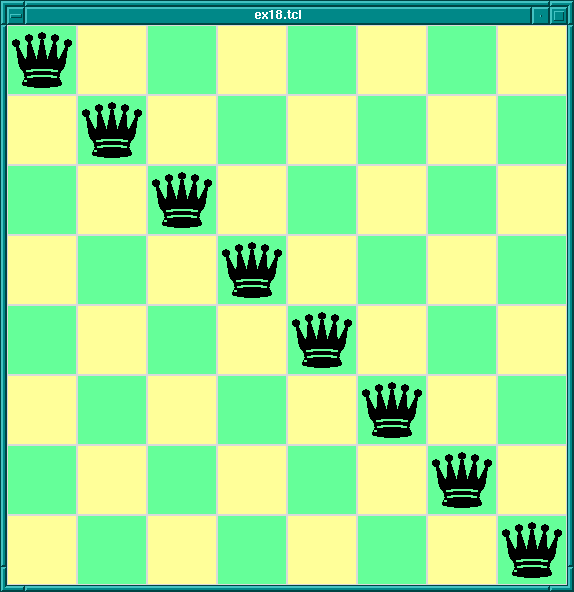
8-Queens Display In Tcl/Tk
which would display queens along a diagonal. (This is of course not a solution to the 8-queens problem. This Tcl/Tk code only displays possible queens solutions; it doesn't check if the solution is valid. Later we will combine this Tcl/Tk display code with Prolog code for generating solutions to the 8-queens problem.)
Now we have covered the wonders of Tcl/Tk, we come to the real meat of the tutorial: how to couple the power of Tcl/Tk with the power of SICStus Prolog.
Tcl/Tk is included in SICStus Prolog by loading a special library. The library provides a bidirectional interface between Tcl/Tk and Prolog.
Before describing the details of the Tcl/Tk library we will give an overview of how it works with the Prolog system.
The Tcl/Tk library provides a loosely coupled integration of Prolog and Tcl/Tk. By this we mean that the two systems, Prolog and Tcl/Tk, although joined through the library, are mostly separate; Prolog variables have nothing to do with Tcl variables, Prolog and Tcl program states are separate, and so on.
The Tcl/Tk library extends Prolog so that Prolog can create a number of independent Tcl interpreters with which it can interact. Basically, there is a predicate which when executed creates a Tcl interpreter and returns a handle with which Prolog can interact with the interpreter.
Prolog and a Tcl interpreter interact, and so communicate and cooperate, through two ways:
This is synchronous communication in that the caller waits until the callee has finished their evaluation and reads the result.
This is asynchronous communication in that the receiver of the message can read the message whenever it likes, and the sender can send the message without having to wait for a reply.
The Tk part of Tcl/Tk comes in because an attached Tcl interpreter may be extended with the Tk widget set and so be a Tcl/Tk interpreter. This makes it possible to add GUIs to a Prolog application: the application loads the Tcl/Tk Prolog library, creates a Tcl/Tk interpreter, and sends commands to the interpreter to create a Tk GUI. The user interacts with the GUI and therefore with the underlying Prolog system.
There are two main ways to partition the Tcl/Tk library functions: by function, i.e. the task they perform; or by package, i.e. whether they are Tcl, Tk, or Prolog functions. We will describe the library in terms of the former because it fits in with the tutorial style better, but at the end is a summary section that summarizes the library functions both ways.
Taking the functional approach, the library can be split into six function groups:
We go through each group in turn.
First we need to know how to load the Tcl/Tk library into Prolog.
This is done through the use_module/1 predicate thus:
| ?- use_module(library(tcltk)).
The heart of the system is the ability to create an embedded Tcl
interpreter with which the Prolog system can interact.
A Tcl interpreter is created within Prolog through a call to
tcl_new/1:
tcl_new(-TclInterpreter)
which creates a new interpreter, initializes it, and returns a reference to it in the variable TclInterpreter. The reference can then be used in subsequent calls to manipulate the interpreter. More than one Tcl interpreter object can be active in the Prolog system at any one time.
To start a Tcl interpreter extended with Tk, the tk_new/2 predicate
is called from Prolog. It has the following form:
tk_new(+Options, -TclInterpreter)
which returns through the variable TclInterpreter a handle to the
underlying Tcl interpreter. The usual Tcl/Tk window pops up after this
call is made and it is with reference to that window that subsequent
widgets are created. As with the tcl_new/1 predicate, many Tcl/Tk
interpreters may be created from Prolog at the same time through calls
to tk_new/2.
The Options part of the call is a list of some (or none) of the following elements:
top_level_events
NOTE: This option is not currently supported under Microsoft
Windows.
name(+ApplicationName)
send command.
(send is not covered in this document. Please refer to the
Tcl/Tk documentation.)
display(+Display)
DISPLAY environment variable.
An example of using tk_new/2:
| ?- tk_new([top_level_events, name('My SICStus/Tk App')], Tcl).
which creates a Tcl/Tk interpreter, returns a handle to it in the
variable Tcl and Tk events are serviced while Prolog is waiting
at the Prolog prompt. The window that pops up will have the title
My SICStus/Tk App.
The reference to a Tcl interpreter returned by a call to tk_new/2
is used in the same way and in the same places as a reference returned
by a call to tcl_new/1. They are both references to Tcl interpreters.
To remove a Tcl interpreter from the system, use the tcl_delete/1
predicate:
tcl_delete(+TclInterpreter)
which given a reference to a Tcl interpreter, closes down
the interpreter and removes it. The reference can be for a
plain Tcl interpreter or for a Tk enhanced one; tcl_delete/1
removes both kinds.
There are two functions in this category: Prolog extended to be able to evaluate Tcl expressions in a Tcl interpreter; Tcl extended to be able to evaluate a Prolog expression in the Prolog system.
There is a mechanism for describing Tcl commands in Prolog as Prolog terms. This is used in two ways: firstly, to be able to represent Tcl commands in Prolog so that they can be subsequently passed to Tcl for evaluation; and secondly for passing terms back from Tcl to Prolog by doing the reverse transformation.
Why not represent a Tcl command as a simple atom or string? This can indeed be done, but commands are often not static and each time they are called require slightly different parameters. This means constructing different atoms or strings for each command in Prolog, which are expensive operations. A better solution is to represent a Tcl command as a Prolog term, something that can be quickly and efficiently constructed and stored by a Prolog system. Variable parts to a Tcl command (for example command arguments) can be passed in through Prolog variables.
In the special command format, a Tcl command is specified as follows.
Command ==> Name
| chars(PrologString) { a list of character codes }
| write(Term)
| writeq(Term)
| write_canonical(Term)
| format(Fmt,Args)
| dq(Command)
| br(Command)
| sqb(Command)
| min(Command)
| dot(ListOfNames)
| list(ListOfCommands)
| ListOfCommands
Name ==> Atom { other than [] }
| Number
ListOfCommands ==> []
| [ Command | ListOfCommands ]
ListOfNames ==> []
| [ Name | ListOfNames ]
where
chars(PrologString)
write(Term)
writeq(Term)
write_canonical(Term)
write/1. If Term will
be passed back into Prolog it therefore safest to use
write_canonical(Term) (see Term I/O).
format(Fmt, Args)
dq(Command)
br(Command)
sqb(Command)
min(Command)
dot(ListOfName)
list(ListOfCommands)
br(ListOfCommands)
when any of the elements contains spaces, braces or other characters treated
specially by TCL.
list(ListOfCommands) is a better choice.
Examples of command specifications and the resulting Tcl code:
[set, x, 32]
=> set x 32
[set, x, br([a, b, c])]
=> set x {a b c}
[dot([panel,value_info,name]), configure, min(text), br(write('$display'/1))]
=> .panel.value_info.name configure -text {$display/1
['foo bar',baz]
=>foo bar baz
list(['foo bar',bar])
=> {foo bar} baz
list(['foo { bar'',bar])
=> foo\ \{ \bar baz
Prolog calls Tcl through the predicate tcl_eval/3 which has the
following form:
tcl_eval(+TclInterpreter, +Command, -Result)
which causes the interpreter TclInterpreter to evaluate the Tcl command Command and return the result Result. The result is a string (a list of character codes) that is the usual return string from evaluating a Tcl command. Command is not just a simple Tcl command string (although that is a possibility) but a Tcl command represented as a Prolog term in the special Command Format (see Command Format).
Through tcl_eval/3, Prolog has a method of synchronous
communication with an embedded Tcl interpreter and a way of manipulating
the state of the interpreter.
An example:
?- tcl_new(Interp), tcl_eval(Interp, 'set x 1', _), tcl_eval(Interp, 'incr x', R)
which creates a Tcl interpreter the handle of which is stored in the
variable Interp. Then variable x is set to the value "1"
and then variable x is incremented and the result returned in
R as a string. The result will be "2". By evaluating the Tcl
commands in separate tcl_eval/3 calls, we show that we are
manipulating the state of the Tcl interpreter and that it remembers its
state between manipulations.
It is worth mentioning here also that because of the possibility
of the Tcl command causing an error to occur in the Tcl interpreter,
two new exceptions are added by the tcltk library:
tcl_error(Goal, Message) tk_error(Goal, Message)
where Message is a list of character codes detailing the reason for the
exception. Also two new user:portray_message/2 rules are provided so
that any such uncaught exceptions are displayed at the Prolog top-level as
[TCL ERROR: Goal - Message] [TK ERROR: Goal - Message]
respectively.
These exception conditions can be raised/caught/displayed in the usual
way through the user module builtin predicates raise_exception/3,
on_exception/1, and portray_message/2.
As an example, the following Prolog code will raise such an exception:
| ?- tcl_new(X), tcl_eval(X, 'wilbert', R).
which causes a tcl_error/2 exception and prints the following:
{TCL ERROR: tcl_eval/3 - invalid command name "wilbert"}
assuming that there is no command or procedure defined in Tcl called
wilbert.
The Tcl interpreters created through the SICStus Prolog Tcl/Tk library have been extended to allow calls to the underlying Prolog system.
To evaluate a Prolog expression in the Prolog system from a Tcl
interpreter, the new prolog Tcl command is invoked. It has the
following form:
prolog PrologGoal
where PrologGoal is the printed form of a Prolog goal. This
causes the goal to be executed in Prolog. It will be executed in the
user module unless it is prefixed by a module name. Execution is
always deterministic.
The return value of the command either of the following:
"1", if execution succeeded,
"0", if execution failed,
If succeeded (and "1" was returned) then any variable in
PrologGoal that has become bound to a Prolog term will be returned
to Tcl in the Tcl array named prolog_variables with the variable
name as index. The term is converted to Tcl using the same conversion as
used for Tcl commands (see Command Format). As a special case the
values of unbound variables and variables with names starting with
_, are not recorded and need not conform to the special command
format, this is similar to the threatment of such variables by the
Prolog top-level.
An example:
test_callback(Result) :-
tcl_new(Interp),
tcl_eval(Interp,
'if {[prolog "foo(X,Y,Z)"] == 1} \\
{list $prolog_variables(X) \\
$prolog_variables(Y) \\
$prolog_variables(Z)}',
Result),
tcl_delete(Interp).
foo(1, bar, [a, b, c]).
When called with the query:
| ?- test_callback(Result).
will succeed, binding the variable Result to:
"1 bar {a b c}"
This is because execution of the tcl_eval/3 predicate causes the
execution of the prolog command in Tcl, which executes
foo(X, Y, Z) in Prolog making the following bindings:
X = 1, Y = bar, Z = [a, b, c]. The bindings are
returned to Tcl in the associative array prolog_variables where
prolog_variables(X) is "1", prolog_variables(Y) is "bar", and
prolog_variables(Z) is "a b c". Then Tcl goes on to execute the
list command as
list "1" "bar" "a b c"
which returns the result
"1 bar {a b c}"
(remember: nested lists magically get represented with curly brackets)
which is the string returned in the Result part of the Tcl call,
and is ultimately returned in the Result variable of the
top-level call to test_callback(Result).
If an error occurs during execution of the prolog Tcl command, a
tcl_error/2 exception will be raised. The message part of the
exception will be formed from the string Exception during Prolog
execution: appended to the Prolog exception message. An example is
the following:
?- tcl_new(T), tcl_eval(T, 'prolog wilbert', R).
which will print
{TCL ERROR: tcl_eval/3 - Exception during Prolog execution: wilbert existence_error(wilbert,0,procedure,user:wilbert/0,0)}
at the Prolog top-level, assuming that the predicate wilbert/0 is
not defined on the Prolog side of the system. (This is a
tcl_error exception containing information about the underlying
exception, an existence_error exception, which was caused by
trying to execute the non-existent predicate wilbert.)
Another way for Prolog to communicate with Tcl is through the predicate
tcl_event/3:
tcl_event(+TclInterpreter, +Command, -Events)
This is similar to tcl_eval/3 in that the command Command
is evaluated in the Tcl interpreter TclInterpreter, but the call
returns a list of events in Events rather than the result of the
Tcl evaluation. Command is again a Tcl command represented as a
Prolog term in the special Command Format described previously
(see Command Format).
This begs the questions what are these events and where does the event
list come from? The Tcl interpreters in the SICStus Prolog Tcl/Tk
library have been extended with the notion of a Prolog event queue.
(This is not available in plain standalone Tcl interpreters.) The Tcl
interpreter can put events on the event queue by executing a
prolog_event command. Each event is a Prolog term. So a Tcl
interpreter has a method of putting Prolog terms onto a queue, which can
later be picked up by Prolog as a list as the result of a call to
tcl_event/3. (It may be helpful to think of this as a way of
passing messages as Prolog terms from Tcl to Prolog.)
A call to tcl_event/3 blocks until there is something on the event
queue.
A second way of getting Prolog events from a Prolog event queue
is through the tk_next_event/[2,3] predicates.
These have the form:
tk_next_event(+TclInterpreter, -Event) tk_next_event(+ListOrBitMask, +TclInterpreter, -Event)
where TclInterpreter reference to a Tcl interpreter and Event is the Prolog term at the head of the associated Prolog event queue. (The ListOrBitMask feature will be described below in the Housekeeping section when we talk about Tcl and Tk events; see Housekeeping.).
(We will meet tk_next_event/[2,3] again later when we discuss
how it can be used to service Tk events; see Servicing Tk Events).
If the interpreter has been deleted then the empty list [] is returned.
The Tcl interpreters under the SICStus Prolog library are extended with
a command, prolog_event, for adding events to a Prolog event queue.
The prolog_event command has the following form:
prolog_event Terms ...
where Terms are strings that contain the printed representation of Prolog
terms. These are stored in a queue and retrieved as Prolog terms by
tcl_event/3 or tk_next_event/[2,3] (described above).
An example of using the prolog_event command:
test_event(Event) :-
tcl_new(Interp),
tcl_event(Interp, [prolog_event, dq(write(zap(42)))], Event),
tcl_delete(Interp).
with the query:
| ?- test_event(Event).
will succeed, binding Event to the list [zap(42)].
This is because tcl_event converts its argument using the special
Command Format conversion (see Command Format) which yields the Tcl
command prolog_event "zap(42)". This command is evaluated in the
Tcl interpreter referenced by the variable Interp. The effect of
the command is to take the string given as argument to
prolog_event (in this case "zap(42)") and to place it on
the Tcl to Prolog event queue. The final action of a tcl_event/3
call is to pick up any strings on the Prolog queue from Tcl,
add a trailing full stop and space to each string, and parse them as
Prolog terms, binding Event to the list of values, which in this case
is the singleton list [zap(42)]. (The queue is a list the
elements of which are terms put there through calls to
prolog_event).
If any of the Term-s in the list of arguments to
prolog_event is not a valid representation of a Prolog term, then
an exception is raised in Prolog when it is converted from the Tcl
string to the Prolog term using read. To ensure that Prolog will
be able to read the term correctly it is better to always use
write_canonical and to ensure that Tcl is not confused by special
characters in the printed representation of the prolog term it is best
to wrap the list with list.
A safer variant that safely passes any term from Prolog via Tcl and back to Prolog is thus:
test_event(Term, Event) :-
tcl_new(Interp),
tcl_event(Interp, list([prolog_event, write_canonical(Term)]), Event),
tcl_delete(Interp).
As an example of using the prolog event system supplied by the tcltk
library, we will return to our 8-queens example but now approaching
from the Prolog side rather than the Tcl/Tk side:
:- use_module(library(tcltk)).
setup :-
tk_new([name('SICStus+Tcl/Tk - Queens')], Tcl),
tcl_eval(Tcl, 'source queens.tcl', _),
tk_next_event(Tcl, Event),
( Event = next -> go(Tcl),
; closedown(Tcl)
).
closedown(Tcl) :-
tcl_delete(Tcl).
go(Tcl) :-
tcl_eval(Tcl, 'clear_board', _),
queens(8, Qs),
show_solution(Qs, Tcl),
tk_next_event(Tcl, Event),
( Event = next -> fail
; closedown(Tcl)
).
go(Tcl) :-
tcl_eval(Tcl, 'disable_next', _),
tcl_eval(Tcl, 'clear_board', _),
tk_next_event(Tcl, _Event),
closedown(Tcl).
This is the top-level fragment of the Prolog side of the 8-queens
example. It has three predicates: setup/0, closedown/1,
and go/1. setup/0 simply creates the Tcl interpreter,
loads the Tcl code into the interpreter using a call to
tcl_eval/3 (which also initialises the display) but then calls
tk_next_event/2 to wait for a message from the Tk side.
The Tk part that sends prolog_event-s to Prolog looks like this:
button .next -text next -command {prolog_event next}
pack .next
button .stop -text stop -command {prolog_event stop}
pack .stop
that is two buttons, one that sends the atom next, the other
that sends the atom stop. They are used to get the next solution
and to stop the program respectively.
So if the user presses the next button in the Tk window, then the
Prolog program will receive a next atom via a
prolog_event/tk_next_event pair, and the program can
proceed to execute go/1.
go/1 is a failure driven loop that generates 8-queens solutions
and displays them. First it generates a solution in Prolog and displays
it through a tcl_eval/3 call. Then it waits again for a Prolog events
via tk_next_event/2. If the term received on the Prolog event queue is
next, corresponding to the user pressing the "next solution" button,
then fail is executed and the next solution found, thus driving the
loop.
If the stop button is pressed then the program does some tidying
up (clearing the display and so on) and then executes
closedown/1, which deletes the Tcl interpreter and the
corresponding Tk windows altoegther, and the program terminates.
This example fragment show how it is possible for a Prolog program and a Tcl/Tk program to communicate via the Prolog event queue.
The notion of an event in the Prolog+Tcl/Tk system is overloaded. We have already come across the following kinds of events:
bind command
tcl_event/3,
tk_next_event(2,3), and prolog_event functions
It is further about to be overloaded with the notion of Tcl/Tk events. It is possible to create event handlers in Tcl/Tk for reacting to other kinds of events. We will not cover them here but describe them so that the library functions are understandable and in case the user needs these features in an advanced application.
There are the following kinds of Tcl/Tk events:
The problem is that in advanced Tcl/Tk applications it is possible to create event handlers for each of these kinds of event, but they are not normally serviced while in Prolog code. This can result in unresponsive behavior in the application; for example, if window events are not serviced regularly then if the user tries to resize a Tk window, it will not resize in a timely fashion.
The solution to this is to introduce a Prolog predicate that passes
control to Tk for a while so that it can process its events,
tk_do_one_event/[0,1]. If an application is unresponsive because
it is spending a lot of time in Prolog and is not servicing Tk events
often enough, then critical sections of the Prolog code can be sprinkled
with calls to tk_do_one_event/[0,1] to alleviate the problem.
tk_do_one_event/[0,1] has the following forms:
tk_do_one_event tk_do_one_event(+ListOrBitMask)
which passes control to Tk to handle a single event before passing control back to Prolog. The type of events handled is passed through the ListOrBitMask variable. As indicated, this is either a list of atoms which are event types, or a bit mask as specified in the Tcl/Tk documentation. (The bit mask should be avoided for portability between Tcl/Tk versions.)
The ListOrBitMask list can contain the following atoms:
tk_dont_wait
tk_x_events
tk_window_events
tk_file_events
tk_timer_events
tk_idle_events
Tk_DoWhenIdle events
tk_all_events
Calling tk_do_one_event/0 is equivalent to a call to
tk_do_one_event/1 with all flags set.
A call to either of these predicates succeeds only if an event
of the appropriate type happens in the Tcl/Tk interpreter.
If there are no such events, then tk_do_one_event/1 will fail if
the tk_dont_wait wait flag is present, as will tk_do_one_event/0
which has that flag set implicitly.
If the tk_dont_wait flag is not set, then a call to
tk_do_one_event/1 will block until an appropriate Tk event
happens (in which case it will succeed).
It is straight forward to define a predicate which handles all Tk events and then returns:
tk_do_all_events :-
tk_do_one_event, !,
tk_do_all_events.
tk_do_all_events.
The predicate tk_next_event/[2,3] is similar to
tk_do_one_event/[0,1] except that it processes Tk events until at
least one Prolog event happens. (We came across this predicate before
when discussing Prolog event queue predicates. This shows the
overloading of the notion event where we have a predicate that handles
both Tcl/Tk events and Prolog queue events.)
It has the following forms:
tk_next_event(+TclInterpreter, -Event) tk_next_event(+ListOrBitMask, +TclInterpreter, -Event)
The Prolog event is returned in the variable Event and is the first
term on the Prolog event queue associated with the interpreter
TclInterpreter. (Prolog events are initiated on the Tcl side through
the new Tcl command prolog_event, covered earlier; see prolog_event).
There is a predicate for passing control completely over to Tk, the
tk_main_loop/0 command. This passes control to Tk until all windows
in all the Tcl/Tk interpreters in the Prolog have have been destroyed:
tk_main_loop
Here we will described the functions that do not fit into any of the above categories and are essentially housekeeping functions.
There is a predicate that returns a reference to the main window of a Tcl/Tk interpreter:
tk_main_window(+TclInterpreter, -TkWindow)
which given a reference to a Tcl interpreter Tclnterpreter, returns a reference to its main window in TkWindow.
The window reference can then be used in tk_destroy_window/1:
tk_destroy_window(+TkWindow)
which destroys the window or widget referenced by TkWindow and all of its sub-widgets.
The predicate tk_make_window_exist/1 also takes a window reference:
tk_make_window_exist(+TkWindow)
which causes the window referenced by TkWindow in the Tcl interpreter TclInterpreter to be immediately mapped to the display. This is useful because normally Tk delays displaying new information for a long as possible (waiting until the machine is idle, for example), but using this call causes Tk to display the window immediately.
There is a predicate for determining how many main windows, and hence Tcl/Tk interpreters (excluding simple Tcl interpreters), are currently in use:
tk_num_main_windows(-NumberOfWindows)
which returns an integer in the variable NumberOfWindows.
The functions provided by the SICStus Prolog Tcl/Tk library can be grouped in two ways: by function, and by package.
By function, we can group them like this:
tcl_new/1
tcl_delete/1
tk_new/2
tcl_eval/3
prolog
tcl_event/3
tk_next_event/[2,3]
prolog_event
tk_do_one_event/[0,1]
tk_next_event/[2,3]
tk_main_loop/0
tk_main_window/2
tk_destroy_window/1
tk_make_window_exist/1
tk_num_main_windows/1
By package, we can group them like this:
tcl_new/1
tcl_delete/1
tcl_eval/3
tcl_event/3
tk_new/2
tk_do_one_event/[0,1]
tk_next_event/[2,3]
tk_main_loop/0
tk_main_window/2
tk_destroy_window/1
tk_make_window_exist/1
tk_num_main_windows/1
prolog
prolog_event
In the next section we will discuss how to use the
tcltk library to build graphical user interfaces to Prolog applications.
More specifically we will discuss the ways in which cooperation
between Prolog and Tcl/Tk can be arranged: how to achieve them,
and their benefits.
At this point we now know Tcl, the Tk extensions, and how they can be
integrated into SICStus Prolog through the tcltk library module.
The next problem is how to get all this to work together to produce a
coherent application. Because Tcl can make Prolog calls and Prolog can
make Tcl calls it is easy to create programming spaghetti. In this
section we will discuss some general principles of organizing the Prolog
and Tcl code to make writing applications easier.
The first thing to do is to review the tools that we have. We have two programming systems: Prolog and Tcl/Tk. They can interact in the following ways:
tcl_eval
prolog
tcl_event
tk_next_event
prolog_event
With these interaction primitives there are three basic ways in which Prolog and Tcl/Tk can be organized:
prolog function.
tcl_eval function
tcl_event,
tk_next_event, and prolog_event.
These are three ways of organizing cooperation between Tcl/Tk and Prolog to produce an application. In practice an application my use only one of these methods throughout, or may use a combination of them where appropriate. We describe them here so that the developer can see the different patterns of organization and can pick those relevant to their application.
This is the classical way that GUIs are bolted onto applications. The slave (in this case Prolog) sits mostly idle while the user interacts with the GUI, for example filling in a form. When some action happens in the GUI that requires information from the slave (a form submit, for example), the slave is called, performs a calculation, and the GUI retrieves the result and updates its display accordingly.
In our Prolog+Tcl/Tk setting this involves the following steps:
tk_new/2
tcl_eval/3
tk_main_loop
Some of The Tk widgets in the GUI will have "callbacks" to Prolog,
i.e. they will call the prolog Tcl command. When the Prolog call
returns, the values stored in the prolog_variables array in the
Tcl interpreter can then be used by Tcl to update the display.
Here is a simple example of a callback. The Prolog part is this:
:- use_module(library(tcltk)).
hello('world').
go :-
tk_new([], Tcl),
tcl_eval(Tcl, 'source simple.tcl', _),
tk_main_loop.
which just loads the tcltk library module, defines a hello/1 data
clause, and go/0 which starts a new Tcl/Tk interpreter, loads the
code simple.tcl into it, and passes control to Tcl/Tk.
The Tcl part, simple.tcl, is this:
label .l -textvariable tvar
button .b -text "push me" -command { call_and_display }
pack .l .b -side top
proc call_and_display { } {
global tvar
prolog "hello(X)"
set tvar $prolog_variables(X)
}
which creates a label, with an associated text variable, and a button,
that has a call back procedure, call_and_display, attached to it.
When the button is pressed, call_and_display is executed, which
simply evaluates the goal hello(X) in Prolog and the text
variable of the label .l to whatever X becomes bound to,
which happens to be world. In short, pressing the button causes
the word world to be displayed in the label.
Having Tcl as the master and Prolog as the slave, although a simple
model to understand and implement, does have disadvantages. The Tcl
command prolog is deterministic, i.e. it can return only one
result with no backtracking. If more than one result is needed it means
either performing some kind of all-solutions search and returning a list
of results for Tcl to process, or asserting a clause into the Prolog
clause store reflecting the state of the computation.
Here is an example of how an all-solutions search can be done. It is a program that calculates the outcome of certain ancestor relationships; i.e. enter the name of a person, click on a button and it will tell you the mother, father, parents or ancestors of that person.
The Prolog portion looks like this
(see also library('tcltk/examples/ancestors.pl')):
:- use_module(library(tcltk)).
go :- tk_new([name('ancestors')], X),
tcl_eval(X, 'source ancestors.tcl', _),
tk_main_loop,
tcl_delete(X).
father(ann, fred).
father(fred, jim).
mother(ann, lynn).
mother(fred, lucy).
father(jim, sam).
parent(X, Y) :- mother(X, Y).
parent(X, Y) :- father(X, Y).
ancestor(X, Y) :- parent(X, Y).
ancestor(X, Y) :- parent(X, Z), ancestor(Z, Y).
all_ancestors(X, Z) :- findall(Y, ancestor(X, Y), Z).
all_parents(X, Z) :- findall(Y, parent(X, Y), Z).
This program consists of three parts.
The first part is defined by go/0, the now familiar
way in which a Prolog program can create a Tcl/Tk interpreter,
load a Tcl file into that interpreter, and pass control over to
the interpreter.
The second part is a small database of mother/father relationships
between certain people through the clauses mother/2 and
father/2.
The third part is a set of "rules" for determining certain relationships
between people: parent/2, ancestor/2,
all_ancestors/2 and all_parents/2.
The Tcl part looks like this
(see also library('tcltk/examples/ancestors.tcl')):
#!/usr/bin/wish
# set up the tk display
# construct text filler labels
label .search_for -text "SEARCHING FOR THE" -anchor w
label .of -text "OF" -anchor w
label .gives -text "GIVES" -anchor w
# construct frame to hold buttons
frame .button_frame
# construct radio button group
radiobutton .mother -text mother -variable type -value mother
radiobutton .father -text father -variable type -value father
radiobutton .parents -text parents -variable type -value parents
radiobutton .ancestors -text ancestors -variable type -value ancestors
# add behaviors to radio buttons
.mother config -command { one_solution mother $name}
.father config -command { one_solution father $name}
.parents config -command { all_solutions all_parents $name}
.ancestors config -command { all_solutions all_ancestors $name}
# create entry box and result display widgets
entry .name -textvariable name
label .result -text ">>> result <<<" -relief sunken -anchor nw -justify left
# pack buttons into button frame
pack .mother .father .parents .ancestors -fill x -side left -in .button_frame
# pack everything together into the main window
pack .search_for .button_frame .of .name .gives .result -side top -fill x
# now everything is set up
# defined the callback procedures
# called for one solution results
proc one_solution { type name } {
if [prolog "${type}('$name', R)"] {
display_result $prolog_variables(R)
} else {
display_result ""
}
}
# called for all solution results
proc all_solutions { type name } {
prolog "${type}('$name', R)"
display_result $prolog_variables(R)
}
# display the result of the search in the results box
proc display_result { result } {
if { $result != "" } {
# create a multiline result
.result config -text $result
} else {
.result config -text "*** no result ***"
}
}
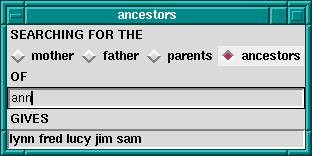
Ancestors Calculator
This program is in two parts. The first part sets up the Tk display which consists of four radiobuttons to choose the kind of relationship we want to calculate, an entry box to put the name of the person we want to calculate the relationship over, and a label in which to display the result.
Each radio buttons has an associated callback. Clicking on the radio button will invoke the appropriate callback, apply the appropriate relationship to the name entered in the text entry box, and display the result in the results label.
The second part consists of the callback procedures themselves.
There are actually just two of them: one for a single solution
calculation, and one for an all-solutions calculation.
The single solution callback is used when we want to know the
mother or father as we know that a person can have only
one of each. The all-solutions callback is used when we want to
know the parents or ancestors as we know that these
can return more than one results.
(We could have used the all-solutions callback for the single solutions cases too, but we would like to illustrate the difference in the two approaches.)
There is little difference between the two approaches, except that in
the single solution callback, it is possible that the call to Prolog
will fail, so we wrap it in an if ... else construct to
catch this case. An all-solutions search, however, cannot fail, and so
the if ... else is not needed.
But there are some technical problems too with this approach. During a callback Tk events are not serviced until the callback returns. For Prolog callbacks that take a very short time to complete this is not a problem, but in other cases, for example during a long search call when the callback takes a significant time to complete, this can cause problems. Imagine that, in our example, we had a vast database describing the parent relationships of millions of people. Performing an all-solutions ancestors search could take a long time. The classic problem is that the GUI no longer reacts to the user until the callback completes.
The solution to this is to sprinkle tk_do_one_event/[0,1] calls
throughout the critical parts of the Prolog code, to keep various
kinds of Tk events serviced.
If this method is used in its purest form, then it is recommended that
after initialization and passing of control to Tcl, Prolog does not make
calls to Tcl through tcl_eval/3. This is to avoid programming
spaghetti. In the pure master/slave relationship it is a general principle
that the master only call the slave, and not the other way around.
The second approach is to have Prolog be the master and Tk the slave. This is suitable when heavy processing is done in the Prolog code and Tk is used mostly to display the state of the computation in some way rather than as a traditional GUI; i.e. during computation Prolog often makes calls to Tk to show some state, but the user rarely interacts with the application.
In our Prolog+Tcl/Tk setting this involves the following steps:
tk_new/2
tcl_eval/3
tcl_eval to update the Tk display
tcl_eval
Again it its purest form, Prolog makes calls to Tcl, but Tcl does not
make calls to Prolog. The result of a call to Tcl is either passed back
through the Result variable of a tcl_eval/3 call.
A good example of this is the Tcl/Tk display for our 8-queens problem, that we saw earlier; see Queens Display.
We will now fill out the example by presenting the Prolog master part. The Prolog program calculates a solution to the 8-queens problem and then makes calls Tcl/Tk to display the solution. In this way Tcl/Tk is the slave, just being used as a simple display.
We have already seen the Tcl/Tk part, but here is the Prolog part for generating a solution and displaying it:
:- use_module(library(tcltk)).
:- use_module(library(lists)).
go :-
tk_new([name('SICStus+Tcl/Tk - Queens')], Tcl),
tcl_eval(Tcl, 'source queens.tcl', _),
tk_next_event(Tcl, Event),
queens(8, Qs),
reverse(L, LR),
tcl_eval(Tcl, [show_solution, br(LR)], _),
fail.
go.
queens(N, Qs) :-
range(1, N, Ns),
queens(Ns, [], Qs).
queens(UnplacedQs, SafeQs, Qs) :-
select(Q, UnplacedQs, UnplacedQs1),
\+ attack(Q, SafeQs),
queens(UnplacedQs1, [Q|SafeQs], Qs).
queens([], Qs, Qs).
attack(X, Xs) :- attack(X, 1, Xs).
attack(X, N, [Y|_Ys]) :- X is Y + N.
attack(X, N, [Y|_Ys]) :- X is Y - N.
attack(X, N, [_Y|Ys]) :-
N1 is N + 1,
attack(X, N1, Ys).
range(M, N, [M|Ns]) :-
M < N,
M1 is M + 1,
range(M1, N, Ns).
range(N, N, [N]).
:- go.
All this simply does it to create a Tcl/Tk interpreter, load the Tcl
code for displaying queens into it, generate a solution to the 8-queens
problem as a list of integers, and then calls show_solution/2 in
the Tcl interpreter to display the solution. At the end of first clause
for go/0 is a fail clause that turns go/0 into a failure
driven loop. The result of this is that the program will calculate all
the solutions to the 8-queens problem, displaying them rapidly one after
the other, until there are none left.
In the previous two methods, one of the language systems was the master
and the other slave, the master called the slave to perform some action
or calculation, the slave sits waiting until the master calls it. We
have seen that this has disadvantages when Prolog is the slave in that
the state of the Prolog call is lost. Each Prolog call starts from the
beginning unless we save the state using message database manipulation
through calls to assert and retract.
Using the Prolog event queue, however, it is possible to get a more balanced model where the two language systems cooperate without either really being the master or the slave.
One way to do this is the following:
tcl_eval calls
What can processing a Prolog event mean? Well, for example, a button press from Tk could tell the Prolog program to finish or to start processing something else. The Tcl program is not making an explicit call to the Prolog system but sending a message to Prolog. The Prolog system can pick up the message and process it when it chooses, in the meantime keeping its run state and variables intact.
To illustrate this, we return to the 8-queens example. If Tcl/Tk is the master and Prolog the slave, then we have shown that using a callback to Prolog, we can imagine that we hit a button, call Prolog to get a solution and then display it. But how do we get the next solution? We could get all the solutions, and then use Tcl/Tk code to step through them, but that doesn't seem satisfactory. If we use the Prolog is the master and Tcl/Tk is the slave model then we have shown how we can use Tcl/Tk to display the solutions generate from the Prolog side: Prolog just make a call to the Tcl side when it has a solution. But in this model Tcl/Tk widgets do not interact with the Prolog side; Tcl/Tk is mearly an add-on display to Prolog.
But using the Prolog event queue we can get the best of both worlds: Prolog can generate each solution in turn as Tcl/Tk asks for it.
Here is the code on the Prolog side that does this. (We have left out parts of the code that haven't changed from our previous example, see Queens Prolog).
:- use_module(library(tcltk)).
:- use_module(library(lists)).
setup :-
tk_new([name('SICStus+Tcl/Tk - Queens')], Tcl),
tcl_eval(Tcl, 'source queens2.tcl', _),
tk_next_event(Tcl, Event),
( Event = next -> go(Tcl)
; closedown(Tcl)
).
closedown(Tcl) :-
tcl_delete(Tcl).
go(Tcl) :-
tcl_eval(Tcl, 'clear_board', _),
queens(8, Qs),
show_solution(Qs),
tk_next_event(Tcl, Event),
( Event = next -> fail
; closedown(Tcl)
).
go(Tcl) :-
tcl_eval(Tcl, 'disable_next', _),
tcl_eval(Tcl, 'clear_board', _),
tk_next_event(Tcl, _Event),
closedown(Tcl).
show_solution(Tcl, L) :-
tcl(Tcl),
reverse(L, LR),
tcl_eval(Tcl, [show_solution, br(LR)], _),
tk_do_all_events.
Notice here that we have used tk_next_event/2 in several places.
The code is executed by calling setup/0.
As usual, this loads in the Tcl part of the program, but
then Prolog waits for a message from the Tcl side.
This message can either be next, indicating that we
want to show the next solution, or stop, indicating that
we want to stop the program.
If next is received, then the program goes on to execute
go/1. What this does it to first calculate a solution to the
8-queens problem, displays the solution through show_solution/2,
and then waits for another message from Tcl/Tk. Again this can be
either next or stop. If next, the the program goes
into the failure part of a failure driven loop and generates and
displays the next solution.
If at any time stop is received, the program terminates
gracefully, cleaning up the Tcl interpreter.
On the Tcl/Tk side all we need are a couple of buttons:
one for sending the next message, and the other for sending the
stop message.
button .next -text next -command {prolog_event next}
pack .next
button .stop -text stop -command {prolog_event stop}
pack .stop
(We could get more sophisticated. We might want it so that when the button it is depressed until Prolog has finished processing the last message, when the button is allowed to pop back up. This would avoid the problem of the user pressing the button many times while the program is still processing the last request. We leave this as an exercise for the reader.)
To finish off, we our complete 8-queens program.
Here is the Prolog part, which we have covered in previous
sections. The code is in library('tcltk/examples/8-queens.pl'):
:- use_module(library(tcltk)).
:- use_module(library(lists)).
setup :-
tk_new([name('SICStus+Tcl/Tk - Queens')], Tcl),
tcl_eval(Tcl, 'source 8-queens.tcl', _),
tk_next_event(Tcl, Event),
( Event = next -> go(Tcl)
; closedown(Tcl)
).
closedown(Tcl) :-
tcl_delete(Tcl).
go(Tcl) :-
tcl_eval(Tcl, 'clear_board', _),
queens(8, Qs),
show_solution(Tcl,Qs),
tk_next_event(Tcl, Event),
( Event = next -> fail
; closedown(Tcl)
).
go(Tcl) :-
tcl_eval(Tcl, 'disable_next', _),
tcl_eval(Tcl, 'clear_board', _),
tk_next_event(Tcl, _Event),
closedown(Tcl).
queens(N, Qs) :-
range(1, N, Ns),
queens(Ns, [], Qs).
queens(UnplacedQs, SafeQs, Qs) :-
select(Q, UnplacedQs, UnplacedQs1),
\+ attack(Q, SafeQs),
queens(UnplacedQs1, [Q|SafeQs], Qs).
queens([], Qs, Qs).
attack(X, Xs) :- attack(X, 1, Xs).
attack(X, N, [Y|_Ys]) :- X is Y + N.
attack(X, N, [Y|_Ys]) :- X is Y - N.
attack(X, N, [_Y|Ys]) :-
N1 is N + 1,
attack(X, N1, Ys).
range(M, N, [M|Ns]) :-
M < N,
M1 is M + 1,
range(M1, N, Ns).
range(N, N, [N]).
show_solution(Tcl, L) :-
reverse(L, LR),
tcl_eval(Tcl, [show_solution, br(LR)], _),
tk_do_all_events.
tk_do_all_events :-
tk_do_one_event, !,
tk_do_all_events.
tk_do_all_events.
:- setup.
And here is the Tcl/Tk part which we have covered in bits and pieces
but here is the whole thing. We have added an enhancement
where when the mouse is moved over one of the queens, the squares
that the queen attacks are highlighted. Move the mouse away and
the board reverts to normal. This is an illustration of how
the Tcl/Tk bind feature can be used.
The code is in library('tcltk/examples/8-queens.tcl'):
#! /usr/bin/wish
# create an 8x8 grid of labels
proc setup_display { } {
frame .queens -background black
pack .queens
for {set y 1} {$y <= 8} {incr y} {
for {set x 1} {$x <= 8} {incr x} {
# create a label and display a queen in it
label .queens.$x-$y -bitmap @bitmaps/q64s.bm -relief flat
# color alternate squares with different colors
# to create the chessboard pattern
if { [expr ($x + $y) % 2] } {
.queens.$x-$y config -background #ffff99
} else {
.queens.$x-$y config -background #66ff99
}
# set foreground to the background color to
# make queen image invisible
.queens.$x-$y config -foreground [.queens.$x-$y cget -background]
# bind the mouse to highlight the squares attacked by a
# queen on this square
bind .queens.$x-$y <Enter> "highlight_attack on $x $y"
bind .queens.$x-$y <Leave> "highlight_attack off $x $y"
# arrange the queens in a grid
grid .queens.$x-$y -row $y -column $x -padx 1 -pady 1
}
}
}
# clear a whole column
proc reset_column { column } {
for {set y 1 } { $y <= 8 } {incr y} {
set_queens $column $y ""
}
}
# place or unplace a queen
proc set_queens { x y v } {
if { $v == "Q" } {
.queens.$x-$y config -foreground black
} else {
.queens.$x-$y config -foreground [.queens.$x-$y cget -background]
}
}
# place a queen on a column
proc place_queen { x y } {
reset_column $x
set_queens $x $y Q
}
# clear the whole board by clearing each column in turn
proc clear_board { } {
for { set x 1 } {$x <= 8} {incr x} {
reset_column $x
}
}
# given a solution as a list of queens in column positions
# place each queen on the board
proc show_solution { solution } {
clear_board
set x 1
foreach y $solution {
place_queen $x $y
incr x
}
}
proc highlight_square { mode x y } {
# check if the square we want to highlight is on the board
if { $x < 1 || $y < 1 || $x > 8 || $y > 8 } { return };
# if turning the square on make it red,
# otherwise determine what color it should be and set it to that
if { $mode == "on" } { set color red } else {
if { [expr ($x + $y) % 2] } { set color "#ffff99" } else {
set color "#66ff99" }
}
# get the current settings
set bg [ .queens.$x-$y cget -bg ]
set fg [ .queens.$x-$y cget -fg ]
# if the current foreground and background are the same
# there is no queen there
if { $bg == $fg } {
# no queens
.queens.$x-$y config -bg $color -fg $color
} else {
.queens.$x-$y config -bg $color
}
}
proc highlight_attack { mode x y } {
# get current colors of square at x y
set bg [ .queens.$x-$y cget -bg ]
set fg [ .queens.$x-$y cget -fg ]
# no queen there, give up
if { $bg == $fg } { return };
# highlight the sqaure the queen is on
highlight_square $mode $x $y
# highlight vertical and horizontal
for { set i 1 } {$i <= 8} {incr i} {
highlight_square $mode $x $i
highlight_square $mode $i $y
}
# highlight diagonals
for { set i 1} { $i <= 8} {incr i} {
highlight_square $mode [expr $x+$i] [expr $y+$i]
highlight_square $mode [expr $x-$i] [expr $y-$i]
highlight_square $mode [expr $x+$i] [expr $y-$i]
highlight_square $mode [expr $x-$i] [expr $y+$i]
}
}
proc disable_next {} {
.next config -state disabled
}
setup_display
# button for sending a 'next' message
button .next -text next -command {prolog_event next}
pack .next
# button for sending a 'stop' message
button .stop -text stop -command {prolog_event stop}
pack .stop
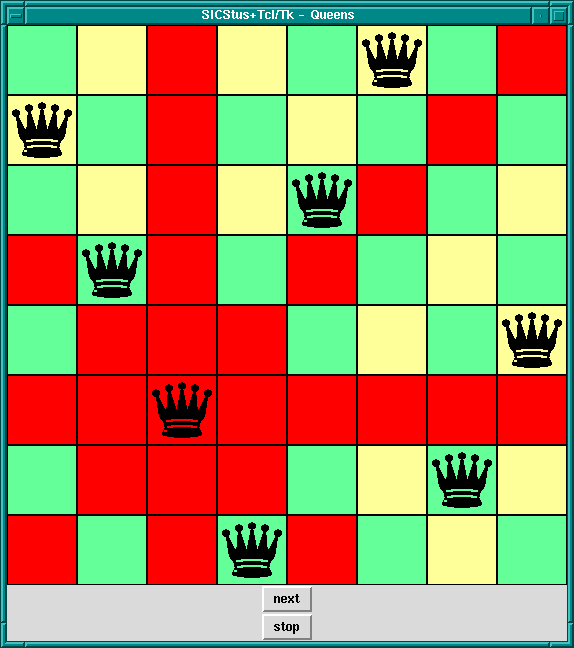
8-Queens Solution, Attacked Squares Highlighted
Command ==> Name
| chars(PrologString)
| write(Term)
| writeq(Term)
| write_canonical(Term)
| format(Fmt,Args)
| dq(Command)
| br(Command)
| sqb(Command)
| min(Command)
| dot(ListOfNames)
| list(ListOfCommands)
| ListOfCommands
Name ==> Atom { other than [] }
| Number
ListOfCommands ==> []
| [ Command | ListOfCommands ]
ListOfNames ==> []
| [ Name | ListOfNames ]
where
chars(PrologString)
write(Term)
writeq(Term)
write_canonical(Term)
format(Fmt, Args)
dq(Command)
br(Command)
sqb(Command)
min(Command)
dot(ListOfName)
list(ListOfCommands)
tcl_new(-TclInterpreter)
tcl_delete(+TclInterpreter)
tcl_eval(+TclInterp, +Command, -Result)
tcl_event(+TclInterp, +Command, -Events)
tk_new(+Options, -Interp)
Options should be a list of options described following:
top_level_events
Note: This option is not currently supported under Microsoft
Windows.
name(+ApplicationName)
send command.
display(+Display)
DISPLAY environment variable.
tk_do_one_event *HERE*
tk_do_one_event(+ListOrBitMask)
The ListOrBitMask list can contain the following atoms:
tk_dont_wait
tk_x_events
tk_window_events
tk_file_events
tk_timer_events
tk_idle_events
Tk_DoWhenIdle events
tk_all_events
Calling tk_do_one_event/0 is equivalent to a call to
tk_do_one_event/1 with all flags set. If the tk_dont_wait
flag is set and there is no event to handle, the call will fail.
tk_next_event(+TclInterpreter, -Event)
tk_next_event(+ListOrBitMask, +TclInterpreter, -Event)
tk_do_one_event/[0,1]
except that they processes Tk events until is at least one Prolog event
happens, when they succeed binding Event to the first
term on the Prolog event queue associated with the interpreter
TclInterpreter.
tk_main_loop
tk_main_window(+TclInterpreter, -TkWindow)
tk_destroy_window(+TkWindow)
tk_make_window_exist(+TkWindow)
tk_num_main_windows(-NumberOfWindows)
prolog
prolog_event
We do not know of any resources out there specifically for helping with creating Prolog applications with Tcl/Tk interfaces. Instead we list here some resources for Tcl/Tk which may help readers to build the Tcl/Tk side of the application.
Ajuba Solutions (formerly Scriptics) is the home of Tcl/Tk:
http://www.ajubasolutions.com
The Tcl Consortium is a non-profit organization formed to promote the distribution and use of Tcl/Tk. Its website is at
http://www.tclconsortium.org
There are a surprising number of books on Tcl/Tk, extensions to Tcl/Tk, and Tk as an extension to other languages. Here we mention just a few of the well-known books that will get you started with building Tcl/Tk GUIs, which can then be interfaced to your Prolog applications.
Practical Programming in Tcl and Tk - Brent Welch. Prentice Hall, 1999. 3rd Edition ISBN: 0-13-022028-0 http://www.beedub.com/book/
Tcl and the Tk Toolkit - John Ousterhout, Addison-Wesley, 1994, ISBN 0-201-63337-X
Tcl/Tk Pocket Reference - Paul Raines, 1st Ed., Oct. 1998, ISBN 1-56592-498-3
Tcl/Tk in a Nutshell - Paul Raines & Jeff Tranter, 1st Ed., March 1999, 1-56592-433-9
Also visit the books section of the Ajuba Solutions web site:
<http://dev.scriptics.com/resource/doc/books/>
Another list of Tcl/Tk books can be found at the Tcl Consortium web site:
http://www.tclconsortium.org/resources/books.html
Complete manual pages in various formats and for various versions of the Tcl/Tk library can be found at the Ajuba Solutions site:
<http://dev.scriptics.com/man/>
The newsgroup for everything Tcl is
<news:comp.lang.tcl>
The Gauge library package is a graphical interface to the Sicstus
built-in predicates profile_data/4 and profile_reset/1.
See Profiling, for more information about execution profiling. The
interface is based on Tcl/Tk (see Tcl/Tk library).
To use the Gauge package, enter the query:
| ?- use_module(library(gauge)).
view(:Spec)
Creates a graphical user interface for viewing the profile data for the
predicates covered by the generalized predicate spec Spec.
For example, the call view([user:_,m2:_]), will bring up the
graphical user interface on the predicates contained in the modules
user and m2. When the display first comes up it is blank
except for the control panel. A screen shot is shown below.
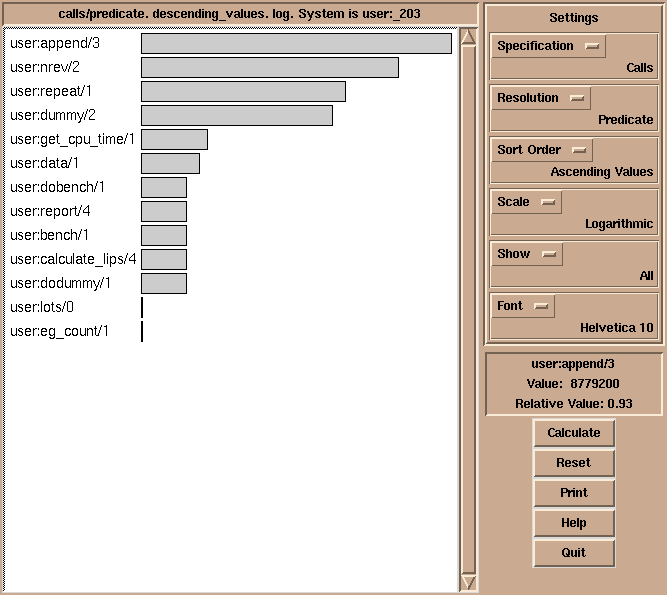
Gauge graphical user interface
The menus and buttons on the control panel are used as follows:
By clicking on the bars of the histogram, the figures are displayed in the Value Info window.
This package defines I/O predicates that read from, or write to, a list of character codes (a string). There are also predicates to open a stream referring to a list of character codes. The stream may be used with general Stream I/O predicates.
Note that the predicates in this section properly handle wide
characters, irrespectively of the wide character encodings selected.
Note also that here, the term chars
refers to a list of character codes, rather than to one-char atoms.
This library fully supports multiple SICStus run-times in a process.
To load the package, enter the query
| ?- use_module(library(charsio)).
format_to_chars(+Format, :Arguments, -Chars)
format_to_chars(+Format, :Arguments, ?S0, ?S)
Prints Arguments into a list of character codes using
format/3 (see Term I/O). Chars is unified with the
list, alternatively S0 and S are unified with the head and
tail of the list, respectively.
write_to_chars(+Term, -Chars)
write_to_chars(+Term, ?S0, ?S)
A specialized format_to_chars/[3,4]. Writes Term into a
list of character codes using write/2 (see Term I/O).
Chars is unified with the list. Alternatively, S0 and S
are unified with the head and tail of the list, respectively.
write_term_to_chars(+Term, -Chars, +Options)
write_term_to_chars(+Term, ?S0, ?S, +Options)
A specialized format_to_chars/[3,4]. Writes Term into a
list of character codes using write_term/3 and Options
(see Term I/O). Chars is unified with the list. Alternatively,
S0 and S are unified with the head and tail of the list,
respectively.
atom_to_chars(+Atom, -Chars)
atom_to_chars(+Atom, ?S0, ?S)
A specialized format_to_chars/[3,4]. Converts Atom to the
list of characters comprising its name. Chars is unified with the
list, alternatively S0 and S are unified with the head and
tail of the list, respectively.
number_to_chars(+Number, -Chars)
number_to_chars(+Number, ?S0, ?S)
A specialized format_to_chars/[3,4]. Converts Number to the
list of characters comprising its name. Chars is unified with the
list, alternatively S0 and S are unified with the head and
tail of the list, respectively.
read_from_chars(+Chars, -Term)
Reads Term from Chars using read/2. The Chars
must, as usual, be terminated by a full-stop, i.e. a .,
possibly followed by layout-text.
read_term_from_chars(+Chars, -Term, +Options)
Reads Term from Chars using read_from_term/3 and
Options. The Chars must, as usual, be terminated by a
full-stop, i.e. a ., possibly followed by
layout-text.
open_chars_stream(+Chars, -Stream)
Stream is opened as an input stream to an existing list of
character codes. The stream may be read with the Stream I/O
predicates and must be closed using close/1. The list is copied
to an internal buffer when the stream is opened and must therefore be a
ground list of character codes at that point.
with_output_to_chars(:Goal, -Chars)
with_output_to_chars(:Goal, ?S0, ?S)
with_output_to_chars(:Goal, -Stream, ?S0, ?S)
Goal is called with the current_output stream set to a new
stream. This stream writes to an internal buffer which is, after the
successful execution of Goal, converted to a list of character
codes. Chars is unified with the list, alternatively S0 and
S are unified with the head and tail of the list, respectively.
with_output_to_chars/4 also passes the stream in the Stream
argument. It can be used only by Goal for writing.
The Jasper library module is the Prolog interface to the Java VM. It
corresponds to the se.sics.jasper package in Java. It is loaded
by executing the query:
| ?- use_module(library(jasper)).
It is recommended that the reader first reads Mixing Java and Prolog, as that chapter contains important information on how to use Java and Prolog together.
The Jasper library fully supports multiple SICStus run-times in a process.
Jasper cannot be used when the SICStus run-time is statically linked to
the executable, such as when using spld --static.
The following functionality is provided:
jasper_initialize/[1-2], jasper_deinitialize/1).
jasper_new_object/5).
jasper_call/4).
jasper_create_global_ref/3,
jasper_delete_global_ref/2,
jasper_delete_local_ref/2). Global references are used to prevent
the JVM from garbage collecting a Java object referenced from Prolog.
library('jasper/examples')).
We begin with a small example.
/* Simple.java */
import se.sics.jasper.*;
public class Simple {
private String instanceDatum = "this is instance data";
static int simpleMethod(int value) {
return value*42;
}
public String getInstanceData(String arg) {
return instanceDatum + arg;
}
}
Compile Simple.java (UNIX):
% javac -deprecation \ -classpath <installdir>/lib/sicstus-3.9.1/bin/jasper.jar Simple.java
On Windows this may look like (the command should go on a single line):
C:\> c:\jdk1.2.2\bin\javac -deprecation -classpath "D:\Program Files\SICStus Prolog\bin\jasper.jar" Simple.java
The flag -deprecation is always a good idea, it makes javac warn if your
code use deprecated methods.
%%% simple.pl
:- use_module(library(jasper)).
main :-
%% Replace '/my/java/dir' below with the path containing
%% 'Simple.class', e.g. to look in the current directory use
%% classpath(['.']).
%% You can also use the CLASSPATH environment variable and call
%% jasper_initialize(JVM)
%% On Windows it may look like classpath(['C:/MyTest'])
jasper_initialize([classpath(['/my/java/dir'])],JVM),
format('Calling a static method...~n',[]),
jasper_call(JVM,
method('Simple','simpleMethod',[static]), % Which method
simple_method(+integer,[-integer]), % Types of arguments
simple_method(42,X)), % The arguments.
format('simpleMethod(~w) = ~w~n',[42,X]),
format('Creating an object...~n',[]),
jasper_new_object(JVM, 'Simple', init, init, Object),
format('Calling an instance method on ~w...~n',[Object]),
jasper_call(JVM,
method('Simple','getInstanceData',[instance]),
%% first arg is the instance to call
get_instance_data(+object('Simple'), +string,[-string]),
get_instance_data(Object, 'foobar', X1)),
format('getInstanceData(~w) = ~w~n',['foobar',X1]).
Then, run SICStus:
% echo "[simple],main." | sicstus SICStus 3.9 (x86-linux-glibc2): Fri Sep 24 17:43:20 CEST 1999 Licensed to SICS % consulting /home1/jojo/simple.pl... [...] % consulted /home1/jojo/simple.pl in module user, 100 msec 26644 bytes Calling a static method... simpleMethod(42) = 1764 Creating an object... Calling and instance method on $java_object(135057576)... getInstanceData(foobar) = this is instance datafoobar yes
This example performed three things.
simpleMethod was called with argument '42', and
returned the square of '42', '1764'.
Simple was created.
getInstanceData was executed on the object just
created. The method took an atom as an argument and appended the atom to
a string stored as a field in the object, yielding "this is instance
datafoobar".
jasper_initialize(-JVM)
jasper_initialize(+Options, -JVM)
Loads and initializes the Java VM. JVM is a reference to the Java VM. Options is a list of options. The options can be of the following types:
classpath(<classpath>)
<classpath> is an atom it will be added (unmodified) to the
Java VM's classpath. If <classpath> is a list, each element will
be expanded using absolute_file_name/2 and concatenated using the
Java VM's path-separator. Example:
classpath([library('jasper/examples'),'$HOME/joe'])
In addition to the classpaths specified here, Jasper will automatically
add jasper.jar to the classpath together with the contents of the
CLASSPATH environment variable.
if_exists(flag)
jasper_initialize or because
Prolog have been called from Java. If a JVM already exists then the
other options are ignored.
ok
fail
jasper_initialize/2 fails.
error
jasper_initialize/2 throws an exception
(java_exception(some text)).
if_not_exists(flag)
ok
fail
jasper_initialize/2 fails.
error
jasper_initialize/2 throws an exception
(java_exception(some text)).
As an example, to access the currently running JVM and to give an error
if there is no running JVM use
jasper_initialize([if_exists(ok),if_not_exists(error)], JVM).
Option
jasper_initialize(['-Dkenny.is.dead=42'],JVM),
There is currently no support for creating multiple JVMs (few JDKs, if
any, supports this).
jasper_deinitialize(+JVM)
De-initialize Java. Do not call this, current versions of the JVM does
not support deinitialization.
jasper_call(+JVM,+Method,+TypeInfo,+Args)
Calls a Java static or instance method.
jasper_initialize/[1-2].
Note that for an instance method the first argument must be an object
reference (specified with +object(Class)). In this case
the class is ignored but should still be an atom, e.g. ''.
A term of the form method(ClassName, MethodName, Flags)
that identifies the method to call.
java/lang/String)
of the object or where to look for the static
method. Note that you need to surround the atom with
single quotes since it contains / characters.
The class is ignored when calling instance methods but should
still be an atom, e.g. ''.
[instance] for instance methods and
[static] for static methods.
jasper_new_object(+JVM,+ClassName,+TypeInfo,+Args,-Object)
Creates a new Java object.
See jasper_call/4 above for an explanation of the arguments
JVM, ClassName, TypeInfo and Args.
As an example, the following code creates a
java/lang/Integer object initialized from a string of digits. It
then calls the instance method doubleValue to obtain the floating
point representation of the Integer.
| ?- Chars = "4711",
%% get existing JVM
jasper_initialize([if_not_exists(error)], JVM),
jasper_new_object(JVM, 'java/lang/Integer',
init(+chars), init(Chars), S),
jasper_call(JVM,
method('java/lang/Integer', doubleValue, [instance]),
to_double(+object('java/lang/Integer'), [-double]),
to_double(S,X)).
S = '$java_object'(135875344),
X = 4711.0, % note that this is now a floating point number
JVM = '$jvm'(1076414148),
Chars = [52,55,49,49] ? % a.k.a. "4711"
jasper_create_global_ref(+JVM,+Ref,-GlobalRef)
Creates a global reference (GlobalRef) for a (non-null) Java object
(Ref). See Global vs. Local References.
jasper_delete_global_ref(+JVM,+GlobalRef)
Destroys a global reference. See Global vs. Local References.
jasper_create_local_ref(+JVM,+Ref,-LocalRef)
Creates a local reference (LocalRef) for a (non-null) Java object
(Ref). See Global vs. Local References. Rarely needed.
jasper_delete_local_ref(+JVM,+GlobalRef)
Destroys a local reference. See Global vs. Local References.
jasper_is_jvm(+JVM)
Succeeds if JVM is a reference to a Java Virtual Machine.
jasper_is_object(+Object)
jasper_is_object(+JVM,+Object)
Succeeds if Object is a reference to a Java object. The representation of Java
object will change so use jasper_is_object/1 to recognize
objects instead of relying on the internal representation. Currently the
JVM argument is ignored. If, and when, multiple JVMs becomes a
possibility jasper_is_object/2 will verify that Object is
an object in a particular JVM.
jasper_is_same_object(+JVM,+Object1,+Object2)
Succeeds if Object1 and Object2 refers to the same Java
object (or both are null object references). The same object
may be represented by two different terms in prolog so
==/2 can not be used to reliably detect if two object references
refer to the same object.
jasper_is_instance_of(+JVM,+Object,+ClassName)
Succeeds if Object is an instance of class ClassName;
fails otherwise. ClassName is a fully qualified classname, see
jasper_call/4.
jasper_object_class_name(+JVM,+Object,-ClassName)
Returns the fully qualified name of the class of +Object as an atom.
jasper_null(+JVM,-NullRef)
Create a null object reference.
jasper_is_null(+JVM,+Ref)
Succeeds if Ref is a null object reference, fails otherwise, e.g. if Ref is not an object reference.
The following table lists the possible values of arguments of the
argument type specification to jasper_call/4 and jasper_new_object/5
(see Jasper Library Predicates). The value specifies which conversion between
corresponding Prolog argument and Java type will take place.
There is currently no mechanism for specifying Java arrays in this way.
In the following the package prefix (java/lang or
se/sics/jasper) has been left out for brevity.
For several of the numerical types there is the possibility that the target type cannot accurately represent the source type, e.g. when converting from a Prolog integer to a Java byte. The behavior in such cases is unspecified.
Prolog: +integer
Java: int
int, a 32 bit signed integer.
Prolog: +byte
Java: byte
byte.
Prolog: +short
Java: short
short,
a 16 bit signed integer.
Prolog: +long
Java: long
long, a 64-bit signed integer.
In SICStus versions prior to 3.9.1, the value was truncated to 32 bits
when passed between Java and Prolog. This is no longer the case.
Prolog: +float
Java: float
float.
Prolog: +double
Java: double
double.
Prolog: +term
Java: SPTerm
SPTerm.
Prolog: +object(Class)
Java: Class
Class.
Prolog: +atom [Obsolescent]
Java: SPCanonicalAtom
SPCanonicalAtom. Often +string, see below, is
more useful.
Prolog: +boolean
Java: boolean
true,false}. The Java
method will receive a boolean.
Prolog: +chars
Java: String
String.
Prolog: +string
Java: String
String.
Prolog: -atom [Obsolescent]
Java: SPTerm
SPTerm which
should be be set to an atom (e.g. using SPTerm.putString). The
argument will be bound to the value of the atom when the method
returns. Often -term, see below, is more useful.
Prolog: -chars
Java: StringBuffer
StringBuffer which can be modified. The argument will be bound to
a list of the character codes of the StringBuffer object.
Prolog: -string
Java: StringBuffer
StringBuffer which
can be modified. The argument will be bound to an atom converted from
the StringBuffer object.
Prolog: -term
Java: SPTerm
SPTerm which can
be set to a term (e.g. using SPTerm.consFunctor). The argument
will be bound to the term when the method returns.
Prolog: [-integer]
Java: int M()
int. The value will be converted
to a Prolog integer.
Prolog: [-byte]
Java: byte M()
byte. The value will be converted
to a Prolog integer.
Prolog: [-short]
Java: short M()
short. The value will be converted
to a Prolog integer.
Prolog: [-long]
Java: long M()
long, a 64 bit signed integer.
The value will be converted to a Prolog integer.
Prolog: [-float]
Java: float M()
float. The value will be converted
to a Prolog float.
Prolog: [-double]
Java: double M()
double. The value will be converted
to a Prolog float.
Prolog: [-term]
Java: SPTerm M()
SPTerm which
will be converted to a Prolog term.
Prolog: [-object(Class)]
Java: SPTerm M()
Prolog: [-atom] [Obsolescent]
Java: SPTerm M()
SPCanonicalAtom which
will be converted to a Prolog atom. Often [-term], see above, is
more useful.
Prolog: [-boolean]
Java: boolean M()
boolean. The value will be converted to
a Prolog atom in {true,false}.
Prolog: [-chars]
Java: String M()
String which
will be converted to a list of character codes.
Prolog: [-string]
Java: String M()
String which
will be converted to an atom.
It is important to understand the rules which determines the life-span of Java object references. These are similar in spirit to the term-refs found in the C-Prolog interface, but since they are used to handle Java objects instead of Prolog terms they work a little differently.
Java object references (currently represented in Prolog as
'$java_object'/1 terms) exist in two flavors: local and
global. Their validity are governed by the following rules.
jasper_delete_local_ref/2. It is only
valid in the (native) thread in which is was created. As a rule of thumb a
local reference can be used safely as long as it is not saved away using
assert/3 or similar.
Since local references are never reclaimed until Prolog returns
to Java (which may never happen) you should typically call
jasper_delete_local_ref/2 when your code is done with an object.
Local references can be converted into global references
(jasper_create_global_ref/3). When the global reference is no
longer needed, it should be delete using
jasper_delete_global_ref/2.
For a more in-depth discussion of global and local references, consult the JNI Documentation.
Using a local (or global) reference that has been deleted (either explicitly or by returning to Java) is illegal and will generally lead to crashes. This is a limitation of the Java Native Interface used to implement the low level interface to Java.
If a Java method throws an exception, e.g. by using throw new
Exception("...") and the exception is not caught by Java then it
is passed on as a Prolog exception. The thrown term is a global
reference to the Exception object. The following example code
illustrates how to handle Java exceptions in Prolog:
exception_example(JVM, ...) :-
catch(
%% Call Java method that may raise an exception
jasper_call(JVM, ...),
Excp,
(
( is_java_exception(JVM, Excp)
-> print_exception_info(JVM, Excp)
; throw(Excp) % pass non-Java exceptions to caller
)
)
).
is_java_exception(_JVM, Thing) :- var(Thing), !, fail.
is_java_exception(_JVM, Thing) :-
Thing = java_exception(_), % misc error in Java/Prolog glue
!.
is_java_exception(JVM, Thing) :-
jasper_is_object(JVM, Thing),
jasper_is_instance_of(JVM, Thing, 'java/lang/Throwable').
print_exception_info(_JVM, java_exception(Message)) :- !,
format(user_error, '~NJasper exception: ~w~n', [Message]).
print_exception_info(JVM, Excp) :-
/*
// Approximate Java code
{
String messageChars = excp.getMessage();
}
*/
jasper_call(JVM,
method('java/lang/Throwable', 'getMessage', [instance]),
get_message(+object('java/lang/Throwable'), [-chars]),
get_message(Excp, MessageChars)),
/*
// Approximate Java code
{
StringWriter stringWriter = new StringWriter();
PrintWriter printWriter = new PrintWriter(stringWriter);
excp.printStackTrace(printWriter);
printWriter.close();
stackTraceChars = StringWriter.toString();
}
*/
jasper_new_object(JVM, 'java/io/StringWriter',
init, init, StringWriter),
jasper_new_object(JVM, 'java/io/PrintWriter',
init(+object('java/io/Writer')),
init(StringWriter), PrintWriter),
jasper_call(JVM,
method('java/lang/Throwable', 'printStackTrace', [instance]),
print_stack_trace(+object('java/lang/Throwable'),
+object('java/io/PrintWriter')),
print_stack_trace(Excp, PrintWriter)),
jasper_call(JVM,
method('java/io/PrintWriter','close',[instance]),
close(+object('java/io/PrintWriter')),
close(PrintWriter)),
jasper_call(JVM,
method('java/io/StringWriter','toString',[instance]),
to_string(+object('java/io/StringWriter'),[-chars]),
to_string(StringWriter, StackTraceChars)),
jasper_delete_local_ref(JVM, PrintWriter),
jasper_delete_local_ref(JVM, StringWriter),
%% ! exceptions are thrown as global references
jasper_delete_global_ref(JVM, Excp),
format(user_error, '~NJava Exception: ~s\nStackTrace: ~s~n',
[MessageChars, StackTraceChars]).
The information in this section is only of interest to those that need
to read or modify code that used library(jasper) before
SICStus 3.8.5.
A different way of doing method call and creating objects was used in
versions of library(jasper) earlier than SICStus 3.8.5. Use of
these facilities are strongly discouraged although they are still
available in the interest of backward compatibility.
The old method call predicates are jasper_call_static/6 and
jasper_call_instance/6 as well as the old way of calling
jasper_new_object/5.
The pre SICStus 3.8.5 method call predicates in this library use a specific form of argument lists containing conversion information so the predicates know how to convert the input arguments from Prolog datatypes to Java datatypes. This is similar to the (new) mechanism described in Conversion between Prolog Arguments and Java Types. The argument lists are standard Prolog lists containing terms on the following form:
jboolean(X)
true or false, representing a Java
boolean primitive type.
jbyte(X)
byte.
jchar(X)
char.
jdouble(X)
double.
jfloat(X)
float.
jint(X)
int.
jlong(X)
long.
jshort(X)
short.
jobject(X)
jasper_new_object/5 (see Jasper Library Predicates).
jstring(X)
String.
If the Prolog term does not fit in the corresponding Java data type
(jbyte(4711), for example), the result is undefined.
jasper_new_object(+JVM,+Class,+TypeSig,+Args,-Object) [Obsolescent]
Creates a new Java object.
jasper_initialize/[1-2].
java/lang/String, se/sics/jasper/SICStus.
'$java_object'(X), where X is a Java object
reference. This is the Prolog handle to the Java object. See Global vs. Local References.
jasper_call_static(+JVM,+Class,+MethodName,+TypeSig,+Args,-RetVal) [Obsolescent]
Calls a static Java method. For an explanation of the JVM,
Class, TypeSig, and Args, see
jasper_new_object/5. MethodName is the name of the static
method. RetVal is the return value of the method.
jasper_call_instance(+JVM,+Object,+MethodName,+TypeSig,+Args,-RetVal) [Obsolescent]
Calls a Java method on an object. For an explanation of the JVM,
Class, TypeSig, and Args, see
jasper_new_object/5. Object is an object reference as
obtained from jasper_new_object/5. RetVal is the return
value of the method.
This library provides rudimentary access to COM automation objects. As an example it is possible to manipulate Microsoft Office applications and Internet Explorer. It is not possible, at present, to build COM objects using this library.
Feedback is very welcome. Please contact SICStus support (sicstus-support@sics.se) if you have suggestions for how this library could be improved.
In most contexts both atoms and lists of character codes are treated as strings. With the wide character support available in SICStus 3.8 and later, is should now be possible to pass UNICODE atoms and strings successfully to the COM interface.
'Excel.Application'.
'{00024500-0000-0000-C000-000000000046}'.
Where it makes sense a ProgID can be used instead of the
corresponding CLSID.
IDispatch interface is used so you
do not have to care about this.
IDispatch.
Where it makes sense an IName can be used instead of the
corresponding IID.
true, 0 for false), strings,
and COM objects.
It is, at present, not possible to pass an object as an
argument. This restriction will be lifted.
foo with the arguments 42 and the string
"bar" the SimpleCallSpec would be the compound term
foo(42,'bar') or, as an alternative, foo(42,"bar").
The arguments of the compound term are treated as follows:
app.workbooks.add can be expressed either as:
comclient_invoke_method_proc(App, [workbooks, add])or as
comclient_invoke_method_fun(App, workbooks, WorkBooks), comclient_invoke_method_proc(WorkBooks, add), comclient_release(WorkBooks)
comclient_is_object(+Object)
Succeeds if Object "looks like" an object. It does not check that
the object is (still) reachable from SICStus, see
comclient_valid_object/1. Currently an object looks like
'$comclient_object'(stuff) where stuff is some
prolog term. Do not rely on this representation!
comclient_valid_object(+Object)
Succeeds if Object is an object that is still available to
SICStus.
comclient_create_instance(+CLSID/ProgID, -Object)
Create an instance of the Class identified by CLSID (or ProgID).
comclient_create_instance('Excel.Application', App)
Corresponds to CoCreateInstance.
comclient_get_active_object(+CLSID/ProgID, -Object)
Retrieves a running object of the Class identified by CLSID
(or ProgID).
comclient_get_active_object('Excel.Application', App)
An exception is thrown if there is no suitable running object.
Corresponds to GetActiveObject.
comclient_invoke_put(+Object, +CallSpec, +ComInArg)
Set the property denoted by CallSpec to ComValue.
Example: comclient_invoke_put(App, visible, 1)
comclient_invoke_method_proc(+Object, +CallSpec)
Call a method that does not return a value.
See the desciption of CallSpec above for an example.
comclient_invoke_method_fun(+Object, +CallSpec, -ComValue)
Call a method that returns a value. Also use this to get the
value of properties.
See the desciption of CallSpec above for an example.
comclient_release(+Object)
Release the object and free the datastructures used by SICStus
to keep track of this object. After releasing an object the
term denoting the object can no longer be used to access the
object (any attempt to do so will raise an exception).
Please note: The same COM-object can be represented by different prolog
terms. A COM object is not released from SICStus until all
such representations have been released, either
explicitly by calling comclient_release/1 or by
calling comclient_garbage_collect.
You cannot use Obj1 == Obj2 to determine if two
COM-objects are in fact identical. Instead use
comclient_equal/2.
comclient_equal(+Object1, +Object2)
Succeeds if Object1 and Object2 are the same object. (It
succeeds if their IUnknown interfaces are identical)
comclient_garbage_collect
Release Objects that are no longer reachable from SICStus. To
achieve this the predicate comclient_garbage_collect/0 performs
an atom garbage collection, i.e. garbage_collect_atoms/0, so it
should be used sparingly.
comclient_is_exception(+ExceptionTerm)
Succeeds if ExceptionTerm is an exception raised by the comclient module.
catch(<some code>,
Exception,
( comclient_is_exception(E) ->
handle_com_related_errors(E)
; otherwise -> % Pass other exceptions upwards
throw(E)
))
comclient_exception_code(+ExceptionTerm, -ErrorCode)
comclient_exception_culprit(+ExceptionTerm, -Culprit)
comclient_exception_description(+ExceptionTerm, -Description)
Access the various parts of a comclient exception. The ErrorCode
is the HRESULT causing the exception. Culprit is a term
corresponding to the call that gave an exception. Description,
if available, is either a term 'EXCEPINFO'(...) corresponding to
an EXCEPINFO structure or 'ARGERR'(MethodName, ArgNumber).
The EXCEPINFO has six arguments corresponding to, and in the
same order as, the arguments of the EXCEPINFO struct.
comclient_clsid_from_progid(+ProgID, -CLSID).
Obtain the CLSID corresponding to a particular ProgID. Uses
the Win32 routine CLSIDFromProgID. You rarely need this since
you can use the ProgID directly in most cases.
comclient_progid_from_clsid(+CLSID, -ProgID).
Obtain the ProgID corresponding to a particular CLSID. Uses the
Win32 routine ProgIDFromCLSID. Rarely needed. The ProgID
returned will typically have the version suffix appended.
Example, to determine what version of Excel.Application is installed:
| ?- comclient_clsid_from_progid('Excel.Application, CLSID),
comclient_progid_from_clsid(CLSID, ProgID).
CLSID = '{00024500-0000-0000-C000-000000000046}',
ProgID = 'Excel.Application.8' ?
comclient_iid_from_name(+IName, -IID)
Look in the registry for the IID corresponding to a particular
Interface. Currently of little use.
| ?- comclient_iid_from_name('IDispatch', IID).
IID = '{00020400-0000-0000-C000-000000000046}' ?
comclient_name_from_iid(+IID, -IName)
Look in the registry for the name corresponding to a particular
IID. Currently of little use.
The following example launches Microsoft Excel, adds a new worksheet, fill in some fields and finally clears the worksheet and quits Excel
:- use_module(library(comclient)).
:- use_module(library(lists)).
test :-
test('Excel.Application').
test(ProgID) :-
comclient_create_instance(ProgID, App),
%% Visuall Basic: app.visible = 1
comclient_invoke_put(App, visible, 1),
%% VB: app.workbooks.add
comclient_invoke_method_proc(App, [workbooks, add]),
%% VB: with app.activesheet
comclient_invoke_method_fun(App, activesheet, ActiveSheet),
Rows = [1,2,3,4,5,6,7,8,9,10,11,12,13,14,15],
Cols = Rows,
%% VB: .cells i,j . value = i+j/100
(
member(I, Rows),
member(J, Cols),
ValIJ is I+J/100,
comclient_invoke_put(ActiveSheet, [cells(I,J),value], ValIJ),
fail
; true
),
(
member(I, Rows),
member(J, Cols),
%% retrieve cell values
comclient_invoke_method_fun(ActiveSheet, [cells(I,J), value],CellValue),
format(user_error, '~nCell(~w,~w) = ~w', [I,J,CellValue]),
fail
; true
),
Range = 'A1:O15',
format(user_error, '~Npress return to clear range (~w)', [Range]),
flush_output(user_error),
get0(_),
%% VB: .range A1:O15 .Clear
comclient_invoke_method_proc(ActiveSheet, [range(Range),clear]),
%% Avoid Excel query "do you want to save..."
%% VB: app.activeworkbook.saved = 1
comclient_invoke_put(App, [activeworkbook,saved], 1),
format(user_error, '~Npress return to quit \'~w\'', [ProgID]),
flush_output(user_error),
get0(_),
%% VB: app.quit
comclient_invoke_method_proc(App, quit),
comclient_release(ActiveSheet),
comclient_release(App).
SICStus Prolog provides an interface that lets you load and call SICStus Prolog programs from Visual Basic.
SICStus Prolog provides an easy-to-use one-directional Visual Basic interface that lets you load and call SICStus Prolog programs from Visual Basic but not the other way around. The idea is that Visual Basic is used for creating the user interface while the Prolog program works as a knowledge server in the background.
The control structure of this interface is rather similar to that of the foreign language interface. However, in contrary to that interface, there is currently no way of handling pointers to Prolog terms or queries. The queries to be passed to Prolog have to be given as strings on the Visual Basic side and the terms output by Prolog are received as strings or integers in Visual Basic variables.
The interface provides functions for :
Prolog queries are represented in Visual Basic in textual form, i.e. as a string containing the query, but not followed by a full stop.
For example, the following Visual Basic code fragments create valid Prolog queries:
'Q1 is a query finding the first "good" element of the list [1,2,3]
Q1 = "member(X,[1,2,3]), good(X)"
'create a Q2 query finding the first "good" element of the list
'[1,2,...,N]:
Q2 = "member(X,["
For i = 1 To N-1
Q2 = Q2 & i & ","
Next
Q2 = Q2 & N & "]), good(X)"
Before executing a query, it has to be explicitly opened, via the
PrologOpenQuery function, which
will return a query identifier that can be used for
successive retrieval of solutions.
The PrologCloseQuery
procedure will close the query represented by a query identifier.
The use of an invalid query identifier will result in undefined
behavior.
Example:
Dim qid As Long
Q1 = "member(X,[1,2,3]), good(X)"
qid = PrologOpenQuery(Q1)
... <execution of the query> ...
PrologCloseQuery(qid)
Prolog queries can be executed with the help of the PrologNextSolution function:
this retrieves a solution to the open query represented by the query
identifier given as the parameter. Returns 1 on success, 0 on failure, -1 on error.
After the successful return of PrologNextSolution,
the values assigned to the variables of the query can be
retrieved by specific functions of the interface.
There are separate functions for retrieving the variable values in string,
quoted string and integer formats.
The PrologGetLong function
retrieves the integer value of a given variable within a query
and assigns it to a variable.
That is, the value of the given variable is converted to an integer.
Returns 1 on success.
Example:
The following code fragment assigns the value 2 to the variable v:
Dim qid As Long Q = "member(X,[1,2,3]), X > 1" qid = PrologOpenQuery(Q) Call PrologNextSolution(qid) Call PrologGetLong(qid,"X",v)
The PrologGetString function retrieves the value of
a given variable in a query as a string.
That is, the value of the variable is written out
using the write/2 Prolog predicate, and the resulting output
is stored in a Visual Basic variable.
Retuns 1 on success.
Example: let us suppose we have the following clause in a Prolog program:
capital_of('Sweden'-'Stockholm').
The code fragment below assigns the string "Sweden-Stockholm" to the variable capital:
Dim qid As Long Q = "capital_of(Expr)" qid = PrologOpenQuery(Q) If PrologNextSolution(qid) = 1 Then Call PrologGetString(qid,"Expr",capital) End if Call PrologCloseQuery(qid)
The PrologGetStringQuoted function is the
same as PrologGetString, but the conversion uses the writeq/2
Prolog predicate.
Returns 1 on success.
Example:
if the function PrologGetStringQuoted is used in the code above
instead of the PrologGetString function, then the value assigned to
the variable capital is "'Sweden'-'Stockholm'".
The only way of transferring information from Prolog to Visual Basic is
by the above three PrologGet... functions. This means that,
although arbitrary terms can be passed to Visual Basic, there is no
support for the transfer of composite data such as lists or
structures. We will show examples of how to overcome this limitation
later in the manual (see Examples).
If you are only interested in the side effects of a predicate you can
execute it with the PrologQueryCutFail function call, which will
find the first solution of the Prolog goal provided, cut away the rest
of the solutions, and finally fail. This will reclaim the storage used
by the call.
Example: this is how a Prolog file can be loaded into the Visual Basic program:
ret = PrologQueryCutFail("load_files(myfile)")
This code will return 1 if myfile was loaded successfully, and -1
otherwise (this may indicate, for example, the existence_error
exception if the file does not exist).
If an exception has been raised during Prolog execution, the functions
PrologQueryCutFail or PrologNextSolution return -1.
To access the exception term,
the procedure PrologGetException can be used. This procedure
will deposit the exception term in string format into an
output parameter,
as if written via the writeq/2 predicate.
Example:
when the following code fragment is executed, the message box will
display the domain_error(_1268 is 1+a,2,expression,a) error
string.
Dim exc As String
qid = PrologOpenQuery("X is 1+a")
If PrologNextSolution(qid) < 0 Then
PrologGetException(exc)
Msg exc,48,"Error"
End if
In this section we describe how to create a Visual Basic program which is to execute Prolog queries.
See Visual Basic notes, for information about installing the Visual basic interface.
The Visual Basic interface must be explicitly initialized: you must call
PrologInit() before calling any other interface function. The
PrologInit function loads and initializes the interface. It
returns 1 if the initialization was successful, and -1 otherwise.
Prolog code (source or object code) can be loaded by submitting normal Prolog load predicates as queries. Note that SICStus uses slashes '/' in file names where Windows uses backslash '\'.
Example:
PrologQueryCutFail("load_files('d:/xxx/myfile')")
To facilitate the location of Prolog
files, two clauses of user:file_search_path/2 are predefined:
app
That is, you can load the file myfile located in the same
directory as the project/executable, issuing the query
PrologQueryCutFail("load_files(app(myfile))").
vbsp
vbsp.dll file.
That is, you can use the query PrologQueryCutFail("load_files(vbsp(myfile))")
to load the file myfile if it is located in the same directory
as vbsp.dll.
The code for the following examples are available in the directory
library\vbsp\examples in the SICStus installation directory.
This example contains a simple program that allows you to enter an
arithmetic expression (conforming to Prolog syntax) as a string and
displays the value of the given expression, as shown in the following
figure:
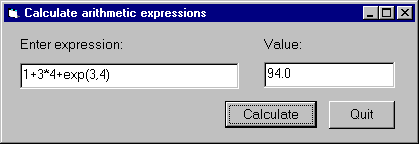
The calculation itself will be done in Prolog.
We now we will go through the steps of developing this program.
Step 1: Start a new project called calculator
Step 2: Add the vbsp.bas file to the project
Step 3: Create a form window called calculator
Edit the calculator form window, adding two textboxes txtExpr and
txtValue,
and two command buttons, cmdCalc and cmdQuit:
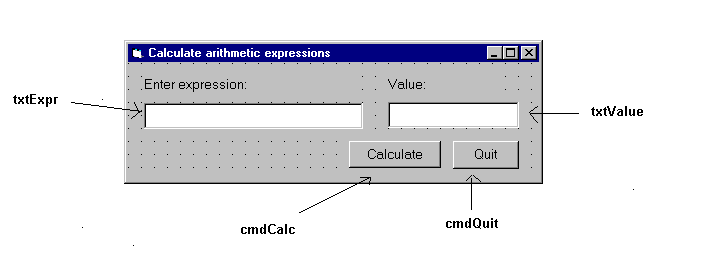
Save the form window to the calculator.frm file.
Then the project will contain the following two files:
Step 4: Write the Prolog code
Write the Prolog code in the file calc.pl,
evaluating the given expression with the is/2
predicate, and providing a minimal level of
exception handling:
prolog_calculate(Expr, Value) :- on_exception(Exc, Value is Expr, handler(Exc,Value)). handler(domain_error(_,_,_,_),'Incorrect expression'). handler(Exc,Exc).
Note that this example focuses on a minimal implementation of the problem, more elaborate exception handling will be illustrated in the Train example (see Example 2 - Train).
Compile this file, and deposit the file calc in the directory
where the calculator.vbp project is contained.
Step 5: Write the Visual Basic code with the Prolog calls
Now you have to write the Visual Basic code in which SICStus Prolog will be called at two points:
Form_Load procedure executed when the calc
form is loaded, calling the PrologInit() function and loading the calc file
with the help of the PrologQueryCutFail(..)) function:
Private Sub Form_Load()
If PrologInit() <> 1 Then GoTo Err
If PrologQueryCutFail("ensure_loaded(app(calc))") <> 1 Then GoTo Err
Exit Sub
Err:
MsgBox "Prolog initialization failed", 48, "Error"
Unload Me
End Sub
calculate procedure activated by the cmdRun command button.
This procedure will execute the prolog_calculate(X,Y) procedure
defined in the calc Prolog file:
Public Function calculate(ByVal Expr As String) As String
Dim qid As Long
Dim result As String
Dim ret As Long
Dim Q As String
Q = "prolog_calculate(" & Expr & ",Value)"
qid = PrologOpenQuery(Q)
If qid = -1 Then GoTo Err ' e.g. syntax error
ret = PrologNextSolution(qid)
If ret <> 1 Then GoTo Err ' failed or error
ret = PrologGetString(qid, "Value", result)
If ret <> 1 Then GoTo Err
calculate = result
Call PrologCloseQuery(qid)
Exit Function
Err:
MsgBox "Bad expression", 48, "Error!"
calculate = ""
End Function
This example provides a Visual Basic user interface to the Prolog program finding train routes between two points.
The Visual Basic program train contains the following form window:
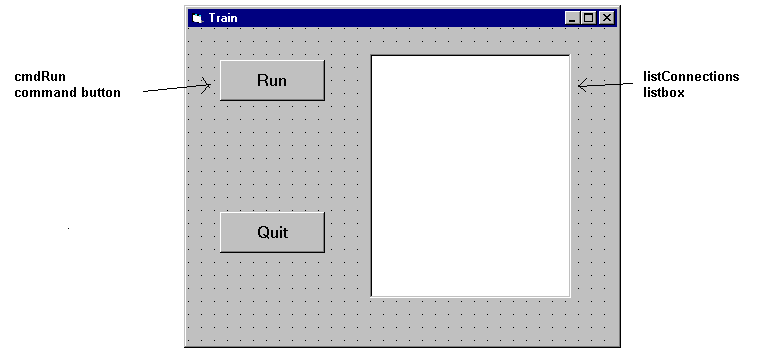
Clicking the cmdRun command button will display all the available routes
between Stockholm and Orebro. These are calculated as
solutions of the Prolog query
places('Stockholm','Orebro',Way). For each solution,
the value assigned to the variable Way
is retrieved into the Visual Basic variable result
and is inserted as a new item into the listConnection listbox.
The Visual Basic program consists of four parts:
Private Sub cmdRun_Click()
Dim qid As Long
Dim result As String
Dim s As String
Dim rc As Integer
qid = -1 ' make it safe to PrologCloseQuery(qid) in Err:
'load the train.pl Prolog file
rc = PrologQueryCutFail("ensure_loaded(app(train))")
If rc < 1 Then
Msg = "ensure_loaded(train)"
GoTo Err
End If
'open the query
qid = PrologOpenQuery("places('Stockholm','Orebro',Way)")
If qid = -1 Then
rc = 0
Msg = "Open places/3"
GoTo Err
End If
'generate solutions
Do
rc = PrologNextSolution(qid)
If rc = 0 Then Exit Do ' failed
If rc < 0 Then
Msg = "places/3"
GoTo Err
End If
If PrologGetString(qid, "Way", result) < 1 Then
rc = 0
Msg = "PrologGetString Way"
GoTo Err
End If
listConnections.AddItem result
Loop While True
'after all solutions are found, the query is closed
Call PrologCloseQuery(qid)
Exit Sub
Note that each part does elaborate error checking and passes control to the error display instructions shown below:
Err:
Call PrologCloseQuery(qid) ' Always close opened queries
'error message is prepared, adding either the - failed - or
'the - raised exception - suffix to the Msg string specific
'to the function called
If rc = 0 Then
Msg = Msg + " failed"
Else
Call PrologGetException(s)
Msg = Msg + " raised exception: " + s
End If
MsgBox Msg, 48, "Error"
End Sub
The Prolog predicate places is defined in the train.pl
file, as shown earlier (see Train)
This example gives a Visual Basic user interface to an N-queens program. The purpose of this example is to show how to handle Prolog lists through the Visual Basic interface. The full source of the example is found in the distribution. [here]
The user interface shown in this example will allow the user to specify
the number of queens, and, with the help of the Next Solution
command button all the solutions of the N-Queens problem will be enumerated.
A given solution will be represented in a simple graphical way as a PictureBox,
using the basic Circle and Line methods.
The problem itself will be solved in Prolog,
using a queens(+N,?PositionList) Prolog predicate,
stored in the file queens.
We now present two solutions, using different techniques for retrieving Prolog lists.
Example 3a - N-Queens, generating a variable list into the Prolog call
The first implementation of the N-Queens problem is based on the technique of generating a given length list of Prolog variables into the Prolog query.
For example, if the N-Queens problem is to be solved for N = 4, i.e.
with the query "queens(4,L)", then the problem of retrieving
a list from Visual Basic will arise. However, if the query is presented as
"queens(4,[X1,X2,X3,X4])", then
instead of retrieving the list it is enough to access the
X1,X2,X3,X4 values.
Since the number of queens is not fixed in the program,
this query has to be generated, and the retrieval of the Xi values
must be done in a cycle.
This approach can always be applied when the format of the solution is known at the time of calling the query.
We now go over the complete code of the program.
Global declarations used in the program (General/declarations):
Dim nQueens As Long 'number of queens Dim nSol As Long 'index of solution Dim nActqid As Long 'actual query identifier Dim nQueryOpen As Boolean 'there is an open query
The initialization of the program will be done when the form window is loaded:
Private Sub Form_Load()
nQueens = 0
nSol = 1
nQueryOpen = False
'initialize Prolog
If PrologInit() <> 1 Then GoTo Err
'Load queens.pl
If PrologQueryCutFail("load_files(app(queens))") <> 1 Then GoTo Err
Exit Sub
Err:
MsgBox "Prolog initialization failed", 48, "Error"
Unload Me
End Sub
When the number of queens changes (i.e. the value of the text box
textSpecNo changes), a new query has to be opened,
after the previous query, if there has been any, is closed.
Private Sub textSpecNo_Change()
nQueens = Val(textSpecNo)
nSol = 1
If nQueryOpen Then PrologCloseQuery (nActqid)
'create Prolog query in form: queens(4,[X1,X2,X3,X4])
Q = "queens(" & Str(nQueens) & ", ["
For i = 1 To nQueens - 1 Step 1
Q = Q & "X" & i & ","
Next
Q = Q & "X" & nQueens & "])"
nActqid = PrologOpenQuery(Q)
nQueryOpen = True
End Sub
The Next command button executes and shows the next solution of the
current query:
Private Sub cmdNext_Click()
Dim nPos As Long
Dim aPos(100) As Long
If Not nQueryOpen Then
MsgBox "Specify number of queens first!", 48, ""
Exit Sub
End If
If PrologNextSolution(nActqid) < 1 Then
MsgBox "No more solutions!", 48, ""
Else
For i = 1 To nQueens Step 1
If PrologGetLong(nActqid, "X" & i, nPos) = 1 Then
aPos(i - 1) = nPos
End If
Next i
'display nth solution
txtSolNo = "Solution number: " & Str(nSol)
Call draw_grid(nQueens)
nLine = 1
For Each xElem In aPos
Call draw_circle(nLine, xElem, nQueens)
nLine = nLine + 1
Next
nSol = nSol + 1
End If
End Sub
Drawing itself is performed by the draw_grid and
draw_circle procedures.
Example 3b - N-Queens, converting the resulting Prolog list to an atom
The second variant of the N-Queens program uses the technique of
converting the resulting Prolog list into a string via the
PrologGetString function, and decomposing it into an array in
Visual Basic. Here we show only those parts of the program which have
changed with respect to the first version.
In the textSpecNo_Change routine the queens/2 predicate is
called with a single variable in its second argument:
Q = "queens(" & Str(nQueens) & ",Queens)"
nActqid = PrologOpenQuery(Q)
In the cmdNext_Click routine the solution list is retrieved into
a single string which is then split up along the commas, and deposited
into the aPos array by the convert_prolog_list routine.
(aPos is now an array of strings, rather than integers.)
Finally, we include the code of the routine for splitting up a Prolog list:
Private Sub convert_prolog_list(ByVal inList As String,
ByRef inArray() As String)
'drop brackets
xList = Mid(inList, 2, Len(inList) - 2)
i = 0
startPos = 1
xList = Mid(xList, startPos)
Do While xList <> ""
endPos = InStr(xList, ",")
If endPos = 0 Then
xElem = xList
inArray(i) = xElem
Exit Do
End If
xElem = Mid(xList, 1, endPos - 1)
inArray(i) = xElem
i = i + 1
xList = Mid(xList, endPos + 1)
startPos = endPos + 1
Loop
End Sub
In this section you will find a summary of the functions and procedures of the Visual Basic interface:
Function PrologOpenQuery (ByVal Goal As String) As Long
Sub PrologCloseQuery (ByVal qid As Long)
qid.
Important: if qid is not the innermost query (i.e. the one
opened last), then all more recently opened queries are closed as well.
Function PrologNextSolution(ByVal qid As Long) As Integer
qid. Returns 1 on success, 0 on failure, -1 on
error. In case of an erroneous execution, the Prolog exception raised
can be retrieved with the PrologGetException procedure.
Important: Several queries may be open at the same time, however, if
qid is not the innermost query, then all more recently
opened queries are implicitly closed.
Function PrologGetLong(ByVal qid As Long, ByVal VarName As String, Value As Long) As Integer
Value the integer value bound to the variable
VarName of the query identified by qid, as an integer.
That is, the value of the given variable is converted to an integer.
Returns 1 on success, i.e. if the given goal assigned an integer value
to the variable; otherwise, it returns 0. If an error occurred it returns
-1, e.g. if an invalid qid was used.
Function PrologGetString(ByVal qid As Long, Val VarName As String, Value As String) As Integer
Value the string value bound to a variable
VarName of the query, as a string. That is, the value assigned
to the given variable is written out into an internal stream by the
write/2 Prolog predicate, and the characters output to this
stream will be transferred to Visual Basic as a string. Retuns 1 on
success, i.e. if the given goal assigned a value to the variable;
otherwise, it returns 0. If an error occurred it returns
-1, e.g. if an invalid qid was used.
Function PrologGetStringQuoted(ByVal qid As Long, ByVal VarName As String, Value As String) As Integer
PrologGetString, but conversion uses Prolog
writeq/2. Returns 1 on success, i.e. if the given goal assigned
a value to the variable; otherwise, it returns 0. If an error occurred it
returns -1, e.g. if an invalid qid was used.
Function PrologQueryCutFail (ByVal Goal As String) As Integer
Sub PrologGetException(ByRef Exc As String)
Exc
string as if written by the writeq/2 predicate. If there is no
exception available then the empty string is returned.
Function PrologInit() As Long
This chapter used to describe Prolog utilities for generating glue
code for the Foreign Language Interface (see Interface Predicates). As of SICStus 3.9, this is only supported using the
splfr tool (see The Foreign Resource Linker).
You can invoke splfr (as well as spld) with the flags
--verbose and --keep, in addition to the ordinary
arguments. This way you can see what is going on and you can also access
any generated files. The steps performed by splfr and the files
generated will change between releases so you should avoid depending on
it. If, for some reason, splfr is not suitable for your purposes
you should contact SICStus Support.
The timeout package, which may be loaded by the query
| ?- use_module(library(timeout)).
contains the predicate:
time_out(:Goal, +Time, ?Result)
The Goal is executed as if by call/1. If computing any
solution takes more than Time milliseconds, the goal will be
aborted and Result unified with the atom time_out. If the
goal succeeds within the specified time, Result is unified with
the atom success. Time must be a number between (not
including) 0 and 2147483647.
The time is measured in process virtual time on UNIX. On Windows NT/2000/XP, as of SICStus 3.10, thread virtual time is used, which is the same as process virtual time for single-threaded processes. On Windows 95/98/ME the time is measured in real time (wall time), due to limitations in those operating systems.
The precision of the time out interval is usually not better than
several tens of milliseconds. This is due to limitations in the timing
mechanisms used to implement library(timeout).
time_out/3 is implemented by raising and handling
time_out exceptions, so any exception handler in the scope of
Goal must be prepared to pass on time_out exceptions.
The following incorrect example shows what can happen otherwise:
| ?- time_out(on_exception(Q,(repeat,false),true), 1000, Res). Q = time_out, Res = success
! [ISO]
(+P,+Q) [ISO]
(Head --> Body) [Reserved]
(+P -> +Q ; +R) [ISO]
(+P -> +Q) [ISO]
[]
[:File|+Files]
(:- Directive) [Reserved]
(?- Query) [Reserved]
(Head :- Body) [Reserved]
(+P;+Q) [ISO]
?X = ?Y [ISO]
+Term =.. ?List [ISO]
?Term =.. +List [ISO]
+X =:= +Y [ISO]
?Term1 == ?Term2 [ISO]
+X =\= +Y [ISO]
+X =< +Y [ISO]
+X > +Y [ISO]
+X >= +Y [ISO]
?X \= ?Y [ISO]
?X ^ :P
\+ +P [ISO]
?Term1 \== ?Term2 [ISO]
+X < +Y [ISO]
?Term1 @=< ?Term2 [ISO]
?Term1 @> ?Term2 [ISO]
?Term1 @>= ?Term2 [ISO]
?Term1 @< ?Term2 [ISO]
?=(?X,?Y)
abolish(:Preds) [ISO]
abolish(:Atom,+Arity)
Atom/Arity undefined.
abort
absolute_file_name(+RelativeName,?AbsoluteName)
absolute_file_name(+RelativeName,?AbsoluteName,+Options)
add_breakpoint(:Conditions, ?BID)
arg(+ArgNo,+Term,?Arg) [ISO]
ask_query(+QueryClass, +Query, +Help, -Answer) [Hookable]
assert(:Clause)
assert(:Clause,-Ref)
asserta(:Clause) [ISO]
asserta(:Clause,-Ref)
assertz(:Clause) [ISO]
assertz(:Clause,-Ref)
at_end_of_line
at_end_of_line(Stream)
at_end_of_stream [ISO]
at_end_of_stream(Stream) [ISO]
atom(?X) [ISO]
atom_chars(+Atom,?CharList) [ISO only]
atom_chars(?Atom,+CharList) [ISO only]
atom_chars(+Atom,?CodeList) [SICStus only]
atom_chars(?Atom,+CodeList) [SICStus only]
atom_codes(+Atom,?CodeList) [ISO]
atom_codes(?Atom,+CodeList) [ISO]
atom_concat(+Atom1,+Atom2,?Atom12) [ISO]
atom_concat(?Atom1,?Atom2,+Atom12) [ISO]
atom_length(+Atom,?Length) [ISO]
atomic(?X) [ISO]
bagof(?Template,:Goal,?Bag) [ISO]
block Specs [Declaration]
bb_delete(+Key,?Term)
bb_get(+Key,?Term)
bb_put(+Key,+Term)
bb_update(:Key, ?OldTerm, ?NewTerm)
break
breakpoint_expansion(+Macro, -Body) [Hook]
user:breakpoint_expansion(+Macro, -Body)
byte_count(+Stream,?N)
'C'(?S1,?Terminal,?S2)
call(:Term) [ISO]
(Module::Term)
call_cleanup(:Goal,:Cleanup)
call_residue(:Goal,?Residue)
callable(?X)
character_count(+Stream,?Count)
catch(:ProtectedGoal,?Pattern,:Handler) [ISO]
throw(Exception) or
raise_exception(Exception) is called, and Exception
matches Pattern, the execution of ProtectedGoal aborts,
Pattern is unified with a copy of Exception and
Handler is called.
char_code(+Char,?Code) [ISO]
char_code(?Char,+Code) [ISO]
char_conversion(+InChar, +OutChar) [ISO]
clause(:Head,?Body) [ISO]
clause(:Head,?Body,?Ref)
clause(?Head,?Body,+Ref)
close(+Stream) [ISO]
close(+Stream, +Options) [ISO]
compare(?Op,?Term1,?Term2)
compile(:Files)
compound(?X) [ISO]
consult(:Files)
copy_term(?Term,?CopyOfTerm) [ISO]
create_mutable(+Datum,-Mutable)
current_atom(?Atom)
current_breakpoint(:Conditions, ?BID, ?Status, ?Kind)
current_char_conversion(?InChar, ?OutChar) [ISO]
InChar is mapped to OutChar in the current
character-conversion mapping.
current_input(?Stream) [ISO]
current_key(?KeyName,?KeyTerm) [Obsolescent]
current_module(?Module)
current_module(?Module,?File)
current_op(?Precedence,?Type,?Op) [ISO]
current_output(?Stream) [ISO]
current_predicate(?Name/?Arity) [ISO]
current_predicate(?Name,:Head)
current_predicate(?Name,-Head)
current_prolog_flag(?FlagName,?Value) [ISO]
current_stream(?AbsFileName,?Mode,?Stream)
debug
debugger_command_hook(+DCommand,?Actions) [Hook]
user:debugger_command_hook(+DCommand,?Actions)
debugging
dif(?X,?Y)
disable_breakpoints(+BIDs)
discontiguous Specs [Declaration,ISO]
display(?Term)
dynamic Specs [Declaration,ISO]
enable_breakpoints(+BIDs)
ensure_loaded(:Files) [ISO]
erase(+Ref)
error_exception(+Exception) [Hook]
user:error_exception(+Exception)
execution_state(:Tests)
execution_state(+FocusConditions, :Tests)
expand_term(+Term1,?Term2)
fail [ISO]
false
fcompile(:Files) [Obsolescent]
file_search_path(Alias,?Expansion) [Hook]
user:file_search_path(Alias,?Expansion)
Alias(File)
file names.
fileerrors
findall(?Template,:Goal,?Bag) [ISO]
findall(?Template,:Goal,?Bag,?Remainder)
float(?X) [ISO]
flush_output [ISO]
flush_output(+Stream) [ISO]
foreign(+CFunctionName,+Predicate) [Hook]
foreign(+CFunctionName,+Language,+Predicate) [Hook]
foreign_file(+ObjectFile,+Functions) [Hook,obsolescent]
foreign_resource/2 instead.
foreign_resource(+ResourceName,+Functions) [Hook]
format(+Format,:Arguments)
format(+Stream,+Format,:Arguments)
freeze(?Var,:Goal)
nonvar(Var) holds.
frozen(-Var,?Goal)
functor(+Term,?Name,?Arity) [ISO]
functor(?Term,+Name,+Arity) [ISO]
garbage_collect
garbage_collect_atoms
gc
generate_message_hook(+Message, -L0, -L) [Hook]
user:generate_message_hook(+Message, -L0, -L)
A way for the user to override the call to
'SU_messages':generate_message/3 in the message generation phase
in print_message/2.
get(?C) [Obsolescent]
get(+Stream,?C) [Obsolescent]
get0(?C) [Obsolescent]
get0(+Stream,?C) [Obsolescent]
get_byte(?Byte) [ISO]
get_byte(+Stream,?Byte) [ISO]
get_char(?Char) [ISO]
get_char(+Stream,?Char) [ISO]
get_code(?Code) [ISO]
get_code(+Stream,?Code) [ISO]
get_mutable(?Datum,+Mutable)
goal_expansion(+Goal,+Module,-NewGoal) [Hook]
user:goal_expansion(+Goal,+Module,-NewGoal)
goal_source_info(+AGoal, ?Goal, ?SourceInfo)
ground(?X)
halt [ISO]
halt(Code) [ISO]
help [Hookable]
if(+P,+Q,+R)
include Specs [Declaration,ISO]
incore(+Term) [Obsolescent]
initialization :Goal [ISO]
instance(+Ref,?Term)
integer(?X) [ISO]
?Y is +X [ISO]
is_mutable(?X)
keysort(+List1,?List2)
leash(+Mode)
length(?List,?Length)
library_directory(?Directory) [Hook]
user:library_directory(?Directory)
library(File) file names.
line_count(+Stream,?N)
line_position(+Stream,?N)
listing
listing(:Specs)
load(:Files) [Obsolescent]
.ql file(s) Files.
load_files(:Files)
load_files(:Files, +Options)
.po or .ql file(s) Files obeying Options.
load_foreign_files(:ObjectFiles,+Libraries) [Hookable,obsolescent]
splfr and load_foreign_resource/1
instead.
load_foreign_resource(:Resource)
message_hook(+Severity, +Message, +Lines) [Hook]
user:message_hook(+Severity, +Message, +Lines)
print_message_lines/3 in
print_message/2. A way for the user to intercept the abstract
message term Message of type Severity, whose translation
is Lines, before it is actually printed.
meta_predicate Specs [Declaration]
mode Specs [Declaration]
module(+Module)
module(+Module, +ExportList) [Declaration]
module(+Module, +ExportList, +Options) [Declaration]
multifile Specs [Declaration,ISO]
name(+Const,?CharList) [Obsolescent]
name(?Const,+CharList)
atom_chars/2 and number_chars/2.
nl [ISO]
nl(+Stream) [ISO]
nodebug
nofileerrors
nogc
nonvar(?X) [ISO]
nospy :Spec
nospyall
notrace
nozip
number(?X) [ISO]
number_chars(+Number,?CodeList) [SICStus only]
number_chars(?Number,+CodeList) [SICStus only]
number_chars(+Number,?CharList) [ISO only]
number_chars(?Number,+CharList) [ISO only]
number_codes(+Number,?CodeList) [ISO]
number_codes(?Number,+CodeList) [ISO]
numbervars(?Term,+N,?M)
once(+P) [ISO]
on_exception(?Pattern,:ProtectedGoal,:Handler)
throw(Exception) or
raise_exception(Exception) is called, and Exception
matches Pattern, the execution of ProtectedGoal aborts,
Pattern is unified with a copy of Exception and
Handler is called.
op(+Precedence,+Type,+Name) [ISO]
open(+FileName,+Mode,-Stream) [ISO]
open(+FileName,+Mode,-Stream,+Options) [ISO]
open_null_stream(-Stream)
otherwise
peek_byte(?N) [ISO]
peek_byte(+Stream,?N) [ISO]
peek_char(?N) [SICStus only]
peek_char(+Stream,?N) [SICStus only]
peek_char(?N) [ISO only]
peek_char(+Stream,?N) [ISO only]
peek_code(?N) [ISO]
peek_code(+Stream,?N) [ISO]
phrase(:Phrase,?List)
phrase(:Phrase,?List,?Remainder)
portray(+Term) [Hook]
user:portray(+Term)
print/1 what to do.
portray_clause(?Clause)
portray_clause(+Stream,?Clause)
portray_message(+Severity,+Message) [Hook]
user:portray_message(+Severity,+Message)
print_message/2 what to do.
predicate_property(:Head,?Prop)
predicate_property(-Head,?Prop)
print(?Term) [Hookable]
print(+Stream,?Term) [Hookable]
print_message(+Severity,+Message) [Hookable]
print_message_lines(+Stream, +Severity, +Lines)
profile_data(:Spec,?Selection,?Resolution,-Data)
profile_reset(:Spec)
prolog_flag(?FlagName,?Value)
prolog_flag(+FlagName,?OldValue,?NewValue)
prolog_load_context(?Key,?Value)
prompt(?Old,?New)
public Specs [Declaration,obsolescent]
put(+C) [Obsolescent]
put(+Stream,+C) [Obsolescent]
put_byte(+B) [ISO]
put(+Stream,+B) [ISO]
put_char(+C) [ISO]
put_char(+Stream,+C) [ISO]
put_code(+C) [ISO]
put_code(+Stream,+C) [ISO]
query_hook(+QueryClass, +Query, +QueryLines, +Help, +HelpLines, -Answer) [Hook]
user:query_hook(+QueryClass, +Query, +QueryLines, +Help, +HelpLines, -Answer)
ask_query/4 before processing the query. If this
predicate succeeds, it is assumed that the query has been processed and
nothing further is done.
query_class_hook(+QueryClass, -Prompt, -InputMethod, -MapMethod, -FailureMode) [Hook]
user:query_class_hook(+QueryClass, -Prompt, -InputMethod, -MapMethod, -FailureMode)
'SU_messages':query_class/5 in the preparation phase of query
processing. This way the default query class characteristics can be
changed.
query_input_hook(+InputMethod, +Prompt, -RawInput) [Hook]
user:query_input_hook(+InputMethod, +Prompt, -RawInput)
'SU_messages':query_input/3 in the input phase of query
processing. This way the implementation of the default input methods
can be changed.
query_map_hook(+MapMethod, +RawInput, -Result, -Answer) [Hook]
user:query_map_hook(+MapMethod, +RawInput, -Result, -Answer)
'SU_messages':query_map/4 in the mapping phase of query
processing. This way the implementation of the default map methods
can be changed.
raise_exception(+Exception)
catch/3 or on_exception/3 invocation
with its first argument matching Exception.
read(?Term) [ISO]
read(+Stream,?Term) [ISO]
read_term(?Term,+Options) [ISO]
read_term(+Stream,?Term,+Options) [ISO]
reconsult(:Files) [Obsolescent]
recorda(+Key,?Term,-Ref) [Obsolescent]
recorded(?Key,?Term,?Ref) [Obsolescent]
recordz(+Key,?Term,-Ref) [Obsolescent]
reinitialise
remove_breakpoints(+BIDs)
repeat [ISO]
require(:PredSpecs)
restore(+File)
retract(:Clause) [ISO]
retractall(:Head)
runtime_entry(+Message) [Hook]
user:runtime_entry(+Message)
Message = start.
save_program(+File)
save_program(+File, :Goal)
save_modules(+Modules, +File)
save_predicates(:Preds, +File)
save_files(+SourceFiles, +File)
see(+File)
seeing(?File)
seek(+Stream,+Offset,+Method,-NewLocation)
seen
set_input(+Stream) [ISO]
set_output(+Stream) [ISO]
set_prolog_flag(+FlagName,?NewValue) [ISO]
set_stream_position(+Stream,+Position) [ISO]
setof(?Template,:Goal,?Set) [ISO]
simple(?X)
skip(+C) [Obsolescent]
skip(+Stream,+C) [Obsolescent]
skip_line
skip_line(+Stream)
sort(+List1,?List2)
source_file(?File)
source_file(:Pred,?File)
source_file(-Pred,?File)
spy :Spec
spy(:Spec, :Conditions)
statistics
statistics(?Key,?Value)
stream_code(+Stream,?StreamCode)
stream_code(?Stream,+StreamCode)
stream_position(+Stream,?Position)
stream_position_data(?Field,?Position,?Data)
stream_property(?Stream, ?Property)) [ISO]
sub_atom(+Atom,?Before,?Length,?After,?SubAtom) [ISO]
tab(+N) [Obsolescent]
tab(+Stream,+N) [Obsolescent]
tell(+File)
telling(?File)
term_expansion(+Term1,?TermOrTerms) [Hook]
term_expansion(+Term1,+Layout1,?TermOrTerms,?Layout2) [Hook]
user:term_expansion(+Term1,?TermOrTerms)
user:term_expansion(+Term1,+Layout1,?TermOrTerms,?Layout2)
expand_term/2 what to do.
throw(+Exception) [ISO]
catch/3 or on_exception/3 invocation
with its first argument matching Exception.
told
trace
trimcore
true [ISO]
ttyflush [Obsolescent]
ttyget(?C) [Obsolescent]
ttyget0(?C) [Obsolescent]
ttynl [Obsolescent]
ttyput(+C) [Obsolescent]
ttyskip(+C) [Obsolescent]
ttytab(+N) [Obsolescent]
undo(:Goal)
unify_with_occurs_check(?X, ?Y) [ISO]
unknown(?OldState,?NewState)
unknown_predicate_handler(+Goal,+Module,-NewGoal) [Hook]
user:unknown_predicate_handler(+Goal,+Module,-NewGoal)
unload_foreign_resource(:Resource)
update_mutable(+Datum,+Mutable)
use_module(:Files)
use_module(:File,+Imports)
use_module(+Module,?File,+Imports)
use_module(?Module,:File,+Imports)
use_module/2 unifying Module to the module defined in
File.
user_help [Hook]
user:user_help
help/0 what to do.
var(?X) [ISO]
version
version(+Message)
volatile Specs [Declaration]
when(+Condition,:Goal)
write(+Term) [ISO]
write(+Stream,+Term) [ISO]
write_canonical(+Term) [ISO]
write_canonical(+Stream,+Term) [ISO]
write_term(+Term,+Options) [ISO]
write_term(+Stream,+Term,+Options) [ISO]
writeq(+Term) [ISO]
writeq(+Stream,+Term) [ISO]
zip
A Prolog program consists of a sequence of sentences or lists of
sentences. Each sentence is a Prolog term. How terms are
interpreted as sentences is defined below (see Sentence). Note that
a term representing a sentence may be written in any of its equivalent
syntactic forms. For example, the compound term Head :-
Body could be written in standard prefix notation instead of as
the usual infix operator.
Terms are written as sequences of tokens. Tokens are sequences of characters which are treated as separate symbols. Tokens include the symbols for variables, constants and functors, as well as punctuation characters such as brackets and commas.
We define below how lists of tokens are interpreted as terms (see Term Token). Each list of tokens which is read in (for interpretation as a term or sentence) has to be terminated by a full-stop token. Two tokens must be separated by a layout-text token if they could otherwise be interpreted as a single token. Layout-text tokens are ignored when interpreting the token list as a term, and may appear at any point in the token list.
We define below defines how tokens are represented as strings of characters (see Token String). But we start by describing the notation used in the formal definition of Prolog syntax (see Syntax Notation).
C --> F1 | F2 | F3
which states that an entity of category C may take any of the alternative forms F1, F2, F3, etc.
sentence --> module : sentence
| list
{ where list is a list of sentence }
| clause
| directive
| query
| grammar-rule
clause --> rule | unit-clause
rule --> head :- body
unit-clause --> head
{ where head is not otherwise a sentence }
directive --> :- body
query --> ?- body
head --> module : head
| goal
{ where goal is not a variable }
body --> module : body
| body -> body ; body
| body -> body
| \+ body
| body ; body
| body , body
| goal
goal --> term
{ where term is not otherwise a body }
grammar-rule --> gr-head --> gr-body
gr-head --> module : gr-head
| gr-head , terminals
| non-terminal
{ where non-terminal is not a variable }
gr-body --> module : gr-body
| gr-body -> gr-body ; gr-body
| gr-body -> gr-body
| \+ gr-body
| gr-body ; gr-body
| gr-body , gr-body
| non-terminal
| terminals
| gr-condition
non-terminal --> term
{ where term is not otherwise a gr-body }
terminals --> list | string
gr-condition --> ! | { body }
module --> atom
term-read-in --> subterm(1200) full-stop
subterm(N) --> term(M)
{ where M is less than or equal to N }
term(N) --> op(N,fx) subterm(N-1)
{ except in the case of a number }
{ if subterm starts with a (,
op must be followed by layout-text }
| op(N,fy) subterm(N)
{ if subterm starts with a (,
op must be followed by layout-text }
| subterm(N-1) op(N,xfx) subterm(N-1)
| subterm(N-1) op(N,xfy) subterm(N)
| subterm(N) op(N,yfx) subterm(N-1)
| subterm(N-1) op(N,xf)
| subterm(N) op(N,yf)
term(1000) --> subterm(999) , subterm(1000)
term(0) --> functor ( arguments )
{ provided there is no layout-text between
the functor and the ( }
| ( subterm(1200) )
| { subterm(1200) }
| list
| string
| constant
| variable
op(N,T) --> name
{ where name has been declared as an
operator of type T and precedence N }
arguments --> subterm(999)
| subterm(999) , arguments
list --> []
| [ listexpr ]
listexpr --> subterm(999)
| subterm(999) , listexpr
| subterm(999) | subterm(999)
constant --> atom | number
number --> unsigned-number
| sign unsigned-number
| sign inf
| sign nan
unsigned-number --> natural-number | unsigned-float
atom --> name
functor --> name
SICStus Prolog supports wide characters (up to 31 bits wide). It is assumed that the character code set is an extension of (7 bit) ASCII, i.e. that it includes the codes 0..127 and these codes are interpreted as ASCII characters.
Each character in the code set has to be classified as belonging to one of the character categories, such as small-letter, digit, etc. This classification is called the character-type mapping, and it is used for defining the syntax of tokens.
The user can select one of the three predefined wide character modes
through the environment variable SP_CTYPE. These modes are
iso_8859_1, utf8, and euc. The user can also define
other wide character modes by plugging in appropriate hook functions;
see Handling Wide Characters. In this case the user has to supply a
character-type mapping for the codes greater than 127.
We first describe the character-type mapping for the fixed part of the code set, the 7 bit ASCII.
sicstus execution mode, character code 96 (`) is also a
symbol-char.
iso execution mode character code 96 (`) is
also a quote-char.
We now provide the character-type mapping for the characters above the 7 bit ASCII range, for each of the built-in wide character modes.
The iso_8859_1 mode has the character set 0..255 and the
following character-type mapping for the codes 128..255:
The utf8 mode has the character set 0..(2^31-1). The
character-type mapping for the codes 128..255 is the same as for the
iso_8859_1 mode. All character codes above 255 are classified as
small-letters.
The euc mode character set is described in Representation of EUC Wide Characters. All character codes above 127 are classified as
small-letters.
token --> name
| natural-number
| unsigned-float
| variable
| string
| punctuation-char
| layout-text
| full-stop
name --> quoted-name
| word
| symbol
| solo-char
| [ ?layout-text ]
| { ?layout-text }
quoted-item --> char { other than ' or \ }
| ''
| \ escape-sequence {unless character escapes have been switched off }
word --> small-letter ?alpha...
symbol --> symbol-char...
{ except in the case of a full-stop
or where the first 2 chars are /* }
natural-number --> digit...
| base-prefix alpha...
{ where each alpha must be digits of }
{the base indicated by base-prefix,
treating a,b,... and A,B,... as 10,11,... }
| 0 ' char-item
{ yielding the character code for char }
unsigned-float --> simple-float
| simple-float exp exponent
simple-float --> digit... . digit...
exp --> e | E
exponent --> digit... | sign digit...
sign --> - | +
variable --> underline ?alpha...
| capital-letter ?alpha...
string --> " ?string-item... "
string-item --> char { other than " or \ }
| ""
| \ escape-sequence {unless character escapes have been switched off }
layout-text --> layout-text-item...
layout-text-item --> layout-char | comment
comment --> /* ?char... */
{ where ?char... must not contain */ }
| % ?char... <LFD>
{ where ?char... must not contain <LFD> }
full-stop --> .
{ the following token, if any, must be layout-text}
char --> { any character, i.e. }
layout-char
| alpha
| symbol-char
| solo-char
| punctuation-char
| quote-char
alpha --> capital-letter | small-letter | digit | underline
escape-sequence --> b { backspace, character code 8 }
| t { horizontal tab, character code 9 }
| n { newline, character code 10 }
| v { vertical tab, character code 11 }
| f { form feed, character code 12 }
| r { carriage return, character code 13 }
| e { escape, character code 27 }
| d { delete, character code 127 }
| a { alarm, character code 7 }
| other-escape-sequence
There are differences between the syntax used in iso mode and in
sicstus mode. The differences are described by providing different
syntax rules for certain syntactic categories.
iso execution mode rulesquoted-name --> ' ?quoted-item... '
| backquoted-atom
backquoted-atom -->
| ` ?backquoted-item... `
backquoted-item --> char { other than ` or \ }
| ``
| \ escape-sequence {unless character escapes have been switched off }
base-prefix --> 0b { indicates base 2 }
| 0o { indicates base 8 }
| 0x { indicates base 16 }
char-item --> quoted-item
other-escape-sequence -->
x alpha... \
{treating a,b,... and A,B,... as 10,11,... }
{ in the range [0..15], hex character code }
| o digit... \
{ in the range [0..7], octal character code }
| c <LFD> { ignored }
| \
| '
| "
| `
{ represent themselves }
sicstus execution mode rulesquoted-name --> ' ?quoted-item... '
base-prefix --> base ' {indicates base base }
base --> digit... { in the range [2..36] }
char-item --> char { other than \ }
| \ escape-sequence {unless character escapes have been switched off }
other-escape-sequence -->
| x alpha alpha escape-terminator
{treating a,b,... and A,B,... as 10,11,... }
{ in the range [0..15], hex character code }
| digit ?digit ?digit escape-terminator
{ in the range [0..7], octal character code }
| ^ ? { delete, character code 127 }
| ^ capital-letter
| ^ small-letter
{ the control character alpha mod 32 }
| c ?layout-char... { ignored }
| layout-char { ignored }
| char { other than the above, represents itself }
A backslash occurring inside integers in 0' notation or inside
quoted atoms or strings has special meaning, and indicates the start
of an escape sequence.
Character escaping can be turned off for compatibility with old code.
The following escape sequences exist:
\b
\t
\n
\v
\f
\r
\e
\d
\^? [SICStus only]
\a
\xhex-digit...\ [ISO only]
\xhex-digithex-digit [SICStus only]
\octal-digit...\ [ISO only]
\octal-digit?octal-digit?octal-digit [SICStus only]
\^char [SICStus only]
char mod 32, where char is a letter.
\layout-char [SICStus only]
\c
sicstus execution mode. In iso execution
mode only a single newline character is ignored.
\\, \', \", \`
\other [SICStus only]
X,Y
denotes the term ','(X,Y) in standard syntax.
(X)
denotes simply the term X.
{X}
denotes the term {}(X) in standard syntax.
-3 denotes a number whereas -(3)
denotes a compound term which has - /1 as its
principal functor.
iso execution mode only).
0'
notation denote escape sequences.
read/[1,2]) in sicstus execution mode,
while in iso execution mode the layout remains in the input
stream.
The following are the standard operators in iso execution mode.
:- op( 1200, xfx, [ :-, --> ]).
:- op( 1200, fx, [ :-, ?- ]).
:- op( 1150, fx, [ mode, public, dynamic, volatile, discontiguous,
multifile, block, meta_predicate,
initialization ]).
:- op( 1100, xfy, [ ; ]).
:- op( 1050, xfy, [ -> ]).
:- op( 1000, xfy, [ ',' ]).
:- op( 900, fy, [ \+, spy, nospy ]).
:- op( 700, xfx, [ =, \=, is, =.., ==, \==, @<, @>, @=<, @>=,
=:=, =\=, <, >, =<, >= ]).
:- op( 550, xfy, [ : ]).
:- op( 500, yfx, [ +, -, #, /\, \/ ]).
:- op( 400, yfx, [ *, /, //, mod, rem, <<, >> ]).
:- op( 200, xfx, [ ** ]).
:- op( 200, xfy, [ ^ ]).
:- op( 200, fy, [ +, -, \ ]).
The following operators differ in sicstus execution mode.
:- op( 500, fx, [ +, - ]). :- op( 300, xfx, [ mod ]).
!/0, cut: Control, Cut
#/\ /2: Propositional Constraints
#< /2: Arithmetic Constraints
#<= /2: Propositional Constraints
#<=> /2: Propositional Constraints, Reified Constraints
#= /2: Arithmetic Constraints
#=< /2: Arithmetic Constraints
#=> /2: Propositional Constraints
#> /2: Arithmetic Constraints
#>= /2: Arithmetic Constraints
#\ /1: Propositional Constraints
#\ /2: Propositional Constraints
#\/ /2: Propositional Constraints
#\= /2: Arithmetic Constraints
'SU_messages':generate_message/3: Message Handling Predicates
'SU_messages':query_abbreviation/3: Query Handling Predicates
'SU_messages':query_class/5: Query Handling Predicates
'SU_messages':query_input/3: Query Handling Predicates
'SU_messages':query_map/4: Query Handling Predicates
,/2, conjunction: Control
--> /2, grammar rule: Definite
-> /2 ;/2, if then else: Control
-> /2, if then: Control
. /2, consult: Read In
:- /1, directive: Directives
:- /2, clause: Programs
:/2: Control
::/1 (message sending): Obj Self
::/2 (message sending): Obj Self
;/2, disjunction: Control
< /2, arithmetic less than: Arithmetic
<:/1 (message delegation): Obj Self
<:/2 (message delegation): Obj Self
= /2, unification: Misc Pred
=.. /2, univ: Meta Logic
=:= /2, arithmetic equal: Arithmetic
=< /2, arithmetic less or equal: Arithmetic
== /2, equality of terms: Term Compare
=\= /2, arithmetic not equal: Arithmetic
> /2, arithmetic greater than: Arithmetic
>= /2, arithmetic greater or equal: Arithmetic
?- /1, query: Queries
?= /2, terms identical or cannot unify: Term Compare
@< /2, term less than: Term Compare
@=< /2, term less or equal: Term Compare
@> /2, term greater than: Term Compare
@>= /2, term greater or equal: Term Compare
[]/0, consult: Read In
\+ /1, not provable: Control
\= /2, not unifiable: Misc Pred
\== /2, inequality of terms: Term Compare
^ /2, existential quantifier: All Solutions
abolish/1: Modify Prog
abolish/2: Modify Prog
abort/0: Misc Pred
absolute_file_name/2: Stream Pred
absolute_file_name/3: Stream Pred
acyclic_term/1: Term Utilities
add_breakpoint/2: Debug Pred, Breakpoint Predicates
add_edges/3: WGraphs, UGraphs
add_to_heap/4: Heaps
add_vertices/3: WGraphs, UGraphs
all_different/1: Combinatorial Constraints
all_different/2: Combinatorial Constraints
all_distinct/1: Combinatorial Constraints
all_distinct/2: Combinatorial Constraints
append/3: Lists
aref/3: Arrays
arefa/3: Arrays
arefl/3: Arrays
arg/3: Meta Logic
array_to_list/2: Arrays
aset/4: Arrays
ask_query/4: Query Handling Predicates
assert/1: Modify Prog
assert/2: Modify Prog
asserta/1: Modify Prog
asserta/2: Modify Prog
assertz/1: Modify Prog
assertz/2: Modify Prog
assignment/2: Combinatorial Constraints
assignment/3: Combinatorial Constraints
assoc_to_list/2: Assoc
at_end_of_line/0: Stream Pred
at_end_of_line/1: Stream Pred
at_end_of_stream/0: Stream Pred
at_end_of_stream/1: Stream Pred
atom/1: Meta Logic
atom_chars/2: Meta Logic
atom_codes/2: Meta Logic
atom_concat/3: Meta Logic
atom_length/2: Meta Logic
atom_to_chars/2: Chars I/O
atom_to_chars/3: Chars I/O
atomic/1: Meta Logic
attribute/1 (declaration): Attributes
attribute_goal/2: Attributes
bagof/3: All Solutions
bagof_rd_noblock/3: Client
bb_delete/2: Blackboard Primitives
bb_get/2: Blackboard Primitives
bb_inf/3: Solver Predicates
bb_inf/5: Solver Predicates
bb_put/2: Blackboard Primitives
bb_update/3: Blackboard Primitives
block/1 (declaration): Block Declarations
break/0: Misc Pred, Nested
breakpoint_expansion/2: Condition Macros, Hooks Related to Breakpoints
byte_count/2: Stream Pred
C/3: Definite
call/1: Control
call_cleanup/2: Control
call_residue/2: Coroutining
callable/1: Meta Logic
case/3: Combinatorial Constraints
case/4: Combinatorial Constraints
catch/3: Exception
char_code/2: Meta Logic
char_conversion/2: Term I/O
character_count/2: Stream Pred
chr_debug/0: CHR Debugging Predicates
chr_debugging/0: CHR Debugging Predicates
chr_leash/1: CHR Debugging Predicates
chr_nodebug/0: CHR Debugging Predicates
chr_nospy/1: CHR spypoints
chr_notrace/0: CHR Debugging Predicates
chr_spy/1: CHR spypoints
chr_trace/0: CHR Debugging Predicates
circuit/1: Combinatorial Constraints
circuit/2: Combinatorial Constraints
clause/2: Modify Prog
clause/3: Modify Prog
clique/3: UGraphs
close/1: Stream Pred
close/2: Stream Pred
close_client/0: Client
clpfd:dispatch_global/4: The Global Constraint Programming Interface
clpfd:full_answer/0: Answer Constraints
coloring/3: UGraphs
colouring/3: UGraphs
comclient_clsid_from_progid/2: COM Client Predicates
comclient_create_instance/2: COM Client Predicates
comclient_equal/2: COM Client Predicates
comclient_exception_code/2: COM Client Predicates
comclient_exception_culprit/2.: COM Client Predicates
comclient_exception_description/2: COM Client Predicates
comclient_garbage_collect/0: COM Client Predicates
comclient_get_active_object/2: COM Client Predicates
comclient_iid_from_name/2: COM Client Predicates
comclient_invoke_method_fun/3: COM Client Predicates
comclient_invoke_method_proc/2: COM Client Predicates
comclient_invoke_put/3: COM Client Predicates
comclient_is_exception/1: COM Client Predicates
comclient_is_object/1: COM Client Predicates
comclient_name_from_iid/2: COM Client Predicates
comclient_progid_from_clsid/2: COM Client Predicates
comclient_release/1: COM Client Predicates
comclient_valid_object/1: COM Client Predicates
compare/3: Term Compare
compile/1: Read In, Load Predicates
complement/2: UGraphs
compose/3: UGraphs
compound/1: Meta Logic
consult/1: Read In, Load Predicates
copy_term/2: Meta Logic
count/4: Combinatorial Constraints
create_mutable/2: Modify Term
cumulative/4: Combinatorial Constraints
cumulative/5: Combinatorial Constraints
cumulatives/2: Combinatorial Constraints
cumulatives/3: Combinatorial Constraints
current_atom/1: State Info
current_breakpoint/4: Debug Pred, Breakpoint Predicates
current_char_conversion/2: Pred Summary, Term I/O
current_constraint/2: CHR Built-In Predicates
current_handler/2: CHR Built-In Predicates
current_host/1: Sockets
current_input/1: Stream Pred
current_key/2: Database
current_module/1: State Info
current_module/2: State Info
current_op/3: Misc Pred
current_output/1: Stream Pred
current_predicate/1: State Info
current_predicate/2: State Info
current_prolog_flag/2: State Info
current_stream/3: Stream Pred
cyclic_term/1: Term Utilities
datime/1: System Utilities
datime/2: System Utilities
db_close/1: The predicates
db_close_env/1: The predicates
db_compress/2: The predicates
db_compress/3: The predicates
db_current/5: The predicates
db_current_env/2: The predicates
db_current_iterator/3: The predicates
db_enumerate/3: The predicates
db_erase/2: The predicates
db_erase/3: The predicates
db_fetch/3: The predicates
db_findall/3: The predicates
db_iterator_done/1: The predicates
db_iterator_next/3: The predicates
db_make_iterator/2: The predicates
db_make_iterator/3: The predicates
db_open/4: The predicates
db_open/5: The predicates
db_open_env/2: The predicates
db_open_env/3: The predicates
db_store/3: The predicates
db_sync/1: The predicates
debug/0: Debug Pred, Basic Debug
debugger_command_hook/2: Debug Pred, Breakpoint Predicates, Hooks Related to Breakpoints
debugging/0: Debug Pred, Basic Debug
del_assoc/4: Assoc
del_edges/3: WGraphs, UGraphs
del_max_assoc/4: Assoc
del_min_assoc/4: Assoc
del_vertices/3: WGraphs, UGraphs
delete/3: Lists
delete_file/1: System Utilities
delete_file/2: System Utilities
delete_from_heap/4: Heaps
dif/2: Coroutining
directory_files/2: System Utilities
disable_breakpoints/1: Debug Pred, Breakpoint Predicates
discontiguous/1 (declaration): Discontiguous Declarations
disjoint1/1: Combinatorial Constraints
disjoint1/2: Combinatorial Constraints
disjoint2/1: Combinatorial Constraints
disjoint2/2: Combinatorial Constraints
display/1: Term I/O
domain/3: Membership Constraints
dump/3: Solver Predicates
dynamic/1 (declaration): Dynamic Declarations
edges/2: WGraphs, UGraphs
element/3: Combinatorial Constraints
empty_assoc/1: Assoc
empty_fdset/1: FD Set Operations
empty_heap/1: Heaps
empty_interval/2: FD Set Operations
empty_queue/1: Queues
enable_breakpoints/1: Debug Pred, Breakpoint Predicates
ensure_loaded/1: Read In, Load Predicates
entailed/1: Solver Predicates
environ/2: System Utilities
erase/1: Modify Prog
error_exception/1: Debug Pred, Exceptions Debug
exec/3: System Utilities
execution_state/1: Debug Pred, Breakpoint Predicates, Built-in Predicates for Breakpoint Handling
execution_state/2: Debug Pred, Breakpoint Predicates, Accessing Past Debugger States
expand/0: Syntactic Sugar
expand_term/2: Definite
fail/0: Control
false/0: Control
fcompile/1: Read In, Load Predicates
fd_closure/2: Reflection Predicates
fd_copy_term/3: Reflection Predicates
fd_degree/2: Reflection Predicates
fd_dom/2: Reflection Predicates
fd_global/3: The Global Constraint Programming Interface
fd_global/4: The Global Constraint Programming Interface
fd_max/2: Reflection Predicates
fd_min/2: Reflection Predicates
fd_neighbors/2: Reflection Predicates
fd_set/2: Reflection Predicates
fd_size/2: Reflection Predicates
fd_statistics/0: Statistics Predicates
fd_statistics/2: Statistics Predicates
fd_var/1: Reflection Predicates
fdbg:fdvar_portray/3: FDBG Customizing Output
fdbg:legend_portray/3: FDBG Customizing Output
fdbg_annotate/3: FDBG Writing Visualizers
fdbg_annotate/4: FDBG Writing Visualizers
fdbg_assign_name/2: FDBG Naming Terms
fdbg_current_name/2: FDBG Naming Terms
fdbg_get_name/2: FDBG Naming Terms
fdbg_guard/3: FDBG Debugging Global Constraints
fdbg_label_show/3: FDBG Built-In Visualizers
fdbg_labeling_step/2: FDBG Annotation
fdbg_legend/1: FDBG Writing Visualizers
fdbg_legend/2: FDBG Writing Visualizers
fdbg_off/0: FDBG Options
fdbg_on/0: FDBG Options
fdbg_on/1: FDBG Options
fdbg_show/2: FDBG Built-In Visualizers
fdbg_start_labeling/1: FDBG Annotation
fdbg_transform_actions/3: FDBG Writing Legend Printers
fdset_add_element/3: FD Set Operations
fdset_complement/2: FD Set Operations
fdset_del_element/3: FD Set Operations
fdset_disjoint/2: FD Set Operations
fdset_eq/2: FD Set Operations
fdset_intersect/2: FD Set Operations
fdset_intersection/2: FD Set Operations
fdset_intersection/3: FD Set Operations
fdset_interval/3: FD Set Operations
fdset_max/2: FD Set Operations
fdset_member/2: FD Set Operations
fdset_min/2: FD Set Operations
fdset_parts/4: FD Set Operations
fdset_singleton/2: FD Set Operations
fdset_size/2: FD Set Operations
fdset_subset/2: FD Set Operations
fdset_subtract/3: FD Set Operations
fdset_to_list/2: FD Set Operations
fdset_to_range/2: FD Set Operations
fdset_union/2: FD Set Operations
fdset_union/3: FD Set Operations
file_exists/1: System Utilities
file_exists/2: System Utilities
file_property/2: System Utilities
file_search_path/2: Stream Pred, Input Output
fileerrors/0: Stream Pred
find_constraint/2: CHR Built-In Predicates
find_constraint/3: CHR Built-In Predicates
findall/3: All Solutions
findall/4: All Solutions
findall_constraints/2: CHR Built-In Predicates
findall_constraints/3: CHR Built-In Predicates
first_bound/2: Enumeration Predicates
float/1: Meta Logic
flush_output/0: Stream Pred
flush_output/1: Stream Pred
foreign/2: Conversion Declarations
foreign/3: Conversion Declarations
foreign_file/2: Interface Predicates
foreign_resource/2: Conversion Declarations
format/2: Term I/O
format/3: Term I/O
format_to_chars/3: Chars I/O
format_to_chars/4: Chars I/O
freeze/2: Coroutining
frozen/2: Coroutining
functor/3: Meta Logic
garbage_collect/0: Misc Pred
garbage_collect_atoms/0: Misc Pred
gc/0: Misc Pred
gen_assoc/3: Assoc
gen_label/3: Trees
generate_message/3: Message Handling Predicates
generate_message_hook/3: Pred Summary, Message Handling Predicates
get/1: Char I/O
get/2: Char I/O
get0/1: Char I/O
get0/2: Char I/O
get_assoc/3: Assoc
get_assoc/5: Assoc
get_atts/2: Attributes
get_byte/1: Char I/O
get_byte/2: Char I/O
get_char/1: Char I/O
get_char/2: Char I/O
get_code/1: Char I/O
get_code/2: Char I/O
get_from_heap/4: Heaps
get_label/3: Trees
get_mutable/2: Modify Term
get_next_assoc/4: Assoc
get_prev_assoc/4: Assoc
getrand/1: Random
global_cardinality/2: Combinatorial Constraints
global_cardinality/3: Combinatorial Constraints
goal_expansion/3: Definite
goal_source_info/3: Message Handling Predicates
ground/1: Meta Logic
halt/0: Misc Pred
halt/1: Misc Pred
heap_size/2: Heaps
heap_to_list/2: Heaps
help/0: Misc Pred
host_id/1: System Utilities
host_name/1: System Utilities
hostname_address/2: Sockets
if/3: Control
in/1: Client
in/2: Membership Constraints, Client
in_noblock/1: Client
in_set/2: Membership Constraints
include/1 (declaration): Include Declarations
incore/1: Control
independent_set/3: UGraphs
indomain/1: Enumeration Predicates
inf/2: Solver Predicates
inf/4: Solver Predicates
initialization/1: Initializations
insert_constraint/2: CHR Built-In Predicates
insert_constraint/3: CHR Built-In Predicates
instance/2: Modify Prog
integer/1: Meta Logic
is/2: Arithmetic
is_array/1: Arrays
is_assoc/1: Assoc
is_fdset/1: FD Set Operations
is_heap/1: Heaps
is_list/1: Lists
is_mutable/1: Modify Term, Meta Logic
is_ordset/1: Ordsets
is_queue/1: Queues
jasper_call/4: Jasper Library Predicates
jasper_call_instance/6: Deprecated Jasper Predicates
jasper_call_static/6: Deprecated Jasper Predicates
jasper_create_global_ref/3: Jasper Library Predicates
jasper_create_local_ref/3: Jasper Library Predicates
jasper_deinitialize/1.: Jasper Library Predicates
jasper_delete_global_ref/2: Jasper Library Predicates
jasper_delete_local_ref/2: Jasper Library Predicates
jasper_initialize/1: Jasper Library Predicates
jasper_initialize/2: Jasper Library Predicates
jasper_is_instance_of/3: Jasper Library Predicates
jasper_is_jvm/1: Jasper Library Predicates
jasper_is_object/1: Jasper Library Predicates
jasper_is_object/2: Jasper Library Predicates
jasper_is_same_object/3: Jasper Library Predicates
jasper_new_object/5: Deprecated Jasper Predicates, Jasper Library Predicates
jasper_null/2: Jasper Library Predicates
jasper_object_class_name/3: Jasper Library Predicates
keysort/2: Term Compare
kill/2: System Utilities
knapsack/3: Arithmetic Constraints
labeling/1: CLPB Interface
labeling/2: Enumeration Predicates
last/2: Lists
later_bound/2: Enumeration Predicates
leash/1: Debug Pred, Basic Debug
length/2: Misc Pred
lex_chain/1: Combinatorial Constraints
lex_chain/2: Combinatorial Constraints
library_directory/1: Stream Pred
linda/0: Server
linda/1: Server
linda_client/1: Client
linda_timeout/2: Client
line_count/2: Stream Pred
line_position/2: Stream Pred
list_queue/2: Queues
list_to_assoc/2: Assoc
list_to_fdset/2: FD Set Operations
list_to_heap/2: Heaps
list_to_ord_set/2: Ordsets
list_to_tree/2: Trees
listing/0: State Info
listing/1: State Info
load/1: Read In
load_files/1: Read In, Load Predicates
load_files/2: Read In, Load Predicates
load_foreign_files/2: Interface Predicates
load_foreign_resource/1: Interface Predicates
make_directory/1: System Utilities
make_index:make_library_index/1: The Prolog Library
map_assoc/2: Assoc
map_assoc/3: Assoc
map_tree/3: Trees
max_assoc/3: Assoc
max_list/2: Lists
max_path/5: WGraphs, UGraphs
maximize/1: Solver Predicates
maximize/2: Enumeration Predicates
member/2: Lists
memberchk/2: Lists
message_hook/3: Message Handling Predicates
meta_predicate/1 (declaration): Meta-Predicate Declarations, Meta Decl
method_expansion/3: Object Declaration
min_assoc/3: Assoc
min_list/2: Lists
min_of_heap/3: Heaps
min_of_heap/5: Heaps
min_path/5: WGraphs, UGraphs
min_paths/3: WGraphs, UGraphs
min_tree/3: WGraphs, UGraphs
minimize/1: Solver Predicates
minimize/2: Enumeration Predicates
mktemp/2: System Utilities
mode/1 (declaration): Mode Declarations
module/1: State Info
module/2 (declaration): Module Declarations, Def Modules
module/3 (declaration): Module Declarations, Def Modules
multifile/1 (declaration): Multifile Declarations
name/2: Meta Logic
neighbors/3: WGraphs, UGraphs
neighbours/3: WGraphs, UGraphs
new_array/1: Arrays
nextto/3: Lists
nl/0: Char I/O
nl/1: Char I/O
no_doubles/1: Lists
nodebug/0: Debug Pred, Basic Debug
noexpand/0: Syntactic Sugar
nofileerrors/0: Stream Pred
nogc/0: Misc Pred
non_member/2: Lists
nonvar/1: Meta Logic
nospy/1: Debug Pred, Plain Spypoint
nospyall/0: Debug Pred, Plain Spypoint
notify_constrained/1: CHR Built-In Predicates
notrace/0: Debug Pred, Basic Debug
now/1: System Utilities
nozip/0: Debug Pred, Basic Debug
nth/3: Lists
nth/4: Lists
nth0/3: Lists
nth0/4: Lists
number/1: Meta Logic
number_chars/2: Meta Logic
number_codes/2: Meta Logic
number_to_chars/2: Chars I/O
number_to_chars/3: Chars I/O
numbervars/3: Misc Pred
on_exception/3: Exception
once/1: Control
op/3: Standard Operators, Misc Pred, Operators
open/3: Stream Pred
open/4: Stream Pred
open_chars_stream/2: Chars I/O
open_null_stream/1: Stream Pred
ord_add_element/3: Ordsets
ord_del_element/3: Ordsets
ord_disjoint/2: Ordsets
ord_intersect/2: Ordsets
ord_intersection/2: Ordsets
ord_intersection/3: Ordsets
ord_intersection/4: Ordsets
ord_list_to_assoc/2: Assoc
ord_member/2: Ordsets
ord_seteq/2: Ordsets
ord_setproduct/3: Ordsets
ord_subset/2: Ordsets
ord_subtract/3: Ordsets
ord_symdiff/3: Ordsets
ord_union/2: Ordsets
ord_union/3: Ordsets
ord_union/4: Ordsets
order_resource/2: Enumeration Predicates
ordering/1: Variable Ordering, Solver Predicates
otherwise/0: Control
out/1: Client
path/3: WGraphs, UGraphs
peek_byte/1: Char I/O
peek_byte/2: Char I/O
peek_char/1: Char I/O
peek_char/2: Char I/O
peek_code/1: Char I/O
peek_code/2: Char I/O
permutation/2: Lists
phrase/2: Definite
phrase/3: Definite
pid/1: System Utilities
popen/3: System Utilities
portray/1: Term I/O
portray/1.: Rationals
portray_clause/1: Term I/O
portray_clause/2: Term I/O
portray_message/2: Message Handling Predicates
predicate_property/2: State Info
prefix/2: Lists
print/1: Term I/O
print/2: Term I/O
print_message/2: Message Handling Predicates
print_message_lines/3: Message Handling Predicates
profile_data/4: Profiling
profile_reset/1: Profiling
project_attributes/2: Attributes
projecting_assert/1: Solver Predicates
prolog_flag/2: State Info
prolog_flag/3: State Info
prolog_load_context/2: State Info
prompt/2: Misc Pred
public/1 (declaration): Public Declarations
put/1: Char I/O
put/2: Char I/O
put_assoc/4: Assoc
put_atts/2: Attributes
put_byte/1: Char I/O
put_byte/2: Char I/O
put_char/1: Char I/O
put_char/2: Char I/O
put_code/1: Char I/O
put_code/2: Char I/O
put_label/4: Trees
put_label/5: Trees
query_class_hook/5: Query Handling Predicates
query_hook/6: Query Handling Predicates
query_input_hook/3: Query Handling Predicates
query_map_hook/4: Query Handling Predicates
queue/2: Queues
queue_head/3: Queues
queue_head_list/3: Queues
queue_last/3: Queues
queue_last_list/3: Queues
queue_length/2: Queues
raise_exception/1: Exception
random/1: Random
random/3: Random
random_ugraph/3: UGraphs
random_wgraph/4: WGraphs
randseq/3: Random
randset/3: Random
range_to_fdset/2: FD Set Operations
rd/1: Client
rd/2: Client
rd_noblock/1: Client
reachable/3: WGraphs, UGraphs
read/1: Term I/O
read/2: Term I/O
read_from_chars/2: Chars I/O
read_line/1: Char I/O
read_line/2: Char I/O
read_term/2: Term I/O
read_term/3: Term I/O
read_term_from_chars/3: Chars I/O
reconsult/1: Read In
recorda/3: Database
recorded/3: Database
recordz/3: Database
reduce/2: WGraphs, UGraphs
relation/3: Combinatorial Constraints
remove_breakpoints/1: Debug Pred, Breakpoint Predicates, Built-in Predicates for Breakpoint Handling
remove_constraint/1: CHR Built-In Predicates
remove_duplicates/2: Lists
rename_file/2: System Utilities
repeat/0: Control
require/1: Read In
restore/1: Misc Pred, Saving
retract/1: Modify Prog
retractall/1: Modify Prog
reverse/2: Lists
same_length/2: Lists
same_length/3: Lists
sat/1: CLPB Interface
save_files/2: Misc Pred, Saving
save_modules/2: Misc Pred, Saving
save_predicates/2: Misc Pred, Saving
save_program/1: Misc Pred, Saving
save_program/2: Misc Pred, Saving
scalar_product/4: Arithmetic Constraints
see/1: File Pred
seeing/1: File Pred
seek/4: Stream Pred
seen/0: File Pred
select/3: Lists
serialized/2: Combinatorial Constraints
serialized/3: Combinatorial Constraints
set_input/1: Stream Pred
set_output/1: Stream Pred
set_prolog_flag/2: State Info
set_stream_position/2: Stream Pred
setof/3: All Solutions
setrand/1: Random
shell/0: System Utilities
shell/1: System Utilities
shell/2: System Utilities
shutdown_server/0: Client
simple/1: Meta Logic
skip/1: Char I/O
skip/2: Char I/O
skip_line/0: Char I/O
skip_line/1: Char I/O
sleep/1: System Utilities
socket/2: Sockets
socket_accept/2: Sockets
socket_accept/3: Sockets
socket_bind/2: Sockets
socket_buffering/4: Sockets
socket_close/1: Sockets
socket_connect/3: Sockets
socket_listen/2: Sockets
socket_select/5: Sockets
socket_select/6: Sockets
sort/2: Term Compare
sorting/3: Combinatorial Constraints
source_file/1: Read In
source_file/2: Read In
spy/1: Debug Pred, Plain Spypoint
spy/2: Debug Pred, Breakpoint Predicates
statistics/0: State Info
statistics/2: State Info
stream_code/2: Prolog Streams
stream_position/2: Stream Pred
stream_position_data/3: Stream Pred
stream_property/2: Stream Pred
sub_atom/5: Meta Logic
sublist/2: Lists
substitute/4: Lists
subsumes/2: Term Utilities
subsumes_chk/2: Term Utilities
suffix/2: Lists
sum/3: Arithmetic Constraints
sum_list/2: Lists
sup/2: Solver Predicates
sup/4: Solver Predicates
symmetric_closure/2: WGraphs, UGraphs
system/0: System Utilities
system/1: System Utilities
system/2: System Utilities
tab/1: Char I/O
tab/2: Char I/O
taut/2: CLPB Interface
tcl_delete/1: Predicates for Prolog to interact with Tcl interpreters, Removing a Tcl interpreter
tcl_eval/3: Predicates for Prolog to interact with Tcl interpreters, Evaluating Tcl expressions from Prolog
tcl_event/3: Predicates for Prolog to interact with Tcl interpreters, Evaluate a Tcl expression and get Prolog events
tcl_new/1: Predicates for Prolog to interact with Tcl interpreters, Creating a Tcl interpreter
tell/1: File Pred
telling/1: File Pred
term_expansion/2: Definite
term_expansion/4: Definite
term_hash/2: Term Utilities
term_hash/4: Term Utilities
term_subsumer/3: Term Utilities
term_variables/2: Term Utilities
term_variables_bag/2: Term Utilities
throw/1: Exception
time_out/3: Timeout
tk_destroy_window/1: Predicates for Prolog to interact with Tcl interpreters with Tk extensions, Housekeeping
tk_do_one_event/0: Predicates for Prolog to interact with Tcl interpreters with Tk extensions, Servicing Tk Events
tk_do_one_event/1: Predicates for Prolog to interact with Tcl interpreters with Tk extensions, Servicing Tk Events
tk_main_loop/0: Predicates for Prolog to interact with Tcl interpreters with Tk extensions, Passing control to Tk
tk_main_window/2: Predicates for Prolog to interact with Tcl interpreters with Tk extensions, Housekeeping
tk_make_window_exist/1: Predicates for Prolog to interact with Tcl interpreters with Tk extensions, Housekeeping
tk_new/2: Predicates for Prolog to interact with Tcl interpreters with Tk extensions, Creating a Tcl interpreter extended with Tk
tk_next_event/2: Predicates for Prolog to interact with Tcl interpreters with Tk extensions, Servicing Tk Events, Evaluate a Tcl expression and get Prolog events
tk_next_event/3: Predicates for Prolog to interact with Tcl interpreters with Tk extensions, Servicing Tk Events, Evaluate a Tcl expression and get Prolog events
tk_num_main_windows/1: Predicates for Prolog to interact with Tcl interpreters with Tk extensions, Housekeeping
tmpnam/1: System Utilities
told/0: File Pred
top_sort/2: WGraphs, UGraphs
trace/0: Debug Pred, Basic Debug
transitive_closure/2: WGraphs, UGraphs
transpose/2: WGraphs, UGraphs
tree_size/2: Trees
tree_to_list/2: Trees
trimcore/0: State Info
true/0: Control
ttyflush/0: Char I/O
ttyget/1: Char I/O
ttyget0/1: Char I/O
ttynl/0: Char I/O
ttyput/1: Char I/O
ttyskip/1: Char I/O
ttytab/1: Char I/O
ugraph_to_wgraph/2: WGraphs
unconstrained/1: CHR Built-In Predicates
undo/1: Misc Pred
unify_with_occurs_check/2: Misc Pred
unknown/2: Debug Pred, Undefined Predicates
unknown_predicate_handler/3: Exception, Undefined Predicates
unload_foreign_resource/1: Interface Predicates
update_mutable/2: Modify Term
use_module/1: Read In
use_module/2: Read In
use_module/3: Read In
user:breakpoint_expansion/2: Condition Macros, Hooks Related to Breakpoints
user:debugger_command_hook/2: Debug Pred, Breakpoint Predicates, Hooks Related to Breakpoints
user:error_exception/1: Debug Pred, Exceptions Debug
user:file_search_path/2: Stream Pred, Input Output
user:generate_message_hook/3: Pred Summary, Message Handling Predicates
user:goal_expansion/3: Definite
user:library_directory/1: Stream Pred
user:message_hook/3: Message Handling Predicates
user:method_expansion/3: Object Declaration
user:portray/1: Term I/O
user:portray_message/2: Message Handling Predicates
user:query_class_hook/5: Query Handling Predicates
user:query_hook/6: Query Handling Predicates
user:query_input_hook/3: Query Handling Predicates
user:query_map_hook/4: Query Handling Predicates
user:term_expansion/2: Definite
user:term_expansion/4: Definite
user:unknown_predicate_handler/3: Exception, Undefined Predicates
user:user_help/0: Misc Pred
user_help/0: Misc Pred
var/1: Meta Logic
variant/2: Term Utilities
verify_attributes/3: Attributes
version/0: Misc Pred
version/1: Misc Pred
vertices/2: WGraphs, UGraphs
vertices_edges_to_ugraph/3: UGraphs
vertices_edges_to_wgraph/3: WGraphs
view/1: Gauge
volatile/1 (declaration): Volatile Declarations
wait/2: System Utilities
wgraph_to_ugraph/2: WGraphs
when/2: Coroutining
with_output_to_chars/2: Chars I/O
with_output_to_chars/3: Chars I/O
with_output_to_chars/4: Chars I/O
working_directory/2: System Utilities
write/1: Term I/O
write/2: Term I/O
write_canonical/1: Term I/O
write_canonical/2: Term I/O
write_term/2: Term I/O
write_term/3: Term I/O
write_term_to_chars/3: Chars I/O
write_term_to_chars/4: Chars I/O
write_to_chars/2: Chars I/O
write_to_chars/3: Chars I/O
writeq/1: Term I/O
writeq/2: Term I/O
zip/0: Debug Pred, Basic Debug
{}/1: Solver Predicates
abolish/0 (object method): The Proto-Object
ancestor/1 (utility method): The Utility Object
ancestor/2 (utility method): The Utility Object
ancestors/1 (utility method): The Utility Object
ancestors/2 (utility method): The Utility Object
and_cast/2 (utility method): The Utility Object
assert/1 (object method): The Proto-Object, Method Additions
assert/2 (object method): The Proto-Object
asserta/1 (object method): The Proto-Object, Method Additions
asserta/2 (object method): The Proto-Object
assertz/1 (object method): The Proto-Object, Method Additions
assertz/2 (object method): The Proto-Object
attributes/1 (universal method): Universal Methods
augment/1 (object method): The Proto-Object
augmenta/1 (object method): The Proto-Object
augmentz/1 (object method): The Proto-Object
descendant/1 (utility method): The Utility Object
descendant/2 (utility method): The Utility Object
descendants/1 (utility method): The Utility Object
descendants/2 (utility method): The Utility Object
dynamic/0 (object method): The Proto-Object, Dynamically Declared Objects
dynamic/1 (object method): The Proto-Object, Dynamic Methods
dynamic_methods/1 (utility method): The Utility Object
dynamic_objects/1 (utility method): The Utility Object
get/1 (inlined method): Inlined Methods
get/1 (object method): The Proto-Object
has_attribute/1 (object method): The Proto-Object
has_instance/1 (object method): The Proto-Object
instance/1 (object method): The Proto-Object
methods/1 (utility method): The Utility Object
new/1 (object method): The Proto-Object, Object Creation
new/2 (object method): The Proto-Object, Object Creation
object (built-in object): The Proto-Object
object/1 (object method): The Proto-Object
objects/1 (utility method): The Utility Object
or_cast/2 (utility method): The Utility Object
restart/0 (utility method): The Utility Object
retract/1 (object method): The Proto-Object
retractall/1 (object method): The Proto-Object
self/1 (inlined method): Inlined Methods
self/1 (object method): The Proto-Object
set/1 (inlined method): Inlined Methods
set/1 (object method): The Proto-Object
static/0 (object method): The Proto-Object
static/1 (object method): The Proto-Object
static_methods/1 (utility method): The Utility Object
static_objects/1 (utility method): The Utility Object
sub/1 (object method): The Proto-Object, Super and Sub
subs/1 (utility method): The Utility Object
super (keyword): The Keyword Super
super/1 (object method): The Proto-Object
super/2 (universal method): Universal Methods, Inheritance
supers/1 (utility method): The Utility Object
update/1 (object method): The Proto-Object
utility (built-in object): The Utility Object
& (debugger command): FDBG Debugger Commands, Debug Commands
* (debugger command): Debug Commands
+ (debugger command): Debug Commands
- (debugger command): Debug Commands
. (debugger command): Debug Commands
< (debugger command): Debug Commands
<RET> (debugger command): Debug Commands
= (debugger command): Debug Commands
? (debugger command): Debug Commands
? (interruption command): Execution
@ (debugger command): Debug Commands
\ (debugger command): Debug Commands
^ (debugger command): Debug Commands
A (debugger command): FDBG Debugger Commands
a (debugger command): Debug Commands
a (interruption command): Execution
b (debugger command): Debug Commands
b (interruption command): Execution
c (debugger command): Debug Commands
c (interruption command): Execution
C-c ? (emacs command): Usage
C-c C-b (emacs command): Usage
C-c C-c b (emacs command): Usage
C-c C-c f (emacs command): Usage
C-c C-c p (emacs command): Usage
C-c C-c r (emacs command): Usage
C-c C-d (emacs command): Usage
C-c C-n (emacs command): Usage
C-c C-p (emacs command): Usage
C-c C-r (emacs command): Usage
C-c C-s (emacs command): Usage
C-c C-t (emacs command): Usage
C-c C-v a (emacs command): Usage
C-c C-z (emacs command): Usage
C-u C-c C-d (emacs command): Usage
C-u C-c C-t (emacs command): Usage
C-u C-c C-z (emacs command): Usage
C-u C-x SPC (emacs command): Usage
C-x SPC (emacs command): Usage
D (debugger command): Debug Commands
d (debugger command): Debug Commands
d (interruption command): Execution
e (debugger command): Debug Commands
E (debugger command): Debug Commands
e (interruption command): Execution
f (debugger command): Debug Commands
g (debugger command): Debug Commands
h (debugger command): Debug Commands
h (interruption command): Execution
j<p> (debugger command): Debug Commands
l (debugger command): Debug Commands
M-a (emacs command): Usage
M-C-a (emacs command): Usage
M-C-c (emacs command): Usage
M-C-e (emacs command): Usage
M-C-h (emacs command): Usage
M-C-n (emacs command): Usage
M-C-p (emacs command): Usage
M-e (emacs command): Usage
M-h (emacs command): Usage
M-n (emacs command): Usage
M-p (emacs command): Usage
M-{ (emacs command): Usage
M-} (emacs command): Usage
n (debugger command): Debug Commands
o (debugger command): Debug Commands
p (debugger command): Debug Commands
q (debugger command): Debug Commands
r (debugger command): Debug Commands
s (debugger command): Debug Commands
t (debugger command): Debug Commands
t (interruption command): Execution
u (debugger command): Debug Commands
W (debugger command): FDBG Debugger Commands
w (debugger command): Debug Commands
z (debugger command): Debug Commands
z (interruption command): Execution
!/0, cut: Control, Cut
# /2, bitwise exclusive or: Arithmetic
# /2, boolean eor: CLPB
#/\ /2: Propositional Constraints
#< /2: Arithmetic Constraints
#<= /2: Propositional Constraints
#<=> /2: Propositional Constraints, Reified Constraints
#= /2: Arithmetic Constraints
#=< /2: Arithmetic Constraints
#=> /2: Propositional Constraints
#> /2: Arithmetic Constraints
#>= /2: Arithmetic Constraints
#\ /1: Propositional Constraints
#\ /2: Propositional Constraints
#\/ /2: Propositional Constraints
#\= /2: Arithmetic Constraints
'SU_messages':generate_message/3: Message Handling Predicates
'SU_messages':query_abbreviation/3: Query Handling Predicates
'SU_messages':query_class/5: Query Handling Predicates
'SU_messages':query_input/3: Query Handling Predicates
'SU_messages':query_map/4: Query Handling Predicates
* /2, boolean and: CLPB
* /2, multiplication: Arithmetic
** /2, exponent: Arithmetic
+ /1, identity: Arithmetic
+ /2, addition: Arithmetic
+ /2, boolean ior: CLPB
,/2, conjunction: Control
- /1, negation: Arithmetic
- /2, subtraction: Arithmetic
--> /2, grammar rule: Definite
-/2 (debugger show control): Action Variables
-> /2 ;/2, if then else: Control
-> /2, if then: Control
. /2, consult: Read In
. /2, identity: Arithmetic
/ /2, floating division: Arithmetic
// /2, integer division: Arithmetic
/\ /2, bitwise conjunction: Arithmetic
:- /1, directive: Directives
:- /2, clause: Programs
:/2: Control
::/1 (message sending): Obj Self
::/2 (message sending): Obj Self
;/2, disjunction: Control
< /2, arithmetic less than: Arithmetic
< /2, boolean less: CLPB
<:/1 (message delegation): Obj Self
<:/2 (message delegation): Obj Self
<< /2, left shift: Arithmetic
= /2, unification: Misc Pred
=.. /2, univ: Meta Logic
=/2 (clpfd:dispatch_global/4 request): The Global Constraint Programming Interface
=:= /2, arithmetic equal: Arithmetic
=:= /2, boolean equal: CLPB
=< /2, arithmetic less or equal: Arithmetic
=< /2, boolean less or equal: CLPB
== /2, equality of terms: Term Compare
=\= /2, arithmetic not equal: Arithmetic
=\= /2, boolean not equal: CLPB
> /2, arithmetic greater than: Arithmetic
> /2, boolean greater: CLPB
>= /2, arithmetic greater or equal: Arithmetic
>= /2, boolean greater or equal: CLPB
>> /2, right shift: Arithmetic
?- /1, query: Queries
?= /2, terms identical or cannot unify: Term Compare
@< /2, term less than: Term Compare
@=< /2, term less or equal: Term Compare
@> /2, term greater than: Term Compare
@>= /2, term greater or equal: Term Compare
[]/0 (debugger condition): Other Tests
[]/0, consult: Read In
\ /1, bitwise negation: Arithmetic
\+ /1, not provable: Control
\/ /2, bitwise disjunction: Arithmetic
\= /2, not unifiable: Misc Pred
\== /2, inequality of terms: Term Compare
^ /2, boolean existential quantifier: CLPB
^ /2, existential quantifier: All Solutions
abolish/0 (object method): The Proto-Object
abolish/1: Modify Prog
abolish/2: Modify Prog
abort (debugger command): Debug Commands
abort/0: Misc Pred
abort/0 (debugger command control): Action Variables
abs/1, absolute value: Arithmetic
absolute_file_name/2: Stream Pred
absolute_file_name/3: Stream Pred
access/1 (absolute_file_name/3 option): Stream Pred
acos/1, function: Arithmetic
acosh/1, function: Arithmetic
acot/1, function: Arithmetic
acot2/2, function: Arithmetic
acoth/1, function: Arithmetic
acyclic_term/1: Term Utilities
add_breakpoint/2: Debug Pred, Breakpoint Predicates
add_edges/3: WGraphs, UGraphs
add_to_heap/4: Heaps
add_vertices/3: WGraphs, UGraphs
advice/0 (debugger condition): Other Tests, Advice-points
agc_margin (prolog flag): State Info
alias/1 (open/4 option): Stream Pred
alias/1 (stream property): Stream Pred
all (labeling/2 option): Enumeration Predicates
all (profile_data/4 resolution): Profiling
all_different/1: Combinatorial Constraints
all_different/2: Combinatorial Constraints
all_distinct/1: Combinatorial Constraints
all_distinct/2: Combinatorial Constraints
ancestor/1 (utility method): The Utility Object
ancestor/2 (debugger condition): Goal Tests, Accessing Past Debugger States
ancestor/2 (utility method): The Utility Object
ancestors (debugger command): Debug Commands
ancestors/1 (utility method): The Utility Object
ancestors/2 (utility method): The Utility Object
and_cast/2 (utility method): The Utility Object
annotate goal (debugger command): FDBG Debugger Commands
append (open/[3,4] mode): Stream Pred
append/3: Lists
aref/3: Arrays
arefa/3: Arrays
arefl/3: Arrays
arg/3: Meta Logic
argv (prolog flag): State Info
array_to_list/2: Arrays
aset/4: Arrays
asin/1, function: Arithmetic
asinh/1, function: Arithmetic
ask/0 (debugger command control): Action Variables
ask_query/4: Query Handling Predicates
assert/1: Modify Prog
assert/1 (object method): The Proto-Object, Method Additions
assert/2: Modify Prog
assert/2 (object method): The Proto-Object
asserta/1: Modify Prog
asserta/1 (object method): The Proto-Object, Method Additions
asserta/2: Modify Prog
asserta/2 (object method): The Proto-Object
assertz/1: Modify Prog
assertz/1 (object method): The Proto-Object, Method Additions
assertz/2: Modify Prog
assertz/2 (object method): The Proto-Object
assignment/2: Combinatorial Constraints
assignment/3: Combinatorial Constraints
assoc_to_list/2: Assoc
assumptions/1 (labeling/2 option): Enumeration Predicates
at_end_of_line/0: Stream Pred
at_end_of_line/1: Stream Pred
at_end_of_stream/0: Stream Pred
at_end_of_stream/1: Stream Pred
atan/1, function: Arithmetic
atan2/2, function: Arithmetic
atanh/1, function: Arithmetic
atom (double_quotes flag value): State Info
atom/1: Meta Logic
atom_chars/2: Meta Logic
atom_codes/2: Meta Logic
atom_concat/3: Meta Logic
atom_garbage_collection (statistics/2 option): State Info
atom_length/2: Meta Logic
atom_to_chars/2: Chars I/O
atom_to_chars/3: Chars I/O
atomic/1: Meta Logic
atoms (statistics/2 option): State Info
attribute/1 (declaration): Attributes
attribute_goal/2: Attributes
attributes/1 (universal method): Universal Methods
augment/1 (object method): The Proto-Object
augmenta/1 (object method): The Proto-Object
augmentz/1 (object method): The Proto-Object
backtrace (debugger command): Debug Commands
backtracks (fd_statistics/2 option): Statistics Predicates
backtracks (profile_data/4 option): Profiling
bagof/3: All Solutions
bagof_rd_noblock/3: Client
bb_delete/2: Blackboard Primitives
bb_get/2: Blackboard Primitives
bb_inf/3: Solver Predicates
bb_inf/5: Solver Predicates
bb_put/2: Blackboard Primitives
bb_update/3: Blackboard Primitives
bid/1 (debugger condition): Port Tests
bisect (labeling/2 option): Enumeration Predicates
block/0 (debugger port value): Port Tests
block/1 (declaration): Block Declarations
blocked goals (debugger command): FDBG Debugger Commands, Debug Commands
bof (seek/4 method): Stream Pred
bound/1 (cumulatives/3 option): Combinatorial Constraints
bounded (prolog flag): State Info
bounds_only/1 (cumulative/5 option): Combinatorial Constraints
bounds_only/1 (serialized/3 option): Combinatorial Constraints
break (debugger command): Debug Commands
break/0: Misc Pred, Nested
break_level/1 (debugger condition): Past States, Break Tests
breakpoint_expansion/2: Condition Macros, Hooks Related to Breakpoints
Button (Tk event type): Event Handling
button (Tk widget): Types of widget
ButtonPress (Tk event type): Event Handling
ButtonRelease (Tk event type): Event Handling
byte_count/2: Stream Pred
C/3: Definite
cache_size/1 (db_open/5 option): The predicates
call (leashing mode): Basic Debug
call/0 (debugger port value): Port Tests
call/1: Control
call/1 (clpfd:dispatch_global/4 request): The Global Constraint Programming Interface
call_cleanup/2: Control
call_residue/2: Coroutining
callable/1: Meta Logic
calls (profile_data/4 option): Profiling
canvas (Tk widget): Types of widget
card/2, boolean cardinality: CLPB
case/3: Combinatorial Constraints
case/4: Combinatorial Constraints
catch/3: Exception
ceiling/1, function: Arithmetic
char_code/2: Meta Logic
char_conversion (prolog flag): State Info
char_conversion/2: Term I/O
character_count/2: Stream Pred
character_escapes (prolog flag): State Info
chars (double_quotes flag value): State Info
checkbutton (Tk widget): Types of widget
choice (statistics/2 option): State Info
choice_points (profile_data/4 option): Profiling
CHOICESTKSIZE (environment): Environment Variables
chr_debug/0: CHR Debugging Predicates
chr_debugging/0: CHR Debugging Predicates
chr_leash/1: CHR Debugging Predicates
chr_nodebug/0: CHR Debugging Predicates
chr_nospy/1: CHR spypoints
chr_notrace/0: CHR Debugging Predicates
chr_spy/1: CHR spypoints
chr_trace/0: CHR Debugging Predicates
circuit/1: Combinatorial Constraints
circuit/1 (assignment/3 option): Combinatorial Constraints
circuit/2: Combinatorial Constraints
clause (profile_data/4 resolution): Profiling
clause/2: Modify Prog
clause/3: Modify Prog
clauseref/5 (source information descriptor): Message Handling Predicates
clique/3: UGraphs
close (Tcl command): File I/O
close on SPQuery: Jasper Package Class Reference
close/1: Stream Pred
close/2: Stream Pred
close_client/0: Client
clpfd:dispatch_global/4: The Global Constraint Programming Interface
clpfd:full_answer/0: Answer Constraints
codes (double_quotes flag value): State Info
coloring/3: UGraphs
colouring/3: UGraphs
comclient_clsid_from_progid/2: COM Client Predicates
comclient_create_instance/2: COM Client Predicates
comclient_equal/2: COM Client Predicates
comclient_exception_code/2: COM Client Predicates
comclient_exception_culprit/2.: COM Client Predicates
comclient_exception_description/2: COM Client Predicates
comclient_garbage_collect/0: COM Client Predicates
comclient_get_active_object/2: COM Client Predicates
comclient_iid_from_name/2: COM Client Predicates
comclient_invoke_method_fun/3: COM Client Predicates
comclient_invoke_method_proc/2: COM Client Predicates
comclient_invoke_put/3: COM Client Predicates
comclient_is_exception/1: COM Client Predicates
comclient_is_object/1: COM Client Predicates
comclient_name_from_iid/2: COM Client Predicates
comclient_progid_from_clsid/2: COM Client Predicates
comclient_release/1: COM Client Predicates
comclient_valid_object/1: COM Client Predicates
command (debugger command): Debug Commands
command/1 (debugger condition): Action Conditions, Port Tests, Breakpoint Actions
compactcode (compiling flag value): State Info, Load Intro
compare/3: Term Compare
compilation_mode/1 (load_files/2 option): Read In
compile-buffer (emacs command): Usage
compile-file (emacs command): Usage
compile-predicate (emacs command): Usage
compile-region (emacs command): Usage
compile/1: Read In, Load Predicates
compiling (prolog flag): State Info
complement/2: UGraphs
compose/3: UGraphs
compound/1: Meta Logic
concat (Tcl command): Lists (Tcl)
consistency/1 (all_different/2 option): Combinatorial Constraints
consistency/1 (all_distinct/2 option): Combinatorial Constraints
consistency/1 (assignment/3 option): Combinatorial Constraints
consistency_error/[3,4] (error class): Exception
constraints (fd_statistics/2 option): Statistics Predicates
consult-buffer (emacs command): Usage
consult-file (emacs command): Usage
consult-predicate (emacs command): Usage
consult-region (emacs command): Usage
consult/1: Read In, Load Predicates
consume_layout/1 (read_term/[2,3] option): Term I/O
context_error/[2,3] (error class): Exception
copy_term/2: Meta Logic
core (statistics/2 option): State Info
cos/1, function: Arithmetic
cosh/1, function: Arithmetic
cost/2 (assignment/3 option): Combinatorial Constraints
cost/2 (global_cardinality/3 option): Combinatorial Constraints
cot/1, function: Arithmetic
coth/1, function: Arithmetic
count/4: Combinatorial Constraints
create_mutable/2: Modify Term
creep (debugger command): Debug Commands
cumulative/4: Combinatorial Constraints
cumulative/5: Combinatorial Constraints
cumulatives/2: Combinatorial Constraints
cumulatives/3: Combinatorial Constraints
current (seek/4 method): Stream Pred
current_atom/1: State Info
current_breakpoint/4: Debug Pred, Breakpoint Predicates
current_char_conversion/2: Pred Summary, Term I/O
current_constraint/2: CHR Built-In Predicates
current_handler/2: CHR Built-In Predicates
current_host/1: Sockets
current_input/1: Stream Pred
current_key/2: Database
current_module/1: State Info
current_module/2: State Info
current_op/3: Misc Pred
current_output/1: Stream Pred
current_predicate/1: State Info
current_predicate/2: State Info
current_prolog_flag/2: State Info
current_stream/3: Stream Pred
customize-group (emacs command): Installation
customize-variable (emacs command): Installation
cut on SPQuery: Jasper Package Class Reference
cycles/1 (read_term/[2,3] option): Term I/O
cycles/1 (write_term/[2,3] option): Term I/O
cyclic_term/1: Term Utilities
datime/1: System Utilities
datime/2: System Utilities
db_close/1: The predicates
db_close_env/1: The predicates
db_compress/2: The predicates
db_compress/3: The predicates
db_current/5: The predicates
db_current_env/2: The predicates
db_current_iterator/3: The predicates
db_enumerate/3: The predicates
db_erase/2: The predicates
db_erase/3: The predicates
db_fetch/3: The predicates
db_findall/3: The predicates
db_iterator_done/1: The predicates
db_iterator_next/3: The predicates
db_make_iterator/2: The predicates
db_make_iterator/3: The predicates
db_open/4: The predicates
db_open/5: The predicates
db_open_env/2: The predicates
db_open_env/3: The predicates
db_store/3: The predicates
db_sync/1: The predicates
debug (debugging flag value): State Info
debug (prolog flag): State Info
debug/0: Debug Pred, Basic Debug
debug/0 (debugger mode control): Action Variables
debugcode (compiling flag value): State Info, Load Intro
debugger/0 (debugger condition): Other Tests, Advice-points
debugger_command_hook/2: Debug Pred, Breakpoint Predicates, Hooks Related to Breakpoints
debugger_print_options (prolog flag): State Info
debugging (debugger command): Debug Commands
debugging (prolog flag): State Info
debugging/0: Debug Pred, Basic Debug
dec10 (syntax_errors flag value): State Info
decomposition/1 (cumulative/5 option): Combinatorial Constraints
decomposition/1 (disjoint1/2 option): Combinatorial Constraints
decomposition/1 (disjoint2/2 option): Combinatorial Constraints
decomposition/1 (serialized/3 option): Combinatorial Constraints
deep_fails (profile_data/4 option): Profiling
del_assoc/4: Assoc
del_edges/3: WGraphs, UGraphs
del_max_assoc/4: Assoc
del_min_assoc/4: Assoc
del_vertices/3: WGraphs, UGraphs
delete/3: Lists
delete_file/1: System Utilities
delete_file/2: System Utilities
delete_from_heap/4: Heaps
depth/1 (debugger condition): Goal Tests, Breakpoint Tests
descendant/1 (utility method): The Utility Object
descendant/2 (utility method): The Utility Object
descendants/1 (utility method): The Utility Object
descendants/2 (utility method): The Utility Object
dif/2: Coroutining
directory (load_context/2 key): State Info
directory_files/2: System Utilities
disable this (debugger command): Debug Commands
disable_breakpoints/1: Debug Pred, Breakpoint Predicates
discontiguous/1 (declaration): Discontiguous Declarations
discontiguous_warnings (prolog flag): State Info
discrepancy/1 (labeling/2 option): Enumeration Predicates
disjoint1/1: Combinatorial Constraints
disjoint1/2: Combinatorial Constraints
disjoint2/1: Combinatorial Constraints
disjoint2/2: Combinatorial Constraints
display (debugger command): Debug Commands
display/0 (debugger show control): Action Variables
display/1: Term I/O
display/1 (tk_new/2 option): Creating a Tcl interpreter extended with Tk
dom/1 (case/4 spec): Combinatorial Constraints
dom/1 (fd_global/3 spec): The Global Constraint Programming Interface
domain/3: Membership Constraints
domain_error/[2,4] (error class): Exception
double_quotes (prolog flag): State Info
down (labeling/2 option): Enumeration Predicates
dump/3: Solver Predicates
dynamic/0 (object method): The Proto-Object, Dynamically Declared Objects
dynamic/1 (declaration): Dynamic Declarations
dynamic/1 (object method): The Proto-Object, Dynamic Methods
dynamic_methods/1 (utility method): The Utility Object
dynamic_objects/1 (utility method): The Utility Object
ect (order_resource/2 option): Enumeration Predicates
edge_finder/1 (cumulative/5 option): Combinatorial Constraints
edge_finder/1 (serialized/3 option): Combinatorial Constraints
edges/2: WGraphs, UGraphs
element/3: Combinatorial Constraints
empty_assoc/1: Assoc
empty_fdset/1: FD Set Operations
empty_heap/1: Heaps
empty_interval/2: FD Set Operations
empty_queue/1: Queues
enable this (debugger command): Debug Commands
enable_breakpoints/1: Debug Pred, Breakpoint Predicates
end_of_stream/1 (stream property): Stream Pred
ensure_loaded/1: Read In, Load Predicates
entailed/1: Solver Predicates
entailments (fd_statistics/2 option): Statistics Predicates
Enter (Tk event type): Event Handling
entry (Tk widget): Types of widget
enum (labeling/2 option): Enumeration Predicates
environ/2: System Utilities
environment/1 (db_open/5 option): The predicates
eof (seek/4 method): Stream Pred
eof (Tcl command): File I/O
eof_action/1 (open/4 option): Stream Pred
eof_action/1 (stream property): Stream Pred
eof_code (open/4 eof_action value): Stream Pred
erase/1: Modify Prog
error (open/4 eof_action value): Stream Pred
error (syntax_errors flag value): State Info
error (unknown flag value): Debug Pred, State Info, Undefined Predicates
error_exception/1: Debug Pred, Exceptions Debug
est (order_resource/2 option): Enumeration Predicates
eval (Tcl command): Control flow
evaluation_error/[2,4] (error class): Exception
exception (leashing mode): Basic Debug
exception/1 (debugger command control): Action Variables
exception/1 (debugger port value): Port Tests
exec/3: System Utilities
execution_state/1: Debug Pred, Breakpoint Predicates, Built-in Predicates for Breakpoint Handling
execution_state/2: Debug Pred, Breakpoint Predicates, Accessing Past Debugger States
execution_time (profile_data/4 option): Profiling
existence_error/[2,5] (error class): Exception
exit (leashing mode): Basic Debug
exit/0 (clpfd:dispatch_global/4 request): The Global Constraint Programming Interface
exit/1 (debugger port value): Port Tests
exp/1, exponent: Arithmetic
exp/2, exponent: Arithmetic
expand/0: Syntactic Sugar
expand_term/2: Definite
expr (Tcl command): Expressions
extensions/1 (absolute_file_name/3 option): Stream Pred
fail (debugger command): Debug Commands
fail (leashing mode): Basic Debug
fail (syntax_errors flag value): State Info
fail (unknown flag value): Debug Pred, State Info, Undefined Predicates
fail/0: Control
fail/0 (clpfd:dispatch_global/4 request): The Global Constraint Programming Interface
fail/0 (debugger port value): Port Tests
fail/1 (debugger command control): Action Variables
false/0: Control
false/0 (debugger condition): Other Tests
fastcode (compiling flag value): State Info, Load Intro
fcompile/1: Read In, Load Predicates
fd_closure/2: Reflection Predicates
fd_copy_term/3: Reflection Predicates
fd_degree/2: Reflection Predicates
fd_dom/2: Reflection Predicates
fd_global/3: The Global Constraint Programming Interface
fd_global/4: The Global Constraint Programming Interface
fd_max/2: Reflection Predicates
fd_min/2: Reflection Predicates
fd_neighbors/2: Reflection Predicates
fd_set/2: Reflection Predicates
fd_size/2: Reflection Predicates
fd_statistics/0: Statistics Predicates
fd_statistics/2: Statistics Predicates
fd_var/1: Reflection Predicates
fdbg:fdvar_portray/3: FDBG Customizing Output
fdbg:legend_portray/3: FDBG Customizing Output
fdbg_annotate/3: FDBG Writing Visualizers
fdbg_annotate/4: FDBG Writing Visualizers
fdbg_assign_name/2: FDBG Naming Terms
fdbg_current_name/2: FDBG Naming Terms
fdbg_get_name/2: FDBG Naming Terms
fdbg_guard/3: FDBG Debugging Global Constraints
fdbg_label_show/3: FDBG Built-In Visualizers
fdbg_labeling_step/2: FDBG Annotation
fdbg_legend/1: FDBG Writing Visualizers
fdbg_legend/2: FDBG Writing Visualizers
fdbg_off/0: FDBG Options
fdbg_on/0: FDBG Options
fdbg_on/1: FDBG Options
fdbg_show/2: FDBG Built-In Visualizers
fdbg_start_labeling/1: FDBG Annotation
fdbg_transform_actions/3: FDBG Writing Legend Printers
fdset_add_element/3: FD Set Operations
fdset_complement/2: FD Set Operations
fdset_del_element/3: FD Set Operations
fdset_disjoint/2: FD Set Operations
fdset_eq/2: FD Set Operations
fdset_intersect/2: FD Set Operations
fdset_intersection/2: FD Set Operations
fdset_intersection/3: FD Set Operations
fdset_interval/3: FD Set Operations
fdset_max/2: FD Set Operations
fdset_member/2: FD Set Operations
fdset_min/2: FD Set Operations
fdset_parts/4: FD Set Operations
fdset_singleton/2: FD Set Operations
fdset_size/2: FD Set Operations
fdset_subset/2: FD Set Operations
fdset_subtract/3: FD Set Operations
fdset_to_list/2: FD Set Operations
fdset_to_range/2: FD Set Operations
fdset_union/2: FD Set Operations
fdset_union/3: FD Set Operations
ff (labeling/2 option): Enumeration Predicates
ffc (labeling/2 option): Enumeration Predicates
file (load_context/2 key): State Info
file/1 (debugger condition): Source Tests, Breakpoint Tests
file_errors/1 (absolute_file_name/3 option): Stream Pred
file_exists/1: System Utilities
file_exists/2: System Utilities
file_property/2: System Utilities
file_search_path/2: Stream Pred, Input Output
file_type/1 (absolute_file_name/3 option): Stream Pred
fileerrors (prolog flag): State Info
fileerrors/0: Stream Pred
fileerrors/1 (absolute_file_name/3 option): Stream Pred
fileref/2 (source information descriptor): Message Handling Predicates
find this (debugger command): Debug Commands
find_constraint/2: CHR Built-In Predicates
find_constraint/3: CHR Built-In Predicates
findall/3: All Solutions
findall/4: All Solutions
findall_constraints/2: CHR Built-In Predicates
findall_constraints/3: CHR Built-In Predicates
findex/1 (stream property): Stream Pred
first (order_resource/2 option): Enumeration Predicates
first_bound/2: Enumeration Predicates
flit/0 (debugger command control): Action Variables
flit/2 (debugger command control): Action Variables
float/1: Meta Logic
float/1, coercion: Arithmetic
float_fractional_part/1, fractional part: Arithmetic
float_integer_part/1, coercion: Arithmetic
floor/1, function: Arithmetic
flush_output/0: Stream Pred
flush_output/1: Stream Pred
for (Tcl command): Control flow
force/1 (close/2 option): Stream Pred
foreach (Tcl command): Control flow
foreign/2: Conversion Declarations
foreign/3: Conversion Declarations
foreign_file/2: Interface Predicates
foreign_resource/2: Conversion Declarations
format (Tcl command): Commands over strings
format/2: Term I/O
format/3: Term I/O
format_to_chars/3: Chars I/O
format_to_chars/4: Chars I/O
frame (Tk widget): Types of widget
freeze/2: Coroutining
frozen/2: Coroutining
functor/3: Meta Logic
garbage_collect/0: Misc Pred
garbage_collect_atoms/0: Misc Pred
garbage_collection (statistics/2 option): State Info
gc (prolog flag): State Info
gc/0: Misc Pred
gc_margin (prolog flag): State Info
gc_trace (prolog flag): State Info
gcd/2, greatest common divisor: Arithmetic
gen_assoc/3: Assoc
gen_label/3: Trees
generalization/1 (cumulatives/3 option): Combinatorial Constraints
generate_message/3: Message Handling Predicates
generate_message_hook/3: Pred Summary, Message Handling Predicates
get/1: Char I/O
get/1 (inlined method): Inlined Methods
get/1 (object method): The Proto-Object
get/2: Char I/O
get0/1: Char I/O
get0/2: Char I/O
get_assoc/3: Assoc
get_assoc/5: Assoc
get_atts/2: Attributes
get_byte/1: Char I/O
get_byte/2: Char I/O
get_char/1: Char I/O
get_char/2: Char I/O
get_code/1: Char I/O
get_code/2: Char I/O
get_from_heap/4: Heaps
get_label/3: Trees
get_mutable/2: Modify Term
get_next_assoc/4: Assoc
get_prev_assoc/4: Assoc
getrand/1: Random
gets (Tcl command): File I/O
global (Tcl command): Global variables
global/1 (disjoint1/2 option): Combinatorial Constraints
global/1 (disjoint2/2 option): Combinatorial Constraints
global_cardinality/2: Combinatorial Constraints
global_cardinality/3: Combinatorial Constraints
global_stack (statistics/2 option): State Info
GLOBALSTKSIZE (environment): Environment Variables
goal/1 (debugger condition): Goal Tests, Breakpoint Tests
goal_expansion/3: Definite
goal_private/1 (debugger condition): Goal Tests, Storing User Information in the Backtrace
goal_source_info/3: Message Handling Predicates
ground/1: Meta Logic
halt/0: Misc Pred
halt/1: Misc Pred
has_attribute/1 (object method): The Proto-Object
has_instance/1 (object method): The Proto-Object
heap (statistics/2 option): State Info
heap_size/2: Heaps
heap_to_list/2: Heaps
help (debugger command): Debug Commands
help/0: Misc Pred
hidden/1 (module/3 option): Def Modules
hide/0 (debugger condition): Condition Macros
host_id/1: System Utilities
host_name/1: System Utilities
host_type (prolog flag): State Info
hostname_address/2: Sockets
if (Tcl command): Control flow
if/1 (load_files/2 option): Read In
if/3: Control
ignore_ops/1 (write_term/[2,3] option): Term I/O
ignore_underscores/1 (absolute_file_name/3 option): Stream Pred
imports/1 (load_files/2 option): Read In
in/1: Client
in/2: Membership Constraints, Client
in/2 (clpfd:dispatch_global/4 request): The Global Constraint Programming Interface
in_noblock/1: Client
in_set/2: Membership Constraints
in_set/2 (clpfd:dispatch_global/4 request): The Global Constraint Programming Interface
include/1 (declaration): Include Declarations
incore/1: Control
incr (Tcl command): Commands to do with variables
indented/1 (write_term/[2,3] option): Term I/O
independent_set/3: UGraphs
indomain/1: Enumeration Predicates
inf/0, infinity: Arithmetic
inf/2: Solver Predicates
inf/4: Solver Predicates
initialization/1: Initializations
input/0 (stream property): Stream Pred
insert_constraint/2: CHR Built-In Predicates
insert_constraint/3: CHR Built-In Predicates
instance/1 (object method): The Proto-Object
instance/2: Modify Prog
instantiation_error/[0,2] (error class): Exception
integer/1: Meta Logic
integer/1, coercion: Arithmetic
integer_rounding_function (prolog flag): State Info
inv/1 (debugger condition): Past States, Goal Tests, Breakpoint Tests
is/2: Arithmetic
is_array/1: Arrays
is_assoc/1: Assoc
is_fdset/1: FD Set Operations
is_heap/1: Heaps
is_list/1: Lists
is_mutable/1: Modify Term, Meta Logic
is_ordset/1: Ordsets
is_queue/1: Queues
jasper_call/4: Jasper Library Predicates
jasper_call_instance/6: Deprecated Jasper Predicates
jasper_call_static/6: Deprecated Jasper Predicates
jasper_create_global_ref/3: Jasper Library Predicates
jasper_create_local_ref/3: Jasper Library Predicates
jasper_deinitialize/1.: Jasper Library Predicates
jasper_delete_global_ref/2: Jasper Library Predicates
jasper_delete_local_ref/2: Jasper Library Predicates
jasper_initialize/1: Jasper Library Predicates
jasper_initialize/2: Jasper Library Predicates
jasper_is_instance_of/3: Jasper Library Predicates
jasper_is_jvm/1: Jasper Library Predicates
jasper_is_object/1: Jasper Library Predicates
jasper_is_object/2: Jasper Library Predicates
jasper_is_same_object/3: Jasper Library Predicates
jasper_new_object/5: Deprecated Jasper Predicates, Jasper Library Predicates
jasper_null/2: Jasper Library Predicates
jasper_object_class_name/3: Jasper Library Predicates
join (Tcl command): Lists (Tcl)
jump to port (debugger command): Debug Commands
Key (Tk event type): Event Handling
KeyPress (Tk event type): Event Handling
KeyRelease (Tk event type): Event Handling
keysort/2: Term Compare
kill/2: System Utilities
knapsack/3: Arithmetic Constraints
label (Tk widget): Types of widget
labeling/1: CLPB Interface
labeling/2: Enumeration Predicates
language (prolog flag): State Info
last (order_resource/2 option): Enumeration Predicates
last/2: Lists
last_port/1 (debugger condition): Goal Tests
later_bound/2: Enumeration Predicates
layout/1 (read_term/[2,3] option): Term I/O
lct(order_resource/2 option): Enumeration Predicates
leap (debugger command): Debug Commands
leash/0 (debugger condition): Condition Macros
leash/1: Debug Pred, Basic Debug
Leave (Tk event type): Event Handling
leaves/2 (case/4 spec): Combinatorial Constraints
leftmost (labeling/2 option): Enumeration Predicates
length/2: Misc Pred
lex_chain/1: Combinatorial Constraints
lex_chain/2: Combinatorial Constraints
library_directory/1: Stream Pred
linda/0: Server
linda/1: Server
linda_client/1: Client
linda_timeout/2: Client
lindex (Tcl command): Lists (Tcl)
line/1 (debugger condition): Source Tests, Breakpoint Tests
line/2 (debugger condition): Source Tests, Breakpoint Tests
line_count/2: Stream Pred
line_position/2: Stream Pred
linsert (Tcl command): Lists (Tcl)
list (Tcl command): Lists (Tcl)
list_queue/2: Queues
list_to_assoc/2: Assoc
list_to_fdset/2: FD Set Operations
list_to_heap/2: Heaps
list_to_ord_set/2: Ordsets
list_to_tree/2: Trees
listbox (Tk widget): Types of widget
listing/0: State Info
listing/1: State Info
llength (Tcl command): Lists (Tcl)
load/1: Read In
load_files/1: Read In, Load Predicates
load_files/2: Read In, Load Predicates
load_foreign_files/2: Interface Predicates
load_foreign_resource/1: Interface Predicates
load_type/1 (load_files/2 option): Read In
local_stack (statistics/2 option): State Info
LOCALSTKSIZE (environment): Environment Variables
log/1, logarithm: Arithmetic
log/2, logarithm: Arithmetic
lrange (Tcl command): Lists (Tcl)
lreplace (Tcl command): Lists (Tcl)
lsearch (Tcl command): Lists (Tcl)
lsort (Tcl command): Lists (Tcl)
lst (order_resource/2 option): Enumeration Predicates
make_directory/1: System Utilities
make_index:make_library_index/1: The Prolog Library
map_assoc/2: Assoc
map_assoc/3: Assoc
map_tree/3: Trees
margin/3 (disjoint1/2 option): Combinatorial Constraints
margin/4 (disjoint2/2 option): Combinatorial Constraints
max (labeling/2 option): Enumeration Predicates
max/1 (case/4 spec): Combinatorial Constraints
max/1 (fd_global/3 spec): The Global Constraint Programming Interface
max/2, maximum value: Arithmetic
max_arity (prolog flag): State Info
max_assoc/3: Assoc
max_depth/1 (write_term/[2,3] option): Term I/O
max_integer (prolog flag): State Info
max_inv/1 (debugger condition): Break Tests, Accessing Past Debugger States
max_list/2: Lists
max_path/5: WGraphs, UGraphs
maximize/1: Solver Predicates
maximize/1 (labeling/2 option): Enumeration Predicates
maximize/2: Enumeration Predicates
member/2: Lists
memberchk/2: Lists
memory (statistics/2 option): State Info
menu (Tk widget): Types of widget
menubutton (Tk widget): Types of widget
message (Tk widget): Types of widget
message_hook/3: Message Handling Predicates
meta_predicate/1 (declaration): Meta-Predicate Declarations, Meta Decl
method/3 (Java method identifier): Jasper Library Predicates
method_expansion/3: Object Declaration
methods/1 (utility method): The Utility Object
min (labeling/2 option): Enumeration Predicates
min/1 (case/4 spec): Combinatorial Constraints
min/1 (fd_global/3 spec): The Global Constraint Programming Interface
min/2, minimum value: Arithmetic
min_assoc/3: Assoc
min_integer (prolog flag): State Info
min_list/2: Lists
min_of_heap/3: Heaps
min_of_heap/5: Heaps
min_path/5: WGraphs, UGraphs
min_paths/3: WGraphs, UGraphs
min_tree/3: WGraphs, UGraphs
minimize/1: Solver Predicates
minimize/1 (labeling/2 option): Enumeration Predicates
minimize/2: Enumeration Predicates
minmax/1 (case/4 spec): Combinatorial Constraints
minmax/1 (fd_global/3 spec): The Global Constraint Programming Interface
mktemp/2: System Utilities
mod/2, integer modulus: Arithmetic
mod_time/1 (file_property/2 property): System Utilities
mode/1 (debugger condition): Action Conditions, Port Tests, Breakpoint Actions
mode/1 (declaration): Mode Declarations
mode/1 (stream property): Stream Pred
module (load_context/2 key): State Info
module/1: State Info
module/1 (debugger condition): Goal Tests
module/2 (declaration): Module Declarations, Def Modules
module/3 (declaration): Module Declarations, Def Modules
Motion (Tk event type): Event Handling
msb/1, most significant bit: Arithmetic
multifile/1 (declaration): Multifile Declarations
name variable (debugger command): FDBG Debugger Commands
name/1 (tk_new/2 option): Creating a Tcl interpreter extended with Tk
name/2: Meta Logic
nan/0, not-a-number: Arithmetic
neighbors/3: WGraphs, UGraphs
neighbours/3: WGraphs, UGraphs
new/1 (object method): The Proto-Object, Object Creation
new/2 (object method): The Proto-Object, Object Creation
new_array/1: Arrays
newProlog on Jasper: Java Threads
newProlog on SICStus: Java Threads
nextSolution on SPQuery: Jasper Package Class Reference
nextto/3: Lists
nl/0: Char I/O
nl/1: Char I/O
no_doubles/1: Lists
nodebug (debugger command): Debug Commands
nodebug/0: Debug Pred, Basic Debug
noexpand/0: Syntactic Sugar
nofileerrors/0: Stream Pred
nogc/0: Misc Pred
non_member/2: Lists
none/1 (case/4 spec): Combinatorial Constraints
nonvar/1: Meta Logic
nospy this (debugger command): Debug Commands
nospy/1: Debug Pred, Plain Spypoint
nospyall/0: Debug Pred, Plain Spypoint
notify_constrained/1: CHR Built-In Predicates
notrace/0: Debug Pred, Basic Debug
now/1: System Utilities
nozip/0: Debug Pred, Basic Debug
nth/3: Lists
nth/4: Lists
nth0/3: Lists
nth0/4: Lists
null/0 (exec/3 stream spec): System Utilities
number/1: Meta Logic
number_chars/2: Meta Logic
number_codes/2: Meta Logic
number_to_chars/2: Chars I/O
number_to_chars/3: Chars I/O
numbervars/1 (write_term/[2,3] option): Term I/O
numbervars/3: Misc Pred
object (built-in object): The Proto-Object
object/1 (object method): The Proto-Object
objects/1 (utility method): The Utility Object
off (debug flag value): State Info
off (debugging flag value): State Info
off (gc_trace flag value): State Info
off/0 (debugger mode control): Action Variables
on/1 (all_different/2 option): Combinatorial Constraints
on/1 (all_distinct/2 option): Combinatorial Constraints
on/1 (assignment/3 option): Combinatorial Constraints
on/1 (case/4 spec): Combinatorial Constraints
on_exception/3: Exception
once/1: Control
op/3: Standard Operators, Misc Pred, Operators
open (Tcl command): File I/O
open/3: Stream Pred
open/4: Stream Pred
open_chars_stream/2: Chars I/O
open_null_stream/1: Stream Pred
openQuery on SICStus: Jasper Package Class Reference
or_cast/2 (utility method): The Utility Object
ord_add_element/3: Ordsets
ord_del_element/3: Ordsets
ord_disjoint/2: Ordsets
ord_intersect/2: Ordsets
ord_intersection/2: Ordsets
ord_intersection/3: Ordsets
ord_intersection/4: Ordsets
ord_list_to_assoc/2: Assoc
ord_member/2: Ordsets
ord_seteq/2: Ordsets
ord_setproduct/3: Ordsets
ord_subset/2: Ordsets
ord_subtract/3: Ordsets
ord_symdiff/3: Ordsets
ord_union/2: Ordsets
ord_union/3: Ordsets
ord_union/4: Ordsets
order_resource/2: Enumeration Predicates
ordering/1: Variable Ordering, Solver Predicates
otherwise/0: Control
out (debugger command): Debug Commands
out/1: Client
output/0 (stream property): Stream Pred
parent_clause/1 (debugger condition): Source Tests, Breakpoint Tests
parent_clause/2 (debugger condition): Source Tests, Breakpoint Tests
parent_clause/3 (debugger condition): Source Tests, Breakpoint Tests
parent_inv/1 (debugger condition): Goal Tests, Accessing Past Debugger States
parent_pred/1 (debugger condition): Source Tests, Breakpoint Tests
parent_pred/2 (debugger condition): Source Tests, Breakpoint Tests
path/3: WGraphs, UGraphs
path_consistency/1 (cumulative/5 option): Combinatorial Constraints
path_consistency/1 (serialized/3 option): Combinatorial Constraints
peek_byte/1: Char I/O
peek_byte/2: Char I/O
peek_char/1: Char I/O
peek_char/2: Char I/O
peek_code/1: Char I/O
peek_code/2: Char I/O
permission_error/[3,5] (error class): Exception
permutation/2: Lists
phrase/2: Definite
phrase/3: Definite
pid/1: System Utilities
pipe/1 (exec/3 stream spec): System Utilities
popen/3: System Utilities
port/1 (debugger condition): Port Tests, Breakpoint Tests
portray/1: Term I/O
portray/1.: Rationals
portray_clause/1: Term I/O
portray_clause/2: Term I/O
portray_message/2: Message Handling Predicates
portrayed/1 (write_term/[2,3] option): Term I/O
position/1 (stream property): Stream Pred
precedences/1 (cumulative/5 option): Combinatorial Constraints
precedences/1 (serialized/3 option): Combinatorial Constraints
pred/1 (debugger condition): Goal Tests, Creating Breakpoints
predicate (profile_data/4 resolution): Profiling
predicate_property/2: State Info
prefix/2: Lists
print (debugger command): Debug Commands
print/0 (debugger show control): Action Variables
print/1: Term I/O
print/2: Term I/O
print_message/2: Message Handling Predicates
print_message_lines/3: Message Handling Predicates
private/1 (debugger condition): Break Tests, Storing User Information in the Backtrace
proc (Tcl command): User defined procedures
proceed/0 (debugger command control): Action Variables
proceed/2 (debugger command control): Action Variables
profile_data/4: Profiling
profile_reset/1: Profiling
profiledcode (compiling flag value): State Info, Load Intro
program (statistics/2 option): State Info
project_attributes/2: Attributes
projecting_assert/1: Solver Predicates
prolog_flag/2: State Info
prolog_flag/3: State Info
prolog_load_context/2: State Info
PrologCloseQuery (VB function): Summary of the interface functions
PrologGetException (VB function): Summary of the interface functions
PrologGetLong (VB function): Summary of the interface functions
PrologGetString (VB function): Summary of the interface functions
PrologGetStringQuoted (VB function): Summary of the interface functions
PROLOGINCSIZE (environment): Environment Variables
PrologInit (VB function): Summary of the interface functions
PROLOGINITSIZE (environment): Environment Variables
PROLOGKEEPSIZE (environment): Environment Variables
PROLOGMAXSIZE (environment): Environment Variables
PrologNextSolution (VB function): Summary of the interface functions
PrologOpenQuery (VB function): Summary of the interface functions
PrologQueryCutFail (VB function): Summary of the interface functions
prompt/2: Misc Pred
prune/1 (case/4 spec): Combinatorial Constraints
prune/1 (cumulatives/3 option): Combinatorial Constraints
prunings (fd_statistics/2 option): Statistics Predicates
public/1 (declaration): Public Declarations
put/1: Char I/O
put/2: Char I/O
put_assoc/4: Assoc
put_atts/2: Attributes
put_byte/1: Char I/O
put_byte/2: Char I/O
put_char/1: Char I/O
put_char/2: Char I/O
put_code/1: Char I/O
put_code/2: Char I/O
put_label/4: Trees
put_label/5: Trees
puts (Tcl command): File I/O
qskip/1 (debugger mode control): Action Variables
quasi-skip (debugger command): Debug Commands
query on SICStus: Jasper Package Class Reference
query_class_hook/5: Query Handling Predicates
query_hook/6: Query Handling Predicates
query_input_hook/3: Query Handling Predicates
query_map_hook/4: Query Handling Predicates
queryCutFail on SICStus: Jasper Package Class Reference
queue/2: Queues
queue_head/3: Queues
queue_head_list/3: Queues
queue_last/3: Queues
queue_last_list/3: Queues
queue_length/2: Queues
quiet (syntax_errors flag value): State Info
quoted/1 (write_term/[2,3] option): Term I/O
radiobutton (Tk widget): Types of widget
raise exception (debugger command): Debug Commands
raise_exception/1: Exception
random/1: Random
random/3: Random
random_ugraph/3: UGraphs
random_wgraph/4: WGraphs
randseq/3: Random
randset/3: Random
range_to_fdset/2: FD Set Operations
rd/1: Client
rd/2: Client
rd_noblock/1: Client
reachable/3: WGraphs, UGraphs
read (open/[3,4] mode): Stream Pred
read (Tcl command): File I/O
read/1: Term I/O
read/2: Term I/O
read_from_chars/2: Chars I/O
read_line/1: Char I/O
read_line/2: Char I/O
read_term/2: Term I/O
read_term/3: Term I/O
read_term_from_chars/3: Chars I/O
reconsult/1: Read In
recorda/3: Database
recorded/3: Database
recordz/3: Database
redefine_warnings (prolog flag): State Info
redo (leashing mode): Basic Debug
redo/0 (debugger port value): Port Tests
redo/1 (debugger command control): Action Variables
reduce/2: WGraphs, UGraphs
reexit/1 (debugger command control): Action Variables
regexp (Tcl command): Commands over strings
regsub (Tcl command): Commands over strings
relation/3: Combinatorial Constraints
relative_to/1 (absolute_file_name/3 option): Stream Pred
rem/2, integer remainder: Arithmetic
remove this (debugger command): Debug Commands
remove_breakpoints/1: Debug Pred, Breakpoint Predicates, Built-in Predicates for Breakpoint Handling
remove_constraint/1: CHR Built-In Predicates
remove_duplicates/2: Lists
rename_file/2: System Utilities
repeat/0: Control
reposition/1 (open/4 option): Stream Pred
representation_error/[1,3] (error class): Exception
require/1: Read In
reset (open/4 eof_action value): Stream Pred
reset printdepth (debugger command): Debug Commands
reset subterm (debugger command): Debug Commands
resource/1 (cumulative/5 option): Combinatorial Constraints
resource/1 (serialized/3 option): Combinatorial Constraints
resource_error/[1,2] (error class): Exception
restart/0 (utility method): The Utility Object
restore/1: Misc Pred, Saving
resumptions (fd_statistics/2 option): Statistics Predicates
retract/1: Modify Prog
retract/1 (object method): The Proto-Object
retractall/1: Modify Prog
retractall/1 (object method): The Proto-Object
retry (debugger command): Debug Commands
retry/1 (debugger command control): Action Variables
return (Tcl command): User defined procedures
reverse/2: Lists
round/1, function: Arithmetic
runtime (statistics/2 option): State Info
same_length/2: Lists
same_length/3: Lists
sat/1: CLPB Interface
save_files/2: Misc Pred, Saving
save_modules/2: Misc Pred, Saving
save_predicates/2: Misc Pred, Saving
save_program/1: Misc Pred, Saving
save_program/2: Misc Pred, Saving
scalar_product/4: Arithmetic Constraints
scale (Tk widget): Types of widget
scan (Tcl command): Commands over strings
scollbar (Tk widget): Types of widget
see/1: File Pred
seeing/1: File Pred
seek/4: Stream Pred
seen/0: File Pred
select/3: Lists
self/1 (inlined method): Inlined Methods
self/1 (object method): The Proto-Object
serialized/2: Combinatorial Constraints
serialized/3: Combinatorial Constraints
set (Tcl command): Commands to do with variables
set printdepth (debugger command): Debug Commands
set subterm (debugger command): Debug Commands
set/1 (inlined method): Inlined Methods
set/1 (object method): The Proto-Object
set_input/1: Stream Pred
set_output/1: Stream Pred
set_prolog_flag/2: State Info
set_stream_position/2: Stream Pred
setof/3: All Solutions
setrand/1: Random
shallow_fails (profile_data/4 option): Profiling
shell/0: System Utilities
shell/1: System Utilities
shell/2: System Utilities
show/1 (debugger condition): Action Conditions, Port Tests, Breakpoint Actions
shutdown_server/0: Client
sign/1: Arithmetic
silent/0 (debugger show control): Action Variables
simple/1: Meta Logic
sin/1, function: Arithmetic
single_var_warnings (prolog flag): State Info
singletons/1 (read_term/[2,3] option): Term I/O
sinh/1, function: Arithmetic
size/1 (file_property/2 property): System Utilities
skip (debugger command): Debug Commands
skip/1: Char I/O
skip/1 (debugger mode control): Action Variables
skip/2: Char I/O
skip_line/0: Char I/O
skip_line/1: Char I/O
sleep/1: System Utilities
socket/2: Sockets
socket_accept/2: Sockets
socket_accept/3: Sockets
socket_bind/2: Sockets
socket_buffering/4: Sockets
socket_close/1: Sockets
socket_connect/3: Sockets
socket_listen/2: Sockets
socket_select/5: Sockets
socket_select/6: Sockets
solutions/1 (absolute_file_name/3 option): Stream Pred
sort/2: Term Compare
sorting/3: Combinatorial Constraints
source (load_context/2 key): State Info
source (Tcl command): source
source_file/1: Read In
source_file/2: Read In
source_info (prolog flag): State Info
SP_AllocHook (C function): Initializing the Prolog Engine
SP_APP_DIR (environment): Environment Variables
SP_atom (C type): Operating System Services, Glossary
SP_atom_from_string() (C function): Creating and Manipulating SP_term_refs
SP_atom_length() (C function): Creating and Manipulating SP_term_refs
SP_calloc() (C function): Operating System Services
SP_chdir() (C function): Operating System Services
SP_close_query() (C function): Finding Multiple Solutions of a Call
SP_code_wci() (C function): WCX Utility Functions
SP_compare() (C function): Unifying and Comparing Terms
SP_cons_functor() (C function): Creating Prolog Terms
SP_cons_list() (C function): Creating Prolog Terms
SP_continue() (C function): Signal Handling
SP_CSETLEN (environment): Environment Variables
SP_CTYPE (environment): Environment Variables
SP_cut_query() (C function): Finding Multiple Solutions of a Call
SP_define_c_predicate() (C function): A Simpler Way to Call C
SP_DeinitAllocHook (C function): Initializing the Prolog Engine
SP_deinitialize (C function): Initializing the Prolog Engine
SP_errno (C macro): Notes
SP_ERROR (C macro): Notes
SP_error_message() (C function): Notes
SP_event() (C function): Calling Prolog Asynchronously
SP_exception_term() (C function): Exception Handling in C
SP_FAILURE (C macro): Notes
SP_fclose() (C function): Prolog Streams
SP_fflush() (C function): Prolog Streams
SP_fgetc() (C function): Prolog Streams
SP_force_interactive() (C function): Initializing the Prolog Engine
SP_foreign_stash (C function): Miscellaneous C API Functions
SP_fprintf() (C function): Prolog Streams
SP_fputc() (C function): Prolog Streams
SP_fputs() (C function): Prolog Streams
SP_free() (C function): Operating System Services
SP_FreeHook (C function): Initializing the Prolog Engine
SP_from_os() (C function): WCX Utility Functions
SP_get_address() (C function): Accessing Prolog Terms
SP_get_arg() (C function): Accessing Prolog Terms
SP_get_atom() (C function): Accessing Prolog Terms
SP_get_float() (C function): Accessing Prolog Terms
SP_get_functor() (C function): Accessing Prolog Terms
SP_get_integer() (C function): Accessing Prolog Terms
SP_get_integer_bytes() (C function): Accessing Prolog Terms
SP_get_list() (C function): Accessing Prolog Terms
SP_get_list_chars() (C function): Accessing Prolog Terms
SP_get_list_n_chars() (C function): Accessing Prolog Terms
SP_get_number_chars() (C function): Accessing Prolog Terms
SP_get_string() (C function): Accessing Prolog Terms
SP_getc() (C function): Prolog Streams
SP_getcwd() (C function): Operating System Services
SP_InitAllocHook (C function): Initializing the Prolog Engine
SP_initialize() (C function): Initializing the Prolog Engine
SP_is_atom() (C function): Testing Prolog Terms
SP_is_atomic() (C function): Testing Prolog Terms
SP_is_compound() (C function): Testing Prolog Terms
SP_is_float() (C function): Testing Prolog Terms
SP_is_integer() (C function): Testing Prolog Terms
SP_is_list() (C function): Testing Prolog Terms
SP_is_number() (C function): Testing Prolog Terms
SP_is_variable() (C function): Testing Prolog Terms
SP_latin1_chartype() (C function): WCX Utility Functions
SP_LIBRARY_DIR (environment): Environment Variables
SP_load() (C function): Loading Prolog Code
SP_make_stream() (C function): Installing a New Stream
SP_make_stream_context() (C function): Installing a New Stream
SP_malloc() (C function): Operating System Services
SP_MUTEX_INITIALIZER (C macro): Operating System Services
SP_mutex_lock() (C function): Operating System Services
SP_mutex_unlock() (C function): Operating System Services
SP_new_term_ref() (C function): Creating and Manipulating SP_term_refs
SP_next_solution() (C function): Finding Multiple Solutions of a Call
SP_on_fault() (C macro): Loading Prolog Code
SP_open_query() (C function): Finding Multiple Solutions of a Call
SP_PATH (environment): Notes, Environment Variables
SP_pred() (C function): Calling Prolog
SP_predicate() (C function): Calling Prolog
SP_printf() (C function): Prolog Streams
SP_put_address() (C function): Creating Prolog Terms
SP_put_atom() (C function): Creating Prolog Terms
SP_put_float() (C function): Creating Prolog Terms
SP_put_functor() (C function): Creating Prolog Terms
SP_put_integer() (C function): Creating Prolog Terms
SP_put_integer_bytes() (C function): Creating Prolog Terms
SP_put_list() (C function): Creating Prolog Terms
SP_put_list_chars() (C function): Creating Prolog Terms
SP_put_list_n_chars() (C function): Creating Prolog Terms
SP_put_number_chars() (C function): Creating Prolog Terms
SP_put_string() (C function): Creating Prolog Terms
SP_put_term() (C function): Creating and Manipulating SP_term_refs
SP_put_variable() (C function): Creating Prolog Terms
SP_putc() (C function): Prolog Streams
SP_puts() (C function): Prolog Streams
SP_qid (C type): Finding Multiple Solutions of a Call
SP_query() (C function): Finding One Solution of a Call
SP_query_cut_fail() (C function): Finding One Solution of a Call
SP_raise_exception() (C function): Exception Handling in C
SP_raise_fault() (C function): Loading Prolog Code
SP_read_from_string() (C function): Creating Prolog Terms
SP_realloc() (C function): Operating System Services
SP_register_atom() (C function): Creating and Manipulating SP_term_refs
SP_reinstall_signal() (C function): Signal Handling
SP_restore() (C function): Loading Prolog Code
SP_RT_DIR (environment): Environment Variables
SP_set_interrupt_hook (C function): Hooks
SP_set_memalloc_hooks() (C function): Initializing the Prolog Engine
SP_set_read_hook (C function): Hooks
SP_set_reinit_hook (C function): Hooks
SP_set_tty() (C function): The Internal Representation of a Prolog Stream
SP_set_user_stream_hook() (C function): Hookable Standard Streams
SP_set_user_stream_post_hook() (C function): Hookable Standard Streams
SP_signal() (C function): Signal Handling
SP_strdup() (C function): Operating System Services
SP_stream (C type): Prolog Streams
SP_string_from_atom() (C function): Creating and Manipulating SP_term_refs
SP_SUCCESS (C macro): Notes
SP_term_type() (C function): Testing Prolog Terms
SP_to_os() (C function): WCX Utility Functions
SP_TYPE_ATOM (C macro): Testing Prolog Terms
SP_TYPE_COMPOUND (C macro): Testing Prolog Terms
SP_TYPE_FLOAT (C macro): Testing Prolog Terms
SP_TYPE_INTEGER (C macro): Testing Prolog Terms
SP_TYPE_VARIABLE (C macro): Testing Prolog Terms
SP_unify() (C function): Unifying and Comparing Terms
SP_unregister_atom() (C function): Creating and Manipulating SP_term_refs
SP_wci_code() (C function): WCX Utility Functions
SP_wci_len() (C function): WCX Utility Functions
split (Tcl command): Lists (Tcl)
spy this (debugger command): Debug Commands
spy this conditionally (debugger command): Debug Commands
spy/1: Debug Pred, Plain Spypoint
spy/2: Debug Pred, Breakpoint Predicates
sqrt/1, square root: Arithmetic
stack_shifts (statistics/2 option): State Info
startServer on SICStus: Java Threads
static/0 (object method): The Proto-Object
static/1 (object method): The Proto-Object
static_methods/1 (utility method): The Utility Object
static_objects/1 (utility method): The Utility Object
static_sets/1 (cumulative/5 option): Combinatorial Constraints
static_sets/1 (serialized/3 option): Combinatorial Constraints
statistics/0: State Info
statistics/2: State Info
std/0 (exec/3 stream spec): System Utilities
step (labeling/2 option): Enumeration Predicates
stopServer on SICStus: Java Threads
stream (load_context/2 key): State Info
stream_code/2: Prolog Streams
stream_position/2: Stream Pred
stream_position_data/3: Stream Pred
stream_property/2: Stream Pred
string first (Tcl command): Commands over strings
string index (Tcl command): Commands over strings
string last (Tcl command): Commands over strings
string length (Tcl command): Commands over strings
string match (Tcl command): Commands over strings
string range (Tcl command): Commands over strings
string string (Tcl command): Commands over strings
string tolower (Tcl command): Commands over strings
string toupper (Tcl command): Commands over strings
string trim (Tcl command): Commands over strings
string trimright (Tcl command): Commands over strings
SU_initialize() (C function): The Application Builder
sub/1 (object method): The Proto-Object, Super and Sub
sub_atom/5: Meta Logic
sublist/2: Lists
subs/1 (utility method): The Utility Object
substitute/4: Lists
subsumes/2: Term Utilities
subsumes_chk/2: Term Utilities
suffix/2: Lists
sum/3: Arithmetic Constraints
sum_list/2: Lists
sup/2: Solver Predicates
sup/4: Solver Predicates
super (keyword): The Keyword Super
super/1 (object method): The Proto-Object
super/2 (universal method): Universal Methods, Inheritance
supers/1 (utility method): The Utility Object
switch (Tcl command): Control flow
symmetric_closure/2: WGraphs, UGraphs
synchronization/1 (disjoint2/2 option): Combinatorial Constraints
syntax_error/[1,5] (error class): Exception
syntax_errors (prolog flag): State Info
syntax_errors/1 (read_term/[2,3] option): Term I/O
system/0: System Utilities
system/1: System Utilities
system/2: System Utilities
system_error/[0,1] (error class): Exception
system_type (prolog flag): State Info
tab/1: Char I/O
tab/2: Char I/O
tan/1, function: Arithmetic
tanh/1, function: Arithmetic
task_intervals/1 (cumulatives/3 option): Combinatorial Constraints
taut/2: CLPB Interface
tcl_delete/1: Predicates for Prolog to interact with Tcl interpreters, Removing a Tcl interpreter
tcl_eval/3: Predicates for Prolog to interact with Tcl interpreters, Evaluating Tcl expressions from Prolog
tcl_event/3: Predicates for Prolog to interact with Tcl interpreters, Evaluate a Tcl expression and get Prolog events
tcl_new/1: Predicates for Prolog to interact with Tcl interpreters, Creating a Tcl interpreter
tell/1: File Pred
telling/1: File Pred
term_expansion/2: Definite
term_expansion/4: Definite
term_hash/2: Term Utilities
term_hash/4: Term Utilities
term_position (load_context/2 key): State Info
term_subsumer/3: Term Utilities
term_variables/2: Term Utilities
term_variables_bag/2: Term Utilities
terse (gc_trace flag value): State Info
text (Tk widget): Types of widget
throw/1: Exception
time_out/3: Timeout
tk_all_events (tk_do_one_event/1 option): Servicing Tk Events
tk_destroy_window/1: Predicates for Prolog to interact with Tcl interpreters with Tk extensions, Housekeeping
tk_do_one_event/0: Predicates for Prolog to interact with Tcl interpreters with Tk extensions, Servicing Tk Events
tk_do_one_event/1: Predicates for Prolog to interact with Tcl interpreters with Tk extensions, Servicing Tk Events
tk_dont_wait (tk_do_one_event/1 option): Servicing Tk Events
tk_file_events (tk_do_one_event/1 option): Servicing Tk Events
tk_idle_events (tk_do_one_event/1 option): Servicing Tk Events
tk_main_loop/0: Predicates for Prolog to interact with Tcl interpreters with Tk extensions, Passing control to Tk
tk_main_window/2: Predicates for Prolog to interact with Tcl interpreters with Tk extensions, Housekeeping
tk_make_window_exist/1: Predicates for Prolog to interact with Tcl interpreters with Tk extensions, Housekeeping
tk_new/2: Predicates for Prolog to interact with Tcl interpreters with Tk extensions, Creating a Tcl interpreter extended with Tk
tk_next_event/2: Predicates for Prolog to interact with Tcl interpreters with Tk extensions, Servicing Tk Events, Evaluate a Tcl expression and get Prolog events
tk_next_event/3: Predicates for Prolog to interact with Tcl interpreters with Tk extensions, Servicing Tk Events, Evaluate a Tcl expression and get Prolog events
tk_num_main_windows/1: Predicates for Prolog to interact with Tcl interpreters with Tk extensions, Housekeeping
tk_timer_events (tk_do_one_event/1 option): Servicing Tk Events
tk_window_events (tk_do_one_event/1 option): Servicing Tk Events
tk_x_events (tk_do_one_event/1 option): Servicing Tk Events
TMPDIR (environment): Environment Variables
tmpnam/1: System Utilities
told/0: File Pred
top_level_events/0 (tk_new/2 option): Creating a Tcl interpreter extended with Tk
top_sort/2: WGraphs, UGraphs
toplevel (Tk widget): Types of widget
toplevel_print_options (prolog flag): State Info
trace (debugging flag value): State Info
trace (unknown flag value): Debug Pred, State Info, Undefined Predicates
trace/0: Debug Pred, Basic Debug
trace/0 (debugger mode control): Action Variables
trail (statistics/2 option): State Info
TRAILSTKSIZE (environment): Environment Variables
transitive_closure/2: WGraphs, UGraphs
transpose/2: WGraphs, UGraphs
tree_size/2: Trees
tree_to_list/2: Trees
trimcore/0: State Info
true/0: Control
true/0 (debugger condition): Other Tests
true/1 (debugger condition): Other Tests, Breakpoint Tests
truncate/1, function: Arithmetic
ttyflush/0: Char I/O
ttyget/1: Char I/O
ttyget0/1: Char I/O
ttynl/0: Char I/O
ttyput/1: Char I/O
ttyskip/1: Char I/O
ttytab/1: Char I/O
type/1 (file_property/2 property): System Utilities
type/1 (open/4 option): Stream Pred
type/1 (stream property): Stream Pred
type_error/[2,4] (error class): Exception
typein_module (prolog flag): State Info
ugraph_to_wgraph/2: WGraphs
unblock/0 (debugger port value): Port Tests
unconstrained/1: CHR Built-In Predicates
undo/1: Misc Pred
unify (debugger command): Debug Commands
unify_with_occurs_check/2: Misc Pred
unknown (prolog flag): State Info
unknown/2: Debug Pred, Undefined Predicates
unknown_predicate_handler/3: Exception, Undefined Predicates
unleash/0 (debugger condition): Condition Macros
unload_foreign_resource/1: Interface Predicates
unset (Tcl command): Commands to do with variables
up (labeling/2 option): Enumeration Predicates
update/1 (object method): The Proto-Object
update_mutable/2: Modify Term
uplevel (Tcl command): User defined procedures
upvar (Tcl command): User defined procedures
use_module/1: Read In
use_module/2: Read In
use_module/3: Read In
user:breakpoint_expansion/2: Condition Macros, Hooks Related to Breakpoints
user:debugger_command_hook/2: Debug Pred, Breakpoint Predicates, Hooks Related to Breakpoints
user:error_exception/1: Debug Pred, Exceptions Debug
user:file_search_path/2: Stream Pred, Input Output
user:generate_message_hook/3: Pred Summary, Message Handling Predicates
user:goal_expansion/3: Definite
user:library_directory/1: Stream Pred
user:message_hook/3: Message Handling Predicates
user:method_expansion/3: Object Declaration
user:portray/1: Term I/O
user:portray_message/2: Message Handling Predicates
user:query_class_hook/5: Query Handling Predicates
user:query_hook/6: Query Handling Predicates
user:query_input_hook/3: Query Handling Predicates
user:query_map_hook/4: Query Handling Predicates
user:term_expansion/2: Definite
user:term_expansion/4: Definite
user:unknown_predicate_handler/3: Exception, Undefined Predicates
user:user_help/0: Misc Pred
user_error (prolog flag): State Info
user_error (stream alias): Input Output
user_help/0: Misc Pred
user_input (prolog flag): State Info
user_input (stream alias): Input Output
user_main() (C function): User-defined Main Programs
user_output (prolog flag): State Info
user_output (stream alias): Input Output
utility (built-in object): The Utility Object
val/1 (case/4 spec): Combinatorial Constraints
val/1 (fd_global/3 spec): The Global Constraint Programming Interface
value/1 (labeling/2 option): Enumeration Predicates
var/1: Meta Logic
variable/1 (labeling/2 option): Enumeration Predicates
variable_names/1 (read_term/[2,3] option): Term I/O
variables/1 (read_term/[2,3] option): Term I/O
variant/2: Term Utilities
verbose (gc_trace flag value): State Info
verify_attributes/3: Attributes
version (prolog flag): State Info
version/0: Misc Pred
version/1: Misc Pred
vertices/2: WGraphs, UGraphs
vertices_edges_to_ugraph/3: UGraphs
vertices_edges_to_wgraph/3: WGraphs
view/1: Gauge
volatile/1 (declaration): Volatile Declarations
wait/2: System Utilities
walltime (statistics/2 option): State Info
warning (unknown flag value): Debug Pred, State Info, Undefined Predicates
wcx (prolog flag): State Info
wcx/1 (load_files/2 option): Read In
wcx/1 (open/4 option): Stream Pred
wcx/1 (stream property): Stream Pred
wgraph_to_ugraph/2: WGraphs
when/1 (load_files/2 option): Read In
when/2: Coroutining
while (Tcl command): Control flow
with_output_to_chars/2: Chars I/O
with_output_to_chars/3: Chars I/O
with_output_to_chars/4: Chars I/O
working_directory/2: System Utilities
wrap/2 (disjoint1/2 option): Combinatorial Constraints
wrap/4 (disjoint2/2 option): Combinatorial Constraints
write (debugger command): Debug Commands
write (open/[3,4] mode): Stream Pred
write/0 (debugger show control): Action Variables
write/1: Term I/O
write/2: Term I/O
write_canonical/1: Term I/O
write_canonical/2: Term I/O
write_term/1 (debugger show control): Action Variables
write_term/2: Term I/O
write_term/3: Term I/O
write_term_to_chars/3: Chars I/O
write_term_to_chars/4: Chars I/O
write_to_chars/2: Chars I/O
write_to_chars/3: Chars I/O
writeq/1: Term I/O
writeq/2: Term I/O
zip (debugger command): Debug Commands
zip (debugging flag value): State Info
zip/0: Debug Pred, Basic Debug
zip/0 (debugger mode control): Action Variables
{}/1: Solver Predicates
~ /1, boolean not: CLPB